Offset edges
-
Does anyone know of a script that would offset three faces of a square or oblong ie. a house brick to place a joint on three edges at a reveal. So by picking bottom/left/top or bottom/right/top for example, it could then be offset a set distance to form the joint for the brick or corner block.
Thanks,
John -
Try multiple Offset By Sdmitch

-
Thank you Pilou, now that's what I call a fast reply.
John -
You can pick separate but continuous coplanar edges and offset them with the offset tool. I do this when creating door frames.
-
yep but this one is very interesting because you can enter any list of numbers
for customized your offsets -
Thanks Trevor, that's my usual method but wondered if there was a more automated way! getting lazy in my old age.
-
Thanks Pilou, tried Sam's script which looks great but its not quite what I had in mind. What I was after was to pick a face and a ruby that would chose three edges by input and hopefully remember the chosen edges.
John -
Can you put an image before / after ?
-
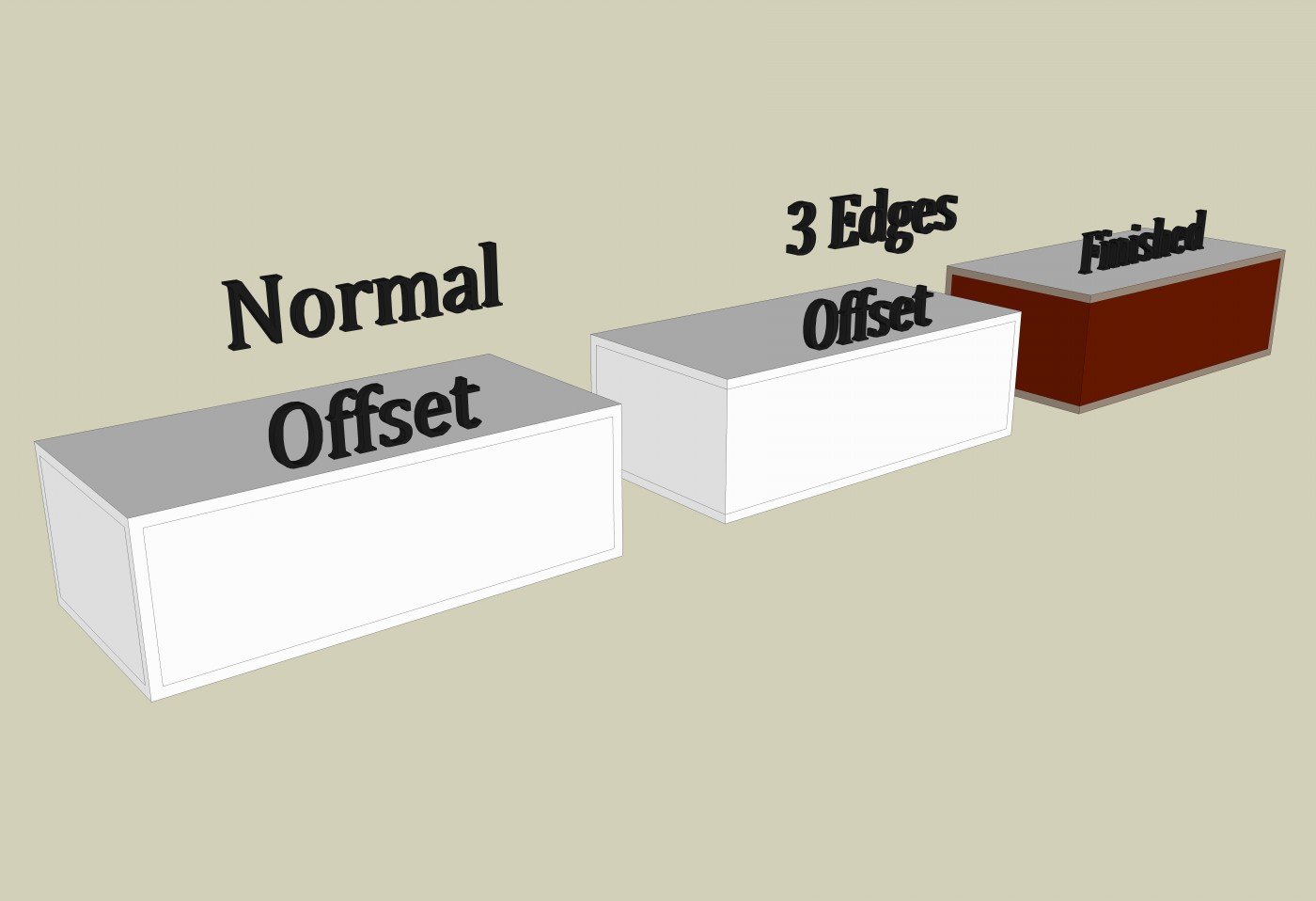
Hello Pilou, hope this explains it better.
John
-
Just use the offset tool included in Fredo's Tools On Surface plugin. First select the three faces and then run the tool.
-
Do the normal offset on one face, entering say 10mm.
Use offset again on the second face, this time just double clicking to reuse the value.
Now you have the first version you show.Activate the Move tool with nothing preselected.
Move over an unwanted offset edge and it selects temporarily.
Move it with axial-lock [hold-shift or arrow-key tap] and snap it to the brick's arris [vertical corner edge].
One face now offset as desired.
Still in Move do the same to the other unwanted offset edge.
The two unwanted offset edges are now relocated on the brick's arris, and will have merged with the rest of the geometry.
Now you have the second version you showed.
Add materials as desired.If you make this brick a component [use save_as to make a reusable external version] you only need to do it once [ever!].
Incidentally, since a brick is always laid on a mortar bed and laid left right this is what a brick-component should look like... the second option is for thicker walls where a mid joint is used.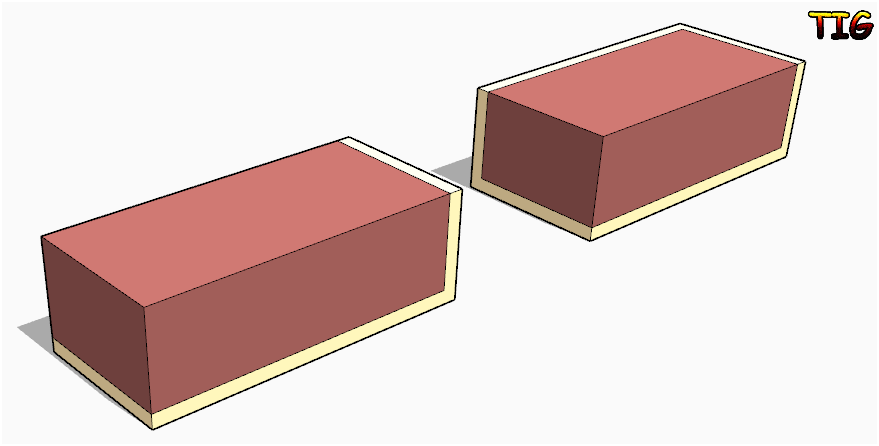 Bricks.skp I'll leave you to make a 'half-brick' with no mortared ends that's needed to keep half-brick walls coursed, and a 'full-brick' with no mortared ends, used to keep one-brick thick walls coursed... Then you'll have the set of parts needed to build any wall. I gave the brick a material but you could leave it <default> so that all instances take whatever material you paint onto them, whilst still using the same 'mortar' color always...
 -
@unknownuser said:
...hope this explains it better.
@massimo said:
Just use the offset tool included in Fredo's Tools On Surface plugin. First select the three faces and then run the tool.
Sorry, looking better at your image the faces to select are of course two.
-
Thanks massimo, I will look at tools on surface.
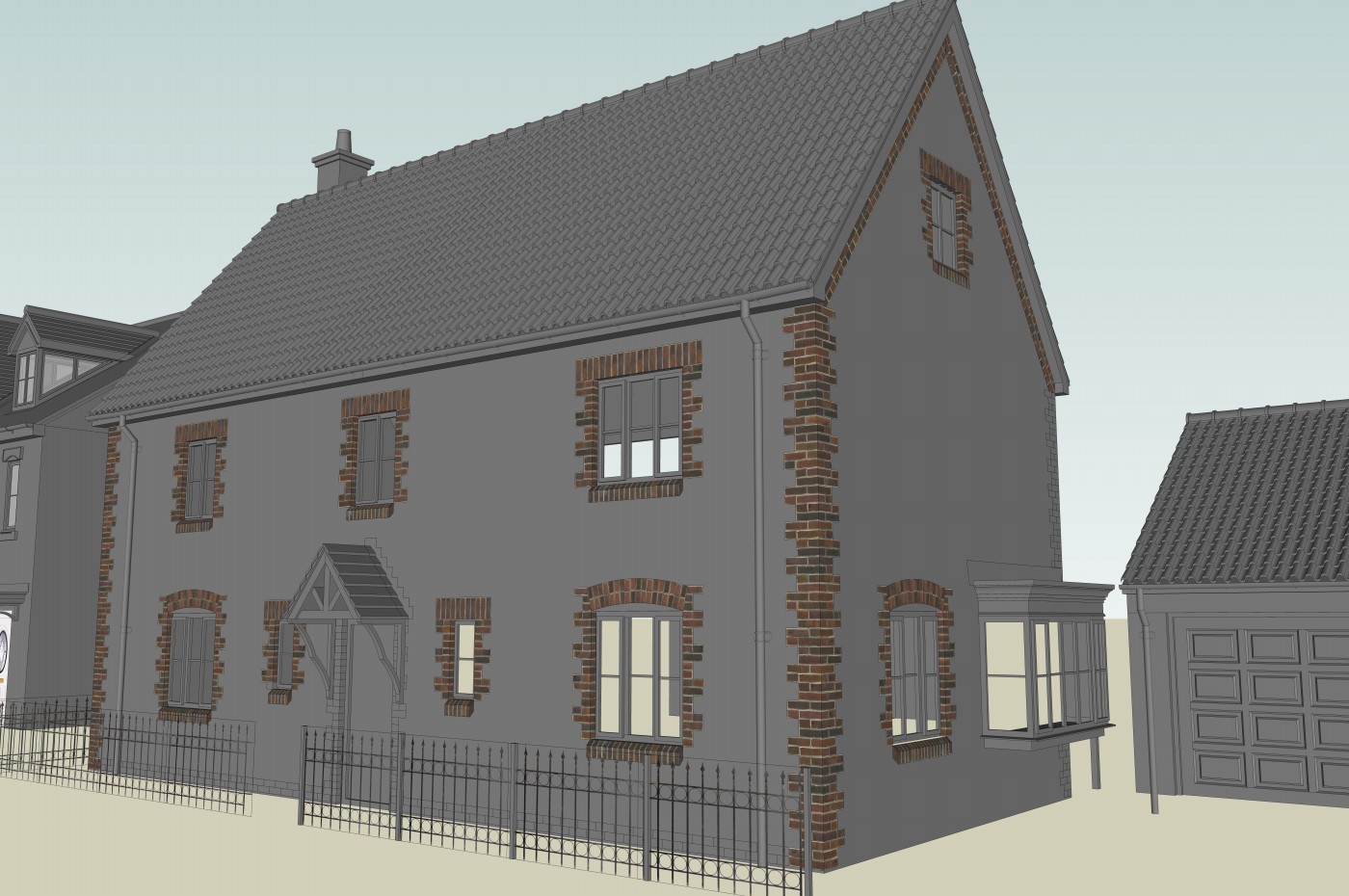
Thanks TIG, the first part is how I'm doing it now. For texturing/rendering it only requires the two external faces of the brick, so after drawing and copying the brick they need texturing. This is the time consuming part when you have a few hundred textures to move so as to give a random blend.
What I was hoping for is a three side offset then I have a method were arches become quick and simple in SU.
No worries, I love modeling longhand

John
-
Sorry, forgot to add image.
John
-
With a correctly sized set of quoin ins-and-outs and a properly sized and positioned texture it should look after itself as 'one' face...

-
John, I don't know if this helps but are you aware that Offset has the same double-click behavior of Push/Pull?
And TIG's remark about a single face (or maybe two to wrap round the corner) is good. I'm thinking that you draw enough of these buildings with this corner treatment that perhaps you could make a component for the corner and insert that as needed. It could be just a small portion of the run and then copied to make the required height.
-
Hello Dave, yes I'm aware of the double click with the offset. I'm not explaining myself very well here! this is more to reduce time applying textures, especially arches. If the method I have in mind works (and I know it does)it would produce a fully randomly textured arch in a couple of minutes or less. I'll get there
thanks
John -
I'm sorry. I thought it is just the offset edges you are after.
I know you'll get there.
-
Hello Dave, I have a method of applying the textures quickly, the offset edges would cut that time even further. Doing one arch is ok but if you have ten and want random textures on each it becomes a task. I'll play around with it this afternoon and see what I come up with.
thanks
John -
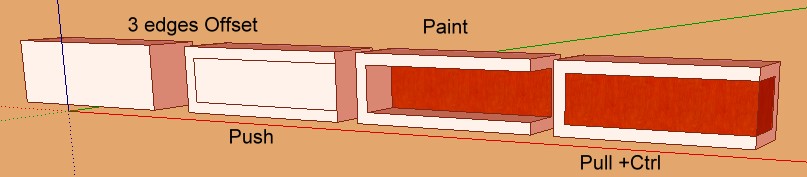
and like this? But I am not sure to understand the problem






Hello! It looks like you're interested in this conversation, but you don't have an account yet.
Getting fed up of having to scroll through the same posts each visit? When you register for an account, you'll always come back to exactly where you were before, and choose to be notified of new replies (either via email, or push notification). You'll also be able to save bookmarks and upvote posts to show your appreciation to other community members.
With your input, this post could be even better 💗
Register Login


Advertisement