Is There a Way to Simplify a Model to a Smaller File Size?
-
Hi,
I'm using SketchUp to build 3D components for X-Plane freeware aircraft.
I'd like to use one of the models in the Warehouse of a pilot and seat. However, the ones I've found are much too complex and therefore have prohibitively large file sizes--i.e., multi megabytes. All I need is something very simple.
Is there a plug-in or way manually to take a model and simplify it to a smaller file size?
Thanks,
Bill -
Polycrunch it with Artisan or MeshLab. Decimate it in Blender
-
Thanks, Rich. Don't know those programs.
However, it dawned on my after starting this thread that while the pilots in the warehouse tend to be complex, perhaps I could find a pilot in an aircraft that would be simpler. Sure enough, I quickly found a very nice one that, when exported to X-Plane, weighs in at about 130 kbs, small enough for my needs.
Sometimes the easiest solution takes a while to come to mind.
Bill
-
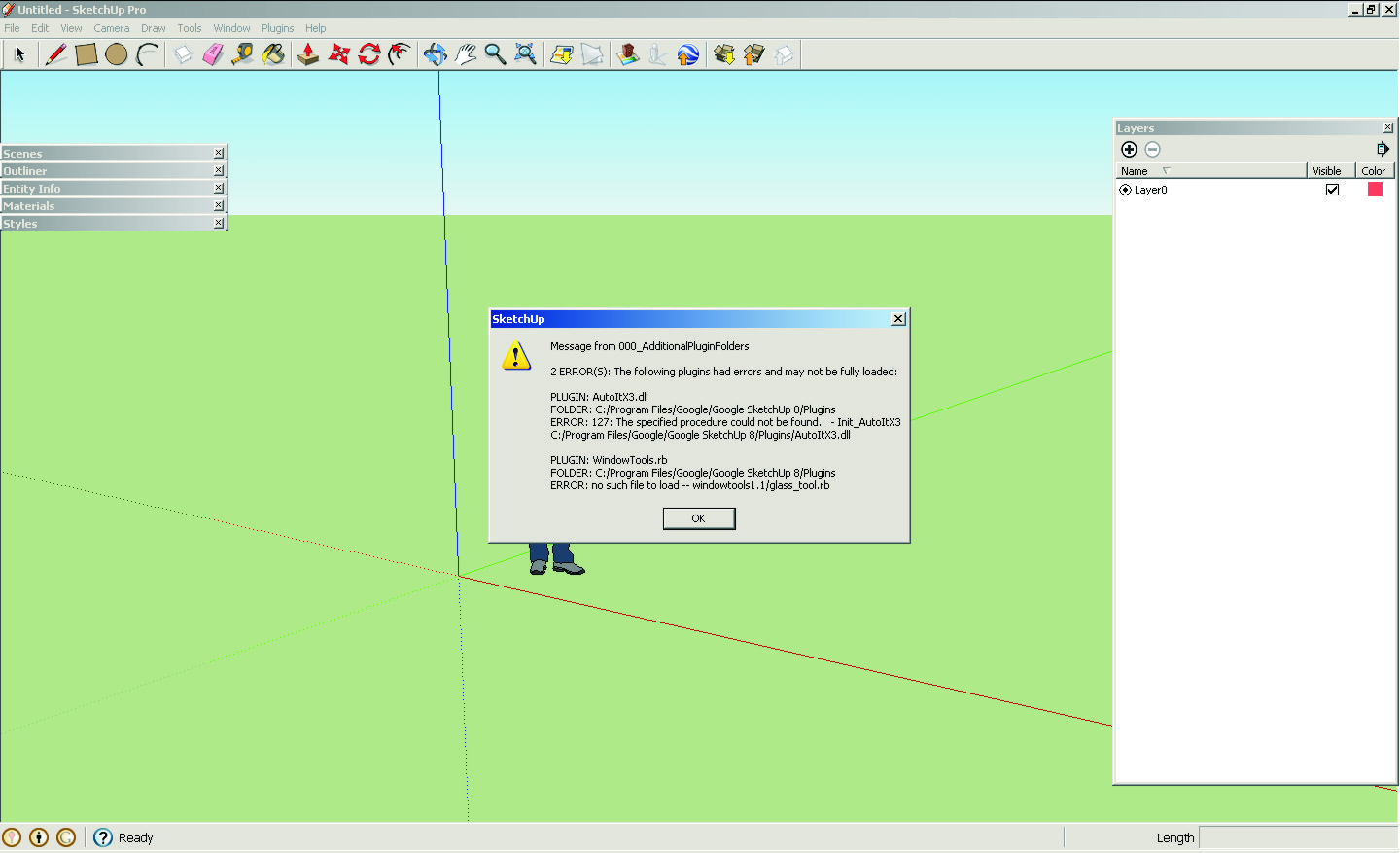
HELLO I'M NEW WITH SU AND I 'VE GOT THE ATTACHED ERROR DOES ANY ONE KNOWS WHAT IS IS , I WAS INSTALLING SOME SCRIPTS AND THEN KAPUT.
THANKS.
-
delete the scripts mentioned in the window and try to install these seperate to find out whats going on.
Take a look if glass-tools.rb is in the correct folder. The other I dont know what it is.



Hello! It looks like you're interested in this conversation, but you don't have an account yet.
Getting fed up of having to scroll through the same posts each visit? When you register for an account, you'll always come back to exactly where you were before, and choose to be notified of new replies (either via email, or push notification). You'll also be able to save bookmarks and upvote posts to show your appreciation to other community members.
With your input, this post could be even better 💗
Register Login


Advertisement