Paper sizes
-
When I open Layout I get a choice of paper sizes going up to A3. If I wanted to save paper sizes A2 to A0 how would I do this. Can you also make editable text blocks like you can in AutoCAD?
-
In later version [at lest in 3] 'Document Setup' includes changing paper sizes, picked off a comprehensive list.
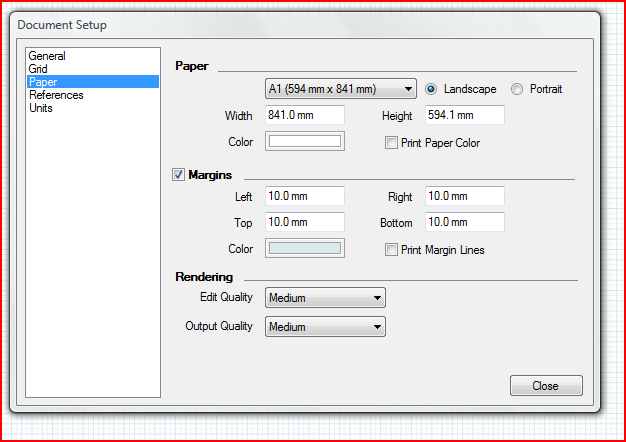 You can then save as a new Template - accessed off My-Templates tree.
To make an editable title-block add the borders, etc and text for the 'fields' you want, in the desired font/size etc. Include that in the Template too. You can also save parts off into a Scrapbook so you can drag/drop/insert title-blocks into other docs too. You could copy/paste the title-block between pages too. -
Thanks TIG template sorted.

Hello! It looks like you're interested in this conversation, but you don't have an account yet.
Getting fed up of having to scroll through the same posts each visit? When you register for an account, you'll always come back to exactly where you were before, and choose to be notified of new replies (either via email, or push notification). You'll also be able to save bookmarks and upvote posts to show your appreciation to other community members.
With your input, this post could be even better 💗
Register Login


Advertisement