sketchucation logo sketchucation
    • 登入
    Oops, your profile's looking a bit empty! To help us tailor your experience, please fill in key details like your SketchUp version, skill level, operating system, and more. Update and save your info on your profile page today!
    🔌 Smart Spline | Fluid way to handle splines for furniture design and complex structures. Download

    [Plugins] TIG-splitTOOLS

    已排程 已置頂 已鎖定 已移動 Plugins
    50 貼文 17 Posters 74.6k 瀏覽 17 Watching
    正在載入更多貼文
    • 從舊到新
    • 從新到舊
    • 最多點贊
    回覆
    • 在新貼文中回覆
    登入後回覆
    此主題已被刪除。只有擁有主題管理權限的使用者可以查看。
    • jason_marantoJ 離線
      jason_maranto
      最後由 編輯

      This looks to be a very useful set of tools for rendering and subdivision (quads-based) workflows -- I'm up to my neck on a deadline right now but I'll definitely want to try these on my next project. 👍 👍 👍

      Best,
      Jason.

      I create video tutorial series about several 2D & 3D graphics programs.

      1 條回覆 最後回覆 回覆 引用 0
      • mitcorbM 離線
        mitcorb
        最後由 編輯

        Hi, TIG:
        I looked through the related threads and did not see if these excellent tools are compatible with any earlier versions of Sketchup?
        Congratulations to you for this and the ArcBy.

        I take the slow, deliberate approach in my aimless wandering.

        1 條回覆 最後回覆 回覆 引用 0
        • TIGT 離線
          TIG Moderator
          最後由 編輯

          @mitcorb said:

          Hi, TIG:
          I looked through the related threads and did not see if these excellent tools are compatible with any earlier versions of Sketchup?
          Congratulations to you for this and the ArcBy.
          These tools should all work with 'all' versions of Sketchup and OSs - OR at least those versions that no longer have instructions in 'Latin' 😉
          If it had been for say v8pro only then I would have said so !

          TIG

          1 條回覆 最後回覆 回覆 引用 0
          • mitcorbM 離線
            mitcorb
            最後由 編輯

            I just happen to be the one that asked, but I saw it as an inevitable question, just a matter of time.

            I take the slow, deliberate approach in my aimless wandering.

            1 條回覆 最後回覆 回覆 引用 0
            • Rich O BrienR 離線
              Rich O Brien Moderator
              最後由 編輯

              I wish this tool could include EebyV and EebyO. They suit this toolset more than extrusion tools.

              If you could tab between tools as you model.

              Are you familiar at how Blender extrudes edges with scaling, rotating etc? Is this possible in SketchUp?

              Download the free D'oh Book for SketchUp 📖

              1 條回覆 最後回覆 回覆 引用 0
              • TIGT 離線
                TIG Moderator
                最後由 編輯

                Here's v1.2 http://forums.sketchucation.com/viewtopic.php?p=386658#p386658
                You should initially see no change to the tool's operation.
                However, IF you have EEby... tools installed then up to three EEby... tools can be added to the tool's toolbar/submenu...
                -extrudeEdgesByOffset
                -extrudeEdgesByVector
                -extrudeEdgesByVectorToObject
                Edit the 'TIG-splitTOOLS.rb' file with a plain-text editor [like Notepad++] and look around ~lines#57-59 in the code...
                Remove the leading '#' from a tool's line of code to 'activate' it, save the file and restart Sketchup to see these additional items on the toolbar/submenu.
                Add Shortcuts to the various tools in the submenu if you frequently use them in combination and prefer that method to picking off toolbar buttons...

                TIG

                1 條回覆 最後回覆 回覆 引用 0
                • DareDevilD 離線
                  DareDevil
                  最後由 編輯

                  @unknownuser said:

                  Here's v1.0

                  @unknownuser said:

                  Here's v1.1

                  @unknownuser said:

                  Here's v1.2

                  Too fast !!! I will wait next week for the v3.6 😆 😆

                  Thanks TIG 👍 👍

                  1 條回覆 最後回覆 回覆 引用 0
                  • M 離線
                    mwm5053
                    最後由 編輯

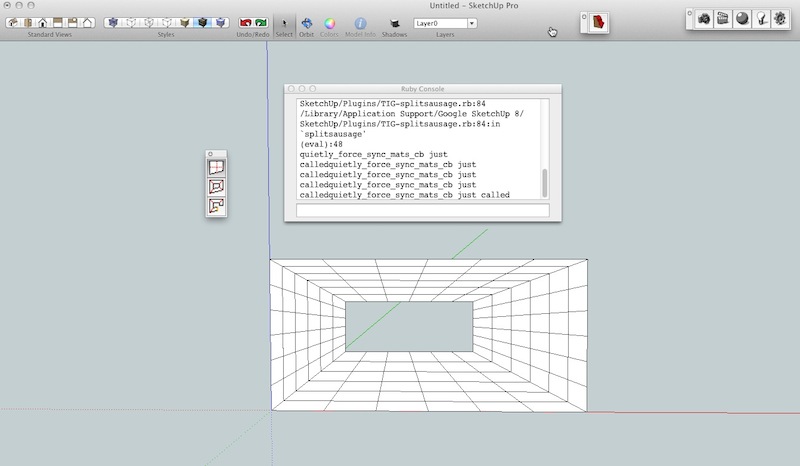
                    Must be something I'm doing wrong or did. I installed TIG-splitTOOLS-20120219a.rbz ,SplitUp v1.5 20120219 and the newest Split doughnut and sausage and Su stops responding after making the split, I watched the video Rich did for SplitUp so I'm pretty sure I'm doing it right any suggestions?

                    SU 1.jpg

                    2011 iMac
                    SU 2015 Pro, 2017 Make
                    V2 Twilight
                    macOS Sierra 10.12.5

                    1 條回覆 最後回覆 回覆 引用 0
                    • TIGT 離線
                      TIG Moderator
                      最後由 編輯

                      Walt

                      The result looks OK as far as it goes - but the split edges should be 'smoothed'.
                      There's a lot more to that error message than you show.
                      Retry, then scroll up and print the start of the error - which tells us where the error originates - the ending of the message only shows the outcome and some other weirdly affected tools [the closing errors have nothing to do with these tools at all 😕 ].

                      Have you edited the script[s] at all - e.g. using a wordprocessor rather than a plain-text editor ?
                      It looks like the TIG-splitTOOLS.rb file's code has been somehow garbled - so the splitup code is executed and it's running straight on into loading splitdonut/splitsausage's code without completing it's task - which of course it shouldn't in a valid installation of the file ! 😲
                      This can occur if a wordprocessor were used on the file, because extra formating is added to the file.
                      I suspect this as the main-suspect [Plan A].

                      Could you also try getting the ZIP version and then manually extracting and installing the file/subfolder as directed - I am wondering if something in the v8M2 MAC's RBZ auto-installer is adrift... 😮 Plan B.

                      Some scripts like SketchyPhysics or DrivingDimensions can mess with base-classes ill-advsedly - these can then cause unexpected results in 'legitimate' tools using some 'group' related commands - but I'd not expect that here... If you have an of these or other obscure scripts can you try disabling them and retry... 😕 Plan C.

                      TIG

                      1 條回覆 最後回覆 回覆 引用 0
                      • pilouP 離線
                        pilou
                        最後由 編輯

                        Not yet test this new plugin 😳
                        but what is the difference with Show Hidden Geometry ?
                        There is a new "triming" of surfaces?

                        Frenchy Pilou
                        Is beautiful that please without concept!
                        My Little site :)

                        1 條回覆 最後回覆 回覆 引用 0
                        • TIGT 離線
                          TIG Moderator
                          最後由 編輯

                          @unknownuser said:

                          Not yet test this new plugin 😳
                          but what is the difference with Show Hidden Geometry ?
                          There is a new "triming" of surfaces?
                          This new tool assembles some other tools in a submenu/toolbar.
                          They are useful for subdividing [SPLITting] faces etc.

                          • SplitUp divides selected 'quad'/'quad-donut' faces into smaller 'quads' [new edges are smoothed - use View > Hidden Geometry ON to see them]
                          • SplitDonut divides any number of selected donut shaped faces [e.g. a 'ring' made with FollowMe] into 'quads' - four sided faces: a 'donut' has an outer loop and just ONE inner loop, AND both loops must have the same number of vertices. The new edges remain selected so you can choose to smooth/hide them etc.
                          • SplitSausage divides ONE selected sausage shaped face [e.g. a 'squiggle' made with FollowMe] into 'quads' - four sided faces: you must also select ONE edge belonging to that face to use as the 'seed' for the new quads; if there's an uneven number of vertices the last dividing edge makes a triangular face [rather than a 'quad']. The new edges remain selected so you can choose to smooth/hide them etc.
                          • Optionally, some EEby... tools can also be added to the submenu/toolbar by a simple edit of the script, if desired.

                          TIG

                          1 條回覆 最後回覆 回覆 引用 0
                          • M 離線
                            mwm5053
                            最後由 編輯

                            Thanks TIG, my mistake didn't realize SplitUp was a hidden geometry thing the other two SDoughnut and SSausage did't seem to be that way created true geometry. Is this the case? Again thanks for the plugin 👍

                            2011 iMac
                            SU 2015 Pro, 2017 Make
                            V2 Twilight
                            macOS Sierra 10.12.5

                            1 條回覆 最後回覆 回覆 引用 0
                            • TIGT 離線
                              TIG Moderator
                              最後由 編輯

                              @mwm5053 said:

                              Thanks TIG, my mistake didn't realize SplitUp was a hidden geometry thing the other two SDoughnut and SSausage did't seem to be that way created true geometry. Is this the case? Again thanks for the plugin 👍
                              The SplitUp new edges are auto-smoothed [there are likely to be a lot of them and manually adjusting just them could be a pain], but the other two tools make new 'plain-edges' [you might want this type of division NOT smoothed etc] - however, the tools end with all of these new edges selected... so you can then use Entity Info to adjust their 'smooth' setting if desired...
                              Walt: What happened with the error message posted earlier ??

                              TIG

                              1 條回覆 最後回覆 回覆 引用 0
                              • M 離線
                                mwm5053
                                最後由 編輯

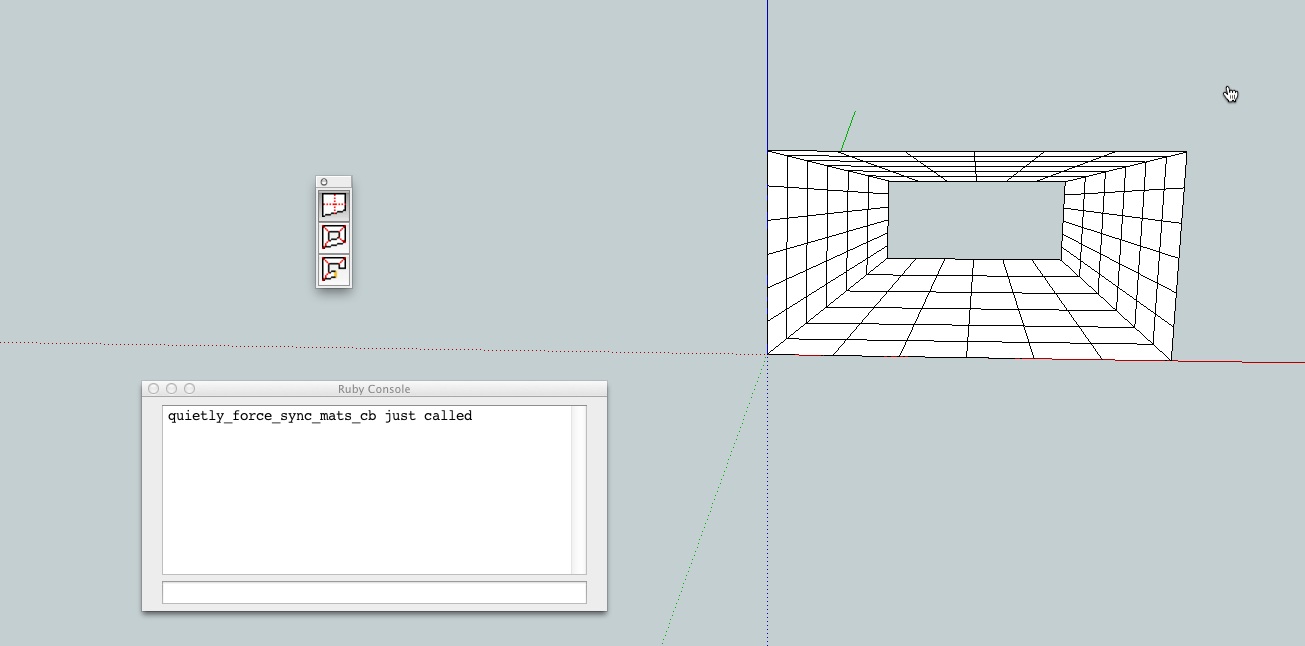
                                I'm guessing that since I didn't know about the hidden geo thing. I was performing the operation twice, that caused the hang up the screen shot shows the first attempt no geometry shown and performing operation again shows new geometry but no error in ruby window because of not responding I have the SU repot if you want but it was quite lengthy.

                                SU.jpg

                                2011 iMac
                                SU 2015 Pro, 2017 Make
                                V2 Twilight
                                macOS Sierra 10.12.5

                                1 條回覆 最後回覆 回覆 引用 0
                                • TIGT 離線
                                  TIG Moderator
                                  最後由 編輯

                                  Please post these error-message[s].
                                  Something is wrong. 😕

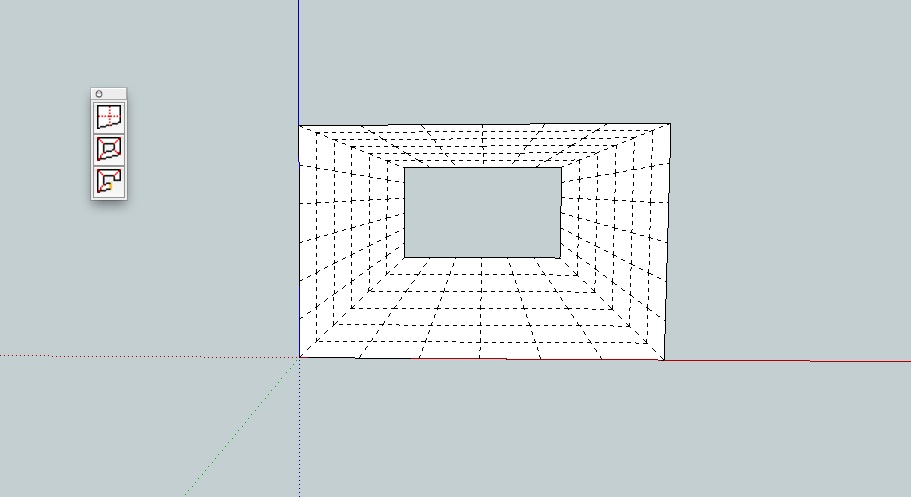
                                  The new edges should be made 'smoothed' and will therefore appear 'dashed' in Hidden Geom' ON or not be seen with it OFF...
                                  These new edges look 'solid', so it's NOT completing properly.

                                  Can you also answer my other questions about 'editing' etc that might have broken things...

                                  TIG

                                  1 條回覆 最後回覆 回覆 引用 0
                                  • M 離線
                                    mwm5053
                                    最後由 編輯

                                    I didn't change the script at all, seems to work fine now but I still have to view with hidden geometry on to see the dashed lines with hidden geo off I see no subdivision. The reason it SU was not responding was because I did it twice because thinking it didn't work the first time just misunderstood the concept here I guess.

                                    SU1.jpg

                                    2011 iMac
                                    SU 2015 Pro, 2017 Make
                                    V2 Twilight
                                    macOS Sierra 10.12.5

                                    1 條回覆 最後回覆 回覆 引用 0
                                    • TIGT 離線
                                      TIG Moderator
                                      最後由 編輯

                                      OK - glad everything seems to be working OK now 😄

                                      TIG

                                      1 條回覆 最後回覆 回覆 引用 0
                                      • pilouP 離線
                                        pilou
                                        最後由 編輯

                                        Does this can work with V 7 ? (I have used the second Zip file)
                                        Because I have nothing to enable in the SubMenu / Toolbar 😮

                                        Edit : ahhhhhhhh! 😳
                                        I must add by hand the 3 variations Split, SplitDonut, SplitSausage from other threads! 😲
                                        That is a curious intallation! 💚
                                        Why not all in one file zipped ? 😮
                                        I must miss something 😄

                                        split.jpg

                                        Frenchy Pilou
                                        Is beautiful that please without concept!
                                        My Little site :)

                                        1 條回覆 最後回覆 回覆 引用 0
                                        • TIGT 離線
                                          TIG Moderator
                                          最後由 編輯

                                          It should work will all SUp versions...
                                          The tools were written as separate utilities - they have their own threads...
                                          This tool simply provides a toolbar/Tools-submenu IF the tools are already installed...
                                          There are clear links on the download page to get the three main tools AND the Extrusion Tools zipped set if you want to add some of those tools by editing the script yourself...

                                          TIG

                                          1 條回覆 最後回覆 回覆 引用 0
                                          • pilouP 離線
                                            pilou
                                            最後由 編輯

                                            Ok thx for the explanation! 😎

                                            Frenchy Pilou
                                            Is beautiful that please without concept!
                                            My Little site :)

                                            1 條回覆 最後回覆 回覆 引用 0
                                            • 1
                                            • 2
                                            • 3
                                            • 2 / 3
                                            • 第一個貼文
                                              最後的貼文
                                            Buy SketchPlus
                                            Buy SUbD
                                            Buy WrapR
                                            Buy eBook
                                            Buy Modelur
                                            Buy Vertex Tools
                                            Buy SketchCuisine
                                            Buy FormFonts

                                            Advertisement