sketchucation logo sketchucation
    • 登入
    Oops, your profile's looking a bit empty! To help us tailor your experience, please fill in key details like your SketchUp version, skill level, operating system, and more. Update and save your info on your profile page today!
    🔌 Smart Spline | Fluid way to handle splines for furniture design and complex structures. Download

    [Plugin] FullScreen v5.1.3 (25 April 2024)

    已排程 已置頂 已鎖定 已移動 Plugins
    285 貼文 79 Posters 411.6k 瀏覽 80 Watching
    正在載入更多貼文
    • 從舊到新
    • 從新到舊
    • 最多點贊
    回覆
    • 在新貼文中回覆
    登入後回覆
    此主題已被刪除。只有擁有主題管理權限的使用者可以查看。
    • A 離線
      Anton_S
      最後由 編輯

      @cadfather said:

      only strange thing i found, the green settings window always pops up on start, even if i uncheck the option. not sure it's supposed to be that way.

      It shouldn't show up if you uncheck the "Show on Start" option. I tested it on my Windows 7, SU8, 13, 14, and 15 64bit. Can you give give me your system background, such as OS and SU version?

      1 條回覆 最後回覆 回覆 引用 0
      • CadFatherC 離線
        CadFather
        最後由 編輯

        ok, so that's strange, it happens on all my versions (8, 2014, 2015-x64).

        i guess you may want to wait if anyone else has the same problem while i investigate further for conflicts etc. win7 64bit.

        Thanks Anton

        1 條回覆 最後回覆 回覆 引用 0
        • A 離線
          Anton_S
          最後由 編輯

          @cadfather said:

          ok, so that's strange, it happens on all my versions (8, 2014, 2015-x64).

          i guess you may want to wait if anyone else has the same problem while i investigate further for conflicts etc. win7 64bit.

          Thanks Anton

          Hmm...
          I think swo_on_quit observer from the new AMS library doesn't work properly. I will look into it. Just to ensure that other observers work, I would like you to do a simple test:

          1. Open Window Settings dialog, and use the menu bar option (Menu)Window > Settings > Full Screen to switch SU full screen. See if the dialog updates its radio-button mode.
          2. Another test, maximize and restore your SketchUp window using the maximize button on the upper right corner of the window. See if the dialog updates its radio-button mode.

          If the dialog doesn't updates, then there is a problem with the whole observing system in my new library; otherwise, it's just this swo_on_quit observer not working for some...

          I would appreciate your tests,
          Thanks

          1 條回覆 最後回覆 回覆 引用 0
          • CadFatherC 離線
            CadFather
            最後由 編輯

            ok, on all tests the radio buttons update properly. this with 2015x64

            1 條回覆 最後回覆 回覆 引用 0
            • A 離線
              Anton_S
              最後由 編輯

              Phew! It's just the swo_on_quit observer method that doesn't work on all systems. I will investigate.

              1 條回覆 最後回覆 回覆 引用 0
              • CadFatherC 離線
                CadFather
                最後由 編輯

                phew! 😆

                1 條回覆 最後回覆 回覆 引用 0
                • A 離線
                  Anton_S
                  最後由 編輯

                  I think I know why it isn't working. Basically, when you close the dialog, by default the dialog unregisters the observer, which prevents the swo_on_quit observer method from being triggered. But, just to ensure the swo_on_quit is working, paste and submit this code into ruby console and quit SketchUp. This should show the 'Works!' message box.

                  class AMSObserverTest; def swo_on_quit; UI.messagebox('Works!'); end; end; AMS;;Sketchup.add_observer(AMSObserverTest.new)
                  
                  1 條回覆 最後回覆 回覆 引用 0
                  • CadFatherC 離線
                    CadFather
                    最後由 編輯

                    exactly as you described it - i got a 'works!' button as i quit SU.

                    (on reopening i still got the green bar)

                    1 條回覆 最後回覆 回覆 引用 0
                    • A 離線
                      Anton_S
                      最後由 編輯

                      Ghurait! Try the new version!

                      (The test you did was meant to check AMS Library observer, which had nothing to do with changing how AMS Window Settings 4.0.0 worked.)

                      1 條回覆 最後回覆 回覆 引用 0
                      • CadFatherC 離線
                        CadFather
                        最後由 編輯

                        yeeeeaaa! fantastic Master Anton, works ghurait now! 😄 👍

                        1 條回覆 最後回覆 回覆 引用 0
                        • D 離線
                          dtrarch
                          最後由 編輯

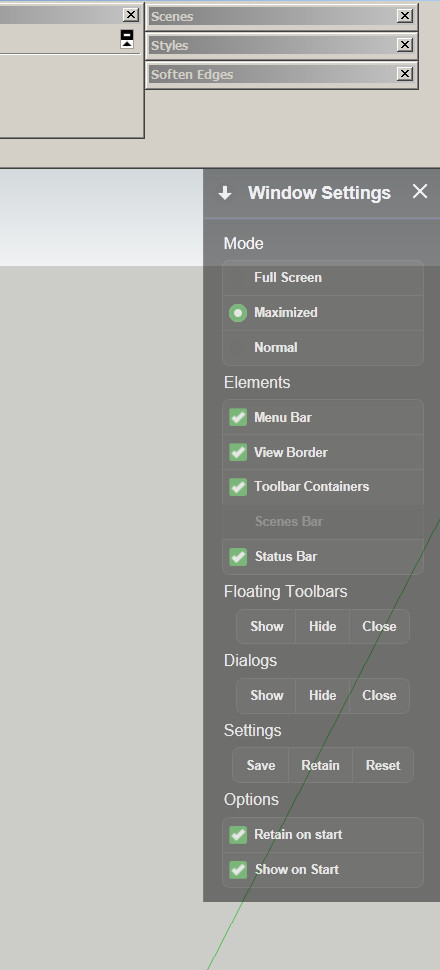
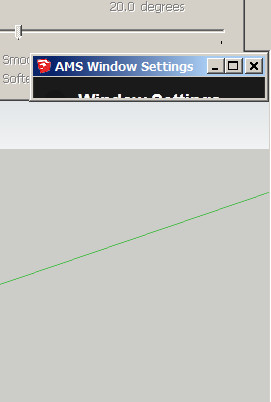
                          ams window dialog stuck.jpgHi Anton
                          The settings dialog icon from your plugin tries to open the SU program dialog for an instant but closes and just opens your settings.
                          No way to move to another monitor or make floating.
                          just a fixed location per my screen clip.
                          (Your settings is grayed out by screen capture software)
                          ??
                          Win 7 pro
                          SU 2015 pro
                          Firfox

                          This is a must have script and thanks thanks thanks.
                          A fix would sure be appreciated

                          Dave


                          ams window dialog open.jpg

                          1 條回覆 最後回覆 回覆 引用 0
                          • A 離線
                            Anton_S
                            最後由 編輯

                            I removed the pick and drag feature, just cause I thought upper-right corner of the view was the best location for the dialog. I might re-add it in the next release.

                            It looks like my plugin tries create a new dialog, but in fact, that's the same dialog with border and caption removed. I will make it do such procedure faster, so it's done before the dialog is set visible.

                            1 條回覆 最後回覆 回覆 引用 0
                            • D 離線
                              dtrarch
                              最後由 編輯

                              Anton
                              The pick-and-drag gang will beg
                              Thanks

                              dtr

                              1 條回覆 最後回覆 回覆 引用 0
                              • D 離線
                                dtrarch
                                最後由 編輯

                                Hi Anton
                                The border and caption (SU)will be needed to drag the plugin.
                                Also to locate the plugin on another screen.
                                Thanks

                                Dave

                                1 條回覆 最後回覆 回覆 引用 0
                                • A 離線
                                  Anton_S
                                  最後由 編輯

                                  @dtrarch said:

                                  Hi Anton
                                  The border and caption (SU)will be needed to drag the plugin.
                                  Also to locate the plugin on another screen.
                                  Thanks

                                  Dave

                                  I won't add the border and caption, cause I think the widows frame doesn't look so good, but I will make the green heading draggable and clippable...

                                  1 條回覆 最後回覆 回覆 引用 0
                                  • D 離線
                                    dtrarch
                                    最後由 編輯

                                    Hi Anton
                                    Good news to be able to drag.
                                    Will it lock to other SU captions ?
                                    Very handy to set a typ screen org for templates.
                                    Here is how I use them in any case.
                                    (in line here)
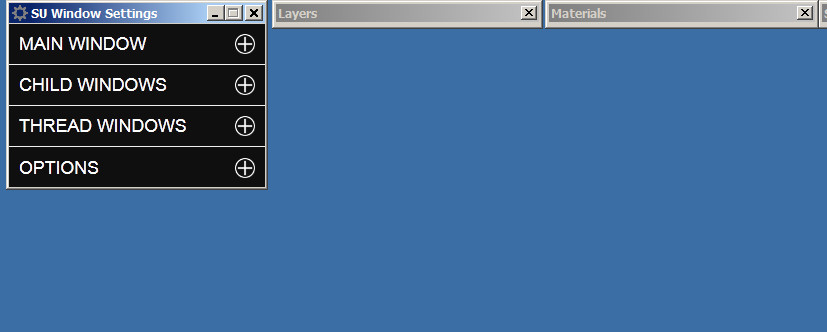
                                    SU Window Settings is on screen #2
                                    Your plugin should have been part of SU from the very beginning.
                                    Thanks for getting back too.

                                    Dave


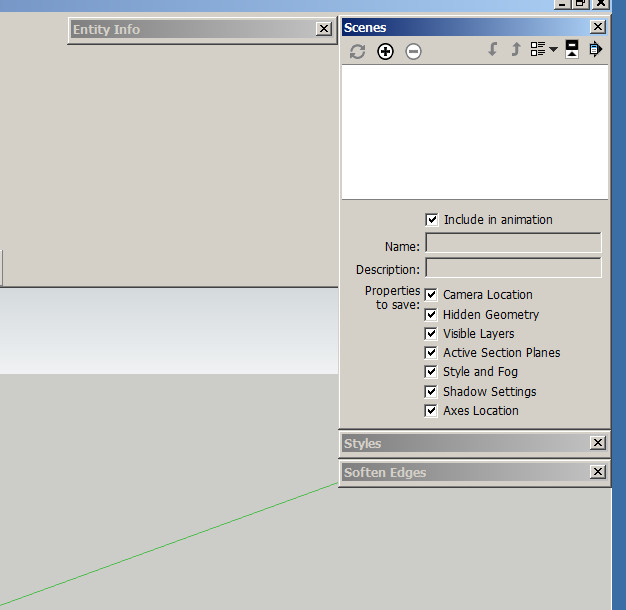
                                    CAPTIONS LOCK TOGETHER HERE.jpg


                                    CAPTION +SU WINDOW.jpg

                                    1 條回覆 最後回覆 回覆 引用 0
                                    • A 離線
                                      Anton_S
                                      最後由 編輯

                                      4.1.0 has been released!

                                      • Added pick, drag and clip feature to the new dialog.
                                      • Made borders hide faster.
                                      • Added localization to dialog.

                                      Click on green caption to drag the dialog, easy as that...

                                      1 條回覆 最後回覆 回覆 引用 0
                                      • D 離線
                                        dtrarch
                                        最後由 編輯

                                        Anton

                                        V4.1.0 did not drag (or move) green title and would not close menu when arrow was clicked.
                                        SU title hide was still slow.
                                        Show/Hide toolbars and dialogs killed all my on screen settings for both when invoked.
                                        Sorry

                                        Dave

                                        1 條回覆 最後回覆 回覆 引用 0
                                        • A 離線
                                          Anton_S
                                          最後由 編輯

                                          @dtrarch said:

                                          Anton

                                          V4.1.0 did not drag (or move) green title and would not close menu when arrow was clicked.
                                          SU title hide was still slow.
                                          Show/Hide toolbars and dialogs killed all my on screen settings for both when invoked.
                                          Sorry

                                          Dave

                                          It works well on my windows 7. What operating system are you using and what internet explorer version?

                                          Edit: I tested on my Windows XP (with IE9) and it doesn't work just like you described. There is not much I can do about compatibility other than retrieving the original version. So, if you use IE9, use the old version which is compatible in SU2014 and below. You need AMS Library 1.0.9 for the old version too. Here are the links:
                                          ams_lib_1.0.9.zip
                                          ams_WindowSetttings_3.8.1.zip

                                          1 條回覆 最後回覆 回覆 引用 0
                                          • D 離線
                                            dtrarch
                                            最後由 編輯

                                            Hi Anton

                                            I have Win 7 pro
                                            SU 2015 pro
                                            (this is the problem SU version)
                                            (Not much else installed)
                                            Tig extrude lines.rb
                                            Wiki tools
                                            Works fine on SU 2014 Pro
                                            Firefox browser most updated
                                            Win Explorer 11 installed
                                            ??? ❓
                                            Dave

                                            1 條回覆 最後回覆 回覆 引用 0
                                            • 1
                                            • 2
                                            • 5
                                            • 6
                                            • 7
                                            • 8
                                            • 9
                                            • 14
                                            • 15
                                            • 7 / 15
                                            • 第一個貼文
                                              最後的貼文
                                            Buy SketchPlus
                                            Buy SUbD
                                            Buy WrapR
                                            Buy eBook
                                            Buy Modelur
                                            Buy Vertex Tools
                                            Buy SketchCuisine
                                            Buy FormFonts

                                            Advertisement