[Plugin] Slicer5
-
@guanjin said:
@tig said:
I've noticed an error with the 'Portuguese' lingvo file that was recently supplied with v5.11
It's incorrectly named 'PO' and it contained no translations anyway !
Here's the correct 'PT' version.[attachment=1:r7efhnet]<!-- ia1 -->TIG-SlicerPT-lingvo.zip<!-- ia1 -->[/attachment:r7efhnet]Extract it from the zip.
If you want Portuguese translations, please remove the incorrect 'PO' version and add this correct 'PT' one to the tool's subfolder. If your 'locale' is not 'PT' you can always change that part of the name to suit...Translated into Chinese, it can not achieve the flattening function, the following documents attached to the Chinese language, thank you! !
[attachment=0:r7efhnet]<!-- ia0 -->TIG-SlicerZH-CN.zip<!-- ia0 -->[/attachment:r7efhnet]I am really stupid, I did not expect this problem, thank you!

-
@guanjin said:
@tig said:
I've noticed an error with the 'Portuguese' lingvo file that was recently supplied with v5.11
It's incorrectly named 'PO' and it contained no translations anyway !
Here's the correct 'PT' version.[attachment=1:165j53cw]<!-- ia1 -->TIG-SlicerPT-lingvo.zip<!-- ia1 -->[/attachment:165j53cw]Extract it from the zip.
If you want Portuguese translations, please remove the incorrect 'PO' version and add this correct 'PT' one to the tool's subfolder. If your 'locale' is not 'PT' you can always change that part of the name to suit...Translated into Chinese, it can not achieve the flattening function, the following documents attached to the Chinese language, thank you! !
Delete the wrong file, sorry! -
@tig said:
OK.
What you are saying is that when using a Chinese lingvo file the 'Flattening' function fails.
If you change the translation for the 'Flattening' parts of the lingvo back to the original file's text, does it then work ?
If so, then it suggests that some 'characters' in your translation are not working properly.
Did you use the 'UFT-8' option when saving the Chinese lingvo file ?
The translate strings go inside " " in the code, so you can't include any " in the translation, as it breaks the way the code reads it in...
Can you try alternative 'wording' ?

Thank you TIG, problem solved, thank you for your guidance! Thank you! !
-
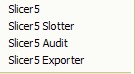
Hello TIG: plug-in menu bar, the ability to fold? Thank you
-
@guanjin said:
Hello TIG: plug-in menu bar, the ability to fold? Thank you
[attachment=0:2u7rviwa]<!-- ia0 -->QQ截图20120120162611.jpg<!-- ia0 -->[/attachment:2u7rviwa]
I assume by 'fold' you mean 'combine into a single submenu'. [Do you use Google Translate?]
To make that you'll need to recode the menu making part of the script.
Here is how to do it.
the original code [around line#669] looks like this:UI.menu("Plugins").add_item(cmd) UI.menu("Plugins").add_item(cmds) UI.menu("Plugins").add_item(cmda) UI.menu("Plugins").add_item(cmdx)This is it recoded with an extra line to make the submenu within the 'Plugins' menu; and the other four lines adjusted to add their commands into that rather than directly into the 'Plugins' menu:
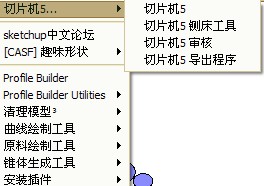
  submenu=UI.menu("Plugins").add_submenu(S5+"...")
  submenu.add_item(cmd)
  submenu.add_item(cmds)
  submenu.add_item(cmda)
  submenu.add_item(cmdx)
The 'S5' constant is the deBabelized string for 'Slicer5', used as the name for the submenu plus '...'.
If users would prefer this method I could incorporate it into a new release.
So feedback please... -
@tig said:
@guanjin said:
Hello TIG: plug-in menu bar, the ability to fold? Thank you
[attachment=0:7wcsfm32]<!-- ia0 -->QQ截图20120120162611.jpg<!-- ia0 -->[/attachment:7wcsfm32]
I assume by 'fold' you mean 'combine into a single submenu'. [Do you use Google Translate?]
To make that you'll need to recode the menu making part of the script.
Here is how to do it.
the original code [around line#669] looks like this:UI.menu("Plugins").add_item(cmd) > UI.menu("Plugins").add_item(cmds) > UI.menu("Plugins").add_item(cmda) > UI.menu("Plugins").add_item(cmdx)This is it recoded with an extra line to make the submenu within the 'Plugins' menu; and the other four lines adjusted to add their commands into that rather than directly into the 'Plugins' menu:
  submenu=UI.menu("Plugins").add_submenu(S5+"...")
>   submenu.add_item(cmd)
>   submenu.add_item(cmds)
>   submenu.add_item(cmda)
>   submenu.add_item(cmdx)
The 'S5' 'constant is the deBabelized string for 'Slicer5', used as the name for the submenu plus '...'.
If users would prefer this method I could incorporate it into a new release.
So feedback please...This can shorten the length of plug-ins drop-down menu!
-
Thank you TIG

-
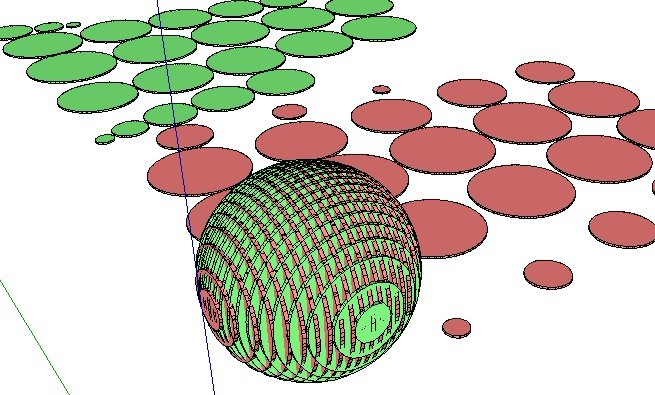
Want to smooth the edges the better!!
-
The more facets that the sliced object has the smoother the edges of the slices...
-
Guanjin
Could you post your Chinese lingvo file [zipped] for other fellow users to benefit from - it's only fair - the rest of the tool is freely shared... -
Here's v5.12 http://forums.sketchucation.com/viewtopic.php?p=374969#p374969
Extra traps added for 'non-instances' within slice-collections [e.g. when slotting after editing].
Code CONSTANTS added for optional menu-location/single-submenu.
The lingvo files are now all UFT-8 encoded, to avoid problems when copying.
Typos in the FR lingvo file corrected, the correct PT Portuguese lingvo is now included. -
Yes, I posted on there?
-
massively awesome !
-
Thanks to Guanjin here's the Chinese lingvo file.
Unzip it and put it into theTIG-Slicersubfolder in thePluginsfolder...TIG-SlicerZH-CN-lingvo.zip
It will be included in the zipped package, with future updates too... -
Here's v5.13 http://forums.sketchucation.com/viewtopic.php?p=374969#p374969
The latest Chinese lingvo file is now included in the set.
The RZ solutions have been improved: now less prone to error with complex shapes made when the ORIGIN is within the bounding-box of the sliced-object: useful when making horizontal Z[blue] slotted-ribs with R[amber] radially arranged slotted-spars in the vertical [rotate the slice-object onto its 'nose', if you want to transpose the rib/spar arrangements]...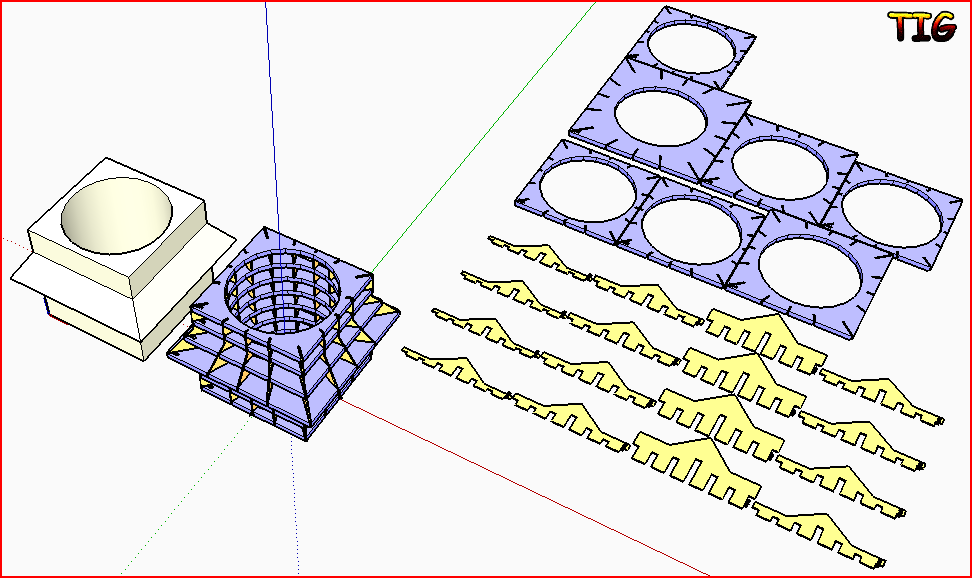
-
TIG, this is not a plugin that I would use often but it is soooo neat I can't help playing with it!!!
Cheers!!

-
@tig said:
Here's v5.13 http://forums.sketchucation.com/viewtopic.php?p=374969#p374969
The latest Chinese lingvo file is now included in the set.
The RZ solutions have been improved: now less prone to error with complex shapes made when the ORIGIN is within the bounding-box of the sliced-object: useful when making horizontal Z[blue] slotted-ribs with R[amber] radially arranged slotted-spars in the vertical [rotate the slice-object onto its 'nose', if you want to transpose the rib/spar arrangements]...[attachment=0:spns2k8l]<!-- ia0 -->s5-13.PNG<!-- ia0 -->[/attachment:spns2k8l]TIG: very kind of you! Update so fast!
-
XXXXX?
Thank you Sir. -
I am using v5.11. I have been getting a variety of results when trying to slice really complicated geometry. I will slice and get a full crash complete with bug splat error report, sometimes it will look like it has finished but there will only be text in the very far distance, sometimes it will slice and "grey out" with xyz lines no longer visible. I did try making the object bigger x 10 and that seemed to help a lot. Thanks again! I'm working with a laser cutter, and this is really amazing!
-
Without seeing the sliced-object I can't say... is there something more complex in one direction that another ?
Are you doing slotting as well as slicing in one step?
If you omit the slotting what happens ?
It you use Slotter later on the set what happens etc etc ??If you make fewer slices [increased thickness/spacing] what happens ?
Very complex slicing will take time, especially when slotted...
Can you post a screenshot or two ?






Advertisement