[Plugin] Slicer5
-
@TIG de acuerdo , probare a ver que pasa , cuando encuentre el problema y lo solucione lo pondre por aqui , por si a algun otro neofito en el tema le sirve jajajaj
gracias
-
hey im using slicer but and its working good but when i check yes on adding outline to adjacent part its crashes on export to dxf any idea why?
-
No.
But please repeat this with the Ruby Console open and report any messages...If you don't export to DXF are the pieces made as you expect, with the outlines etc ?
-
So I know this is an old topic but maybe someone can help me. I have a solid entity with 1440 cu ft of volume shown when I check on entity info.
I need to adjust this volume along a specific axis maintaining relative dimensions so slicer seemed like a perfect tool to do this. It worked great slicing up the volume along the axis in 2" slices.
I then wanted to get the volume of each slice. No can do. All the slices are grouped as a component so I exploded that component. I clicked on one and no volume information. So I thought, well maybe it's got to be a group. I exploded the individual slice and then grouped it. Still no volume info. So one more try I exploded once more, selected all connected and grouped again. Still no volume information.
Am I missing something?
-
I'm having an issue with the plugin and trying to figure out what I'm doing wrong.
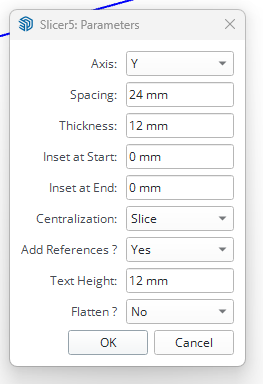
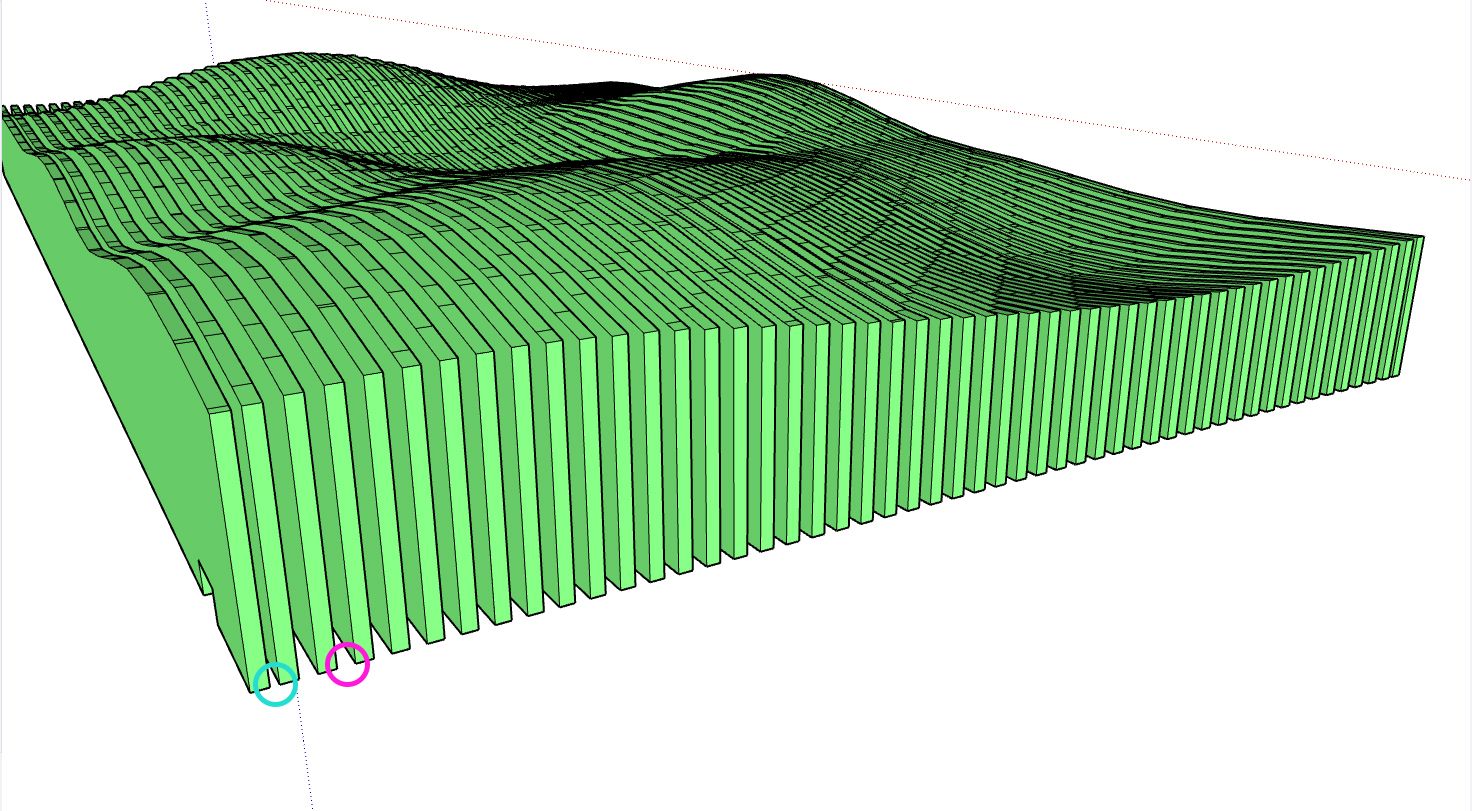
The first two and last two slices always seem to have a smaller gap than the rest, sometimes they'll even overlap. Is there a way around this?
-
If you object's overall size is not an exact multiple of the spacing & thickness [allowing for the last-most slice/gap], then this will occur.
It looks like the start/end gaps are 1/2 a gap ?Also choosing to centralize the slice can exacerbate this result - try centralizing the gap ?
You can also tweak the start/end insets to adjust the sliced result.Supplying the model would help us see what's what...
-
@TIG Ah, the multiples will be the issue then, I was just throwing random shapes and spacings and seeing what came out.
Thanks for the help!
-
Will this take slices along a curve, perpendicular to the path? I.e., take cross-sections along a snake.
-
Can you take slices along a curved path, perpendicular to the path, for a given increment? I want to model a snake.
-
@Chelmite no. It makes parallel slices.
For your snake you could create a plane component and use Copy Along Path to do what you are looking for.
-
This post is deleted! -
This post is deleted! -
This post is deleted! -
-
Hi guys, Mac usuer I can't download the TXT ttf font, all the link aren't working no more. Can someone tell how to donwloadd it ?
-
The link in the very first thread in this topic contains the working url to download the zip file containing the txt font's ttf file.
https://community.sketchucation.com/uploads/imported_attachments/pdqA_txt_____.zip
I just used it.
I can't see what your issue might be...


Hello! It looks like you're interested in this conversation, but you don't have an account yet.
Getting fed up of having to scroll through the same posts each visit? When you register for an account, you'll always come back to exactly where you were before, and choose to be notified of new replies (either via email, or push notification). You'll also be able to save bookmarks and upvote posts to show your appreciation to other community members.
With your input, this post could be even better 💗
Register Login


Advertisement