sketchucation logo sketchucation
    • Login
    Oops, your profile's looking a bit empty! To help us tailor your experience, please fill in key details like your SketchUp version, skill level, operating system, and more. Update and save your info on your profile page today!
    ⚠️ Update | Sketchucation Tools 5.0.8 released with licensing improvements and bugfixes Download

    [Plugin] Slicer5

    Scheduled Pinned Locked Moved Plugins
    338 Posts 83 Posters 394.1k Views 82 Watching
    Loading More Posts
    • Oldest to Newest
    • Newest to Oldest
    • Most Votes
    Reply
    • Reply as topic
    Log in to reply
    This topic has been deleted. Only users with topic management privileges can see it.
    • TIGT
      TIG Moderator
      last edited by

      Glad you managed to get a result 😲 πŸ˜„

      TIG

      1 Reply Last reply
      Reply Quote 0
      • M
        mstsrs
        last edited by

        Thank you sir

        1 Reply Last reply
        Reply Quote 0
        • pilouP
          pilou
          last edited by

          @unknownuser said:

          i conclude again that SU is a tool far, far away from being perfect.

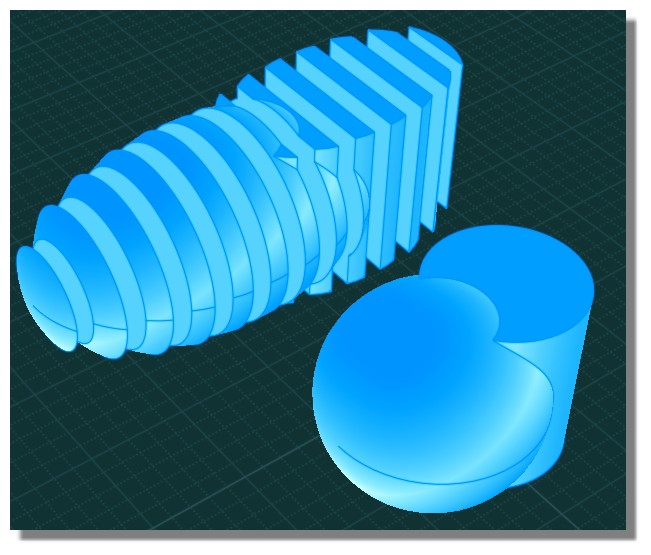
          For "perfect result" try maybe Nurbs like the crazzy Moi! πŸ˜‰


          slicer.jpg

          Frenchy Pilou
          Is beautiful that please without concept!
          My Little site :)

          1 Reply Last reply
          Reply Quote 0
          • TIGT
            TIG Moderator
            last edited by

            Here's a future-proofed update.
            http://sketchucation.com/forums/viewtopic.php?p=374969#p374969

            TIG

            1 Reply Last reply
            Reply Quote 0
            • C
              Cubcrafter
              last edited by

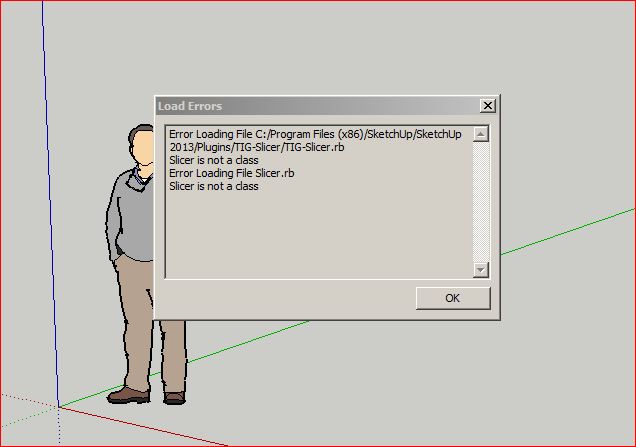
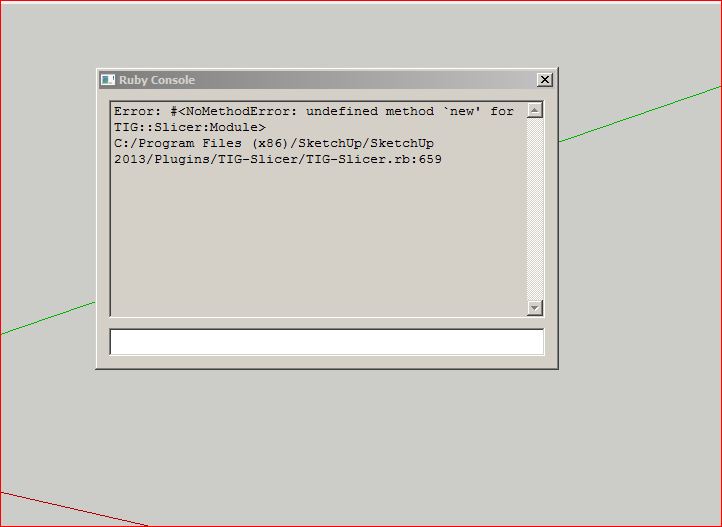
              Updated Slicer today thru Plugin store and got this error message.
              No problem updating other TIG plugins.

              Larry


              Slicer.JPG


              Slicer2.JPG

              1 Reply Last reply
              Reply Quote 0
              • TIGT
                TIG Moderator
                last edited by

                Investigating...
                πŸ˜•

                TIG

                1 Reply Last reply
                Reply Quote 0
                • TIGT
                  TIG Moderator
                  last edited by

                  The latest update [v5.18] should resolve the issue πŸ˜•
                  Works fine for me...
                  There was a typo or two [now fixed], but I can't see how you got that error ??
                  Try removing the .rb and subfolder... and reinstall from scratch...

                  Report back if it then does not work for you...

                  TIG

                  1 Reply Last reply
                  Reply Quote 0
                  • C
                    Cubcrafter
                    last edited by

                    Removed folder and .rb file from Plugins Folder and reinstalled from Plugin Store.
                    Loads fine now.

                    Thanks,

                    Larry

                    1 Reply Last reply
                    Reply Quote 0
                    • R
                      rod bender
                      last edited by

                      I am running( on a Mac) the latest version of Trimble SketchUp Pro, and have just installed the latest version of Slicer 5.19
                      I am having difficulties exporting flattened slices to DXF format. Have done this before with previous versions of Slicer but don't seem to be having any luck with this updated version. Does anyone out there have any suggestions?

                      1 Reply Last reply
                      Reply Quote 0
                      • Dave RD
                        Dave R
                        last edited by

                        What's the trouble? Be more specific. Do you get the flattened slices in the SketchUp model space after the plugin runs? Is it just the export to DXF that is causing the problem? Can you export other lines to DXF?

                        Etaoin Shrdlu

                        %

                        (THERE'S NO PLACE LIKE)

                        G28 X0.0 Y0.0 Z0.0

                        M30

                        %

                        1 Reply Last reply
                        Reply Quote 0
                        • R
                          rod bender
                          last edited by

                          I get the flattened slices ok, select one group to Export. Choose export from Slicer and get the dialog box asking
                          For which format, select, then nothing happens

                          1 Reply Last reply
                          Reply Quote 0
                          • Dave RD
                            Dave R
                            last edited by

                            I just tried it on SU2013 with OSX10.8.5 and it worked just fine. What OS are you using? (Please complete your profile). In what location is the SKP file saved?

                            Etaoin Shrdlu

                            %

                            (THERE'S NO PLACE LIKE)

                            G28 X0.0 Y0.0 Z0.0

                            M30

                            %

                            1 Reply Last reply
                            Reply Quote 0
                            • R
                              rod bender
                              last edited by

                              I am running OS 10.7.5 and the SKP is in Applications folder.

                              1 Reply Last reply
                              Reply Quote 0
                              • Dave RD
                                Dave R
                                last edited by

                                You saved the model in the Applications folder? Try saving it in the Documents folder instead and see what happens.

                                Etaoin Shrdlu

                                %

                                (THERE'S NO PLACE LIKE)

                                G28 X0.0 Y0.0 Z0.0

                                M30

                                %

                                1 Reply Last reply
                                Reply Quote 0
                                • R
                                  rod bender
                                  last edited by

                                  Apologies, I saved the SKP on the desktop, but now have moved to the Document Folder. Alas no better luck with that. But thanks for your assistance.

                                  1 Reply Last reply
                                  Reply Quote 0
                                  • Dave RD
                                    Dave R
                                    last edited by

                                    OK. So, are you still working on this tonight?

                                    Etaoin Shrdlu

                                    %

                                    (THERE'S NO PLACE LIKE)

                                    G28 X0.0 Y0.0 Z0.0

                                    M30

                                    %

                                    1 Reply Last reply
                                    Reply Quote 0
                                    • TIGT
                                      TIG Moderator
                                      last edited by

                                      A new version is now available.
                                      This should resolve some recently reported issues...
                                      http://sketchucation.com/resources/pluginstore?pln=TIG_Slicer

                                      TIG

                                      1 Reply Last reply
                                      Reply Quote 0
                                      • TIGT
                                        TIG Moderator
                                        last edited by

                                        DXF exporting...
                                        Please get the latest version of the Toolset and retry...

                                        Please remember that you need to preset the DXF export options in SketchUp as these are not scriptable and the current settings are used...

                                        If you export with the Ruby Console open does it show errors ?

                                        TIG

                                        1 Reply Last reply
                                        Reply Quote 0
                                        • R
                                          rod bender
                                          last edited by

                                          That all seems to be working well. No error messages with the Ruby Console.
                                          Excellent

                                          Thanks

                                          1 Reply Last reply
                                          Reply Quote 0
                                          • Dave RD
                                            Dave R
                                            last edited by

                                            So it's working now, Rod? I was going to suggest we try a DXF export last night through File>Export but I got sidetracked. If it works, now, that's excellent.

                                            Etaoin Shrdlu

                                            %

                                            (THERE'S NO PLACE LIKE)

                                            G28 X0.0 Y0.0 Z0.0

                                            M30

                                            %

                                            1 Reply Last reply
                                            Reply Quote 0

                                            Hello! It looks like you're interested in this conversation, but you don't have an account yet.

                                            Getting fed up of having to scroll through the same posts each visit? When you register for an account, you'll always come back to exactly where you were before, and choose to be notified of new replies (either via email, or push notification). You'll also be able to save bookmarks and upvote posts to show your appreciation to other community members.

                                            With your input, this post could be even better πŸ’—

                                            Register Login
                                            • 1
                                            • 2
                                            • 8
                                            • 9
                                            • 10
                                            • 11
                                            • 12
                                            • 16
                                            • 17
                                            • 10 / 17
                                            • First post
                                              Last post
                                            Buy SketchPlus
                                            Buy SUbD
                                            Buy WrapR
                                            Buy eBook
                                            Buy Modelur
                                            Buy Vertex Tools
                                            Buy SketchCuisine
                                            Buy FormFonts

                                            Advertisement