[Plugin] Slicer5
-
There are several separate threads on making things solid...
You can search for those and read up on the issues...Here a précis...
A 'manifold' solid is a group [or component] that contains only geometry [guidelines/points are also permitted as they never interact with other objects, but best avoided].
Geometry is defined as faces and their edges.
So that means...
NO nested groups or component-instances or images [if so explode then into the 'container' group].
NO other objects like text, dims etc.
Every edge must have two faces associated with it.
No fewer and no more.
So that means...
NO faceless ['lone'] edges.
NO edges with one face - e.g. as flaps, shelves, hole-perimeters etc
NO edge with three or more faces - e.g. internal partition faces, where some edges will have three or more faces, and no otherwise-solid-blocks meeting along a shared edge that then has four faces etc.
NO coplanar faces exactly duplicated and 'overlaid' - these are difficult to 'make' manually because such faces usually 'merge', but sometimes faces like can result from complex operations and they can be hard to find without helper tools.***
Faces should also be consistently 'oriented' - with their front-material outwards [although a completely inside-out object will still be consider as a solid if there are no other issues with its geometry].When checking your object ensure that all hidden entities as visible [View > Hidden Geometry ON], and that all layers are switched ON, in case some things that are causing issues would otherwise not be seen.
Sometimes you can have very short bits of lone-edges or tiny holes which stop your object being solid.
These can be hard to find.***Thomthom has made the 'Solid Inspector' tool, which will examine a selected non-solid and highlight problem areas.
These will then need fixing manually, or my 'SolidSolver' tool can try to repair it - although if the object is badly formed with several issues it can fail.
To assist you in a manual repair use a Style that has clear front/back default materials and view in Monochrome mode and 'reverse' selected faces that are 'backwards'.
The Style should also have end-points ON, and distinctly different edge and profile edge thicknesses to help you find flaps and holes.
X-ray mode toggled on/off helps you see whats inside the object - like internal-partitions and overlaid faces
To work inside a form use a section-plane cut and delete unwanted partitions and flaps internally.
In tricky internal areas temporarily hiding or deleting a face so you can gain access to delete things is also an option - but in that case remember to unhide or reform the temporarily removed face [as that itself will case non-solidness].
The 'Entity Info' dialog shows if a selected object is a 'solid' in its 'header' text... If it doesn't say it's a 'solid' then it is not a 'solid' ! -
Yes, the Solid Inspector did the trick. Thank you!
-
Okay.. i've been waiting with writing here for a looong time, but now i find myself in situation where this plugin would be very helpful indeed.
And.. surely enough i have a problem with it.
My problem is almost like everyone elses, but i am providing the file so one could check on it.
http://www.mediafire.com/download/38k93ic1qhwmne8/droplet.skp
So.. what i have done there is make a wave pattern i wanted to slice, and by now, it's not even important what settings i use, as the problem seems to presist thoughout the tries. But for accuracy sake here are examplary ones:
Axis: Y
Spacing: 3
Thickness: 1
Insets: 0
References: No (though i have the font installed and with or without references, problem's just the same)
Flatten: NoThe first group gives me just 1/6 of one slice. Yup.. one sixth, as seen here:

(The dimensions are outside of the group)
So in order to ckeck what is failing i tried to scale up and down, with no success, then, as seen in file i took the model, cut out 1/4 of it, scale up, (reducing geometry this way)and try again.
This i've done few times reducing the geometry to nearly 6 faces... and still getting this error.
Now, what i mean by "nearly"... on the two last groups you can see the hidden lines that when erased, delete the top face. This shouldn't happen, as it began as a flat surface, and cutting it down should not change this. And so after using align tool and making it flat again, slices are cut correctly.Now i wonder.. where this additional lines come from? Because if they exist in the model and mess up slices and are not visible and therefore not fixable, that means.. i am doing something wrong.. or not.
Don't want to write a book about this so i'll just write, that i used cleanup plugin, solid inspector, purged model completely, disabled and then deleted plugins that could cause problems (the ones i know of) and nothing really helps.
What is interesting, though, and worth mentioning,the very same geometry produces considerably less errors (even down to zero) when being sliced at different angle.
Try:Axis: A
Spacing: 1
Thickness: 0,3For three interesting effects see A axis with angle of 30, 34 and 37 degrees. They behave oddly differently.
Now.. is it problem with me doing something wrong, my model, slicer plugin, other plugins or sketchup? -
It's possible to make a surface too complex for SketchUp to Intersect a face with successfully.
Your surface has thousands of triangulated facets and cutting a face through many of them will occur near a vertex - the resultant piece if edge will have a start and end so close that SketchUp's Intersection tool's tolerance will fail to make the edge as it assume two points that are so close are in fact coincident and therefore a zero length line is not made. This leaves a gap in the potential loop for a face which would then form the basis something to PushPull to the required thickness...This occurs in many SketchUp tools like Intersect and FollowMe.
Slicer uses the API intersect_with method so it fails too.To see this without Slicer.
Make a large rectangular grouped face and position it cutting through the form.
Edit the group and select the face.
Switch View > Component Edit > Hide Rest of Model ON so you can see the results.
Use the context-menu tool 'Intersect with Model'...
Sometimes the intersection will form a full loop because all new edges vertices are regarded as non-coincident and could be PushPulled... BUT if you Undo and Move the group slightly, so that it cuts near to a triangular facet's apex and retry the Intersecting as above it'll probably leave tiny gaps in the loop so then no PushPull is possible.What you have just done is what Slicer does, but automated so the cutting face steps along and intersects/pushpulls etc...
I am sorry but your form is one of those that SketchUp can't cope with... You can try simplifying the mesh, but I suspect that at some locations you'll always fall foul of tiny edges missing...
Scaling up >=x100 will make the vertex coincidence less likely but no always
-
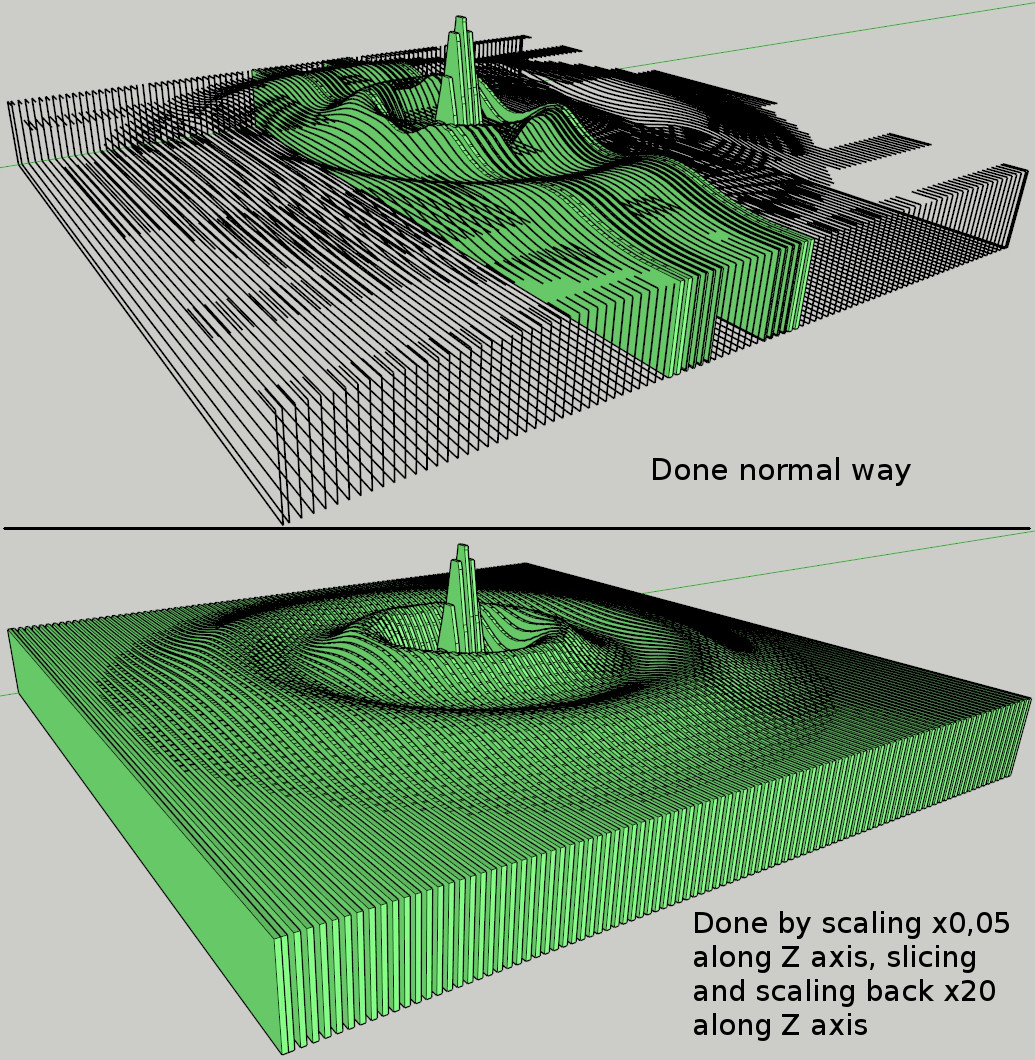
And this would be perfect answer for my question if not the fact, that... see here.. if you take that model and scale up, there are still some slices that aren't made.. but then again, if you scale it down to like 5% of its heigth (other two axes left unscaled, because scaling whole model down and slicing causes bugsplat) what it does is decreasing size of the triangles or leaving them unchanged, depending on if they are paralell to the floor or not, but then all slices are ok, and after slicing when scaled up again, it's all fine.. (just noticed it now).
Now, if triangles can be smaller and still be cut properly, then model being to small isn't really an issue. Or am i missing something?(this ofcourse is a workaround for my problem, but it's still something that should be resolvable, since "scale and triangle size" explanation doesn't seem applicable in this case. At least not directly. So there have to be another thing that causes problem..)
And.. it this worked for me, this could be resolution to all slicing problems.. just scale down the model along the axis you will slice model, slice it and scale back up. Then, if necessary, repeat with other axis.
And one more thing. I have just created torus out of over 4000 triangles, then sliced it to 200 slices and... every single one came out correct.
My model has below 2000 triangles and in the same scale, when sliced just now produced.... three slices correctly...And the last thing..
After another 10 minutes slicing stuff.. i conclude again that SU is a tool far, far away from being perfect. So many flaws and errors..
Every scale and every shape is treated differently. And from my point of view, this indeed isn't slicer problem, but SU itself, as those kind of problems i encountered in many places thoughout my work with SU.. soo.. let's just conclude, that in order to do things properly, one have to try, and try again.. it has to work one way or the other.
Thanks for your help.And to show that it can be done, a picture
-
Glad you managed to get a result


-
Thank you sir
-
@unknownuser said:
i conclude again that SU is a tool far, far away from being perfect.
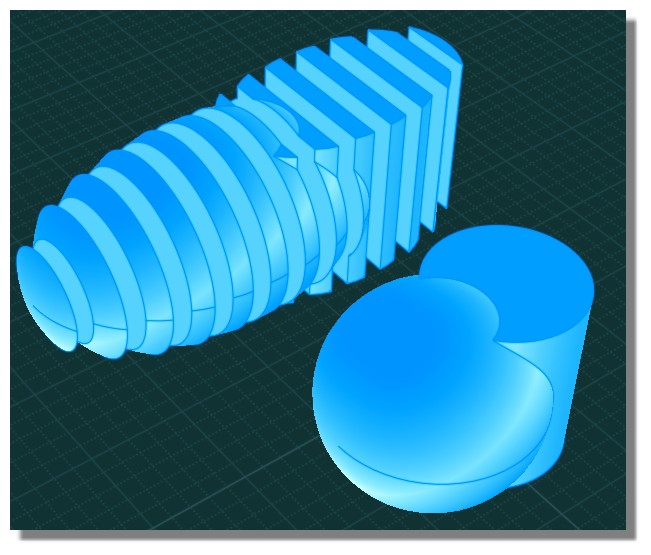
For "perfect result" try maybe Nurbs like the crazzy Moi!

-
Here's a future-proofed update.
http://sketchucation.com/forums/viewtopic.php?p=374969#p374969 -
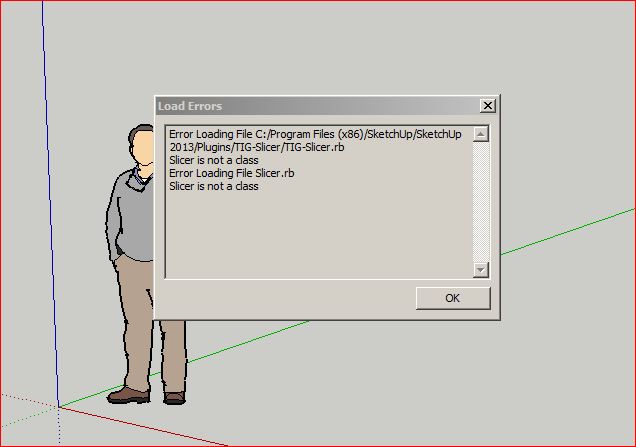
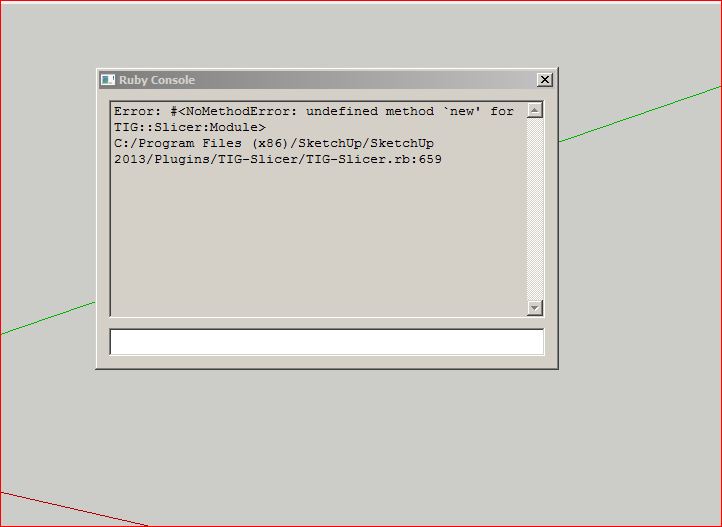
Updated Slicer today thru Plugin store and got this error message.
No problem updating other TIG plugins.Larry
-
Investigating...

-
The latest update [v5.18] should resolve the issue
Works fine for me...
There was a typo or two [now fixed], but I can't see how you got that error ??
Try removing the .rb and subfolder... and reinstall from scratch...Report back if it then does not work for you...
-
Removed folder and .rb file from Plugins Folder and reinstalled from Plugin Store.
Loads fine now.Thanks,
Larry
-
I am running( on a Mac) the latest version of Trimble SketchUp Pro, and have just installed the latest version of Slicer 5.19
I am having difficulties exporting flattened slices to DXF format. Have done this before with previous versions of Slicer but don't seem to be having any luck with this updated version. Does anyone out there have any suggestions? -
What's the trouble? Be more specific. Do you get the flattened slices in the SketchUp model space after the plugin runs? Is it just the export to DXF that is causing the problem? Can you export other lines to DXF?
-
I get the flattened slices ok, select one group to Export. Choose export from Slicer and get the dialog box asking
For which format, select, then nothing happens -
I just tried it on SU2013 with OSX10.8.5 and it worked just fine. What OS are you using? (Please complete your profile). In what location is the SKP file saved?
-
I am running OS 10.7.5 and the SKP is in Applications folder.
-
You saved the model in the Applications folder? Try saving it in the Documents folder instead and see what happens.
-
Apologies, I saved the SKP on the desktop, but now have moved to the Document Folder. Alas no better luck with that. But thanks for your assistance.



Hello! It looks like you're interested in this conversation, but you don't have an account yet.
Getting fed up of having to scroll through the same posts each visit? When you register for an account, you'll always come back to exactly where you were before, and choose to be notified of new replies (either via email, or push notification). You'll also be able to save bookmarks and upvote posts to show your appreciation to other community members.
With your input, this post could be even better 💗
Register Login


Advertisement