[Plugin] FredoTools - v4.5c - 24 Jun 24




-
@jorge2011 said:
fredo, is possible add other tool?
a tool that with one click an item or unlocking hidden + hide.
and another for displaying the items hidden.
is it possible? thanks
Can't you do most of this from the context-menu [lock/unlock & hide/unhide] and/or a simple shortcut-key to hide/unhide geometry [view-menu], combined with shortcut-keys to 'hide-rest of model' and 'hide similar components' [view>component-edit]... and the Entity-Info or Layer-drop-down list to give objects an 'off' layer etc... these add up to a powerful set of tools - without the need for an extra tool... -
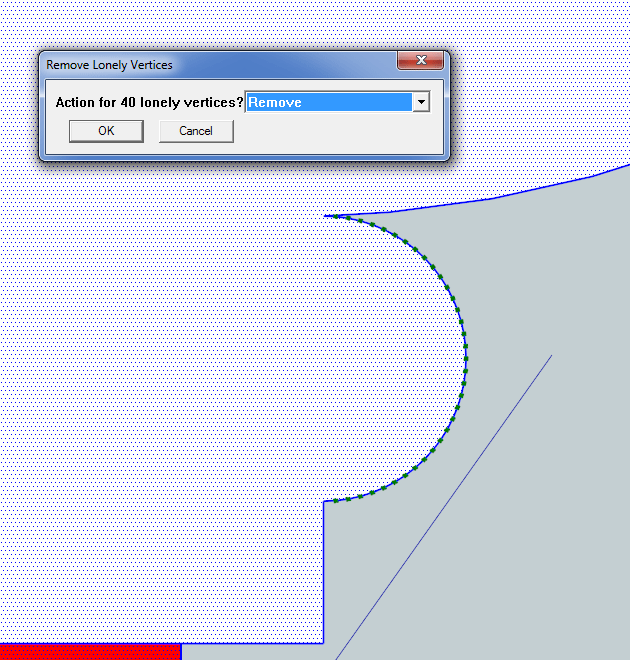
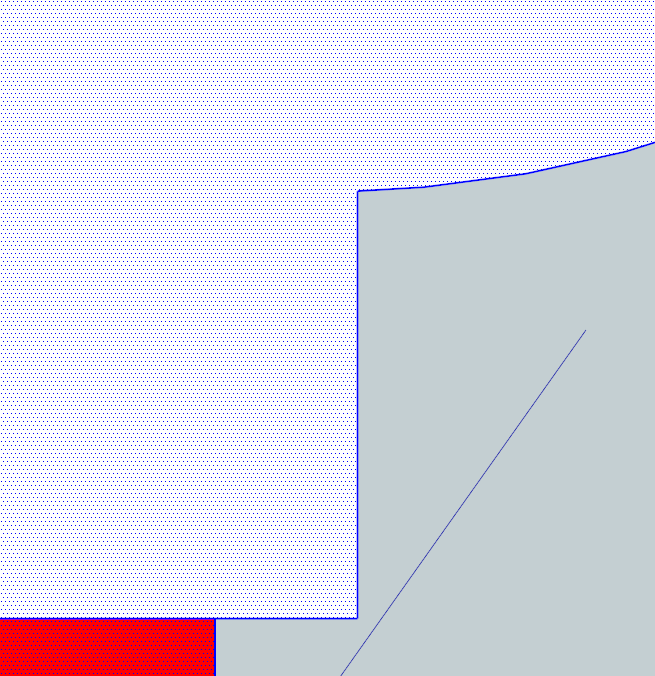
I just noticed strange behavior of "Remove lonely vertices" tool. It wants to remove not lonely vertices on a circle - look at the screenshot.
Is this due to the new version of SU 8.0.15158?
-
I can't get that problem to repeat.... unless I make extreme segmentation of an arc - to unreasonable extents.
To check if a vertex with two edges is 'unneeded' the tool checks if those two edges are parallel and if they are then the vertex is removed. The accuracy of Sketchup's vector checks for them to be considered parallel, is to a tiny fraction of a degree.
A curve with very small segments might appear to have its adjacent edge segments that are then effectively 'parallel'. However, you will need to have very tiny segment lengths relative to the curve's radius; e.g. ~1mm segments for a 500mm radius... which is then running into hundreds of segments...
So for me it only gets confused if you have 'extreme segmentation'. -
TIG,
Thank you. The distance between consecutive vertices on the circle is 0.0582 cm (72 segments per circle), so your explanation is correct. I just noticed that sometimes the plugin wants to remove vertices, sometimes it works fine on a similar sized circle. -
TIG,
I set number of segments per circle from 72s to 48s and the problem gone.Thank you.
-
Hi Fredo6,
Thanks for very good tools.
I just have a problem with the new upgrades. I get a lot of german in most of the displays. Can't change it.
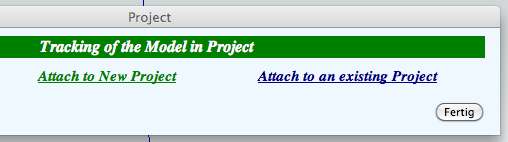
Buttons get german text...look at the pictures. Plus the black backgrounds! Is there anything to do?..as I don't speak german to good.
I am on a Mac, latest OS.
Thanks again for great tools.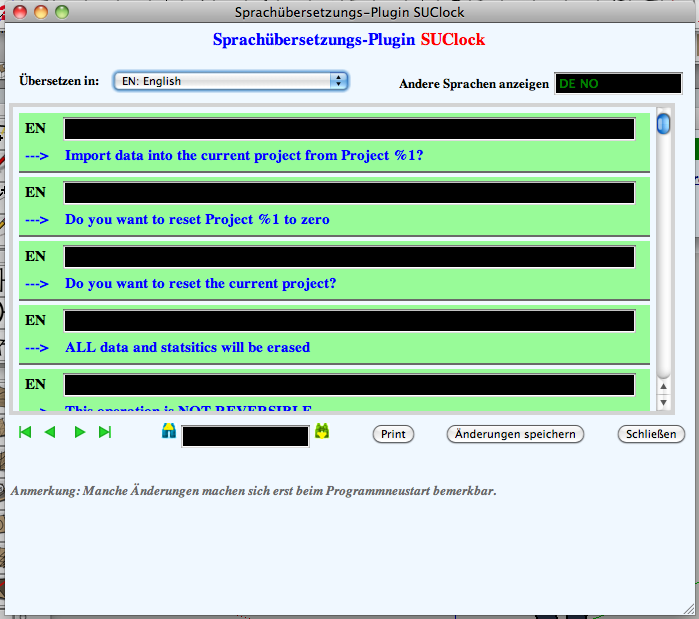
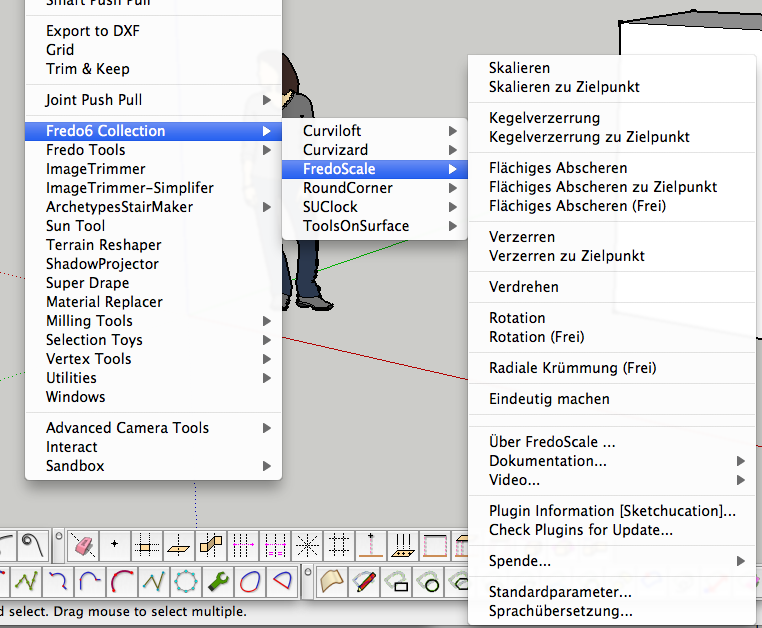
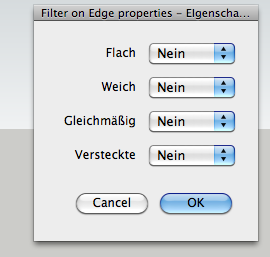
-
Jan,
Can you check in the menuWindows > LibFredo6 Settings... > Preferred lqnguages.
As there is no Swedish translation (yet), I guess you'll prefer the "No Preference", which defaults to (my) English.
Fredo
-
@unknownuser said:
Jan,
Can you check in the menuWindows > LibFredo6 Settings... > Preferred lqnguages.
As there is no Swedish translation (yet), I guess you'll prefer the "No Preference", which defaults to (my) English.
Fredo
Hi Fredo,
Thank You for fast response.
I had since before - English - as 1st choice, but left 2nd for Norwegian and 3rd to German. Now I changed all to English.
That help some, but I still get a lot of german in the drop-downs.
When I go back to do what You said "window-....." it is German in the drop-downs again and 1st choice is English and 2nd & 3rd is auto-changed to "none" ? FredoScale is really "German" ...there is still german in all of them, more or less.
Anything else I can do?
Sincerely
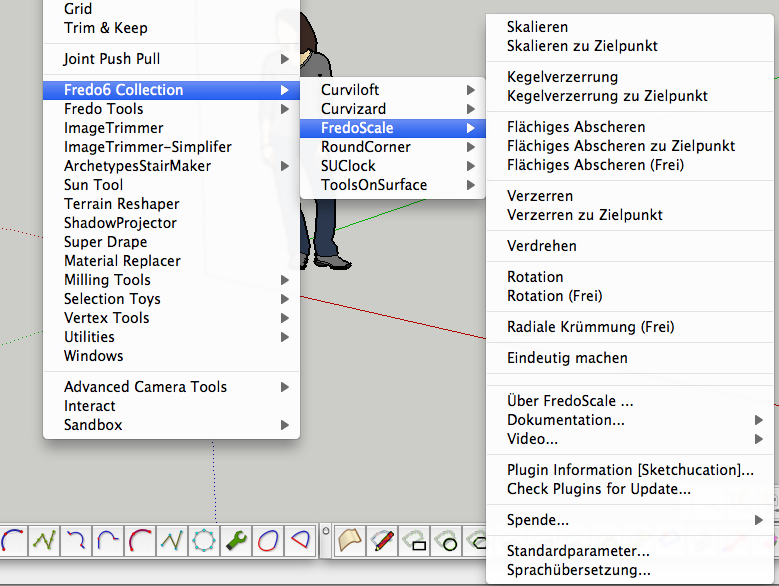
-
Did you restart SketchUp?
-
@unknownuser said:
Jan,
Can you check in the menuWindows > LibFredo6 Settings... > Preferred lqnguages.
As there is no Swedish translation (yet), I guess you'll prefer the "No Preference", which defaults to (my) English.
Fredo
Hi again Fredo,
...and ThomThom

Yes I did restart SU, but still the same problem .
However when I changed 1st choice to "None", as well as the other two, and restarted SU.....YEEEES! it works perfect.
I guess the "English" choice should be taken out, as it defaults to English. Is it really needed?
Well well, it's Friday and weekend is in the doorway and I got my SUClock and others in English.
I wish I could offer a pint.. but SU doesn't make THAT kind of reality (yet).
Have You looked at The Versailles 3D projects:
http://www.versailles3d.com/en/the-versailles-3d-projects/
....we are getting very close to it though.
Have nice weekend F+T
Cheers -
"None" is better. Currently default is English.
Actually English only exists in the case where I would produce the default string in another language.It is strange however that you get some German in the way after restarting Sketchup.
Fredo
-
Hi Fredo
I tried to install set of your plugins to my Imac and I get this set of errors.
Error Loading File __loader.rb uninitialized constant TraductorError Loading File bootstrap_Curvizard.rb uninitialized constant Curvizard;;T6Error Loading File CurvizardAlgo.rb uninitialized constant Curvizard;;T6Error Loading File CurvizardTool.rb uninitialized constant Curvizard;;T6Error Loading File FredoTools.rb uninitialized constant FredoTools;;T6Error Loading File FredoTools__ConstructFaceNormal.rb undefined method `register_plug' for FredoTools;ModuleError Loading File FredoTools__CountFacesBySides.rb undefined method `register_plug' for FredoTools;ModuleError Loading File FredoTools__CurviShear.rb undefined method `register_plug' for FredoTools;ModuleError Loading File FredoTools__MarkVertices.rb undefined method `register_plug' for FredoTools;ModuleError Loading File FredoTools__RemoveLonelyVertices.rb undefined method `register_plug' for FredoTools;ModuleError Loading File FredoTools__ReportLabelArea.rb undefined method `register_plug' for FredoTools;ModuleError Loading File FredoTools__ReverseOrientFaces.rb undefined method `register_plug' for FredoTools;ModuleError Loading File FredoTools__RevertCurve.rb undefined method `register_plug' for FredoTools;ModuleError Loading File FredoTools__ThruPaint.rb undefined method `register_plug' for FredoTools;ModuleError Loading File tt_cleanup.rb can't convert nil into StringError Loading File /Library/Application Support/Google SketchUp 8/SketchUp/ -
@sepo said:
Hi Fredo
I tried to install set of your plugins to my Imac and I get this set of errors.
Error Loading File __loader.rb
> uninitialized constant TraductorError Loading File bootstrap_Curvizard.rb
> uninitialized constant Curvizard;;T6Error Loading File CurvizardAlgo.rb
> uninitialized constant Curvizard;;T6Error Loading File CurvizardTool.rb
> uninitialized constant Curvizard;;T6Error Loading File FredoTools.rb
> uninitialized constant FredoTools;;T6Error Loading File FredoTools__ConstructFaceNormal.rb
> undefined method `register_plug' for FredoTools;ModuleError Loading File FredoTools__CountFacesBySides.rb
> undefined method `register_plug' for FredoTools;ModuleError Loading File FredoTools__CurviShear.rb
> undefined method `register_plug' for FredoTools;ModuleError Loading File FredoTools__MarkVertices.rb
> undefined method `register_plug' for FredoTools;ModuleError Loading File FredoTools__RemoveLonelyVertices.rb
> undefined method `register_plug' for FredoTools;ModuleError Loading File FredoTools__ReportLabelArea.rb
> undefined method `register_plug' for FredoTools;ModuleError Loading File FredoTools__ReverseOrientFaces.rb
> undefined method `register_plug' for FredoTools;ModuleError Loading File FredoTools__RevertCurve.rb
> undefined method `register_plug' for FredoTools;ModuleError Loading File FredoTools__ThruPaint.rb
> undefined method `register_plug' for FredoTools;ModuleError Loading File tt_cleanup.rb
> can't convert nil into StringError Loading File /Library/Application Support/Google SketchUp 8/SketchUp/
Did you also get and install the separate Lib as directed? Keeping the files inside the subfolder etc... [I see a pattern emerging
 ]
] -
Yes ... I extracted content of the lib folder and got LIBFREDO6_Dir_46 and LibFredo8.rb. I moved them in plugins folder.
-
Please post a screen shot of the Plugins folder, and a separate one of the Lib folder - I suspect something is still 'misplaced'

-
Also your extrude tools do not load....and just noticed that Thea exporter does not appear anymore in the plugins menu... Thea worked fine before updating SU 8 from Google to Trimble.
-
I think this is all down to your new MAC having the ill-conceived case-sensitive file-system which prevents it finding some files which have capitalization in some circumsatnces - which it then regards as not being the same file ["Sketchup.rb" versus "sketchup.rb" etc]... this is all as discussed with you on another contemporaneous thread... So let's consolidate these discussions over there...
-
Solved
-
hoi,
I tried to install the pluginsFolder for FredoTools .
I had first installed LibFredo6.4 .
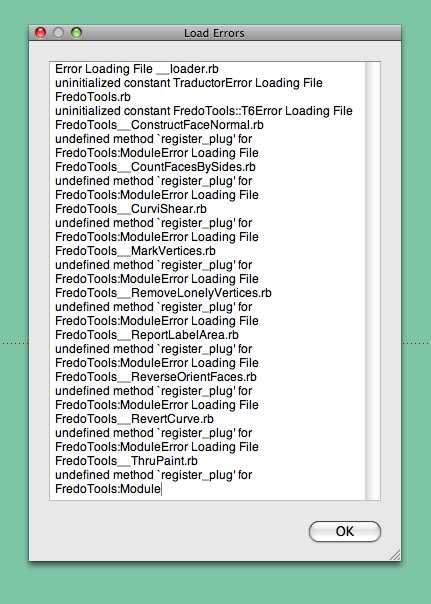
By restarting Sketchup8 I got this message: LoadErrors (see attachment)
How can I solve this problem ?greetings, Rik
-
@riek said:
hoi,
I tried to install the pluginsFolder for FredoTools .
I had first installed LibFredo6.4 .
By restarting Sketchup8 I got this message: LoadErrors (see attachment)
How can I solve this problem ?greetings, Rik
Rik,
You have a wrong installation of LibFredo6. Please check the footprint on your machine to see if it matches what is documented in the main post.
Fredo






Advertisement