sketchucation logo sketchucation
    • Login
    Oops, your profile's looking a bit empty! To help us tailor your experience, please fill in key details like your SketchUp version, skill level, operating system, and more. Update and save your info on your profile page today!
    Mac User? | Join the Rayscaper Beta for Mac Learn More

    [Plugin] QuadFaceTools

    Scheduled Pinned Locked Moved Plugins
    680 Posts 116 Posters 772.0k Views 116 Watching
    Loading More Posts
    • Oldest to Newest
    • Newest to Oldest
    • Most Votes
    Reply
    • Reply as topic
    Log in to reply
    This topic has been deleted. Only users with topic management privileges can see it.
    • thomthomT
      thomthom
      last edited by

      I'm afraid there is not other indication right now. I have been toying with the idea of making a function that will update the face color based on whether its a triangle, quad or n-gone.

      Thomas Thomassen โ€” SketchUp Monkey & Coding addict
      List of my plugins and link to the CookieWare fund

      1 Reply Last reply
      Reply Quote 0
      • tuna1957T
        tuna1957
        last edited by

        Thomas , thanks for the quick response and I'll keep forging ahead and try and learn from my mistakes. ๐Ÿ‘

        1 Reply Last reply
        Reply Quote 0
        • thomthomT
          thomthom
          last edited by

          I plan to make improvements to this - but I probably won't get around to do anything until after the summer.

          Thomas Thomassen โ€” SketchUp Monkey & Coding addict
          List of my plugins and link to the CookieWare fund

          1 Reply Last reply
          Reply Quote 0
          • tuna1957T
            tuna1957
            last edited by

            ๐Ÿ‘ It's all good Thomas. Amazed you do all the stuff you do. You must have some hidden super powers ! Definitely making progress with your tools. Heck messing about late last night and figured out how to get rid of the triangles I always end up with in the corners of those pillows. ๐Ÿ˜ฎ

            1 Reply Last reply
            Reply Quote 0
            • tuna1957T
              tuna1957
              last edited by

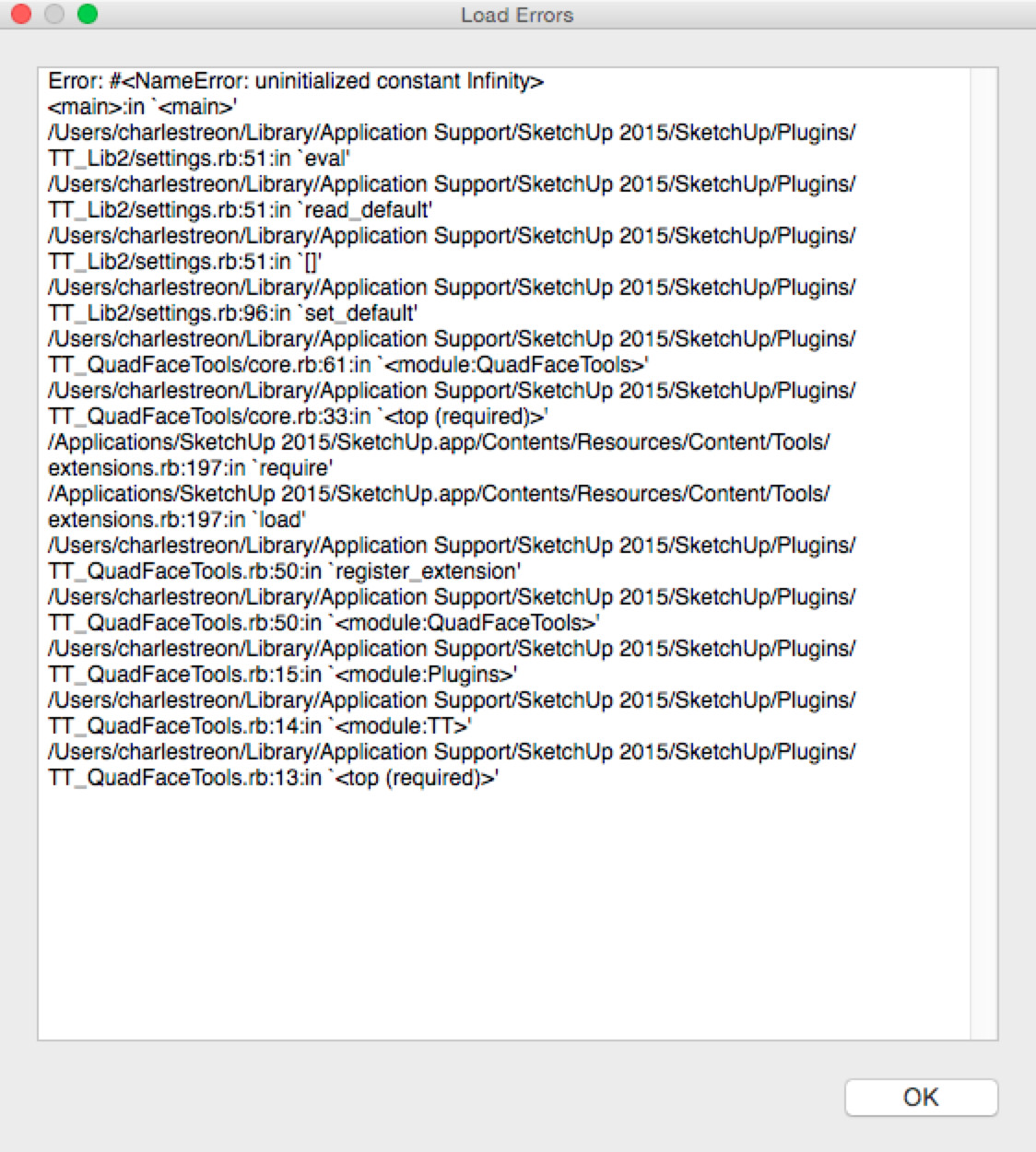
              Thomas, Geez I feel like I'm turning into a pain in your arse. Started to get this load error tonight. Only pops up if I open a fresh SU window. Tried a few times , the error popped up every time. Opened a couple of existing models and didn't get the error? Any idea what this is about ? What did I break ? ๐Ÿ˜ฒ


              load error.jpg

              1 Reply Last reply
              Reply Quote 0
              • thomthomT
                thomthom
                last edited by

                That's a pesky bug I've not been able to squash yet: https://bitbucket.org/thomthom/tt-library-2/issues/18/tt-settings-with-length-cause-errors

                Try this in the Ruby Console as a workaround:

                
                TT;;Plugins;;QuadFaceTools.settings[;uv_u_scale] = 1.0
                TT;;Plugins;;QuadFaceTools.settings[;uv_v_scale] = 1.0


                Thomas Thomassen โ€” SketchUp Monkey & Coding addict
                List of my plugins and link to the CookieWare fund

                1 Reply Last reply
                Reply Quote 0
                • tuna1957T
                  tuna1957
                  last edited by

                  ๐Ÿ‘ ๐Ÿ‘

                  1 Reply Last reply
                  Reply Quote 0
                  • thomthomT
                    thomthom
                    last edited by

                    I'll try to find a fix that doesn't break other extensions. The challenge with this is that is happening inside of TT_Lib2 - which is shared my most of my other extensions. ๐Ÿ˜•

                    Thomas Thomassen โ€” SketchUp Monkey & Coding addict
                    List of my plugins and link to the CookieWare fund

                    1 Reply Last reply
                    Reply Quote 0
                    • thomthomT
                      thomthom
                      last edited by

                      Hi everyone

                      I have uploaded a new version of QFT - 0.10.0. It doesn't have new end-user features, but I implemented the error handler which Solid Inspector, SUbD and Vertex Tools already use. This means that if you run into Ruby errors you will get a dialog that let you submit it back to me.

                      Please upgrade and make sure you hit submit when you run into errors. I'm trying to map out the various bugs in the extension. "Got to catch them all!" ๐Ÿ˜›

                      Thomas Thomassen โ€” SketchUp Monkey & Coding addict
                      List of my plugins and link to the CookieWare fund

                      1 Reply Last reply
                      Reply Quote 0
                      • plot-parisP
                        plot-paris
                        last edited by

                        Hey guys,

                        I run into this problem quite often, where I model a shape, making sure, every surface is a quad.

                        But when I use SUbD to subdivide, it looks wrong.

                        When I then use the "Flip Triangulation Tool" of QuadFaceTools, I can see that some faces (marked red in the model below) are not being recognized as quads.

                        Does any one know how this happens? And more importantly, how to fix it?

                        Cheers,
                        Jakob

                        QuadProblem_v01.skp

                        1 Reply Last reply
                        Reply Quote 0
                        • BoxB
                          Box
                          last edited by

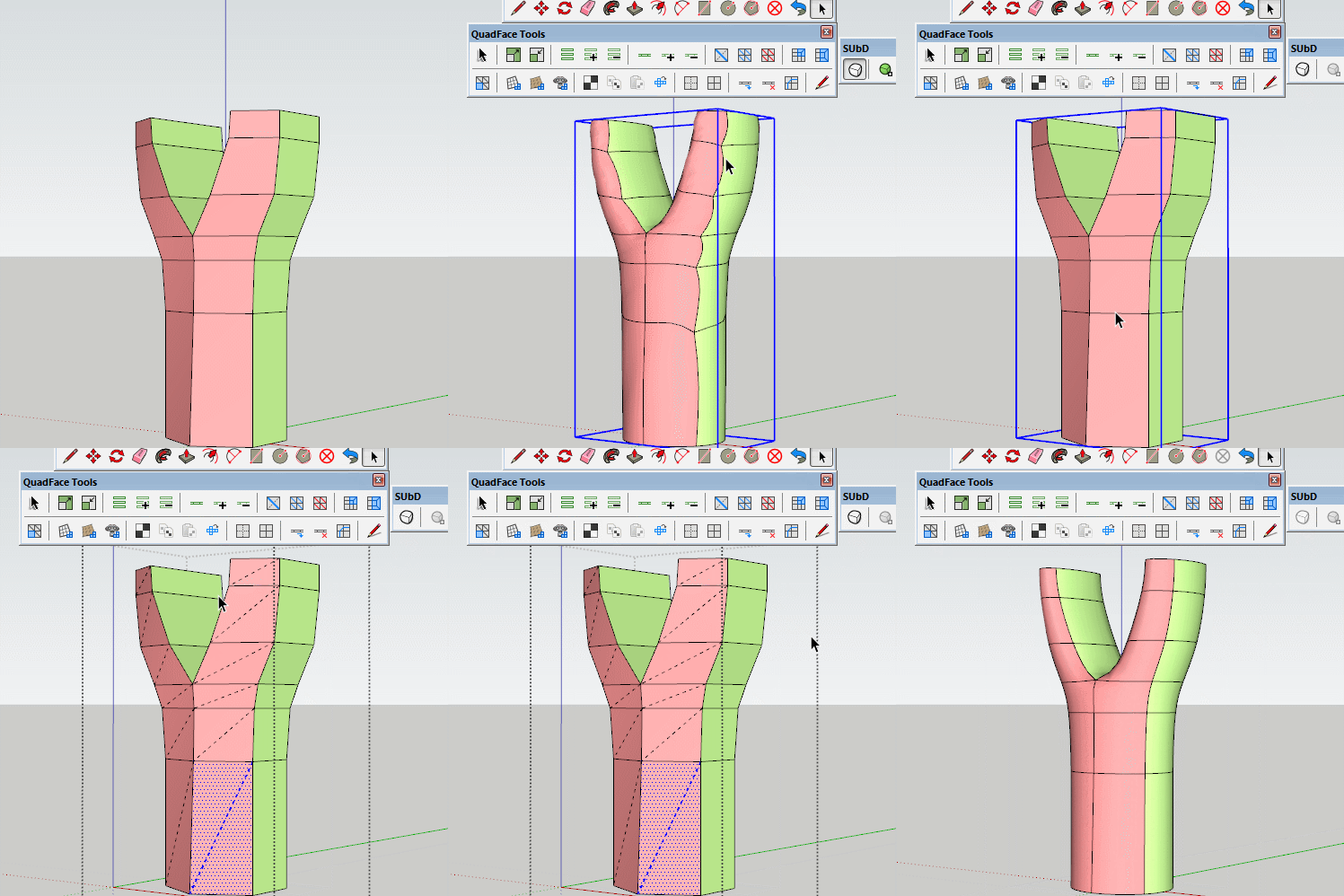
                          Sometimes you just need to tell it to make quads.

                          Tri.gif

                          1 Reply Last reply
                          Reply Quote 0
                          • plot-parisP
                            plot-paris
                            last edited by

                            haha, I could have sworn I tried that. But obviously I didn't. ๐Ÿ˜ณ

                            Thanks a lot

                            1 Reply Last reply
                            Reply Quote 0
                            • thomthomT
                              thomthom
                              last edited by

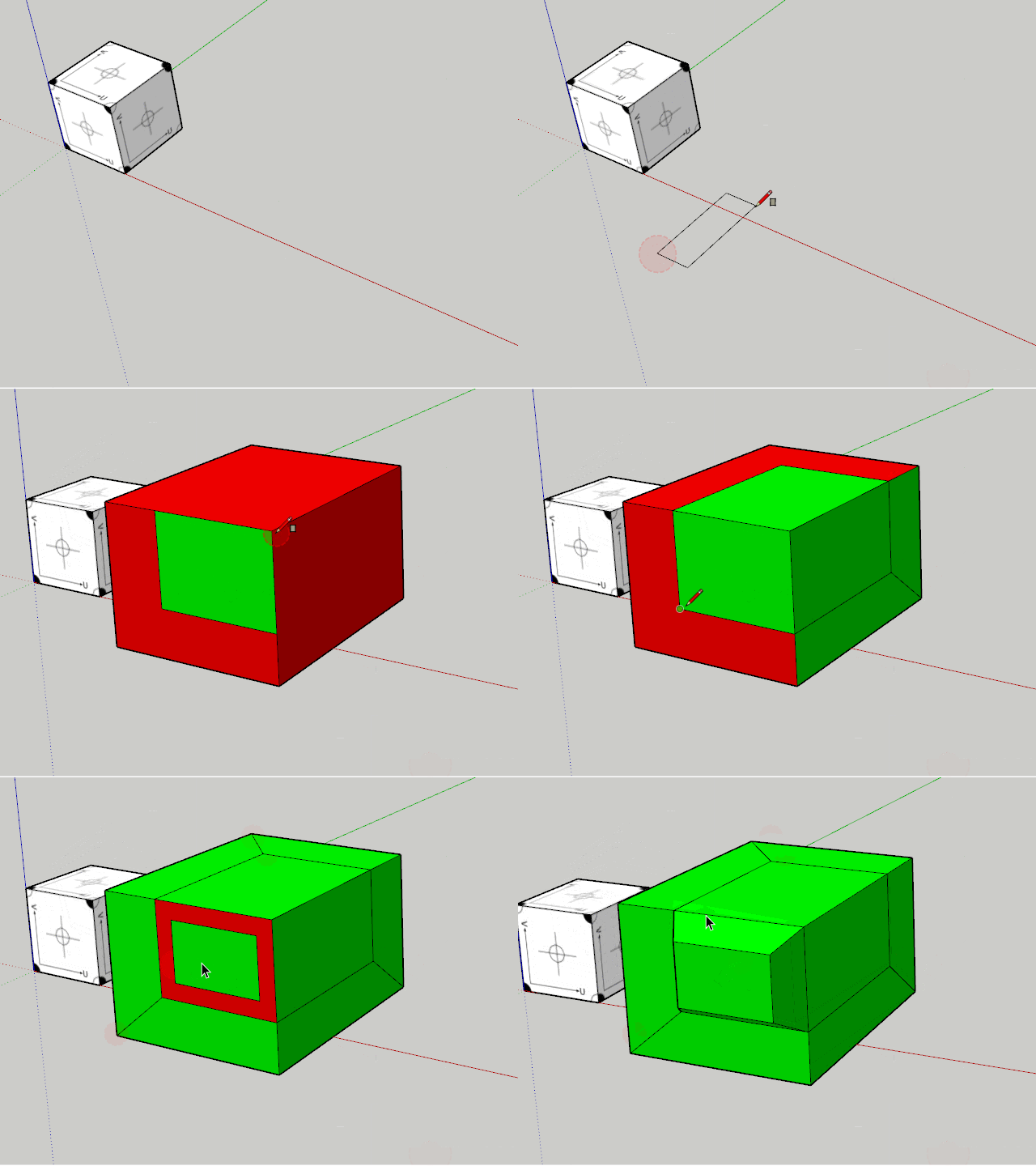
                              That reminds me - I had this idea for a function that would automatically color the faces as you modelled. I added an issue to track this: https://bitbucket.org/thomthom/quadface-tools/issues/98/live-quad-validation

                              Thomas Thomassen โ€” SketchUp Monkey & Coding addict
                              List of my plugins and link to the CookieWare fund

                              1 Reply Last reply
                              Reply Quote 0
                              • thomthomT
                                thomthom
                                last edited by

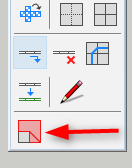
                                Just need an icon...


                                QFT-LiveAnalysis.gif

                                Thomas Thomassen โ€” SketchUp Monkey & Coding addict
                                List of my plugins and link to the CookieWare fund

                                1 Reply Last reply
                                Reply Quote 0
                                • thomthomT
                                  thomthom
                                  last edited by

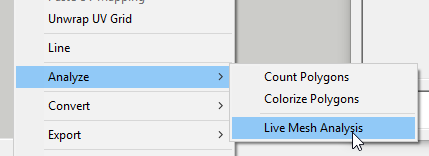
                                  Version 0.11.0 is out.

                                  2016-08-01_23h07_36.png

                                  2016-08-01_23h08_26.png

                                  Thomas Thomassen โ€” SketchUp Monkey & Coding addict
                                  List of my plugins and link to the CookieWare fund

                                  1 Reply Last reply
                                  Reply Quote 0
                                  • N
                                    numerobis
                                    last edited by

                                    ๐Ÿ˜Ž ๐Ÿ‘

                                    1 Reply Last reply
                                    Reply Quote 0
                                    • cottyC
                                      cotty
                                      last edited by

                                      ๐Ÿ‘ and ๐Ÿ‘

                                      my SketchUp gallery

                                      1 Reply Last reply
                                      Reply Quote 0
                                      • pbacotP
                                        pbacot
                                        last edited by

                                        Nice!

                                        MacOSX MojaveSketchUp Pro v19 Twilight v2 Thea v3 PowerCADD

                                        1 Reply Last reply
                                        Reply Quote 0
                                        • ithilI
                                          ithil
                                          last edited by

                                          Very cool!!!
                                          Thank you! ๐Ÿ‘

                                          1 Reply Last reply
                                          Reply Quote 0
                                          • plot-parisP
                                            plot-paris
                                            last edited by

                                            Working nicely! Very valuable tool for quick and clean quad face modelling.

                                            Could you make it so, that the green / red color is removed when disabling Live Mesh Analysis?
                                            That would show clearly, if the system is switched on or off.

                                            1 Reply Last reply
                                            Reply Quote 0

                                            Hello! It looks like you're interested in this conversation, but you don't have an account yet.

                                            Getting fed up of having to scroll through the same posts each visit? When you register for an account, you'll always come back to exactly where you were before, and choose to be notified of new replies (either via email, or push notification). You'll also be able to save bookmarks and upvote posts to show your appreciation to other community members.

                                            With your input, this post could be even better ๐Ÿ’—

                                            Register Login
                                            • 1
                                            • 2
                                            • 6
                                            • 7
                                            • 8
                                            • 9
                                            • 10
                                            • 33
                                            • 34
                                            • 8 / 34
                                            • First post
                                              Last post
                                            Buy SketchPlus
                                            Buy SUbD
                                            Buy WrapR
                                            Buy eBook
                                            Buy Modelur
                                            Buy Vertex Tools
                                            Buy SketchCuisine
                                            Buy FormFonts

                                            Advertisement