[Plugin] QuadFaceTools
-
thomas i rememember we had the same problems in beta.. the zbrush obj were running fine but the 3dsmax ones gave same problem.
if i don't remember wrong, you said that was a matter of the texture-files path.. and also i remember you fixed those models in some way.. maybe reloading the texture from sketchp material editor from a new path? can't remember..also i remember there was something related to the upside-down flipping, but maybe that was from the zbrush models? not sure.. i'm trying to find those obj models to check the path of the textures..
-
Yes of course. Here are all these files
-
@ithil said:
Yes of course. Here are all these files
[attachment=0:16xvwwwa]<!-- ia0 -->obj.zip<!-- ia0 -->[/attachment:16xvwwwa]
Something in your export process hard code the full path to the textures - instead of relatives.
# 3ds Max Wavefront OBJ Exporter v0.97b - (c)2007 guruware
# File Created; 19.01.2016 12;57;08

newmtl CHECKER_V1
	Ns 30.0000
	Ni 1.5000
	d 1.0000
	Tr 0.0000
	Tf 1.0000 1.0000 1.0000
	illum 2
	Ka 0.0000 0.0000 0.0000
	Kd 0.3882 0.3922 0.3882
	Ks 0.3300 0.3300 0.3300
	Ke 0.0000 0.0000 0.0000
	map_Ka C;\temp4\pod_1_sk\CHECKER_V1.jpg
	map_Kd C;\temp4\pod_1_sk\CHECKER_V1.jpg
However on your own machine you'd think it'd stil work...
-
Can I select the place where loops are inserted? They usually are inserted at the half of the line you choose, is there any way that would change ?
-
HI Thomas, Just to drop a note that i really did appreciate QFT now that SubD is out and prove to be one of the most useful plugin.
Just wondering if we have a "relax tool" in the QFT suite or in any plugin you authored. I hope I know what im saying by relax which means to kind of smooth out the geometry without subdividing it but not destroying the quadface integrity of the model.
-
@ely862me said:
Can I select the place where loops are inserted? They usually are inserted at the half of the line you choose, is there any way that would change ?
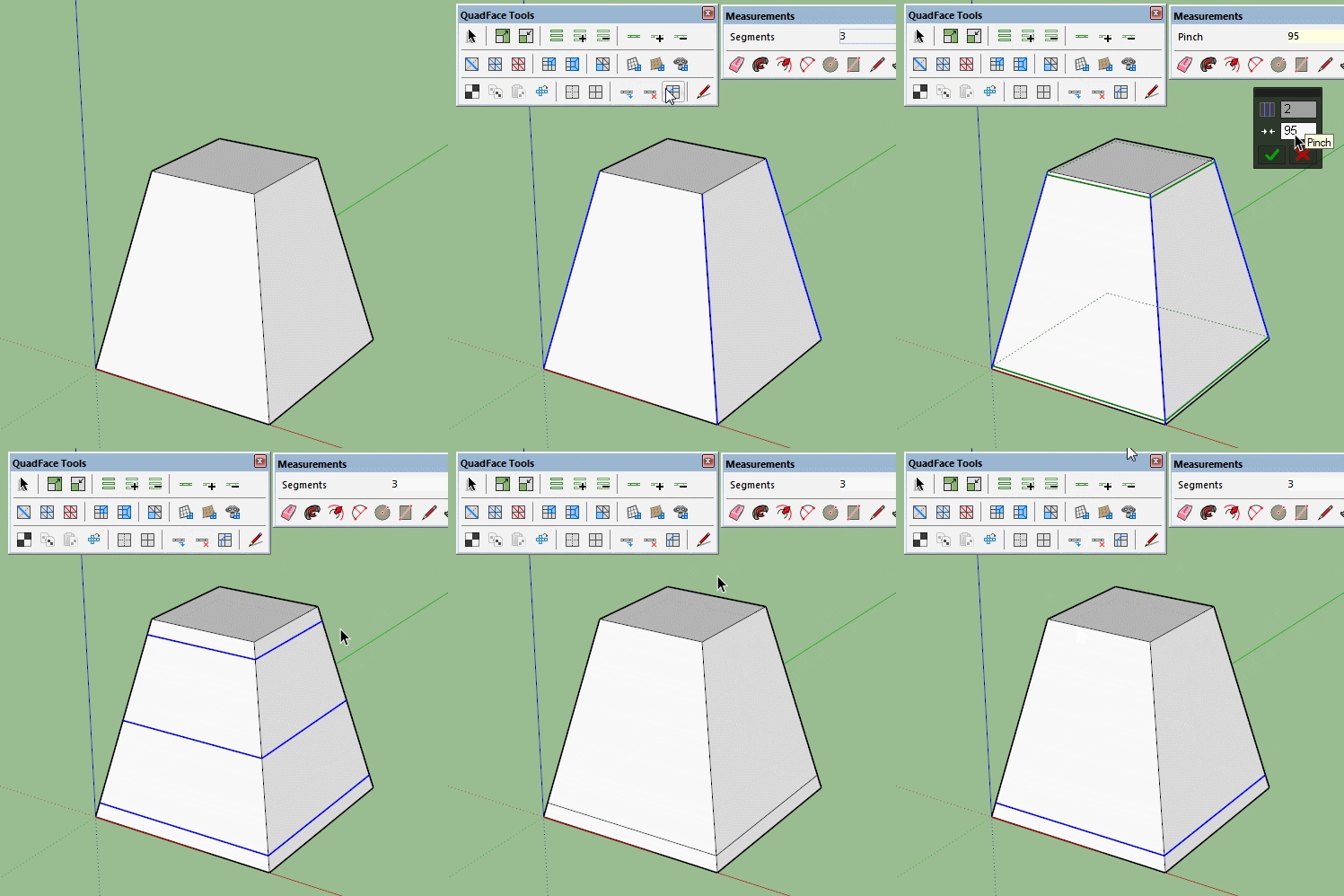
Probably the easiest way is to add more loops and delete the ones you don't need.
Select the ring, then connect edges to create more loops then use the remove loop button.
-
In this particular case maybe this is more speedy!

3 times Edge Tools / Divide faces by Thomthom
and copy the last edge
Like this there no internal face created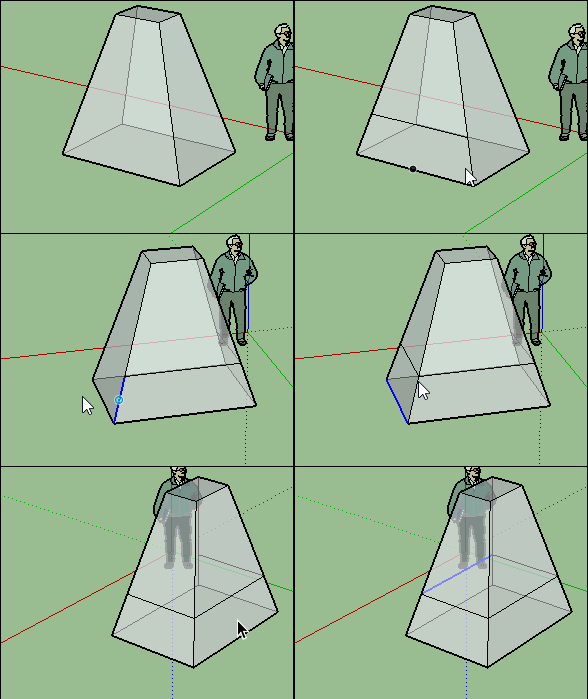
-
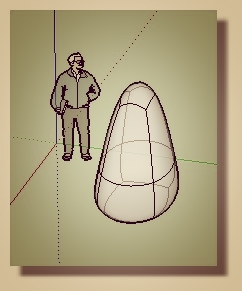
Try that with a more complex shape pilou.
QFT doesn't create internal faces either.
-
@ely862me said:
Can I select the place where loops are inserted? They usually are inserted at the half of the line you choose, is there any way that would change ?
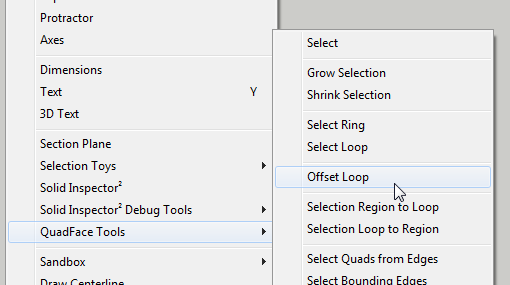
Not with the Insert Loop function, no. I have been looking into a new tool for this - but its not complete.
There is an experimental prototype in the latest versions, but it got some flaws. Need to rethink it.
-
-
@cuttingedge said:
HI Thomas, Just to drop a note that i really did appreciate QFT now that SubD is out and prove to be one of the most useful plugin.
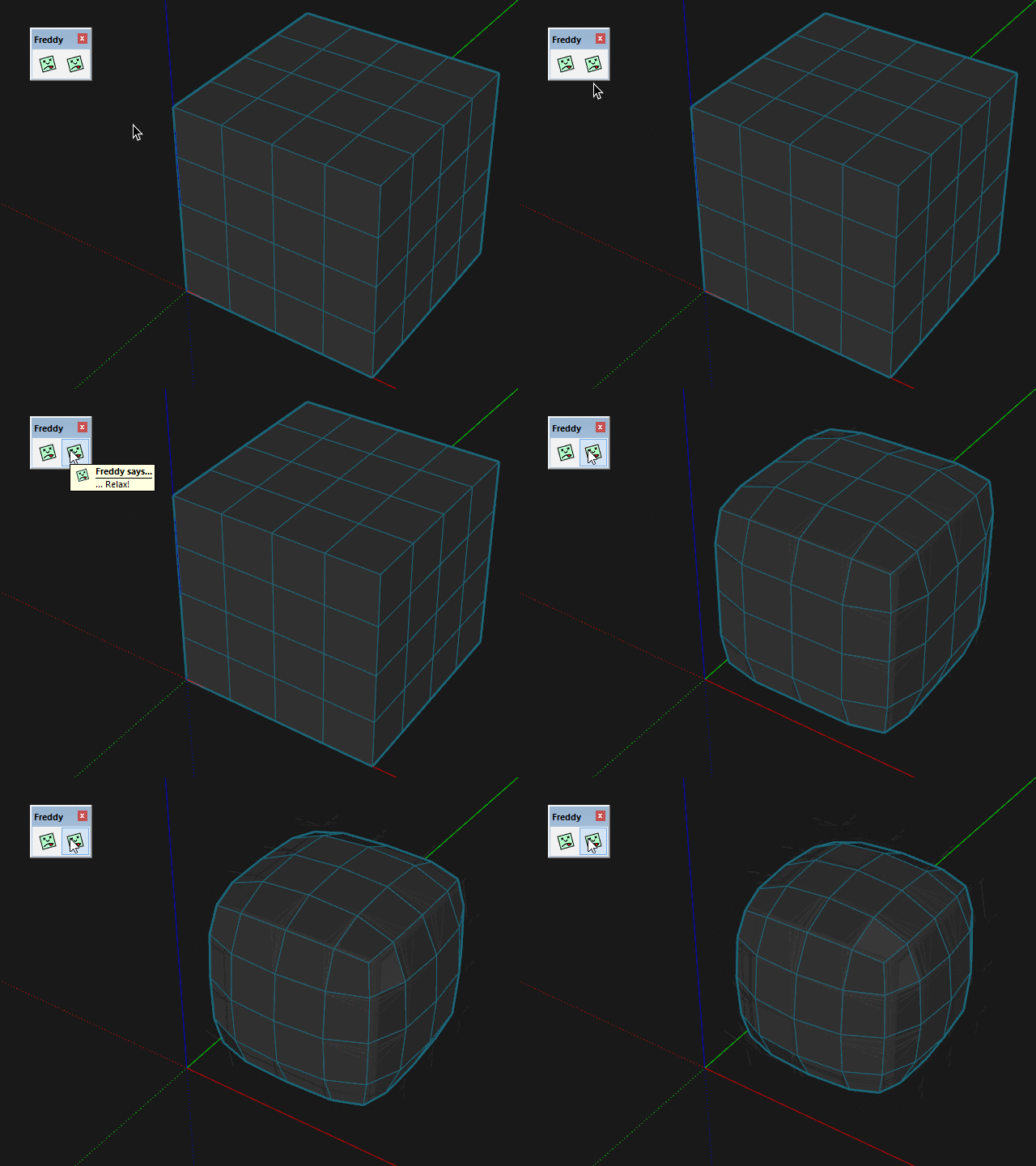
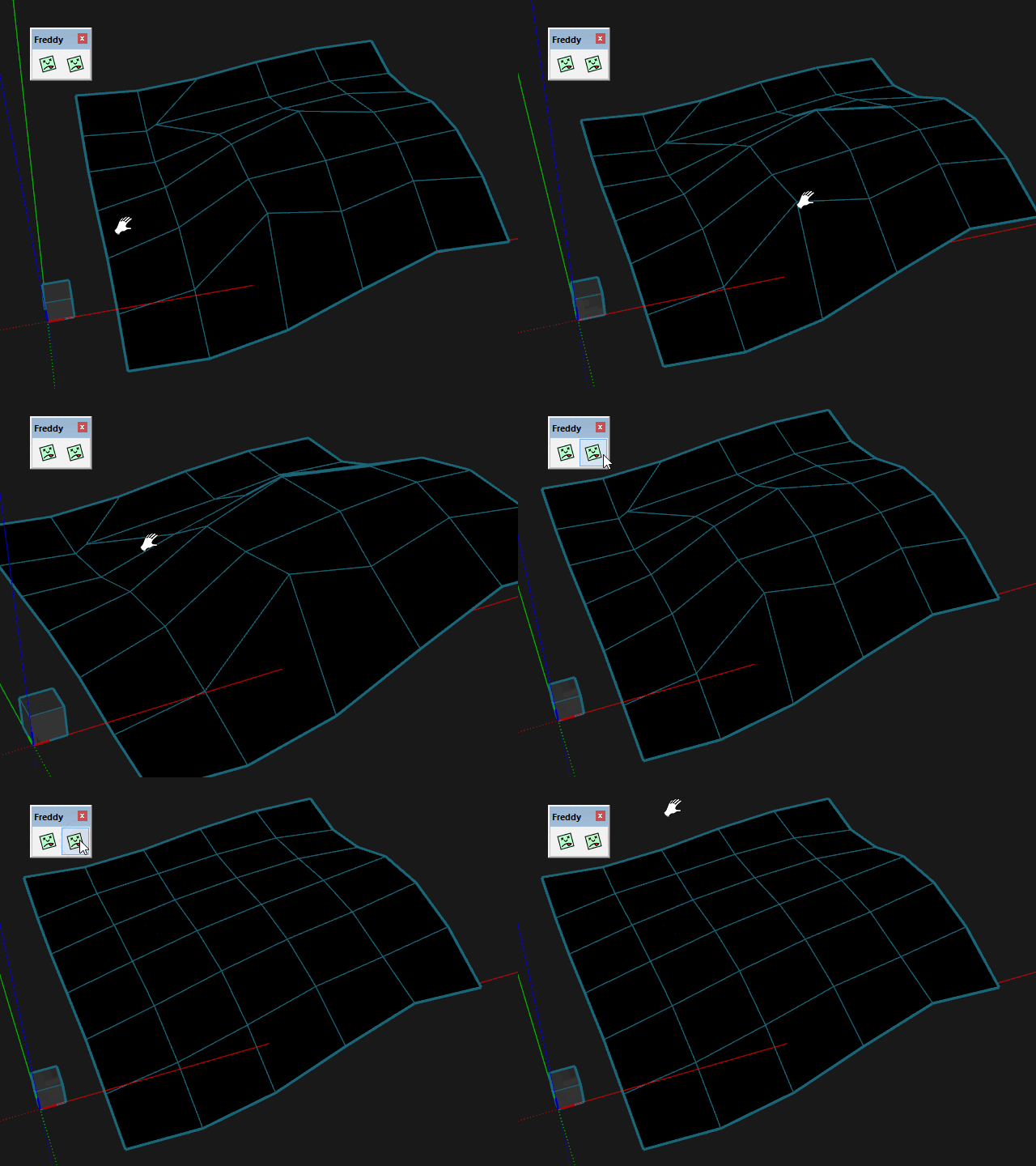
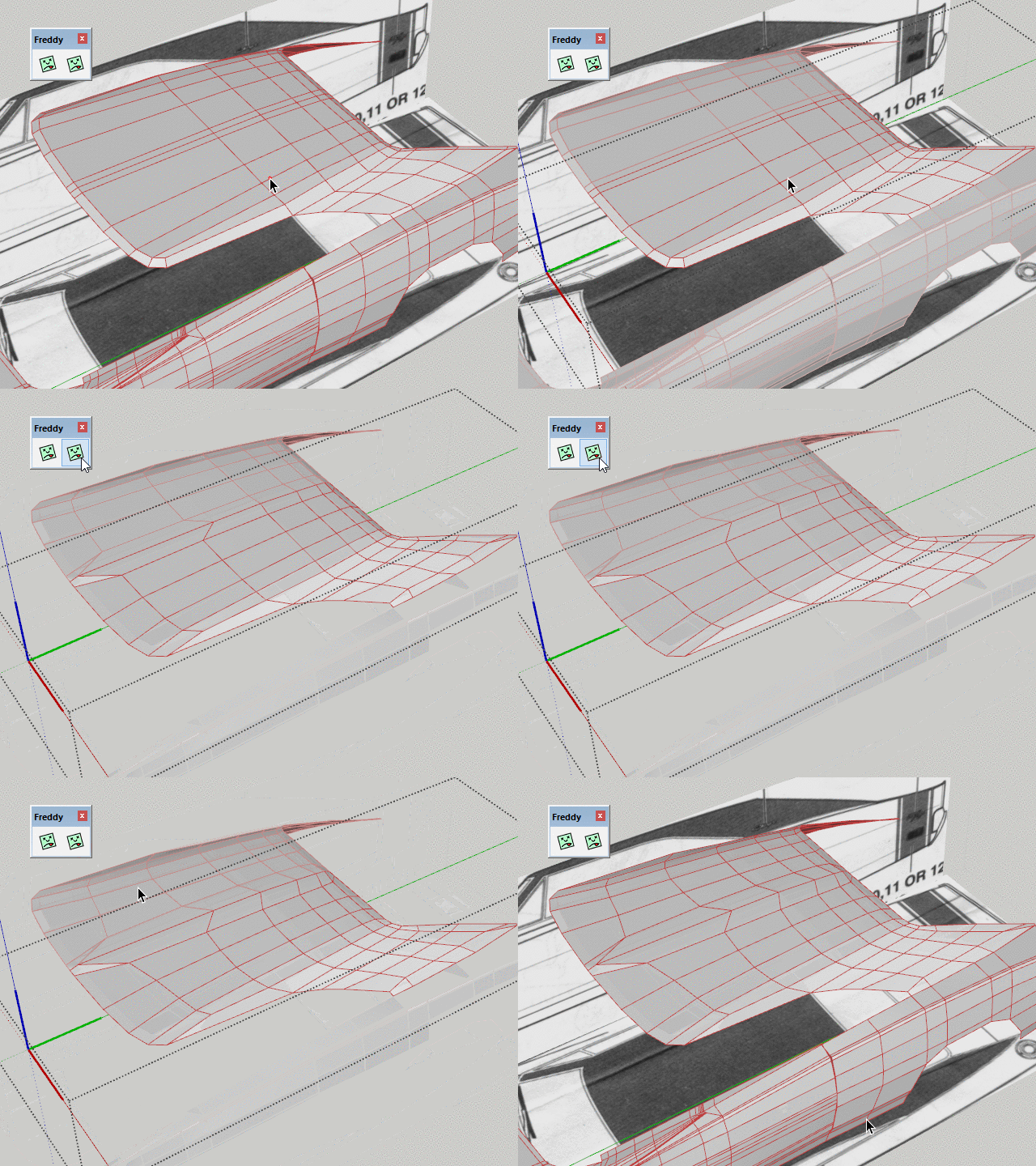
Just wondering if we have a "relax tool" in the QFT suite or in any plugin you authored. I hope I know what im saying by relax which means to kind of smooth out the geometry without subdividing it but not destroying the quadface integrity of the model.
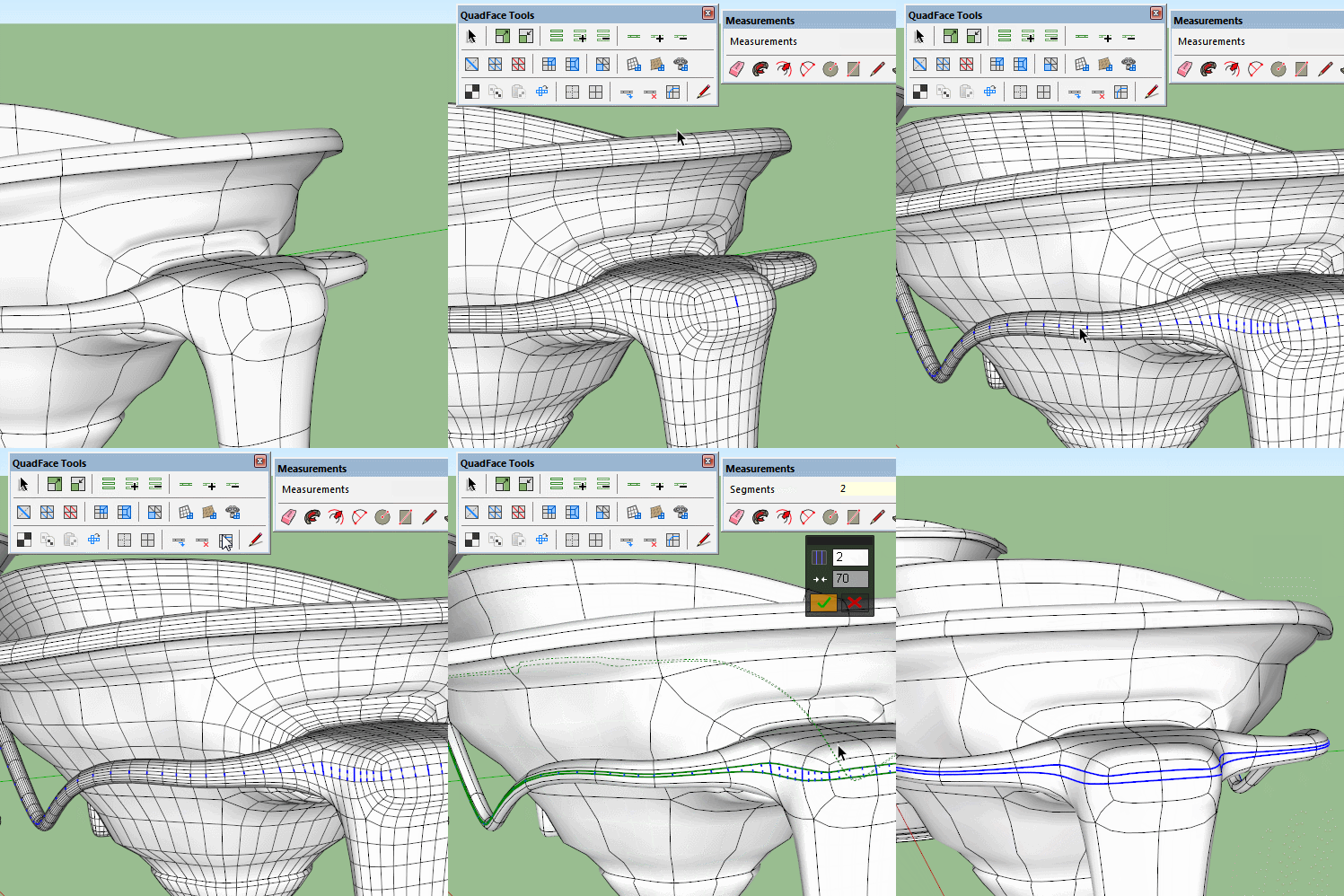
You mean something like this?
-
@cuttingedge said:
Sorry, do image display on my browser.
I'm not sure if I fully understood that sentence. But I assumed you meant that you couldn't see the images? In any case, I went back and re-uploaded the images.
-
@thomthom said:
You mean something like this?
Whoaa..Where did this come from? Where do I find this?
Hope this relax tool be part of your quadface suite , even the insert loop similar to that of 3ds max 'graphite tool' where you can pick the exact point where you want it placed.
-
Hi Box and Pilou,
Thanks for the tips!
I tried your method,Box but it gives me some errors here and there when removing the extra loops.
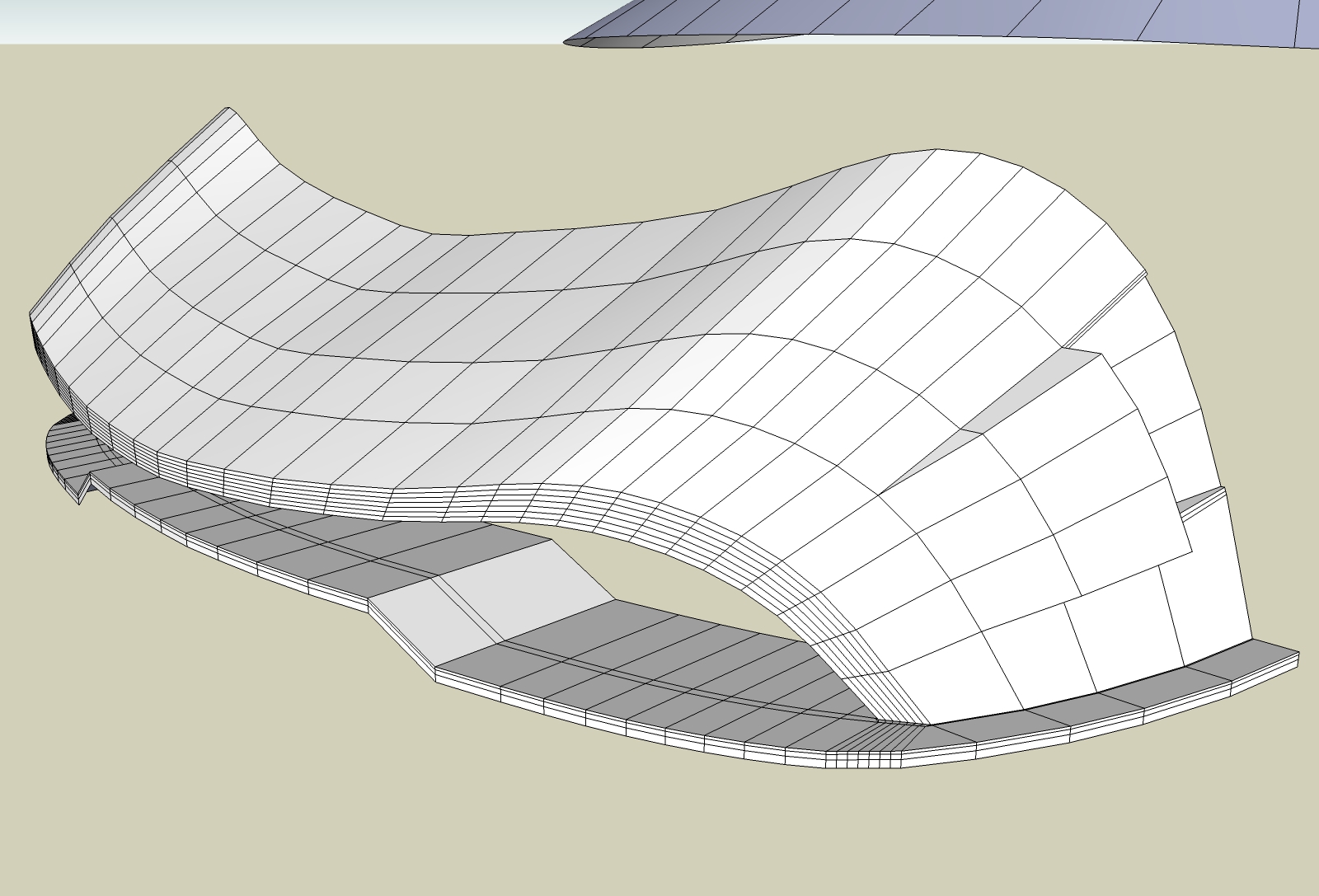
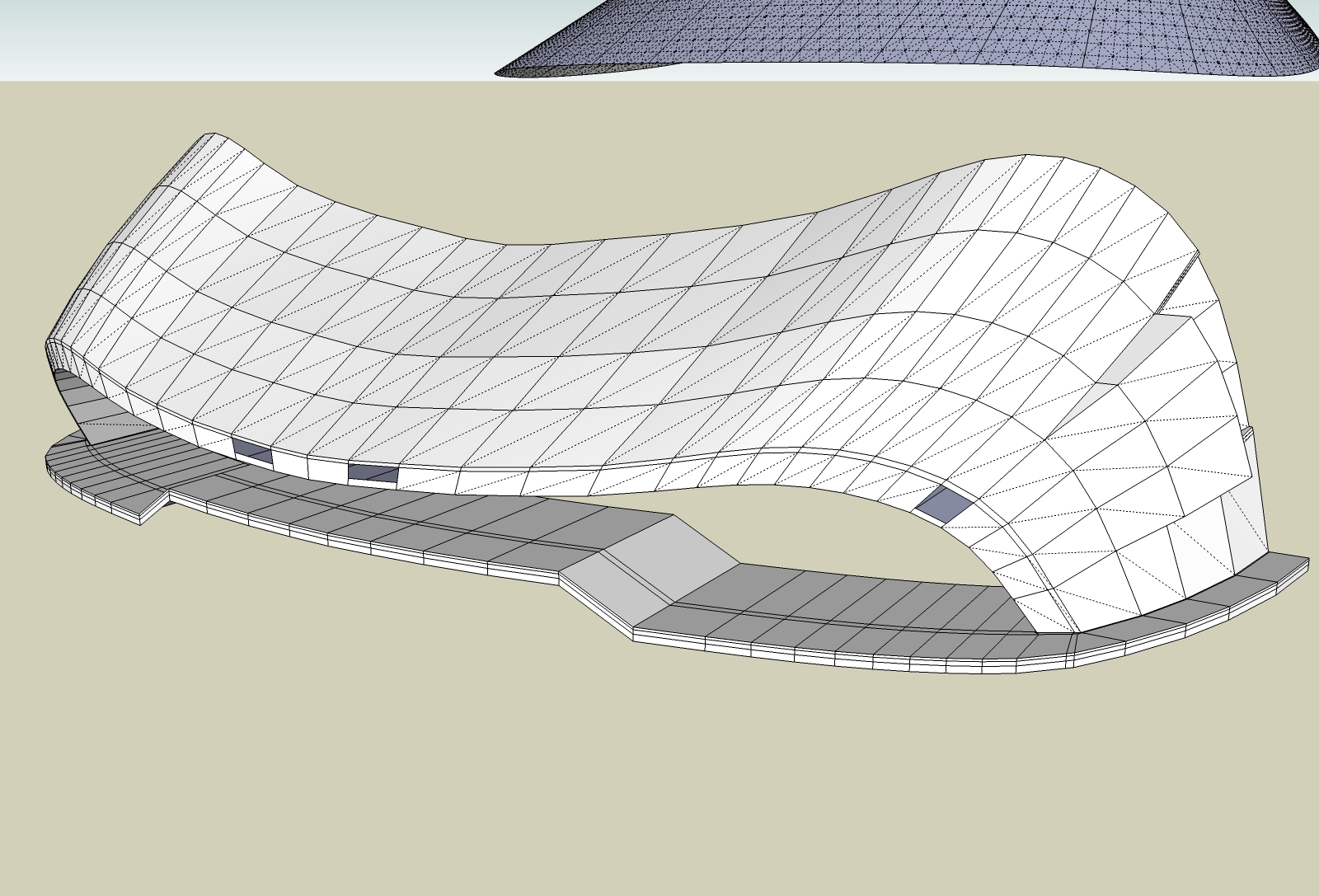
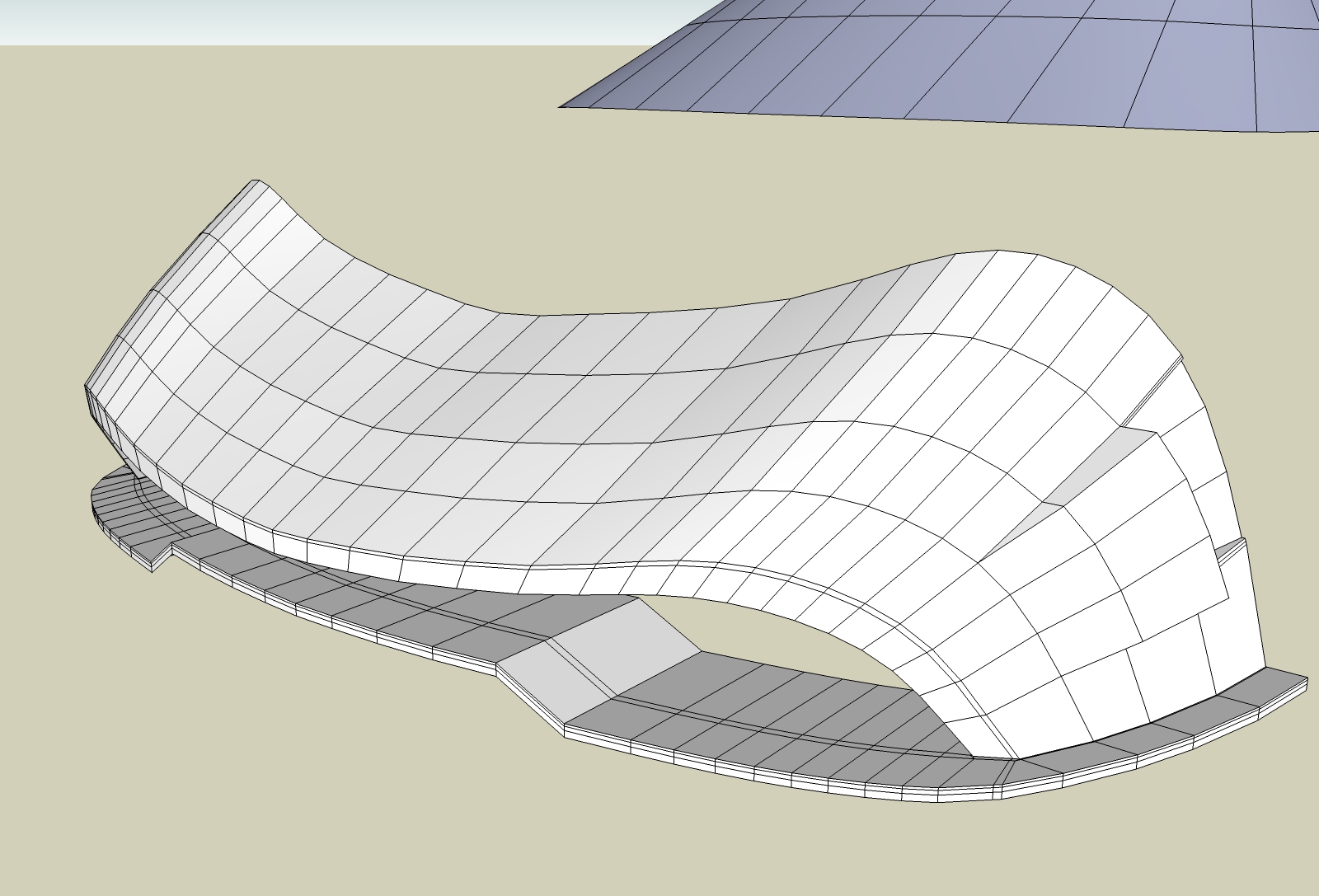
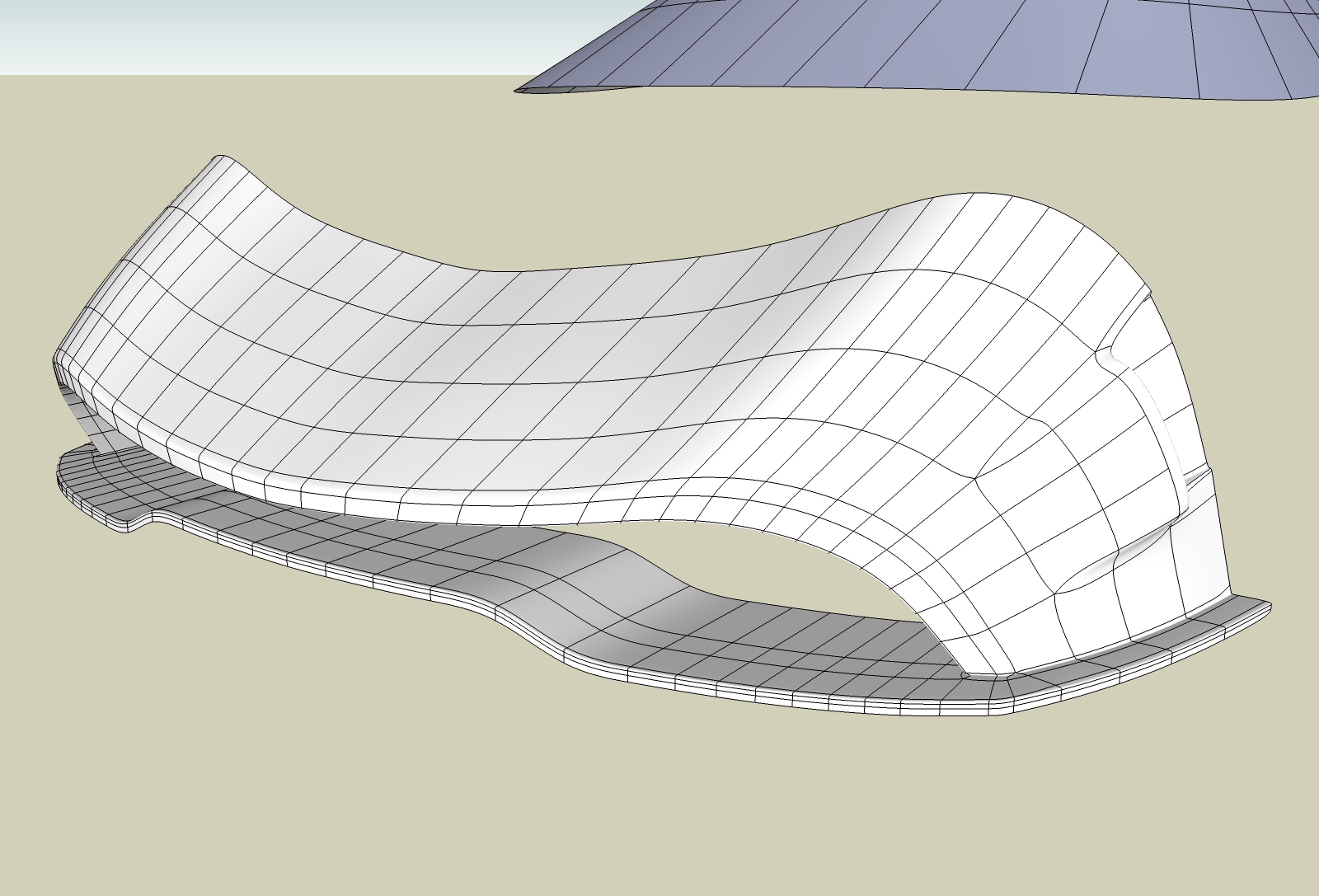
I think the adding loops is better though, as you first insert one at the middle then you insert one in the half you want, and so on. At the end there are fewer loops to remove and fewer errors. It is better to remove the extra loop immediately you created the new one.Yes, Thomas, loop offset would be a great addition. Unless you can create a loop mover that would move the loop at a specified point after it was inserted-something like moving a section cut plane back and forth.
The Line tool is still unpolishead leaving behind here and there both diagonals.
-
@unknownuser said:
Try that with a more complex shape pilou.
It's for that i have said "In this particular case"!

@unknownuser said:
QFT doesn't create internal faces either.
Sure but "Edge tool" yes, it's for that I had not made the last edge with it!
-
@cuttingedge said:
Whoaa..Where did this come from? Where do I find this?
Hope this relax tool be part of your quadface suite , even the insert loop similar to that of 3ds max 'graphite tool' where you can pick the exact point where you want it placed.
At the moment it's part of Vertex Tools 2.0 that I'm working on.
-
Hi, great tool, trying to figure it out since i started organic modelling just yesterday.
I cant find the option "Convert Connected Mesh to QuadFaces". I know there are 3 connect options, but none of em are the one im looking for. At least that option is commented in the documentation but in the plugin itself, i cant find it.
Im trying to convert a simple regular model to a quad faced model (to ensure all the faces are at least quad based), and that would be the option to use. Is it not implemented yet??
-
@hsrhdrehre5654654 said:
I cant find the option "Convert Connected Mesh to QuadFaces". I know there are 3 connect options, but none of em are the one im looking for. At least that option is commented in the documentation but in the plugin itself, i cant find it.
That's probably the old name of "Convert Triangulated Mesh to Quads" - looks like docs are out of date. New version is coming though.
Btw, if you plan on using Artisan for subdivision then converting to QFT quads won't have much use - as it will treat QFT quads as two triangles instead.
-
@thomthom said:
@hsrhdrehre5654654 said:
I cant find the option "Convert Connected Mesh to QuadFaces". I know there are 3 connect options, but none of em are the one im looking for. At least that option is commented in the documentation but in the plugin itself, i cant find it.
That's probably the old name of "Convert Triangulated Mesh to Quads" - looks like docs are out of date. New version is coming though.
Btw, if you plan on using Artisan for subdivision then converting to QFT quads won't have much use - as it will treat QFT quads as two triangles instead.
Oh, i see. I didnt know Artisan manages faces as triangles and not quads.. i was trying to make all my faces as quads, because as i understand, they create better geometry and honestly dealing with triangles is an odyssey. Triangles are giving me a lot of trouble to create the correct geometry. Thats the reason i wanted to just pick a plain model and make quadfaces without the need to do it manually (it could take ages). Or probably since im new to Artisan and organic modelling i dont even know what im doing lol. Maybe is there a basic tutorial about organic modelling in sketchup
?Maybe the whole approach im taking is wrong. And i dont even know where to start with dealing with organic modelling. The tutorials i found are based on relative basic models and all of em assume that the user already created the original mesh (control mesh i think its called). Well, i need to first get there...
What im doing is, i just create a cube and is tart adding quadfaces and extruding until i get the geometry i want (more or less). Then , in the curved surfaces i want to achieve i just join the quads creating the smooth geometry i want to get. I mean, is that the correct way or i am doing it wrong?
In the past , in some of my projects, for example, if i am modelling a spaceship what i do is to create the side profile, and the top profile. Then i create the geometry from that, i extrude and i mix the two parts to get the final form. Sometimes instead of that i just use the join faces plugin (cant remember the autor) to join the side and the top (slighty inclined to get the aspect of a hull wing, for example). And other methods depending of the type of the model.
In cases where i need to almost copy a image of a model, thats the best way i found. But i cant do it dealing with organic modelling because the faces it generates are too different in size/number of faces and in the end is a chaos.
So, i imagined that the best way using quadfaces + artisan is starting with just a cube and start making faces and extruding?? the problem with that is, to achieve the form from the original image is really hard. Talking about more complex models.
So any ideas on how to even start making an organic modelling? i am doing it right?
If thats the prcedure, how can i divide the surface of the cube, lets say into visible quadfaces??
Thanks in advance and sorry for the text wall. Amazing plugin Artisan and a great one Quadfaces, if i figure out a method to apply textures without losing distorsion / size i will definetly buy it!!. But at this rate im afraid i will not have time to even test the plugin before it expires lol!!
-
@hsrhdrehre5654654 said:
@thomthom said:
@hsrhdrehre5654654 said:
I cant find the option "Convert Connected Mesh to QuadFaces". I know there are 3 connect options, but none of em are the one im looking for. At least that option is commented in the documentation but in the plugin itself, i cant find it.
That's probably the old name of "Convert Triangulated Mesh to Quads" - looks like docs are out of date. New version is coming though.
Btw, if you plan on using Artisan for subdivision then converting to QFT quads won't have much use - as it will treat QFT quads as two triangles instead.
Oh, i see. I didnt know Artisan manages faces as triangles and not quads.. i was trying to make all my faces as quads, because as i understand, they create better geometry and honestly dealing with triangles is an odyssey. Triangles are giving me a lot of trouble to create the correct geometry. Thats the reason i wanted to just pick a plain model and make quadfaces without the need to do it manually (it could take ages). Or probably since im new to Artisan and organic modelling i dont even know what im doing lol. Maybe is there a basic tutorial about organic modelling in sketchup
?If you have a model with native planar quads in SketchUp I believe Artisan will treat them as such - splitting each quad into four new quads.
However, if you need to produce non-planar quads then the extensions would need to support the type that QuadFace Tools defines (https://bitbucket.org/thomthom/quadface-tools/wiki/Overview#!quadface-definition). Currently Artisan doesn't do this - and will therefore treat the two triangles separately. I'm not 100% sure, but I do think that Artisan uses a hybrid of Catmull-Clack subdivision (for quads) and Hull (for triangles). That allows it do create smoother subdivisions when you are not dealing with only triangles.@hsrhdrehre5654654 said:
Maybe the whole approach im taking is wrong. And i dont even know where to start with dealing with organic modelling. The tutorials i found are based on relative basic models and all of em assume that the user already created the original mesh (control mesh i think its called). Well, i need to first get there...
Marcello created a nice tutorial recently that will take things step by step:
https://www.youtube.com/watch?list=PLaL30WxyeD1XNay4pinirG5wU4L5-O7_4%26amp;v=Yb64ZH5p8Do
While it's aimed at SUbD the same concepts can be applied to Artisan - only key different is the non-planar quad support.
Since both extensions are using common subdivision algorithms other applications also use you can apply the same concept from other applications (tutorials). (Though the video series above do show concrete examples in SU which is nice.)Also, there is a thread here that contain a large set of examples that show key concepts with modelling with low-poly and subdividing. Even got a good number of examples SKP models attached one can inspect: http://sketchucation.com/forums/viewtopic.php?f=397%26amp;t=63826
Again it's SUbD centric, but as I mentioned you can apply the same concept to most subdivision extensions.@hsrhdrehre5654654 said:
So, i imagined that the best way using quadfaces + artisan is starting with just a cube and start making faces and extruding?? the problem with that is, to achieve the form from the original image is really hard. Talking about more complex models.
So any ideas on how to even start making an organic modelling? i am doing it right?
Topology for subdivision can be a challenge. I've been starting to collect links to resources on this topic: http://evilsoftwareempire.com/subd/quads
These links are software agnostic - they describe topology on the general level. I find this Tumbler page to be really nice as it demonstrate common pattern one can apply when you start to need more complex surfaces: http://topology-guides.tumblr.com/@hsrhdrehre5654654 said:
Thanks in advance and sorry for the text wall. Amazing plugin Artisan and a great one Quadfaces, if i figure out a method to apply textures without losing distorsion / size i will definetly buy it!!. But at this rate im afraid i will not have time to even test the plugin before it expires lol!!
Both SUbD and Artisan allows you to subdivide and keep materials. You also got other extensions you can try post-subdivision like Fredo's ThruPaint (http://sketchucation.com/forums/viewtopic.php?t=44552) - or Dale's SketchUV (http://sketchucation.com/forums/viewtopic.php?t=44501) which allows you to export to external third party UV mapping software and back into SketchUp.
I'd highly encourage to post pictures of what you want to model, describe certain pieces that poses a challenge. I'm sure there won't be missing suggestions and solutions in response.







Advertisement