sketchucation logo sketchucation
    • 登入
    Oops, your profile's looking a bit empty! To help us tailor your experience, please fill in key details like your SketchUp version, skill level, operating system, and more. Update and save your info on your profile page today!
    🔌 Smart Spline | Fluid way to handle splines for furniture design and complex structures. Download

    [Plugin] QuadFaceTools

    已排程 已置頂 已鎖定 已移動 Plugins
    673 貼文 116 Posters 545.1k 瀏覽 116 Watching
    正在載入更多貼文
    • 從舊到新
    • 從新到舊
    • 最多點贊
    回覆
    • 在新貼文中回覆
    登入後回覆
    此主題已被刪除。只有擁有主題管理權限的使用者可以查看。
    • ithilI 離線
      ithil
      最後由 編輯

      Greetings thomthom
      Thanks again for your scripts. It's just a bomb.
      I'm happy as a kid 😃 ☀

      There is another question.

      I tried to export an OBJ file using your plugin.
      The program UVLayout imported excellent correct poly mesh!
      No need to deal with triangles and mapinga is a 3 times faster.

      I save the finished OBJ file in UVLayout.
      But it is imported in SketchUp without texture.
      I thought QuadFaceTools did not know how to import textures. But another model from SketchUp saved opens with texture.

      Maybe there is some kind of setup?
      In UVLayout seen the name of the material - it is assigned by the model.

      Before that, I used the plug-in SketchUV to communicate with SketchUp and UVLayout.
      ExportUVs, ImportUVs. But it turns out OBJ broken into triangles. And it is very difficult to work in the program. UVLayout works with polygon mesh.
      Do you plan to make an analog ExportUVs, ImportUVs but with your excellent polygons?

      ps. I checked.
      After mapping in 3D max OBJ file also imports without texture.

      1 條回覆 最後回覆 回覆 引用 0
      • pilouP 離線
        pilou
        最後由 編輯

        For Windows 8.1 and I suppose some all versions ? 🤓

        If you want install QuadFace tool, Install first TT-LIb2 else you will obtain a very beautiful "Bug SPlatch" and of course no possibility to use Sketchup! 😉

        I have started the French manual of it! 😉 Done! ☀
        Other French Manual SUbD done 😉

        Frenchy Pilou
        Is beautiful that please without concept!
        My Little site :)

        1 條回覆 最後回覆 回覆 引用 0
        • pilouP 離線
          pilou
          最後由 編輯

          @unknownuser said:

          After mapping in 3D max OBJ file also imports without texture.

          Thats's true ? Seems incredible ! I suppose you have choice yes or no ? 😮

          Frenchy Pilou
          Is beautiful that please without concept!
          My Little site :)

          1 條回覆 最後回覆 回覆 引用 0
          • ithilI 離線
            ithil
            最後由 編輯

            I tested again and recorded video.
            From 3D MAX imported black material without texture.
            But with UVLayout happened.
            Apparently up to this program is not the path to texture. This is strange. I have 5 times the same thing done 😃
            I think. texture file must be in the same folder as an OBJ file.

            1 條回覆 最後回覆 回覆 引用 0
            • thomthomT 離線
              thomthom
              最後由 編輯

              Can you share the OBJ along with the MTL and textures? Zip them up please?

              Thomas Thomassen — SketchUp Monkey & Coding addict
              List of my plugins and link to the CookieWare fund

              1 條回覆 最後回覆 回覆 引用 0
              • panixiaP 離線
                panixia
                最後由 編輯

                thomas i rememember we had the same problems in beta.. the zbrush obj were running fine but the 3dsmax ones gave same problem.
                if i don't remember wrong, you said that was a matter of the texture-files path.. and also i remember you fixed those models in some way.. maybe reloading the texture from sketchp material editor from a new path? can't remember..

                also i remember there was something related to the upside-down flipping, but maybe that was from the zbrush models? not sure.. i'm trying to find those obj models to check the path of the textures..

                1 條回覆 最後回覆 回覆 引用 0
                • ithilI 離線
                  ithil
                  最後由 編輯

                  Yes of course. Here are all these files

                  obj.zip

                  1 條回覆 最後回覆 回覆 引用 0
                  • thomthomT 離線
                    thomthom
                    最後由 編輯

                    @ithil said:

                    Yes of course. Here are all these files

                    [attachment=0:16xvwwwa]<!-- ia0 -->obj.zip<!-- ia0 -->[/attachment:16xvwwwa]

                    Something in your export process hard code the full path to the textures - instead of relatives.

                    
                    # 3ds Max Wavefront OBJ Exporter v0.97b - (c)2007 guruware
                    # File Created; 19.01.2016 12;57;08
                    
                    newmtl CHECKER_V1
                    	Ns 30.0000
                    	Ni 1.5000
                    	d 1.0000
                    	Tr 0.0000
                    	Tf 1.0000 1.0000 1.0000 
                    	illum 2
                    	Ka 0.0000 0.0000 0.0000
                    	Kd 0.3882 0.3922 0.3882
                    	Ks 0.3300 0.3300 0.3300
                    	Ke 0.0000 0.0000 0.0000
                    	map_Ka C;\temp4\pod_1_sk\CHECKER_V1.jpg
                    	map_Kd C;\temp4\pod_1_sk\CHECKER_V1.jpg


                    However on your own machine you'd think it'd stil work...

                    Thomas Thomassen — SketchUp Monkey & Coding addict
                    List of my plugins and link to the CookieWare fund

                    1 條回覆 最後回覆 回覆 引用 0
                    • ely862meE 離線
                      ely862me
                      最後由 編輯

                      Can I select the place where loops are inserted? They usually are inserted at the half of the line you choose, is there any way that would change ?

                      Elisei (sketchupper)


                      Before no life was done on Earth it was THE LIFE ITSELF...GOD
                      Come and See EliseiDesign

                      1 條回覆 最後回覆 回覆 引用 0
                      • C 離線
                        cuttingedge
                        最後由 編輯

                        HI Thomas, Just to drop a note that i really did appreciate QFT now that SubD is out and prove to be one of the most useful plugin.

                        Just wondering if we have a "relax tool" in the QFT suite or in any plugin you authored. I hope I know what im saying by relax which means to kind of smooth out the geometry without subdividing it but not destroying the quadface integrity of the model.

                        1 條回覆 最後回覆 回覆 引用 0
                        • BoxB 離線
                          Box
                          最後由 編輯

                          @ely862me said:

                          Can I select the place where loops are inserted? They usually are inserted at the half of the line you choose, is there any way that would change ?

                          Probably the easiest way is to add more loops and delete the ones you don't need.
                          Select the ring, then connect edges to create more loops then use the remove loop button.
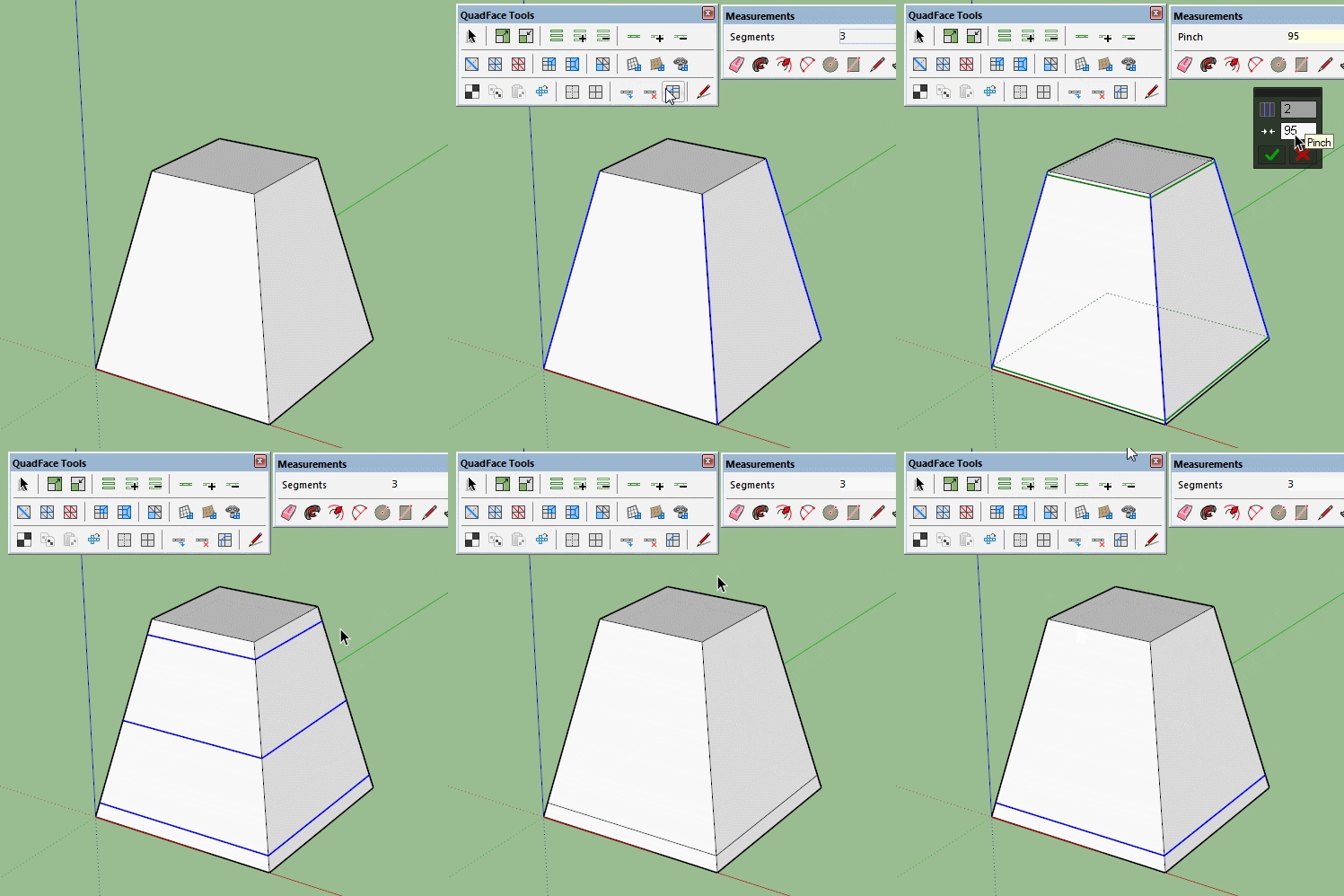

                          loops.gif

                          1 條回覆 最後回覆 回覆 引用 0
                          • pilouP 離線
                            pilou
                            最後由 編輯

                            In this particular case maybe this is more speedy! 😄

                            3 times Edge Tools / Divide faces by Thomthom
                            and copy the last edge
                            Like this there no internal face created
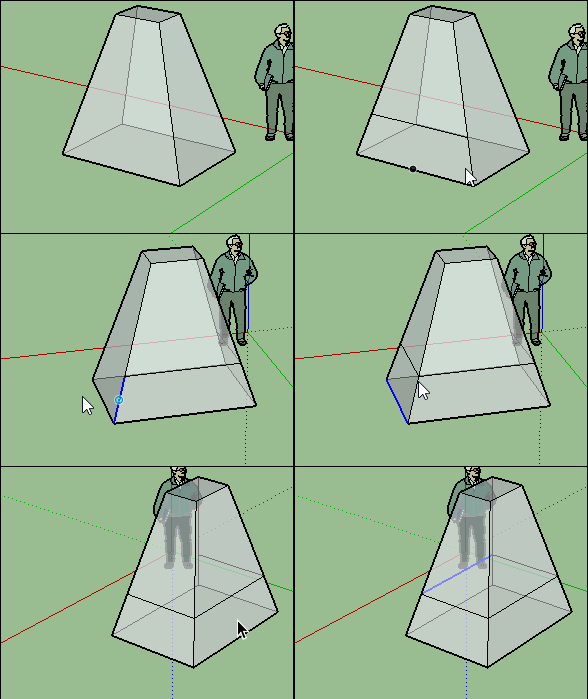
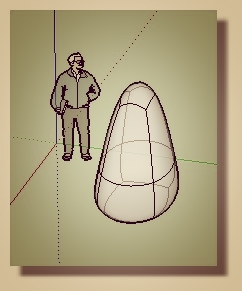
                            GIF_div.gif

                            menhir.jpg

                            Frenchy Pilou
                            Is beautiful that please without concept!
                            My Little site :)

                            1 條回覆 最後回覆 回覆 引用 0
                            • BoxB 離線
                              Box
                              最後由 編輯

                              Try that with a more complex shape pilou.
                              QFT doesn't create internal faces either.
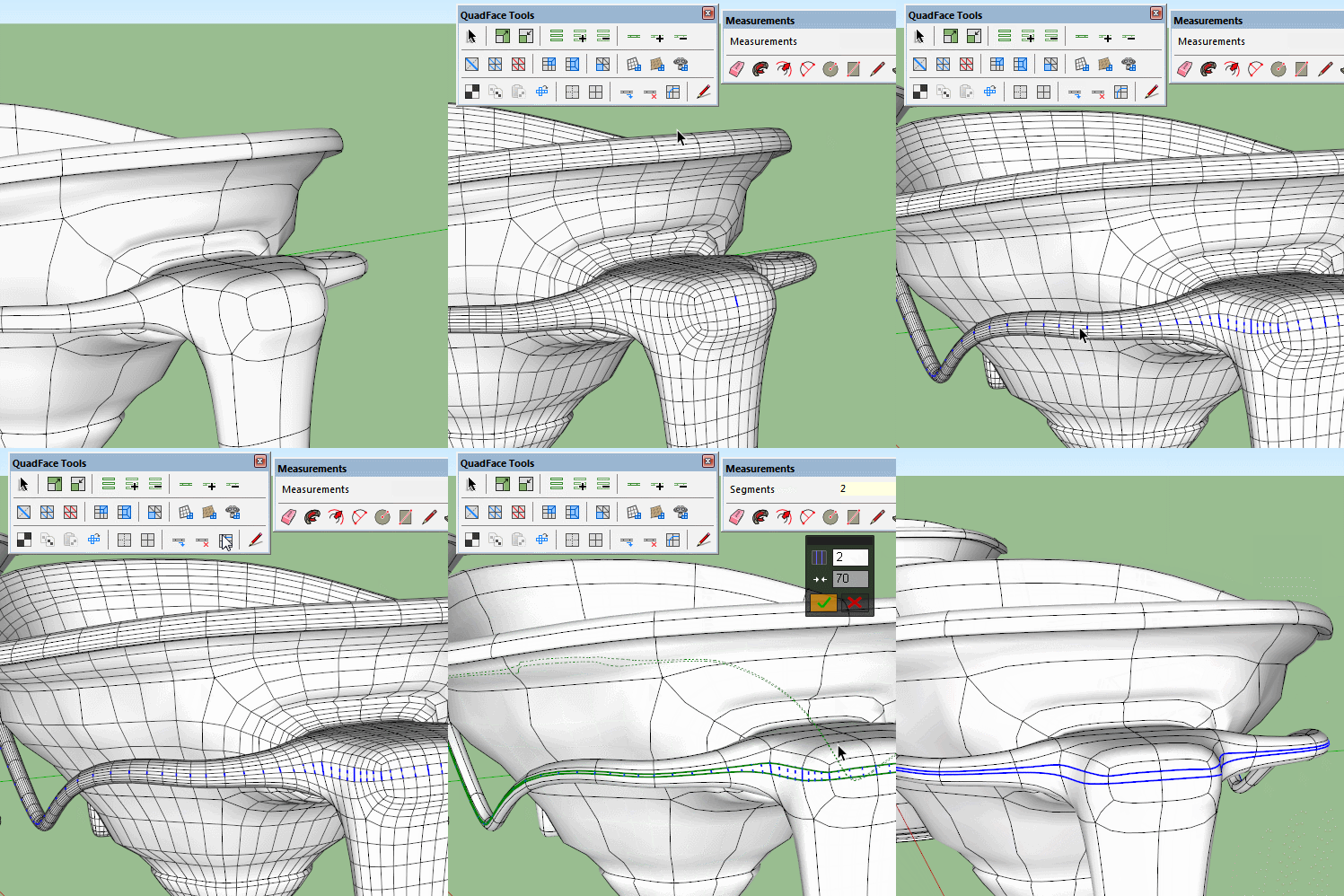

                              complex loop.gif

                              1 條回覆 最後回覆 回覆 引用 0
                              • thomthomT 離線
                                thomthom
                                最後由 編輯

                                @ely862me said:

                                Can I select the place where loops are inserted? They usually are inserted at the half of the line you choose, is there any way that would change ?

                                Not with the Insert Loop function, no. I have been looking into a new tool for this - but its not complete.

                                There is an experimental prototype in the latest versions, but it got some flaws. Need to rethink it.
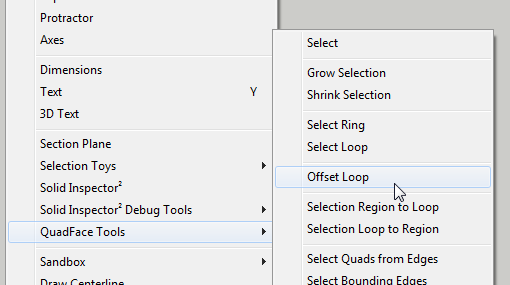
                                2016-01-29_20h50_50.png

                                Thomas Thomassen — SketchUp Monkey & Coding addict
                                List of my plugins and link to the CookieWare fund

                                1 條回覆 最後回覆 回覆 引用 0
                                • C 離線
                                  cuttingedge
                                  最後由 編輯

                                  @thomthom said:

                                  You mean something like this?

                                  http://sketchucation.com/forums/download/file.php?id=131939

                                  http://sketchucation.com/forums/download/file.php?id=131940

                                  http://sketchucation.com/forums/download/file.php?id=131941

                                  Sorry, do image display on my browser.

                                  1 條回覆 最後回覆 回覆 引用 0
                                  • thomthomT 離線
                                    thomthom
                                    最後由 編輯

                                    @cuttingedge said:

                                    HI Thomas, Just to drop a note that i really did appreciate QFT now that SubD is out and prove to be one of the most useful plugin.

                                    Just wondering if we have a "relax tool" in the QFT suite or in any plugin you authored. I hope I know what im saying by relax which means to kind of smooth out the geometry without subdividing it but not destroying the quadface integrity of the model.

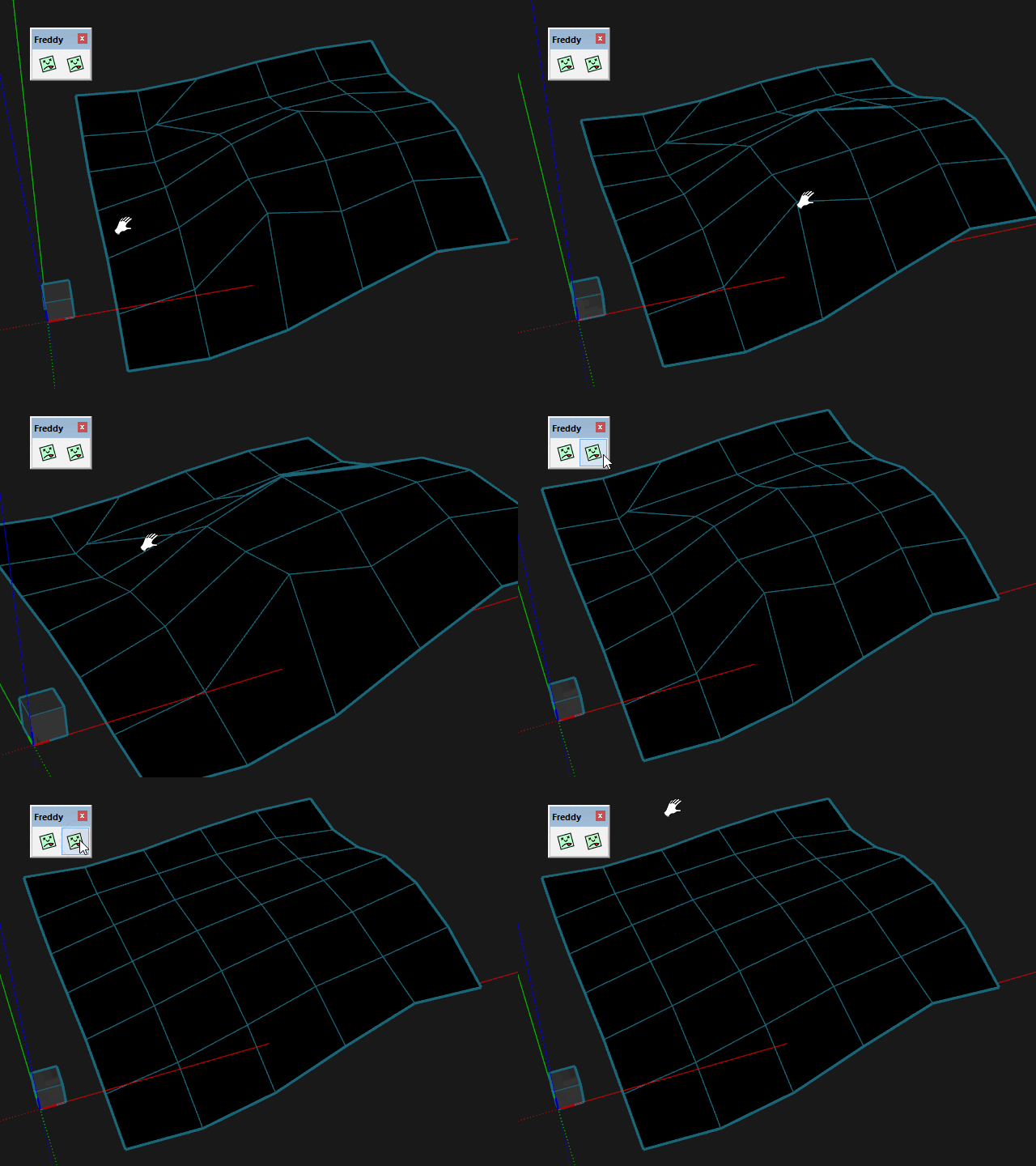
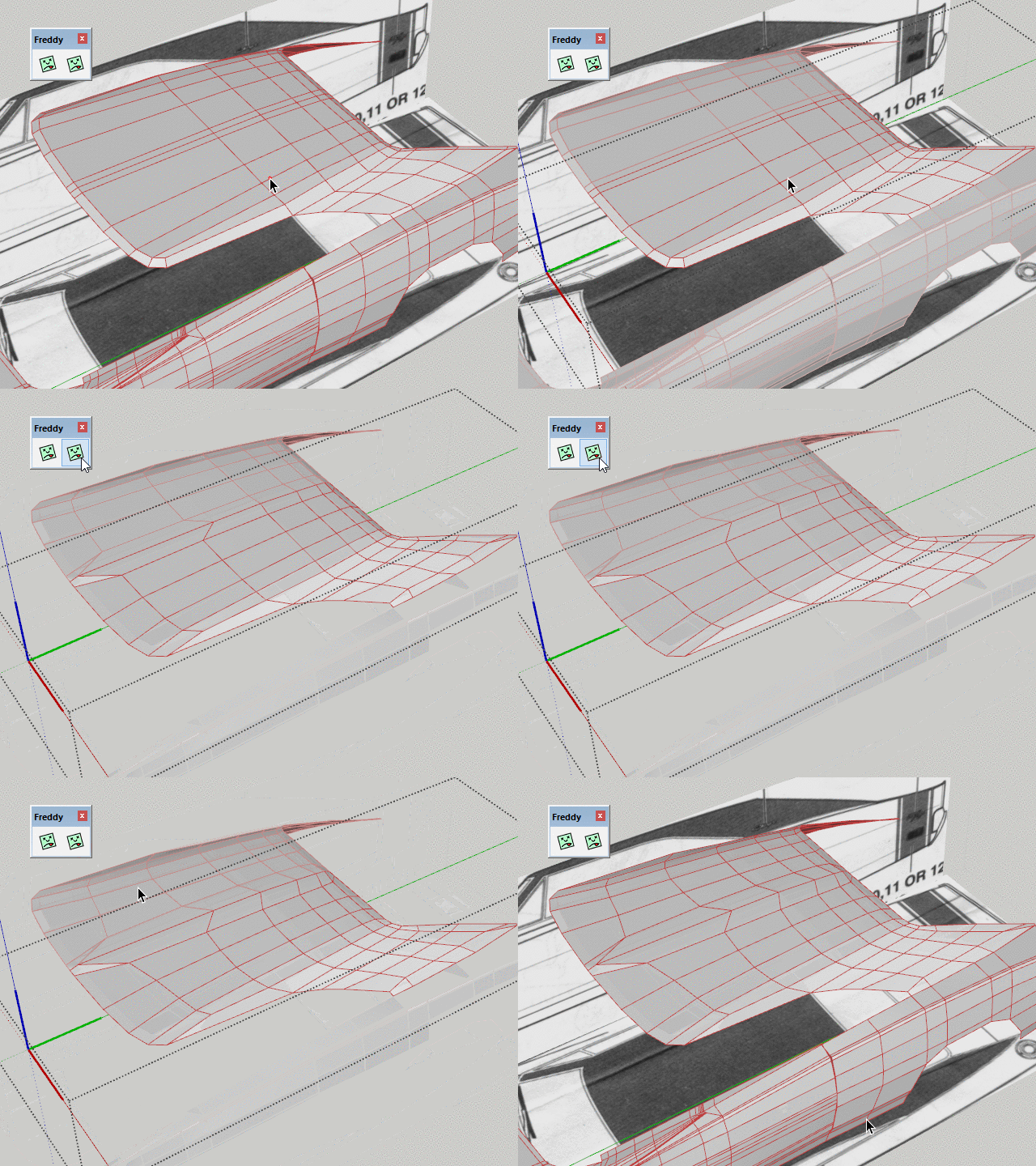
                                    You mean something like this?
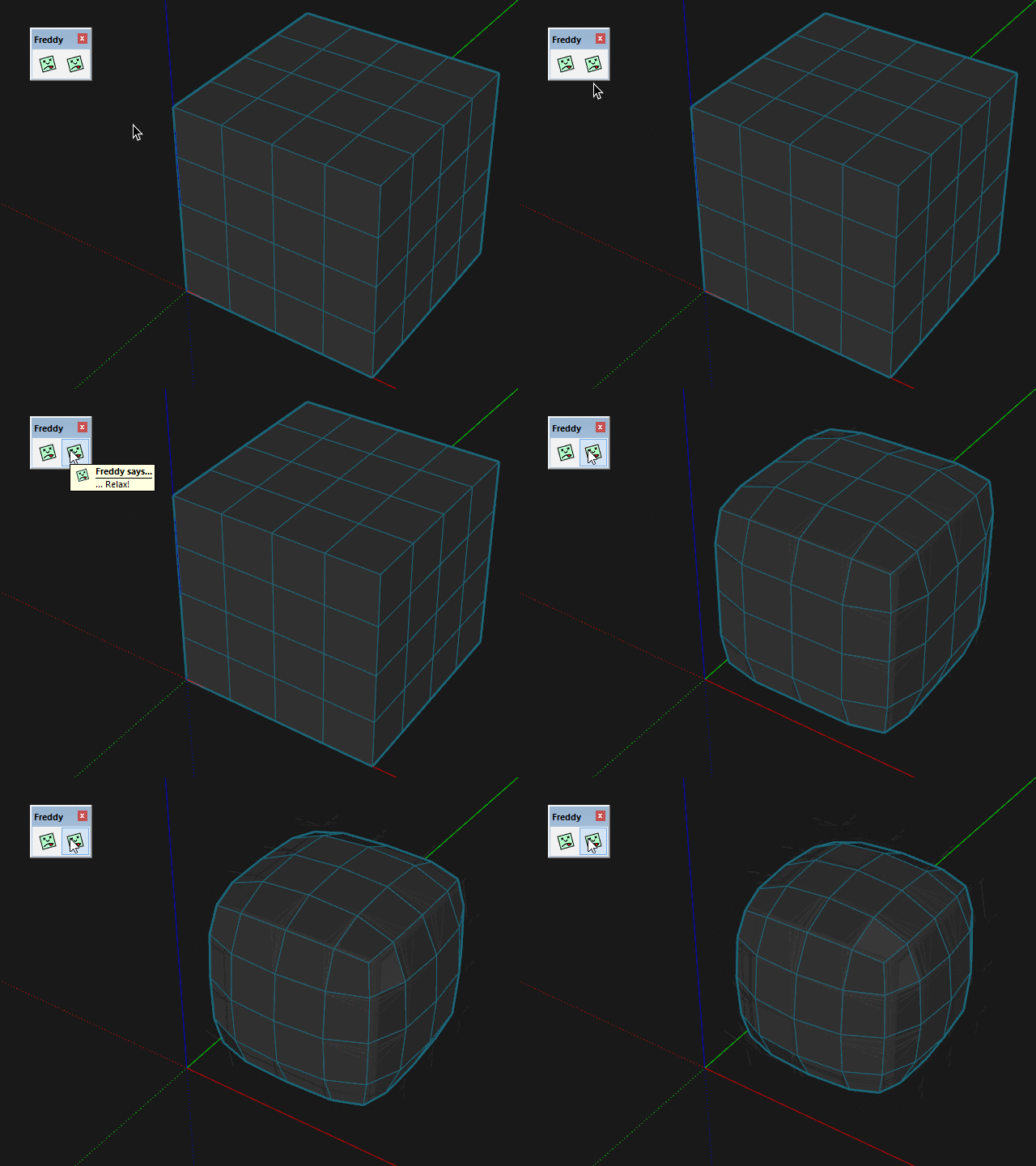
                                    Freddy-Cube.gif

                                    Freddy-Sandbox.gif

                                    Freddy-Challenger.gif

                                    Thomas Thomassen — SketchUp Monkey & Coding addict
                                    List of my plugins and link to the CookieWare fund

                                    1 條回覆 最後回覆 回覆 引用 0
                                    • thomthomT 離線
                                      thomthom
                                      最後由 編輯

                                      @cuttingedge said:

                                      Sorry, do image display on my browser.

                                      I'm not sure if I fully understood that sentence. But I assumed you meant that you couldn't see the images? In any case, I went back and re-uploaded the images.

                                      Thomas Thomassen — SketchUp Monkey & Coding addict
                                      List of my plugins and link to the CookieWare fund

                                      1 條回覆 最後回覆 回覆 引用 0
                                      • C 離線
                                        cuttingedge
                                        最後由 編輯

                                        @thomthom said:

                                        You mean something like this?

                                        Whoaa..Where did this come from? Where do I find this?

                                        Hope this relax tool be part of your quadface suite , even the insert loop similar to that of 3ds max 'graphite tool' where you can pick the exact point where you want it placed.

                                        1 條回覆 最後回覆 回覆 引用 0
                                        • ely862meE 離線
                                          ely862me
                                          最後由 編輯

                                          Hi Box and Pilou,
                                          Thanks for the tips!
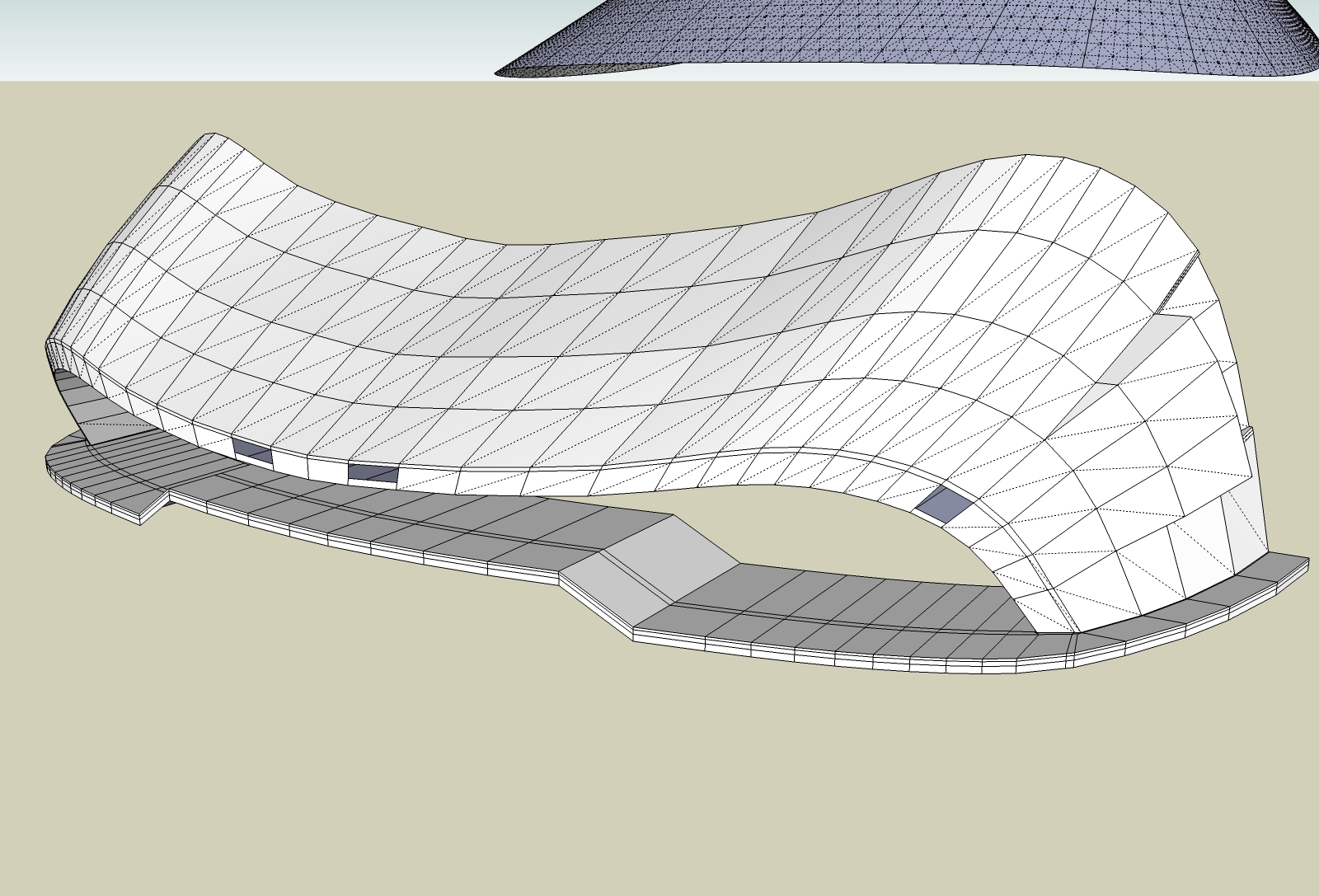
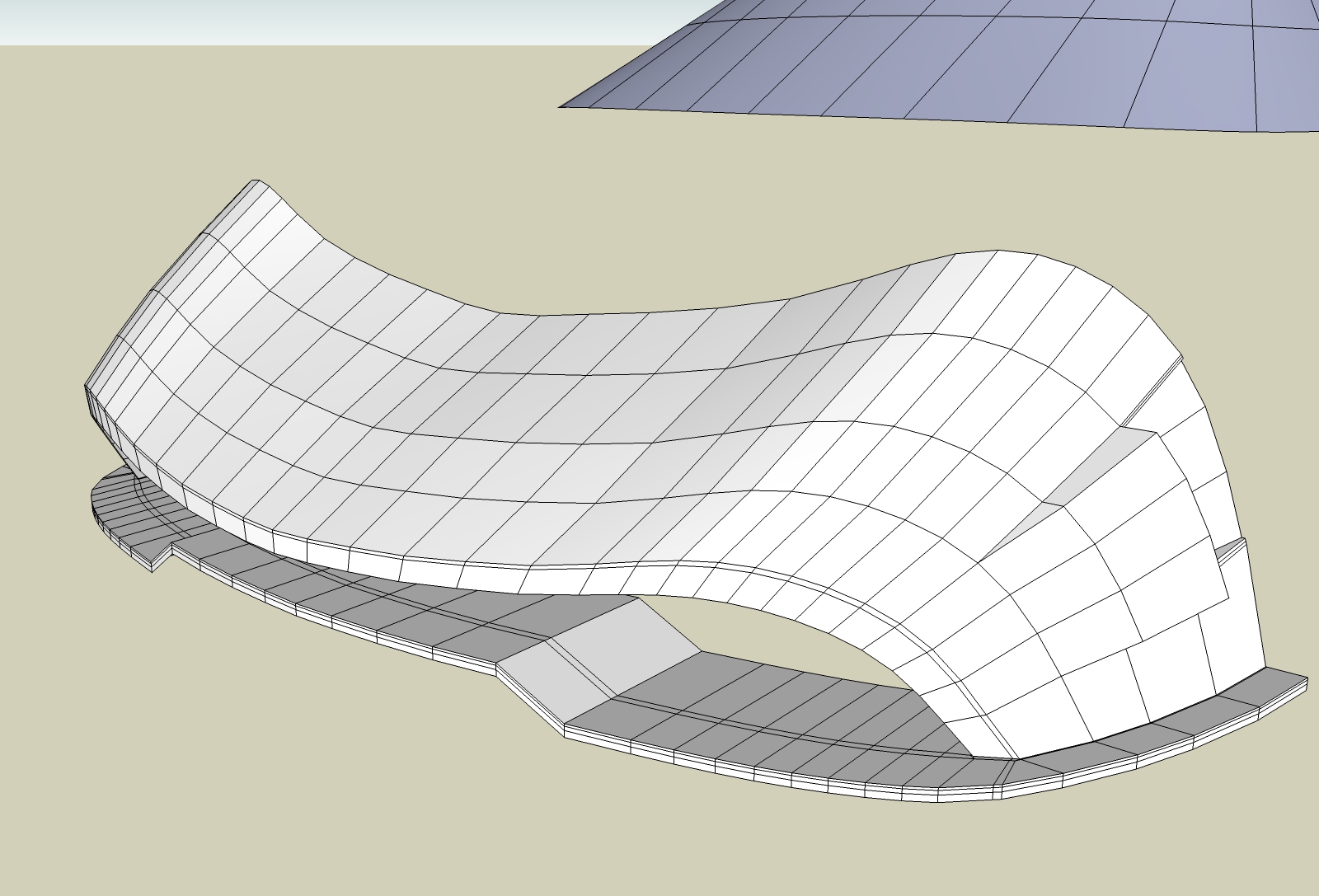
                                          I tried your method,Box but it gives me some errors here and there when removing the extra loops.
                                          I think the adding loops is better though, as you first insert one at the middle then you insert one in the half you want, and so on. At the end there are fewer loops to remove and fewer errors. It is better to remove the extra loop immediately you created the new one.

                                          Yes, Thomas, loop offset would be a great addition. Unless you can create a loop mover that would move the loop at a specified point after it was inserted-something like moving a section cut plane back and forth.
                                          The Line tool is still unpolishead leaving behind here and there both diagonals.
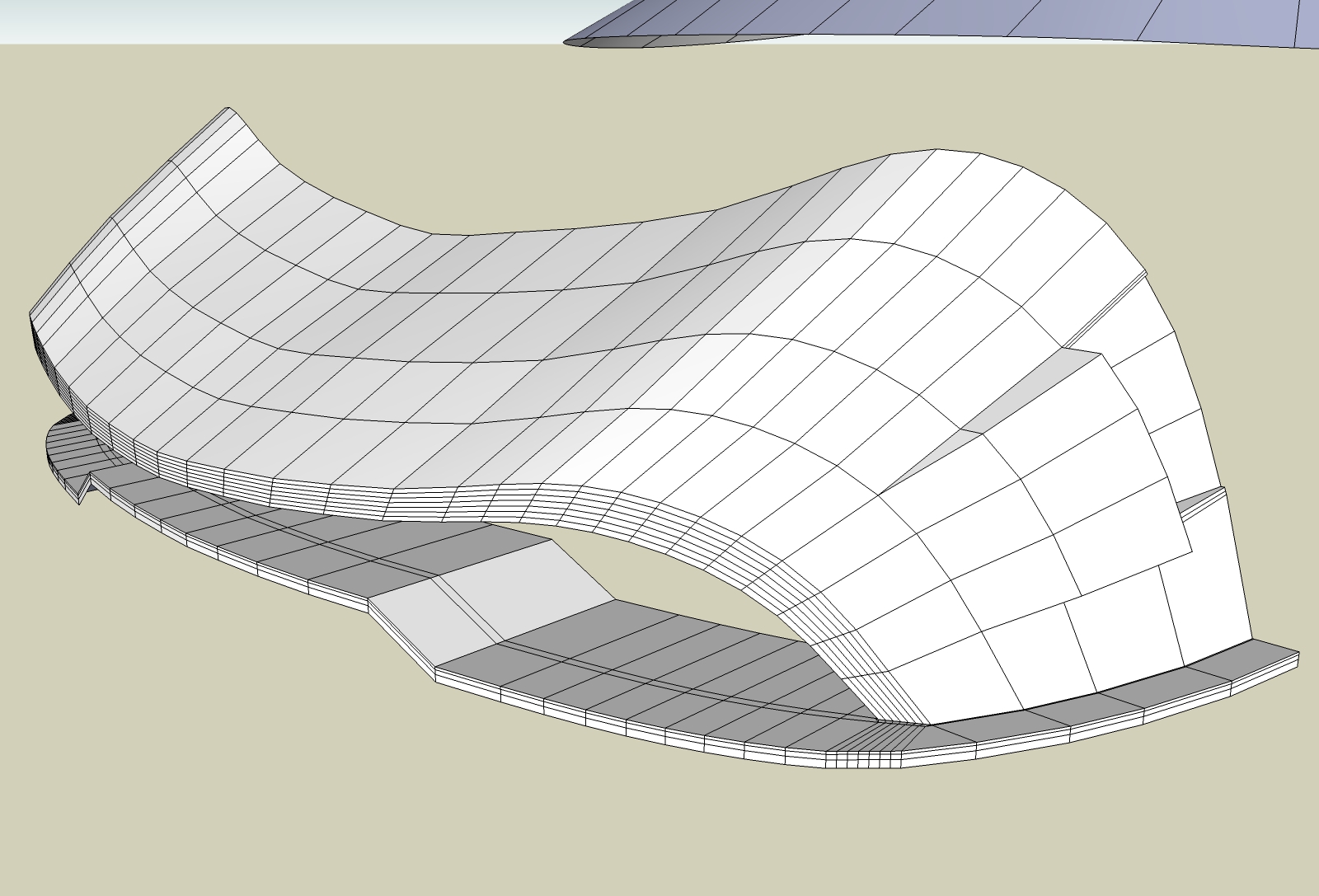

                                          1.jpg


                                          2.jpg


                                          3.jpg


                                          4.jpg

                                          Elisei (sketchupper)


                                          Before no life was done on Earth it was THE LIFE ITSELF...GOD
                                          Come and See EliseiDesign

                                          1 條回覆 最後回覆 回覆 引用 0
                                          • pilouP 離線
                                            pilou
                                            最後由 編輯

                                            @Box

                                            @unknownuser said:

                                            Try that with a more complex shape pilou.

                                            It's for that i have said "In this particular case"! 😉

                                            @unknownuser said:

                                            QFT doesn't create internal faces either.

                                            Sure but "Edge tool" yes, it's for that I had not made the last edge with it! 😉

                                            Frenchy Pilou
                                            Is beautiful that please without concept!
                                            My Little site :)

                                            1 條回覆 最後回覆 回覆 引用 0
                                            • 1
                                            • 2
                                            • 29
                                            • 30
                                            • 31
                                            • 32
                                            • 33
                                            • 34
                                            • 31 / 34
                                            • 第一個貼文
                                              最後的貼文
                                            Buy SketchPlus
                                            Buy SUbD
                                            Buy WrapR
                                            Buy eBook
                                            Buy Modelur
                                            Buy Vertex Tools
                                            Buy SketchCuisine
                                            Buy FormFonts

                                            Advertisement