[Plugin] Hatchfaces (v1.8 beta) UPDATED 15-Dec-2012
-
Sorry, disregard, was trying to edit the previous post.
-
@jolran said:
YES!!!! Faces with holes are hatching now. Will update tomorrow, hopefully.
So when will come tomorrow? I am looking forward!
I am sure - in the new version of SketchUp this plugin should become a standard feature. -
jolran, looks like you got it working well.
 So no need to change anything. I will answer the questions, anyways.
@unknownuser said:
Hi Kyyu. Many thanks for your input and experimenting. Really appreciate it
I got a strong impression from reading this forum, that making groupes from selection is a bad choice?
Thats why I neglected my original idea and went for TIG's "face.clone iterating stuff". Don't you get splats doing it like that? Have you tried this inside a group? I got constant splats doing almost exactly as you did.However grouping the edges before doing an intersect_with might be a good idea. That might actually be an easier method than iteration the edges for erasing? Depends on how "splat-prone" the method is.
Yes, it's to be avoided. But you can do it, under certain circumstances. Grouping loose geometry is ok, especially a single edge or face. In my example, I grouped a face at the very beginning. And it do it, just once. I've written plugins, like this, before. You can't do it what an entitiy, already inside a group. I'm assuming it has to be in the current active_entities.
If, I am just testing a quick snippet of code, I certainly will just group the face instead of writing a bunch of lines to clone it.
You only need to consider doing all this, if you didn't make the entitiy. If you want your lines in a group, then you would make an empty group 1st, and then create the lines directly in the group (gents.add_line instead of ents.add_line).
@unknownuser said:
About separating to 3 groups. Don't know if that is necessary? Doesent it suffice to add the hatches to a new layer? (Which is already implemented in my current code). This grouping In my opinion does no good for the workflow. Need more feedback about that, please
It all depends on how you are doing stuff. My thoughts on 3 groups is as follows: Group1 is your cloned face group. If you decide to group your line pattern, then that's group2. When you use intersec_with, you can choose where the new lines go. You can't put them in group1 or group2. They would merge and you have to clean them up. So you put them in group3. Then you only need to delete group1 & group2. No need to find and delete any edges. That's what my example does. Except, I just explode group1, becasue I don't make a clone.
@unknownuser said:
I'm using AS ruby code editor. It's the same as Jim's no?
Should be the same. Just suggesting an editor that can execute the code, if you aren't using one. I use Notepad++ for that and reload using Jim's Ruby Toolbar. But Jim's Ruby Web Console does the undo automatically. And very easy to test small bits of code. I still use his older version.
-Kwok
-
Looking to the future, I regret to foresee, this plugin will be not freeware.
-
Do you have a crystal ball or some sixth sense? Will I be able to cut the grass tomorrow or will it rain?
-
@unknownuser said:
Do you have a crystal ball or some sixth sense?
The really good thing can not be free. It understandable without a crystal ball and without sixth sense.

@unknownuser said:
Will I be able to cut the grass tomorrow or will it rain?
Good question, but a great pity to spend my magical powers to answer it.

-
Ver 1.3 added!
Hole "issue" should work. At least it does for me..
Note. Crosshatching does NOT work yet. Only menu items has been added. Layer Hatching now gets made with hatching in it.
What say you about choice of keeping Face and being able to add material?
This version needs to be tested. Have not recieved feedback from TIG about this update, and that makes me nervous

-
Kyyu! Thank you so much for your detailed explanation. Now I understand better. Much apreciated.
I think your intersect method is worth experimenting with for upcoming features. And or what features is possible.@unknownuser said:
this plugin will be not freeware
No one in here needs to worry this will become a comersial plugin.
Yes, of course I need to make money. But I have gotten so much help from TIG and Kyyu, Jim and others, so going comers. would be HIGHLY unethical! If even legal? This is a great learning experience for me, and I will try too remain humble and listen to
advice and suggestions being made.@unknownuser said:
in the new version of SketchUp this plugin should become a standard feature
Hatches, yes. So this work might be for nothing
Although, it is possible only Layout will be the program that get hatches. -
Yes! It happened!

Even if this is the final version of the plugin - that would be enough.
Many thanks you and those who helped you in this difficult and very necessary work.But I want to go further in my desires

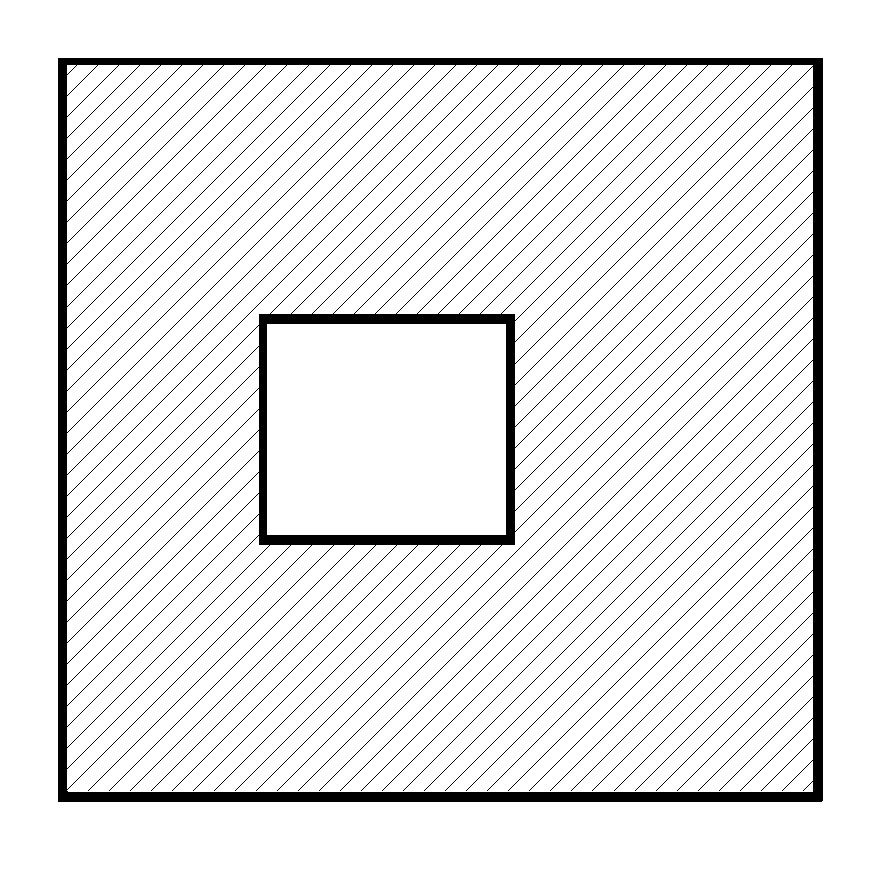
How about this?
-
My comments...
Code like
jol_icons = Sketchup.find_support_file "Plugins/Hatchfaces/hatchfaces_s.png"etc would be safer as
jol_icons = File.join(File.dirname(__FILE__)), 'Hatchfaces', 'hatchfaces_s.png')
because some users don't/can't put their stuff in the main Plugins folder -Sketchup.find_support_file()is best avoided.Also how about adding a Plugins [or Tools?] menu item so users can shortcut to it easily...
Enabling the crosshatch options is relatively straight forward...
I would have three questions Angle, Spacing, and Crosshatch?
If the user has said 'Yes' [default='No'] as second dialog opens - the Angle set to the first set angle*-1 and the same Spacing - OK to do crosshatching or Cancel to not do crosshatching...
To process the hatching I'd move that part of the code out to a sub-method that takes several arguments - e.g.def hatch(angle,spacing,gents)
Then if there's no crosshatching you call if once passing the three values so it knows what to make and where to put stuff [gents]... If there is crosshatching it makes the hatch-group and then a group inside that, it runs the hatch sub-method in that sub-group entities... and then adds another sub-group for the crosshatching and runs the hatch sub-method with the new values in the second sub-group entities. This way the two hatches are grouped as one, but in each their own sub-group, so one of them could be erased later if a user desired it... -
It is not the final version
There are things to fix. But I'm happy if the plugin is working for you, keep testing.@unknownuser said:
But I want to go further in my desires
How about this?That can easy be made manualy in Sketchup if you use r.click intersect with selected(face and hatchgroup) so the hatched lines adds to the face. Then go into styles-> edit->profiles, and work with the setting there.
If you want border "thin" faces to be drawn, that's a different issue. This feature in code might not be that easy. I can have a look on that later. First I will try to get the crosshatching working.
One have to consider what feature to add or not. If that feature is 1 click in Sketchup, it might not be worth adding it to the code.
-
@jolran said:
That can easy be made manualy in Sketchup if you use r.click intersect with selected(face and hatchgroup) so the hatched lines adds to the face. Then go into styles-> edit->profiles, and work with the setting there.
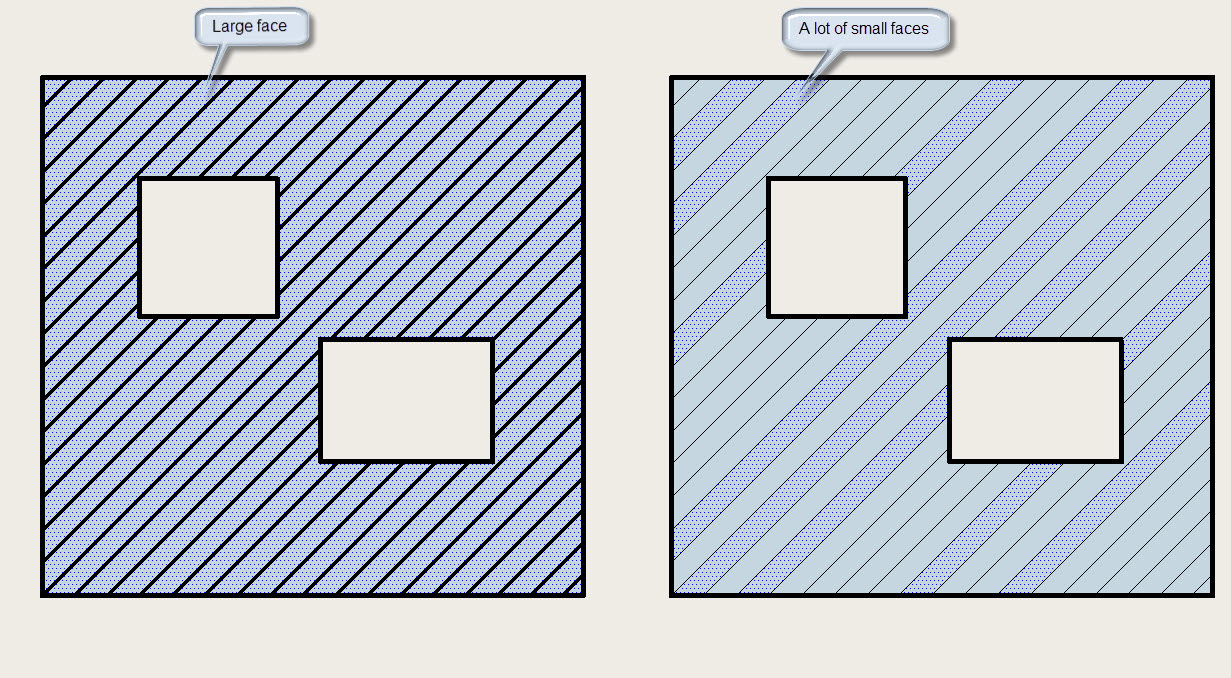
Yes. It can be done. But in this case I am losing one large face, and in return get a lot of small faces. Seems to me it is not very well.
-
Ok I see what you mean. I will take a look at that later on. My 1st thought is that it will not be that easy to do.
In native Sketchup just use offset, doing that in code is not that straightforward, from what I know.
Crosshatching is on the next TODO list, and TIG's recommendations for filepaths.
Could spend some time on those... -
@unknownuser said:
some users don't/can't put their stuff in the main Plugins folder
Did not think of that
good point.@unknownuser said:
Also how about adding a Plugins [or Tools?] menu item so users can shortcut to it easily
Yes, yes. That should have been done earlier.
@unknownuser said:
'Yes' [default='No'] as second dialog opens
That's smart. I wasn't planning on doing it like that. But of course your way is more logical.
The code will need some work for this to happened. And I will try your method, if I can understand how to.Thank you TIG I will work on you advice.
PS: If it looks like I make promises for new features to be added and expect TIG to come to the rescue, it's not like that.
I understand you have other business to attend to, and I'm greatful for all the help I get.
Thanks
-
Is that duplicate line needed at line# 136 ?
-
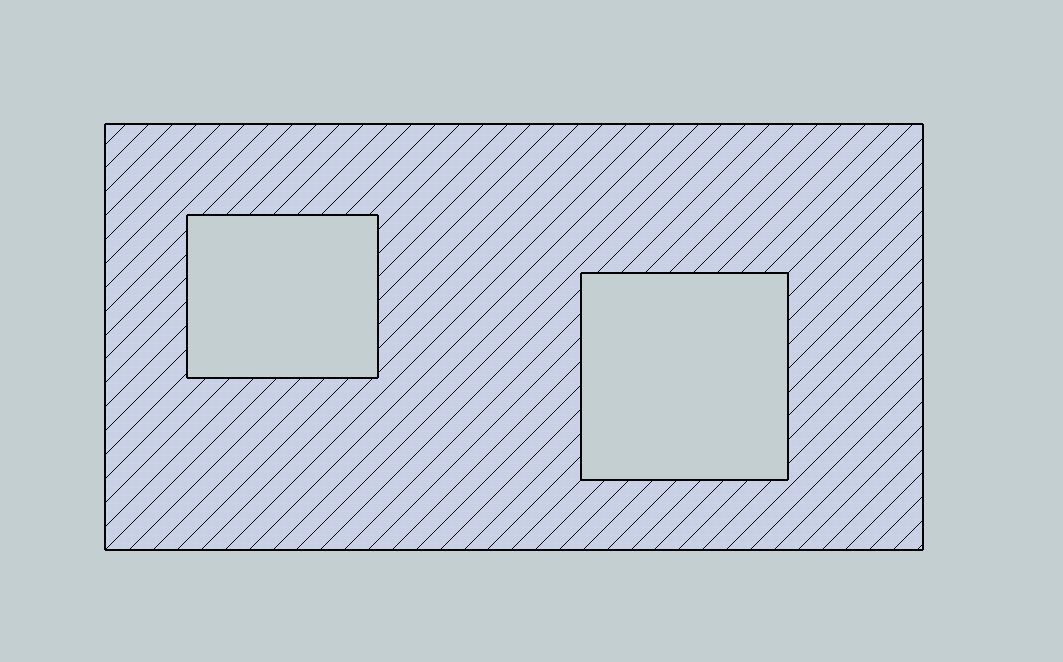
If you want to use the profile edge style. I was thinking you could keep the hatch faces and give them a transparent material. That worked. But then I thought, it's even simpler is just to hide them. I was worried that "unhide all" would unhide the faces, but it doesn't seem to effect the grouped faces.
-
@unknownuser said:
Is that duplicate line needed at line# 136 ?
No

Thank you for spotting that
Sometimes I get wierd results when I copy from ruby code editor and paste to Notepad ++.
Did not doublecheck the results well enough.
Note. It is AS ruby code editor, not Jims version. Is Jims more stable? I think it's a webdialogthingy-bug.Thank you for keeping on testing stuff! It's of big help. How about a choice of keeping faces? With possibility to attach
material? That way one could use transparent material or whatever? Wonder if it is possible to use a dropdownlist getting the materials already added in the palette...Anyway, must get this second crosshatching inputbox working correctly first, and do some fancy methoding.
-
-
Sergey. Yes that is the behavior of profiles. I can see the problem you are getting at.
If I put in an option for "keeping face", you will get that behavior WITHOUT manipulating the original selection. Hatched lines and faces in one separate group called "Hatching".
On top of that,(as TIG recommended), when you want crosshatching. There will be 2 groups in that "Hatching" group. -
If you want 'thin' hatch lines you simply don't erase the faces within the hatching group[s] [i.e. keep the perimeter edges too]... then make a material if it doesn't exist called say 'HatchFaceMat' set it's color rgb=[255,255,255] and it's alpha=0 so it's completely transparent and apply that to all faces in the hatching group. If the Style has edges thin and profiles thick you get thin hatching.
It could even be a dialog option - Line-Style: 'Thin|Thick' - 'thin' where the faces are kept and made transparent OR 'thick' when the faces are erased...





Advertisement