[Plugin] Sketchup Ivy
-
Hello this is a great plugin.
But whatever i do i can not generate leaves...
anyone has an idea of whats going on?????
-
Is it possible to change ivy leaves into vine leaves???
-
Hi:
I installed this from the pluginstore into SU2014 and it worked well in my simple tests.
I made a point of reading the entire thread to get a clear idea of how I could edit the basic leaf components so that the white background and the component outlines would not appear in the Sketchup model.
I opened the Plugin folder containing the components in 2014, got the alert that the components were made in v6 but proceded and tried Ctrl+ Erase to hide the edges, and I edited the edge style in the component interface, in case that might help.[I did not save back down to v6]
Well, none of the above helped. The ivy generating process would not complete.
It is as if the alterations obliterated some feature that the plugin relies upon--even though I did not change the name of the components.
So I have uninstalled the plugin rb and support folder, for now.
I did not seek out any of the altered component versions offered by others in the thread, such as wisteria or English ivy, because I was trying to learn/understand the texture/alpha channel relationships.
Any thoughts? -
Could one of you lovelys post your settings of your ivy that crawled downward and over edges? I can't seem to get these touchy settings right. Right now it won't even produce leaves or branching, just one branch with nothing on it (*even though red lines and leaf plus signs were there showing I should get more), it's messed up.
-
HI, Someone can help me, when I Open sketchup after install sketchup Ivy it appears a window than say Error:
Error Loading File LiveIvy.rb
Error: #<TypeError: no implicit conversion of nil into String>
C:/Program Files/SketchUp/SketchUp 2014/Tools/LiveIvy/LiveIvy_tool.rb:300:inload' C:/Program Files/SketchUp/SketchUp 2014/Tools/LiveIvy/LiveIvy_tool.rb:300:inload_definitions'
C:/Program Files/SketchUp/SketchUp 2014/Tools/LiveIvy/LiveIvy_tool.rb:351:in<top (required)>' C:/Program Files/SketchUp/SketchUp 2014/Tools/RubyStdLib/rubygems/core_ext/kernel_require.rb:45:inrequire'
C:/Program Files/SketchUp/SketchUp 2014/Tools/RubyStdLib/rubygems/core_ext/kernel_require.rb:45:inrequire' C:/Program Files/SketchUp/SketchUp 2014/Tools/LiveIvy.rb:5:in<top (required)>'Why that is happening?
-
I wonder if it would be possible to add options for selecting/changing set of leaves directly in SU and not just replacing set in plugin directory?
Sizes of leaves(components) inserted by the plugin are scaled according to the value specified. This makes all the leaves same size. The question is whether could be done that inserted to leaves were not scaled to the same size? Because I'm trying to do sets of leaves of other climbing plants, and when I did one component in which is whole branch, and the other only a leaf, a branch when you scale it is too small
//sorry for my poor english//
-
@jesus22bo said:
HI, Someone can help me, when I Open sketchup after install sketchup Ivy it appears a window than say Error:
Error Loading File LiveIvy.rb
Error: #<TypeError: no implicit conversion of nil into String>
C:/Program Files/SketchUp/SketchUp 2014/Tools/LiveIvy/LiveIvy_tool.rb:300:inload' C:/Program Files/SketchUp/SketchUp 2014/Tools/LiveIvy/LiveIvy_tool.rb:300:inload_definitions'
C:/Program Files/SketchUp/SketchUp 2014/Tools/LiveIvy/LiveIvy_tool.rb:351:in<top (required)>' C:/Program Files/SketchUp/SketchUp 2014/Tools/RubyStdLib/rubygems/core_ext/kernel_require.rb:45:inrequire'
C:/Program Files/SketchUp/SketchUp 2014/Tools/RubyStdLib/rubygems/core_ext/kernel_require.rb:45:inrequire' C:/Program Files/SketchUp/SketchUp 2014/Tools/LiveIvy.rb:5:in<top (required)>'Why that is happening?
Because you put it into the Tools folder.
It belongs in the Plugins folder in the User's AppData path ! -
An updated version 0.6.3x is now available in the PluginStore
http://sketchucation.com/pluginstore?pln=SketchupIvyIt is now made compatible with SketchUp v8 up to and including v2015, for all OSs.
It removes the annoyance of its leaf components getting added to every model as Sketchup started up, it now only adds them when you use the tool.
The three leaf components now use materials with textures from improved PNG files with transparency, and an adjusted stem material with a better 'color' etc...
It also allows you to have the toolset installed into and then loaded loaded from any folder that is included in the$:, not just the default Plugins folder. -
Did you nuke the section planes?
-
@rich o brien said:
Did you nuke the section planes?
If you mean inside the three leaf components, then there are no section-planes in this set of SKPs, just the face with the texture of the leaf... -
+1
-
On Mac OSX 10.9.5 SU2014 & SU2015 doesn't work, when you call the plugin, the ivy window appears but it close immediately, it's curious if you deactivate Auto-activate Paint tool in Sketchup Preferences, the ivy window doesn't close but nothing happens when you push the correct keys to make the ivy, the Ruby Console is empty.
I tried to uninstall the rest of the plugins and the same, the ivy doesn't work. -
Mine doesn't work in 2015... And somewhere in this thread I should have uploaded my fixed set of leaves.
-
@krisidious said:
Mine doesn't work in 2015... And somewhere in this thread I should have uploaded my fixed set of leaves.
This latest version works in v2015 for me.
Any error messages in the Ruby Console ?
Did you manually remove all earlier versions etc ?
I remade the three leaf SKPs [in the Textures subfolder] using transparent PNGs.
Test those SKPs against your own...
If you have a better set let me know. -
@oxer said:
On Mac OSX 10.9.5 SU2014 & SU2015 doesn't work, when you call the plugin, the ivy window appears but it close immediately, it's curious if you deactivate Auto-activate Paint tool in Sketchup Preferences, the ivy window doesn't close but nothing happens when you push the correct keys to make the ivy, the Ruby Console is empty.
I tried to uninstall the rest of the plugins and the same, the ivy doesn't work.
I haven't had a chance to test it on a MAC...
Did the earlier version work properly on MAC ?
There is nothing significantly different in the code in regards to the web-dialog or key-presses...EDIT:
I have at last tested it on MAC and I see that rather than return 0 on a mouse-up with no key-press the MAC returns 256 !
So I now have a fix for that.
Also the dialog should be modal on MAC so it stays in front !
I have it working on MAC IF the Paint auto-activate is OFF - this is weird...
If the tool is activated when that Preference is ON it closes because the paint-bucket tool immediately opens !
So I have a fix for the MAC's key-presses/mouse-clicks and the MAC's modal dialog...
I am investigating the other issue with the auto-activate paint - which is MAC only...
Perhaps something to do with the way it sets the stem material ?EDIT2:
YES! It sets it current so the paint kicks in - this is NOT necessary so I can prevent that too...Update under way...
-
Breaking News !

Here is v0.6.3xx which has now been adjusted and retested... and works on PC & MAC and is v8/14/15 compatible...
http://sketchucation.com/pluginstore?pln=SketchupIvy

@Oxer, please reinstall and test.
@Kris, please do the same, ensuring you have cleared out the old files etc...
-
ok here are 3 of them transparent with hidden edges. be warned they are saved in version 8 so that may affect lower versions running this plugin.
Deleted file
-
Ok... That's great. But... Ummm You'll never believe me if I tell you.
-
Here's all the leaves that we've added through the forums. about 10 altogether, each saved in SU6 with no edges and no sections, purged for efficiency.
If We figure out what my version is with all the comps in it and where it came from, I'll upload it too.
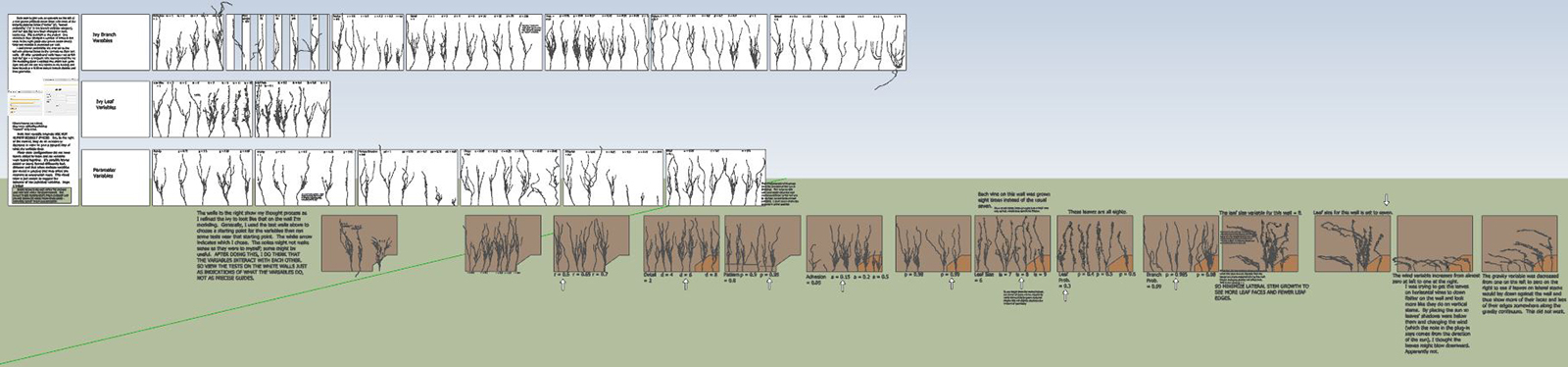
Here is the guide skp file that I had inside my folder.
http://www.sketchup-house-plans.com/Live-Ivy-Settings-Guide.zip
-
Ok... Sooo My SU 2015-64 won't start if I don't have Live Ivy installed. And not just any Live Ivy but only the Live Ivy I installed in 2014. If I delete both the rb and the folder SU locks up with an off screen missing dialog that I cannot see. If I put the 2014 versions of the plugin back in my folder, SU 2015-64 starts fine. If I install the new version it won't start either. Is that some strange stuff or what?
Live Ivy did actually work in 2015 TIG, you said yours worked so I went looking for the plugins>menu>Live Ivy tool and it did in did work and was there. I assumed it didn't work because my Live Ivy has a toolbar and an Icon of a leaf. This is missing in 2015, so I assumed it was not working.
I have some special version of Live Ivy. It has many special components for flowers and leaves. It has an Icon and a tutorial of sorts in a skp.
I'm going to send my version to you TIG and see if you recognize it.








Advertisement