[Plugin]T2H_BuildingStructureTools2.2.4 in20141207
-
Yes, the folders exist and they have content:
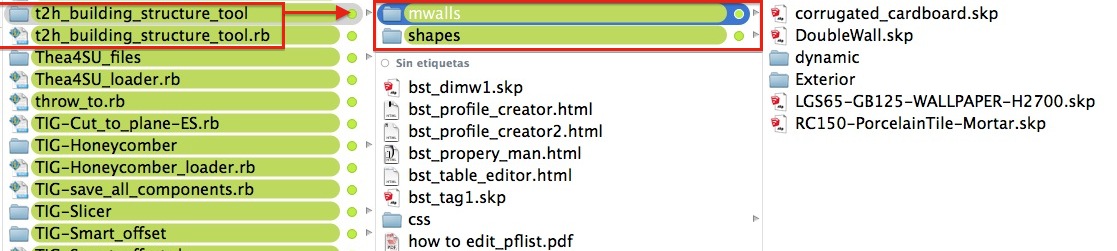
This happens in SU2015 only, in SU 2014 the content of the folders appear in the Tool Options window correctly.
-
Hi,all
I update this to V2.2.4 in 2014-12-07.
Some bugfix and Improve the profile selector.and "Mwall" Work well on MacOSX.Hi,Oxer.
Please try this version. -
-
I installed the v2.2.4 and all work fine now on OS X 10.10.1

Thanks tak2hata !! -
Hello T2H Sir,
CHK web dialog box its working perfect but not working like your previous version.
Means when i draw wall and set parameters like wall height : 10' and width : 4" and start draw a wall and when i change the wall height : 2' and wall width : 1' and draw continue in view-port the tool not get new parameters . . . . . .
plz chk.
thanks for your advance tool . . . .

-
esta merda não estar completo com,o o da video aula
-
-
It simply doesn´t work for me in Sketchup 2015.
nothing happens when I click the Show Tools Icon (the one with the magnifying glass).
In fact, nothing happens when I click any icon, except the "Profile Schema" icon.
ps: nothing changes if I use the "Change the Profiles List File" option in the extensions menu. I can choose the profiles file, but still no icon of the tools functions...
edit: it worked on Sketchup 8, which I still have installed.
-
Hi,
run into a problem, not sure if its 2105 specific as I no longer have 14 and before installed.
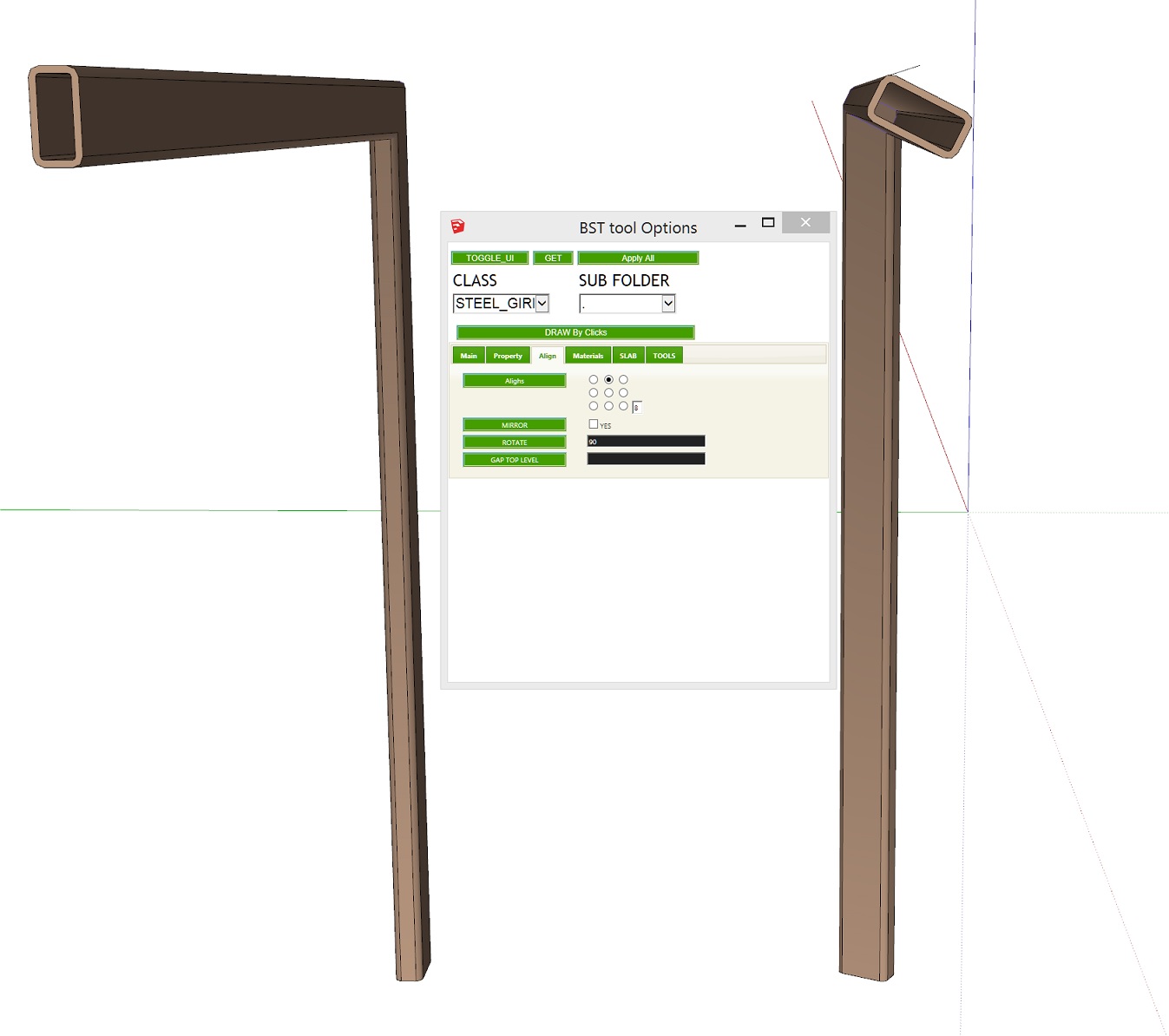
When I have the rotation set to default (0) the member follows the line path fine (on the left in the picture).
On the right, I wanted the RHS to be rotated about 90 degrees, so typed '90' in the rotation box but when I apply it I get something more like 35 degrees. I've tried with different inputs but the output never corresponds to the angle I have chosen. Any ideas?
-
No one come across this issue before?
-
I noticed this happens in SU2015 also.
-
I don't have it installed, but what happens if you enter radians?
1.57079633
john -
@driven said:
I don't have it installed, but what happens if you enter radians?
1.57079633
johnGreat, that works! What's going on then?
-
the way ruby handles radians to degrees must have changed or you have another plugin that is changing the definition and it's effecting this one...
I'll see if I can find any thing...
john -
@driven said:
the way ruby handles radians to degrees must have changed or you have another plugin that is changing the definition and it's effecting this one...
I'll see if I can find any thing...
johnCheers, really appreciate your help.
-
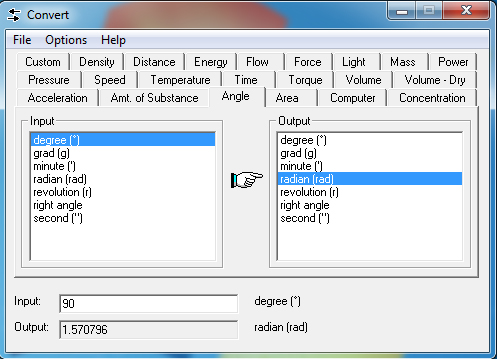
Thanks driven, I should have spotted that! (one radian = 180/π degrees). By the way Josh Madison has a great little free prog that everyone should have on their Desktop...
https://joshmadison.com/convert-for-windows/
-
@rodman100 said:
Thanks driven, I should have spotted that! (one radian = 180/π degrees). By the way Josh Madison has a great little free prog that everyone should have on their Desktop...
Wow, I still have the version from years ago that was named MConvert

I keep it on a USB stick as I've always been afraid of losing it as I could never find it online anymore. Thanks for the link! -
great tool and works well, however, when i produce a take off table I select the entity ID and there is no identification (highlighting) of the item within the model.
Do i need to have a particular switch turned on -
@krisidious said:
nice improvements... That wall tool looks nice. Can it possibly do curved walls? or transform lines into walls?
I would also like to draw curved walls with this - could we select a arc then apply the wall type?
-
@cadmunkey said:
Hi,
run into a problem, not sure if its 2105 specific as I no longer have 14 and before installed.
When I have the rotation set to default (0) the member follows the line path fine (on the left in the picture).
On the right, I wanted the RHS to be rotated about 90 degrees, so typed '90' in the rotation box but when I apply it I get something more like 35 degrees. I've tried with different inputs but the output never corresponds to the angle I have chosen. Any ideas?i had similar problem before, input required in radians not in degrees.
90deg = 1.570796326795rad
30deg = 0.610865238198it will works as expected,




Hello! It looks like you're interested in this conversation, but you don't have an account yet.
Getting fed up of having to scroll through the same posts each visit? When you register for an account, you'll always come back to exactly where you were before, and choose to be notified of new replies (either via email, or push notification). You'll also be able to save bookmarks and upvote posts to show your appreciation to other community members.
With your input, this post could be even better 💗
Register Login


Advertisement