sketchucation logo sketchucation
    • 登入
    Oops, your profile's looking a bit empty! To help us tailor your experience, please fill in key details like your SketchUp version, skill level, operating system, and more. Update and save your info on your profile page today!
    🔌 Smart Spline | Fluid way to handle splines for furniture design and complex structures. Download

    [Plugin] ImageTrimmer

    已排程 已置頂 已鎖定 已移動 Plugins
    364 貼文 58 Posters 256.4k 瀏覽 58 Watching
    正在載入更多貼文
    • 從舊到新
    • 從新到舊
    • 最多點贊
    回覆
    • 在新貼文中回覆
    登入後回覆
    此主題已被刪除。只有擁有主題管理權限的使用者可以查看。
    • picky1958P 離線
      picky1958
      最後由 編輯

      @leminilab said:

      @picky1958 said:

      Hi leminilab, that's worth a try! Did you run SU from that account then?

      Yes. I think I re-installed SU and Image Trimmer on this account and it worked.

      Sorry for not being more positive about this but I had to format my pc and I haven't needed image trimmer since...

      I tryed it... not working either. 😞 Thanks anyways. Ralf

      1 條回覆 最後回覆 回覆 引用 0
      • L 離線
        leminilab
        最後由 編輯

        Have you got Java installed?

        • "Live every day as if it were your last and then some day you'll be right."
        • "ThomThom rules!!!"
        1 條回覆 最後回覆 回覆 引用 0
        • picky1958P 離線
          picky1958
          最後由 編輯

          @leminilab said:

          Have you got Java installed?

          Yes, I do.

          1 條回覆 最後回覆 回覆 引用 0
          • L 離線
            leminilab
            最後由 編輯

            Well Admin acount and Java were the two culprits for me. I'm out of ides... Sorry...

            • "Live every day as if it were your last and then some day you'll be right."
            • "ThomThom rules!!!"
            1 條回覆 最後回覆 回覆 引用 0
            • eLaCiDE 離線
              eLaCiD
              最後由 編輯

              Sorry on this old question but I try to find solution w/o success.
              I read all of posts here but on the end need help.
              ImageTrimmer don't work

              Let's go 😄

              Windows XP pro
              IE 8
              SU 8

              Folder is C:/Temp
              Image is Test.png

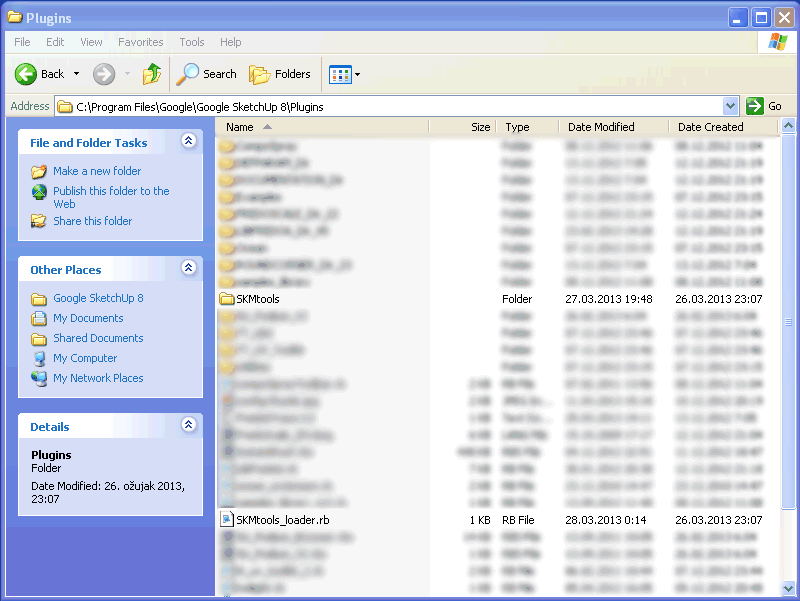
              Plugin folder
              PluginsFolder.png

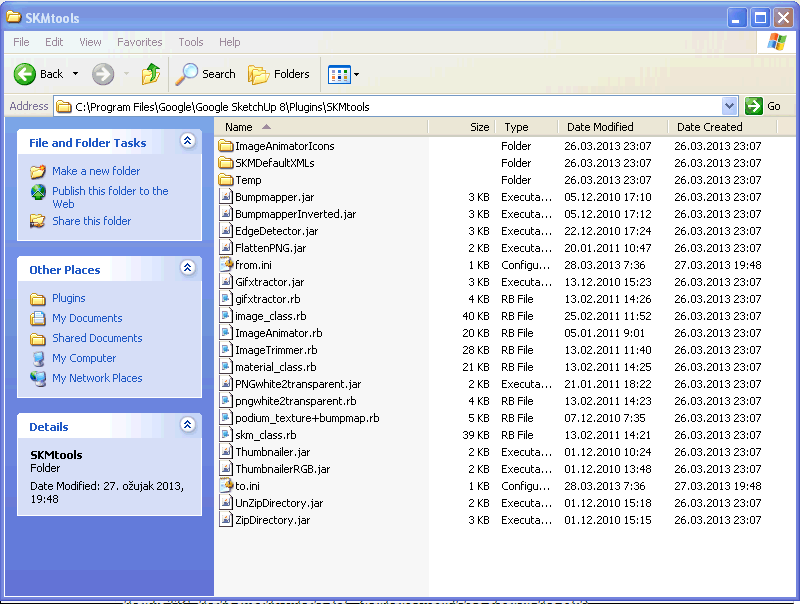
              SKMtools folder
              SKMtoolsFolder.png

              When I start ImageTrimmer from SU (Tools-ImageTrimer) status line show it works.
              After a while process is finished but nothing heppened.
              In folder C:/Temp/TrimmedImages (after this there is only Test.png w/o other two files.
              Path in files "from.ini" and "to.ini" is ok.

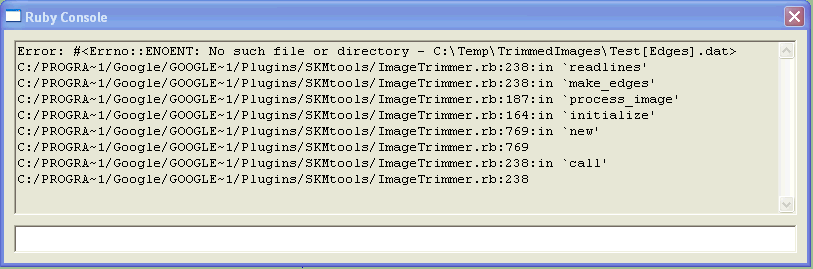
              RC shows
              RC1.png

              If I try manualy with click on EdgeDetector.jar then in folder C:/Temp/TrimmedImages appears and other files - Test[Edges].dat and Test[Edges].png

              I try from RC with this result
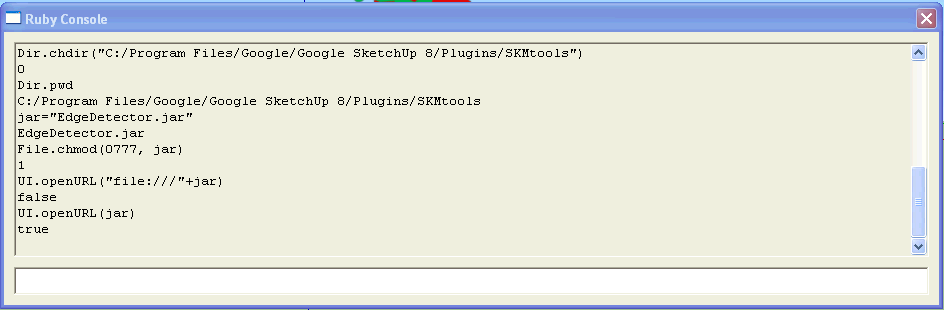
              RC2.png

              What now?

              1 條回覆 最後回覆 回覆 引用 0
              • TIGT 離線
                TIG Moderator
                最後由 編輯

                The error tells you is is not making the .dat file.
                This is made on the .jar side so it suggests one of several things...
                Do you have FULL security permissions to the Plugins folder and its subfolders and their contents?
                Select icon right-click context menu > Properties > Security > Edit > FULL... [perhaps as an Admin?]
                Because it reads/writes files from the SKMtools subfolder this must be fully accessible to 'ALL'...

                Another possibility...
                Do you have Java installed on your PC ?
                If not install it, it's freely available on the http://www...

                Next are JAR files set to 'open' [execute] with Java ?
                A JAR file is a small executable that is run by Java to do a simple task - here it processes image data, not readily available cross-platform with SketchUp's version of Ruby alone...
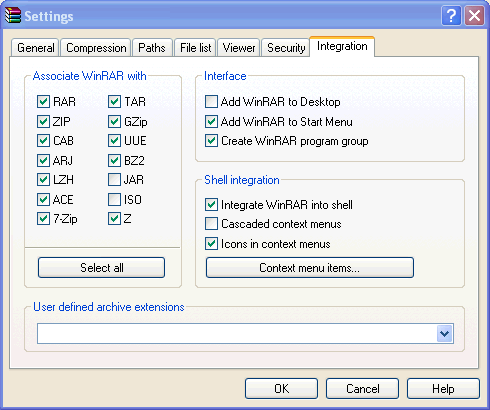
                A default Java installation should be set to execute JARs, BUT if you have installed certain deCompression [ZIP] applications they may have a list of file-associations which 'hijack' various file-types and then open them directly within that app, rather than their native application as required for JARs. JAR is often one of those file-types... to correct it open the deCompression [ZIP] app and then open its settings/options dialog - look for a file-associations tab... uncheck JAR, Save the changes and close...

                ...and retry ImageTrimmer...

                TIG

                1 條回覆 最後回覆 回覆 引用 0
                • eLaCiDE 離線
                  eLaCiD
                  最後由 編輯

                  Unfortunately there is not option Security 😞

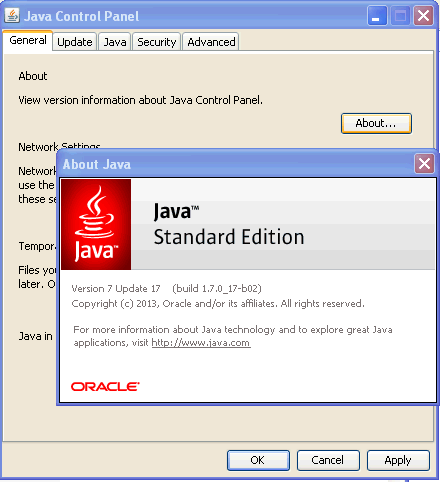
                  Java is already instaled
                  Java.png

                  WinRar setings is
                  WinRaR.png

                  1 條回覆 最後回覆 回覆 引用 0
                  • TIGT 離線
                    TIG Moderator
                    最後由 編輯

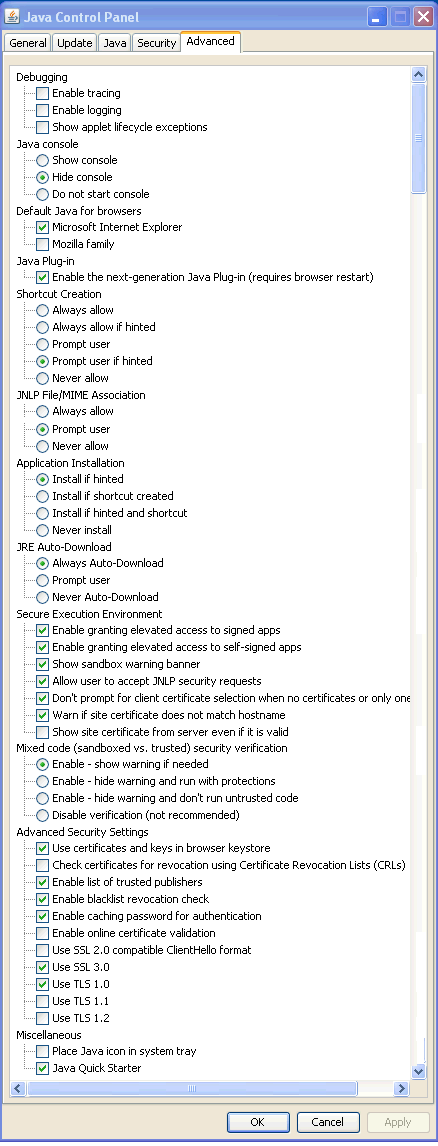
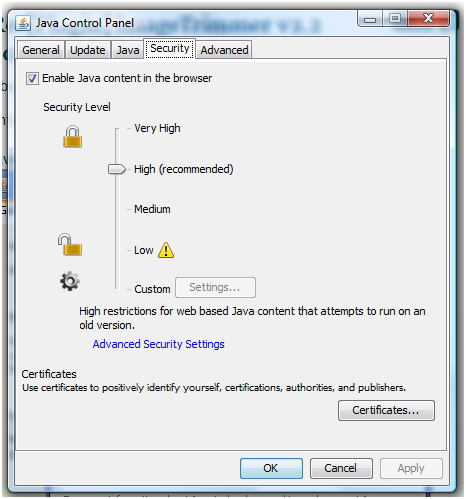
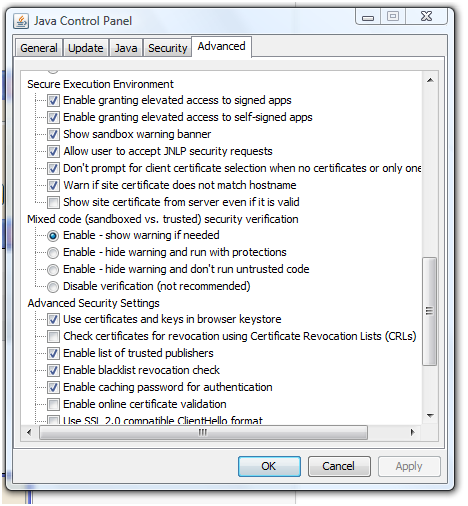
                    These Java Control Panel settings work for me - see the screen-shots attached...
                    Windows XP permissions work slightly differently from more recent Windows versions... BUT you can still make sure that you have unrestricted access-rights to the Plugins folder and its contents...
                    http://www.microsoft.com/resources/documentation/windows/xp/all/proddocs/en-us/sag_seconceptsunobject.mspx?mfr=true
                    http://www.microsoft.com/resources/documentation/windows/xp/all/proddocs/en-us/sag_seconceptsunobject.mspx?mfr=true

                    JSec.PNG


                    JCP.PNG

                    TIG

                    1 條回覆 最後回覆 回覆 引用 0
                    • eLaCiDE 離線
                      eLaCiD
                      最後由 編輯

                      My Java Control Panel settings are same as yours.

                      This made help abut how to put security tab 😄
                      http://www.microsoft.com/resources/documentation/windows/xp/all/proddocs/en-us/sag_seconceptsunobject.mspx?mfr=true

                      Then with rigt_click

                      Plugins>Properties>Security
                      and in Plugins Folder
                      SKMgtools>Properties>Security

                      for all Group and user names all permission are marked - Allowe

                      Then I triggered ImageTrimmer.
                      Unfortunately 😞 situation ia same like before.

                      1 條回覆 最後回覆 回覆 引用 0
                      • TIGT 離線
                        TIG Moderator
                        最後由 編輯

                        😕
                        Can you post the PNG you are trying to Trim...
                        At least if I can ImageTrim it we know it ought to work...
                        PM it if it's confidential...

                        TIG

                        1 條回覆 最後回覆 回覆 引用 0
                        • eLaCiDE 離線
                          eLaCiD
                          最後由 編輯

                          @tig said:

                          :?
                          Can you post the PNG you are trying to Trim...
                          At least if I can ImageTrim it we know it ought to work...
                          PM it if it's confidential...

                          I think is not conected with images because I tried a few different PNG among other and this (downloaded from here)with no result.

                          HamsterWheel%2001.png

                          1 條回覆 最後回覆 回覆 引用 0
                          • TIGT 離線
                            TIG Moderator
                            最後由 編輯

                            Works fine for me, so please post all of your Java settings and double-check that JAR files are set to open [execute] with Java...
                            The ZIP contains the input/skp/output...
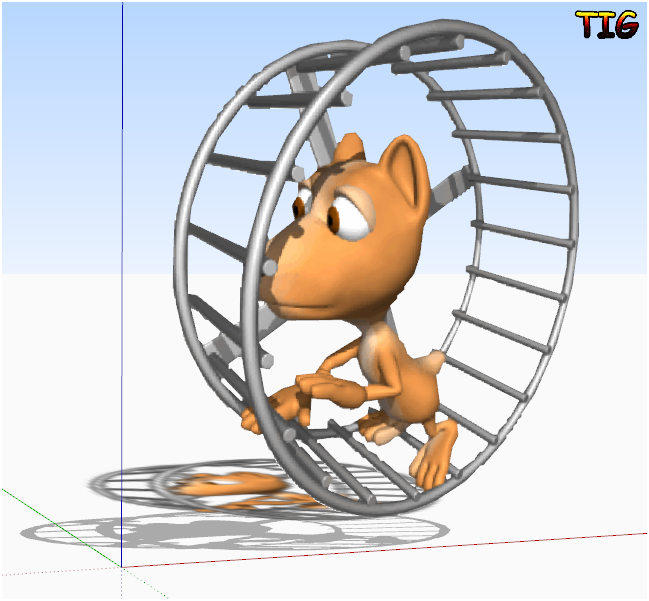

                            HamsterWheel%2001.zip


                            HamsterWheel%2001Capture.PNG

                            TIG

                            1 條回覆 最後回覆 回覆 引用 0
                            • eLaCiDE 離線
                              eLaCiD
                              最後由 編輯

                              Java settings :

                              JavaSettings.png

                              1 條回覆 最後回覆 回覆 引用 0
                              • TIGT 離線
                                TIG Moderator
                                最後由 編輯

                                The only difference I have is the last item Java Quick Starter is unchecked in my version, BUT I'd not expect that to be an issue...

                                Can you run Sketchup as an Admin and see if it helps...

                                TIG

                                1 條回覆 最後回覆 回覆 引用 0
                                • eLaCiDE 離線
                                  eLaCiD
                                  最後由 編輯

                                  @tig said:

                                  The only difference I have is the last item Java Quick Starter is unchecked in my version, BUT I'd not expect that to be an issue...

                                  Can you run Sketchup as an Admin and see if it helps...

                                  Nothing new.... same old story 😞

                                  I tried once again and got just basic file in TrimmedImages folder.

                                  Then, as you can see, I tried with input in RC, but TrimmedImages folder stay unchanged still only basic image.
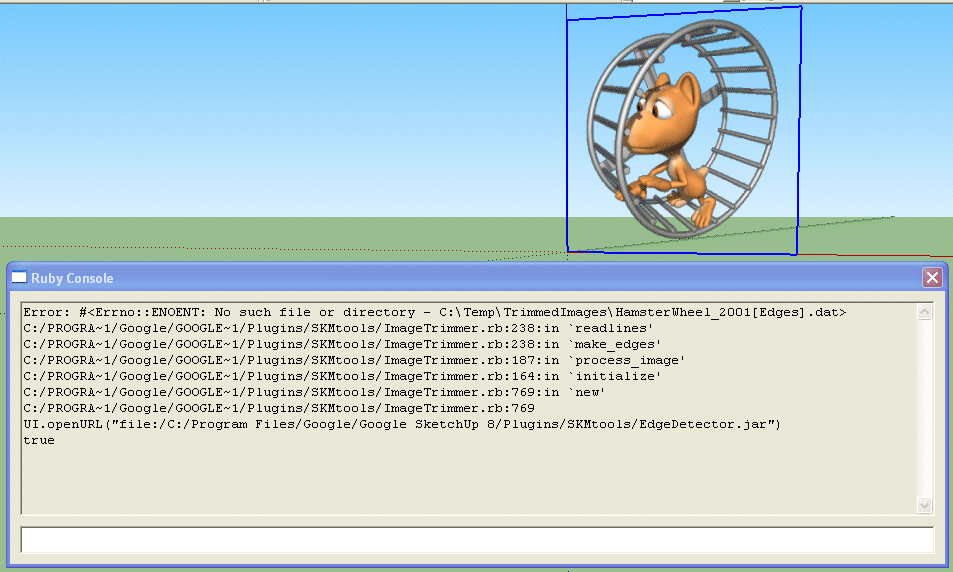
                                  RC3.png

                                  1 條回覆 最後回覆 回覆 引用 0
                                  • picky1958P 離線
                                    picky1958
                                    最後由 編輯

                                    @elacid said:

                                    @tig said:

                                    The only difference I have is the last item Java Quick Starter is unchecked in my version, BUT I'd not expect that to be an issue...

                                    Can you run Sketchup as an Admin and see if it helps...

                                    Nothing new.... same old story 😞

                                    I tried once again and got just basic file in TrimmedImages folder.

                                    Then, as you can see, I tried with input in RC, but TrimmedImages folder stay unchanged still only basic image.

                                    [attachment=0:26ynthtl]<!-- ia0 -->RC3.png<!-- ia0 -->[/attachment:26ynthtl]

                                    I had exactly the same problems. I never got it to work either 😞

                                    1 條回覆 最後回覆 回覆 引用 0
                                    • Dave RD 離線
                                      Dave R
                                      最後由 編輯

                                      Works fine for me on two PCs and my Mac.

                                      Etaoin Shrdlu

                                      %

                                      (THERE'S NO PLACE LIKE)

                                      G28 X0.0 Y0.0 Z0.0

                                      M30

                                      %

                                      1 條回覆 最後回覆 回覆 引用 0
                                      • eLaCiDE 離線
                                        eLaCiD
                                        最後由 編輯

                                        @picky1958 said:

                                        @elacid said:

                                        @tig said:

                                        The only difference I have is the last item Java Quick Starter is unchecked in my version, BUT I'd not expect that to be an issue...

                                        Can you run Sketchup as an Admin and see if it helps...

                                        Nothing new.... same old story 😞

                                        I tried once again and got just basic file in TrimmedImages folder.

                                        Then, as you can see, I tried with input in RC, but TrimmedImages folder stay unchanged still only basic image.

                                        [attachment=0:2sef8osi]<!-- ia0 -->RC3.png<!-- ia0 -->[/attachment:2sef8osi]

                                        I had exactly the same problems. I never got it to work either 😞

                                        But somewhere there must be a Catch. I hope so 😄

                                        1 條回覆 最後回覆 回覆 引用 0
                                        • eLaCiDE 離線
                                          eLaCiD
                                          最後由 編輯

                                          @dave r said:

                                          Works fine for me on two PCs and my Mac.

                                          Yes, but the problem is not noticeable when running than when not working 😄

                                          1 條回覆 最後回覆 回覆 引用 0
                                          • picky1958P 離線
                                            picky1958
                                            最後由 編輯

                                            @elacid said:

                                            @picky1958 said:

                                            @elacid said:

                                            @tig said:

                                            The only difference I have is the last item Java Quick Starter is unchecked in my version, BUT I'd not expect that to be an issue...

                                            Can you run Sketchup as an Admin and see if it helps...

                                            Nothing new.... same old story 😞

                                            I tried once again and got just basic file in TrimmedImages folder.

                                            Then, as you can see, I tried with input in RC, but TrimmedImages folder stay unchanged still only basic image.

                                            [attachment=0:2de0bzyz]<!-- ia0 -->RC3.png<!-- ia0 -->[/attachment:2de0bzyz]

                                            I had exactly the same problems. I never got it to work either 😞

                                            But somewhere there must be a Catch. I hope so 😄

                                            I gave up on it. I am good with computers but when it comes up to some terms, there is also a language barrier. Some things are hard to find when you get instructions in english and you are hanging around with a PC that only speaks german! 😉

                                            1 條回覆 最後回覆 回覆 引用 0
                                            • 1
                                            • 2
                                            • 15
                                            • 16
                                            • 17
                                            • 18
                                            • 19
                                            • 17 / 19
                                            • 第一個貼文
                                              最後的貼文
                                            Buy SketchPlus
                                            Buy SUbD
                                            Buy WrapR
                                            Buy eBook
                                            Buy Modelur
                                            Buy Vertex Tools
                                            Buy SketchCuisine
                                            Buy FormFonts

                                            Advertisement