sketchucation logo sketchucation
    • 登入
    Oops, your profile's looking a bit empty! To help us tailor your experience, please fill in key details like your SketchUp version, skill level, operating system, and more. Update and save your info on your profile page today!
    🔌 Smart Spline | Fluid way to handle splines for furniture design and complex structures. Download

    [Plugin] ImageTrimmer

    已排程 已置頂 已鎖定 已移動 Plugins
    364 貼文 58 Posters 256.5k 瀏覽 58 Watching
    正在載入更多貼文
    • 從舊到新
    • 從新到舊
    • 最多點贊
    回覆
    • 在新貼文中回覆
    登入後回覆
    此主題已被刪除。只有擁有主題管理權限的使用者可以查看。
    • Dave RD 離線
      Dave R
      最後由 編輯

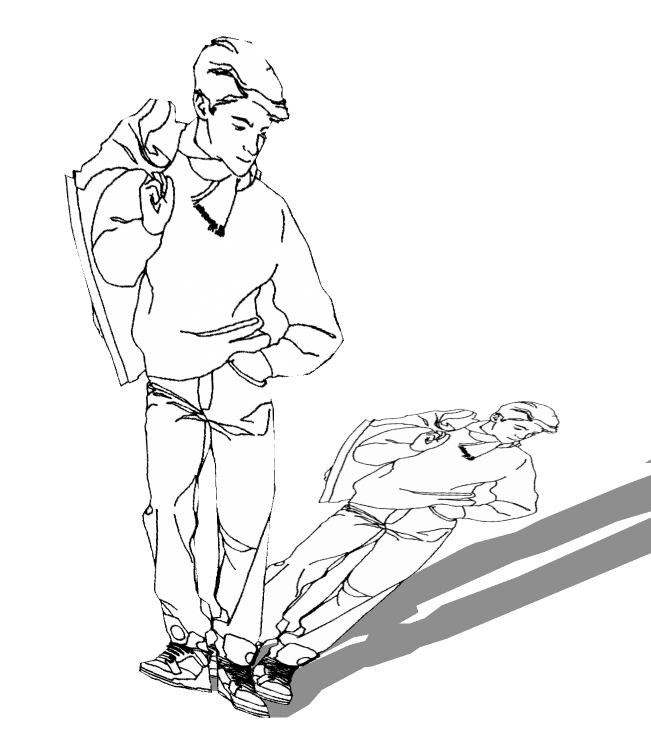
      David, I just tried it with your image. It worked for me just fine with no modification.
      Kid2.jpg


      Kid2.skp

      Etaoin Shrdlu

      %

      (THERE'S NO PLACE LIKE)

      G28 X0.0 Y0.0 Z0.0

      M30

      %

      1 條回覆 最後回覆 回覆 引用 0
      • D 離線
        davidlouis
        最後由 編輯

        OK... so if its not the image itself then what about your external image editor...?

        Which one do you have listed in your sketchup preferences? TIG mentioned his was Gimp... but I am using a Corel app...

        Don't know if it will make any difference. 😕

        1 條回覆 最後回覆 回覆 引用 0
        • Dave RD 離線
          Dave R
          最後由 編輯

          I don't know if it matters either. I don't have an image editor set in Preferences.

          Out of curiosity, what happens if you download the image from your post and use it? Is it possible that something about it gets changed when it is uploaded to the forum?

          Etaoin Shrdlu

          %

          (THERE'S NO PLACE LIKE)

          G28 X0.0 Y0.0 Z0.0

          M30

          %

          1 條回覆 最後回覆 回覆 引用 0
          • TIGT 離線
            TIG Moderator
            最後由 編輯

            @davidlouis said:

            Hi again TIG
            Just tried again with ruby console open... 3 seperate images... no success.
            This was the message:
            quietly_force_sync_mats_cb just calledquietly_force_sync_mats_cb just calledquietly_force_sync_mats_cb just calledquietly_force_sync_mats_cb just calledquietly_force_sync_mats_cb just calledquietly_force_sync_mats_cb just calledERROR: skpHelperClasses.rb:updateSkpMaterial, unable to find a material called: kid041
            quietly_force_sync_mats_cb just calledERROR: skpHelperClasses.rb:updateSkpMaterial, unable to find a material called: kid041
            ERROR: skpHelperClasses.rb:updateSkpMaterial, unable to find a material called: kid041
            with regard to the error about not being able to find the material kid041... there is no material or texture by this name....??
            It then gets into a loop and keeps posting this...
            I'm sure it means more to you than to me...
            Cheers
            Dave

            All of those error messages are nothing to do with ImageTrimmer or raw Sketchup ??? What otehr tools do you have loaded that might manipulate materials in the background ? and thereby clash... 😕

            The external image editor doesn't matter...

            TIG

            1 條回覆 最後回覆 回覆 引用 0
            • TIGT 離線
              TIG Moderator
              最後由 編輯

              Your image also works 'fine' for me... although it didn't flatten and use [Flattened].png version as expected ???
              Seeking reason...

              TIG

              1 條回覆 最後回覆 回覆 引用 0
              • Dave RD 離線
                Dave R
                最後由 編輯

                TIG, I was prompted to "flatten" when I tried it. I wonder what is different.

                Etaoin Shrdlu

                %

                (THERE'S NO PLACE LIKE)

                G28 X0.0 Y0.0 Z0.0

                M30

                %

                1 條回覆 最後回覆 回覆 引用 0
                • TIGT 離線
                  TIG Moderator
                  最後由 編輯

                  I have the reason - sometimes the flattened image wasn't ready to apply when it tried ... but now it waits until it is - an update is in the pipeline 😉

                  TIG

                  1 條回覆 最後回覆 回覆 引用 0
                  • D 離線
                    davidlouis
                    最後由 編輯

                    Aha... So thats why the ruby console sometimes took a bit longer to display the progress of the process than other times
                    I did get it working on ocassion but could quite pinpoint the cause when it failed. When it worked the ruby console was quick to report... when it didn't, the console seemed a bit sluggish.

                    Great TIG... so i guess you have figured it out (hopefully)... 😄
                    I'll wait for the update before trying again.

                    Thanks

                    Dave

                    1 條回覆 最後回覆 回覆 引用 0
                    • TIGT 離線
                      TIG Moderator
                      最後由 編輯

                      Here's a link to get v2.0 http://forums.sketchucation.com/viewtopic.php?p=293677#p293677

                      I have now sorted out the Flattened Image creation so that the new texture is not applied until it's 'fully-baked'. The earlier version sometimes jumped in too soon and the flattened-image file was 'half-baked' so it didn't get applied properly. It should now as it waits until it is 'fully-baked'...

                      Feedback please...

                      TIG

                      1 條回覆 最後回覆 回覆 引用 0
                      • D 離線
                        davidlouis
                        最後由 編輯

                        Fantastic! That seems to have sorted it... 😄

                        I am still getting some mumble in the ruby console... This is a near to fresh install of SKP 8 so I don't have many plugins installed...

                        Hang on... I've got Vray for sketchup and its mentioning syncing of materials so maybe Vray is trying to catch up with the image swaps that your process is doing... If you're creating temp files whilst it happens, Vray might be looking for those when they've been deleted.... hmmm... for now its working just fine for what I need... and vray renders them out just fine too...

                        I will let you know if I discover anything else.

                        Thanks again for you help in resolving this. 👍

                        Dave

                        1 條回覆 最後回覆 回覆 引用 0
                        • TIGT 離線
                          TIG Moderator
                          最後由 編輯

                          V2.1 is now available http://forums.sketchucation.com/viewtopic.php?p=293677#p293677
                          'Simplified image' - a rare error on delete edge is now trapped.
                          Please get the new version from this link...

                          TIG

                          1 條回覆 最後回覆 回覆 引用 0
                          • K 離線
                            krath
                            最後由 編輯

                            Hello TIG,

                            I have been reading the whole thread, but I am still not sure, if you have finally been able to resolve the "mac glitches" with OXER.
                            On my Mac (Snow Leopard 1.6.6) ImageTrimmer gets stuck with an error message.
                            This is what I do:

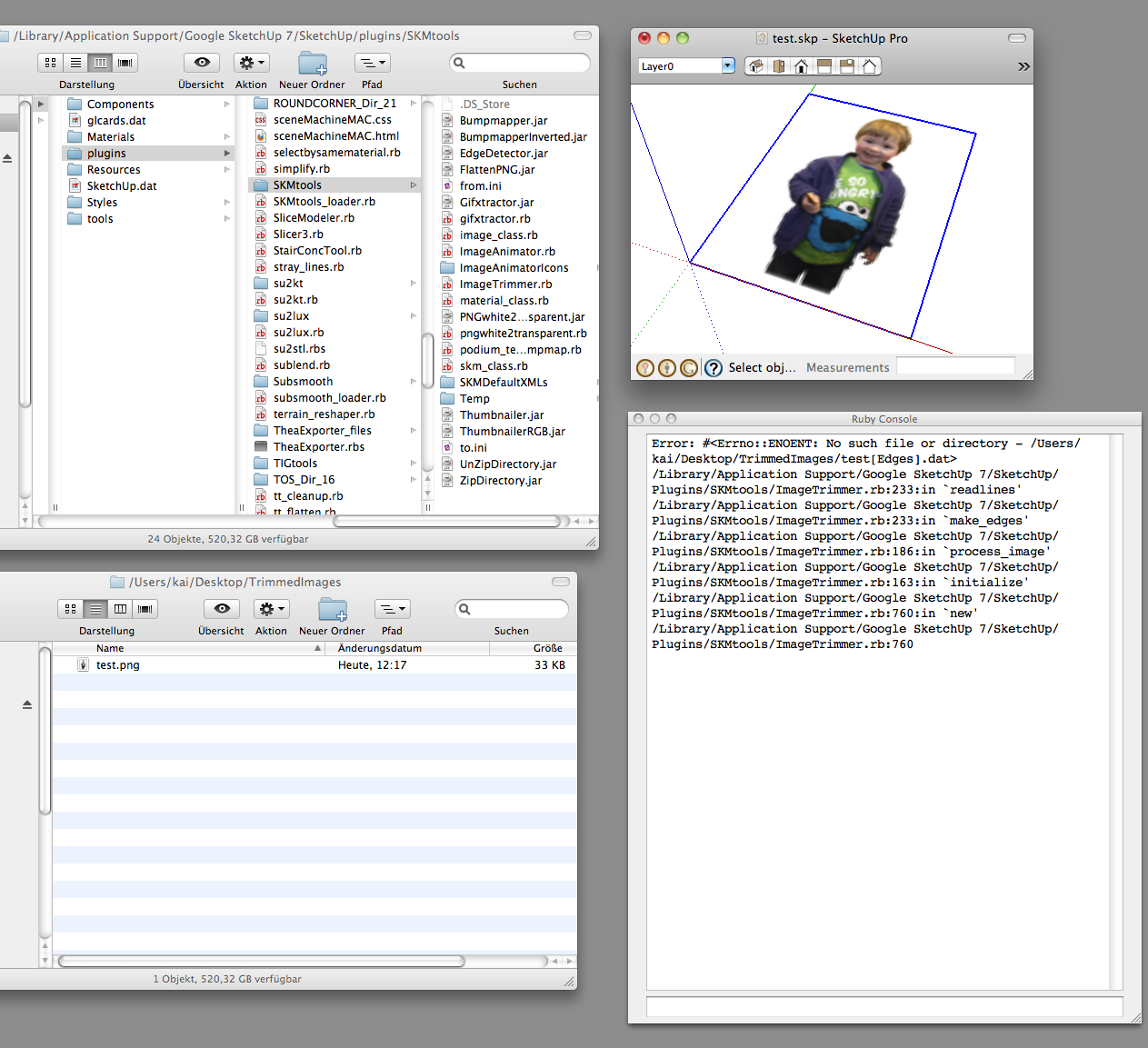
                            After importing and selecting the "test.png" I run ImageTrimmer.
                            The ruby creates a folder named TrimmedImages containing the selected image.
                            Also the two .ini files containing the following Pathnames:

                            /Users/kai/Desktop/TrimmedImages/test.png
                            /Users/kai/Desktop/TrimmedImages/test

                            The Ruby Console produces an error message (see first screenshot)

                            On double-clicking edgeDetector.jar in the SKMtools folder two more files are generated in the TrimmedImages folder:
                            testEdges].dat
                            test[Edges].png
                            the .dat file containing zeros and ones, and the second .png showing the desired contour (second and third screenshot)

                            ############################################################################################
                            Since this is my first post on this forum I don't want it to lack my appreciation for all of the plugin writers, whose contributions I have been so shamelessly enjoying over the past years. Thanks a lot to all of you!!!
                            ############################################################################################1

                            2


                            3

                            1 條回覆 最後回覆 回覆 引用 0
                            • TIGT 離線
                              TIG Moderator
                              最後由 編輯

                              The .jar is working fine when double-clicked [those are the files that it should automatically make for you before going to the next stage] but it's not working properly when UI.openURL() is used.
                              It's probably down to your Java settings and permissions.
                              A .jar file will run when its icon is double-clicked and it should 'executed' in a 'command' file.
                              I don't have access to a MAC but is there a Java control-panel ?
                              Can you set permissions and so on in that ?
                              Please go to the SKMtools folder and check that the 'EdgeDetector.jar' has the correct 'properties' for you as a user - should be 'executable by you/others... If not fix it [also do this for all other jar-files in there too...]

                              TIG

                              1 條回覆 最後回覆 回覆 引用 0
                              • K 離線
                                krath
                                最後由 編輯

                                thanks for the quick reply,

                                the "EdgeDetector.jar" file has already the correct Properties.
                                There is an application called Java-preferences in the utilities folder, but I am nut sure which settings I should change.
                                It has Settings for Security, Network and - I'm trying to translate since my OS is in german - two options for:
                                "Run applets" > 1) "within own Process" or 2) "within browser process"
                                Does that have any relevance?

                                1 條回覆 最後回覆 回覆 引用 0
                                • TIGT 離線
                                  TIG Moderator
                                  最後由 編輯

                                  @krath said:

                                  thanks for the quick reply,
                                  the "EdgeDetector.jar" file has already the correct Properties.
                                  There is an application called Java-preferences in the utilities folder, but I am nut sure which settings I should change.
                                  It has Settings for Security, Network and - I'm trying to translate since my OS is in German - two options for:
                                  "Run applets" > 1) "within own Process" or 2) "within browser process"
                                  Does that have any relevance?

                                  I don't know.
                                  Try using alternatives and retry 'ImageTrimmer' for each.
                                  If it works one one thane that's the setting you need 😄
                                  If you do find the fix I'd appreciate it if you posted the settings as a few other MAC users seem to have issues too - although many don't 😕

                                  TIG

                                  1 條回覆 最後回覆 回覆 引用 0
                                  • K 離線
                                    krath
                                    最後由 編輯

                                    Thank you,

                                    I am fiddling with the settings already, with no luck so far.
                                    I did a quick google search for "setting java permissions osx" and that opens up a whole new scary landscape for me, which I am not sure I should embark upon right now. 😲

                                    1 條回覆 最後回覆 回覆 引用 0
                                    • TIGT 離線
                                      TIG Moderator
                                      最後由 編輯

                                      If there are any MAC users out there successfully using ImageTrimmer then please contribute your settings etc so that other MAC users can benefit too... 😕

                                      TIG

                                      1 條回覆 最後回覆 回覆 引用 0
                                      • OxerO 離線
                                        Oxer
                                        最後由 編輯

                                        Hi again TIG,
                                        The problem persists, it appears the same Console Error:
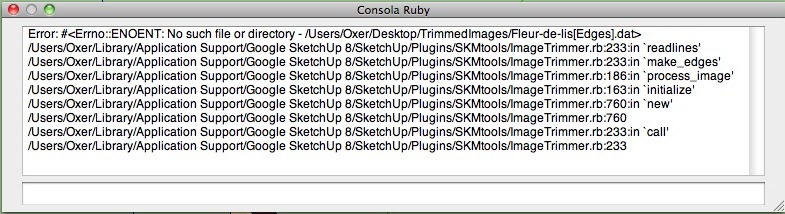
                                        Console error

                                        The EdgeDetector.jar file goes if you double-click on it, the permissions are correct, i think the problem on mac is that the plugin don't access to the EdgeDetector.jar file, i can't say you more.

                                        "The result is the end what is important is the process" by Oxer
                                        http://www.oxervision.blogspot.com/

                                        1 條回覆 最後回覆 回覆 引用 0
                                        • TIGT 離線
                                          TIG Moderator
                                          最後由 編輯

                                          Thanks Oxer... I've got some other MAC users [via PM] investigating the issue... watch this space... 😒

                                          TIG

                                          1 條回覆 最後回覆 回覆 引用 0
                                          • ely862meE 離線
                                            ely862me
                                            最後由 編輯

                                            With big png's just gives me bugsplat,can it be because of my pc(2.8ghz 1gb ram 1gb graphic card) ?


                                            banana_tree.rar

                                            Elisei (sketchupper)


                                            Before no life was done on Earth it was THE LIFE ITSELF...GOD
                                            Come and See EliseiDesign

                                            1 條回覆 最後回覆 回覆 引用 0
                                            • 1
                                            • 2
                                            • 8
                                            • 9
                                            • 10
                                            • 11
                                            • 12
                                            • 18
                                            • 19
                                            • 10 / 19
                                            • 第一個貼文
                                              最後的貼文
                                            Buy SketchPlus
                                            Buy SUbD
                                            Buy WrapR
                                            Buy eBook
                                            Buy Modelur
                                            Buy Vertex Tools
                                            Buy SketchCuisine
                                            Buy FormFonts

                                            Advertisement