sketchucation logo sketchucation
    • 登入
    Oops, your profile's looking a bit empty! To help us tailor your experience, please fill in key details like your SketchUp version, skill level, operating system, and more. Update and save your info on your profile page today!
    🔌 Smart Spline | Fluid way to handle splines for furniture design and complex structures. Download

    [Plugin][WIP][OpenSource] Bezier Surface

    已排程 已置頂 已鎖定 已移動 Plugins
    245 貼文 69 Posters 57.9k 瀏覽 69 Watching
    正在載入更多貼文
    • 從舊到新
    • 從新到舊
    • 最多點贊
    回覆
    • 在新貼文中回覆
    登入後回覆
    此主題已被刪除。只有擁有主題管理權限的使用者可以查看。
    • BoxB 離線
      Box
      最後由 編輯

      Thanks for looking into it Thomthom, it's such a good tool, with amazing potential.
      I tried Bezier Triangle today from EH and it's nowhere near as good.

      1 條回覆 最後回覆 回覆 引用 0
      • JQLJ 離線
        JQL
        最後由 編輯

        @thomthom said:

        @jql said:

        (Thomthom - I submited the bugsplats.)

        Which platform and what OS? Did you mention Bezier Surface in the BugSplats?

        Win7 SU2015 64bits and I believe I did mention Bezier Surface

        www.casca.pt
        Visit us on facebook!

        1 條回覆 最後回覆 回覆 引用 0
        • JQLJ 離線
          JQL
          最後由 編輯

          @oxer said:

          Other suggestion, it would be very interesting if you could adjust the control points to a external geometry of the bezier surface, like the inference in SU, so you can adjust quickly your bezier surface to a predefined shape.

          Would be perfect.

          And what if you'd pick a quadface (defined in quadface tools) and convert it on a bezier patch.

          www.casca.pt
          Visit us on facebook!

          1 條回覆 最後回覆 回覆 引用 0
          • thomthomT 離線
            thomthom
            最後由 編輯

            @thomthom said:

            @box said:

            If you type 2 enter, in other words try to set the subdivisions to 2, it will bug splatt.

            I have reproduced this and created a fix. The fix will appear in TT_Lib2 however. I'm still looking into a couple of other issues - so I'm not pushing an update right now. Just be careful no to change the subdivs to less than 3 until Bezier Surface and TT_Lib2 is updated.

            I've uploaded a new version of TT_Lib2 which should fix the crash. You can now safely set the segments down to 1 if you like.

            Thomas Thomassen — SketchUp Monkey & Coding addict
            List of my plugins and link to the CookieWare fund

            1 條回覆 最後回覆 回覆 引用 0
            • A 離線
              AcesHigh
              最後由 編輯

              I am getting this error message in SKP 2015

              I wonder if "Error: #<Encoding::CompatibilityError: incompatible character encodings: ASCII-8BIT and UTF-8>" refers to the fact the default new plugins folder path is the "USER" and in my language it´s USUÁRIO with that accent over the A.

              Error Loading File C:/Users/Usuário/AppData/Roaming/SketchUp/SketchUp 2015/SketchUp/Plugins/tt_bezier_surface/core.rb
              Error: #<Encoding::CompatibilityError: incompatible character encodings: ASCII-8BIT and UTF-8>
              C:/Program Files/SketchUp/SketchUp 2015/Tools/RubyStdLib/rubygems/core_ext/kernel_require.rb:109:in end_with?' C:/Program Files/SketchUp/SketchUp 2015/Tools/RubyStdLib/rubygems/core_ext/kernel_require.rb:109:in rescue in require'
              C:/Program Files/SketchUp/SketchUp 2015/Tools/RubyStdLib/rubygems/core_ext/kernel_require.rb:35:in require' C:/Users/Usuário/AppData/Roaming/SketchUp/SketchUp 2015/SketchUp/Plugins/tt_bezier_surface/core.rb:117:in block in module:BezierSurfaceTools'
              C:/Users/Usuário/AppData/Roaming/SketchUp/SketchUp 2015/SketchUp/Plugins/tt_bezier_surface/core.rb:115:in each' C:/Users/Usuário/AppData/Roaming/SketchUp/SketchUp 2015/SketchUp/Plugins/tt_bezier_surface/core.rb:115:in module:BezierSurfaceTools'
              C:/Users/Usuário/AppData/Roaming/SketchUp/SketchUp 2015/SketchUp/Plugins/tt_bezier_surface/core.rb:33:in <top (required)>' C:/Program Files/SketchUp/SketchUp 2015/Tools/extensions.rb:197:in require'
              C:/Program Files/SketchUp/SketchUp 2015/Tools/extensions.rb:197:in load' C:/Users/Usuário/AppData/Roaming/SketchUp/SketchUp 2015/SketchUp/Plugins/tt_bezier_surface.rb:42:in register_extension'
              C:/Users/Usuário/AppData/Roaming/SketchUp/SketchUp 2015/SketchUp/Plugins/tt_bezier_surface.rb:42:in <module:BezierSurfaceTools>' C:/Users/Usuário/AppData/Roaming/SketchUp/SketchUp 2015/SketchUp/Plugins/tt_bezier_surface.rb:15:in module:Plugins'
              C:/Users/Usuário/AppData/Roaming/SketchUp/SketchUp 2015/SketchUp/Plugins/tt_bezier_surface.rb:14:in <module:TT>' C:/Users/Usuário/AppData/Roaming/SketchUp/SketchUp 2015/SketchUp/Plugins/tt_bezier_surface.rb:13:in <top (required)>'

              1 條回覆 最後回覆 回覆 引用 0
              • thomthomT 離線
                thomthom
                最後由 編輯

                @aceshigh said:

                I wonder if "Error: #<Encoding::CompatibilityError: incompatible character encodings: ASCII-8BIT and UTF-8>" refers to the fact the default new plugins folder path is the "USER" and in my language it´s USUÁRIO with that accent over the A.

                Yes ... but I thought I had fixed that. Exactly what version do you have installed?

                Thomas Thomassen — SketchUp Monkey & Coding addict
                List of my plugins and link to the CookieWare fund

                1 條回覆 最後回覆 回覆 引用 0
                • thomthomT 離線
                  thomthom
                  最後由 編輯

                  Meh! I can reproduce this. Another Ruby encoding issue with filesystem functions. I think I have a fix for this. Look for an update.

                  Thomas Thomassen — SketchUp Monkey & Coding addict
                  List of my plugins and link to the CookieWare fund

                  1 條回覆 最後回覆 回覆 引用 0
                  • thomthomT 離線
                    thomthom
                    最後由 編輯

                    Just realized I'd forgotten to push a couple of other fixes so I uploaded a new version now (0.1.3). Live on PluginStore - pending review on Extension Warehouse.

                    Thomas Thomassen — SketchUp Monkey & Coding addict
                    List of my plugins and link to the CookieWare fund

                    1 條回覆 最後回覆 回覆 引用 0
                    • JQLJ 離線
                      JQL
                      最後由 編輯

                      @thomthom said:

                      Just realized I'd forgotten to push a couple of other fixes so I uploaded a new version now (0.1.3). Live on PluginStore - pending review on Extension Warehouse.

                      Aren't you the one reviewing extensions on EW? That seems beurocratic... 😎

                      BTW what a great tool you have here... full of possibilities!

                      Would rival the rotated rectangle tool/pushpull combo if my buildings weren't so... well... flat!

                      Thanks again Thomthom!

                      www.casca.pt
                      Visit us on facebook!

                      1 條回覆 最後回覆 回覆 引用 0
                      • thomthomT 離線
                        thomthom
                        最後由 編輯

                        @jql said:

                        Aren't you the one reviewing extensions on EW? That seems beurocratic... 😎

                        I'm not the sole person handling it. And it wouldn't be right for me to review my own extension. 😉

                        Thomas Thomassen — SketchUp Monkey & Coding addict
                        List of my plugins and link to the CookieWare fund

                        1 條回覆 最後回覆 回覆 引用 0
                        • cmeedC 離線
                          cmeed
                          最後由 編輯

                          GREAT TOOL!
                          So easy to use. this took me 30 minutes, it's not anatomically correct but I think you can get quite close .
                          I've had limited time using this, is there a bug when you try to use it over an image, I tried drawing the patches over a reference image but the tool wouldn't work. When I clicked inside the box there was just a mesh of quad. the Bezier surface tools didn't appear.
                          To make this image I just started afresh. I will endeavour to try again soon to see if this is a problem or not.
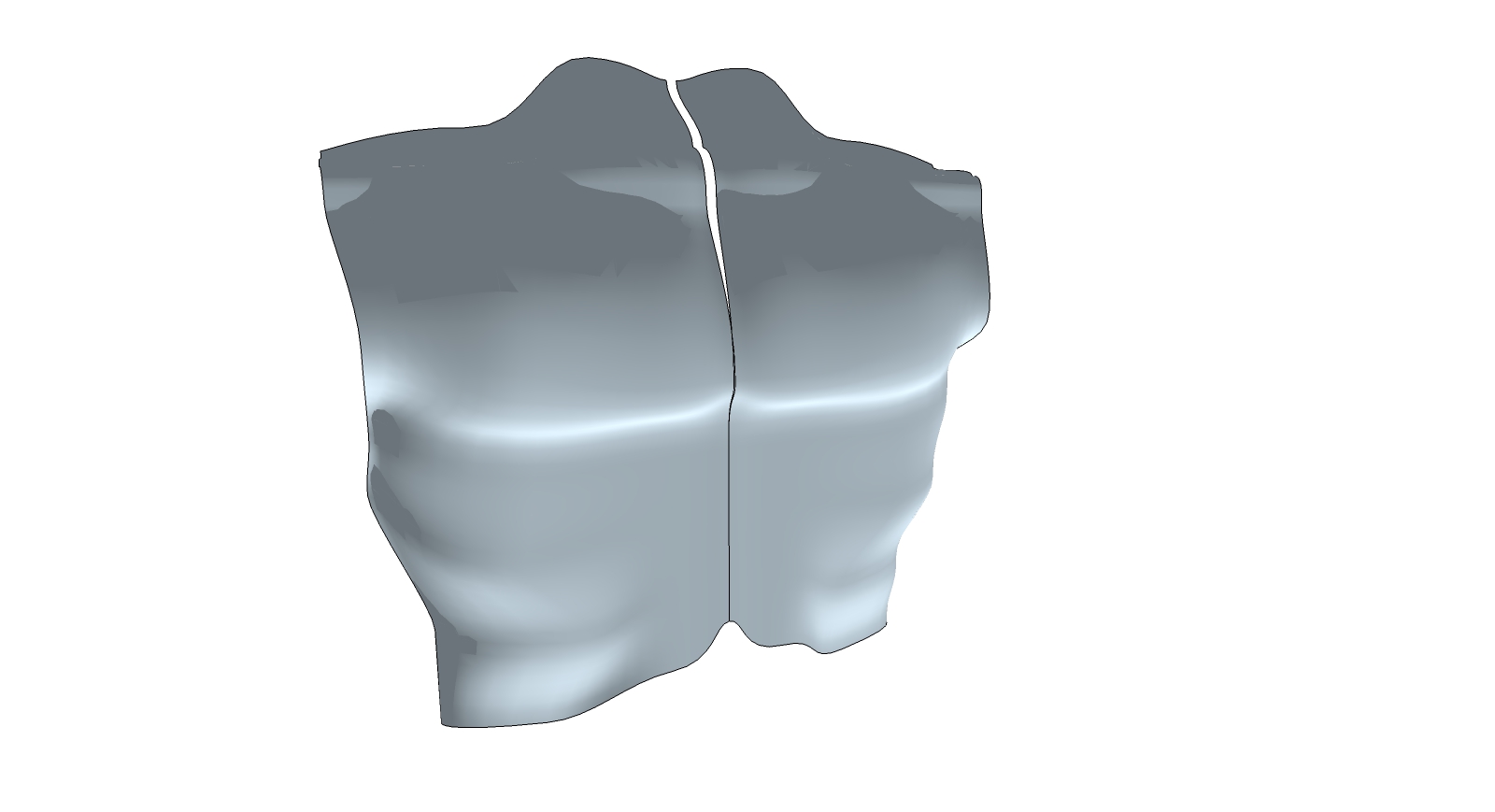

                          ANATOMY1.jpg

                          1 條回覆 最後回覆 回覆 引用 0
                          • cmeedC 離線
                            cmeed
                            最後由 編輯

                            encountered a problem. All the patches have disappeared and it's now one mesh. Can't seem to get the patches back but I had great fun while it lasted.
                            Can't wait till I have more time to play with this
                            Cheers
                            Chris
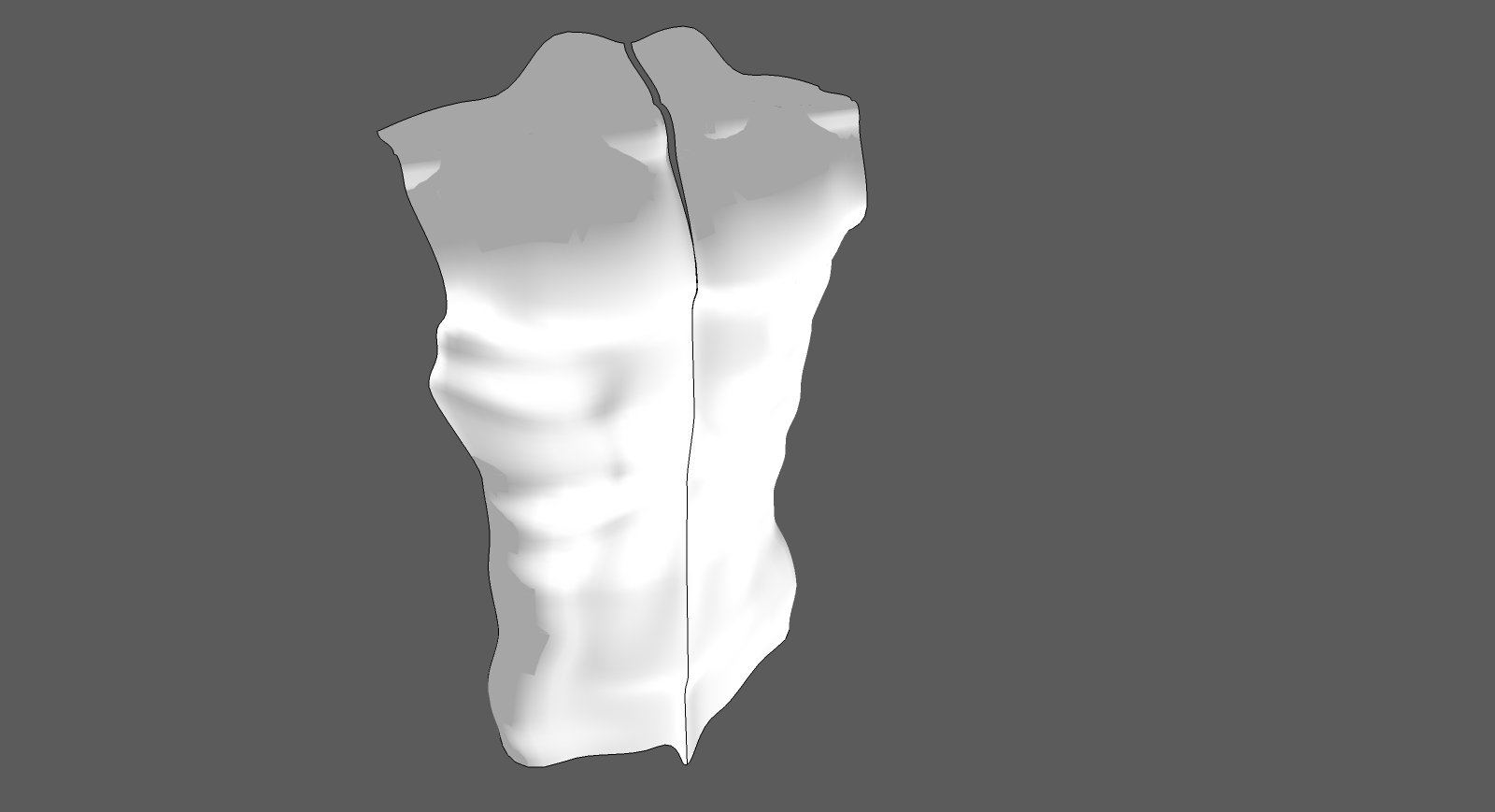

                            ANATOMY2.jpg

                            1 條回覆 最後回覆 回覆 引用 0
                            • pbacotP 離線
                              pbacot
                              最後由 編輯

                              Whoa, excellent SU modelling, Cmeed!

                              MacOSX MojaveSketchUp Pro v19 Twilight v2 Thea v3 PowerCADD

                              1 條回覆 最後回覆 回覆 引用 0
                              • thomthomT 離線
                                thomthom
                                最後由 編輯

                                @cmeed said:

                                encountered a problem. All the patches have disappeared and it's now one mesh. Can't seem to get the patches back but I had great fun while it lasted.
                                Can't wait till I have more time to play with this
                                Cheers
                                Chris

                                I think that's the bug which I have a fix for already - will be released soon. I found that the bezier tool wouldn't always activate.

                                Though it appear to work again if I first draw a new temp patch.

                                Just to confirm, do you get any errors in the Ruby Console?

                                Thomas Thomassen — SketchUp Monkey & Coding addict
                                List of my plugins and link to the CookieWare fund

                                1 條回覆 最後回覆 回覆 引用 0
                                • cmeedC 離線
                                  cmeed
                                  最後由 編輯

                                  Sorry no i didn't look at the ruby console.
                                  So in future - do I have the ruby window open while I work or open it when something's happened. Just do I know for next time.
                                  Great work. (As always)
                                  C

                                  1 條回覆 最後回覆 回覆 引用 0
                                  • C 離線
                                    cuttingedge
                                    最後由 編輯

                                    I got it finally working.. It will do wonders for me...For once, I have a feeling Im working in Max environment. Clean mesh... Thank you so so much Thomthom. I look at you and I see possibilities for our beloved SU to conquer the 3d world..May your kind multiply..

                                    BTW, Im still awaiting updates for the non destructive SubD..

                                    1 條回覆 最後回覆 回覆 引用 0
                                    • thomthomT 離線
                                      thomthom
                                      最後由 編輯

                                      @cmeed said:

                                      Sorry no i didn't look at the ruby console.
                                      So in future - do I have the ruby window open while I work or open it when something's happened. Just do I know for next time.
                                      Great work. (As always)
                                      C

                                      Before - otherwise it won't be recorded. So if you experience problems, undo, open Ruby Console and try again.

                                      Thomas Thomassen — SketchUp Monkey & Coding addict
                                      List of my plugins and link to the CookieWare fund

                                      1 條回覆 最後回覆 回覆 引用 0
                                      • thomthomT 離線
                                        thomthom
                                        最後由 編輯

                                        @cuttingedge said:

                                        BTW, Im still awaiting updates for the non destructive SubD..

                                        It's coming along. 😄

                                        Thomas Thomassen — SketchUp Monkey & Coding addict
                                        List of my plugins and link to the CookieWare fund

                                        1 條回覆 最後回覆 回覆 引用 0
                                        • S 離線
                                          saldstudio
                                          最後由 編輯

                                          hello,

                                          im litttle confused with this plugin. Ive got latest version, and toolbar looks different

                                          http://s18.postimg.org/jsbuls3ih/bar.jpg

                                          Its about some older version, that had triangle surface?
                                          And how can I precize manipulate with green, bezzier lines (to modify shape)?
                                          Always when I try to model sommething symmetricval, I fail, becouse I cant do the same thing on both sides, becouse those green lines cant react with sketchup tricks (like shift+direction, or set lenght manualy).

                                          Still great work and plugin 😄

                                          1 條回覆 最後回覆 回覆 引用 0
                                          • thomthomT 離線
                                            thomthom
                                            最後由 編輯

                                            That was some an older version. The Triangle Patch is removed because it was never implemented. The control points handling changed as well.


                                            Thomas Thomassen — SketchUp Monkey & Coding addict
                                            List of my plugins and link to the CookieWare fund

                                            1 條回覆 最後回覆 回覆 引用 0
                                            • 1
                                            • 2
                                            • 9
                                            • 10
                                            • 11
                                            • 12
                                            • 13
                                            • 12 / 13
                                            • 第一個貼文
                                              最後的貼文
                                            Buy SketchPlus
                                            Buy SUbD
                                            Buy WrapR
                                            Buy eBook
                                            Buy Modelur
                                            Buy Vertex Tools
                                            Buy SketchCuisine
                                            Buy FormFonts

                                            Advertisement

