sketchucation logo sketchucation
    • Login
    Oops, your profile's looking a bit empty! To help us tailor your experience, please fill in key details like your SketchUp version, skill level, operating system, and more. Update and save your info on your profile page today!
    Mac User? | Join the Rayscaper Beta for Mac Learn More

    [req] tracing bitmaps?

    Scheduled Pinned Locked Moved Plugins
    39 Posts 9 Posters 6.4k Views 9 Watching
    Loading More Posts
    • Oldest to Newest
    • Newest to Oldest
    • Most Votes
    Reply
    • Reply as topic
    Log in to reply
    This topic has been deleted. Only users with topic management privileges can see it.
    • mitcorbM
      mitcorb
      last edited by

      I thought there were size limitations in Inkscape, ie pixels/ resolution? Has this improved? I will check if I can.

      I take the slow, deliberate approach in my aimless wandering.

      1 Reply Last reply
      Reply Quote 0
      • charly2008C
        charly2008
        last edited by

        Hi 3eighty,

        I have Inkscape for a while, but I have not worked much with it. But it seems to also not bad and it is free. The problem in both programs the result depends on the quality of the bitmap.

        Charly

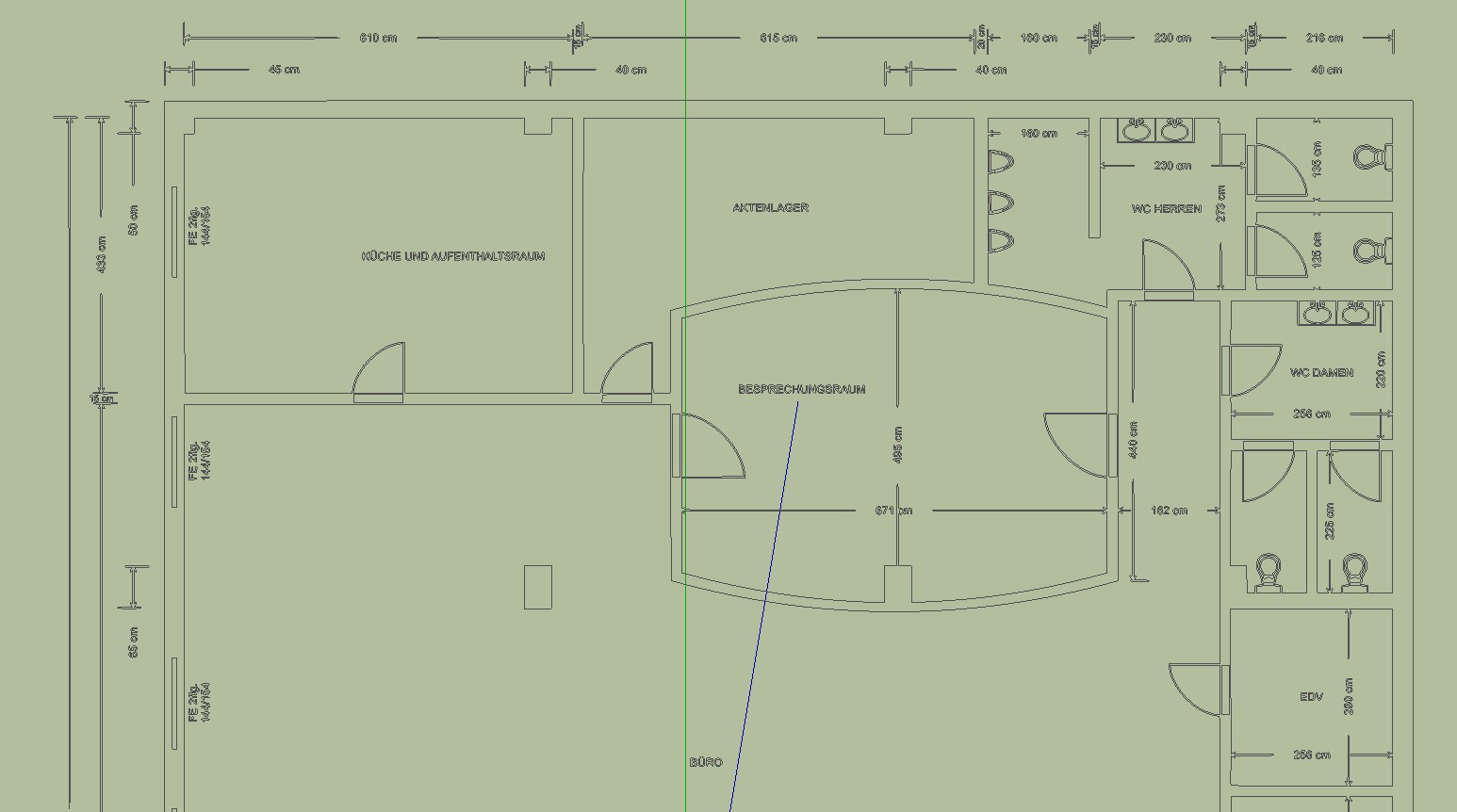
        grundriss-kg1.jpg

        He who makes no mistakes, makes nothing

        1 Reply Last reply
        Reply Quote 0
        • M
          museummaker
          last edited by

          Bookmarked 👍 +1

          1 Reply Last reply
          Reply Quote 0
          • charly2008C
            charly2008
            last edited by

            Hi to Everyone,

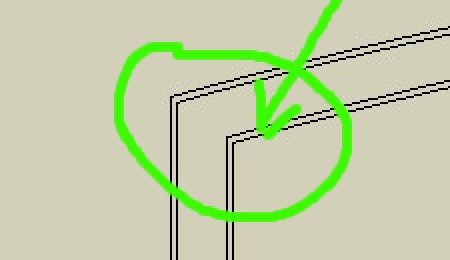
            I have drawn a simple rectangle in SketchUp and this exported as BMP. With this BMP I experimented in both programs. From Vector Magic I received a double rectangle instead a single rectangle and from Inkscape I received a very different result. While the image edges are represented as single line or vectors.

            I have less experience in vectorization of objects and I do not know if I'm doing something wrong. Are here in the forum experts who are familiar with this procedures? I would be very happy if someone could help and explain.

            Charly
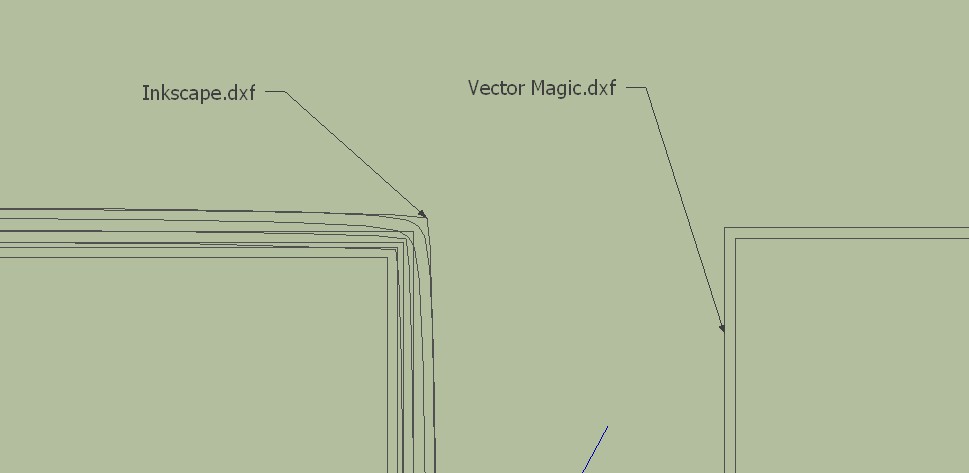

            Double Line.jpg


            2010-11-14_185125.jpg

            He who makes no mistakes, makes nothing

            1 Reply Last reply
            Reply Quote 0
            • jo-keJ
              jo-ke
              last edited by

              OK here is my rug-problem! It's a different situation but the same problem:

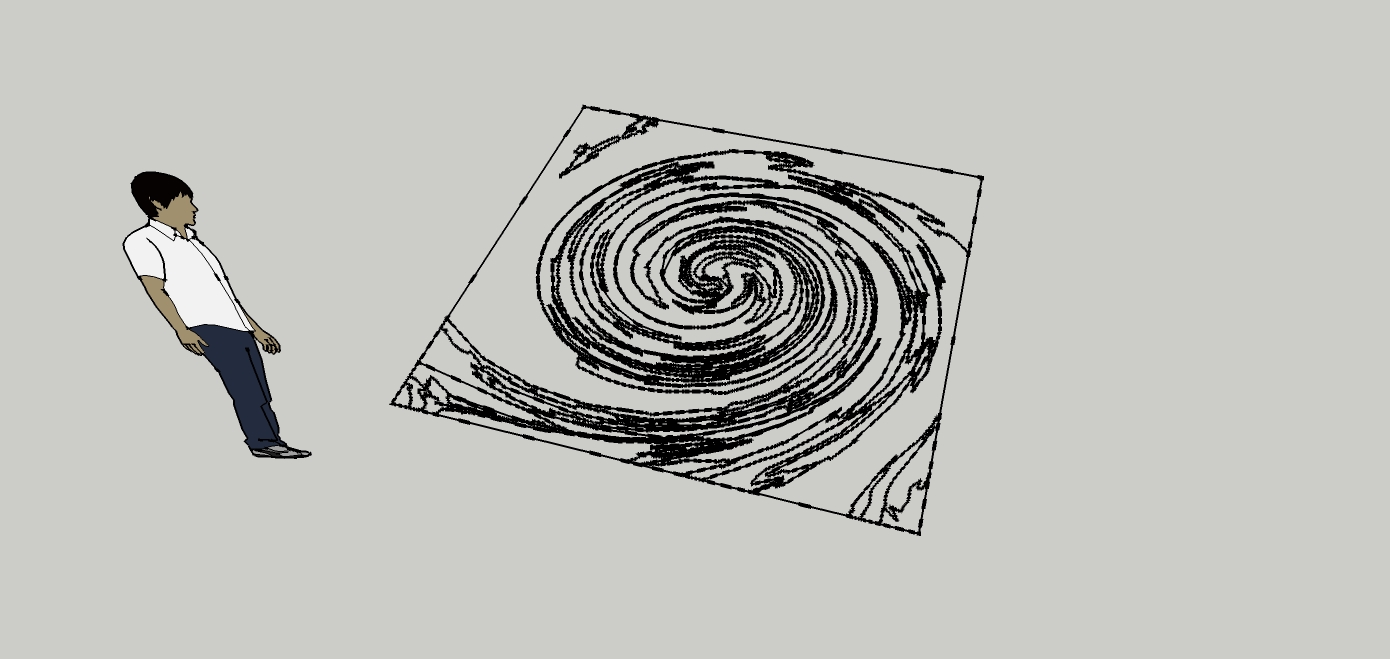
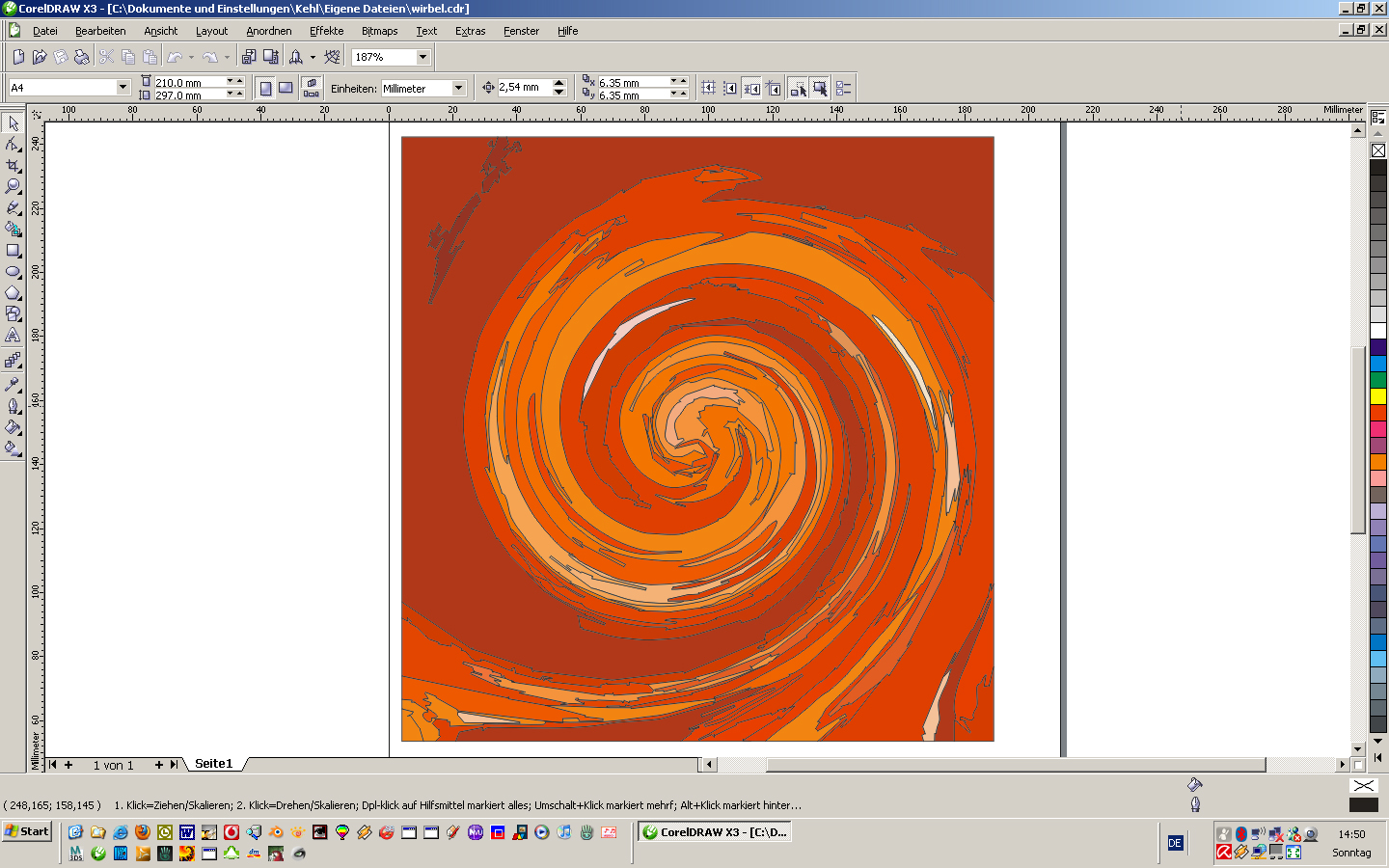
              I am drawing the designs of my rugs with photoshop or coreldraw. If the design is a bitmap I can trace it with coreldraw and I can save it as a dwg file. unfortunately the vectors are not filled when I import it to SU so I can't use the pushpull function

              coreldraw:
              trace001.jpg

              SU after import
              trace002.jpg

              real rug

              http://www.doerr-lu.de/nmweb//_actions/nmweb_action_getfile.php?field_fileid=537


              trace.skp

              http://www.zz7.de

              1 Reply Last reply
              Reply Quote 0
              • jo-keJ
                jo-ke
                last edited by

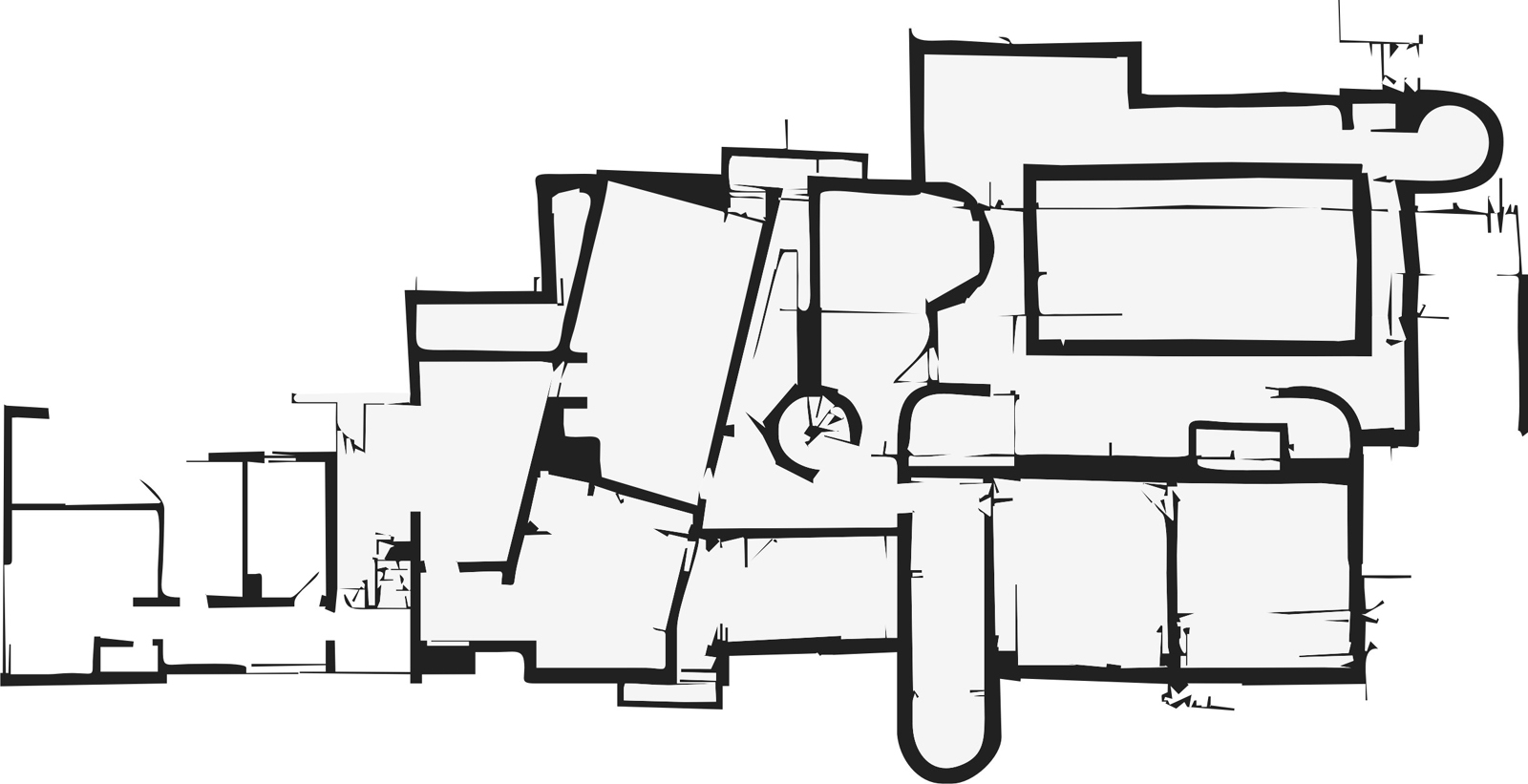
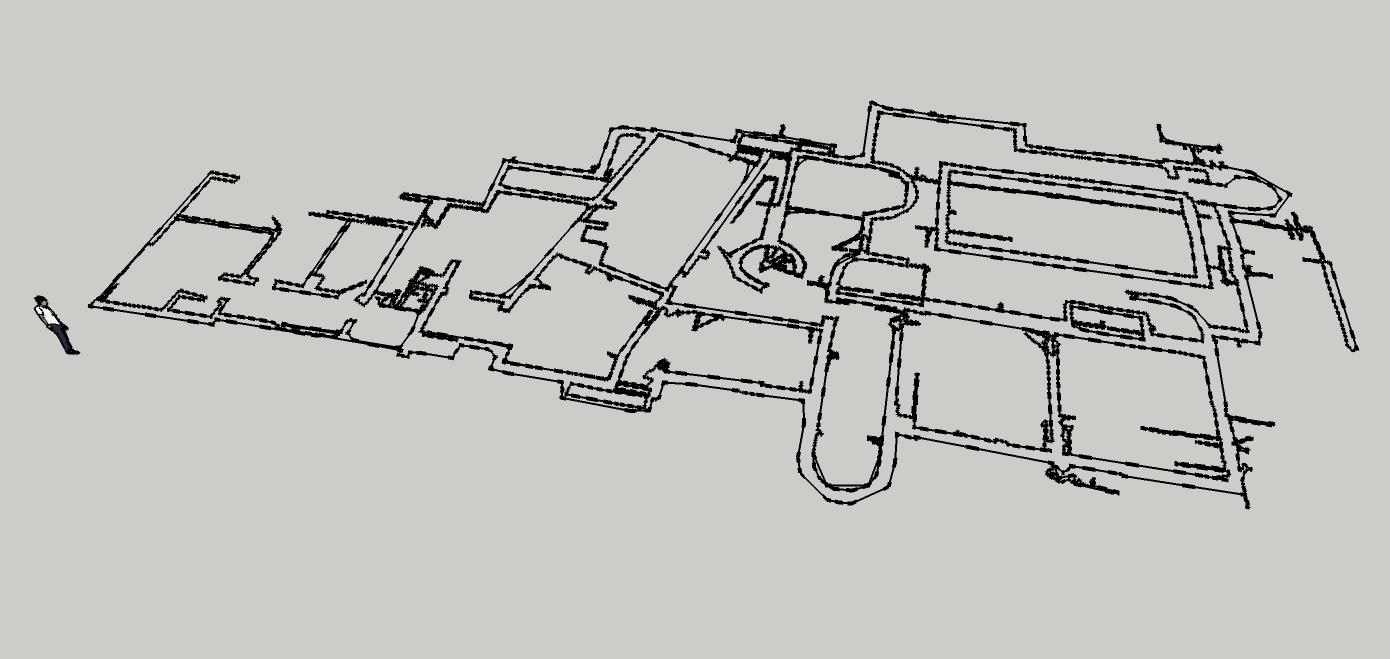
                I used the same method with the floorplan

                vectorising in corel X3. it was a quite good result, the tracing function in corel is very good. no postprocess, export as dwg, import in SU and no filled fields...
                grundriss-cdr-trace001.jpg


                grundriss-cdr-trace002.jpg


                grundriss-trace.skp

                http://www.zz7.de

                1 Reply Last reply
                Reply Quote 0
                • charly2008C
                  charly2008
                  last edited by

                  Hi jo-ke,

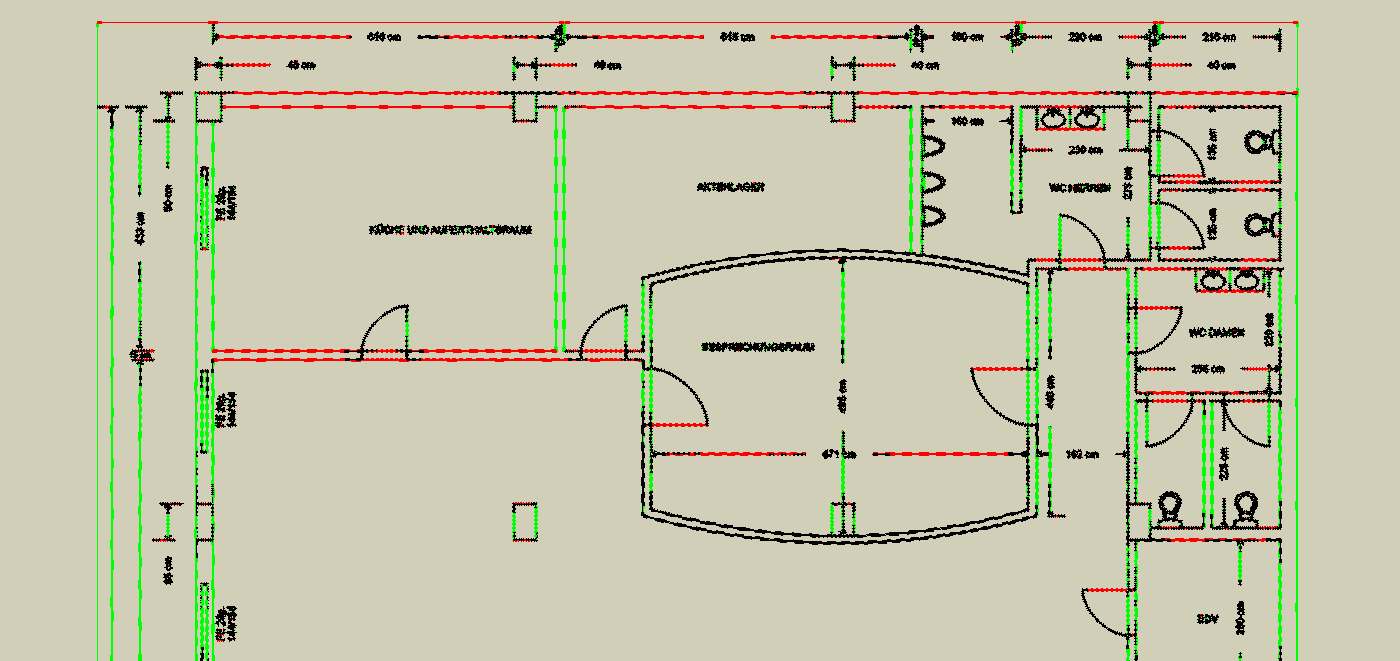
                  there are many stray lines (plugin) . they have to be corrected manually.

                  Charly
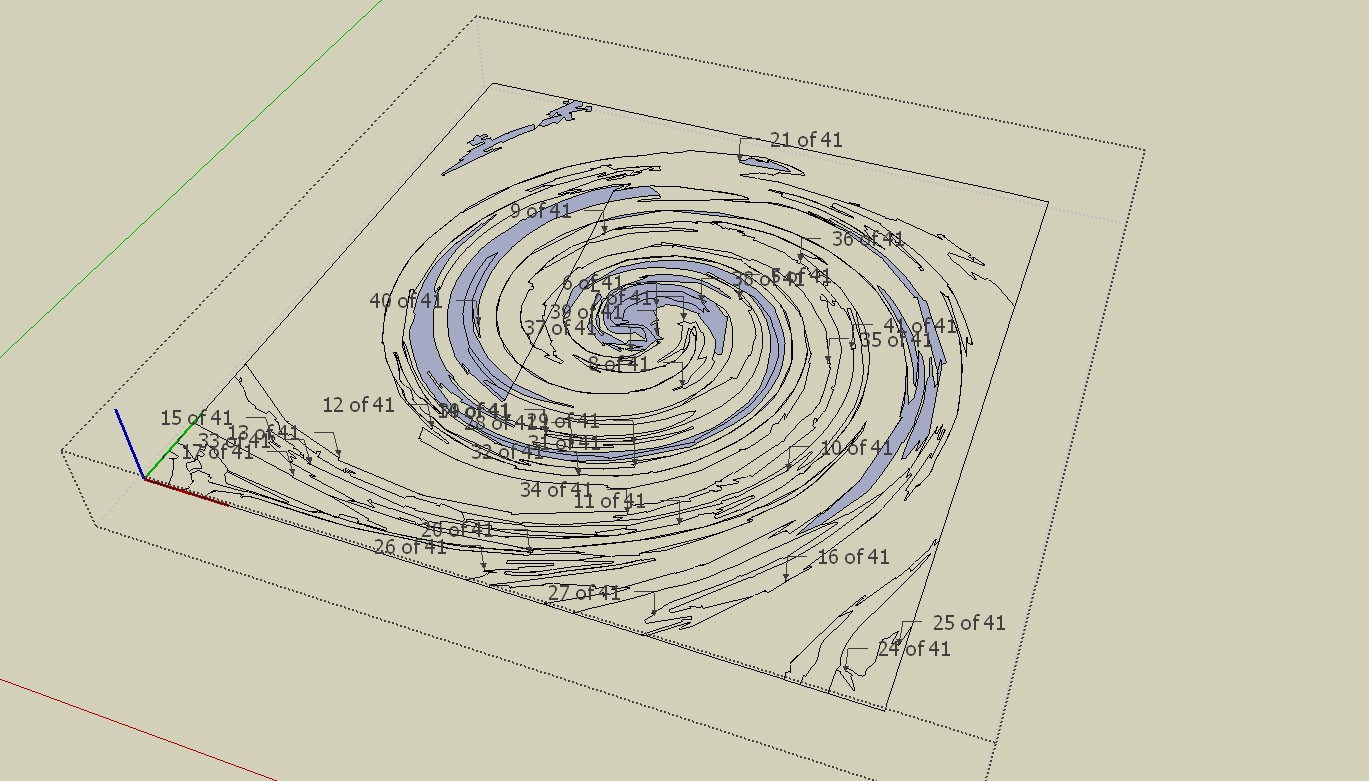

                  trace.skp


                  Stray Lines.jpg

                  He who makes no mistakes, makes nothing

                  1 Reply Last reply
                  Reply Quote 0
                  • jo-keJ
                    jo-ke
                    last edited by

                    wow charly, this looks better. how did you fill the fileds?

                    http://www.zz7.de

                    1 Reply Last reply
                    Reply Quote 0
                    • charly2008C
                      charly2008
                      last edited by

                      it is the same in this drawing stray lines and open contours.
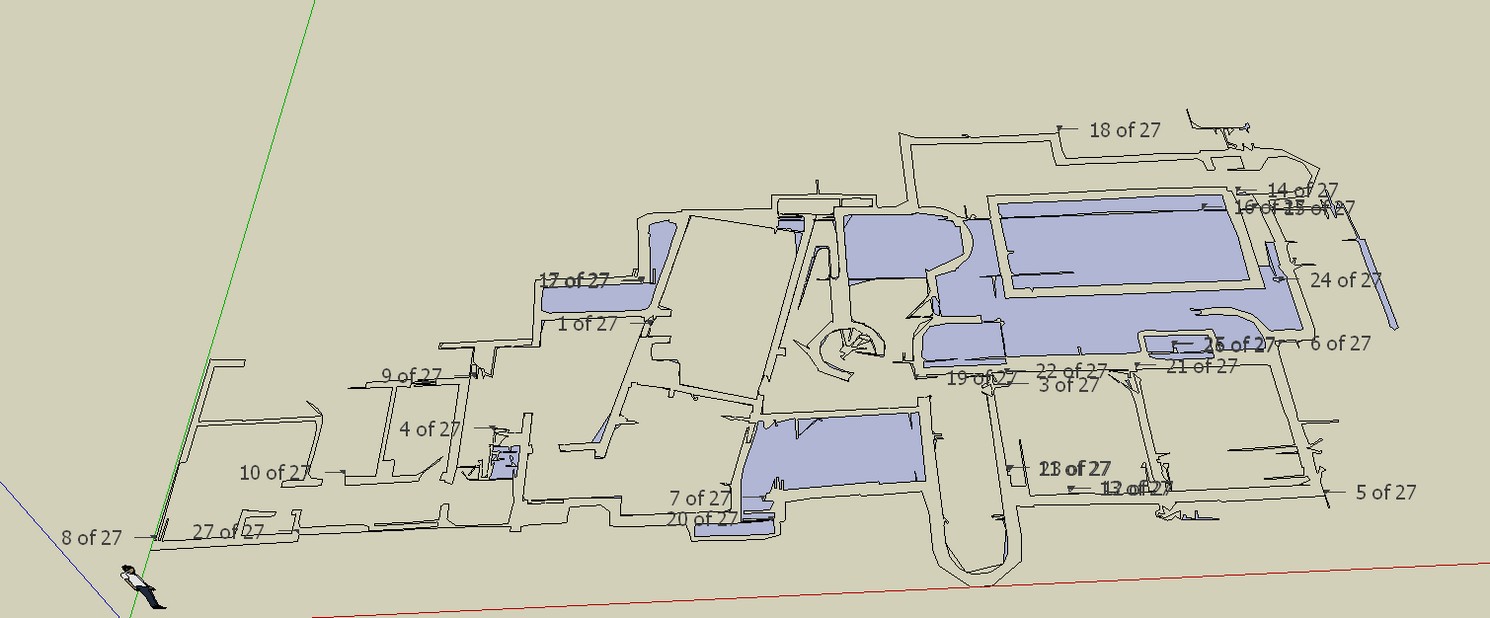

                      Stray Lines.jpg

                      He who makes no mistakes, makes nothing

                      1 Reply Last reply
                      Reply Quote 0
                      • charly2008C
                        charly2008
                        last edited by

                        With the plugin "make faces 1.4"

                        He who makes no mistakes, makes nothing

                        1 Reply Last reply
                        Reply Quote 0
                        • thomthomT
                          thomthom
                          last edited by

                          @charly2008 said:

                          I removed all the stray lines but you can see some of the contour lines are not closed. This finding is hard work.

                          And surely that isn't usable as a working model, is it? There isn't a single straight line there...

                          Thomas Thomassen — SketchUp Monkey & Coding addict
                          List of my plugins and link to the CookieWare fund

                          1 Reply Last reply
                          Reply Quote 0
                          • charly2008C
                            charly2008
                            last edited by

                            I removed all the stray lines but you can see some of the contour lines are not closed. This finding is hard work. Oh I remembered there is a trouble shooting style.
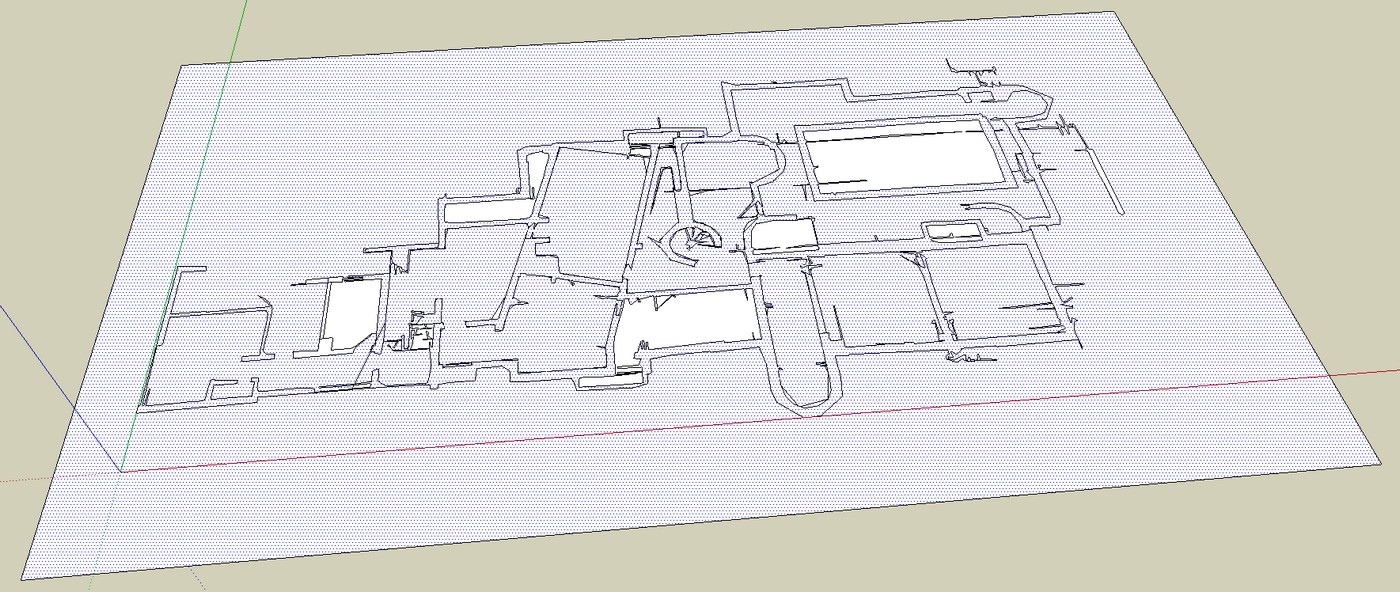
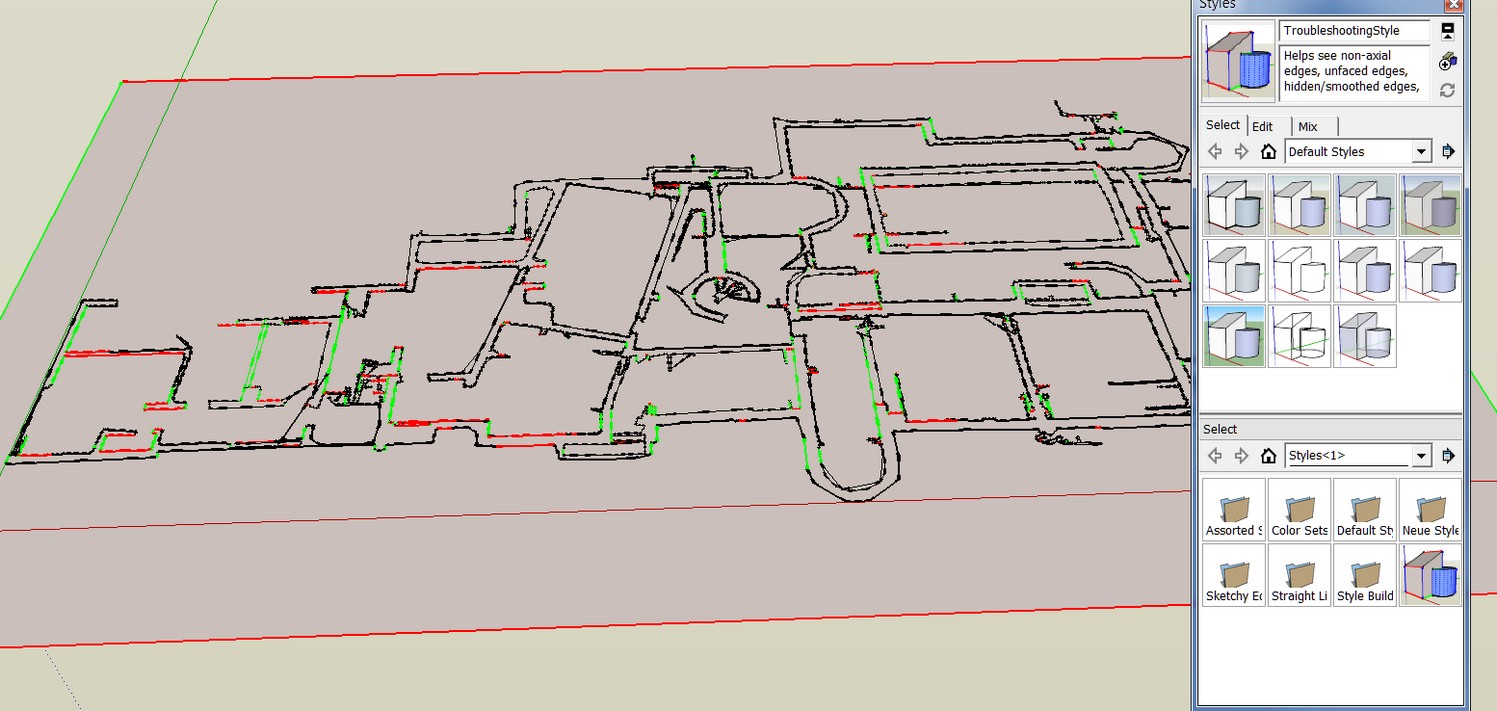
                            Stray Lines.jpg


                            Trouble shooting.jpg

                            He who makes no mistakes, makes nothing

                            1 Reply Last reply
                            Reply Quote 0
                            • jo-keJ
                              jo-ke
                              last edited by

                              I can't find the make faces plugin...

                              at the moment I'm trying the plan tools http://forums.sketchucation.com/viewtopic.php?f=323&t=30512&start=0&hilit=make+faces

                              http://www.zz7.de

                              1 Reply Last reply
                              Reply Quote 0
                              • charly2008C
                                charly2008
                                last edited by

                                Hi Thomas,

                                [/quote]
                                And surely that isn't usable as a working model, is it? There isn't a single straight line there...[/quote]

                                that seems to be the Problem!

                                Charly

                                He who makes no mistakes, makes nothing

                                1 Reply Last reply
                                Reply Quote 0
                                • charly2008C
                                  charly2008
                                  last edited by

                                  Jo-ke,

                                  if it is not in your Tools menu, have a look here:

                                  File Not Found

                                  favicon

                                  (www.smustard.com)

                                  He who makes no mistakes, makes nothing

                                  1 Reply Last reply
                                  Reply Quote 0
                                  • jo-keJ
                                    jo-ke
                                    last edited by

                                    @charly2008 said:

                                    Jo-ke,

                                    if it is not in your Tools menu, have a look here:

                                    File Not Found

                                    favicon

                                    (www.smustard.com)

                                    Ah thank you. now of course I've found it.

                                    http://www.zz7.de

                                    1 Reply Last reply
                                    Reply Quote 0
                                    • charly2008C
                                      charly2008
                                      last edited by

                                      Thomas,

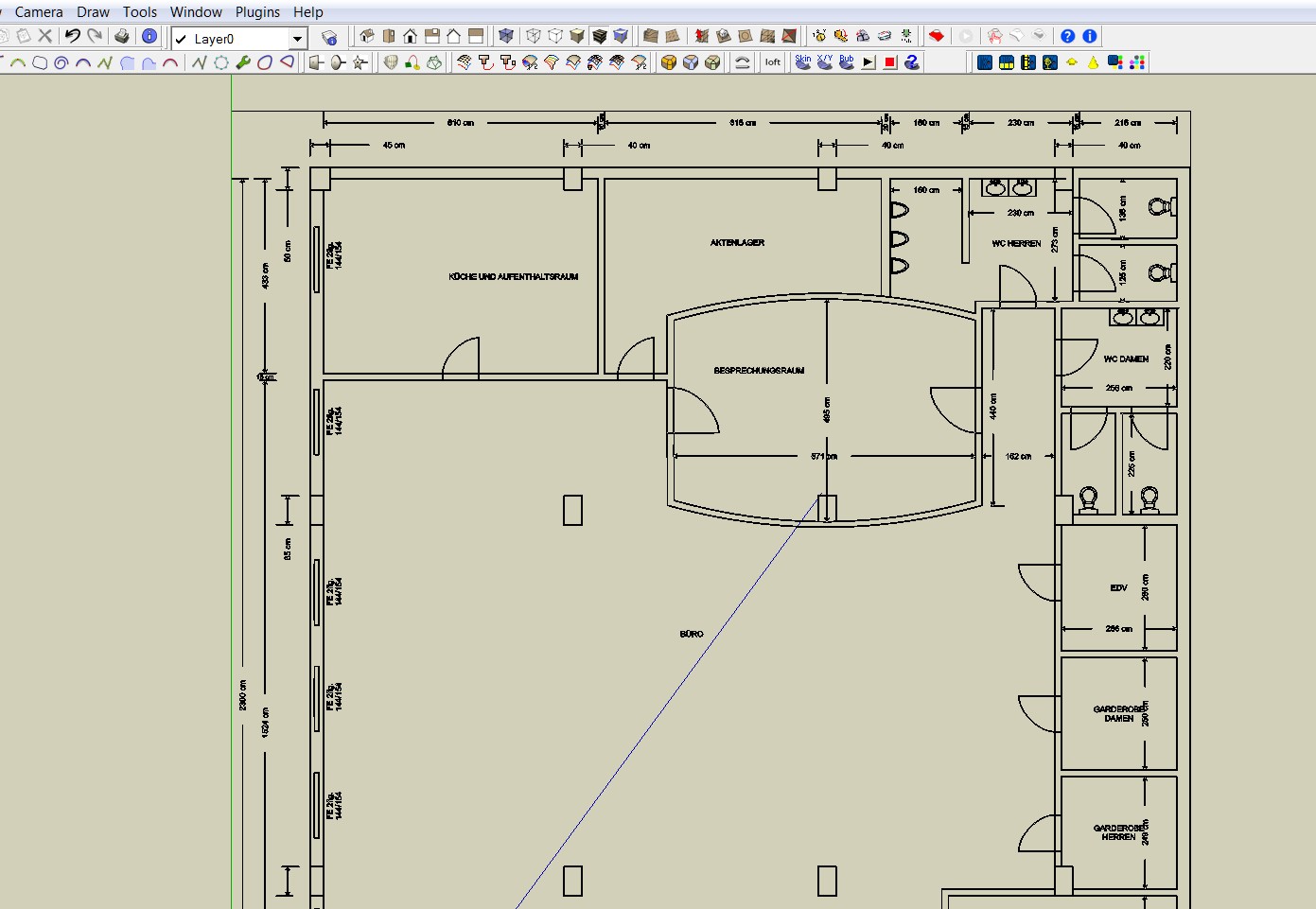
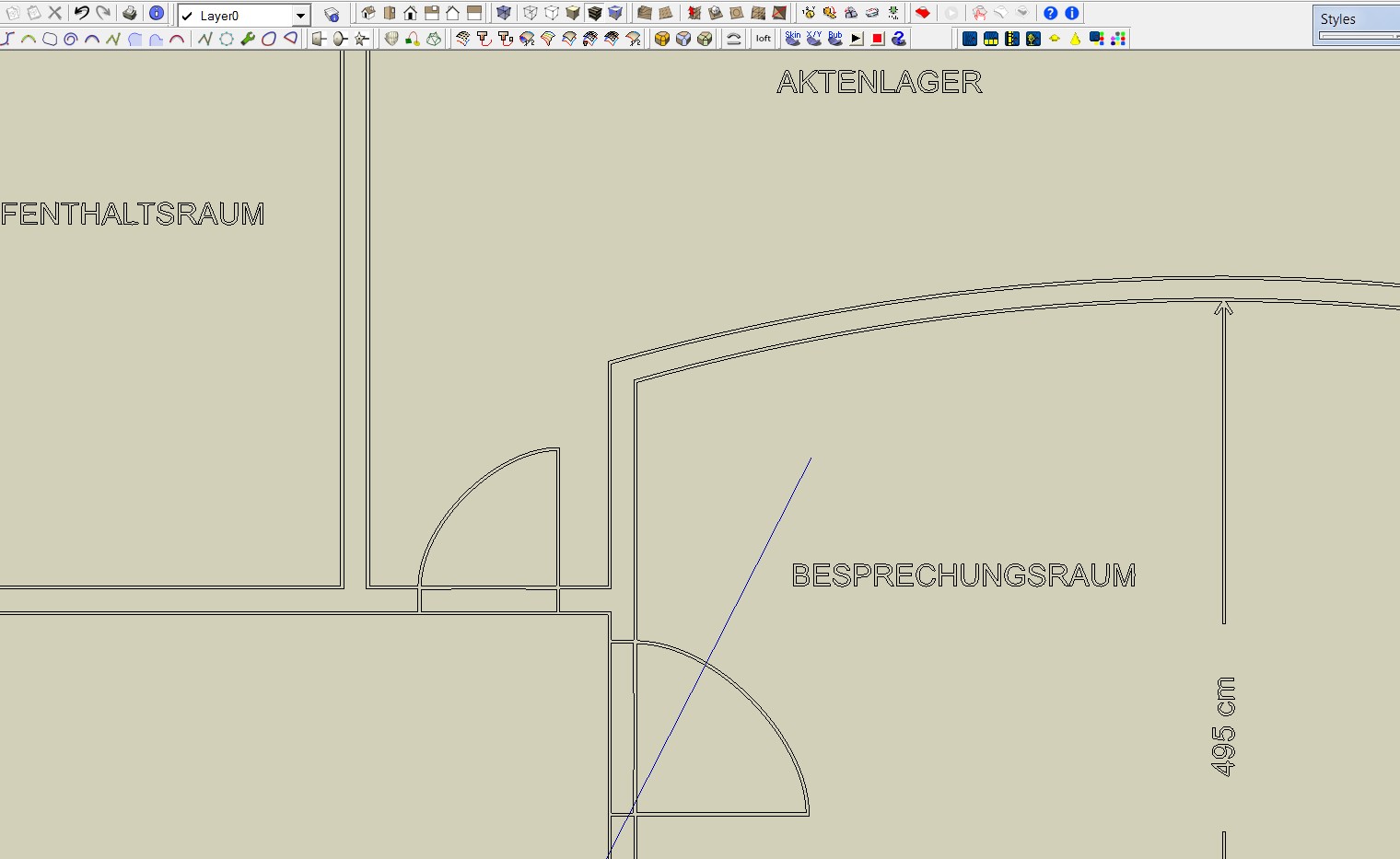
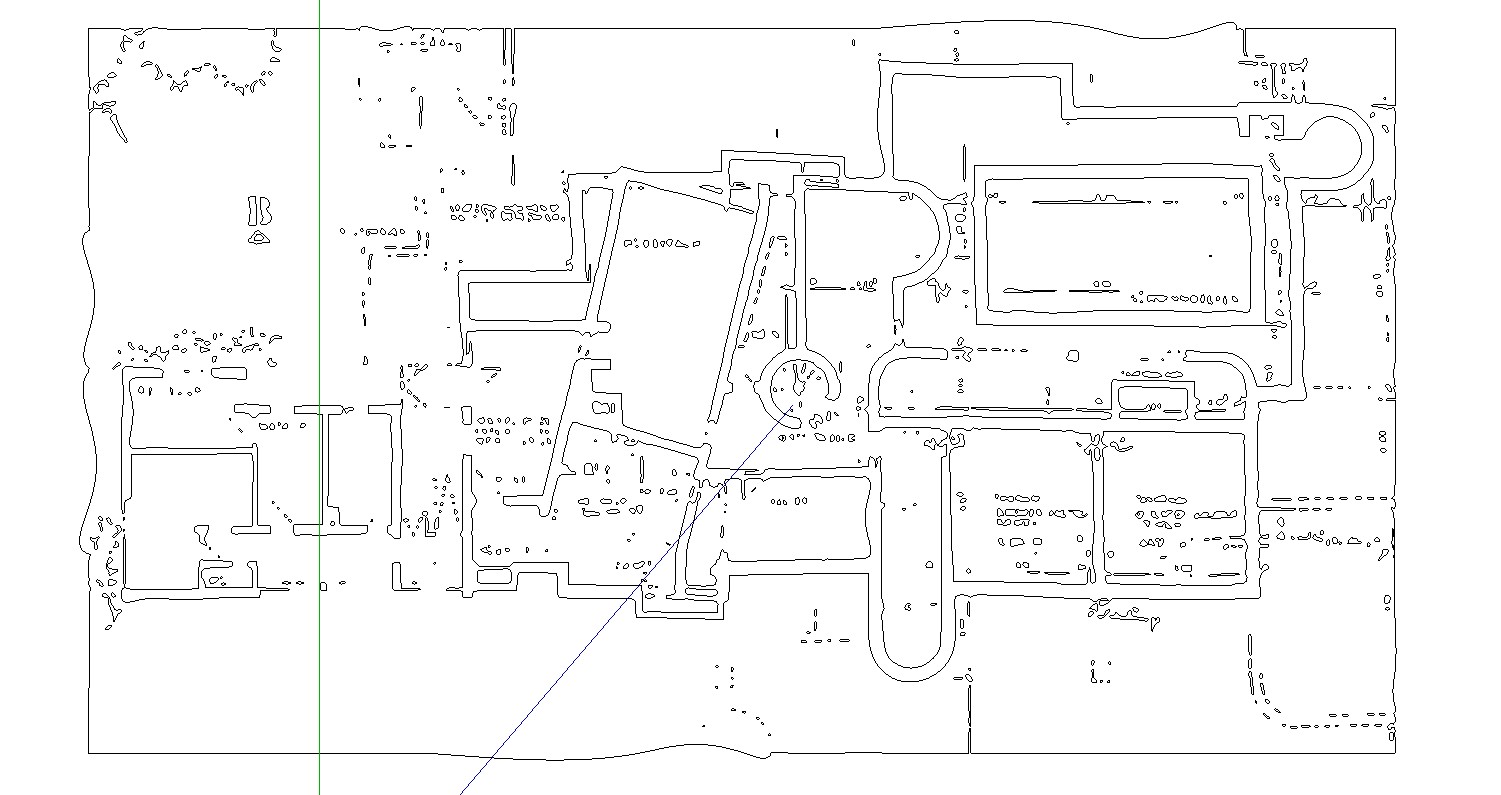
                                      I have found now a plan with a resolution of 3335 x 4151 pixels. The result is good. But what I still do not understand is that double lines are generated.

                                      CharlyUntitled1.jpg


                                      Sketchup1.jpg


                                      Loft.skp


                                      Untitled2.jpg


                                      Untitled3.jpg

                                      He who makes no mistakes, makes nothing

                                      1 Reply Last reply
                                      Reply Quote 0
                                      • thomthomT
                                        thomthom
                                        last edited by

                                        Ah, it create a line for each side of the black pixels... is there a setting for that in the app you use?

                                        Thomas Thomassen — SketchUp Monkey & Coding addict
                                        List of my plugins and link to the CookieWare fund

                                        1 Reply Last reply
                                        Reply Quote 0
                                        • charly2008C
                                          charly2008
                                          last edited by

                                          Thomas,

                                          In Inkscape I did it. The error was to use the edge detection. You have to use Brightness cutoff. Well, at least most of the lines are individual lines. Please have a look into the attached file.

                                          Charly
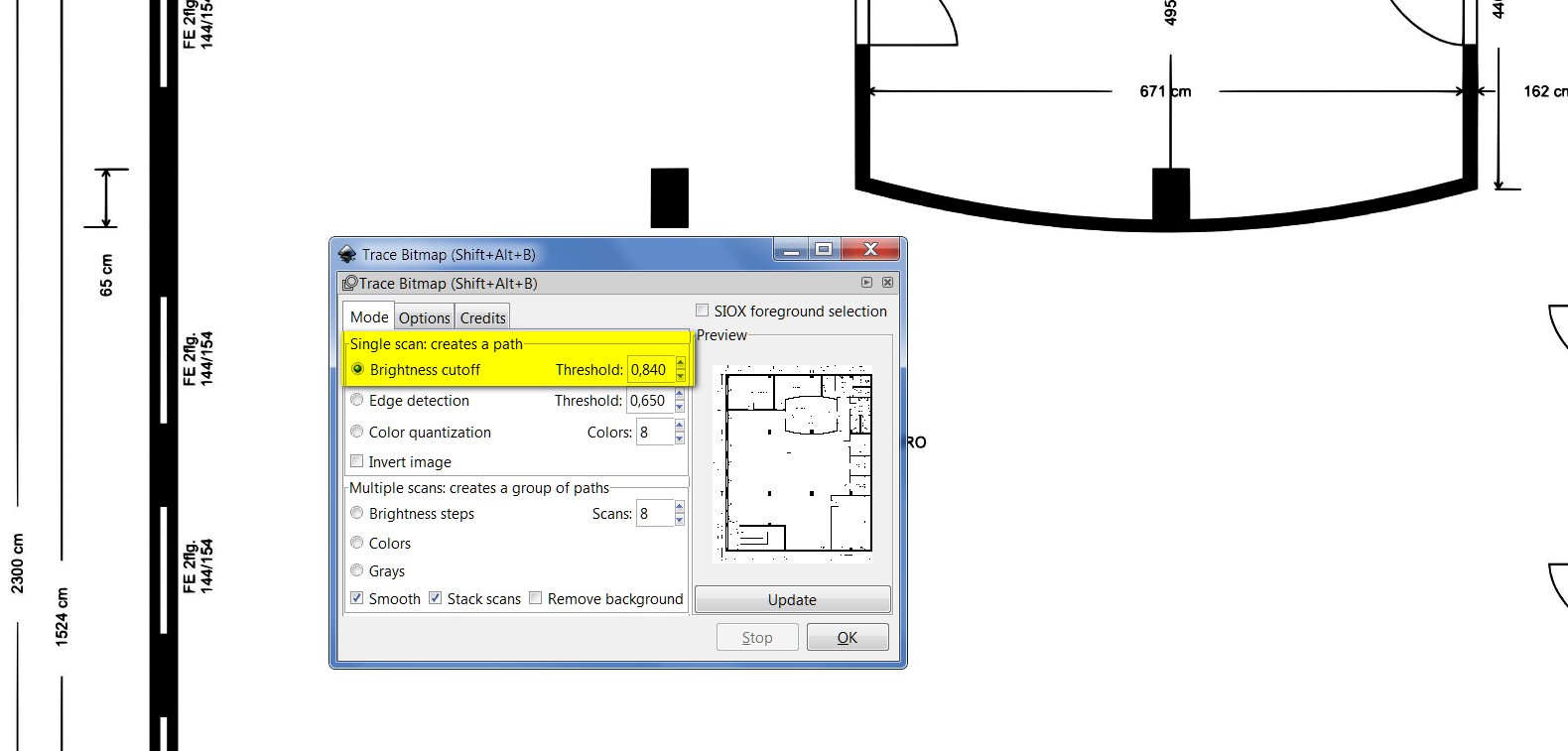

                                          Untitled1.jpg


                                          Untitled2.jpg


                                          Loft.skp

                                          He who makes no mistakes, makes nothing

                                          1 Reply Last reply
                                          Reply Quote 0
                                          • jo-keJ
                                            jo-ke
                                            last edited by

                                            The result is perfect!

                                            I've quickly used "make faces" 😉 and pushpull and the result looks like that:

                                            (of course many lines (doors, fonts,...) need to be corrected but that is easy with that result.)
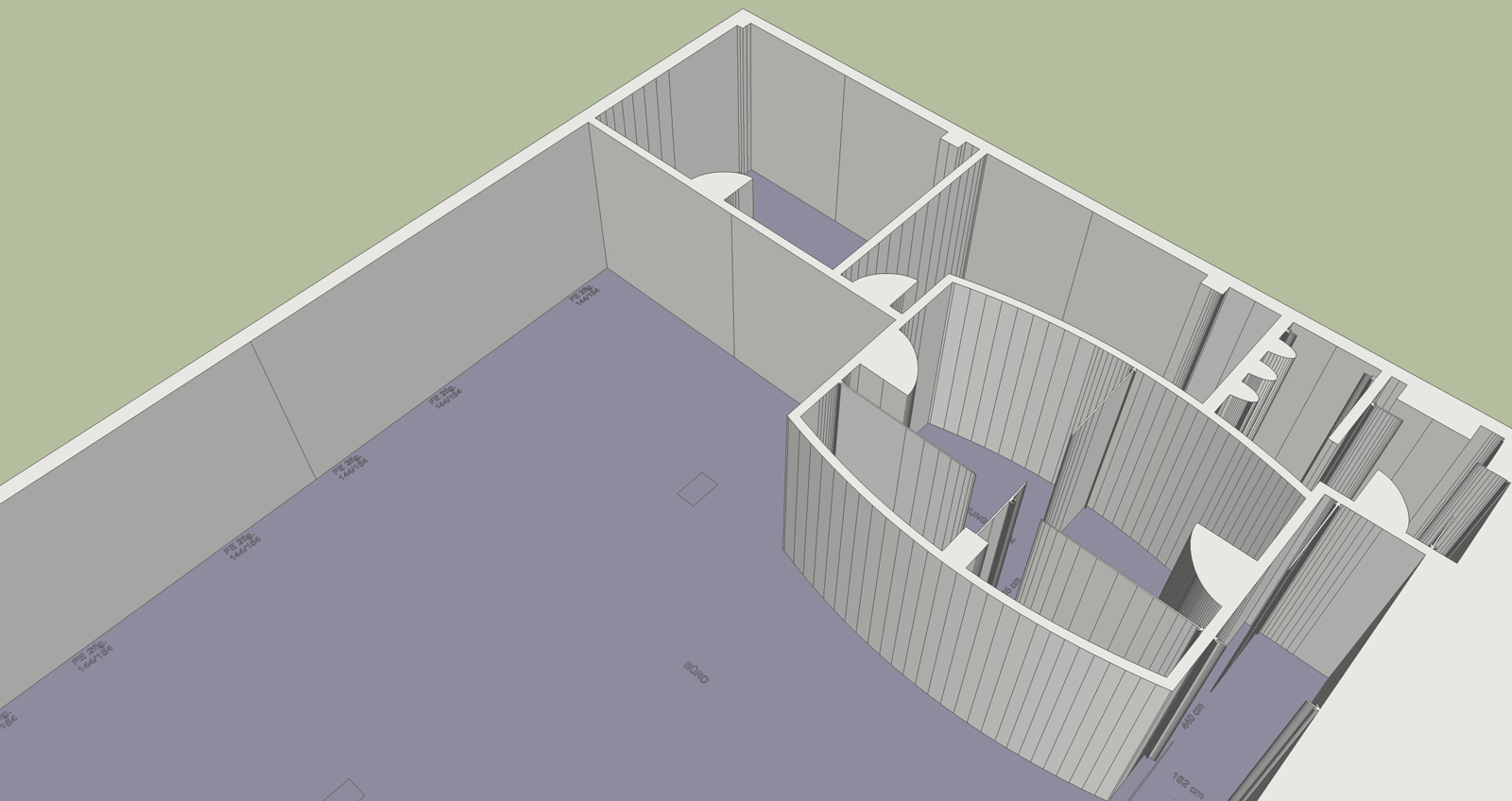


                                            trace-Loft-1.jpg

                                            http://www.zz7.de

                                            1 Reply Last reply
                                            Reply Quote 0

                                            Hello! It looks like you're interested in this conversation, but you don't have an account yet.

                                            Getting fed up of having to scroll through the same posts each visit? When you register for an account, you'll always come back to exactly where you were before, and choose to be notified of new replies (either via email, or push notification). You'll also be able to save bookmarks and upvote posts to show your appreciation to other community members.

                                            With your input, this post could be even better 💗

                                            Register Login
                                            • 1
                                            • 2
                                            • 1 / 2
                                            • First post
                                              Last post
                                            Buy SketchPlus
                                            Buy SUbD
                                            Buy WrapR
                                            Buy eBook
                                            Buy Modelur
                                            Buy Vertex Tools
                                            Buy SketchCuisine
                                            Buy FormFonts

                                            Advertisement