sketchucation logo sketchucation
    • 登入
    Oops, your profile's looking a bit empty! To help us tailor your experience, please fill in key details like your SketchUp version, skill level, operating system, and more. Update and save your info on your profile page today!
    🔌 Smart Spline | Fluid way to handle splines for furniture design and complex structures. Download

    [Plugin] Work Plane

    已排程 已置頂 已鎖定 已移動 Plugins
    183 貼文 32 Posters 118.5k 瀏覽 32 Watching
    正在載入更多貼文
    • 從舊到新
    • 從新到舊
    • 最多點贊
    回覆
    • 在新貼文中回覆
    登入後回覆
    此主題已被刪除。只有擁有主題管理權限的使用者可以查看。
    • TIGT 離線
      TIG Moderator
      最後由 編輯

      Works fine in v8 up to v2014 😕
      I just reinstalled it in v2014 to be sure, and it worked fine. 😄

      When loaded [and enabled if you are using the SCF Plugins Manager]...
      It has a submenu named "WorkPlane Tools" under "Tools" menu.
      I trust you have looked there and not under the "Plugins" menu***
      If you select a WorkPlane object, then there are a number of tools enabled in the Context-menu - these differ depending on what you have selected.
      There is a Toolbar named "WorkPlane Tools" too...

      ***Have you actually read the usage instructions ??

      If there's still a problem... do you have the latest version of v2014 - an update came out a few days ago...
      Also are there any accented characters or single-quotes in your Windows User name ?
      These have been reported as issues for many plugins' loading...

      TIG

      1 條回覆 最後回覆 回覆 引用 0
      • Bob JamesB 離線
        Bob James
        最後由 編輯

        When I apply the normals tool the normal set is rotated. The primary axes are in the standard directions.
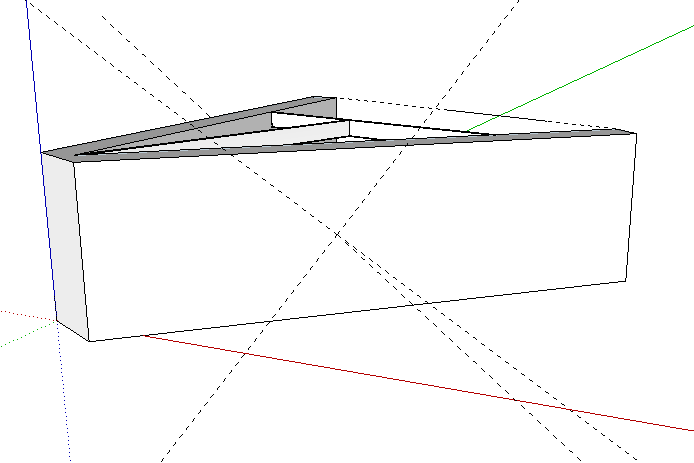
        normal.PNG

        i7-4930K 3.4Ghz, 2x GTX780 6GB, 32GB DDR3-1600 ECC, OCZ Vertex 4 500GB, WD Black 3TB, 32TB NAS, 4x 27" Monitors, SpaceMouse Pro, X-keys XK-60

        1 條回覆 最後回覆 回覆 引用 0
        • B 離線
          bdealva
          最後由 編輯

          Does Workplane work in SU 2015?

          1 條回覆 最後回覆 回覆 引用 0
          • Dave RD 離線
            Dave R
            最後由 編輯

            @bdealva said:

            Does Workplane work in SU 2015?

            Yes. Do you have any reason to think it wouldn't?

            Etaoin Shrdlu

            %

            (THERE'S NO PLACE LIKE)

            G28 X0.0 Y0.0 Z0.0

            M30

            %

            1 條回覆 最後回覆 回覆 引用 0
            • H 離線
              huajiet
              最後由 編輯

              I seem to have some trouble installing Work Plane on SU2014.

              I get this error message:

              "SketchUp was unable to install the Extension you have chosen for some unknown reason.
              Consult your Extension's documentation for additional help."

              What might be wrong?

              1 條回覆 最後回覆 回覆 引用 0
              • TIGT 離線
                TIG Moderator
                最後由 編輯

                Should work.
                Have you downloaded the latest RBZ from the PluginStore ?

                TIG

                1 條回覆 最後回覆 回覆 引用 0
                • B 離線
                  brooklyndesigner
                  最後由 編輯

                  This is really great. Worked like a charm for me the first time. I was working in "top" "parallel" view on a floor plan (even though the model is 3D). Instead of having to orbit and go into perspective to make changesI was able to draw right onto the floor plane. Then when I tried it again when drawing a line it didn't lock to the work plane. It drew all over. I'm using Sketchup 2016 on a Mac. Any ideas?

                  Thank you.

                  1 條回覆 最後回覆 回覆 引用 0
                  • SiPieFaceS 離線
                    SiPieFace
                    最後由 編輯

                    I know this is an old thread but I've been trying to use Work Plane to be more efficient and accurate with my projects. It's a great plugin but I'm having a real issue changing the size of the Work Plane. Right-click into space just doesn't work for me, I get nothing at all. When I start Work Plane it merely allows me to select the 3 points and double-click to accept. I'm using SU2018 so wondered if this might be the issue?

                    1 條回覆 最後回覆 回覆 引用 0
                    • TIGT 離線
                      TIG Moderator
                      最後由 編輯

                      Sadly the right-click in empty-space to change settings no longer works.

                      However, if you make a Workplane using the default values, then immediately Select it; its context-submenu then includes lots of extra options - use its 'Adjust' to change the size WH and grid XY...

                      TIG

                      1 條回覆 最後回覆 回覆 引用 0
                      • SiPieFaceS 離線
                        SiPieFace
                        最後由 編輯

                        Ahh, that explains it. Thanks for the nod, I'll use that. This is such a useful plugin, is there any chance it'll get updated?


                        1 條回覆 最後回覆 回覆 引用 0
                        • 1
                        • 2
                        • 3
                        • 4
                        • 5
                        • 9
                        • 10
                        • 3 / 10
                        • 第一個貼文
                          最後的貼文
                        Buy SketchPlus
                        Buy SUbD
                        Buy WrapR
                        Buy eBook
                        Buy Modelur
                        Buy Vertex Tools
                        Buy SketchCuisine
                        Buy FormFonts

                        Advertisement