sketchucation logo sketchucation
    • Login
    Oops, your profile's looking a bit empty! To help us tailor your experience, please fill in key details like your SketchUp version, skill level, operating system, and more. Update and save your info on your profile page today!
    Mac User? | Join the Rayscaper Beta for Mac Learn More

    [Plugin][$] Vertex Tools

    Scheduled Pinned Locked Moved Plugins
    667 Posts 92 Posters 655.8k Views 92 Watching
    Loading More Posts
    • Oldest to Newest
    • Newest to Oldest
    • Most Votes
    Reply
    • Reply as topic
    Log in to reply
    This topic has been deleted. Only users with topic management privileges can see it.
    • panixiaP
      panixia
      last edited by

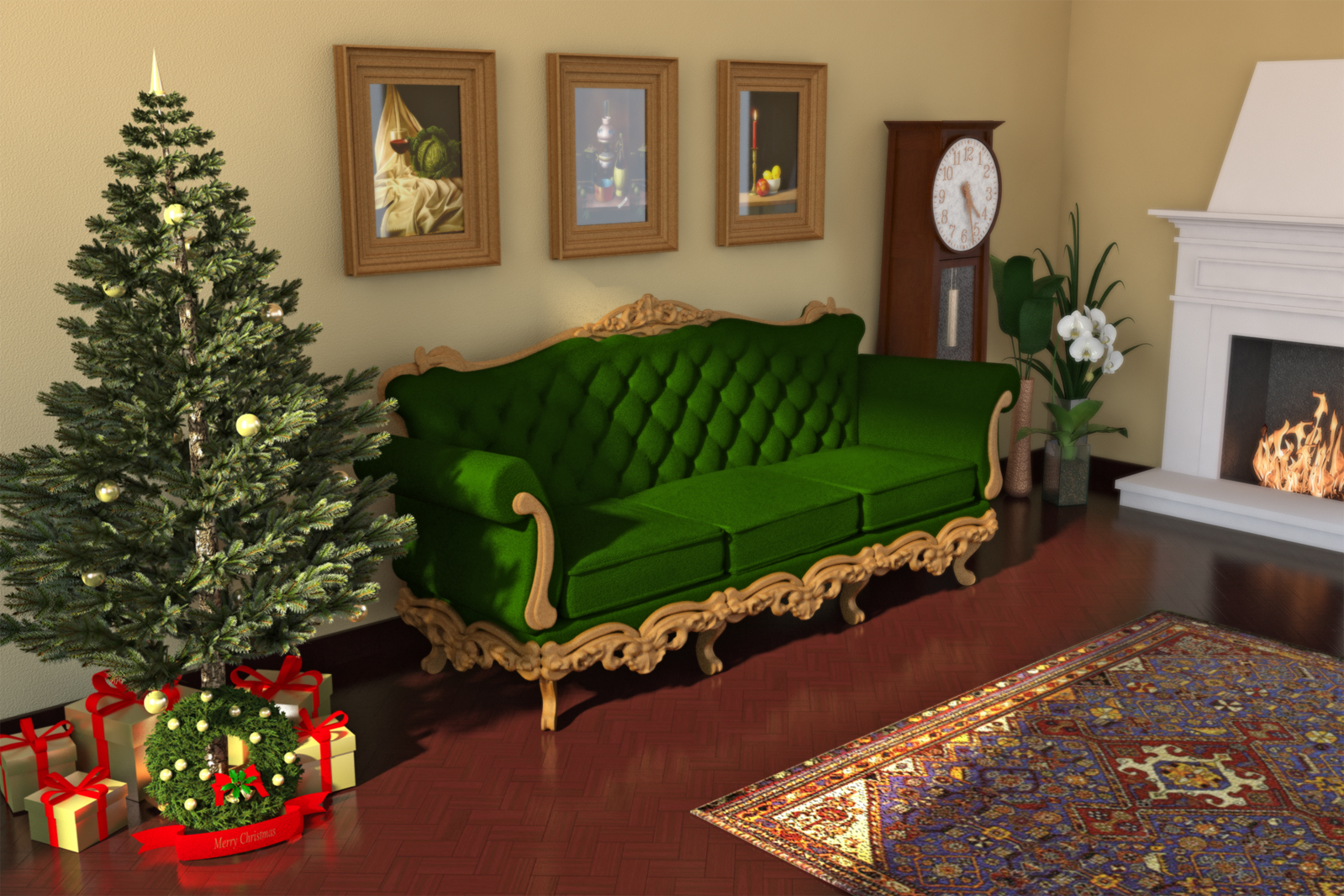
      did some minor changes to the previuous version. i think 95% of the difference depends on the fact it was taken away from Venus' atmosphere and placed into the actual granny's living room.. β˜€


      green velvet.vismat

      1 Reply Last reply
      Reply Quote 0
      • thomthomT
        thomthom
        last edited by

        πŸ˜†

        Thomas Thomassen β€” SketchUp Monkey & Coding addict
        List of my plugins and link to the CookieWare fund

        1 Reply Last reply
        Reply Quote 0
        • panixiaP
          panixia
          last edited by

          X-mas at granny's πŸ’š


          MERRYXMAS WEB.jpg

          1 Reply Last reply
          Reply Quote 0
          • thomthomT
            thomthom
            last edited by

            Nice! πŸ˜„

            X-Frog X-Mas tree?

            Thomas Thomassen β€” SketchUp Monkey & Coding addict
            List of my plugins and link to the CookieWare fund

            1 Reply Last reply
            Reply Quote 0
            • panixiaP
              panixia
              last edited by

              no. i downloaded one from whareouse at first

              Error 404 (Not Found)!!1

              favicon

              (sketchup.google.com)

              but was looking very poor in the render test so i replaced the components/materials one by one to achieve a decent result..
              actually i think this is the easier tree ever modeling wise.. even if you want to draw it from scratch..

              1 Reply Last reply
              Reply Quote 0
              • masoM
                maso
                last edited by

                Another step to beat the maxtodonters made πŸ˜‰ Thanks a lot.

                1 Reply Last reply
                Reply Quote 0
                • thomthomT
                  thomthom
                  last edited by

                  And more to come! πŸ˜‰

                  Thomas Thomassen β€” SketchUp Monkey & Coding addict
                  List of my plugins and link to the CookieWare fund

                  1 Reply Last reply
                  Reply Quote 0
                  • N
                    natsirht28
                    last edited by

                    Is there a free version of this plugins? because it seems really helpful but I dont have any credit card..

                    1 Reply Last reply
                    Reply Quote 0
                    • thomthomT
                      thomthom
                      last edited by

                      Afraid not.

                      Thomas Thomassen β€” SketchUp Monkey & Coding addict
                      List of my plugins and link to the CookieWare fund

                      1 Reply Last reply
                      Reply Quote 0
                      • plot-parisP
                        plot-paris
                        last edited by

                        Hey Thomthom,

                        I was just playing with VertexTools, when I thought of two possible improvements; actually one workflow improvement and one major (and possibly impossible) re-design.

                        1. With SketchUp's native Move-Tool, you can translate an object in two different ways:
                        • click (object is attached to the curser), move it somewhere else, click again to release it

                        • click-and-drag to somewhere else and release mouse button to release object
                          Right now thats not possible with VertexTools. And because we all love continuity, it would be a tremendous joy to have the plugin behave the same way

                        1. Use the VertexTools-Icon as a Toggle Button
                          while VertexTools is active, it will intercept all the keyboard shortcuts for Move, Rotate and Scale.
                          Thus it actually feels like using native SketchUp tools, only with the enhancement of soft selection. In theory it wouldn't even make a difference, once the soft selection is set to zero.
                        1 Reply Last reply
                        Reply Quote 0
                        • thomthomT
                          thomthom
                          last edited by

                          @plot-paris said:

                          click (object is attached to the curser), move it somewhere else, click again to release it

                          This works for single vertices. Did you mean you wanted to pick edges/faces?

                          @plot-paris said:

                          click-and-drag to somewhere else and release mouse button to release object

                          Yea, I've had that on my list. Problem is that SketchUp behaviour will be different depending on user preferences - and currently there is no way to read the user preferences from Ruby. But I might just implement it as an always on feature.

                          @plot-paris said:

                          Use the VertexTools-Icon as a Toggle Button
                          while VertexTools is active, it will intercept all the keyboard shortcuts for Move, Rotate and Scale.
                          Thus it actually feels like using native SketchUp tools, only with the enhancement of soft selection. In theory it wouldn't even make a difference, once the soft selection is set to zero.

                          I'm not sure how you are expecting that would work where it differs from what it does now... ? Once you jump into vertex mode and you have assigned the keyboard shortcuts then you stay in Vertex Tools until you exit the tool. Can you elaborate on how you'd like it to work?

                          Thomas Thomassen β€” SketchUp Monkey & Coding addict
                          List of my plugins and link to the CookieWare fund

                          1 Reply Last reply
                          Reply Quote 0
                          • plot-parisP
                            plot-paris
                            last edited by

                            ah yes, I didn't phrase it clearly enough:

                            In SketchUp I have the following keyboard shortcuts:

                            Q = Select
                            W = Move
                            E = Rotate
                            R = Scale

                            The VertexTools Plugin has a Select, Move, Rotate and Scale tool of its own. But when I make a soft selection and then hit lets say "E" for the Rotate Tool, I will activate SketchUp's Rotate Tool, hence exiting the plugin.

                            Instead I would like the plugin to intercept this keyboard shortcut, that usually activates SketchUp's Rotate Tool, and enable VertexTools' own Rotate Tool instead.

                            Only after I exit / toogle off VertexTools, the letter "E" will bring me to SketchUp's Rotate tool.
                            So I guess what I want, is to completely replace all of SketchUp's manipulation tools with the new ones as long as the "Smooth Selection Mode" is active.

                            So from a user's point of view activating VertexTools is similar to activating "Show Hidden Geometry". It affects the degree of control you have over the geometry, but you do not have to use a new set of tools...

                            Of course I am more than uncertain, that this is possible at all in SketchUp (intercepting shortcuts). But it would be such an awesomely integrated experience...

                            1 Reply Last reply
                            Reply Quote 0
                            • panixiaP
                              panixia
                              last edited by

                              mmm.. in other word you want sketcup to act like 3dsmax? i like the whole shortcut thing as it is.
                              plus actually i wonder how do you can move/scale/rotate groups and components if vertex tools intercepts the native tool every time??

                              1 Reply Last reply
                              Reply Quote 0
                              • thomthomT
                                thomthom
                                last edited by

                                @plot-paris said:

                                The VertexTools Plugin has a Select, Move, Rotate and Scale tool of its own. But when I make a soft selection and then hit lets say "E" for the Rotate Tool, I will activate SketchUp's Rotate Tool, hence exiting the plugin.

                                Instead I would like the plugin to intercept this keyboard shortcut, that usually activates SketchUp's Rotate Tool, and enable VertexTools' own Rotate Tool instead.

                                Proxy commands for the rescue!
                                http://www.thomthom.net/software/vertex_tools/manual/shortcuts#proxy_functions

                                Thomas Thomassen β€” SketchUp Monkey & Coding addict
                                List of my plugins and link to the CookieWare fund

                                1 Reply Last reply
                                Reply Quote 0
                                • plot-parisP
                                  plot-paris
                                  last edited by

                                  man, thats genius! exactly what I was looking for!!!

                                  and the trick of pressing a shortcut twice to exit the tool.... fantastic 😲

                                  1 Reply Last reply
                                  Reply Quote 0
                                  • thomthomT
                                    thomthom
                                    last edited by

                                    I think I should make a video on setting up those. Because I don't think many people knows about them.

                                    Thomas Thomassen β€” SketchUp Monkey & Coding addict
                                    List of my plugins and link to the CookieWare fund

                                    1 Reply Last reply
                                    Reply Quote 0
                                    • Rich O BrienR
                                      Rich O Brien Moderator
                                      last edited by

                                      I didn't know this....

                                      Do you have to have Vert mode avtivated to set it?

                                      I've have Vert Tools set to Alt + V and the tools to Alt + M, S, R etc....

                                      Download the free D'oh Book for SketchUp πŸ“–

                                      1 Reply Last reply
                                      Reply Quote 0
                                      • thomthomT
                                        thomthom
                                        last edited by

                                        @rich o brien said:

                                        Do you have to have Vert mode avtivated to set it?

                                        Nope! Just reassign the shortcuts you have for the native Move, Roate, Scale and Select to Tools/Vertex Tools/Move etc.

                                        See screenshot on this page: http://www.thomthom.net/software/vertex_tools/manual/shortcuts

                                        An annoying limitation with SketchUp though, if you try to reassign Ctrl+A, Ctrl+T for Select All and Select None then it works only during that session. When you restart they are reverted. 😞

                                        Thomas Thomassen β€” SketchUp Monkey & Coding addict
                                        List of my plugins and link to the CookieWare fund

                                        1 Reply Last reply
                                        Reply Quote 0
                                        • Rich O BrienR
                                          Rich O Brien Moderator
                                          last edited by

                                          @Thomthom not TT_SU

                                          Is it possible that VT could respect CPoints?

                                          Download the free D'oh Book for SketchUp πŸ“–

                                          1 Reply Last reply
                                          Reply Quote 0
                                          • tt_suT
                                            tt_su
                                            last edited by

                                            Adding to wish-list. Will take a look at it.

                                            1 Reply Last reply
                                            Reply Quote 0

                                            Hello! It looks like you're interested in this conversation, but you don't have an account yet.

                                            Getting fed up of having to scroll through the same posts each visit? When you register for an account, you'll always come back to exactly where you were before, and choose to be notified of new replies (either via email, or push notification). You'll also be able to save bookmarks and upvote posts to show your appreciation to other community members.

                                            With your input, this post could be even better πŸ’—

                                            Register Login
                                            • 1
                                            • 2
                                            • 15
                                            • 16
                                            • 17
                                            • 18
                                            • 19
                                            • 33
                                            • 34
                                            • 17 / 34
                                            • First post
                                              Last post
                                            Buy SketchPlus
                                            Buy SUbD
                                            Buy WrapR
                                            Buy eBook
                                            Buy Modelur
                                            Buy Vertex Tools
                                            Buy SketchCuisine
                                            Buy FormFonts

                                            Advertisement