[Plugin][$] Curviloft 2.0a - 31 Mar 24 (Loft & Skinning)


-
I recently started to have a problem with curviloft lofting along a path. When I choose the two shapes and path it doesnt work, the part outlines change color and nothing happens. This just started two days ago but I have been having issues for a while were it waits for a path to be made and never finishes. I could fix this by closing and reopening sketchup. I really dont know what is happening. I will post the file were im triying to loft the specific shape that just wont work.
-
@deezprez said:
I recently started to have a problem with curviloft lofting along a path. When I choose the two shapes and path it doesnt work, the part outlines change color and nothing happens. This just started two days ago but I have been having issues for a while were it waits for a path to be made and never finishes. I could fix this by closing and reopening sketchup. I really dont know what is happening. I will post the file were im triying to loft the specific shape that just wont work.
I expect it has to do with the small size of your geometry. SketchUp won't create the faces needed at the size of your model. Try scaling it up before running Curviloft. You can scale up and back down or use the method shown by Box here.
-
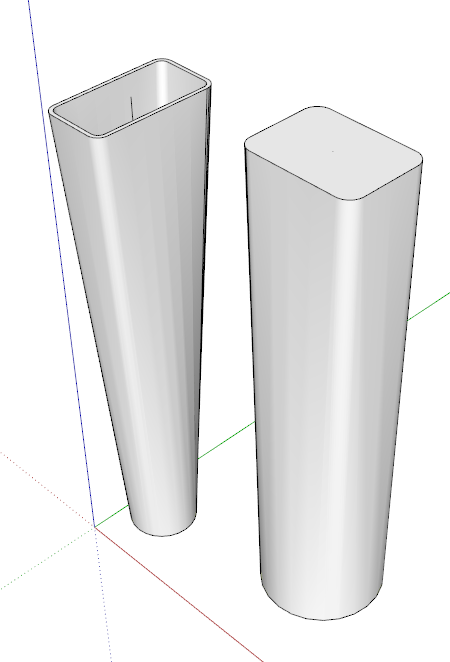
Part of your problem, and one that is difficult to control, is the number of segments in the top to bottom and left to right curves are not equal. Curviloft will create extra vertices on opposing curves to line up with vertices on the other side. Therefore you get extra segments on both sides.
You can minimize the problem if both opposing sides are true curves, not segmented lines, by making both curves contain the same number of segments. Select each curve and use Entity Info to adjust the number of segments.
But be aware, 3 sided perimeters will not loft smoothly to adjacent 4 side curves.
Your top drawing has a 3 sided perimeter (on the left) adjacent to a 4 sided perimeter, the way Curviloft will see it.Even after I do this, I still usually have a lot of cleaning up to do by pulling intersection end points in the mesh to adjacent intersections to reduce the close spaced curves and other errors that creep in.
But Curviloft does 95++% of the work.
 Can't live without it.
 -
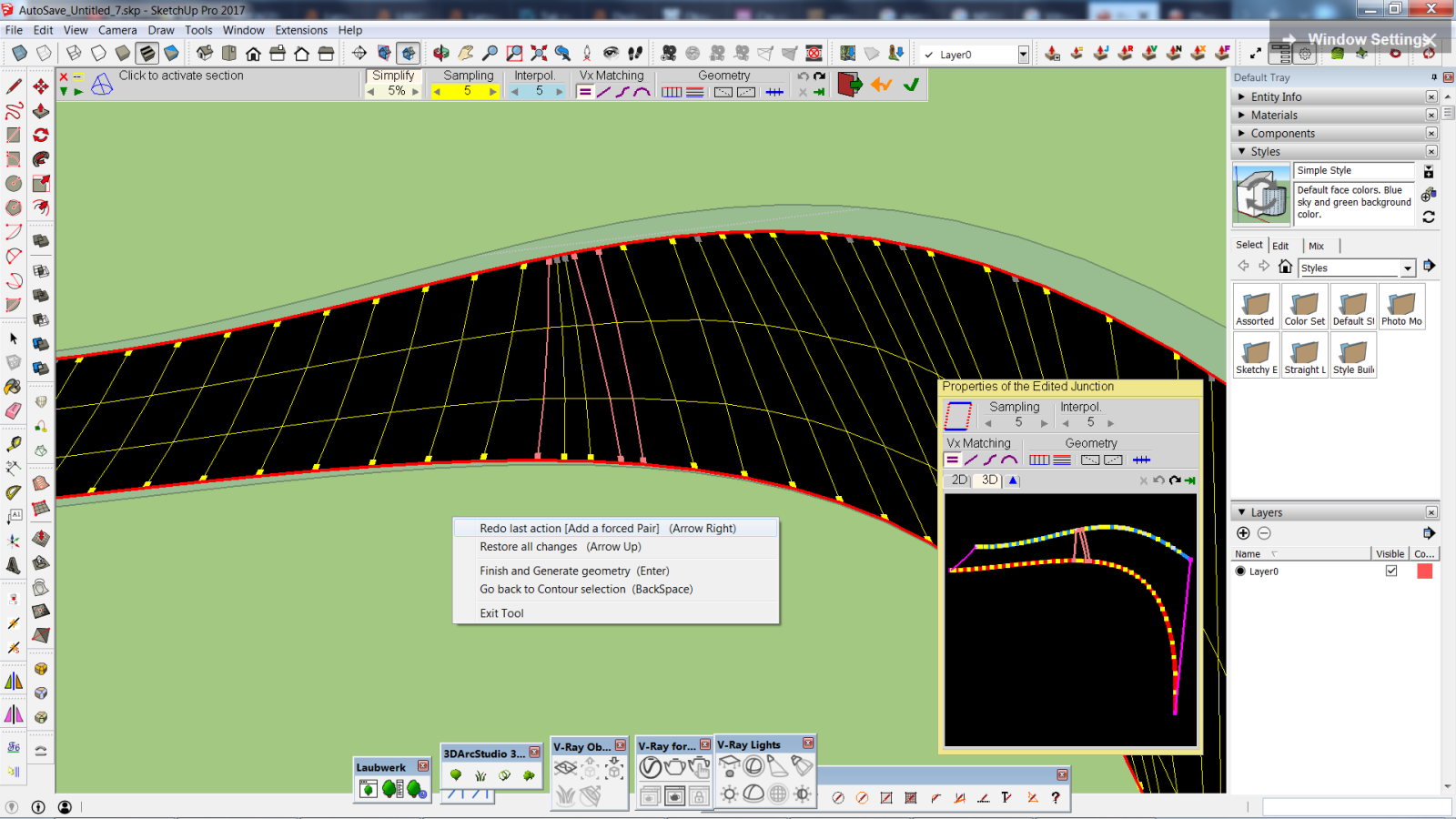
Yes, tkanks, I'm aware that the numbers of segments should match. But actually my problem is different. I still don't know why I cannot UNDO (in the second case) and why I cannot MATCH VERTICES (in the first case). Looks like something's missing in the plugin's core, with all the respect to Fredo.
-
Could you post your model so that I have a look.
As far as I remember, I did not implement an UNDO for manual vertex matching.
Fredo
-
Looks like you did but it doesn't always work
 Because usually when I add a forced pair I can Undo last action. In some cases I cannot. Also, after cancelling all changes some of them don't cancel. All I do is adding forced pairs, nothing more. I cannot distinguish when I perform an operation which is impossible to undo.
SU file attached in the next post
-
-
This plugin is ESSENTIAL for me
 THank you much. I will donate as long as I can get my idea to work
  . May I have assistance? I will post up anything you need to know.
Basic Concept: Taking a letter on a plane (non-3D) and forming it around an arc into a poly(preferably a simple rectangle).
I have yet to do this successfully without overlapping and issues with turning it into a solid for 3d printing using this plugin plus a paid version of SUSolid

-
@sketchartist023 said:
This plugin is ESSENTIAL for me
THank you much. I will donate as long as I can get my idea to work . May I have assistance? I will post up anything you need to know.Basic Concept: Taking a letter on a plane (non-3D) and forming it around an arc into a poly(preferably a simple rectangle).
I have yet to do this successfully without overlapping and issues with turning it into a solid for 3d printing using this plugin plus a paid version of SUSolid
Maybe you can start a post with your specific task. An image of the result you want and a model of what you are starting with --and the result you have so far. Also Curviloft has a lot of features: What process are you using and what seems to be failing?
It could also be that another approach is suggested, not involving Curviloft.
-
I have another problem with this plugin.
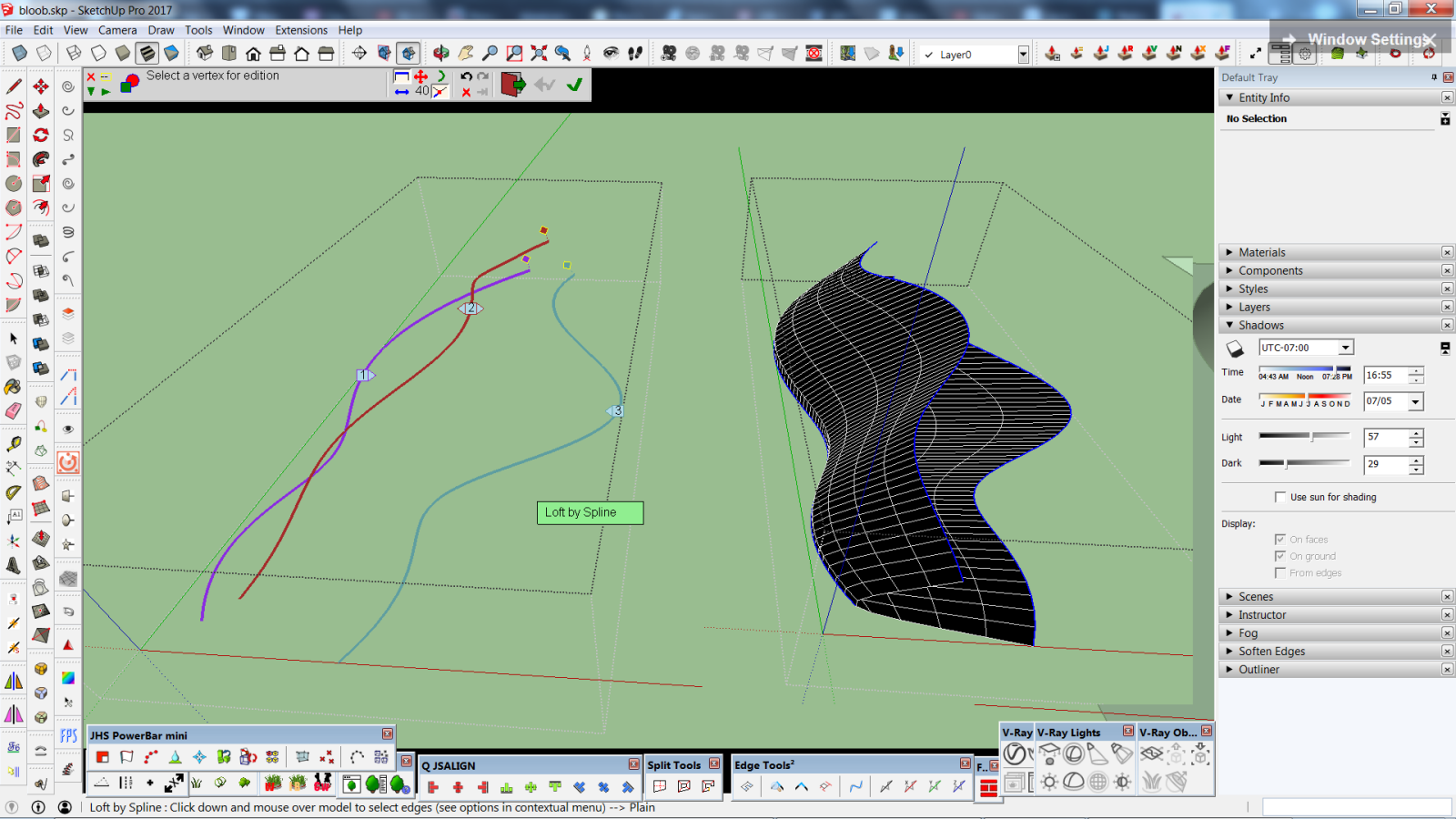
I'm trying to perform Loft by Spline based on 3 curves. I went Contour Selection and I dictated contour order: 1st, 2nd, 3rd. Proceeded to loft. And it didn't apply my choice. Did I do something wrong?
-
"Generate the juntions as SU curves" in Skinning (the icon of blue horizontal line and 3 vertical lines) - what does it do?
-
Hi! I'm having some problems with Skin Contours:
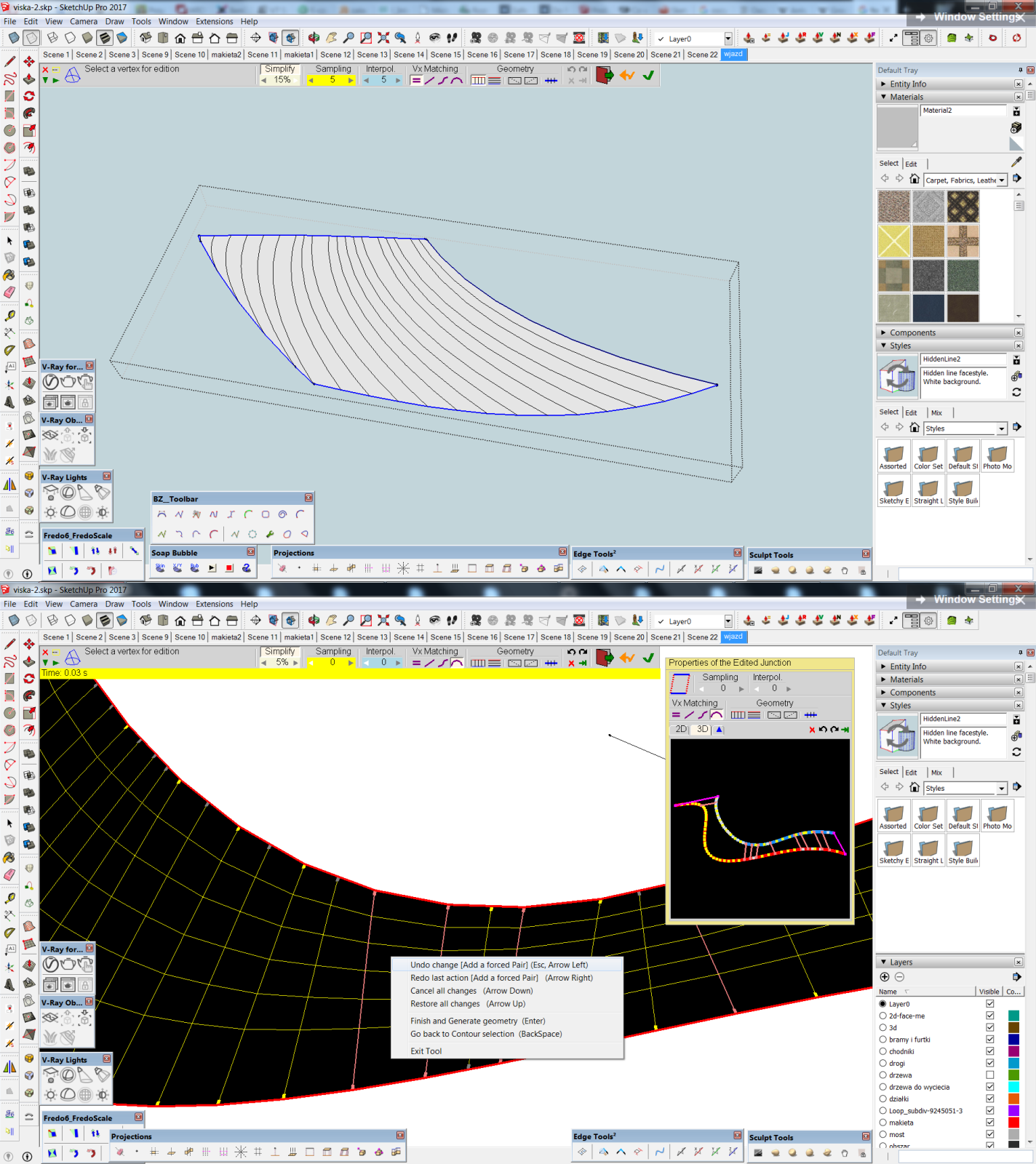
I am trying to interpolate a face with Skin Contours but the tool didn’t detect the edges perfectly. Changing Vertex Matching or Simplify didn’t help. Usually when I click on created surface, there appears additional floating window showing the connections and I can add some forced pairs. But sometimes, like in this case, I cannot change the geometry.
(the upper screen)
Another issue with adding forced pairs is that sometimes when I succeed with adding but I don’t like the result, I want to “Redo last change” and that change doesn’t redo.
(the lower screen)
So the problem is actually double, within Skin Contours. In the first case I’d like to do exactly what I’m doing in the second one. Is it possible to fix this?
-
@einstein said:
I have another problem with this plugin.
I'm trying to perform Loft by Spline based on 3 curves. I went Contour Selection and I dictated contour order: 1st, 2nd, 3rd. Proceeded to loft. And it didn't apply my choice. Did I do something wrong?
Could you post your model so that I have a look.
Thanks
Fredo
-
Is it possible to generate real quads with this tool?
I mean, not to smooth newly-created edges "perpendicular" and "parallel" to given path and only smooth/ soften diagonals?
-
@fredo6 said:
@einstein said:
I have another problem with this plugin.
I'm trying to perform Loft by Spline based on 3 curves. I went Contour Selection and I dictated contour order: 1st, 2nd, 3rd. Proceeded to loft. And it didn't apply my choice. Did I do something wrong?
Could you post your model so that I have a look.
Thanks
Fredo
I already worked out that I should have first picked the tool, only then choose contours. Now it works fine
Thank you. -
@einstein said:
Is it possible to generate real quads with this tool?
I mean, not to smooth newly-created edges "perpendicular" and "parallel" to given path and only smooth/ soften diagonals?
I think this is the option "generate Pseudoquads" in the Geometry section of the palette.
Fredo
-
@fredo6 said:
@einstein said:
Is it possible to generate real quads with this tool?
I mean, not to smooth newly-created edges "perpendicular" and "parallel" to given path and only smooth/ soften diagonals?
I think this is the option "generate Pseudoquads" in the Geometry section of the palette.
Fredo
Almost, because it softens every edge
Referring to a problem I had earlier:
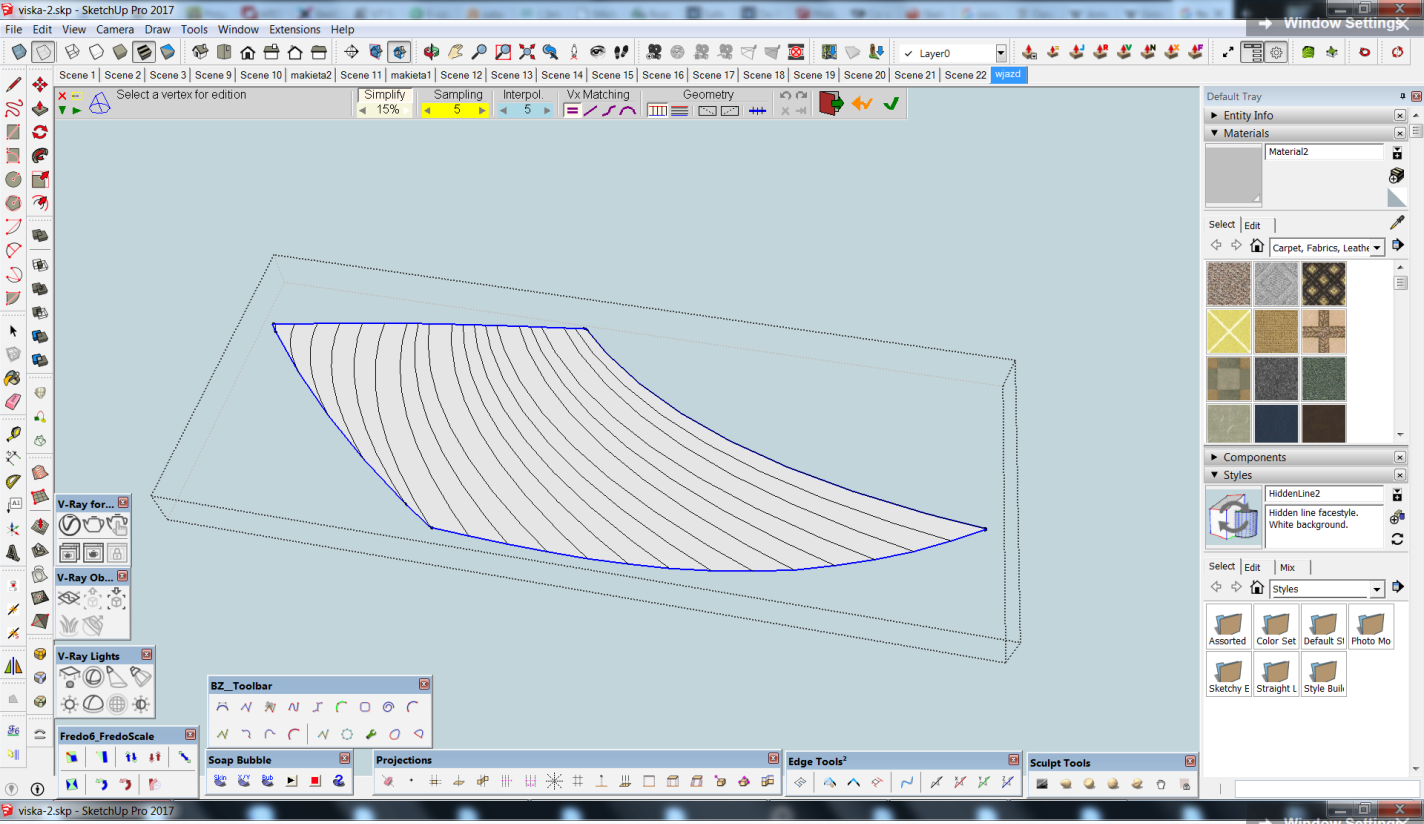
I discovered that Skin Contours doesn't allow to add forced pairs when input contours embrace a flat surface. I quite often use Curviloft for interpolating flat areas and making organic mesh out of them, like in the screenshot. Normally we can manually match vertices only when output mesh is not planar.
So I'd politely make an improvement idea - to enable manual vertex matching for planar input-output.
-
Is there a way to set a new default value
1 for #Seg for example? -
@rv1974 said:
Is there a way to set a new default value
1 for #Seg for example?Not really from what I remember.
What can be done however is that Curviloft keeps the latest values of the parameters across sessions. I do this in other plugins.
Fredo
-
No, it always returns to 5





Hello! It looks like you're interested in this conversation, but you don't have an account yet.
Getting fed up of having to scroll through the same posts each visit? When you register for an account, you'll always come back to exactly where you were before, and choose to be notified of new replies (either via email, or push notification). You'll also be able to save bookmarks and upvote posts to show your appreciation to other community members.
With your input, this post could be even better 💗
Register Login


Advertisement