Concentric water ripples
-
I'm a fairly rudimentary user, so I just started to draw the ripple profile (large in the middle, diminishing toward the outer reaches) using the arc tool. Made sure it was a surface, and then did a Follow Me around a circular path. Then I have all these lines from where the different arcs touched that I have to hide... not a clean approach.
Any ideas?
Much appreciated!
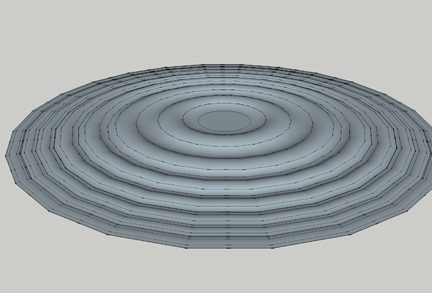
-
Triple-click to select all > Right click > Soften Edges, and play with the slider and check boxes until it looks good.
-
Anyone, isn't this better done as an semi transparent image?
-
The problem is that when you connect those series of arches, they will still be individual entities "divided" by those connecting endpoints. Do what Marcus says - soften the whole surface to get rid of them OR weld those arches into one, continuous curve before doing the Follow me operation. Here is a simple but invaluable plugin that can do it.
http://www.smustard.com/script/Weld -
Thanks everyone!
-
Here's an example using
weld.rbto make a sinuous 'curve' of tangential arcs; then usingExtrudeEdgesByLathe.rbto sweep that curve around 360 degrees, with 72 segments >> 7000+ facets ! so several minutes to process...
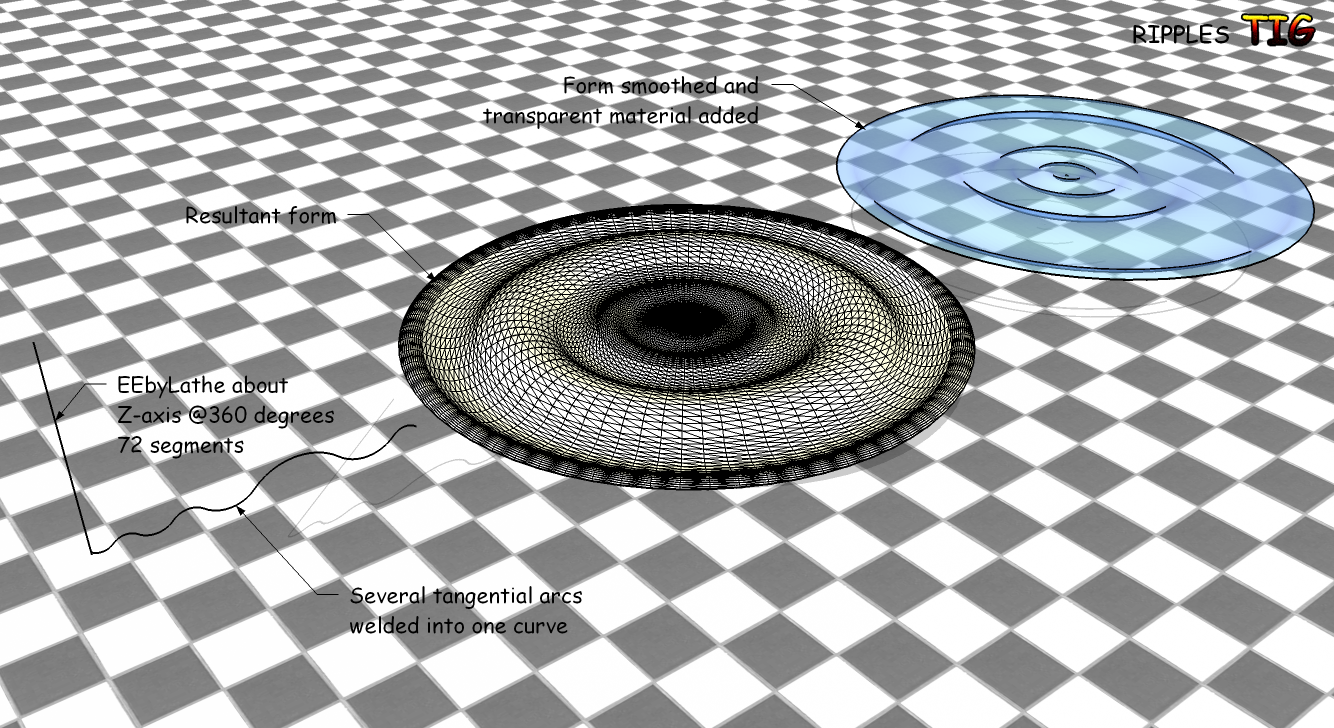
-
I really need to use more rubies! I use not one!
-






Hello! It looks like you're interested in this conversation, but you don't have an account yet.
Getting fed up of having to scroll through the same posts each visit? When you register for an account, you'll always come back to exactly where you were before, and choose to be notified of new replies (either via email, or push notification). You'll also be able to save bookmarks and upvote posts to show your appreciation to other community members.
With your input, this post could be even better 💗
Register Login


Advertisement