[Plugin] Extrude Edges by Loft
-
Hi, TIG:
Attached is a clumsy half carcass of a fish.
Tailfin done with EExR, I believe.
Main body done with EExR too, but with some corrective restretching and knitting.
Head section begun with progressive modeling by copying the curve and Fredoscaling it into place, and then knitting the faces closed.
Last section done with EExLoft. This section shows the distortion/ drift away from the intended ground curve, even though the ground curve was not part of the selection. You might note the lofted mesh sort of makes a shallow sine wave shape above and below the ground face.Just wondering how you are progressing on the adjustments you are making.
-
One of the reasons I think you are getting problems is that many faces of the mesh might be getting too small - try modeling the fish x10 real size and scaling the results down later.
SUp has a limit to how small a face it can make but scaling downwards they stay OK...
EEbyLoft does make a bezier transition curve. To control the form better use EEbyRail ? -
Thanks, TIG:
As you can easily verify, each long dimension of the faces in the main body is about 30cm. I had the impression that this was sufficient size threshold, considering that the fish it is based on is in reality ~60cm total length. Thank goodness, he is stuffed! Otherwise, measuring him would just add to my misery of this proportional scaling ritual. I couldn't swim that fast, especially with a tape measure in my hand.
-
But something ~300mm divides up into many smaller mesh facets and some of these could approach the critical size limit (~1mm) and thereby not get faces etc...

-
Thanks for amazing new plugins TIG! I have been playing with them for some days now.
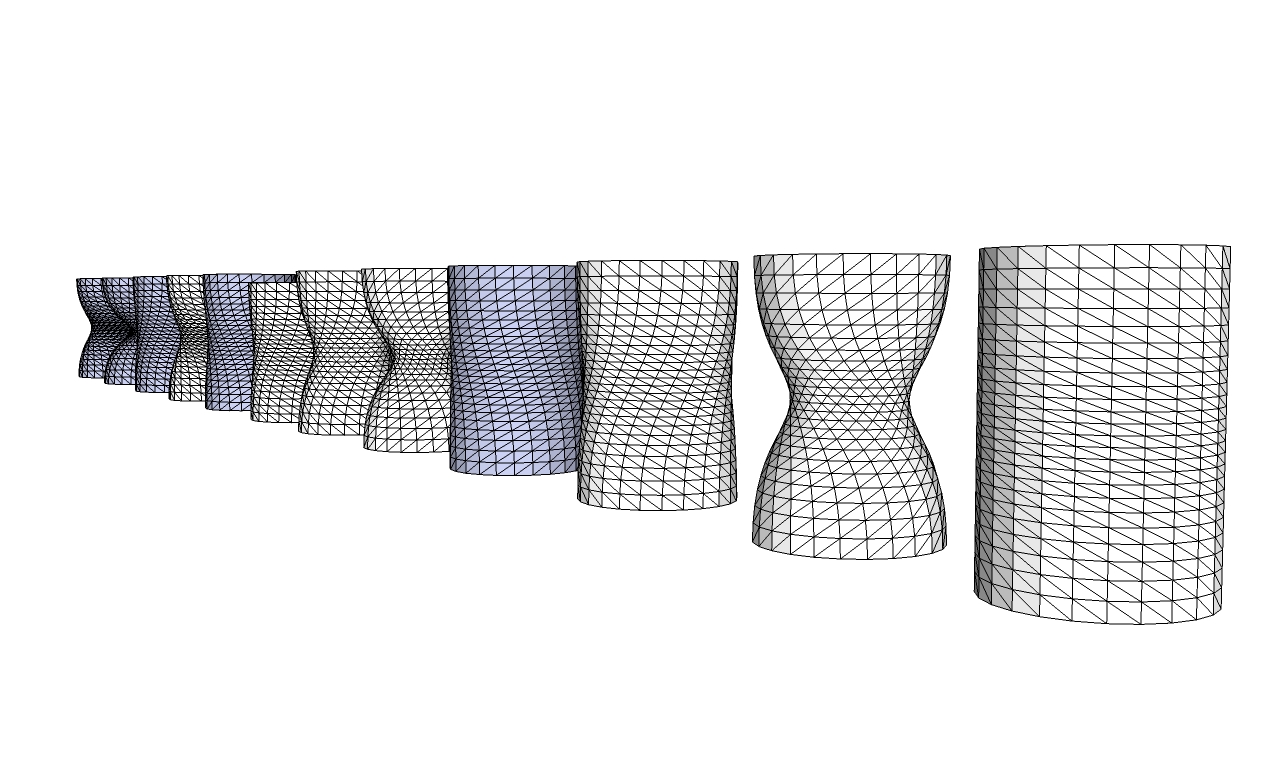
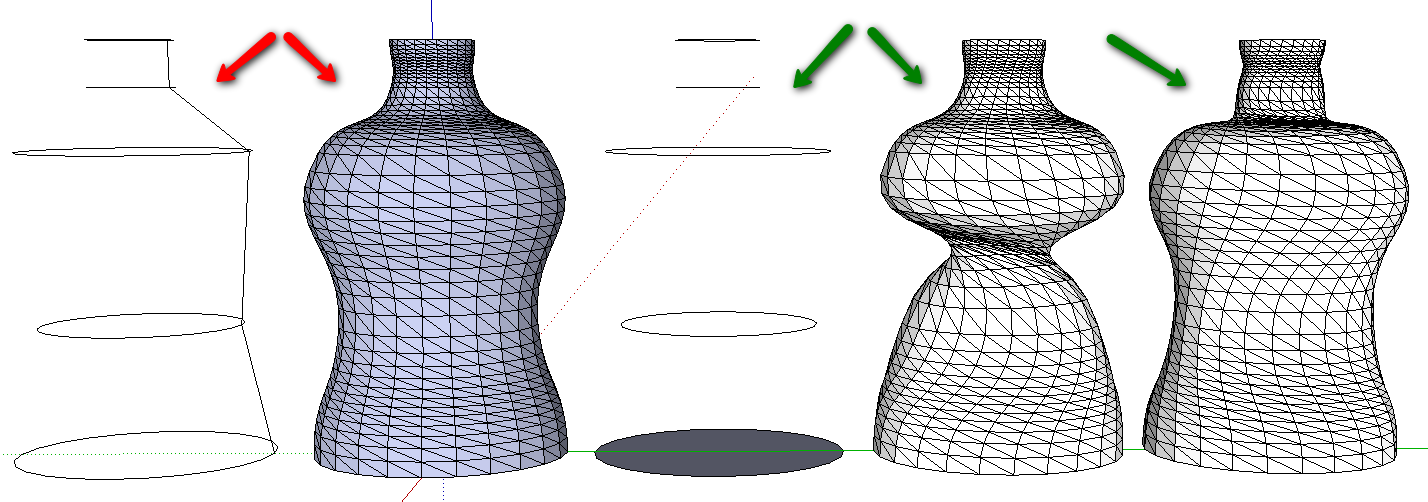
Lately I have been trying Extrude Edges by loft, and I thought I did not get the same result every time. I made an experiment: I did the same procedure 12 times in a row using the plugin. I drew one circle along the red axes and copied the circle copying&dragging it upwards the blue axes 3time the radius. Then I used the Extrude Edges by Loft plugin, clicking on the circles in the same order every time. I chose no to all the questions and took every shape as it.
I was hoping to get at straight shape sooner or later and the 12.th time I got the shape I was looking for. Now, is there any type of random function at work here? Is there a way to get the same straight shape every time by modifing the plugin somehow, or even decide how much the shape should twist every time you use the plugin. That would be an awsome feature!
Tx,
Magnar
-
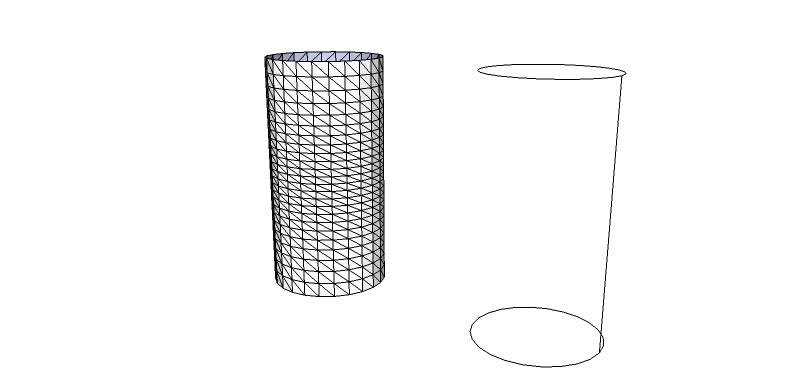
If you add a small piece of edge off one of the nodes of each of the two the 'circles' then that should 'split' the curves to force a 'start/end' to the two of them - then the EEbyLoft 'twist' will become predictable as it will be made 'End to End'...
-
Like this, a simple line between the two circles. Yes, thats works very nice! Thanks a lot!
Magnar
-
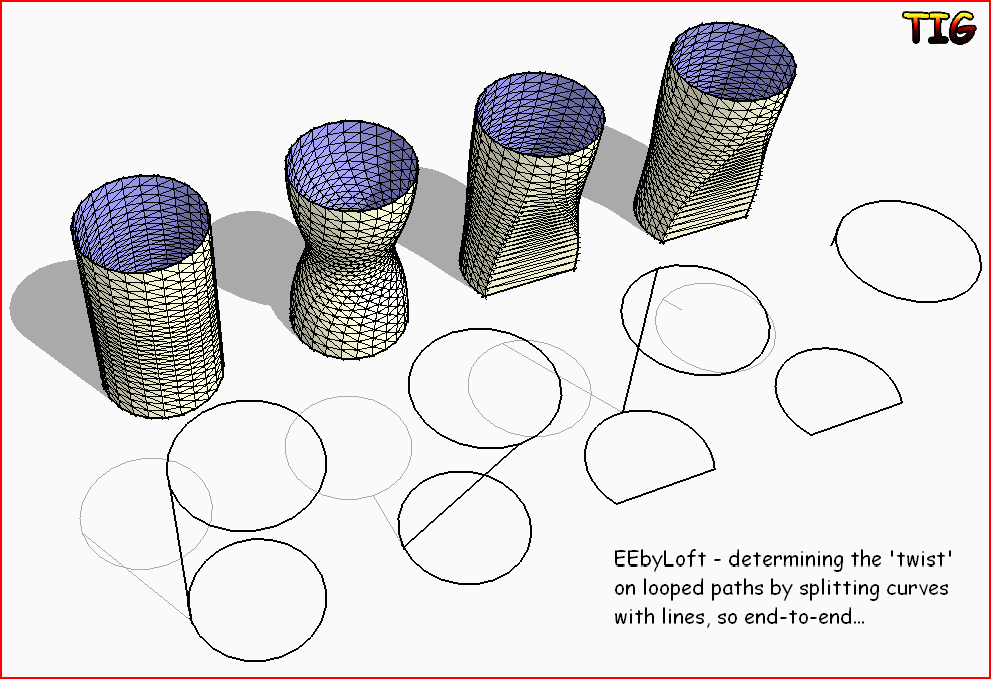
Or... if you 'angle' the line then the extrusion should 'twist' to match ?
It could also be two separate lines splitting the two loops...

-
WOW...
 a thing of beauty! ...Nice job TIG
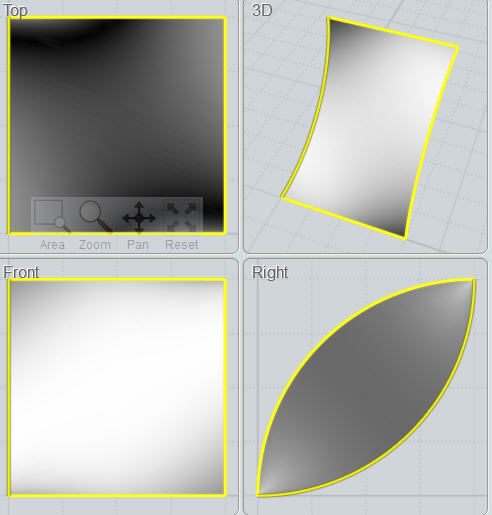
I was wondering if its possible to include a Straight line in the "Extrude Edges by Rails" ruby. I have been faking it by drawing a curve with very little radius up to now. Cheers!
-
I made some other exaples with five curves. Also in this example it seems to be a good idea to add a line to split the curves to force a 'start/end'. By spliting the curves with a line I found it possible to control the outcome every time. Intersecting the curves with a plane did not have any effect, I had to use a line to get the desired effect. Without splitting the curves the outcome seems to be unpredictabe. Is there a way to add anything to the script of the plugin to split the the curves ?
-
@tomot said:
WOW...
a thing of beauty! ...Nice job TIG
I was wondering if its possible to include a Straight line in the "Extrude Edges by Rails" ruby. I have been faking it by drawing a curve with very little radius up to now. Cheers!Draw a straight line to desired length and add an extra line on the end [at an angle so you can see the node easier later].
To make a single line curve for use with the EEby... tools...
Use RickW'sweldruby script tool to weld the two lines into a curve of two segments.
Draw a short line coming off that one node in the curve to split the curve into two pieces.
The curve is split into two pieces - each a straight line but still a curve.
Erase the unwanted piece of curve and the temporary splitter-line.
Don't erase the splitter-line first because the curve might re-heal back into a two segment one ! -
Hello! Where can I download this plugin??
THanks!!
-
@magaledon said:
Hello! Where can I download this plugin??
THanks!!With most plugins the first post in its topic has the files linked for download - in this case because it's part of a comprehensive zipped set of extrusion tools, there is a link at the end of the first post in this topic which takes you to another page that has the link to download them all in one go...

-
If it wasn't for guys like you making these great plugins I would've quit using SU a long time ago. Awesome addition to the plugin family. Thanks!
-
TIG, I keep getting bug splats. Trying to do 2 meshes on 3 circles. Each circle has a line attached to it.
-
@ben ritter said:
TIG, I keep getting bug splats. Trying to do 2 meshes on 3 circles. Each circle has a line attached to it.
Can you post an example image or skp...
-
@tomot said:
WOW...
a thing of beauty! ...Nice job TIGI was wondering if its possible to include a Straight line in the "Extrude Edges by Rails" ruby. I have been faking it by drawing a curve with very little radius up to now. Cheers!
Tomot after you draw a curve then use the move tool to move the center of the arc back into line with the ends.

-
fantanstic
-
Hi. I'm having trouble getting the plugin to work with my model. I have a set of curves I want to join, but I'm not able to select the curves. I tested the install using the arc tool with success. In my model I created the "arcs" by stretching/scaling a circle. I believe I exploded the shape along the way. There must be something fundamental that I missing that is required for the plugin to work. Any thoughts? My file is attached.
-
There was a few small errors in your model that prevented using this tool successfully.
First your 's were exploded, which prevented being able to select them as profiles. If in the future you need to turn exploded curves back to curves use this plugin to 'weld' them back together.
Also some of your 's didn't touch your 'rails' which would give you an unnecessary twist in your mesh.
I used Fredo's Bezier Tool to create the profiles that matched those in your reference drawing. Make sure you read all of the first post in Fredo's thread for instruction in how to install.
See the attached file, in it I used TIG's EEbyR tool to create the mesh, it probably doesn't suit but it may help? If you've further queries please post back.






Advertisement