sketchucation logo sketchucation
    • 登入
    Oops, your profile's looking a bit empty! To help us tailor your experience, please fill in key details like your SketchUp version, skill level, operating system, and more. Update and save your info on your profile page today!
    🔌 Smart Spline | Fluid way to handle splines for furniture design and complex structures. Download

    [Plugin] ExtrudeTools - Full Set

    已排程 已置頂 已鎖定 已移動 Plugins
    636 貼文 178 Posters 792.6k 瀏覽 175 Watching
    正在載入更多貼文
    • 從舊到新
    • 從新到舊
    • 最多點贊
    回覆
    • 在新貼文中回覆
    登入後回覆
    此主題已被刪除。只有擁有主題管理權限的使用者可以查看。
    • TIGT 離線
      TIG Moderator
      最後由 編輯

      @Oxer do you have the very latest set ? v2.4.
      I had to do an update because some of the lingvo files were encoded incorrectly...

      If I understand you correctly...
      The translations works in Menus, Toolbars' tooltips and all text for the 'Extrude Edges By Offset' tool.
      But nowhere else in any of the other 'EEby' tools 😕

      To double-check I swapped all of my EN-US lingvo names for ES...
      I confirm that oddly the translations work as you set out.
      For some reason I can't see the dialogs etc in all but the Offets tool remain in English, although checking for the strings in the rb and lingvo files shows a proper match...

      BUT I HAVE NOW found the errors in the coding... 😕
      I'll issue an update to fix this asap... 😒

      TIG

      1 條回覆 最後回覆 回覆 引用 0
      • TIGT 離線
        TIG Moderator
        最後由 編輯

        http://sketchucation.com/pluginstore?pln=ExtrudeTools
        Here is an updated version in the PluginStore, v2.5.
        It fixes various longstanding, but previously unreported, glitches with some of the lingvo files...

        TIG

        1 條回覆 最後回覆 回覆 引用 0
        • OxerO 離線
          Oxer
          最後由 編輯

          Thank you very much TIG!! 👍
          Now the translations work fine again.

          "The result is the end what is important is the process" by Oxer
          http://www.oxervision.blogspot.com/

          1 條回覆 最後回覆 回覆 引用 0
          • M 離線
            mishgan
            最後由 編輯

            hi,
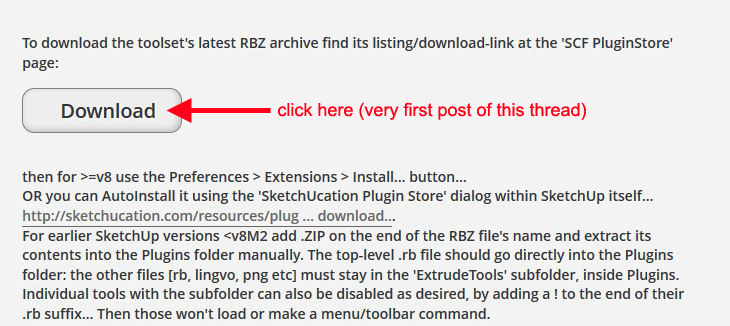
            how can i download this plugin??? i don't see the zip file...

            1 條回覆 最後回覆 回覆 引用 0
            • massimoM 離線
              massimo Moderator
              最後由 編輯

              Cattura.JPG

              1 條回覆 最後回覆 回覆 引用 0
              • Dave RD 離線
                Dave R
                最後由 編輯

                @mishgan said:

                hi,
                how can i download this plugin??? i don't see the zip file...

                What Massimo said. Or you could download the RBZ file and install it automatically via Install Extension or, even better, install the Sketchucation Plugin Store and install it automatically that way.

                Etaoin Shrdlu

                %

                (THERE'S NO PLACE LIKE)

                G28 X0.0 Y0.0 Z0.0

                M30

                %

                1 條回覆 最後回覆 回覆 引用 0
                • I 離線
                  iivvaann
                  最後由 編輯

                  Hello. I have an error reboot after installing Extrude Tools v2.5 .:

                  Error al cargar archivo C:/Users/Iván/AppData/Roaming/SketchUp/SketchUp 2014/SketchUp/Plugins/ExtrudeTools/ExtrudeToolsLoader.rb
                  Error: #<LocalJumpError: unexpected return>
                  C:/Users/Iván/AppData/Roaming/SketchUp/SketchUp 2014/SketchUp/Plugins/ExtrudeTools/ExtrudeToolsLoader.rb:33:in <module:ExtrudeTools>' C:/Users/Iván/AppData/Roaming/SketchUp/SketchUp 2014/SketchUp/Plugins/ExtrudeTools/ExtrudeToolsLoader.rb:23:in <top (required)>'
                  C:/Program Files (x86)/SketchUp/SketchUp 2014/Tools/extensions.rb:197:in require' C:/Program Files (x86)/SketchUp/SketchUp 2014/Tools/extensions.rb:197:in load'
                  C:/Users/Iván/AppData/Roaming/SketchUp/SketchUp 2014/SketchUp/Plugins/ExtrudeTools.rb:68:in register_extension' C:/Users/Iván/AppData/Roaming/SketchUp/SketchUp 2014/SketchUp/Plugins/ExtrudeTools.rb:68:in module:ExtrudeTools'
                  C:/Users/Iván/AppData/Roaming/SketchUp/SketchUp 2014/SketchUp/Plugins/ExtrudeTools.rb:29:in `<top (required)>'
                  👊 👊 👊 👊

                  1 條回覆 最後回覆 回覆 引用 0
                  • TIGT 離線
                    TIG Moderator
                    最後由 編輯

                    Your Windows user-name is Iván - with an accent !
                    Prior to v2014 user-names containing accented characters were well known to cause issues with Ruby scripts - e.g. when using 'File' methods [you still show v8 in your user-profile, but the reported error is in v2014].

                    This issue is improved in v2014... BUT such accents etc can still cause problems in FILE related code used by many scripts...
                    I'll try coming up with a fix and reissue this toolset shortly - look for a new version later today...
                    Let me know if it works...

                    However, having an accented user-name WILL still cause issues with SketchUp pre-v2014... AND in several other toolsets' code in even v2014 too.

                    TIG

                    1 條回覆 最後回覆 回覆 引用 0
                    • TIGT 離線
                      TIG Moderator
                      最後由 編輯

                      Here's v2.6 http://sketchucation.com/pluginstore?pln=ExtrudeTools
                      It is re-coded in an attempt to allow users who have accents in their Windows user-name to still successfully load and use the toolset in v2014...

                      TIG

                      1 條回覆 最後回覆 回覆 引用 0
                      • I 離線
                        iivvaann
                        最後由 編輯

                        Woo uuu !!! Excellent, it worked instantly. Thank you very much TIG, my laptop is new and the seller put the accent on the user name. I was already forming to not have this plugin. Thank you very much for taking the time to help me. Thank you again. Greetings.

                        1 條回覆 最後回覆 回覆 引用 0
                        • TIGT 離線
                          TIG Moderator
                          最後由 編輯

                          Glad to be of help... 😄
                          If you get similar issues with other scripts, then please let the author know.
                          This kind of report is rare, but there are possible workarounds - at least for v2014...

                          TIG

                          1 條回覆 最後回覆 回覆 引用 0
                          • P 離線
                            Pherim
                            最後由 編輯

                            Extrude Edges by Faces by Rails makes my SU2015 64bit always crash immediately after finishing - it works fine on the same model in SU2013. No error message, just crash and bug splat window the second I click yes or no to erasing the original curves.

                            All other tools work.

                            It's amazing though, how much faster this and many other operations are executed in the new 64bit version.

                            1 條回覆 最後回覆 回覆 引用 0
                            • TIGT 離線
                              TIG Moderator
                              最後由 編輯

                              @pherim said:

                              Extrude Edges by Faces by Rails makes my SU2015 64bit always crash immediately after finishing - it works fine on the same model in SU2013. No error message, just crash and bug splat window the second I click yes or no to erasing the original curves.

                              All other tools work.

                              It's amazing though, how much faster this and many other operations are executed in the new 64bit version.
                              Looks like we ought to continue this issue in this 'Extrusion Tools' thread ?
                              I'll investigate...

                              PS: I see the issue too, trying to see its cause 😕

                              TIG

                              1 條回覆 最後回覆 回覆 引用 0
                              • P 離線
                                Pherim
                                最後由 編輯

                                Your recommendation in the other thread made me try out every tool in this set, and that's how I discovered this issue.
                                Sorry for keeping you busy like this. 😉

                                1 條回覆 最後回覆 回覆 引用 0
                                • TIGT 離線
                                  TIG Moderator
                                  最後由 編輯

                                  Here's v2.7, now in the PluginStore
                                  http://sketchucation.com/plugin/1103-extrudetools
                                  The update covers ExtrudeEdgesByRailsByFace - it has been adjusted to work properly in v2015, which unexpectedly showed a glitch when calling another tool from within its mouse-click method...
                                  As a 'side-effect' it also has some improved graphics, prompting etc...

                                  TIG

                                  1 條回覆 最後回覆 回覆 引用 0
                                  • P 離線
                                    Pherim
                                    最後由 編輯

                                    I confirm that it works now. Thanks!

                                    1 條回覆 最後回覆 回覆 引用 0
                                    • H 離線
                                      Hecky001
                                      最後由 編輯

                                      Hello there i am here to report a crash of my sketchup 8 pro when using Extrude Edges by Rails by Face

                                      it crashes only when the profile its segmented more than 12 times for example if a segment a circle 13 times it will crash the sketchup a bug splat but when i segment circles below 12 it does the job fine can someone please tell me whats going on

                                      1 條回覆 最後回覆 回覆 引用 0
                                      • M 離線
                                        Manijeh
                                        最後由 編輯

                                        I have just installed this plugin through plugin store tool bar's autoinstall.
                                        I watched the video on youtube and followed step by step. but the tools didn't work for me.
                                        Is there any way there could be a more detailed video tutorial preferably with audio?
                                        Also am I missing something in the operations and or installation of this tool?
                                        Thanks for your response.

                                        Manijeh

                                        1 條回覆 最後回覆 回覆 引用 0
                                        • P 離線
                                          perper
                                          最後由 編輯

                                          No toolbar

                                          Can anyone assist me?

                                          I have downloaded the TIG Extrude tools to SketchUp.
                                          Unfortunately I can not find the toolbar..

                                          Pls help

                                          Best regards
                                          Per

                                          1 條回覆 最後回覆 回覆 引用 0
                                          • TIGT 離線
                                            TIG Moderator
                                            最後由 編輯

                                            @perper said:

                                            No toolbar.
                                            Can anyone assist me?
                                            I have downloaded the TIG Extrude tools to SketchUp.
                                            Unfortunately I can not find the toolbar..
                                            You said you downloaded the RBZ.
                                            You have NOT said you have installed it !

                                            So if you haven't...
                                            Window > Preferences > Extensions > Install... button...
                                            Choose the Plugin's RBZ and answer in the affirmative to any questions...
                                            NOTE: if you installed it with the SketchUcation PluginStore Toolset's dialog within SketchUp itself it should Auto-Install.

                                            Assuming it is installed...
                                            Look in the v2015 "Extensions" menu [called "Plugins" in ALL pre-v2015 SketchUps] for "Extrusion Tools..." submenu items...
                                            Are they there ?
                                            Also check that the "Extrusion Tools" Toolbar is activated...

                                            If none of this works come back. 😕

                                            TIG

                                            1 條回覆 最後回覆 回覆 引用 0
                                            • 1
                                            • 2
                                            • 28
                                            • 29
                                            • 30
                                            • 31
                                            • 32
                                            • 32 / 32
                                            • 第一個貼文
                                              最後的貼文
                                            Buy SketchPlus
                                            Buy SUbD
                                            Buy WrapR
                                            Buy eBook
                                            Buy Modelur
                                            Buy Vertex Tools
                                            Buy SketchCuisine
                                            Buy FormFonts

                                            Advertisement