sketchucation logo sketchucation
    • Login
    Oops, your profile's looking a bit empty! To help us tailor your experience, please fill in key details like your SketchUp version, skill level, operating system, and more. Update and save your info on your profile page today!
    ⚠️ Update | Sketchucation Tools 5.0.8 released with licensing improvements and bugfixes Download

    Quick & Easy "Dennis Method" renderings [TUTORIAL]

    Scheduled Pinned Locked Moved SketchUp Tutorials
    sketchup
    48 Posts 27 Posters 113.4k Views 27 Watching
    Loading More Posts
    • Oldest to Newest
    • Newest to Oldest
    • Most Votes
    Reply
    • Reply as topic
    Log in to reply
    This topic has been deleted. Only users with topic management privileges can see it.
    • T
      tonticus
      last edited by

      I have tried this and it is great way to generate a presentation from the 3d drawings!

      1 Reply Last reply
      Reply Quote 0
      • A
        Archaholic
        last edited by

        A simple but expresive enough technique. That was the first technique I learnt. Thanks, Dennis.

        1 Reply Last reply
        Reply Quote 0
        • A
          avinash1990
          last edited by

          Thanks, it is helpful.

          1 Reply Last reply
          Reply Quote 0
          • F
            frederm81 Newcomers
            last edited by

            @dennis_n said:

            So, here are the step by step instructions for what became known as the “Dennis Method”

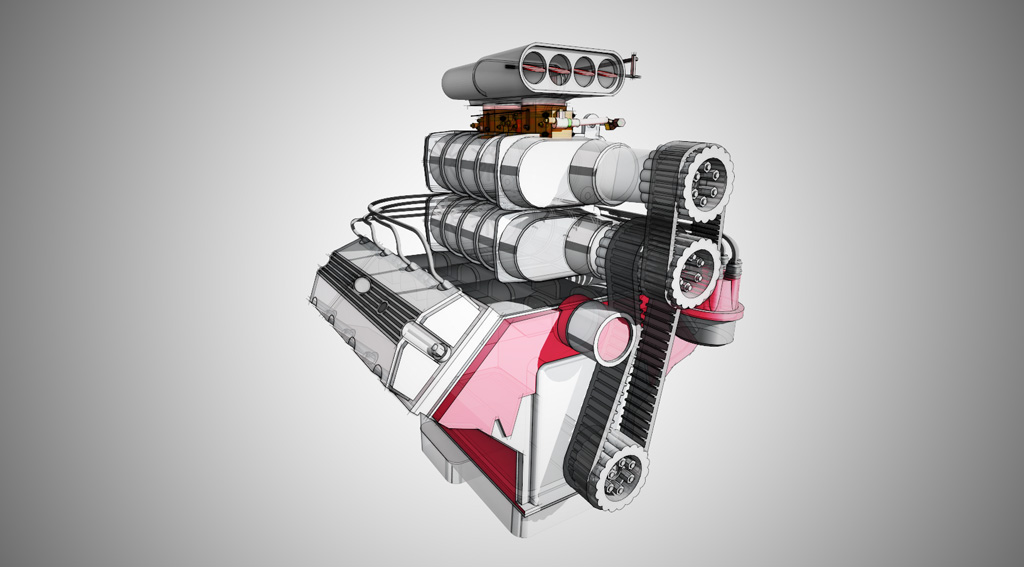
            1. We start by switching to the Hidden line mode and turning off your shadows. Make sure that your background is white.
            2. Line up a view that looks the best with these particular settings.
            3. Save the scene.
            4. Export the scene as .PNG file 4000 pixels wide. (.PNG files compress the SU graphics without loses).

            Thankyou so much for sharing

            1 Reply Last reply
            Reply Quote 0
            • majidM
              majid
              last edited by

              It seems that links to the tutorial is lost or inaccessible to me.

              My inspiring A, B, Sketches book: https://sketchucation.com/shop/books/intermediate/2612-alphabet-inspired-sketches--inspiring-drills-for-architects--3d-artists-and-designers-

              1 Reply Last reply
              Reply Quote 0
              • Rich O BrienR
                Rich O Brien Moderator
                last edited by

                With the advances in rendering and compositing DennisN's wonderful output can be produced in an image editor or in some cases even extensions

                FluidRay's SketchFX is a good example...
                Link Preview Image
                SketchFX - SketchUp Artistic Rendering in 1-Click

                SketchFX extends SketchUp capabilities with a complete set of compelling visual effects. No learning required.

                favicon

                Fluid Interactive (www.fluidinteractive.com)

                It overlays your viewport in SketchUp with layer effects and the results are very impressive. Creating painterly type images is quite quick. Nothing can replace human handskill but this is a good alternative.

                Download the free D'oh Book for SketchUp 📖

                1 Reply Last reply
                Reply Quote 0
                • majidM
                  majid
                  last edited by

                  @rich o brien said:

                  .. Nothing can replace human handskill but this is a good alternative...

                  Rich, I use hand sketching neck by neck during the design process. By the way it seems that it is an obsolete skill in nowadays architectural universities...

                  My inspiring A, B, Sketches book: https://sketchucation.com/shop/books/intermediate/2612-alphabet-inspired-sketches--inspiring-drills-for-architects--3d-artists-and-designers-

                  1 Reply Last reply
                  Reply Quote 0
                  • J
                    joana76 Newcomers
                    last edited by

                    @dennis_n said:

                    Thank you everyone for stopping here to read about my little graphic trick.
                    My name is Dennis Nikolaev, I am a licensed architect, AIA member and a big fan of SketchUP.
                    Here is a quick and effective method of creating an artistic image from your SketchUP model. It was posted way back in 2005 on the original SU forum. The thread became so popular, it was active for over a year and a half and still could be found here
                    http://groups.google.com/group/pro-gallery/browse_frm/thread/ac10461fa662ede0/2181e36017e1604fq=dennis+method+review&lnk=ol& .
                    Here are a few examples:

                    cuisidelice promotion-voyage

                    Thank's for this share

                    1 Reply Last reply
                    Reply Quote 0

                    Hello! It looks like you're interested in this conversation, but you don't have an account yet.

                    Getting fed up of having to scroll through the same posts each visit? When you register for an account, you'll always come back to exactly where you were before, and choose to be notified of new replies (either via email, or push notification). You'll also be able to save bookmarks and upvote posts to show your appreciation to other community members.

                    With your input, this post could be even better 💗

                    Register Login
                    • 1
                    • 2
                    • 3
                    • 3 / 3
                    • First post
                      Last post
                    Buy SketchPlus
                    Buy SUbD
                    Buy WrapR
                    Buy eBook
                    Buy Modelur
                    Buy Vertex Tools
                    Buy SketchCuisine
                    Buy FormFonts

                    Advertisement

