Space frame ? [TUTORIAL]
-
Hi, I'm in a project that aims ro rebuild the Senster, an awesome contraption that was on display in the Philips technology museum Evoluon in the early 70's. Have a look at http://www.senster.com to see for yourself.
Before actually building one, i'd like to get the construction sorted out, and I was trying to do this in Sketchup.
I'm basically looking for a tool that lets me take 3 lines (or cylinders) and snap their endpoints together to form a triangle. Then add elements to make the whole space frame (lattice, truss)construction.
Anyone out there with experience in this field, or with a magical, come-handy plugin / tool

/Jacob
-
@jbeeksma said:
Hi, I'm in a project that aims ro rebuild the Senster, an awesome contraption that was on display in the Philips technology museum Evoluon in the early 70's. Have a look at http://www.senster.com to see for yourself.
Before actually building one, i'd like to get the construction sorted out, and I was trying to do this in Sketchup.
I'm basically looking for a tool that lets me take 3 lines (or cylinders) and snap their endpoints together to form a triangle. Then add elements to make the whole space frame (lattice, truss)construction.
Anyone out there with experience in this field, or with a magical, come-handy plugin / tool
/Jacob
Draw the lines in 3D space triangulating them. Erase unwanted edges - a plugin to leave-selected only faces in the selection will help... there are several tools.
Then use something like lines2cylinders ruby to turn all selected lines into tubes - there are several quite recent threads on things like this - do a Search... -
-
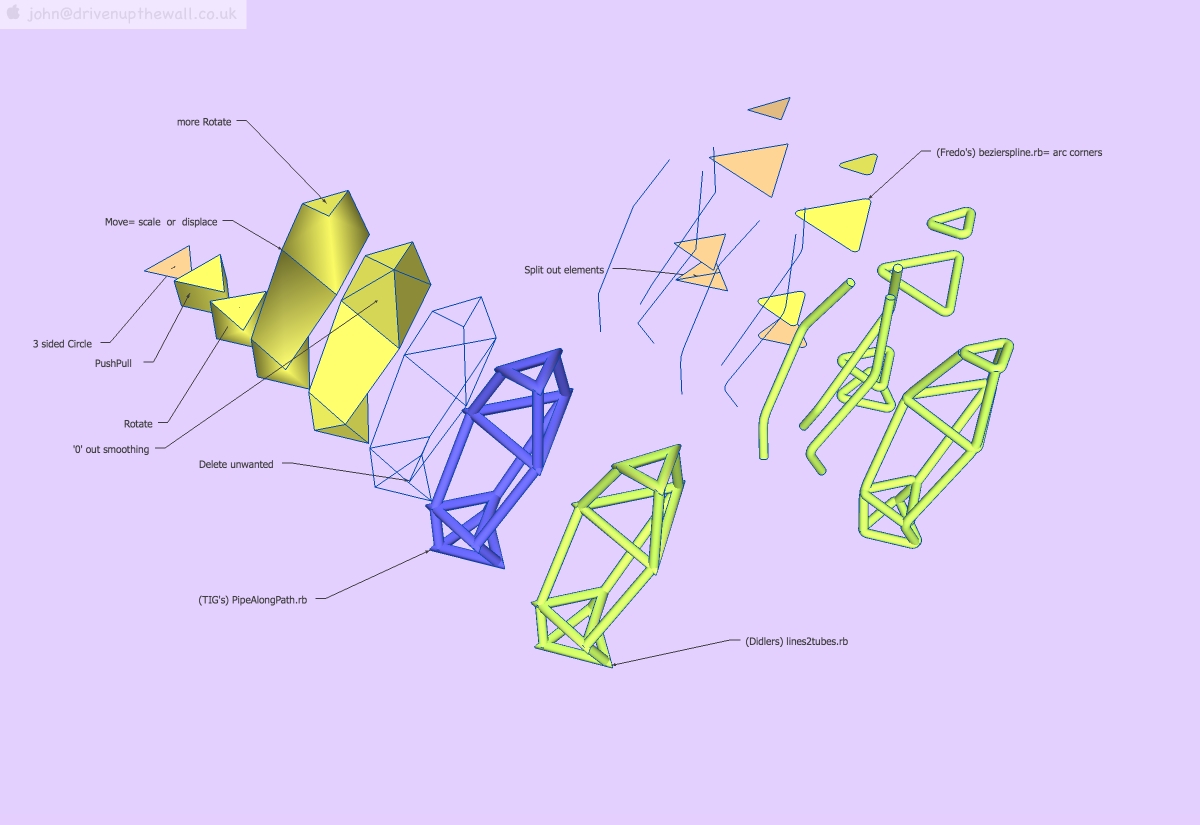
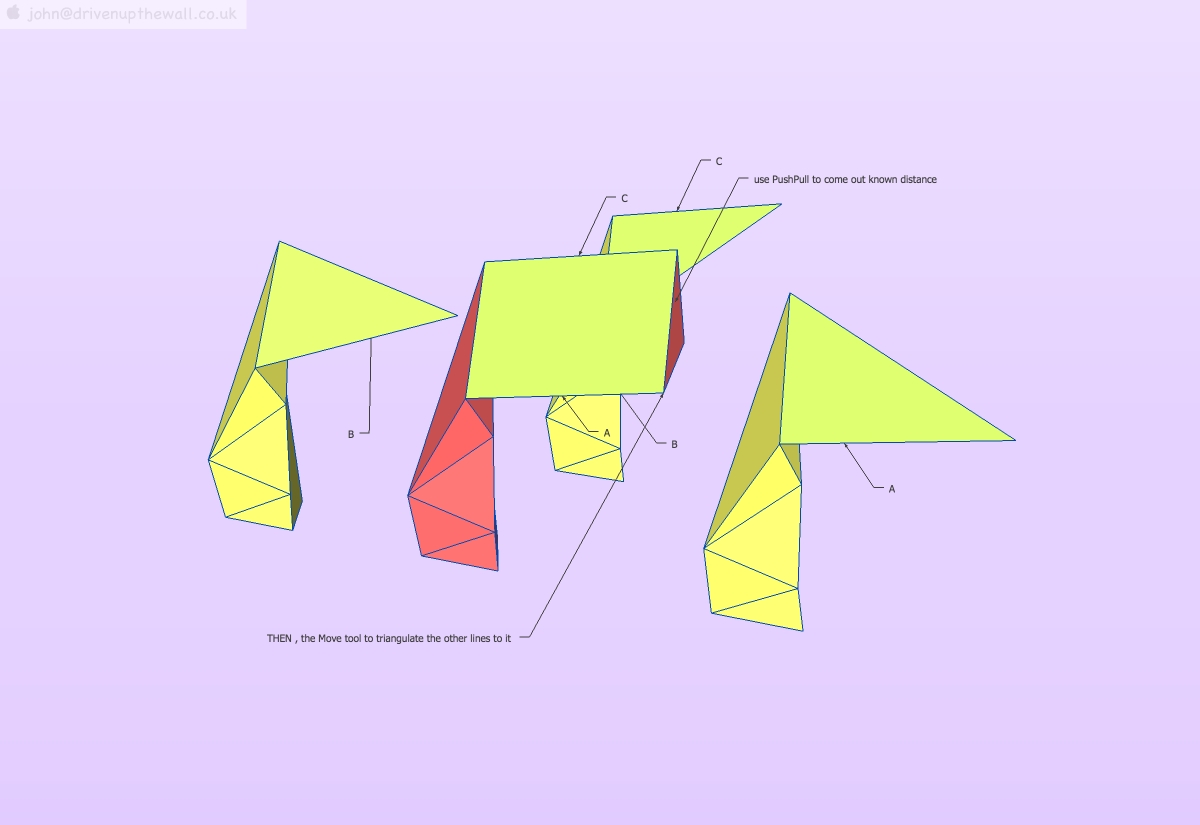
not a tutorial, but may give you some ideas, I only just noticed you attached a drawing EDIT[oh, that wasn't your .skp] so I'll have a look at some stage and maybe can add to this
john
have a play -
Draw the lines in 3D space triangulating them. ...
That's the whole problem, you have to make the end connect. You can't simply rotate a line whilst keeping it's length fixed. You can't easily rotate two lines that already form two sides of a triangle to fit up to another line endpoint.
I tried drawing several spheres with radius equivalent to the element lengths, and whre the three of them intersect, that's where the line should end. This gets too complicated when the model grows.
-
@jean lemire said:
Hi Jacob, hi folks.
See this SU file for ideas.
Jean, Thank you for your tutorial. The Senster structure consists of LOTS of tetrahedrons, and in order to make the model look like the original, I need rather accurate dimensioning of all the individual elements.
I can not see how to do that using your method, or do you have some tips on that too?
-
hi Jacob,
not sure if you looked at my first skp, it was primarily about the tubing rubies, and has some quad facades.however, simply using PushPull, Move and Rotate can give accurate positioning, really the only 'trick' is to leave the faces on so you can use the standard tools.
I suppose the other useful 'trick' once off the ground is temporally grouping a face so you can use the rotate functions of the bounding box, although I more often make a multi-angle facetted group that I can move to any given point and rotate the face off that.
using x-ray or wire frame mode is also handy before deleting faces.
grouping sections as you go and using Copy/Paste in Place to carry-on locks that geometry in place, avoiding total disaster.
main thing is to have fun
-
@jbeeksma said:
Hi, I'm in a project that aims ro rebuild the Senster, an awesome contraption that was on display in the Philips technology museum Evoluon in the early 70's. Have a look at http://www.senster.com to see for yourself.
Before actually building one, i'd like to get the construction sorted out, and I was trying to do this in Sketchup.
I'm basically looking for a tool that lets me take 3 lines (or cylinders) and snap their endpoints together to form a triangle. Then add elements to make the whole space frame (lattice, truss)construction.
Anyone out there with experience in this field, or with a magical, come-handy plugin / tool
/Jacob
In looking at the senster link I think the real question is how does one get the info, dimensions etc, to model or build it. There are a number of tuts on buckey balls, tetrahedrons etc. so search for them per TIG's suggestion. See this link http://sketchup.google.com/3dwarehouse/cldetails?mid=1f33552966b6f22224e5217d8a2e013a&ct=mdcc&prevstart=0. Taff is your best source of info probably. I only found two pics in the gallery with enough pixels to even start a model although they did state in the 2003 state photos a lots of dimension were taken. Hope you have access to that data? In the photo gallery it looks like the radar horn operates at x band and the view of the wave guide would give you a (1) dimension ref. but in quick look I could not find other similar views in the photo for other axis.
Good Luck!! -
Jacob,How are you getting along with the Senster?
The above guidance should provide a very good start. I wouldn't worry about tubes and hydraulic cylinders, until you've got the overall geometry (as polyhedral "blocks") pretty well sussed out. Only after you've got the building blocks sized and scaled to look about right, do you proceed to add detail. Tubes, angle-iron and actuators can be added, as components, after you have completed the basic polyhedral blocks, which can be used as a 3D template, upon which to build.
If you try to add detail, before you've got the overall geometry established, you're going to have problems making changes to the underlying "block" skeleton. Get the polyhedron blocks right, first. Don't worry too much about exact dimensions, as the relative scale of each block, compared to it's connected blocks, is more important. Once you've finished the model, you can scale the whole thing, to somewhat match the photographs. (Really, who is going to know that your dimensions are off a bit?)
When adding & positioning tubing components, rotating around specific axes, or aligned to particular faces, is a SketchUp skill you need to master. See the SketchUp Users Guide, "Folding Along an Axis of Rotation" It's applicable to any rotation, not just "folding." Once you've mastered such rotations, precise positioning is a snap (literally.)
Actually, you've "...flung a cravin' on me!" I'm considering trying my hand at modeling the Senster, myself.
Taff


-
I did this just to see if I could do it. Hopefully it's helpful. Just created a structure, and added Lines2tubes.rb. Turned out pretty slick. Took about 10 minutes.
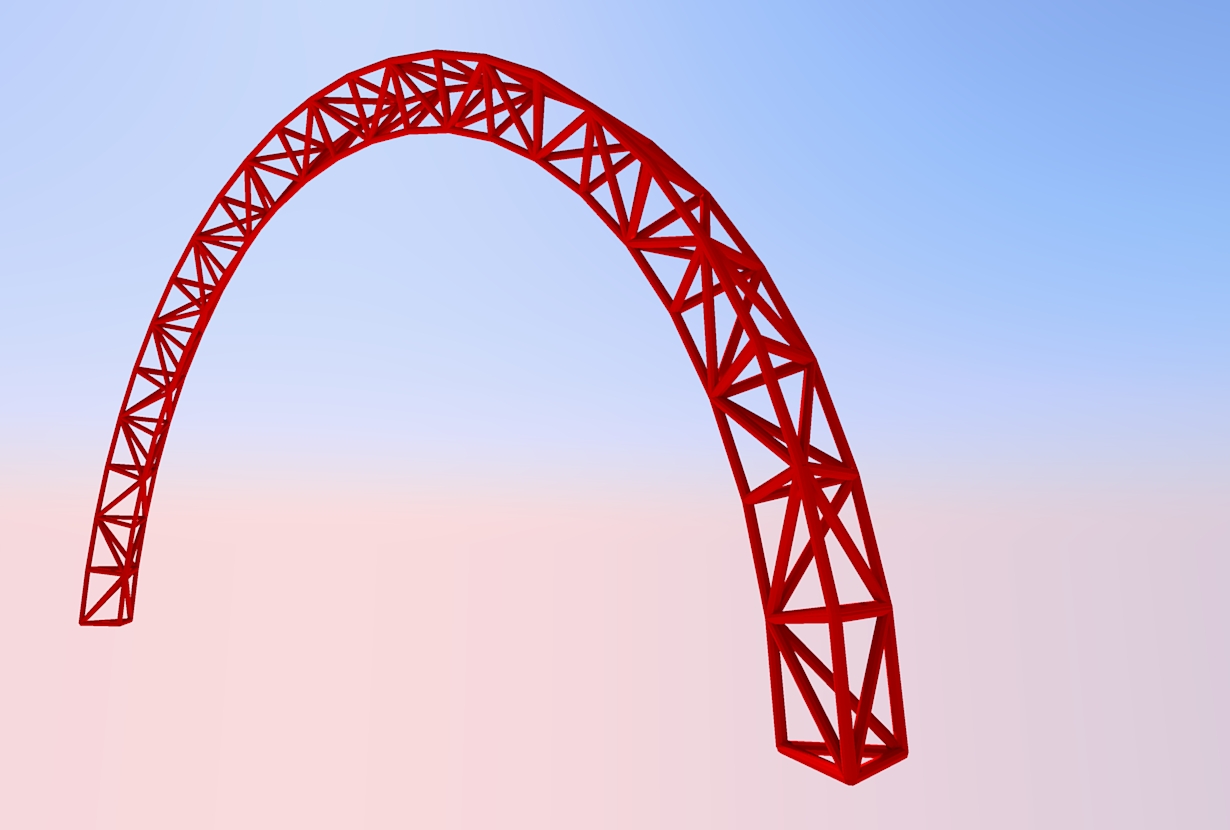
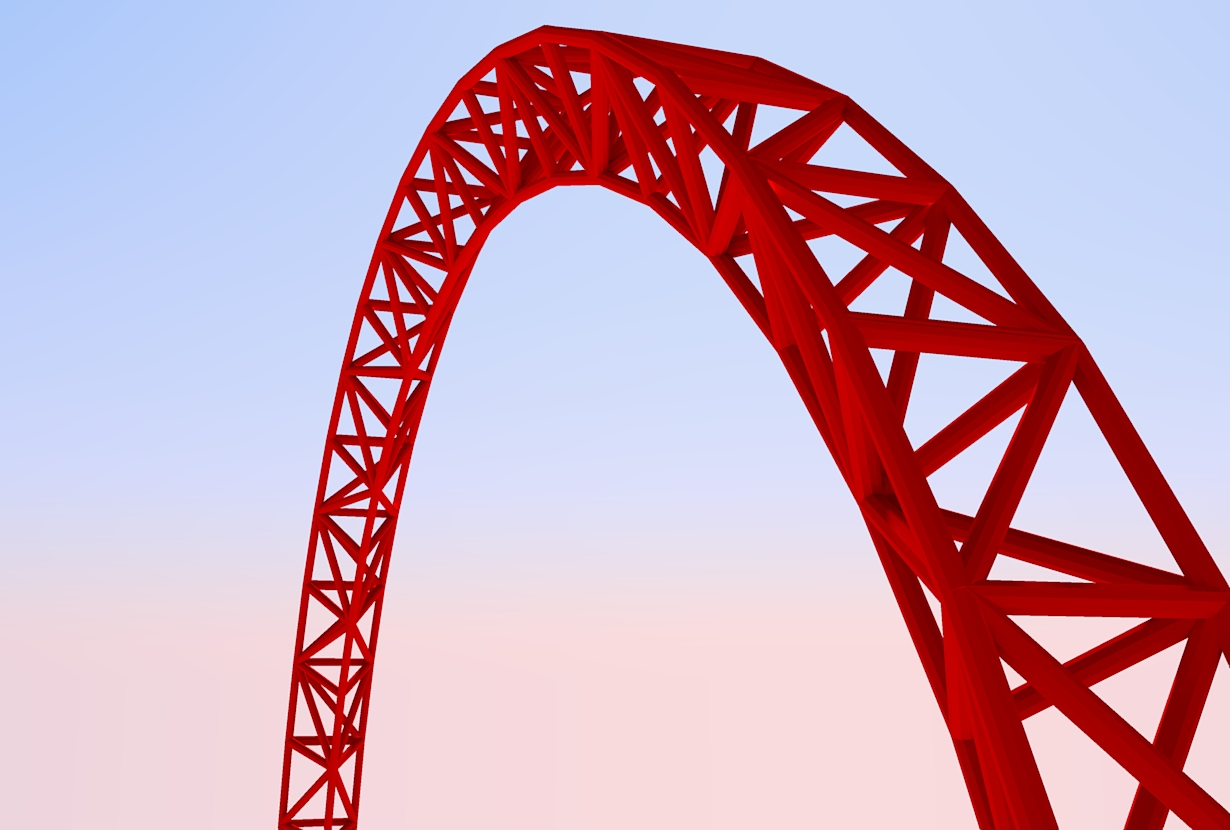
-
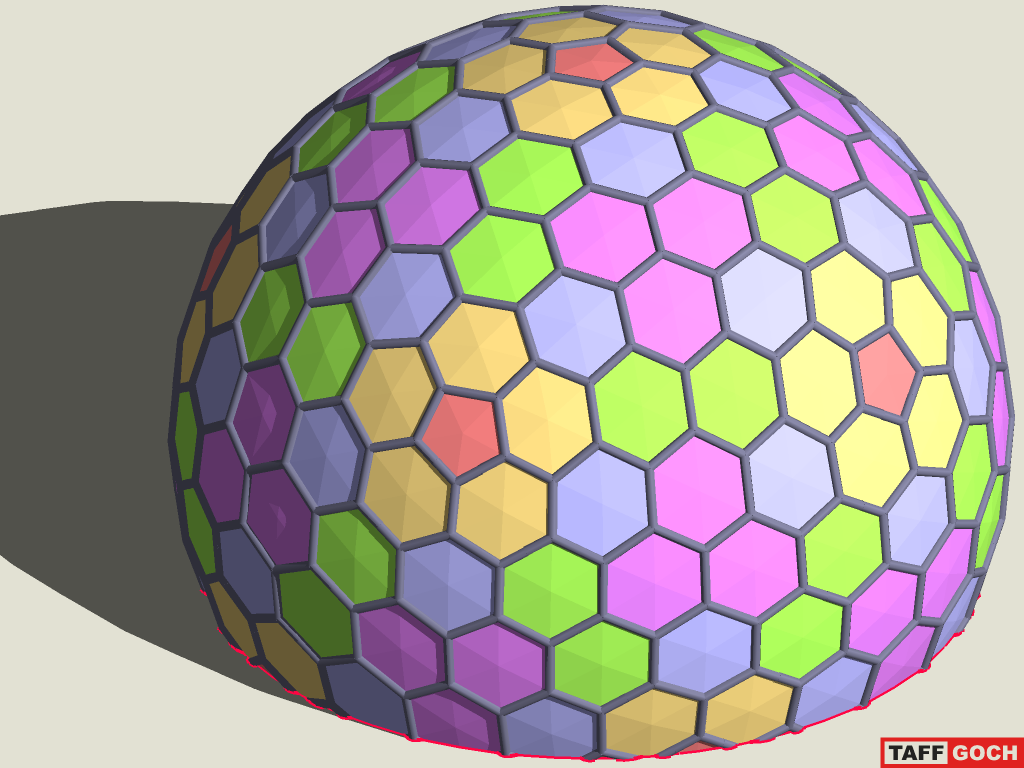
I like the Lines2Tubes.rb plugin, for quick rendering, but prefer the tubes to be copies of a "master" tube component.With the master tube-component axes aligned to the model-space axes, I can scale different tubes to custom lengths. To make all the tubes fatter or thinner, I simply modify the "contents" of the master component, editing in its context.
(...BUT, it requires a LOT more effort!)
Now, if I could only have the "best of both worlds."
Taff




Hello! It looks like you're interested in this conversation, but you don't have an account yet.
Getting fed up of having to scroll through the same posts each visit? When you register for an account, you'll always come back to exactly where you were before, and choose to be notified of new replies (either via email, or push notification). You'll also be able to save bookmarks and upvote posts to show your appreciation to other community members.
With your input, this post could be even better 💗
Register Login


Advertisement