sketchucation logo sketchucation
    • 登入
    Oops, your profile's looking a bit empty! To help us tailor your experience, please fill in key details like your SketchUp version, skill level, operating system, and more. Update and save your info on your profile page today!
    🔌 Easy Offset | Offset selected faces in SketchUp in positive and negative offsets. Download

    [Plugin] CleanUp

    已排程 已置頂 已鎖定 已移動 Plugins
    974 貼文 217 Posters 832.6k 瀏覽 217 Watching
    正在載入更多貼文
    • 從舊到新
    • 從新到舊
    • 最多點贊
    回覆
    • 在新貼文中回覆
    登入後回覆
    此主題已被刪除。只有擁有主題管理權限的使用者可以查看。
    • L 離線
      Lersince1991
      最後由 編輯

      Is Cleanup working in SKU 2015? Doesn't seem to be appearing in the extensions tab at all?

      Edit: Sorry it is working! (I thought I had restarted ketchup but I hadn't)

      1 條回覆 最後回覆 回覆 引用 0
      • L 離線
        Lersince1991
        最後由 編輯

        @tig said:

        @lersince1991 said:

        Is Cleanup working in SKU 2015? Doesn't seem to be appearing in the extensions tab at all?
        Did you also install the latest Lib for thomthom's tools ?
        He updated everything to suit v2015 a few weeks ago...

        Edited:
        @unknownuser said:

        Sorry it is working! (I thought I had restarted ketchup but I hadn't)

        Sorry for alerting you!
        I'm now using the sketchucation extension manager which is a god send for keeping everything up to date and installing quickly!

        1 條回覆 最後回覆 回覆 引用 0
        • T 離線
          TRIPOD
          最後由 編輯

          I use SU 2015 x64 Portable. First starting SU was correct with plugins. Next start SU appear errors loading cleanup. TT Lib (latest version) had already installed with extension manager but SU says that it not install. Screenshot below. What is it? Why CleanUp is not loading.
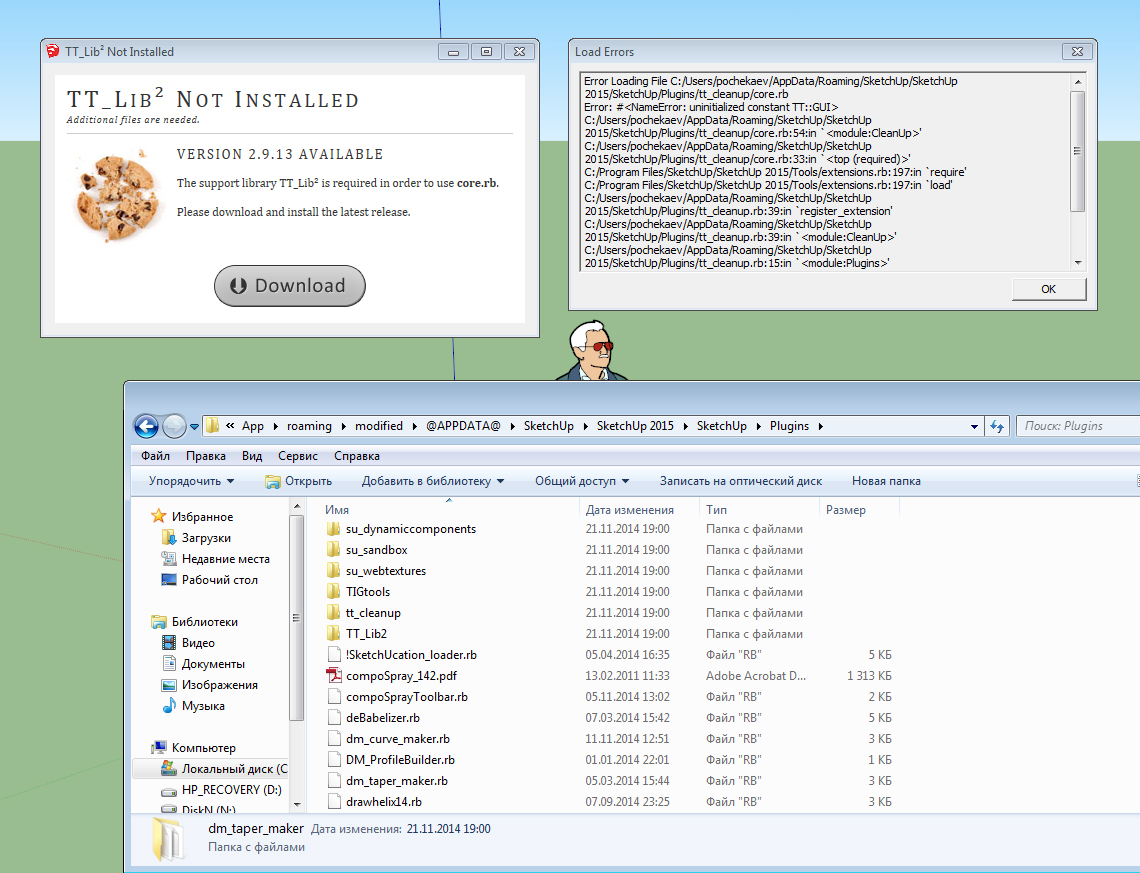
          http://i67.fastpic.ru/big/2014/1125/98/191fa7fbdbc9dd68ea1d99dae96a8c98.jpg

          1 條回覆 最後回覆 回覆 引用 0
          • J 離線
            Jim
            最後由 編輯

            What is "Portable" SketchUp? Where did you get it? Whatever it is, it is not a supported installation.

            Hi

            1 條回覆 最後回覆 回覆 引用 0
            • T 離線
              TRIPOD
              最後由 編輯

              @jim said:

              What is "Portable" SketchUp?

              It is the same as "usually" SketchUp is, but does not require standart installation. It very easy if you are often re-install windows OS.

              @jim said:

              Where did you get it?

              It gave me my friend.

              @jim said:

              Whatever it is, it is not a supported installation.

              Why? The way of file system is the same as SketchUp standard installation ones. Other plugins successfully loading into portable version.

              1 條回覆 最後回覆 回覆 引用 0
              • K 離線
                kyleboyd
                最後由 編輯

                Thom Thom et. all,

                I recently got a new computer (Mac running 10.9) and Sketchup 2015 and I am experiencing some odd issues. When I click Clean and run through the dialog box, many coplanar faces are not removed). When I then just click on the Merge Faces button, they are picked up. It seems to be fairly erratic though.

                Your help would be greatly appreciated, as CleanUp has been extremely useful over the years and is one of my most used plug-ins (and a large tool in my workflow). Thanks so much for all your awesome work!

                1 條回覆 最後回覆 回覆 引用 0
                • thomthomT 離線
                  thomthom
                  最後由 編輯

                  Do you have a sample model to reproduce this?

                  Thomas Thomassen — SketchUp Monkey & Coding addict
                  List of my plugins and link to the CookieWare fund

                  1 條回覆 最後回覆 回覆 引用 0
                  • B 離線
                    bracisig
                    最後由 編輯

                    hey mate i added the EX but i cant find it in my sketchup dont know what to do ?

                    1 條回覆 最後回覆 回覆 引用 0
                    • TIGT 離線
                      TIG Moderator
                      最後由 編輯

                      @bracisig said:

                      hey mate i added the EX but i cant find it in my sketchup dont know what to do ?
                      Assuming you mean EXtension, how did you 'add it'.
                      Did you install it from the RBZ archive ?
                      Did you also install the 'TT_Lib' RBZ required by thomthom's tools ?
                      Both available in the PluhginStore...
                      http://sketchucation.com/pluginstore?pln=TT_Lib
                      http://sketchucation.com/pluginstore?pln=tt_cleanup
                      Did you restart SketchUp ?
                      Did you read the tool's instructions ?
                      http://sketchucation.com/forums/viewtopic.php?p=193587#p193587
                      Is its Extension activated in the relevant section of the 'Preferences' dialog ?
                      Did you look under the 'Plugins' menu submenu for its items [remember that this is now renamed 'Extensions' in v2015 !]

                      TIG

                      1 條回覆 最後回覆 回覆 引用 0
                      • K 離線
                        kyleboyd
                        最後由 編輯

                        Fortunately for me, unfortunately for debugging, I can't seem to reproduce my previous issues.

                        In trying, I triple checked my cleaning settings, so perhaps I was just boneheaded and it was all user error. (I thought I went through and checked-unchecked the different settings, but maybe not).

                        Anyhow, thanks for the response, if it happens again, I will be sure to attach the offending sample of model. Thanks again for all your awesome work!

                        1 條回覆 最後回覆 回覆 引用 0
                        • pilouP 離線
                          pilou
                          最後由 編輯

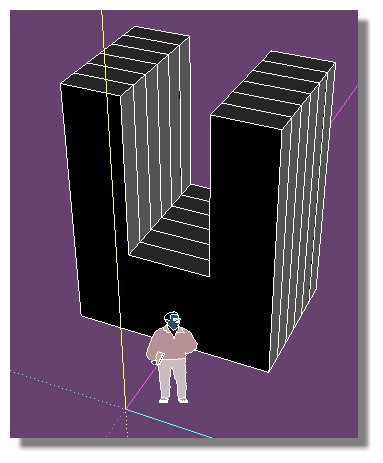
                          Why this is not cleaning! 😮
                          Works by hand line by line!

                          no_clean.jpg


                          noclean.skp

                          Frenchy Pilou
                          Is beautiful that please without concept!
                          My Little site :)

                          1 條回覆 最後回覆 回覆 引用 0
                          • CadFatherC 離線
                            CadFather
                            最後由 編輯

                            because they belong to faces inside - it always worked that way

                            1 條回覆 最後回覆 回覆 引用 0
                            • pilouP 離線
                              pilou
                              最後由 編輯

                              Thanks! 😎
                              So that works after use the Remove inner faces by Wiiki! 👍
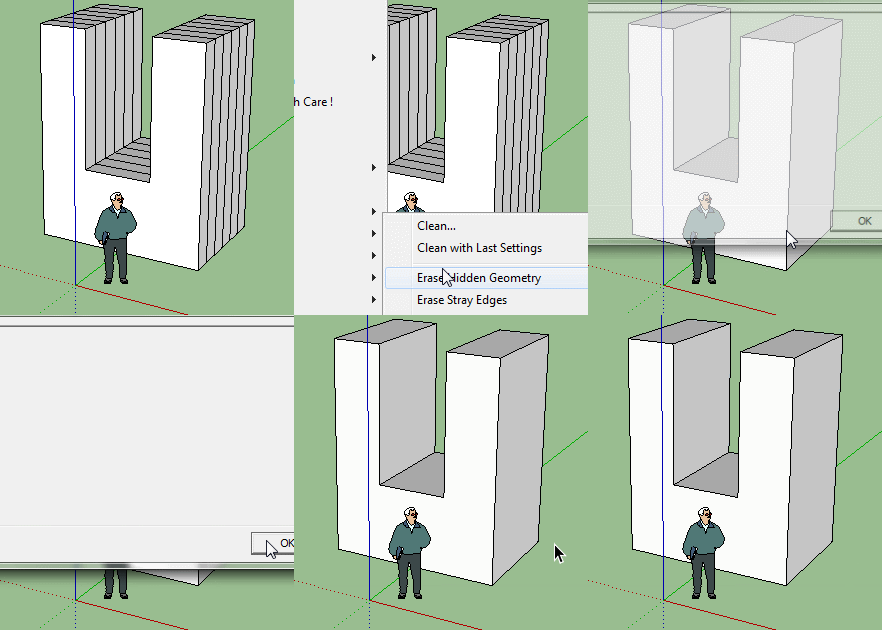
                              cleanUp.gif

                              Frenchy Pilou
                              Is beautiful that please without concept!
                              My Little site :)

                              1 條回覆 最後回覆 回覆 引用 0
                              • CadFatherC 離線
                                CadFather
                                最後由 編輯

                                yes, or some good solidsolvers..

                                1 條回覆 最後回覆 回覆 引用 0
                                • A 離線
                                  AcesHigh
                                  最後由 編輯

                                  It seems it can´t UN-SMOOTH the models?

                                  I have this model with a ridiculous amount of groups and subgroups. And it's all softened, although it should not be softned at all.

                                  It´s impossible to unsoften by hand because of the amount of groups, and I also don´t want to ungroup them all (because I might have to move the groups around)

                                  But setting the SOFTEN to 0 degrees does not unsoften the groups and subgroups, unlike the Soften Edges Panel...

                                  1 條回覆 最後回覆 回覆 引用 0
                                  • pbacotP 離線
                                    pbacot
                                    最後由 編輯

                                    That would be nice. I notice a group can be unsoftened /softened but not a nested group (without first opening the parent group). That's with the Soften/Smooth dialog.

                                    MacOSX MojaveSketchUp Pro v19 Twilight v2 Thea v3 PowerCADD

                                    1 條回覆 最後回覆 回覆 引用 0
                                    • TIGT 離線
                                      TIG Moderator
                                      最後由 編輯

                                      Use with care !
                                      Copy+Paste into the Ruby Console + <enter>.

                                      m=Sketchup.active_model; m.start_operation("Un...",true); es=m.entities.grep(Sketchup;;Edge); m.definitions.each{|d|next if d.image?; es<<d.entities.grep(Sketchup;;Edge)}; es.flatten.each{|e|e.soft=false;e.smooth=false}; m.commit_operation
                                      

                                      You can also do e.hidden=false too...
                                      To process a selection...

                                      m=Sketchup.active_model; s=m.selection; m.start_operation("Un...",true); es=s.grep(Sketchup;;Edge); s.grep(Sketchup;;Group).each{|g|es<<g.entities.grep(Sketchup;;Edge)};; s.grep(Sketchup;;ComponentInstance).each{|i|es<<i.definition.entities.grep(Sketchup;;Edge)}; es.flatten.each{|e|e.soft=false;e.smooth=false}; m.commit_operation
                                      

                                      TIG

                                      1 條回覆 最後回覆 回覆 引用 0
                                      • A 離線
                                        amalthee
                                        最後由 編輯

                                        Thanks a million Thomthom, though i was going to throw my computer away, downloaded CleanUp its magic.
                                        Scenes that took minutes to open now not even time to say "thank you Thomthom..."and the scene is open.
                                        Made my day or actually my late night !

                                        1 條回覆 最後回覆 回覆 引用 0
                                        • DDKD 離線
                                          DDK
                                          最後由 編輯

                                          wow thank you so much for this, was told I would have to optimize with a different program and learn that... this saves me so much time , I love it...need it for my objects in game engines... I've only had one issue where I lost a part of my project but I fixed it and is all good.. you do great work, you are awesome!!! ☀

                                          1 條回覆 最後回覆 回覆 引用 0
                                          • M 離線
                                            MistahGrizzly
                                            最後由 編輯

                                            for me is not working 😞 is only deleting max 15 and when i click to show hidden geometry is not showing nothing 😞

                                            1 條回覆 最後回覆 回覆 引用 0
                                            • 1
                                            • 2
                                            • 43
                                            • 44
                                            • 45
                                            • 46
                                            • 47
                                            • 48
                                            • 49
                                            • 45 / 49
                                            • 第一個貼文
                                              最後的貼文
                                            Buy SketchPlus
                                            Buy SUbD
                                            Buy WrapR
                                            Buy eBook
                                            Buy Modelur
                                            Buy Vertex Tools
                                            Buy SketchCuisine
                                            Buy FormFonts

                                            Advertisement