sketchucation logo sketchucation
    • 登入
    Oops, your profile's looking a bit empty! To help us tailor your experience, please fill in key details like your SketchUp version, skill level, operating system, and more. Update and save your info on your profile page today!
    🔌 Easy Offset | Offset selected faces in SketchUp in positive and negative offsets. Download

    [Plugin] 2D Tools

    已排程 已置頂 已鎖定 已移動 Plugins
    785 貼文 178 Posters 496.4k 瀏覽 177 Watching
    正在載入更多貼文
    • 從舊到新
    • 從新到舊
    • 最多點贊
    回覆
    • 在新貼文中回覆
    登入後回覆
    此主題已被刪除。只有擁有主題管理權限的使用者可以查看。
    • R 離線
      rdube
      最後由 編輯

      1- Open a new file in cm
      2- Set the view to "Iso"
      3- Pick the "Rectangle Icon" in the floating menu bar
      4- Click a first point at the origin
      5- Drag on the green axis
      6- Click again on the second point
      7- Sketchup freeze

      1 條回覆 最後回覆 回覆 引用 0
      • TIGT 離線
        TIG Moderator
        最後由 編輯

        I just repeated your listed steps exactly, and the Rectangle tool worked perfectly for me.
        Have you reset the axes - they should be the default set up - ?
        What is your Z-plane set to ?
        When you say 'drag' are you holding the mouse button down ?
        Each of the 3 points should be picked with a click... the 3rd point also accepts a typed in size + enter
        What are your Model > Units settings - e.g. ensure snapping is off ??

        TIG

        1 條回覆 最後回覆 回覆 引用 0
        • R 離線
          rdube
          最後由 編輯

          In the Template I made, axis have not been change by me... I assume the are the default one. To be sure, I also tried to draw a rectangle with a standard Template from Sketchup; it also freezed.

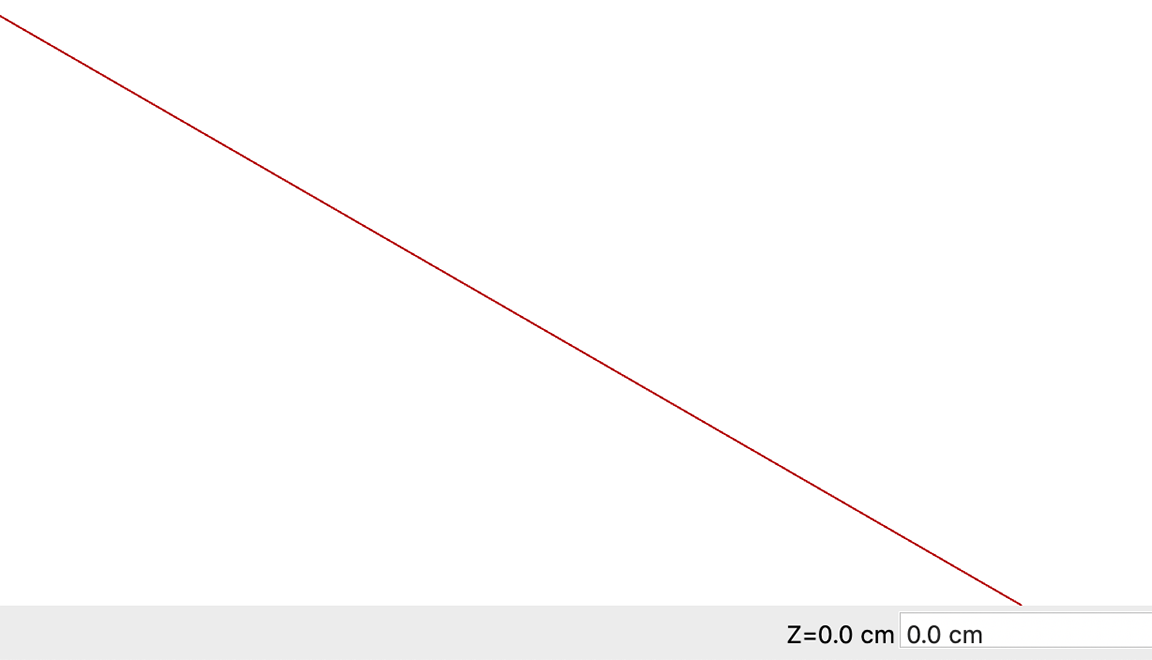
          Z plane is set to zero cm.

          I did not hold down the mouse button when I drag to the second point.

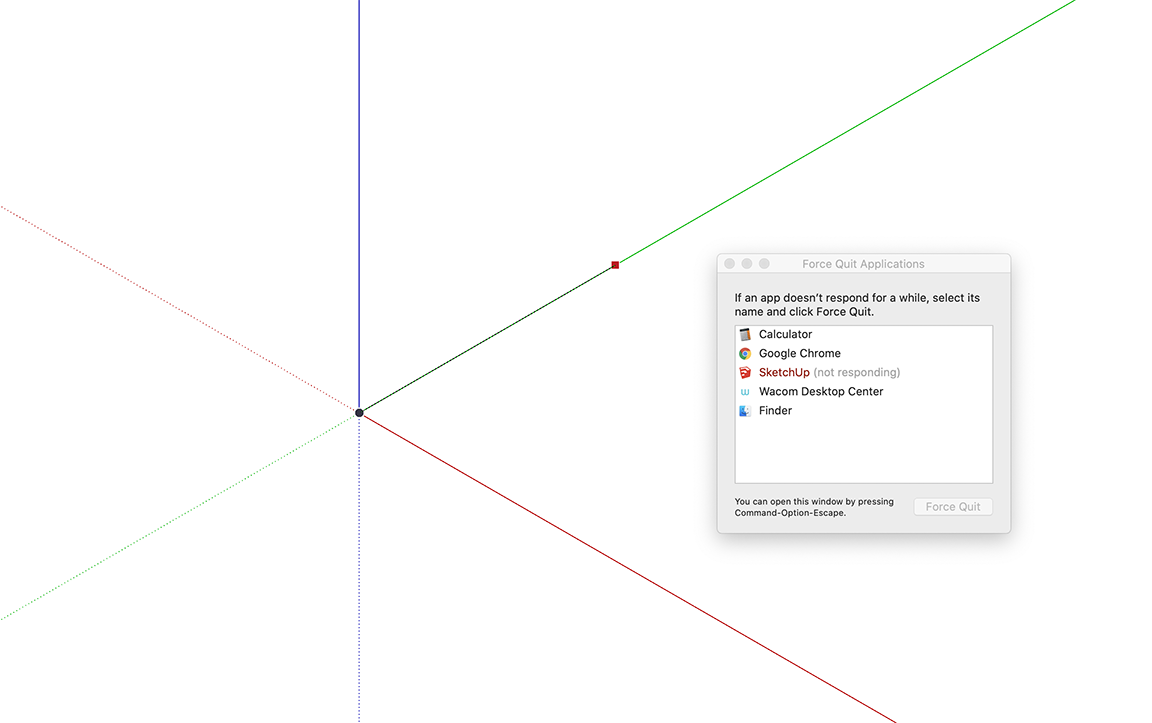
          I can pick the first point... but when I clic on the second one, Sketchup freeze and I need Force Quit.

          In the Template I use, Snapping is on. I also tried with snapping off...Sketchup also freezed.

          I worked with a Wacom Pen on tablet. I repeat the same steps with a Mac mouse. Same problems occur.

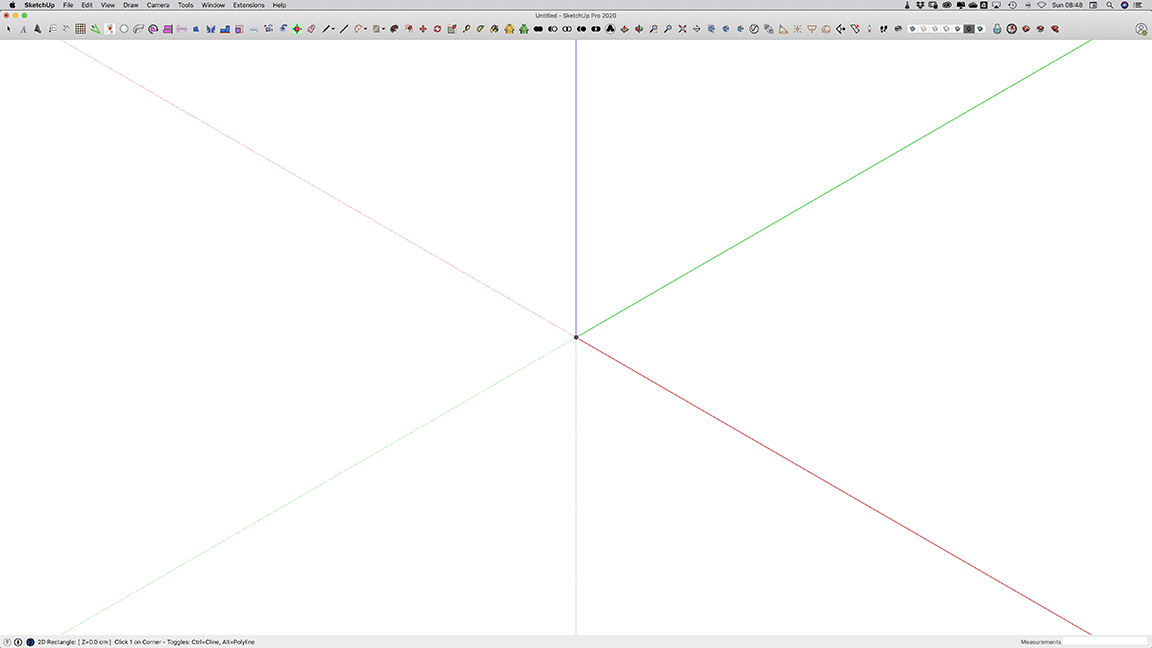
          Please see attached images
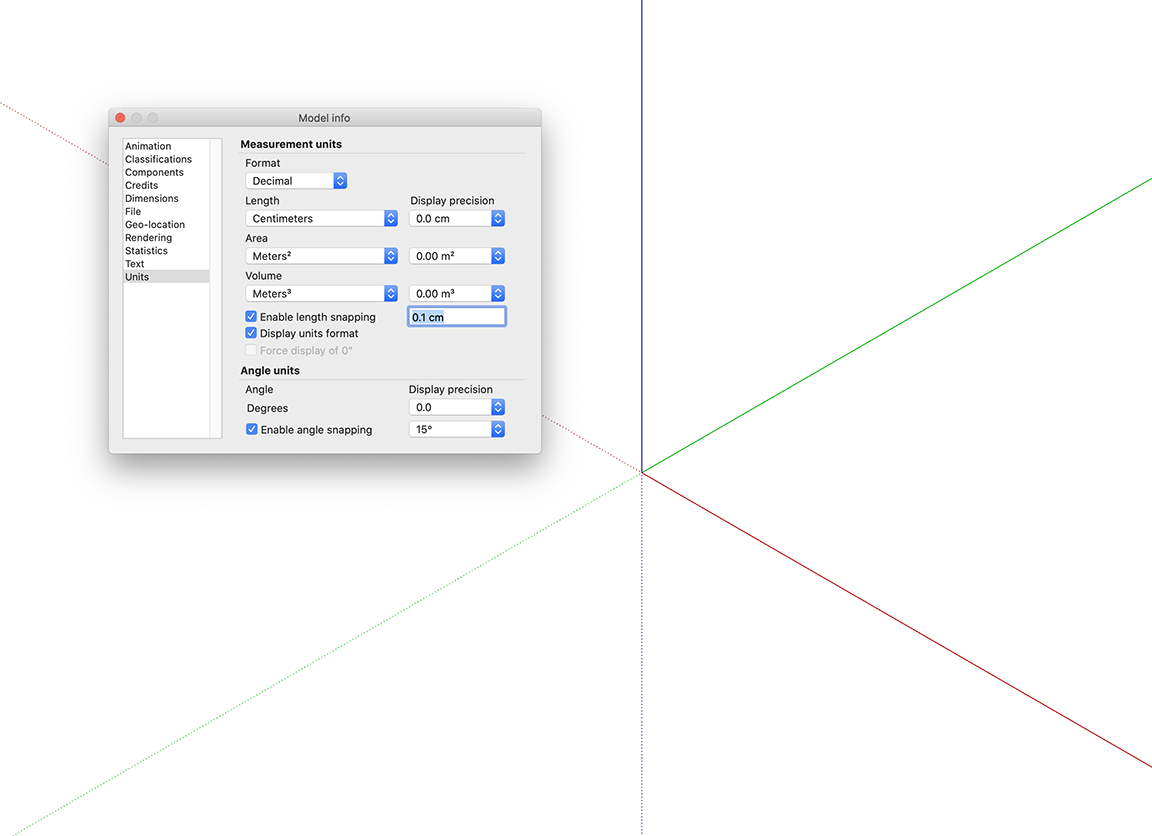

          Screen Shot 2020-09-20 at 8.45.01 AM.png


          Screen Shot 2020-09-20 at 8.46.21 AM.png


          Screen Shot 2020-09-20 at 8.47.42 AM.png


          Screen Shot 2020-09-20 at 8.48.16 AM.png

          1 條回覆 最後回覆 回覆 引用 0
          • TIGT 離線
            TIG Moderator
            最後由 編輯

            If you try to draw the rectangle, but this time pick a random start-point, that is not at the origin [i.e. off-axis], is it any better ?
            I wouldn't expect it to be, but sometimes who knows ??

            What's your SketchUp version ref ?

            TIG

            1 條回覆 最後回覆 回覆 引用 0
            • R 離線
              rdube
              最後由 編輯

              I tried to draw a rectangle at a random-point and Sketchup freeze after clicking at the second point.

              My Sketchup version is : Pro 20.2.171

              Mac Os : 10.15.6

              1 條回覆 最後回覆 回覆 引用 0
              • TIGT 離線
                TIG Moderator
                最後由 編輯

                Since I can't replicate this with the same set up on a PC... are there any MAC users out there who can test this ?
                If I get some more useful feedback we might progress with a solution...

                TIG

                1 條回覆 最後回覆 回覆 引用 0
                • G 離線
                  gbing
                  最後由 編輯

                  @tig said:

                  Since I can't replicate this with the same set up on a PC... are there any MAC users out there who can test this ?
                  If I get some more useful feedback we might progress with a solution...

                  Hello TIG: same problem in my MAC too for 2D tools "rectangle"

                  • Sketchup pro 2020 Version 20.2.171
                  • MAC OS Mojave V. 10.14.6
                    For testing purpose I have disabled all plugins except 2Dtool (Version Updated: 2020/05/21) and deBabelizer

                  The plugin works fine in Sketchup pro 2020 Version 19.3.252.

                  1 條回覆 最後回覆 回覆 引用 0
                  • Dave RD 離線
                    Dave R
                    最後由 編輯

                    @gbing said:

                    The plugin works fine in Sketchup pro 2020 Version 19.3.252.

                    Do you mean in SketchUp 2019?

                    Etaoin Shrdlu

                    %

                    (THERE'S NO PLACE LIKE)

                    G28 X0.0 Y0.0 Z0.0

                    M30

                    %

                    1 條回覆 最後回覆 回覆 引用 0
                    • G 離線
                      gbing
                      最後由 編輯

                      @dave r said:

                      @gbing said:

                      The plugin works fine in Sketchup pro 2020 Version 19.3.252.

                      Do you mean in SketchUp 2019?

                      Oh yes, sorry.
                      ... "Sketchup pro 2019 Version 19.3.252"

                      Thank you Dave

                      1 條回覆 最後回覆 回覆 引用 0
                      • R 離線
                        rdube
                        最後由 編輯

                        Hello,

                        Is there any developement since my message and your appeal to other members?

                        Thanks,
                        Robert

                        1 條回覆 最後回覆 回覆 引用 0
                        • TIGT 離線
                          TIG Moderator
                          最後由 編輯

                          This needs a MAC user to test it and report back...
                          It works OK on a PC, for me and others...

                          Any MAC users out there ?

                          TIG

                          1 條回覆 最後回覆 回覆 引用 0
                          • J 離線
                            JimmyC63
                            最後由 編輯

                            I have just downloaded 2D Tools v7.7 for use with sketchup 2021

                            When I try to open the file a sketchup window opens up with a error box saying this does not appear to be a sketchup model.

                            I really hope you can help because I am excited to be able to use this wonderful tool.

                            Thanks

                            1 條回覆 最後回覆 回覆 引用 0
                            • TIGT 離線
                              TIG Moderator
                              最後由 編輯

                              You downloaded an RBZ file - this is the archive containing everything that SketchUp needs to set up n extension... It is actually a special kind of ZIP file.

                              You do not 'open' the RBZ, if your web-browser is not set up properly an error can happen.
                              You must 'save' the RBZ into your Downloads folder. Reset your browser's options to always save RBZ files, never open them.

                              Once that is saved, then you need to install the extensions from within SketchUp...
                              Open the menu item Window > Extension Manager
                              In the resultant dialog choose the bottom button 'Install...'
                              Find the RBZ - in your Downloads folder.
                              Answer any prompts 'Yes/OK' and SketchUp processes the RBZ and installs the extension for you...
                              You should now see menu items, toolbar entry etc...


                              FYI: Some extensions, like Fredo's and thomthom's, will need a separate 'Lib' RBZ installing, because that contains shared tools their extensions need. After installing that restart SketchUp to sync everything.
                              In the case of 2dTools there's no 'Lib' so you don't need to worry about that...

                              TIG

                              1 條回覆 最後回覆 回覆 引用 0
                              • J 離線
                                JimmyC63
                                最後由 編輯

                                Thank you TIG very much for your fast reply.

                                I really do appreciate your help.

                                1 條回覆 最後回覆 回覆 引用 0
                                • C 離線
                                  chapalee
                                  最後由 編輯

                                  Hi, how are you.
                                  Thanks for this tool.
                                  I wanted to ask you, if there is any way to select some lines and have them move to the z plane that was configured.
                                  If not, it would be good if you added it to the tool.
                                  I currently use the Eneroth Flatten to Plane plugin.
                                  But it would be good to find it in your tools, that one can configure the z plane, select the lines and give the command and all the lines are located.
                                  Thanks.

                                  1 條回覆 最後回覆 回覆 引用 0
                                  • TIGT 離線
                                    TIG Moderator
                                    最後由 編輯

                                    There are several tools around, by me and others, project-to-plane, drop-vertices etc that take selected lines and change their vertices etc...

                                    TIG

                                    1 條回覆 最後回覆 回覆 引用 0
                                    • C 離線
                                      chapalee
                                      最後由 編輯

                                      @tig said:

                                      There are several tools around, by me and others, project-to-plane, drop-vertices etc that take selected lines and change their vertices etc...

                                      Hello, how are you? Thank you for your answer.
                                      It just seemed more practical to have it in the same 2d tools and the ease of having the previously selected z-plane.
                                      Thanks and regards.

                                      1 條回覆 最後回覆 回覆 引用 0
                                      • O 離線
                                        odd Byberg
                                        最後由 編輯

                                        Hi.
                                        I too get freezes from the 2D tools, the rectangle tool, the arc, circle, poly line edit, and the freehand tool.
                                        Text tool and fillet is fine. Some I didn't try.

                                        No crisis for me, as its the fillet and text tool I'm after.., so this is just reporting it 😄

                                        Mac Book Pro, latest operating system, Sketchup latest version, 21.1.298, plugin installed today from this site.

                                        cheers,

                                        Odd Håkon Byberg

                                        1 條回覆 最後回覆 回覆 引用 0
                                        • N 離線
                                          njsanna
                                          最後由 編輯

                                          hi-
                                          Downloaded this for the fillet tool but found some issues to share.
                                          PC, SU2021 Pro
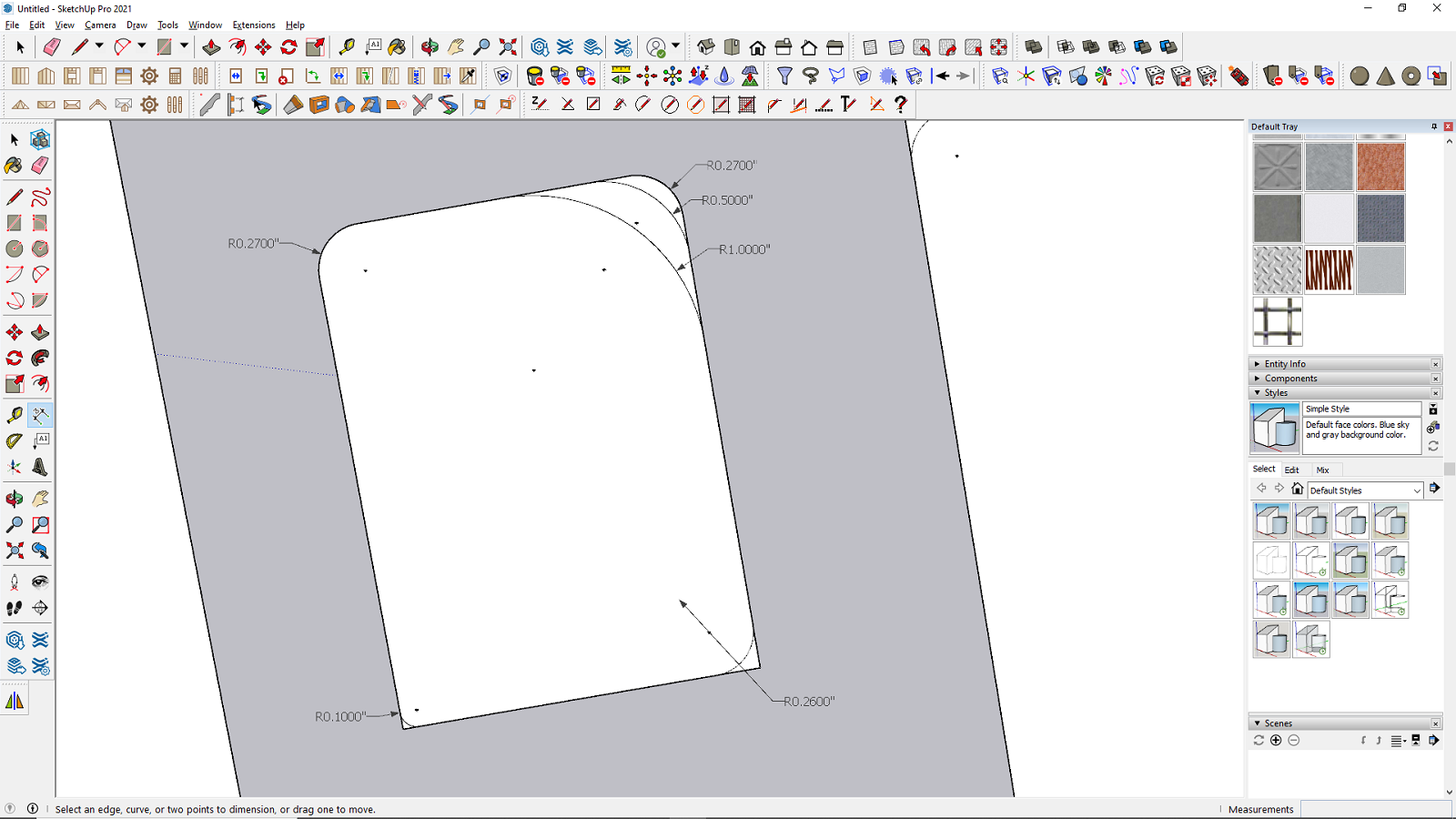
                                          When I try to fillet the corners of a rectangle created using the SU native rectangle command the corners do not trim if the radius is under .26" and when I go to delete the lines from the corners it will crash SU after i delete about 4 or 5 of the lines. If I delete the lines after each trim before doing the next corner it does not crash. But If i create all the fillets and then delete the lines it crashes. This happens every time.
                                          My goal is a radius of 0.24". It seems that any radius 0.27" and greater trims the corner lines just fine.

                                          Any thoughts?


                                          no trim.png

                                          1 條回覆 最後回覆 回覆 引用 0
                                          • Dave RD 離線
                                            Dave R
                                            最後由 編輯

                                            @njsanna said:

                                            My goal is a radius of 0.24". It seems that any radius 0.27" and greater trims the corner lines just fine.

                                            Any thoughts?

                                            Reduce the number of segments from the default 18 to 12.
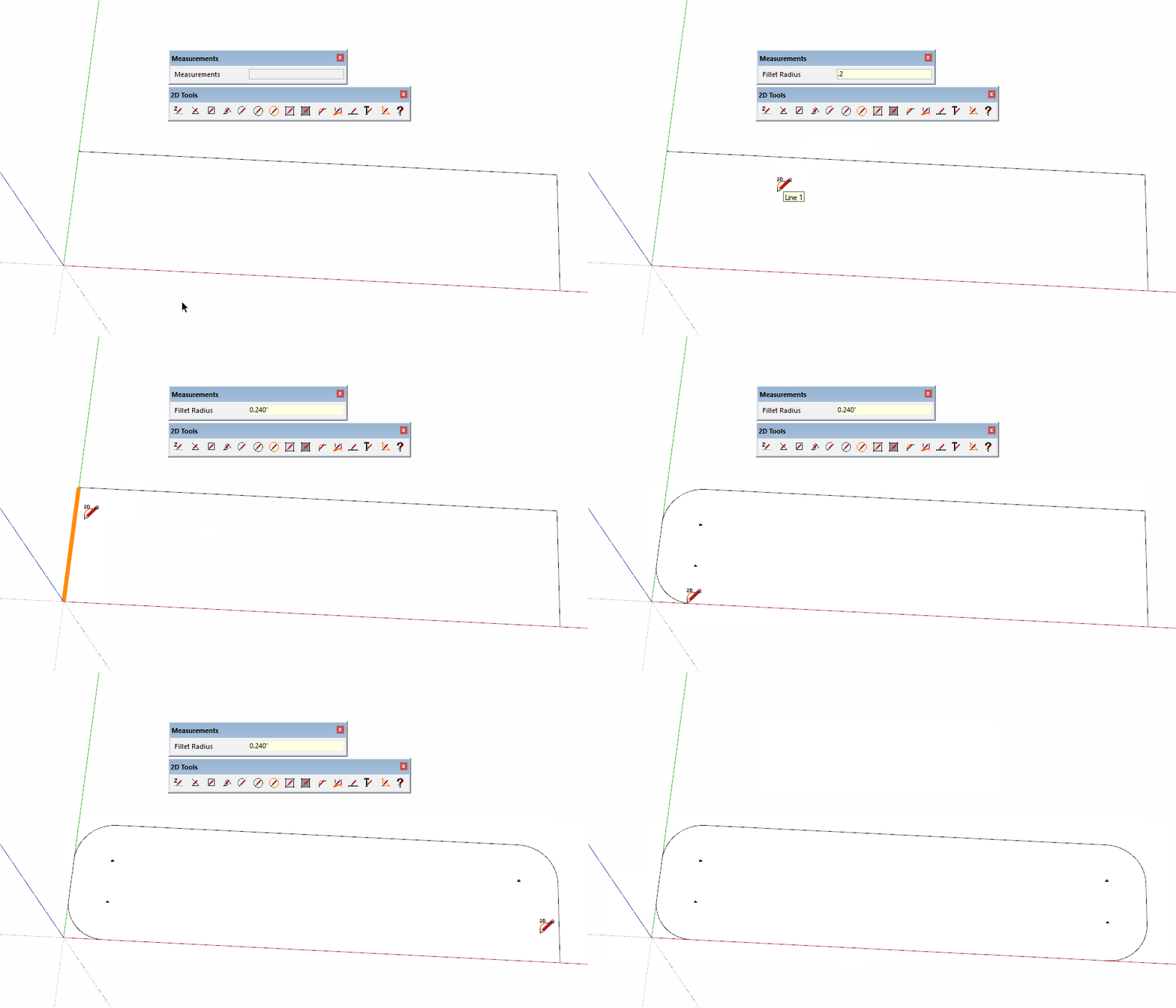
                                            Click on the picture

                                            Alternatively, use the native 2-Point Arc tool instead. Double click in the corners for the arcs after the first one.
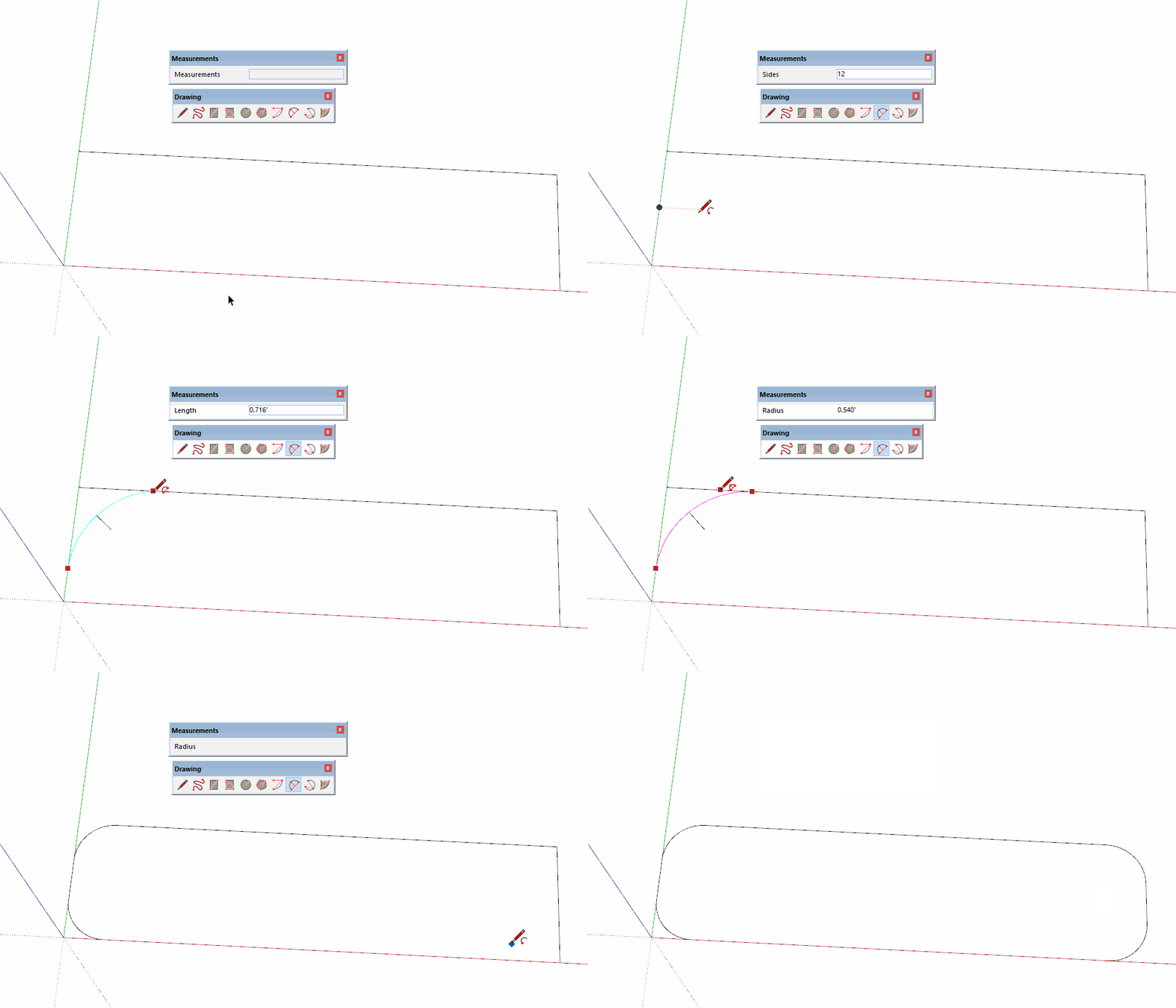
                                            Click on the picture

                                            Please update your profile. It says you're still using SketchUp 2013.

                                            Etaoin Shrdlu

                                            %

                                            (THERE'S NO PLACE LIKE)

                                            G28 X0.0 Y0.0 Z0.0

                                            M30

                                            %

                                            1 條回覆 最後回覆 回覆 引用 0
                                            • 1
                                            • 2
                                            • 29
                                            • 30
                                            • 31
                                            • 32
                                            • 33
                                            • 39
                                            • 40
                                            • 31 / 40
                                            • 第一個貼文
                                              最後的貼文
                                            Buy SketchPlus
                                            Buy SUbD
                                            Buy WrapR
                                            Buy eBook
                                            Buy Modelur
                                            Buy Vertex Tools
                                            Buy SketchCuisine
                                            Buy FormFonts

                                            Advertisement