sketchucation logo sketchucation
    • Login
    Oops, your profile's looking a bit empty! To help us tailor your experience, please fill in key details like your SketchUp version, skill level, operating system, and more. Update and save your info on your profile page today!
    โš ๏ธ Important | Libfredo 15.6b introduces important bugfixes for Fredo's Extensions Update

    Wanted: Stretch tool

    Scheduled Pinned Locked Moved Developers' Forum
    15 Posts 9 Posters 1.1k Views 9 Watching
    Loading More Posts
    • Oldest to Newest
    • Newest to Oldest
    • Most Votes
    Reply
    • Reply as topic
    Log in to reply
    This topic has been deleted. Only users with topic management privileges can see it.
    • olisheaO Offline
      olishea
      last edited by

      I was going to request this! Stretch is my favourite tool!!

      oli

      1 Reply Last reply Reply Quote 0
      • takesh hT Offline
        takesh h
        last edited by

        honoluludesktop,
        What you described in the last two ACAD screen captures can be done (of course in 3D) with native MOVE tool of SU with appropriate selection.
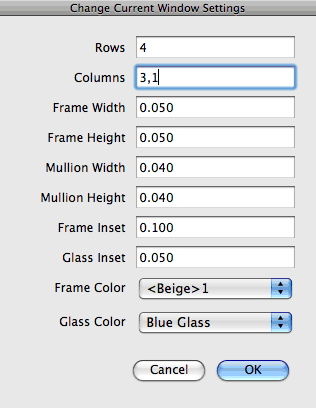
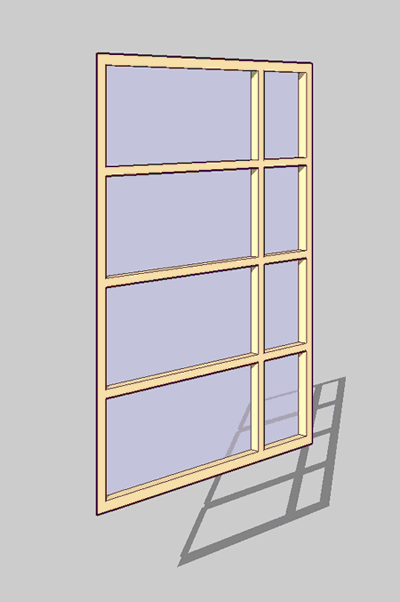
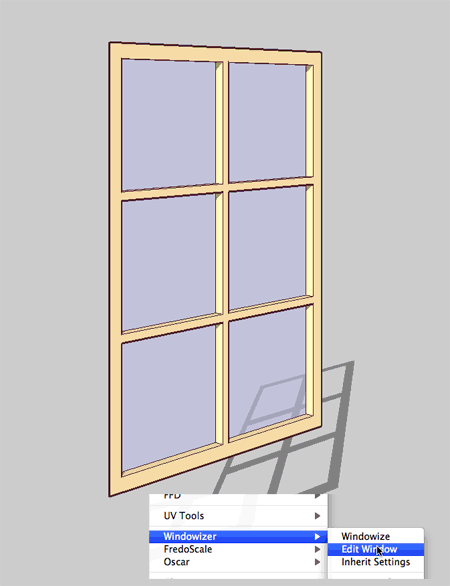
        If it's windows you want to change dimensions, Rick's Windowizer has little-known inheriting and editing functions.
        It's not stretching, I should rather call it "re-creating" that window. But it will take the same amount of time and do the job.
        Windowizer 4 makes double-sided (3D) windows.

        windowizerN.skp-0.gif


        windowizerN.skp-3.gif


        windowizerN.skp-2.gif

        1 Reply Last reply Reply Quote 0
        • pilouP Offline
          pilou
          last edited by

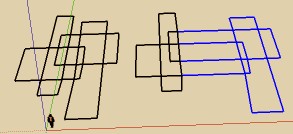
          seems if you intersect all then move that works ๐Ÿ˜‰


          stretcht.jpg

          Frenchy Pilou
          Is beautiful that please without concept!
          My Little site :)

          1 Reply Last reply Reply Quote 0
          • honoluludesktopH Offline
            honoluludesktop
            last edited by

            Frenchy, Thanks for pointing me in the right direction with the image. Must be what Dave meant with his post. Thanks Takesh, even works with 3d shapes. Boy do I feel s****d :-). Am I the only one here that didn't know this?

            1 Reply Last reply Reply Quote 0
            • fredo6F Offline
              fredo6
              last edited by

              @honoluludesktop said:

              "Fredo's scale tool" and "move" are not what I am looking for. If I have a building model of rooms, I would like to stretch (say) 2 rooms within the plan only affecting the selected walls.

              Did you try with positioning the Divider in the right place (press F4 to display it). By default, it is positioned in the center of the selection, but this can be changed.

              Fredo

              1 Reply Last reply Reply Quote 0
              • olisheaO Offline
                olishea
                last edited by

                honolulu, sometimes it doesnt work properly in 3d space. with 2d line drawings then yeah, sketchup can stretch it but its a lot trickier getting the selection right with a 3D model.

                fredo, what does Divider do?

                oli

                1 Reply Last reply Reply Quote 0
                • C Offline
                  CADAddict
                  last edited by

                  I actually think that for what you want to do you do not need any Ruby. You simply need to select teh elements you want to stretch, and move them, all connected geometry will stretch when you move them.Of course if elements where turned into components/groups this won't work.

                  http://www.cad-addict.com/

                  1 Reply Last reply Reply Quote 0
                  • Dave RD Offline
                    Dave R
                    last edited by

                    Yea, that was what I meant when I suggest the Move tool. If you can select just the part of the plan or whatever that needs to change its position in space, the Move tool ought to do the trick for you.

                    Etaoin Shrdlu

                    %

                    (THERE'S NO PLACE LIKE)

                    G28 X0.0 Y0.0 Z0.0

                    M30

                    %

                    1 Reply Last reply Reply Quote 0
                    • daikuD Offline
                      daiku
                      last edited by

                      When using Fredo's FredoScale tool, make sure you use the "Stretch" mode, not the "Scale" mode. It should do exactly what you want, even stretching a component without exploding or editing it first. CB.

                      Clark Bremer
                      http://www.northernlightstimberframing.com

                      1 Reply Last reply Reply Quote 0
                      • D Offline
                        dylan
                        last edited by

                        @olishea said:

                        fredo, what does Divider do?

                        Oli the divider allows you to choose the point you stretch from.
                        As default it stretches from centre, but you can visibly move this point to anywhere you wish and stretch from this new point.

                        http://dmdarchitecture.co.uk/

                        1 Reply Last reply Reply Quote 0
                        • fredo6F Offline
                          fredo6
                          last edited by

                          @olishea said:

                          fredo, what does Divider do?

                          Watch the Video at time 2:50 in the top message of the FredoScale Thread, at http://forums.sketchucation.com/viewtopic.php?f=180&t=17948#p144180.
                          The divider is a virtual plane which you can move graphically to indicate where is your pivot origin for stretching.

                          Fredo

                          1 Reply Last reply Reply Quote 0
                          • olisheaO Offline
                            olishea
                            last edited by

                            wow. how you guys write these rubies is beyond me completely. am always in awe of your skills!

                            thanks for replies

                            oli

                            1 Reply Last reply Reply Quote 0
                            • 1 / 1
                            • First post
                              Last post
                            Buy SketchPlus
                            Buy SUbD
                            Buy WrapR
                            Buy eBook
                            Buy Modelur
                            Buy Vertex Tools
                            Buy SketchCuisine
                            Buy FormFonts

                            Advertisement