[Plugin] Color by Slope
-
Hi, this is from a request here:
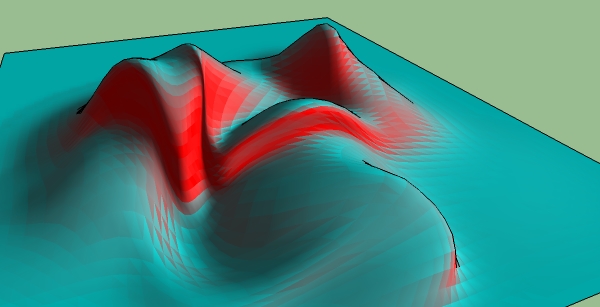
http://forums.sketchucation.com/viewtopic.php?f=180&t=20626This plugin will color faces based on their slope. You enter the RGB values for the max slope and minimum slopes.
This plugin OVERWRITES EXISTING MATERIALS. So don't use it on portions that you don't want to change their materials.
USAGE: Select loose geometry (inside of a group/component edit is ok). It only works on faces. Select the faces you want to color, then run the plugin from Plugins > Chris Fullmer Tools > Color by Slope. And it will color the selected faces. You will enter the RGB values for the 2 colors, and you also choose how many gradient steps to use. A high number will create a smooth gradient, whereas a low number will create a non-smooth gradient, but it makes it easier to see the major slope variations that exist. Thanks to ICEPAM for adding in some of these great features.
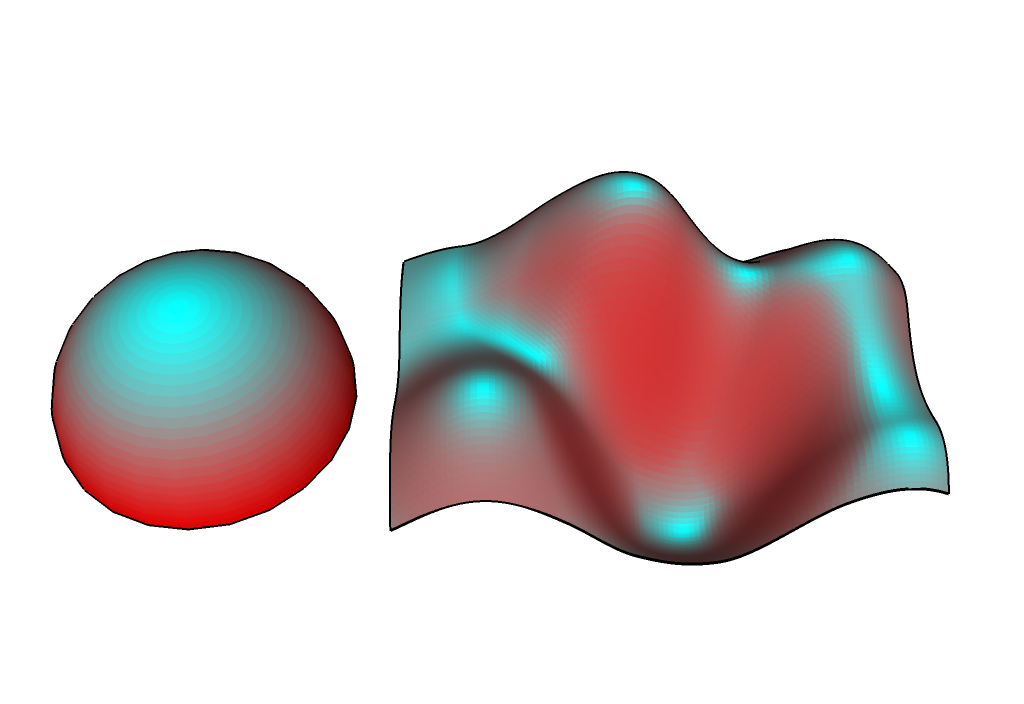
This would be a good script to bundle with my color by z script. Maybe I'll do that in the future. Hope it helps,
Download:
http://www.smustard.com/script/ColorBySlope

Chris
-
Pretty cool Chris. Almost looks like specular highlights. Thanks!
-
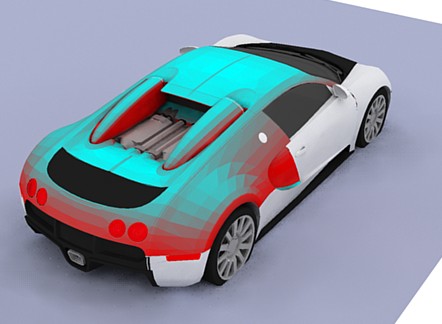
Another cool plug

-
i'm bit confused about this plugin.. what's the difference between this and color by z?? thanks a lot
-
To avoid loosing existing materials you could have an option to initially make a group of all of the selected faces (remembering their edges so it gets made properly), copy that group and immediately explode the original group back in place, then work on the copy-group's faces, colouring them by slope etc*... You could also have an option to hide the original geometry or move the copy-group to one side etc so what's been coloured is better seen....
[*This could idea also be applied to color_by_Z too...]AND another plugin idea... Using similar methods work out the various angles of the faces' normals towards the sun's position and colour them 'hot' to 'cold' so you can see the solar-gain incident by face at that time of day / date... you could also make a shading algorithm to see if parts of the face were shaded by other geometry and if so add an extra face matching the shadow and colour that as if it were facing away from the sun ??? So many ideas so little time !!!
-
You're an ace! thanks.
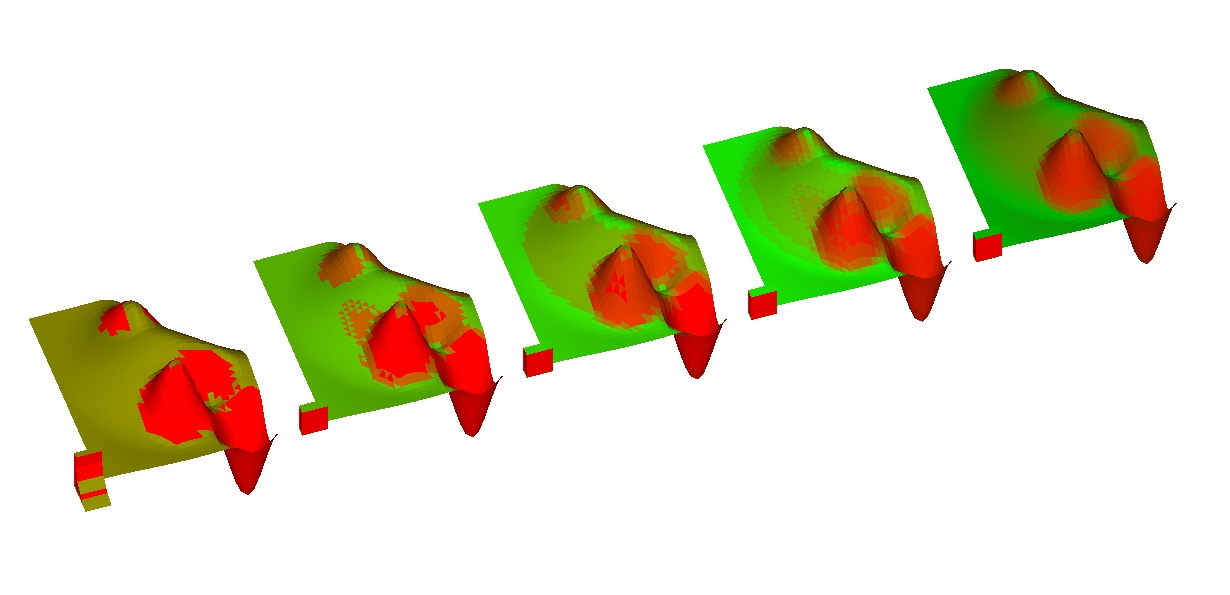
i had started hacking at your color-by-Z yesterday, learning ruby as i go, and managed to make color by steps, meaning it will ask you how many maximum colors you want and color the slopes accordingly. i couldn't figure out how to get the angle of the normal though until you posted this today. i had been using the z of the vector instead of its angle, so the results were off.anyway, i finally merged both your plugins into the attached aa_color_by_slope.rb. i hope you don't mind, it's yours of course.
i made it ask for the start and end colors and the number of segments (max colors), which i limited to dividents of 90 to reduce hassle. i still don't understand why i can't get the 1st color the same in all variations on the numbers (for example if you go with green to red, and do tests for 2, 3, 9 segments, you will see that sometimes the starting green changes, although it shouldnt)
finally, thanks again for this Chris, and TIG: your ideas rock! (no pun intended, but i'm using this precisely to figure out buildable areas on a rocky site
 )
)
-aa
EDIT: file removed, please see top post for download link
-
Ahh, that's very cool. Thanks for adding those features. I had wanted to add user control over the start and end colors, but I really didn't have time when I wrote it. I had not considered step values, forcing only a certain amount of colors to be used. That would be quite heplful.
You could even code it to force certain slopes to certain colors. That could all be set up in a webdialog to make it simpler for the user to specify how they want to make it work.
But that's all over my head still. I'll figure it out eventually.
TIG, those improvements would be cool. I'm not going to get to them anytime soon, but feel free to do it if you'd like
 I do have plans for eventually re-working color by z. So maybe when I get to it, I'll add this in the mix, along with web dialogs, and better options and control. But until then, feel free to hack away at this script
 Chris
-
ok aa, I checked out your version, and thats great! I want to update the rDoc info at the top to make it current. Once I do that, I'll post it up in the top post so everyone finds it easier. Thanks!
Chris
-
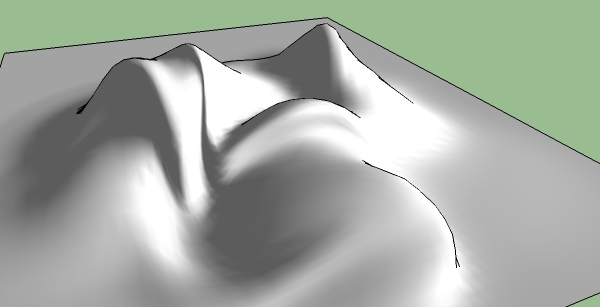
Nice script!
-
@chris fullmer said:
ok aa, I checked out your version, and thats great! I want to update the rDoc info at the top to make it current. Once I do that, I'll post it up in the top post so everyone finds it easier. Thanks!
Chris
Great! while you're at it, here's a suggestion for a quick and very useful utility: let it give a name to the created materials, you should be able to construct it from the slope segment eg if you've got 3 colors, the materials will be named "0 to 30", "31 to 60", "61 to 90".
it would be great and trivial to have an option where instead of the number of colours you give it a angle, and it does the division... i would do it but too many cooks...

and you're absolutely right about putting all your color face plugins into one package with a great GUI. let me know if you need help. i may not be the best ruby scripter, but am great at testing for usability.
-aa
-
Thanks Chris, I wonder what it could be used for, other than visual effects? Has anyone any ideas .... I probably end up saying Doh!
-
@icepam said:
let it give a name to the created materials,
ok i gave that a wiz, the only way i figured how to do it is to create a materials array instead of a colors array, and assign the right one in the second step.
it creates materials called "segment 1 [0 to 30]", "segment 2 [30 to 60] etc.
ISSUES:- it works fine if other materials have already been created with a similar max_number, but renames the sets of materials by adding numbers at the end. to avoid confusion: delete previous materials and/or purge them.
- the brackets are required, othewise the materials get renamed weirdly if they already end with a number.
attached is an updated version, and here's the diff:
Difference Report - 17/07/2009, 22:35File 1: "aa_color_by_slope-REVISED.rb"
Last modified on 17/07/2009, 22:28
File 2: "aa_color_by_slope.rb"
Last modified on 17/07/2009, 22:31================================================================================
Lines added at 1-
materials = model.materials -
matarray = [] -
#create a material and give it the right name and color -
hi =90 - i * astep -
low = 90 - (i+1) * astep -
seg = max_colors - i -
matname = "segment #{seg} [#{low} to #{hi}]" -
#puts matname -
m = materials.add matname -
m.color = [r,g,b] -
matarray.push m
================================================================================
Lines modified at 221-
a.material = colors [segment]
-
a.back_material = colors [segment]
-
a.material = matarray[segment]
================================================================================
Lines added at 223-
a.back_material = matarray[segment]
EDIT: file removed, please see top post for download link
-
@mike lucey said:
Thanks Chris, I wonder what it could be used for, other than visual effects? Has anyone any ideas .... I probably end up saying Doh!
It is an amazing utility if you work with landscape and terrains. I'm an urban designer and architect and I use it for example to figure out which parts of a terrain are too steep to build on etc.
geologists use slope analysis to figure out if there is any danger of landslides, and landscape designers to figure out what they can plant where.
you can also use it to figure out if snowfall will build on certain areas and not others.
and from a "image creation" perspective, if you combine the color by slope and the color by z, you could "automatically" create procedural maps of materials for example if you have a mountain, you can cover the highest parts with snow, the flat parts with grass, and the sheer parts with rock
-
Thanks Icepam for that informitive description, and yes I agree that Colour by Slope would be invaluable in these cases.
-
Mike:
For freeform shapes, I can see where it could be used as a contrasting tool (like bumping up the contrast in your photoediting software) where SU's builtin Sun for Shading doesn't quite do the trick.
I am wondering if you could start with a grayscale mapping of the surface slopes, then take the grayscale value for each surface and tweek the HLS value of colors used for the surface, create a Palette of these shades, and apply them to their respective surfaces.
-
Hi,
@unknownuser said:
you could start with a grayscale mapping of the surface slopes, then take the grayscale value for each surface and tweek the HLS value of colors used for the surface, create a Palette of these shades, and apply them to their respective surfaces
I've done something similar (well, sort of) in my "paint_altitude_faces.rb" veeeeery ooooold script. Go look into it if it can help, it is not crypted
-
Chris,
Was just wondering if you updated your version of the script with all the new inclusions? No offense intended, but im not sure how stable or whatever the other versions are.
Cheers.
-Matt
-
thanks for this plugin. im a big fan of your color by z plugin too, I use it far too often!
-
UPDATE! version 1.5 available. (But not much changed, just compiled all the scripts that had been lying around this thread, and now I've uploaded it to smustard to host).
@MattG, sorry it took so long to respond here! Yes, the other versions that were posted were quite stable. I've now consolidated everything into a single script and uploaded it to smustard.com:
@Olishea - thanks! I'm glad you like these scripts
It always nice to know poeple use some of them.Download
http://www.smustard.com/script/ColorBySlopeSo go there now to download the final version of this script (I made one or two minor tweaks that might improve the speed, but I wouldn't count on it).
-
Nah no worries.
Thankyou so much for this and all you other scripts - you're an absolute legend!











Advertisement