sketchucation logo sketchucation
    • Login
    Oops, your profile's looking a bit empty! To help us tailor your experience, please fill in key details like your SketchUp version, skill level, operating system, and more. Update and save your info on your profile page today!
    Mac User? | Join the Rayscaper Beta for Mac Learn More

    [Plugin] Projections version 2a UPDATED

    Scheduled Pinned Locked Moved Plugins
    145 Posts 62 Posters 242.5k Views 61 Watching
    Loading More Posts
    • Oldest to Newest
    • Newest to Oldest
    • Most Votes
    Reply
    • Reply as topic
    Log in to reply
    This topic has been deleted. Only users with topic management privileges can see it.
    • V
      voxdei_999
      last edited by

      hi, i think it's only me (i've seen the forum & ruby depot), but the only thing i can do is insert guide points, the another 16 options does'nt work, what i'm doing wrong? thanks fou your suggest.

      1 Reply Last reply
      Reply Quote 0
      • B
        boostabeats
        last edited by

        Hi All,

        Sorry if this has been mentioned before, I just skimmed through the pages.

        The accompanying literature states that for a mac to install the plugin in the user library not the main library.

        Since I didn't have a plugin folder in my user library, I tried it in the normal location and everything seems to be working fine. Just thought I'd mention.

        OSX 10.6.8 and SU8

        Fantastic plugin by the way, I've only played a few minutes and it seems really useful!

        Cheers.

        1 Reply Last reply
        Reply Quote 0
        • TIGT
          TIG Moderator
          last edited by

          You are correct. 😲
          The tool's documents contain an error.
          You should install all Plugins into the root [hd] Library path Plugins folder... NEVER the 'user' one !
          Hopefully Didier will read this and update his tool's docs - it is quite an old toolset...

          TIG

          1 Reply Last reply
          Reply Quote 0
          • D
            De Marco
            last edited by

            I have an qestion if someone could create connect this plugin with shortcuts it was only one demage of this fantastic plugin

            1 Reply Last reply
            Reply Quote 0
            • pilouP
              pilou
              last edited by

              You can make you own Shortcut πŸ˜‰

              See Menu Window / Preferences / Shortcuts / View / Toolbars / Projections πŸ˜‰

              Frenchy Pilou
              Is beautiful that please without concept!
              My Little site :)

              1 Reply Last reply
              Reply Quote 0
              • unclebimU
                unclebim
                last edited by

                @voxdei_999 said:

                hi, i think it's only me (i've seen the forum & ruby depot), but the only thing i can do is insert guide points, the another 16 options does'nt work, what i'm doing wrong? thanks fou your suggest.

                Unfortunately it is me too and I also wonder what is the problem?

                1 Reply Last reply
                Reply Quote 0
                • E
                  ephi
                  last edited by

                  cool!thanks a lot.

                  1 Reply Last reply
                  Reply Quote 0
                  • jo-keJ
                    jo-ke
                    last edited by

                    can't find this one in the pluginstore...

                    is it possible to install it on SU2013?

                    http://www.zz7.de

                    1 Reply Last reply
                    Reply Quote 0
                    • jo-keJ
                      jo-ke
                      last edited by

                      solved!

                      http://www.zz7.de

                      1 Reply Last reply
                      Reply Quote 0
                      • J
                        JPC2j3
                        last edited by

                        I'm cluless how to use this extension. I'm trying the most simple thin I can imagine: to draw parallel and perpendicular lines. This seems to be the only plugin/extensiopn I can find that might do these opoerations.

                        1. Is the right plugin?
                        2. Is there a usaers manual?

                        Thanks
                        John

                        1 Reply Last reply
                        Reply Quote 0
                        • BoxB
                          Box
                          last edited by

                          @jpc2j3 said:

                          I'm cluless how to use this extension. I'm trying the most simple thin I can imagine: to draw parallel and perpendicular lines. This seems to be the only plugin/extensiopn I can find that might do these opoerations.

                          1. Is the right plugin?
                          2. Is there a usaers manual?

                          Thanks
                          John

                          Seriously! Have you not read the other thread you started?

                          1 Reply Last reply
                          Reply Quote 0
                          • E
                            expresso405
                            last edited by

                            GREAT plugin! many thanks for it. Just wish it was easier to find in the "new" system!

                            1 Reply Last reply
                            Reply Quote 0
                            • TIGT
                              TIG Moderator
                              last edited by

                              @expresso405 said:

                              GREAT plugin! many thanks for it. Just wish it was easier to find in the "new" system!
                              PluginStore Search...PluginStore_Search.PNGResult...Capture.PNG How much easier do you want it ?
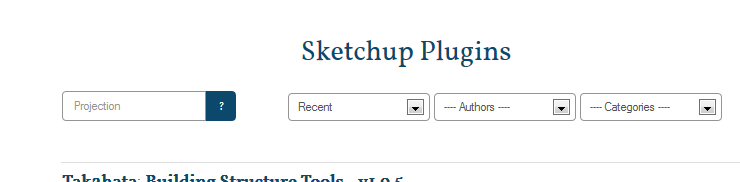
                              There's a Download button in the first post in this thread to take you to the PluginStore entry directly...Download.PNG

                              TIG

                              1 Reply Last reply
                              Reply Quote 0
                              • H
                                HirokaMatsuiko
                                last edited by

                                is it possible to add shortcut tried pilous method but seems cant figure it out how
                                it doesnt appear in shortcut

                                this is much powerful than SU default divide tool and i use this tool often .. because the knife tool artisan + dbur projection is much easier to use in parallel projection it snap easily

                                1 Reply Last reply
                                Reply Quote 0
                                • H
                                  Hastalasnarices
                                  last edited by

                                  Hi,
                                  I've installed the Plugin Store and downloaded this plugin through it in Sketchup 2013. However, I'm not getting the toolbar and so I can't use it. I've tried manually installing the plugin but still no results. The plugin appears correctly installed under the Plugin Store's plugin manager. When I right-click on Sketchup and select "Toolbars", there's one named "Projections", but checking it or un-cheking it doesn't produce any results. No toolbars appear or disappear. Help, please!

                                  1 Reply Last reply
                                  Reply Quote 0
                                  • TIGT
                                    TIG Moderator
                                    last edited by

                                    Logically you might look in Preferences > Extensions and check that this tool is 'ticked'...
                                    Then OK and the Toolbar etc should become available...
                                    BUT it is NOT an extension!
                                    If the plugin is correctly installed via the RBZ the tool bar 'Projections' should be available ?
                                    Do you have FULL security permissions to add files to the v2013 Plugins folder ??
                                    There's a tutorial in the menu above...

                                    TIG

                                    1 Reply Last reply
                                    Reply Quote 0
                                    • D
                                      De Etta
                                      last edited by

                                      I did not see an Instruction pdf available either with my download or on this page. maybe you can point me in the right direction?
                                      D

                                      1 Reply Last reply
                                      Reply Quote 0
                                      • sumasterS
                                        sumaster
                                        last edited by

                                        Any update for Sketchup 2014. . . . .
                                        It's not working. . . . . .

                                        Thanks,

                                        Thank you,
                                        SUmaster

                                        1 Reply Last reply
                                        Reply Quote 0
                                        • TIGT
                                          TIG Moderator
                                          last edited by

                                          Didier, this toolset's author, had made it an encrypted, so simple fixes are not easy...
                                          Didier seems preoccupied with other new things right now...

                                          But after some effort, I got/posted an updated version [v2a] now in the PluginStore, which is v2014 compatible [with one single simple typo fixed, which earler versions forgave but Ruby2 chokes on !]
                                          http://sketchucation.com/pluginstore?pln=projections

                                          TIG

                                          1 Reply Last reply
                                          Reply Quote 0
                                          • P
                                            Pherim
                                            last edited by

                                            With Sketchup 2015 64 bit, some of these tools don't work as they used to in 2013, Extrude lines and Faces along vector both only work when I enter values, but not by just clicking the start and end points.

                                            1 Reply Last reply
                                            Reply Quote 0

                                            Hello! It looks like you're interested in this conversation, but you don't have an account yet.

                                            Getting fed up of having to scroll through the same posts each visit? When you register for an account, you'll always come back to exactly where you were before, and choose to be notified of new replies (either via email, or push notification). You'll also be able to save bookmarks and upvote posts to show your appreciation to other community members.

                                            With your input, this post could be even better πŸ’—

                                            Register Login
                                            • 1
                                            • 2
                                            • 3
                                            • 4
                                            • 5
                                            • 6
                                            • 7
                                            • 8
                                            • 3 / 8
                                            • First post
                                              Last post
                                            Buy SketchPlus
                                            Buy SUbD
                                            Buy WrapR
                                            Buy eBook
                                            Buy Modelur
                                            Buy Vertex Tools
                                            Buy SketchCuisine
                                            Buy FormFonts

                                            Advertisement