Indigo Going Commercial
-
So you bought it without knowing what you will get?
Want to buy my car?
-
@kwistenbiebel said:
So you bought it without knowing what you will get?
Now you mention it.
There are a couple of things I know from experience, though:
-
really good engine
-
really good exporter that allows for fast 'n intuitive material making
Don't mind me - just trying to rationalise my actions.

That car, is it, like, really really really cool? Oh ... a car, how I'd love a car! Shall I pay you up front? Wouldn't that be handier for you? I mean, I don't want to make things complicated for ya. A car, dang, that'd be handy! It's got a nice color, doesn't it? Yeah, I'm sure it does! Oh man, I can totally picture myself cruising around in my new cool car! I'm gonna have the coolest ride on the block!
Sold!
-
-
I bought fryrender on basically the same conditions (pre release / half price).
One and a half year later I rarely use it anymore because of a lack of Sketchup plugin development.
I told myself not to jump on the same wagon again. -
Well ... one cannot predict the future. You always take a chance when you buy an app. Even if you're not an early buyer - I know, I got Maxwell.

Now there's a plugin that doesn't seem to be going anywhere.
-
From my quick browse of the beta forum i think it also has motion blur, which is quite cool. Not sure if whaat has managed to work this in to skindigo, though.
p.s. Got my license as well, first renderer i've ever shelled out for
 Hopefully my investment is well spent.
 -
I must admit that I find unbiased render engines not fast enough to spend (big) money on.
Image quality is great, yes, but the hardware is never good enough to be feasible.On the other hand, Whaat's Skindigo is a great plugin .
I wish the other render engines would work in a similar way. Double click a SU material, choose a preset, change some numbers and hit render. A 12 year old can do it. -
@kwistenbiebel said:
I must admit that I find unbiased render engines not fast enough to spend (big) money on.
Image quality is great, yes, but the hardware is never good enough to be feasible.You are right. But only to a degree, I think. I wouldn't use an unbiased engine if were a pro. Time is money - thus I'd use Vray. Yet, I am not a pro. I am solely in it for the pretty pictures. So at least in my case, going unbiased is a logical choice.
@kwistenbiebel said:
On the other hand, Whaat's Skindigo is a great plugin .
I wish the other render engines would work in a similar way. Double click a SU material, choose a preset, change some numbers and hit render. A 12 year old can do it.Yes, it is quite the little gem. I've actually bought both SDS and PB out of gratitude. Like you, I wonder why other devs do not adopt Whaat's wysiwyg approach. God knows there's quite a few render engines out there that could do with a straightforward mat editor.
-
so there's a mac version out now.. problem is, i can't get any of my models in there... the app seems to open fine but skindigo doesn't work with OS X..
is there another way to get .skps into indigo or is the exporter the only way to do it?
-
@unknownuser said:
so there's a mac version out now.. problem is, i can't get any of my models in there... the app seems to open fine but skindigo doesn't work with OS X..
is there another way to get .skps into indigo or is the exporter the only way to do it?
Hi Jeff,
I am currently working hard on SkIndigo OSX. Please be patient as there a lot of things to fix for it to work properly on Mac.
As of now, the only way to use SkIndigo on a Mac is to use bootcamp or equivalent.
I hope to have a working Mac version out within a couple of weeks.
Dale
-
oh nice.
thanks for the info and good luck with figuring out your new macno rush..
-
@unknownuser said:
@kwistenbiebel said:
I must admit that I find unbiased render engines not fast enough to spend (big) money on.
Image quality is great, yes, but the hardware is never good enough to be feasible.You are right. But only to a degree, I think. I wouldn't use an unbiased engine if were a pro. Time is money - thus I'd use Vray. Yet, I am not a pro. I am solely in it for the pretty pictures. So at least in my case, going unbiased is a logical choice.
I just ran a render in Indigo (skindigo 1.09 version when things were still free) for 10 hours on a 8 core Mac Pro and there is still too much noise to be presentable. The original was 2000Xsomething and I needed to downsize and denoise it a lot.
A biased engine would render the same image clean in about an hour. Even for a hobby I would prefer that.
The Indigo result:
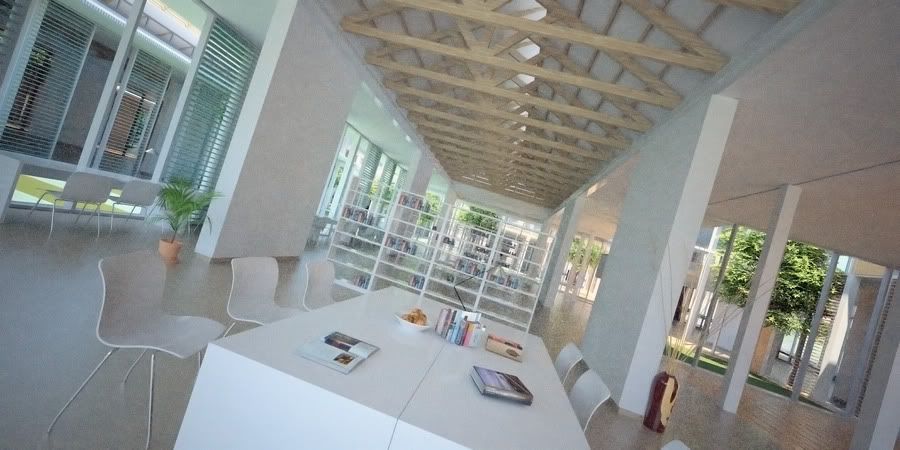
I am not saying that unbiased is bad. As a matter of fact, I liked using Indigo in my spare time ..... I just think that one should be careful spending a lot of money on it.
-
@ Kwisten - would that be pure white you're using?
Seriously, though, I obviously know noise is a big problem with unbiased engines. Certainly when doing sun-lit interiors. But ... I do not intend to use Indigo for those - I have a very specific use for it in mind.
Which it'll serve better - more efficiently- than Maxwell. 
-
@kwistenbiebel said:
I always have the feeling that Fry is faster because it has more bias?
No idea. I keep reading claims that Fry is indeed faster than Maxwell, though. I cannot verify this myself, as I don't own the app - I basically have quite enough rendering apps.
@kwistenbiebel said:
The Indigo output clearly has more bleeding and color depth going on, as if the light bounces of several times more.....at the expense of longer render time?
Could be. I have no idea how it works. However, from all the apps I own, I feel Indigo produces the best output.
@kwistenbiebel said:
As a side note: In Indigo, having the option to control sun and sky seperately should be implemented.
In other words, the sun direct sun light should get its own 'layer' to blend.+1
-
My whites never go higher than RGB 220,220,220...(in any render engine).
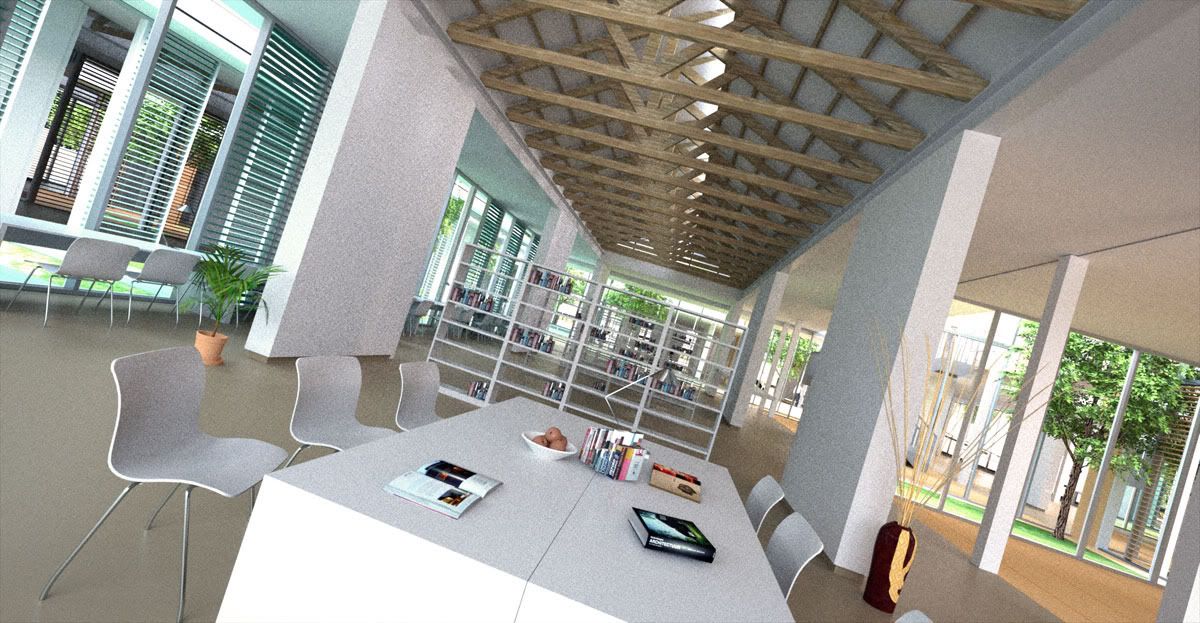
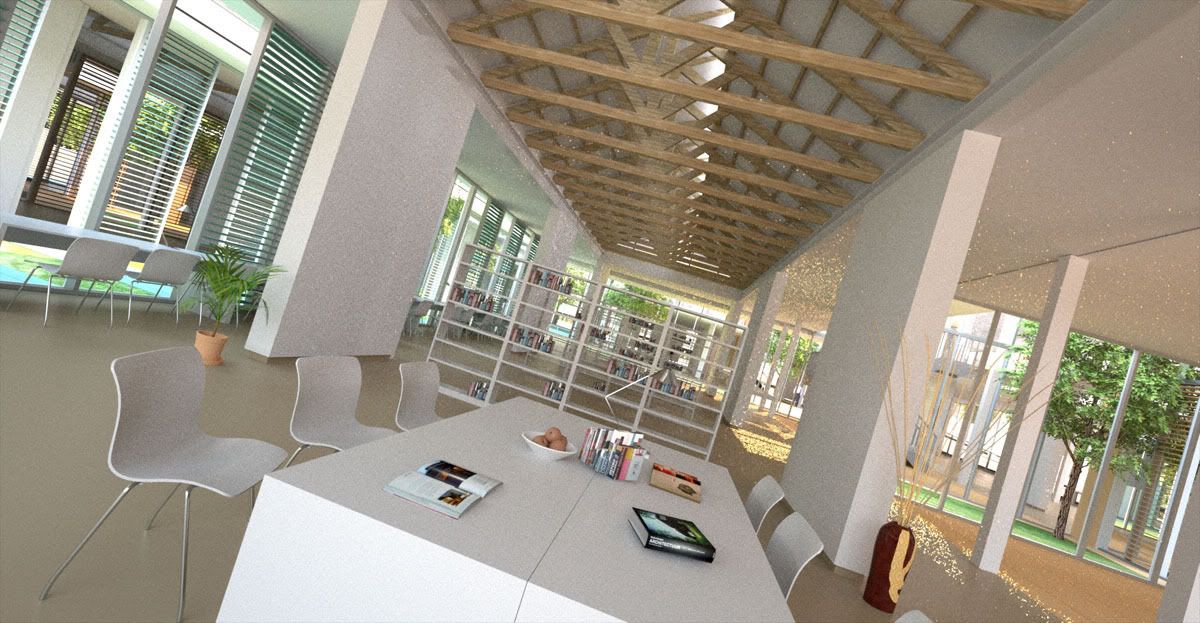
The fryrender one cleared up after 5 hours, but I admit that I prefer Indigo's color bleeding much more.
Fry: Pure sky
Fry: Sky + sun....Fire flies

I always have the feeling that Fry is faster because it has more bias?
The Indigo output clearly has more bleeding and color depth going on, as if the light bounces of several times more.....at the expense of longer render time?As a side note: In Indigo, having the option to control sun and sky seperately should be implemented.
In other words, the direct sun light should get its own 'layer' to blend.




Advertisement