sketchucation logo sketchucation
    • 登入
    Oops, your profile's looking a bit empty! To help us tailor your experience, please fill in key details like your SketchUp version, skill level, operating system, and more. Update and save your info on your profile page today!
    🔌 Easy Offset | Offset selected faces in SketchUp in positive and negative offsets. Download

    [Plugin] Shape Bender Beta

    已排程 已置頂 已鎖定 已移動 Plugins
    1.3k 貼文 331 Posters 1.8m 瀏覽 329 Watching
    正在載入更多貼文
    • 從舊到新
    • 從新到舊
    • 最多點贊
    回覆
    • 在新貼文中回覆
    登入後回覆
    此主題已被刪除。只有擁有主題管理權限的使用者可以查看。
    • Z 離線
      Z Donk
      最後由 編輯

      Hi moderator, I found the problem, I didn't know I had to have the entire file in my plugins folder.. Off and running.

      1 條回覆 最後回覆 回覆 引用 0
      • Dave RD 離線
        Dave R
        最後由 編輯

        @z donk said:

        Hi moderator, I found the problem, I didn't know I had to have the entire file in my plugins folder.. Off and running.

        So we can put your problem down to incorrect installation? That seems to be the most common reason plugins don't work for folks. It's one of the reasons for the Sketchucation Plugin Store. If you haven't got it and installed it, you should.

        Etaoin Shrdlu

        %

        (THERE'S NO PLACE LIKE)

        G28 X0.0 Y0.0 Z0.0

        M30

        %

        1 條回覆 最後回覆 回覆 引用 0
        • P 離線
          PabloNCS
          最後由 編輯

          Hi everyone,

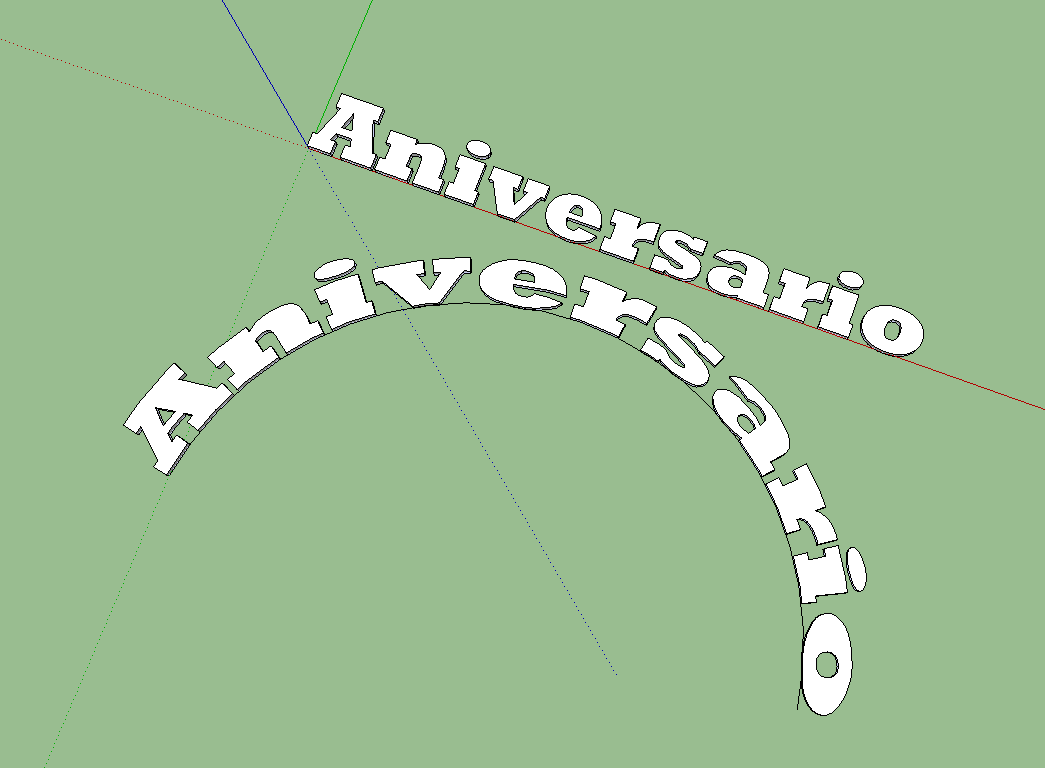
          I don't know what am I doing wrong, but the text I am trying to bend does not mantein its original size and it kind of stretches out.

          Anyone can give a hint?

          Thanks.

          Shape.png

          1 條回覆 最後回覆 回覆 引用 0
          • Dave RD 離線
            Dave R
            最後由 編輯

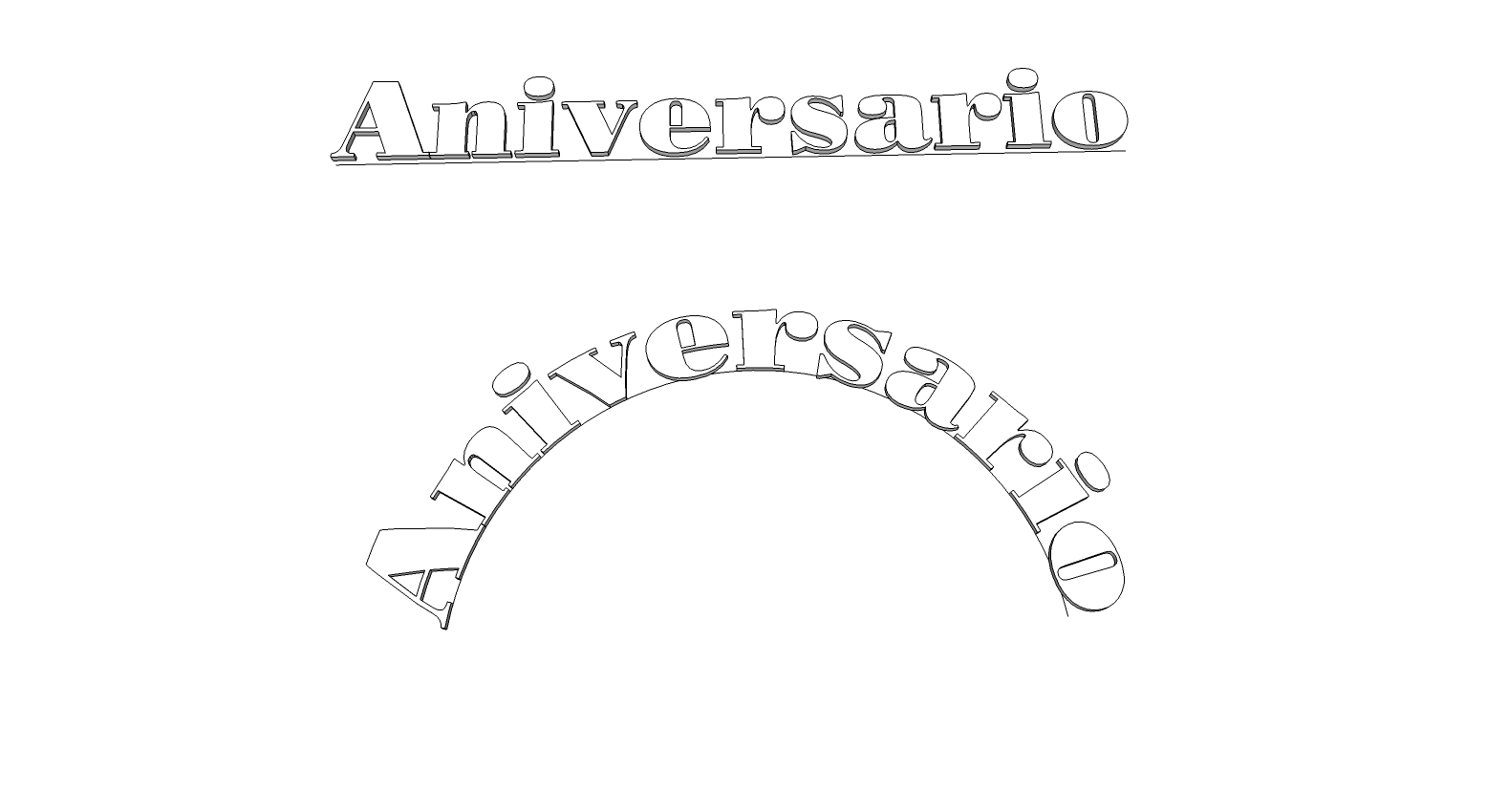
            The length of the arc is longer than the length of the original text and the original line so of course the text would get stretched. Make the straight line the same length as the text and the arc the length of the straight line and it works better. The letters will still get a bit distorted but that's to be expected. You might even make the arc a little shorter than the straight line in the case of your text.

            shape.png

            Etaoin Shrdlu

            %

            (THERE'S NO PLACE LIKE)

            G28 X0.0 Y0.0 Z0.0

            M30

            %

            1 條回覆 最後回覆 回覆 引用 0
            • P 離線
              PabloNCS
              最後由 編輯

              Thanks for the tip. It worked better that way.

              1 條回覆 最後回覆 回覆 引用 0
              • A 離線
                archipenti
                最後由 編輯

                Hello

                Seems we can not use custom axes for the "red axis"

                is there any update or solutions for this little bug?

                1 條回覆 最後回覆 回覆 引用 0
                • Dave RD 離線
                  Dave R
                  最後由 編輯

                  That's not a bug. 😒

                  Etaoin Shrdlu

                  %

                  (THERE'S NO PLACE LIKE)

                  G28 X0.0 Y0.0 Z0.0

                  M30

                  %

                  1 條回覆 最後回覆 回覆 引用 0
                  • V 離線
                    viahe
                    最後由 編輯

                    Thank you so much. Simple but yet, great ruby

                    1 條回覆 最後回覆 回覆 引用 0
                    • danchoD 離線
                      dancho
                      最後由 編輯

                      Hi Chris,

                      plugin don't work with FREDO's AdditionalPluginFolders.
                      Is it possible to make it work with it?

                      THX
                      Dancho

                      1 條回覆 最後回覆 回覆 引用 0
                      • TIGT 離線
                        TIG Moderator
                        最後由 編輯

                        Like I told you in another recent post... 😉
                        The code needs adjusting around lines #158-160 of the main code file clf_shape_bender/clf_shape_bender.rb...
                        Use Notepad plain text editor...
                        Change the lines:
                        line_cursor_path = Sketchup.find_support_file("line_pointer.png", "Plugins/clf_shape_bender") curve_cursor_path = Sketchup.find_support_file("curve_pointer.png", "Plugins/clf_shape_bender") default_cursor_path = Sketchup.find_support_file("default_pointer.png", "Plugins/clf_shape_bender")
                        to read:
                        line_cursor_path = File.join(File.dirname(__FILE__), "clf_shape_bender", "line_pointer.png") curve_cursor_path = File.join(File.dirname(__FILE__), "clf_shape_bender", "curve_pointer.png") default_cursor_path = File.join(File.dirname(__FILE__), "clf_shape_bender", "default_pointer.png")
                        Save the file and restart SketchUp...
                        This approach will then work with any folder location. which is auto-loading a plugin like this, and which is looking for helper files in a subfolder within its folder...

                        TIG

                        1 條回覆 最後回覆 回覆 引用 0
                        • Chris FullmerC 離線
                          Chris Fullmer
                          最後由 編輯

                          Cool, thanks TIG.

                          Lately you've been tan, suspicious for the winter.
                          All my Plugins I've written

                          1 條回覆 最後回覆 回覆 引用 0
                          • LanaL 離線
                            Lana
                            最後由 編輯

                            Is very cool!!!Thank you!!! 😍

                            1 條回覆 最後回覆 回覆 引用 0
                            • J 離線
                              janpaw_kei
                              最後由 編輯

                              Hi Guys!

                              I'm new in Sketchup and I just downloaded the shape bender tool for the curved car ramp that I'm making, and I can't seem to make it work.

                              My reference would be:
                              http://www.youtube.com/watch?v=tGHTIOMm_34

                              I followed the video step by step.

                              1. Click "grouped" shape.
                              2. Click SHAPE BENDER TOOL.
                              3. Click "straight" line.
                              4. Click "arched" line.

                              I have problems with step 3.
                              I can't seem to click THAT separate straight line I made after I clicked on the shape bender tool icon. 🎉

                              Is this a download error?

                              Thanks a lot!!

                              1 條回覆 最後回覆 回覆 引用 0
                              • BoxB 離線
                                Box
                                最後由 編輯

                                The straight line must follow the red axis, not be part of a group or attached to anything.

                                1 條回覆 最後回覆 回覆 引用 0
                                • J 離線
                                  janpaw_kei
                                  最後由 編輯

                                  Yeah, I've been doing that. I still can't click on that straight line on the red axis 😞

                                  1 條回覆 最後回覆 回覆 引用 0
                                  • Dave RD 離線
                                    Dave R
                                    最後由 編輯

                                    Upload the SKP file so we can see what you've got going on.

                                    Etaoin Shrdlu

                                    %

                                    (THERE'S NO PLACE LIKE)

                                    G28 X0.0 Y0.0 Z0.0

                                    M30

                                    %

                                    1 條回覆 最後回覆 回覆 引用 0
                                    • J 離線
                                      janpaw_kei
                                      最後由 編輯

                                      Here it is 😄


                                      Bender tool.skp


                                      curved ramp.pdf

                                      1 條回覆 最後回覆 回覆 引用 0
                                      • BoxB 離線
                                        Box
                                        最後由 編輯

                                        It's three lines, it needs to be one line. Redraw it as one, and draw it along the length of your shape.
                                        The length and position of all parts effect how it works.

                                        1 條回覆 最後回覆 回覆 引用 0
                                        • J 離線
                                          janpaw_kei
                                          最後由 編輯

                                          Alright, I just did that. Still can't click the straight line. I'm so sorry for this 😞


                                          Bender tool.skp

                                          1 條回覆 最後回覆 回覆 引用 0
                                          • BoxB 離線
                                            Box
                                            最後由 編輯

                                            It's behind the shape now, draw it at the front, or move it to the front. Also you have two shapes, one on top of the other.

                                            1 條回覆 最後回覆 回覆 引用 0
                                            • 1
                                            • 2
                                            • 57
                                            • 58
                                            • 59
                                            • 60
                                            • 61
                                            • 62
                                            • 63
                                            • 64
                                            • 59 / 64
                                            • 第一個貼文
                                              最後的貼文
                                            Buy SketchPlus
                                            Buy SUbD
                                            Buy WrapR
                                            Buy eBook
                                            Buy Modelur
                                            Buy Vertex Tools
                                            Buy SketchCuisine
                                            Buy FormFonts

                                            Advertisement


