sketchucation logo sketchucation
    • 登入
    Oops, your profile's looking a bit empty! To help us tailor your experience, please fill in key details like your SketchUp version, skill level, operating system, and more. Update and save your info on your profile page today!
    🔌 Smart Spline | Fluid way to handle splines for furniture design and complex structures. Download

    The "Duh!" thread (aka the Doh! thread)

    已排程 已置頂 已鎖定 已移動 SketchUp Discussions
    sketchup
    696 貼文 135 Posters 316.5k 瀏覽 135 Watching
    正在載入更多貼文
    • 從舊到新
    • 從新到舊
    • 最多點贊
    回覆
    • 在新貼文中回覆
    登入後回覆
    此主題已被刪除。只有擁有主題管理權限的使用者可以查看。
    • pilouP 離線
      pilou
      最後由 編輯

      @unknownuser said:

      your first point won't lose, you can finish your line

      Seems it's valuable with all tools of visualisation 😉
      CLick on mouse wheel, + Shift and move etc...

      Frenchy Pilou
      Is beautiful that please without concept!
      My Little site :)

      1 條回覆 最後回覆 回覆 引用 0
      • G 離線
        gr8fzy1
        最後由 編輯

        Also, this is an older one, but:

        I knew that if you used the push pull on a face and typed in a pull length, it would push/pull to that length. Double clicking on the face or another face would repeat the push/pull again. But it took me forever to realize that that was on just WHITE faces...if you double clicked the push/pull on a BLUE face, it would push/pull the exact OPPOSITE direction!

        Example: Pull a white face up on the blue axis two feet. Double click on another white face, it repeats. Double click on a BLUE face, it SUBTRACTS two feet.

        1 條回覆 最後回覆 回覆 引用 0
        • G 離線
          gr8fzy1
          最後由 編輯

          OMG, the K key makes back edges visible! How could I have used this thing for 2 years and discover that NOW?!?

          I feel like Superman now with my X-ray vision!

          1 條回覆 最後回覆 回覆 引用 0
          • cottyC 離線
            cotty
            最後由 編輯

            @gr8fzy1 said:

            ...Double click on another white face, it repeats. Double click on a BLUE face, it SUBTRACTS two feet.

            It is always in the direction of the positive face normal (white=front).

            my SketchUp gallery

            1 條回覆 最後回覆 回覆 引用 0
            • C 離線
              cordless101
              最後由 編輯

              @gr8fzy1 said:

              OMG, the K key makes back edges visible! How could I have used this thing for 2 years and discover that NOW?!?

              I feel like Superman now with my X-ray vision!

              Thanks! Great tip for me.

              1 條回覆 最後回覆 回覆 引用 0
              • thomthomT 離線
                thomthom
                最後由 編輯

                @gr8fzy1 said:

                OMG, the K key makes back edges visible! How could I have used this thing for 2 years and discover that NOW?!?

                I feel like Superman now with my X-ray vision!

                hehe - I ran into this a couple of months ago my self. Thought initially I'd activated X-Ray mode, and kept tapping the X key, couldn't work out what what going on. doubleduh!

                (Today's not-quite SketchUp duh... or doh!: Tried to orbit a png file... tried to pinch the monitor, because my laptop got touchscreen and my "smart"phone. x_X not the best of days...)

                Thomas Thomassen — SketchUp Monkey & Coding addict
                List of my plugins and link to the CookieWare fund

                1 條回覆 最後回覆 回覆 引用 0
                • GaieusG 離線
                  Gaieus
                  最後由 編輯

                  @gr8fzy1 said:

                  OMG, the K key makes back edges visible! How could I have used this thing for 2 years and discover that NOW?!?

                  I feel like Superman now with my X-ray vision!

                  SU did not even have back edges 2 years ago - only since last September. 😄

                  @gr8fzy1 said:

                  I knew that if you used the push pull on a face and typed in a pull length, it would push/pull to that length. Double clicking on the face or another face would repeat the push/pull again. But it took me forever to realize that that was on just WHITE faces...if you double clicked the push/pull on a BLUE face, it would push/pull the exact OPPOSITE direction!

                  Also be very careful with this feature. When you draw a shape on the ground plane, it has its back face up. Now PP it to a height - it will suddenly reverse that pushpulled face and it will be a front face. Now repeating the operation by double clicking will PP it back but also your 2D shape disappears since it's PP'd to the (now) opposite parallel face (just like when you PP an opening)

                  Gai...

                  1 條回覆 最後回覆 回覆 引用 0
                  • G 離線
                    gr8fzy1
                    最後由 編輯

                    @gaieus said:

                    SU did not even have back edges 2 years ago - only since last September. 😄

                    Yay, so that takes ONE year off my duncery! Thanks Gaieus! Shakes hand

                    1 條回覆 最後回覆 回覆 引用 0
                    • jeff hammondJ 離線
                      jeff hammond
                      最後由 編輯

                      i recently had an actual duh using sketchup.. (and i thought i was done with duhs 😄)

                      often when moving or drawing, i'll need to get an inference to get my direction set then type in the distance value.

                      well, in many situations, getting the inference requires some zooming/orbiting in order to get a a lock on an axis due to other the other geometry in the object grabbing endpoints/mids/etc..

                      there are situations however when i can easily get the axis lock if i move in the opposite direction because i don't have any geometry on that side..

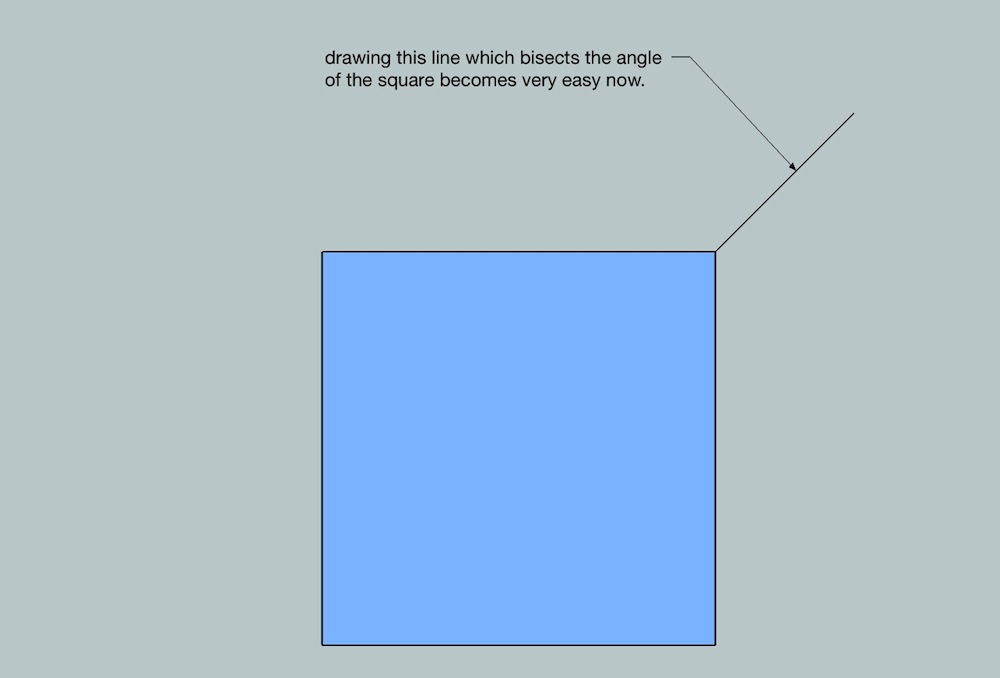
                      so, the duh i had is that i can start moving/drawing in the easy_to_catch inference direction then type in a negative value in the measurement box ( **−**64" etc) in which case the object will move in the desired direction..

                      i actually came across this from using rhino a lot lately which often requires you to use negative values to get things going in a certain direction.. i'll post an example .skp later which demonstrates this advantage..

                      there are other cases where this can be very useful as well but i'm a bit long winded already..

                      [edit — ok.. one simple quicky example of alternative uses.. ]
                      untitled.jpg

                      dotdotdot

                      1 條回覆 最後回覆 回覆 引用 0
                      • cottyC 離線
                        cotty
                        最後由 編輯

                        Some little Doh!s about the text tool (they all are in the online manual, but who read it?!):

                        • If you doubleclick a face with the text-tool, the text is connected to that face without a leader line (not as screen text!)
                        • Leader text have two styles (View Based and Pushpin) changeable in the element info window (and I like the view based (not standard) much more...)
                        • By clicking on an corner of a group or a component the name of that element is shown
                        • Double click on enter ends editing of text
                        • ...

                        my SketchUp gallery

                        1 條回覆 最後回覆 回覆 引用 0
                        • jeff hammondJ 離線
                          jeff hammond
                          最後由 編輯

                          ^ a little more on text that wasn't immediately obvious to me..

                          you can edit text via entity info and change the font/size/color from there on individual text items..
                          aside from pushpin or view based for leader text, there's also a choice for 'hidden' in the text's entity info dialog (not the checkbox 'hidden' which hides the whole thing.. rather the 'hidden' available in the leader popup..)

                          using that option will allow you to place something that looks like screen text except it stays in the position of leader text.. (i.e.- it's like screen text except you can pan it etc..)

                          dotdotdot

                          1 條回覆 最後回覆 回覆 引用 0
                          • charly2008C 離線
                            charly2008
                            最後由 編輯

                            Hi,

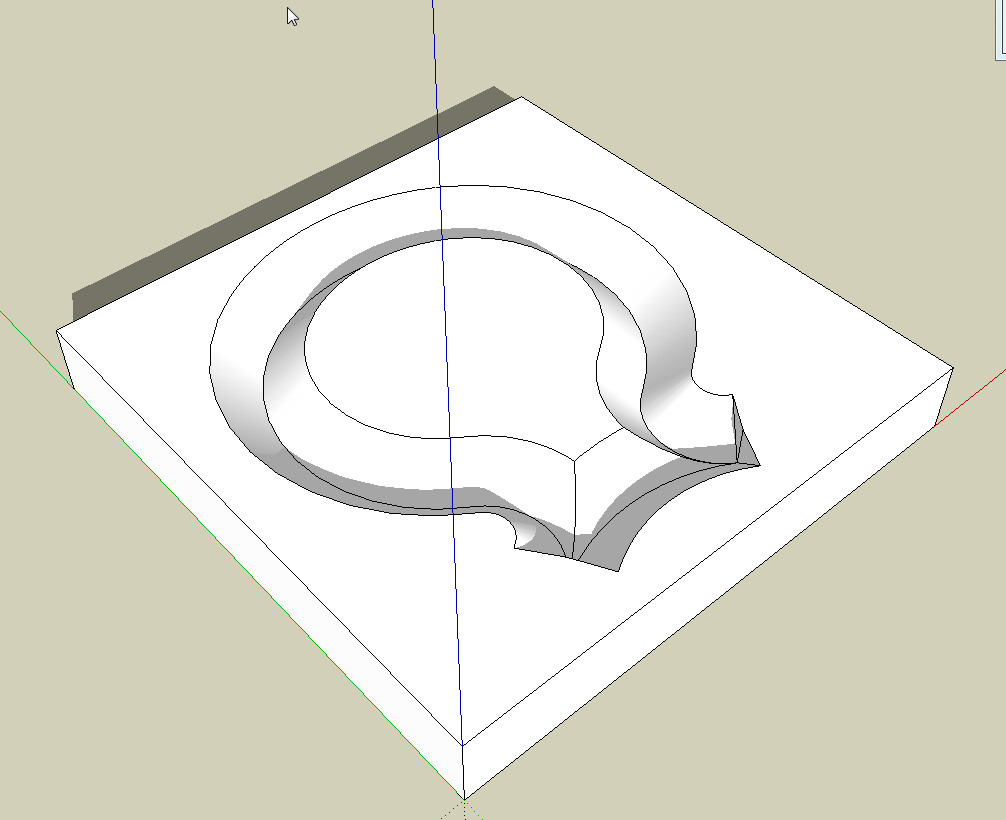
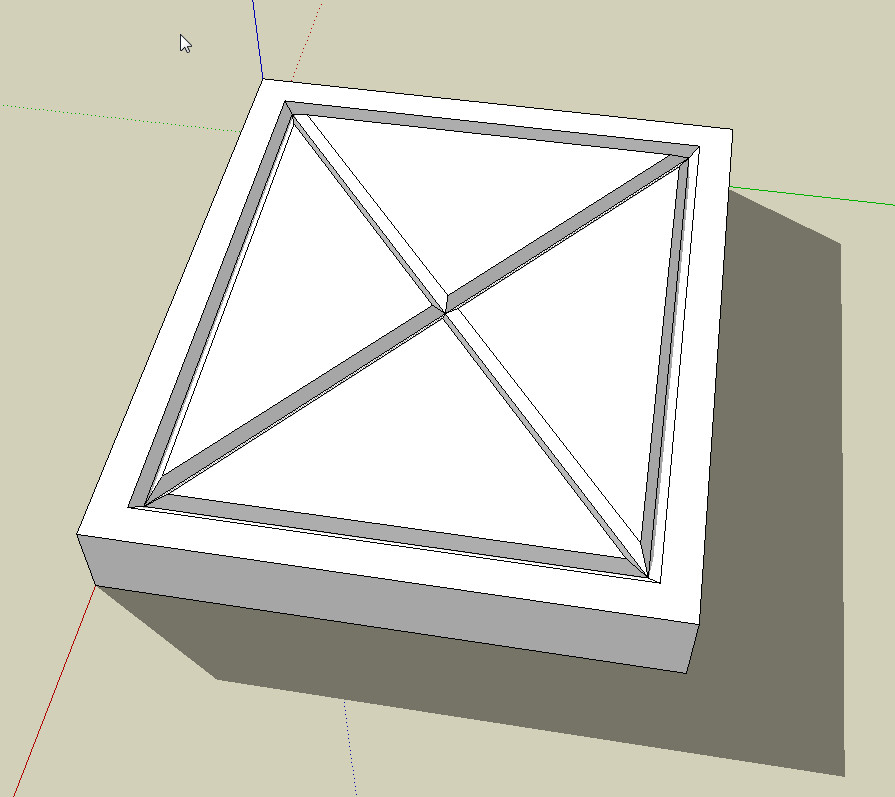
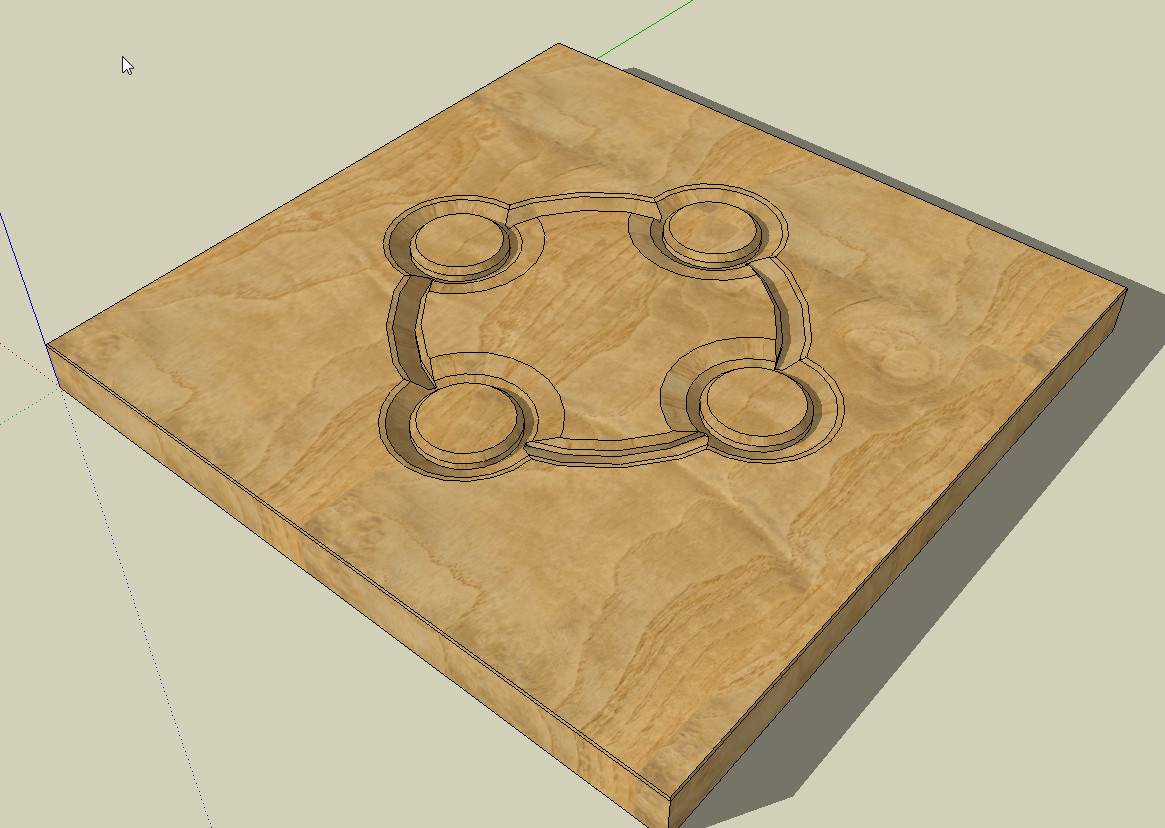
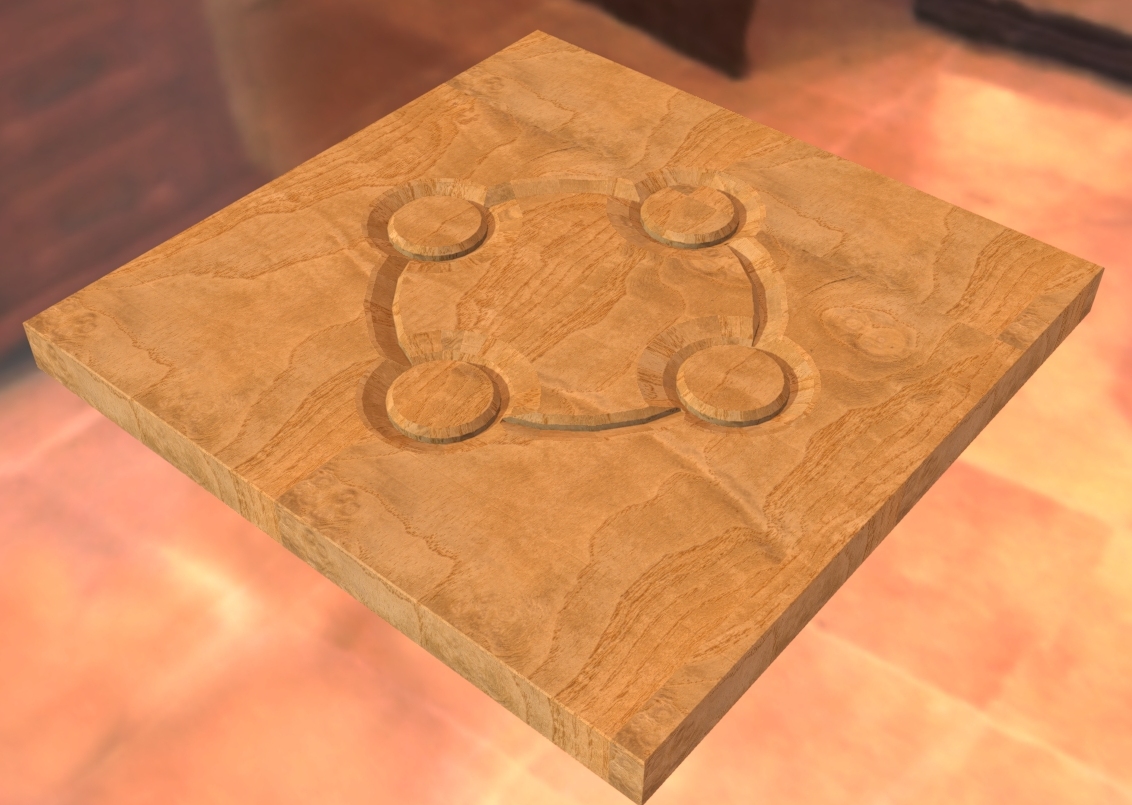
                            Also, I had again a Duh moment yesterday in thread: InnerBevel

                            http://forums.sketchucation.com/viewtopic.php?f=15&t=41649&p=374612&hilit=inner+bevel # p374612

                            The method ... Convert arcs to cylinders is very suitable for engraving maybe also for carvings.

                            Charly
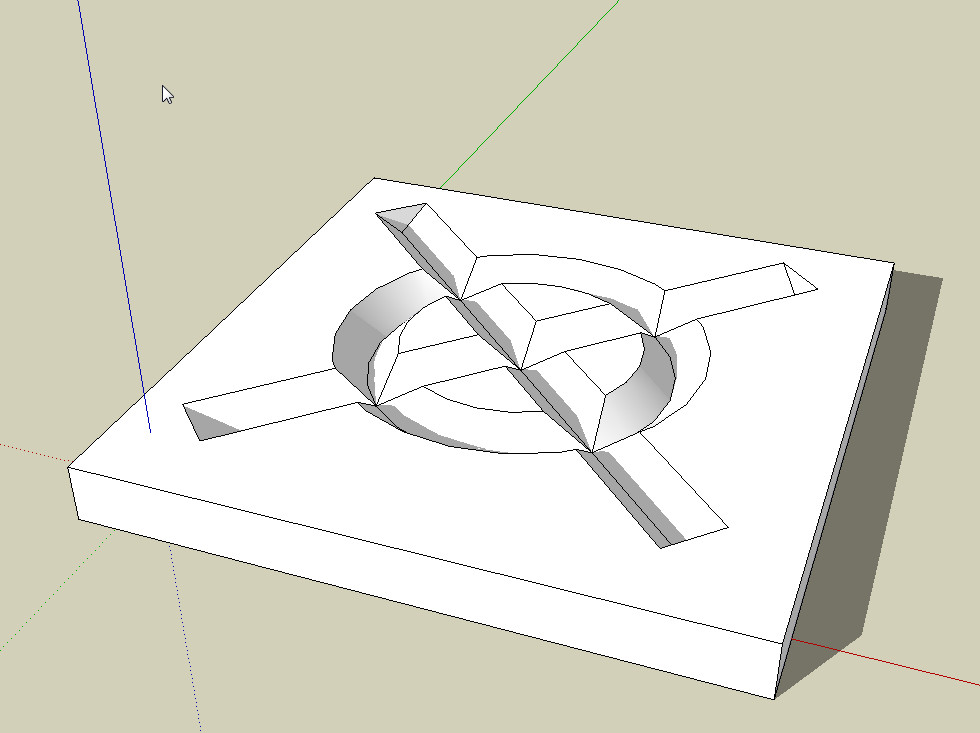

                            2011-12-29_143155.jpg


                            2011-12-29_145057.jpg


                            Untitled.skp


                            2011-12-29_145057.jpg


                            2011-12-29_143155.jpg


                            Schnitzerei.jpg

                            He who makes no mistakes, makes nothing

                            1 條回覆 最後回覆 回覆 引用 0
                            • charly2008C 離線
                              charly2008
                              最後由 編輯

                              Hi,

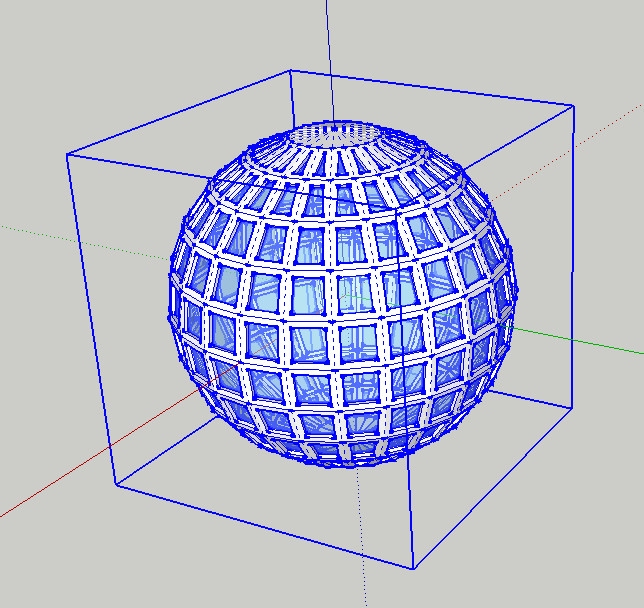
                              I became aware of it now. When a group or one component is selected in Sketchup 8, the entire contents are also displayed in blue color.

                              Charly
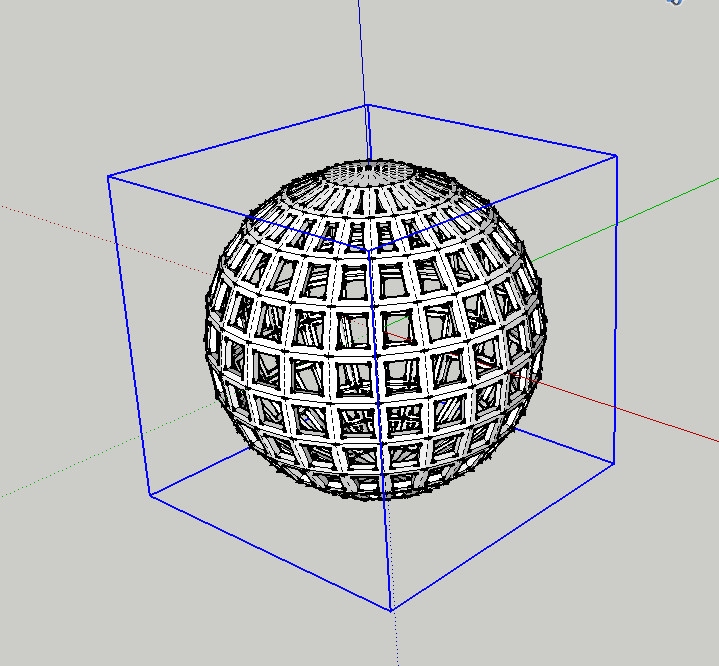

                              Sketchup 7


                              Sketchup 8

                              He who makes no mistakes, makes nothing

                              1 條回覆 最後回覆 回覆 引用 0
                              • thomthomT 離線
                                thomthom
                                最後由 編輯

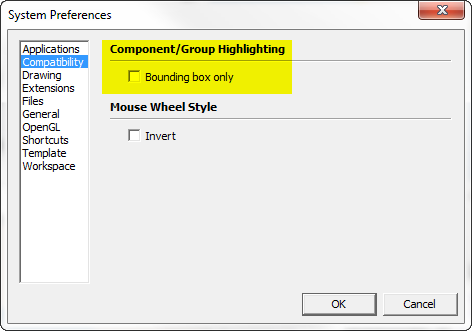
                                Not if you check this preference:
                                Hihglight.png

                                Thomas Thomassen — SketchUp Monkey & Coding addict
                                List of my plugins and link to the CookieWare fund

                                1 條回覆 最後回覆 回覆 引用 0
                                • charly2008C 離線
                                  charly2008
                                  最後由 編輯

                                  @thomthom said:

                                  Not if you check this preference:
                                  [attachment=0:1roooad7]<!-- ia0 -->Hihglight.png<!-- ia0 -->[/attachment:1roooad7]

                                  A new Duh moment, thanks Thomas.

                                  Charly

                                  He who makes no mistakes, makes nothing

                                  1 條回覆 最後回覆 回覆 引用 0
                                  • M 離線
                                    mk11
                                    最後由 編輯

                                    Just figured out... For those of you using a Logitech multi-button mouse... map the back or zoom buttom to "middle-click", you can orbit with that button, click back+ left click to pan and lets you keep the middle wheel for zoom - fastest way to navigate ever because you can orbit/pan/zoom at the same time!

                                    Marc Kleinmann
                                    SU Pro 2015
                                    Mac & Win

                                    1 條回覆 最後回覆 回覆 引用 0
                                    • C 離線
                                      Charlie__V
                                      最後由 編輯

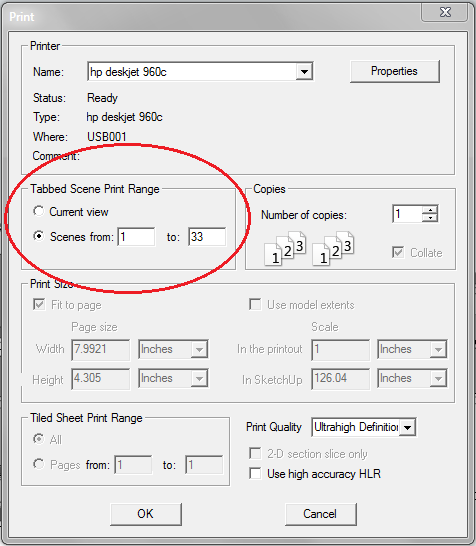
                                      File............Print..........Tabbed Scene Print Range......SCENES FROM////////////DOH!

                                      A doh! moment because:
                                      1)I always thought/assumed single scene output(single image/not anim. export)achieved only via EXPORT 2D...... .png/jpg etc.

                                      2)I had no idea scene tabs alone could be "printed".......in order of course.........2x DOH!

                                      Best,
                                      Charlie

                                      Precision M1710/Win 7 Pro 64 bit/i-7 6920 Quad core 2.9 Ghz -3.8/16Gb ram/NVIDIA M5000M 8Gb

                                      1 條回覆 最後回覆 回覆 引用 0
                                      • jeff hammondJ 離線
                                        jeff hammond
                                        最後由 編輯

                                        @unknownuser said:

                                        File............Print..........Tabbed Scene Print Range......SCENES FROM////////////DOH!

                                        wait.. what?
                                        didn't know you could do that... neat

                                        [no such thing on mac.. and if there is, i'm about to have a big doh moment]

                                        dotdotdot

                                        1 條回覆 最後回覆 回覆 引用 0
                                        • C 離線
                                          Charlie__V
                                          最後由 編輯

                                          @unknownuser said:

                                          @unknownuser said:

                                          File............Print..........Tabbed Scene Print Range......SCENES FROM////////////DOH!

                                          wait.. what?
                                          didn't know you could do that... neat

                                          [no such thing on mac.. and if there is, i'm about to have a big doh moment]

                                          Jeff.
                                          Yup (MS 7).....and of course I hope,......you have same option in Mac world. (see attached)

                                          Tabs_Print_MS 7

                                          Precision M1710/Win 7 Pro 64 bit/i-7 6920 Quad core 2.9 Ghz -3.8/16Gb ram/NVIDIA M5000M 8Gb

                                          1 條回覆 最後回覆 回覆 引用 0
                                          • pilouP 離線
                                            pilou
                                            最後由 編輯

                                            So you can make easily a real "flip book" 😉

                                            Frenchy Pilou
                                            Is beautiful that please without concept!
                                            My Little site :)

                                            1 條回覆 最後回覆 回覆 引用 0
                                            • 1
                                            • 2
                                            • 31
                                            • 32
                                            • 33
                                            • 34
                                            • 35
                                            • 34 / 35
                                            • 第一個貼文
                                              最後的貼文
                                            Buy SketchPlus
                                            Buy SUbD
                                            Buy WrapR
                                            Buy eBook
                                            Buy Modelur
                                            Buy Vertex Tools
                                            Buy SketchCuisine
                                            Buy FormFonts

                                            Advertisement