sketchucation logo sketchucation
    • Login
    Oops, your profile's looking a bit empty! To help us tailor your experience, please fill in key details like your SketchUp version, skill level, operating system, and more. Update and save your info on your profile page today!
    โš ๏ธ Update | Sketchucation Tools 5.0.8 released with licensing improvements and bugfixes Download

    The "Duh!" thread (aka the Doh! thread)

    Scheduled Pinned Locked Moved SketchUp Discussions
    sketchup
    696 Posts 135 Posters 579.7k Views 135 Watching
    Loading More Posts
    • Oldest to Newest
    • Newest to Oldest
    • Most Votes
    Reply
    • Reply as topic
    Log in to reply
    This topic has been deleted. Only users with topic management privileges can see it.
    • R
      remus
      last edited by

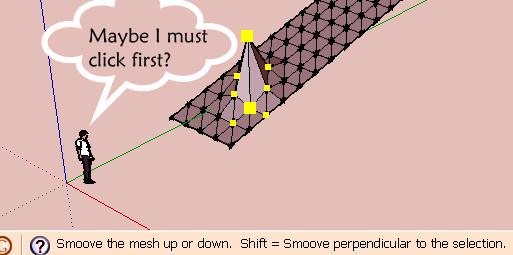
      @unknownuser said:

      You can sculpt in a direction other than vertical by holding down
      the Shift key while moving the mouse. However, this operation can result in a
      non-functional terrain or terrain that can no longer be manipulated in a known
      way. This operation can only be performed while in active selection (not after
      preselection).

      http://remusrendering.wordpress.com/

      1 Reply Last reply
      Reply Quote 0
      • pilouP
        pilou
        last edited by

        False Duhduh! ๐Ÿ˜’ Oh! ๐Ÿ˜ฎ A manual is existing? ๐Ÿ’š

        PS You don't need especially a manual : Just Look at the line help Page Bottom! ๐Ÿ˜†
        It's Write...
        Line help is an another false Duhduh! ๐Ÿ˜„
        falseduh.jpg

        Frenchy Pilou
        Is beautiful that please without concept!
        My Little site :)

        1 Reply Last reply
        Reply Quote 0
        • B
          BTM
          last edited by

          Mine didn't say that.


          Picture 1.png

          1 Reply Last reply
          Reply Quote 0
          • S
            sepo
            last edited by

            [/quote]Being able to put in "s5" in the VCB to control the number of sides before I create a circle or arc... Big Duh![/quote]
            It does not work for me. As soon I type s it triggers scale tool. Btw If you call arc or circle vcb gives you option to type in number of segments.

            1 Reply Last reply
            Reply Quote 0
            • soloS
              solo
              last edited by

              try 5s.

              http://www.solos-art.com

              If you see a toilet in your dreams do not use it.

              1 Reply Last reply
              Reply Quote 0
              • S
                sepo
                last edited by

                But what is the point as vcb gives you option for number of sides as soon as you select arc or circle.

                1 Reply Last reply
                Reply Quote 0
                • soloS
                  solo
                  last edited by

                  I dunno, I use the model info options to alter my segments anyway.

                  http://www.solos-art.com

                  If you see a toilet in your dreams do not use it.

                  1 Reply Last reply
                  Reply Quote 0
                  • pilouP
                    pilou
                    last edited by

                    @BTM: As shown on the green image above ๐Ÿ˜„


                    first.jpg

                    Frenchy Pilou
                    Is beautiful that please without concept!
                    My Little site :)

                    1 Reply Last reply
                    Reply Quote 0
                    • pilouP
                      pilou
                      last edited by

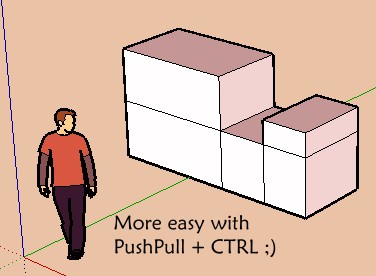
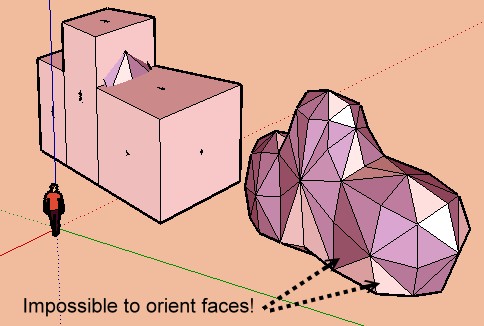
                      An another one ๐Ÿ˜„

                      Frenchy Pilou
                      Is beautiful that please without concept!
                      My Little site :)

                      1 Reply Last reply
                      Reply Quote 0
                      • GaieusG
                        Gaieus
                        last edited by

                        Duh... I've never noticed you can collapse that Entity info box (mine is always expanded). Well, still better than the other way around. ๐Ÿ˜„

                        Gai...

                        1 Reply Last reply
                        Reply Quote 0
                        • pilouP
                          pilou
                          last edited by

                          My Duhduh of the day! โ˜€
                          No exactly for SU but ๐Ÿ˜‰
                          As make a "snapshot" of a video is impossible ๐Ÿ˜ฎ
                          You can Save "as an image" when you make pause inside the viewer! ๐Ÿ˜ณ
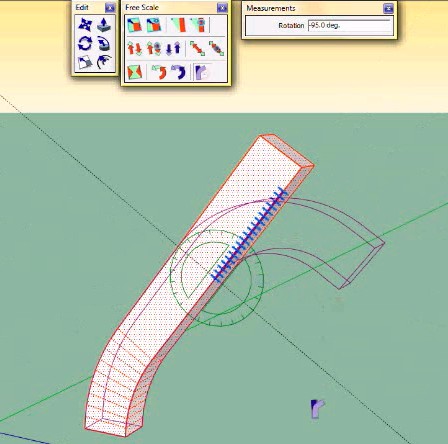
                          So I have need this today for this crazy teaser of Fredo6 and his new Bend Function! ๐Ÿ˜ฒ ๐Ÿ˜Žbend.jpg
                          (click image if scrallbars)

                          Frenchy Pilou
                          Is beautiful that please without concept!
                          My Little site :)

                          1 Reply Last reply
                          Reply Quote 0
                          • E
                            Ecuadorian
                            last edited by

                            Pause inside the viewer? What viewer?

                            -Miguel Lescano
                            Subscribe to my house plans YouTube channel! (30K+ subs)

                            1 Reply Last reply
                            Reply Quote 0
                            • pilouP
                              pilou
                              last edited by

                              Pause is normally existing in any viewer ๐Ÿ˜‰ Windows, Mpc, Quick Time etc...
                              But the crazy thing is I had never thought to use it before today with the "Print Screen" key ๐Ÿ˜ณ ๐Ÿ˜ณ ๐Ÿ˜ณ
                              Because when you use the "Print Screen" key during an animation you have nothing as image! ๐Ÿ˜ฎ

                              Frenchy Pilou
                              Is beautiful that please without concept!
                              My Little site :)

                              1 Reply Last reply
                              Reply Quote 0
                              • E
                                Ecuadorian
                                last edited by

                                Depends on the mode you're using. If you're using hardware acceleration in whatever media player you use, you won't be able to make captures by just pressing "print screen". I recommend using the VLC player, it features screen capture and opens most formats.

                                -Miguel Lescano
                                Subscribe to my house plans YouTube channel! (30K+ subs)

                                1 Reply Last reply
                                Reply Quote 0
                                • jeff hammondJ
                                  jeff hammond
                                  last edited by

                                  i'm not sure this qualifies as a 'duh' moment because it's actually an application duh.. when i finally figured out this workaround though, it was a big relief..

                                  it has to do with dividing arc/circles into a certain amount of segments.. say you need 16 segments in an arc.. sketchup may let you change the amount so you think you're good to go.. later in the model, you might need another arc with the same amount of segments but this time, sketchup won't let you change it to the same amount..

                                  the workaround is this: change the amount to 1 higher than you need (17 instead of 16 for instance) THen change that arc to 16..

                                  i have no idea why SU won't just let me divide into the proper amounts in the first place and i previously had some headache workarounds to deal with this..

                                  dotdotdot

                                  1 Reply Last reply
                                  Reply Quote 0
                                  • pilouP
                                    pilou
                                    last edited by

                                    cool to know that! ovoid some circular headaches โ˜€

                                    Frenchy Pilou
                                    Is beautiful that please without concept!
                                    My Little site :)

                                    1 Reply Last reply
                                    Reply Quote 0
                                    • free agentF
                                      free agent
                                      last edited by

                                      @paulside said:

                                      Come on, Own up, how many of us have tried to orbit a jpg ! ๐Ÿคฃ

                                      jeez ive tried to orbit word documents ๐Ÿค“

                                      http://i167.photobucket.com/albums/u143/FreeAgent84/bug.gif

                                      1 Reply Last reply
                                      Reply Quote 0
                                      • david_hD
                                        david_h
                                        last edited by

                                        @gaieus said:

                                        How about creating only "dummy" or "proxy" components?

                                        So what is the best method for Proxy-ing? To create a 2 layers of different components and toggle each one in a scene or is it to reload and displace the proxy via "RELOAD" when it comes time to render?

                                        Just Curious since I am dealing with that issue as we speak.

                                        David_H

                                        If I make it look easy...It is probably easy

                                        1 Reply Last reply
                                        Reply Quote 0
                                        • GaieusG
                                          Gaieus
                                          last edited by

                                          @unknownuser said:

                                          ...So what is the best method for Proxy-ing? To create a 2 layers of different components and toggle each one in a scene or is it to reload and displace the proxy via "RELOAD" when it comes time to render?

                                          Well, I don't think there's a general and always "true" answer to that. It would definitely depend on the particular model, the purpose, the workflow, even additional software (like renderers that can use SU proxies and instancing) etc.

                                          Gai...

                                          1 Reply Last reply
                                          Reply Quote 0
                                          • david_hD
                                            david_h
                                            last edited by

                                            That's what I was a-feared of.

                                            You know . .. of all the answers to life's questions. . .

                                            "well, that depends"

                                            has to be the least satisfying of them all. Thanx for the response anyway.

                                            ๐Ÿ’š

                                            so what is the most satisfying?

                                            If I make it look easy...It is probably easy

                                            1 Reply Last reply
                                            Reply Quote 0

                                            Hello! It looks like you're interested in this conversation, but you don't have an account yet.

                                            Getting fed up of having to scroll through the same posts each visit? When you register for an account, you'll always come back to exactly where you were before, and choose to be notified of new replies (either via email, or push notification). You'll also be able to save bookmarks and upvote posts to show your appreciation to other community members.

                                            With your input, this post could be even better ๐Ÿ’—

                                            Register Login
                                            • 1
                                            • 2
                                            • 3
                                            • 4
                                            • 5
                                            • 6
                                            • 7
                                            • 8
                                            • 34
                                            • 35
                                            • 6 / 35
                                            • First post
                                              Last post
                                            Buy SketchPlus
                                            Buy SUbD
                                            Buy WrapR
                                            Buy eBook
                                            Buy Modelur
                                            Buy Vertex Tools
                                            Buy SketchCuisine
                                            Buy FormFonts

                                            Advertisement