sketchucation logo sketchucation
    • 登入
    Oops, your profile's looking a bit empty! To help us tailor your experience, please fill in key details like your SketchUp version, skill level, operating system, and more. Update and save your info on your profile page today!
    ⚠️ Important | Libfredo 15.6b introduces important bugfixes for Fredo's Extensions Update

    Curved Walls

    已排程 已置頂 已鎖定 已移動 Newbie Forum
    sketchup
    55 貼文 8 Posters 5.1k 瀏覽 8 Watching
    正在載入更多貼文
    • 從舊到新
    • 從新到舊
    • 最多點贊
    回覆
    • 在新貼文中回覆
    登入後回覆
    此主題已被刪除。只有擁有主題管理權限的使用者可以查看。
    • R 離線
      Rudbeckia
      最後由 編輯

      @xrok1 said:

      @rudbeckia said:

      @xrok1 said:

      see if you can take it from here:

      thank you so much, do you mind briefly explaining what you did?

      well i've been trying to do this with no scripts, and it can easily be done, but alas i ran out of patience. 😞 so i use ToolsOnSurface to draw the arcs, then i used extrudelinetool to stretch it out ,using the top edge that you where trying to get rid of as a guide. then of course you took it from there, selecting everything, doing a intersect model and deleting the junk you don't want. 😄

      last question promise 😄 my toolsonsurface tool palatte does not have an arc tool, how are you drawing the arc on the curved surface and I am assuming extrudelinetool is a ruby I can download?

      1 條回覆 最後回覆 回覆 引用 0
      • X 離線
        xrok1
        最後由 編輯

        @unknownuser said:

        last question promise 😄 my toolsonsurface tool palatte does not have an arc tool, how are you drawing the arc on the curved surface and I am assuming extrudelinetool is a ruby I can download?

        hey, no problem, i didn't mean to imply i was running out of patience with you. just with the file. 😉

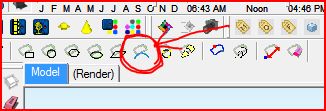
        toolsonsurface ver1.31Capture.JPG the tool is circled in red.

        extrudelinetool extrudelinetool.rb i don't know if i'm supposed to attach this, but it was free and i can't find where i got it from so...

        PS, i would highly recommend you don't use SU without this http://www.sketchucation.com/forums/scf/viewtopic.php?f=180&t=6708&st=0&sk=t&sd=a&hilit=extrude

        “There are three classes of people: those who see. Those who see when they are shown. Those who do not see.”

        http://www.Twilightrender.com try it!

        1 條回覆 最後回覆 回覆 引用 0
        • pilouP 離線
          pilou
          最後由 編輯

          All that can be made with only intersections of cylinders & tubes! 😉

          Frenchy Pilou
          Is beautiful that please without concept!
          My Little site :)

          1 條回覆 最後回覆 回覆 引用 0
          • X 離線
            xrok1
            最後由 編輯

            Qui 😆

            Pilou, how's development going over at Moi, is there a public beta for ver.2 yet?

            BTW, can you explain your moto i've always wondered WTF "Is beautiful that please without concept!", means.

            “There are three classes of people: those who see. Those who see when they are shown. Those who do not see.”

            http://www.Twilightrender.com try it!

            1 條回覆 最後回覆 回覆 引用 0
            • R 離線
              Rudbeckia
              最後由 編輯

              @xrok1 said:

              Qui 😆

              Pilou, how's development going over at Moi, is there a public beta for ver.2 yet?

              BTW, can you explain your moto i've always wondered WTF "Is beautiful that please without concept!", means.

              my tool on surface tool bar is not the same as yours?
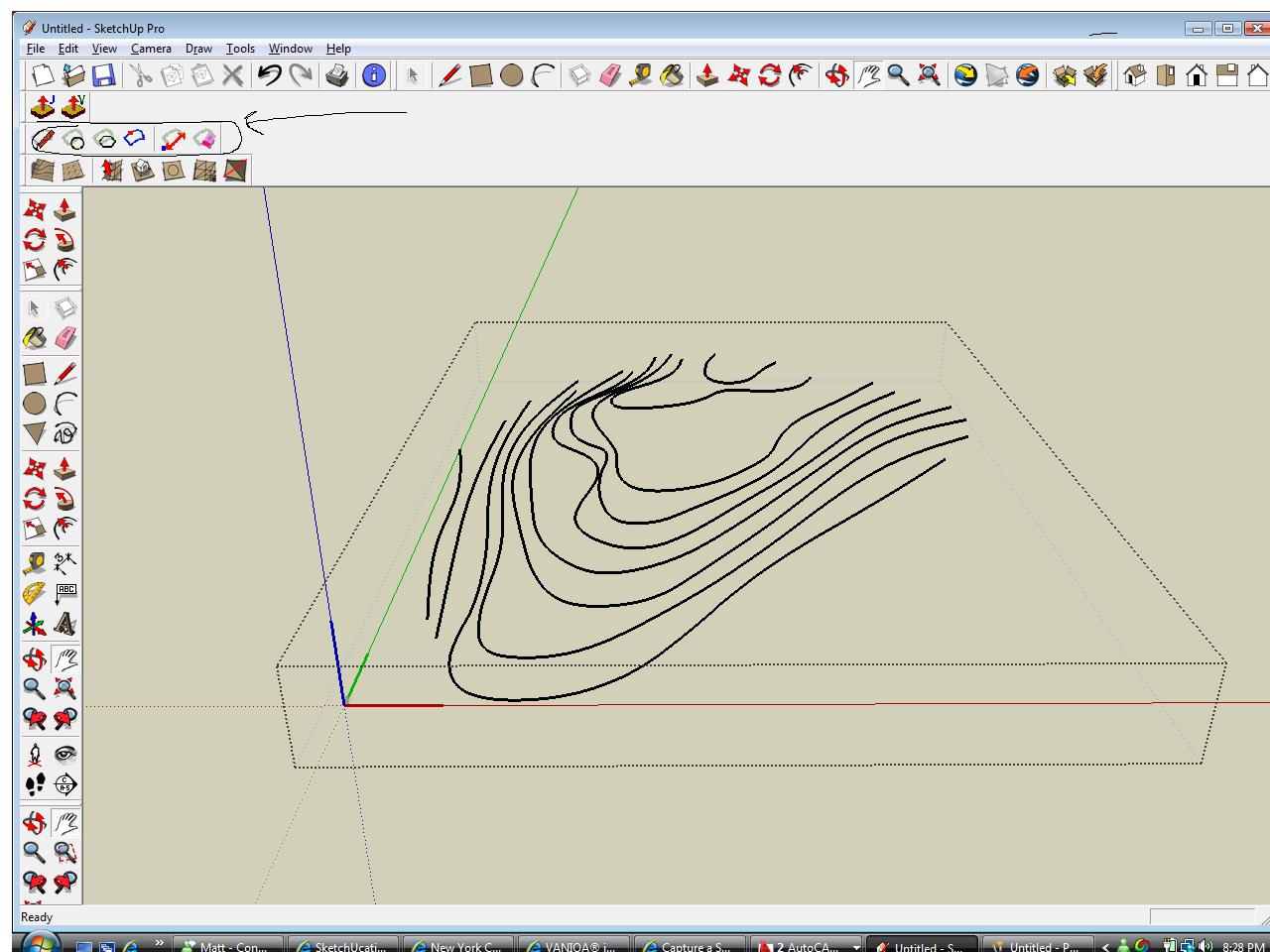

              screen.jpg

              1 條回覆 最後回覆 回覆 引用 0
              • X 離線
                xrok1
                最後由 編輯

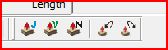
                thats weird your jointpushpull tools aren't the same either?Capture.JPG

                are you sure you have the latest versions?

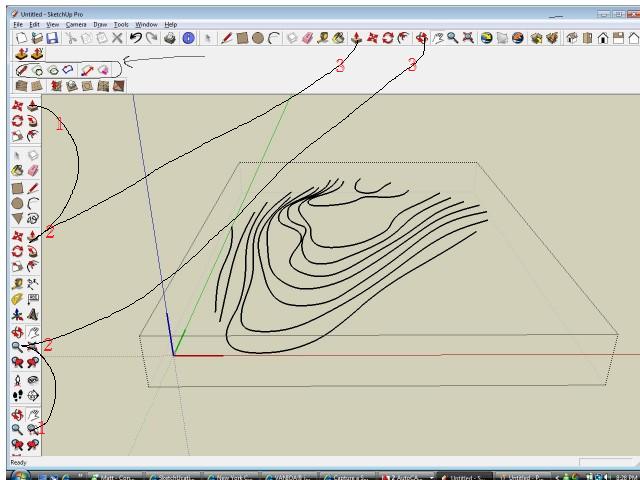
                PS, did you notice you have like three sets of the same tools scattered all over the place?Capture2.JPG

                “There are three classes of people: those who see. Those who see when they are shown. Those who do not see.”

                http://www.Twilightrender.com try it!

                1 條回覆 最後回覆 回覆 引用 0
                • R 離線
                  Rudbeckia
                  最後由 編輯

                  @xrok1 said:

                  thats weird your jointpushpull tools aren't the same either?[attachment=1:1vez1evq]<!-- ia1 -->Capture.JPG<!-- ia1 -->[/attachment:1vez1evq]

                  are you sure you have the latest versions?

                  PS, did you notice you have like three sets of the same tools scattered all over the place?[attachment=0:1vez1evq]<!-- ia0 -->Capture2.JPG<!-- ia0 -->[/attachment:1vez1evq]

                  i got them from here http://www.crai.archi.fr/RubyLibraryDepot/Ruby/em_arc_page.htm

                  i am new to SU ruby/plugin world, how do i know if i have the latest?

                  lol!!! i do have to many tools every where, i shall fix that

                  1 條回覆 最後回覆 回覆 引用 0
                  • X 離線
                    xrok1
                    最後由 編輯

                    don't make me come over there. 😠

                    i use without CADfather icons
                    http://www.sketchucation.com/forums/scf/viewtopic.php?f=180&t=11212&p=76625#p76625

                    301 Moved Permanently

                    favicon

                    (www.sketchucation.com)

                    🤣

                    “There are three classes of people: those who see. Those who see when they are shown. Those who do not see.”

                    http://www.Twilightrender.com try it!

                    1 條回覆 最後回覆 回覆 引用 0
                    • E 離線
                      Ecuadorian
                      最後由 編輯

                      @xrok1 said:

                      Pilou, how's development going over at Moi, is there a public beta for ver.2 yet?

                      I trolled the MoI forum the other day and noticed that Pilou is an ardent SketchUp evangelist over there. Regarding your question, it seems they've been in closed beta since September:
                      http://www.google.com/cse?cx=004480280974618486967:rqgfj4-y60a&q=v2&sa=Search

                      -Miguel Lescano
                      Subscribe to my house plans YouTube channel! (30K+ subs)

                      1 條回覆 最後回覆 回覆 引用 0
                      • X 離線
                        xrok1
                        最後由 編輯

                        thanks, i've been anxiously awaiting ver.2 for a while now. i love the program it just needs a few more things to make me buy it. maybe ver.2

                        “There are three classes of people: those who see. Those who see when they are shown. Those who do not see.”

                        http://www.Twilightrender.com try it!

                        1 條回覆 最後回覆 回覆 引用 0
                        • jeff hammondJ 離線
                          jeff hammond
                          最後由 編輯

                          @rudbeckia said:

                          not sure what he means by it not being clean geometry, looks clean to me 😄

                          it's just random.. nothing really matches up.. there's no system.

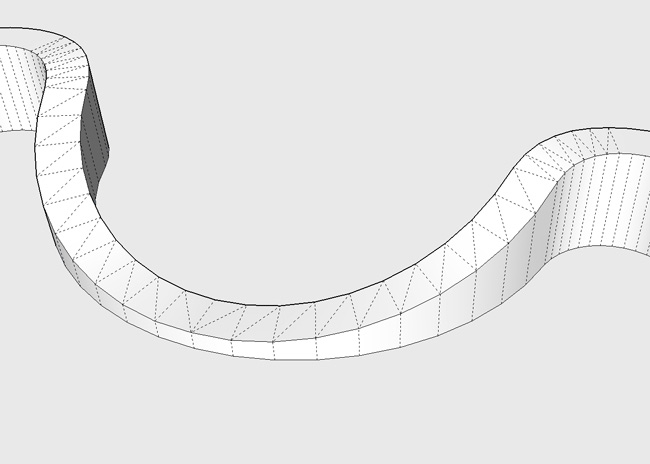
                          sloppy:
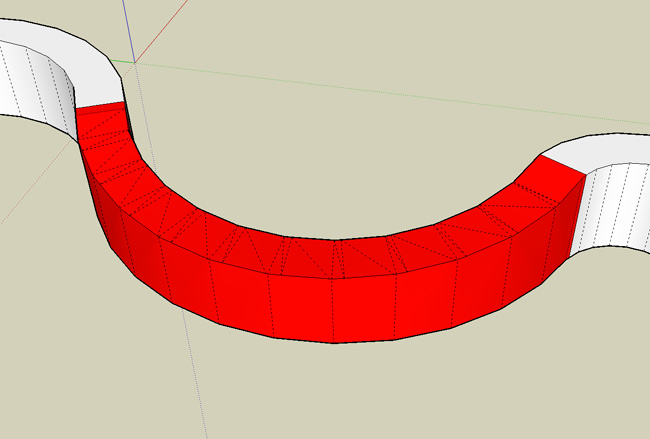
                          sloppier.jpg

                          clean:
                          cleaner.jpg


                          curvedededed.skp

                          dotdotdot

                          1 條回覆 最後回覆 回覆 引用 0
                          • R 離線
                            Rudbeckia
                            最後由 編輯

                            @unknownuser said:

                            @rudbeckia said:

                            not sure what he means by it not being clean geometry, looks clean to me 😄

                            it's just random.. nothing really matches up.. there's no system.

                            sloppy:
                            [attachment=2:1wl1qjcn]<!-- ia2 -->sloppier.jpg<!-- ia2 -->[/attachment:1wl1qjcn]

                            clean:
                            [attachment=1:1wl1qjcn]<!-- ia1 -->cleaner.jpg<!-- ia1 -->[/attachment:1wl1qjcn]

                            that looks perfect!!!! which tools did you use for that, it looks great!

                            1 條回覆 最後回覆 回覆 引用 0
                            • jeff hammondJ 離線
                              jeff hammond
                              最後由 編輯

                              i used the absolute basics.... circle/arc tool and line tool.. it's a bit of a process and i might draw up a tut for a small section of it...

                              i'm pretty sure a ruby can be made to accomplish this (fingers crossed) and that encouraged me to draw the whole shape.. i'll post a [REQ] in the ruby forum soon..

                              dotdotdot

                              1 條回覆 最後回覆 回覆 引用 0
                              • R 離線
                                Rudbeckia
                                最後由 編輯

                                what is moi??

                                1 條回覆 最後回覆 回覆 引用 0
                                • pilouP 離線
                                  pilou
                                  最後由 編輯

                                  @unknownuser said:

                                  what is moi?

                                  "Moment of Inspiration" a Nurbs modeler who has same easy ergonomic than Sketchup 😉 (export in SKP format with an object mesher "Nurbs to polygons" so you can control the mesh! (few or more polygons, repartition,..etc)
                                  Both progs are complementary ☀
                                  So you have the more funny of the 2 worlds 😎 Nurbs / Box Modeling with a zest of subdivision 😉 thx Whaat)

                                  Frenchy Pilou
                                  Is beautiful that please without concept!
                                  My Little site :)

                                  1 條回覆 最後回覆 回覆 引用 0
                                  • pilouP 離線
                                    pilou
                                    最後由 編輯

                                    @unknownuser said:

                                    About Moi

                                    Yep there is yet a version 2.0 beta of the 19 January 2009 😉
                                    And yes these 2 progs Su + Moi are crazy and have the same easy use! 😎
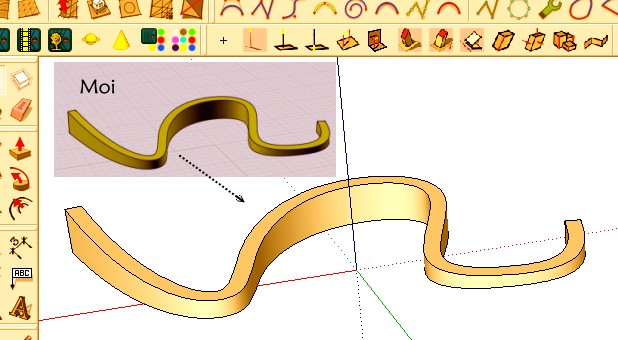

                                    moi.jpg

                                    Frenchy Pilou
                                    Is beautiful that please without concept!
                                    My Little site :)

                                    1 條回覆 最後回覆 回覆 引用 0
                                    • jeff hammondJ 離線
                                      jeff hammond
                                      最後由 編輯

                                      here's a tutorial on how i did it... [use the scene tabs at the top to switch between steps]

                                      and yeah, pilou has the right idea about taking the mesh outside of sketchup in order to bend it.. i do think a ruby would be possible for this type of model..


                                      tutorial_curvedwall.skp

                                      dotdotdot

                                      1 條回覆 最後回覆 回覆 引用 0
                                      • pilouP 離線
                                        pilou
                                        最後由 編輯

                                        @unknownuser said:

                                        the mesh outside of sketchup in order to bend it

                                        No you can't easy bend it in a nurbs modeler! (in the new generations after many years of brain storming yes but it's like a perversion 😄
                                        Don't yet exist in Moi 😒
                                        Bend is a typical function of a "polymodeler"! 😉
                                        Here it's just one curve Extrude then Shell and trim by an inclined line 😄

                                        Frenchy Pilou
                                        Is beautiful that please without concept!
                                        My Little site :)

                                        1 條回覆 最後回覆 回覆 引用 0
                                        • R 離線
                                          Rudbeckia
                                          最後由 編輯

                                          @unknownuser said:

                                          here's a tutorial on how i did it... [use the scene tabs at the top to switch between steps]

                                          and yeah, pilou has the right idea about taking the mesh outside of sketchup in order to bend it.. i do think a ruby would be possible for this type of model..

                                          holy shit, thats awsome, thanks a ton!!! this forum is like my own private tutor

                                          1 條回覆 最後回覆 回覆 引用 0
                                          • jeff hammondJ 離線
                                            jeff hammond
                                            最後由 編輯

                                            @rudbeckia said:

                                            holy shit, thats awsome, thanks a ton!!! this forum is like my own private tutor

                                            ha, glad you liked it..

                                            fwiw - that's still not quite right.. the curve at the top of the wall should be closer to vertical which would require making a custom arc for the base of the wall (the segments should get closer together horizontally as the wall gets taller.. i've done it the correct way a few times and it takes twice as long but this tut should be a good starting point.


                                            dotdotdot

                                            1 條回覆 最後回覆 回覆 引用 0
                                            • 1
                                            • 2
                                            • 3
                                            • 2 / 3
                                            • 第一個貼文
                                              最後的貼文
                                            Buy SketchPlus
                                            Buy SUbD
                                            Buy WrapR
                                            Buy eBook
                                            Buy Modelur
                                            Buy Vertex Tools
                                            Buy SketchCuisine
                                            Buy FormFonts

                                            Advertisement