Can someone help with vray for sketchup?
-
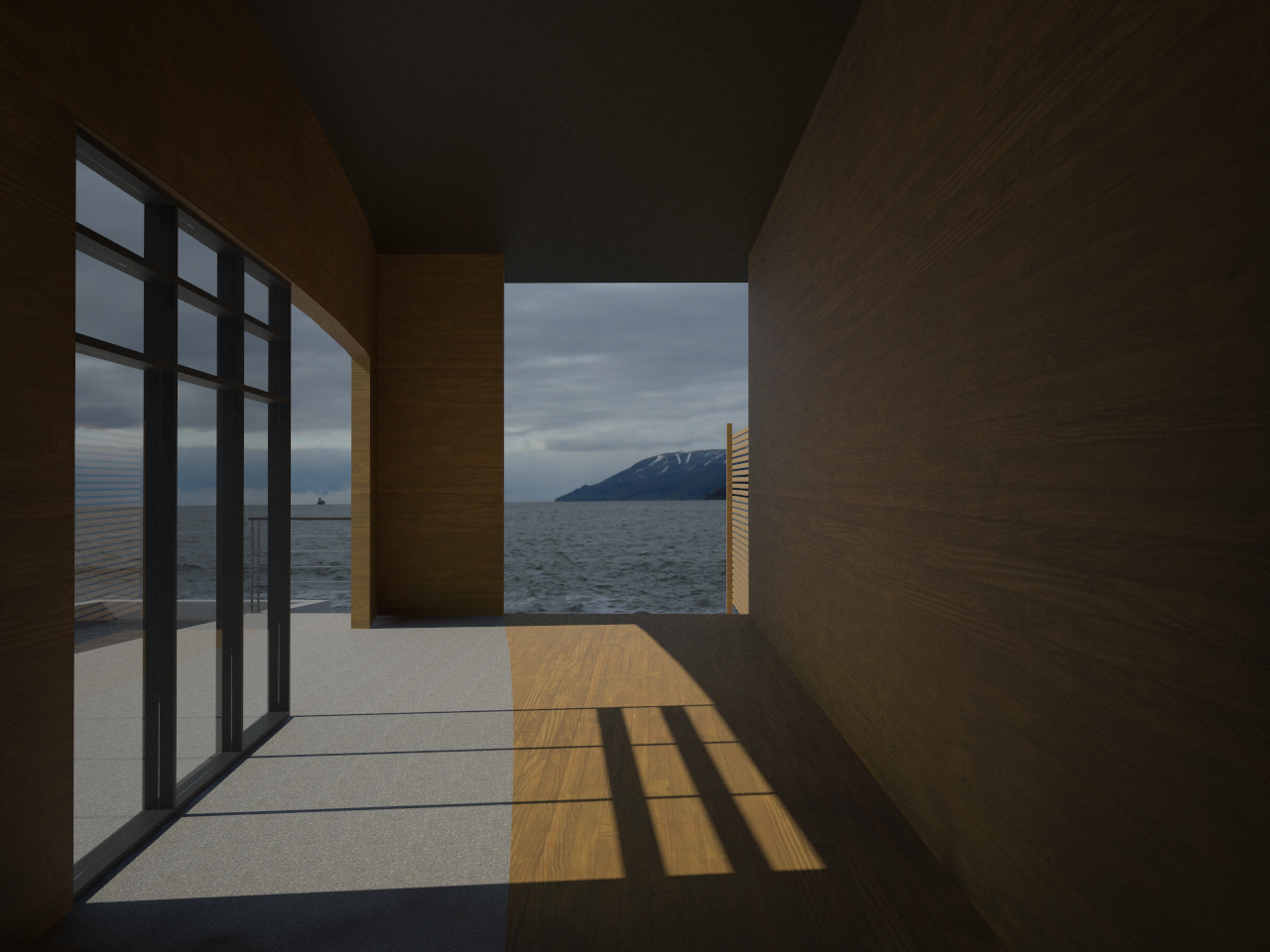
I'm rendering with Vray for sketchup and I've got a background with overall cloudy sky. Right now, the background doesn't really look right with the amount of light comming in the building. I need to know how to diffuse the shadow and make the whole look more realistic. SO the light shinning on the floor as to be less direct and more diffuse like on cloudy days

-
It's quite simple,
In the options box go to Environment and click the letter M next to the GI swatch. On the new window that appears the pull-down menu on the left should say sky and all its details should be on the right hand side. To soften shadows all you need do is increase the size value from 1. try increments of 1 or 2 at a time, render and see how you like the look. Also you may need to refine the physical camera settings as the exposure may still not suit the background even though the shadows are softer. -
@jcarchitecture said:
I'm rendering with Vray for sketchup and I've got a background with overall cloudy sky. Right now, the background doesn't really look right with the amount of light comming in the building. I need to know how to diffuse the shadow and make the whole look more realistic. SO the light shinning on the floor as to be less direct and more diffuse like on cloudy days
If you use an HDRI for your lighting you'll most likely get a very diffuse shadow.
An alternative is to change the V-Ray Sun Size, try something like 10-20.

Hello! It looks like you're interested in this conversation, but you don't have an account yet.
Getting fed up of having to scroll through the same posts each visit? When you register for an account, you'll always come back to exactly where you were before, and choose to be notified of new replies (either via email, or push notification). You'll also be able to save bookmarks and upvote posts to show your appreciation to other community members.
With your input, this post could be even better 💗
Register Login


Advertisement