sketchucation logo sketchucation
    • 登入
    Oops, your profile's looking a bit empty! To help us tailor your experience, please fill in key details like your SketchUp version, skill level, operating system, and more. Update and save your info on your profile page today!
    ⚠️ Important | Libfredo 15.6b introduces important bugfixes for Fredo's Extensions Update

    [Plugin] Three Line Tools (Updated March 9th, 2009)

    已排程 已置頂 已鎖定 已移動 Plugins
    117 貼文 43 Posters 76.3k 瀏覽 43 Watching
    正在載入更多貼文
    • 從舊到新
    • 從新到舊
    • 最多點贊
    回覆
    • 在新貼文中回覆
    登入後回覆
    此主題已被刪除。只有擁有主題管理權限的使用者可以查看。
    • Chris FullmerC 離線
      Chris Fullmer
      最後由 編輯

      Just adding a face perpendicular to a line end is easy enough to do. It could be the same thing where it will use the VCB values to determine its size. I would probably make it grouped from the start so as to not interfere with other geometry. And it probably would just have to be a square face that can be used as a drawing plane. Though I suppose it would not be too hard to make a tool that you could select a face, then click on a line end and it could redraw that perpendicular to the line end. Maybe one face tool, one circle tool and one copy any face onto the end of a line tool. So like 3 new tools? And how much of this is done in profile builder?

      Chris

      Lately you've been tan, suspicious for the winter.
      All my Plugins I've written

      1 條回覆 最後回覆 回覆 引用 0
      • thomthomT 離線
        thomthom
        最後由 編輯

        Well, profile builder let you add faces as profiles to it's library where you then select the profiles from a list where it then performs a FollowMe operation on the selected path.

        Thomas Thomassen — SketchUp Monkey & Coding addict
        List of my plugins and link to the CookieWare fund

        1 條回覆 最後回覆 回覆 引用 0
        • thomthomT 離線
          thomthom
          最後由 編輯

          A Tool Idea I've been toying with is a Drawing Plane tool. A tool that let you define a virtual plane to which drawing tools can be used on, allowing you to draw geometry in empty space. Not quite sure how it'd be implemented though...

          Thomas Thomassen — SketchUp Monkey & Coding addict
          List of my plugins and link to the CookieWare fund

          1 條回覆 最後回覆 回覆 引用 0
          • BurkhardB 離線
            Burkhard
            最後由 編輯

            Just a reminder, the profile builder is a great tool but it's commercial and not for everyone who don't need profiles a lot. This should be an easy step for the follow me tool. Let's see if there is a solution 👍

            To set up a plane to draw onto for follow me rotations is one tip I always suggested to my people when they are lost in free space. Yep, nice ideas here 😛

            [http://www.ia-plus.de(http://www.ia-plus.de)]

            1 條回覆 最後回覆 回覆 引用 0
            • Chris FullmerC 離線
              Chris Fullmer
              最後由 編輯

              Well, its coming along nicely. I've got it mostly working for a single square face right now. Then I'll add a circle ability since many times we use plain circles. Then lastly will be a way to first select a face, then activate the tool and click onto a line endpoint and it will add that face to the end of the line perpendicularly. Once I get the face one working all the way, the others will be pretty straightforward. Hopefully I'll have it all done by late tongiht.

              I think I need to create a single clf tools menu item and then add all my scripts under that single menu item. I feel bad clogging up people plugins menu with these small, but useful scripts.

              Chris

              Lately you've been tan, suspicious for the winter.
              All my Plugins I've written

              1 條回覆 最後回覆 回覆 引用 0
              • D 離線
                dtrarch
                最後由 編輯

                Chris
                Super and much needed script-ete

                A Move / Copy option like in Didier's Align script so one can keep the profile if needed would be nice to have.

                On a workaround (no ruby)that I cobbled up it worked to use a group/component and just explode when it was properly located as moving a plain face if attached to path will just drag the endpoint along with it.
                My work-around alignment solution is attached for what help it may be.

                In any case thanks a bunch for even giving this a shot.

                dtrORTHO TO LINE.skp

                1 條回覆 最後回覆 回覆 引用 0
                • X 離線
                  xrok1
                  最後由 編輯

                  sorry if this is a little off, but i have to know what this is:Capture.JPG

                  Jim, maybe you could move this to a more appropriate place. 😳

                  “There are three classes of people: those who see. Those who see when they are shown. Those who do not see.”

                  http://www.Twilightrender.com try it!

                  1 條回覆 最後回覆 回覆 引用 0
                  • Chris FullmerC 離線
                    Chris Fullmer
                    最後由 編輯

                    No worries, that is free-form deformation.

                    Chris

                    Lately you've been tan, suspicious for the winter.
                    All my Plugins I've written

                    1 條回覆 最後回覆 回覆 引用 0
                    • X 離線
                      xrok1
                      最後由 編輯

                      @chris fullmer said:

                      No worries, that is free-form deformation.

                      Chris

                      sorry to keep going here, but. how did you manage to get a toolbar for it?

                      “There are three classes of people: those who see. Those who see when they are shown. Those who do not see.”

                      http://www.Twilightrender.com try it!

                      1 條回覆 最後回覆 回覆 引用 0
                      • Chris FullmerC 離線
                        Chris Fullmer
                        最後由 編輯

                        I believe that it was bundled with the SCF power tools toolbar. I don't that is available right now, but will probably be coming back in time after some copyrights get worked out. It was provided by Cad Father. I believe he made the icons.

                        Chris

                        Lately you've been tan, suspicious for the winter.
                        All my Plugins I've written

                        1 條回覆 最後回覆 回覆 引用 0
                        • X 離線
                          xrok1
                          最後由 編輯

                          thanks, sorry for the off topic, just curious.
                          it would be sweet if someone would write a snippet of code that someone like myself could use to make our own toolbar. we could just add buttons, and link them to the ruby's we have. 😉

                          “There are three classes of people: those who see. Those who see when they are shown. Those who do not see.”

                          http://www.Twilightrender.com try it!

                          1 條回覆 最後回覆 回覆 引用 0
                          • Chris FullmerC 離線
                            Chris Fullmer
                            最後由 編輯

                            Ahh, I see. Ok, I have some ideas how to set this up. It might just be a new tool altogether. Something like Perpendicular Face Tools.

                            Chris

                            EDIT: From this conversation, I have since made Perpendicular Face Tools

                            Lately you've been tan, suspicious for the winter.
                            All my Plugins I've written

                            1 條回覆 最後回覆 回覆 引用 0
                            • pilouP 離線
                              pilou
                              最後由 編輯

                              Does it possible to have the "line" as a component in the native plug? ❓
                              Like this any difficulty to replace it by anything! ☀

                              PS a simple line can't make a component but if draw 2 lines, select both, make component
                              Then edit component, kill the second line, close component = you have a simple line as component! 💚

                              Frenchy Pilou
                              Is beautiful that please without concept!
                              My Little site :)

                              1 條回覆 最後回覆 回覆 引用 0
                              • Chris FullmerC 離線
                                Chris Fullmer
                                最後由 編輯

                                Yeah, its possible to make each line be a separate component. I think I could get all lines to be an instance of a single componeont too.

                                As for makeing a component of a single line - it still works if you use the keyboard shortcut. On my computer it is defaulted as g. Select a single line and hit g and it will become a component.

                                Chris

                                Lately you've been tan, suspicious for the winter.
                                All my Plugins I've written

                                1 條回覆 最後回覆 回覆 引用 0
                                • pilouP 離線
                                  pilou
                                  最後由 編輯

                                  @unknownuser said:

                                  Yeah, its possible to make each line be a separate component. I think I could get all lines to be an instance of a single component too.

                                  As you want ☀

                                  @unknownuser said:

                                  As for makeing a component of a single line - it still works if you use the keyboard shortcut. On my computer it is defaulted as g. Select a single line and hit g and it will become a component

                                  Yes there is 4 manners to make that! THX Gaieus! 😉

                                  1. with the make component button in the Principal toolbar;
                                  2. from the Make component command from the Edit menu;
                                  3. through a shortcut (the default is G); (yours) 😄
                                  4. finally from the context (right click) menu. That is don't work for a line or a curve ! 😮
                                    Unfortunatly I just use the Right Click the only one that don't work! 😒
                                    It's my DuhDuh of my day 💚

                                  Frenchy Pilou
                                  Is beautiful that please without concept!
                                  My Little site :)

                                  1 條回覆 最後回覆 回覆 引用 0
                                  • massimoM 離線
                                    massimo Moderator
                                    最後由 編輯

                                    Hi Chris, hi all. I’m new to this forum so be patient with me and with my english…
                                    Thanks for this nice plugin. I have only a little question for you Chris.
                                    I’ve noticed that the “vertical lines by elevation” command only works with the original 0,0 location as reference. It be possible to add an option that calculate the elevation from a surface that you click on?
                                    I mean select “vertical line by elevation”, input the elevation and then click on a surface. The length of the line is now calculated from that surface (and not from the original 0,0 location) which becomes the new reference for the elevation of the other lines.
                                    That would be very useful, for example, when you have to put a series of pillars of a bridge on a hilly terrain.
                                    Thanks again.
                                    Massimo

                                    1 條回覆 最後回覆 回覆 引用 0
                                    • P 離線
                                      piyanan
                                      最後由 編輯

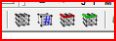
                                      Does anyone to know this tools
                                      and then where I can download


                                      23-3-2552 23-08-23.jpg

                                      1 條回覆 最後回覆 回覆 引用 0
                                      • jcdbJ 離線
                                        jcdb
                                        最後由 編輯

                                        The Line Normal Tool reminds me of this guy 😆

                                        http://www.pitofhorror.com/newdesign/hellraiser/images/pinhead4.jpg

                                        http://www.acustombuilder.com

                                        1 條回覆 最後回覆 回覆 引用 0
                                        • Chris FullmerC 離線
                                          Chris Fullmer
                                          最後由 編輯

                                          HI Piyanan, that was the SCF Power toolbar. It took some of the more useful plugins and created icons for them. It is currently not available. But hopefully will be coming back in the near future. The icons and toolbar were made by CADFather.

                                          Massimo, the tool is designed to work the way I think your describing. You should be able to click on an entity of any elevation and it should draw a vertical line to the specified elevation. I've included a video that shows it in action. Please let me know if it is not what you are expecting, or if your's is behaving differently.

                                          [flash=510,495:23xflexj]http://www.chrisfullmer.com/forums/by_elevation_working.swf[/flash:23xflexj]

                                          Chris


                                          by_elevation_working.swf

                                          Lately you've been tan, suspicious for the winter.
                                          All my Plugins I've written

                                          1 條回覆 最後回覆 回覆 引用 0
                                          • Chris FullmerC 離線
                                            Chris Fullmer
                                            最後由 編輯

                                            @jcdb said:

                                            The Line Normal Tool reminds me of this guy 😆

                                            See, he's not weird, he's merely trying to explain what on earth a "normal" is. And I thank him for it 🤣

                                            Chris

                                            Lately you've been tan, suspicious for the winter.
                                            All my Plugins I've written

                                            1 條回覆 最後回覆 回覆 引用 0
                                            • 1
                                            • 2
                                            • 3
                                            • 4
                                            • 5
                                            • 6
                                            • 4 / 6
                                            • 第一個貼文
                                              最後的貼文
                                            Buy SketchPlus
                                            Buy SUbD
                                            Buy WrapR
                                            Buy eBook
                                            Buy Modelur
                                            Buy Vertex Tools
                                            Buy SketchCuisine
                                            Buy FormFonts

                                            Advertisement