[Plugin] BezierSpline - v2.2a - 22 Apr 21
-
thank you very much
-
Thanks for this very useful plugin Fredo. I use it a lot!
-
copy of note in LibFredo thread:
not sure if it is the LibFredo 4.3b or the BezierSpline 1.4f plugin, but if the LibFredo 4.3b is enabled, the BezierSpline 1.4f does not work. i get a Ruby console error for line 592 cannot convert nil to float.
@unknownuser said:
Error: #<TypeError: no implicit conversion to float from nil>
C:/Program Files/Google/Google SketchUp 8/Plugins/BZ_Dir_14/bezierspline_main.rb:592:in-' C:/Program Files/Google/Google SketchUp 8/Plugins/BZ_Dir_14/bezierspline_main.rb:592:inonMouseMove'Fredo tools works regardless of BezierSplines being enabled or not.
NOTE: I only encountered this error since updating to 4.3b and prior to that it was working correctly.NOTE: this result was found with only the LibFredo and BezierSpline plug-ins running - SU8 Pro on Windows Vista SP2 Ruby 1.9.3
NOTE: it may be due to LibTraductor - the old version is still in the plug-in directory and the Lib6Traductor in the LibFredo dir is not compatible with the BezierSpline calls.
-
@gulfo
The error is strange (it has nothing to do with LibTraductor and should not create problem). Is it always the same?
There may be some corruption of the scripts.
Unless already done, I would suggest you clean up the two folders and 3 files and reinstall a fresh version taken from Sketchucation.
Fredo
PS: Just comment out the line 592, which should be
return if (t - @time_move) < 0.01, by prepending a # character. Can you then check if this work. -
i actually tried that (remarking out that line) and it still failed. i did reload the libfredo plugin fresh off the board just now (and had tried the beziersplines earlier), same issue, there is no mouse pointer and its the same errors. if i rem out the libfredo.rb, then it works.
-
I am playing around with Bezierspline for a while now and found out that it is really difficult to work with it when you create curves that are not planar. Points simply too often just end somewhere.
That is why I wanted to suggest something.
Is it maybe possible and also useful for others to add the possibility to really select points and then move them by either typing in values, moving sliders, like for x,y and z, or pointing at the destination for this point?
Unfortunately my Python is by far better than my Ruby. All I found out so far is that I cannot simply use a SelectionObserver. But if you don't like my idea it would be great if you could tell me, if there is a way for me to get more control over the points of my curves with an own script.
-
@nickgenerator said:
I am playing around with Bezierspline for a while now and found out that it is really difficult to work with it when you create curves that are not planar. Points simply too often just end somewhere.
I know it is not perfect, especially when you point in the empty space.
In the doc, there are some explanation on how to force axes direction when creating and editing the curve, but it may not apply to your case.A possibility is to pre-mark the control points with Construction points.
Fredo
PS: I am in the course of rewriting this plugin which is my first one. At that time, I had less knowledge about the inference mechanism of Sketchup. I'll keep your comment in mind.
-
@unknownuser said:
PS: I am in the course of rewriting this plugin which is my first one. At that time, I had less knowledge about the inference mechanism of Sketchup. I'll keep your comment in mind.
That sounds great to me.
Next time I ask something stupid, just RTFM me...
-
Thanks for all the good work You do.
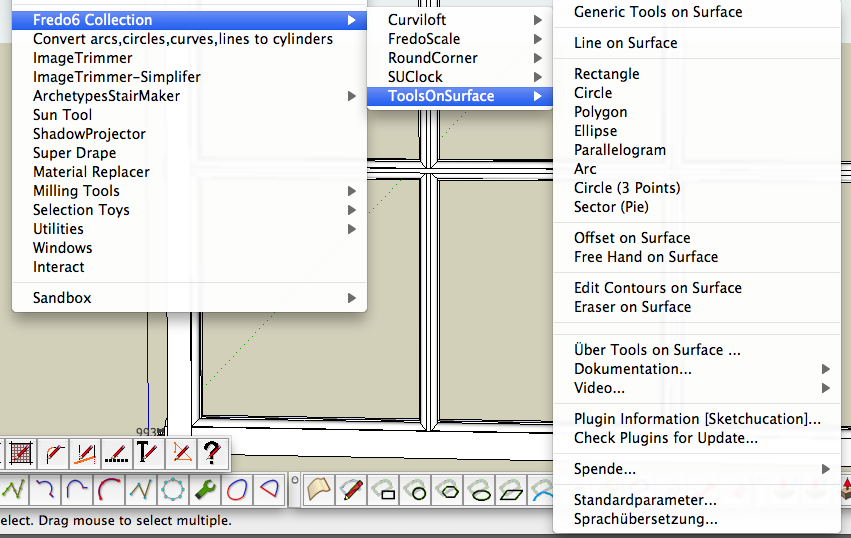
I ended up with a slight problem with the last updates, got a lot of German menys.Not 100% but most of them.
I did instal the english version, and in the right place and way...
I did everything over a few times, but no succes. I do know German...but it would be easier with english.
What could I do to get your menys in english.Thanks again
-
@unknownuser said:
Thanks for all the good work You do.
I ended up with a slight problem with the last updates, got a lot of German menys.Not 100% but most of them.Can you check 2 things:
-
In menu Windows > LibFredo6 Settings... > Set Preferred Languages, what is your setup?
-
can you type in the Ruby Console:
Sketchup.get_locale. Is it 'DE'
You simply have one of these set up in German language. As the German translation is incomplete, you get a mix of English and German.
Fredo
-
-
thanks u so much:thumb:

-
Wow! It has portuguese version! nice!!!!

-
New to Sketchup (the UI is really arcane....RPN with hints of the old dec VI editor....between android bugs, chrome crashes and this, google really needs better programmers)
In contrast...your plugins are very very handle....well done...maybe you should go work for google and teach them how to programAnyway, I think there may be a bug in the bezierspline plugin.
Basically, I am trying to make a cable: block connectors on each end....free flowing soft cable between them.
I want to be able to scale such that block connectors remain same size but move with scale....cable grows or shrinks appropriately
It appears your shear scale (diag blue/green arrows) does this kind of thing.Basically, I do the following (
-Use polyline to make some irregular path
-Convert to uniform spline (seems to be the only way to get the general / gradual curves I am looking for)
-Use the pipe along the path plugin to make it a cable.
-Use your tools to scale the cable.The problem is that the control points do not scale with your plugin that is sort of a light green/yellow box) with the uniform bspline itself...so in essence, I get 2 covered lines
- one that the pipe along has turned into a cable...scaled to the new size
- one that is just a simple line with all the control points on it...stayed at original size
I tried ungroup, explode, etc....pretty much no matter what I do, if I delete the control points both the pipe and the control points are erased.
Novice that I am, I could be wrong, but I think this is more on your plugin than on pipe along, since that scales appropriately.
- This may be an artifact of how sketchup handles lines (cant round them, cant thicken them, etc)
- I tried various axis on your shear scale (blue/green diagonal arrow icon)....same behavior regardless.
- your standard scale and sketchup standard scale work fine
- I could be that pipe along only picks up some of your info....so control points not treated a part of the shape...dont know
It almost looks like the plugin(s) treat the control points differently and scaling tools dont recognize them for scaling and such
If there is a better way to make a "pipe" or "cable" with soft rounded bends such that can scale without having to manual move connector blocks....please let me know.
-
Unfortunately, Shearing is not part of the standrad Tranformation and SU does not update the Ctrl Points which are stored as attributes of the curve (it does for scaling, rotation and move).
There is little to do with this, except does the shearing first and then draw the Bezier Curve.
Fredo
-
It turns out its not your pluggin but the other guys issue.....apologies
-
Hi!
I recently switched to Mac and I encountered quite a nasty problem. I have the latest plugin and I'm running SU Pro 8.0.something. I flipped back a couple pages but couldn't find anything on this.
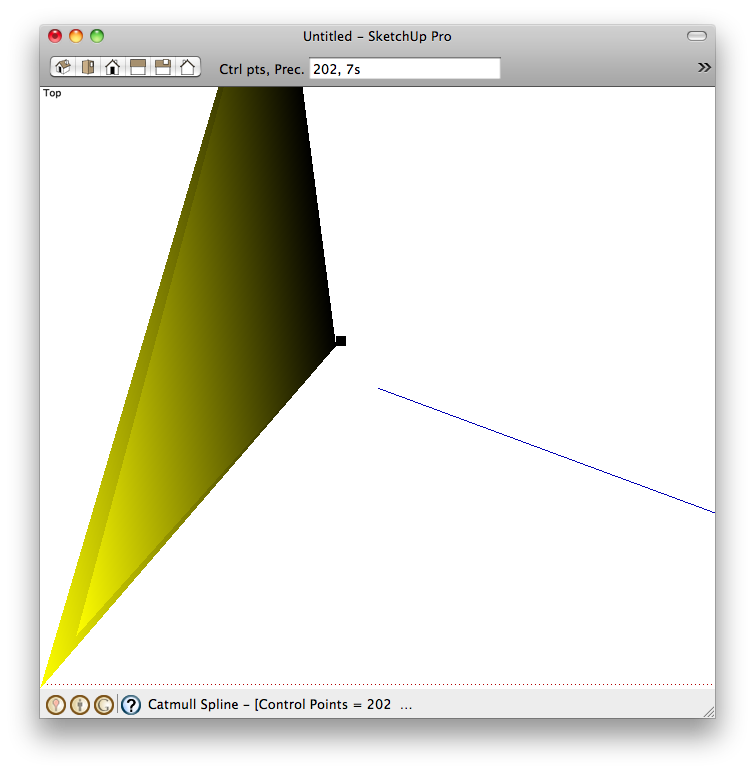
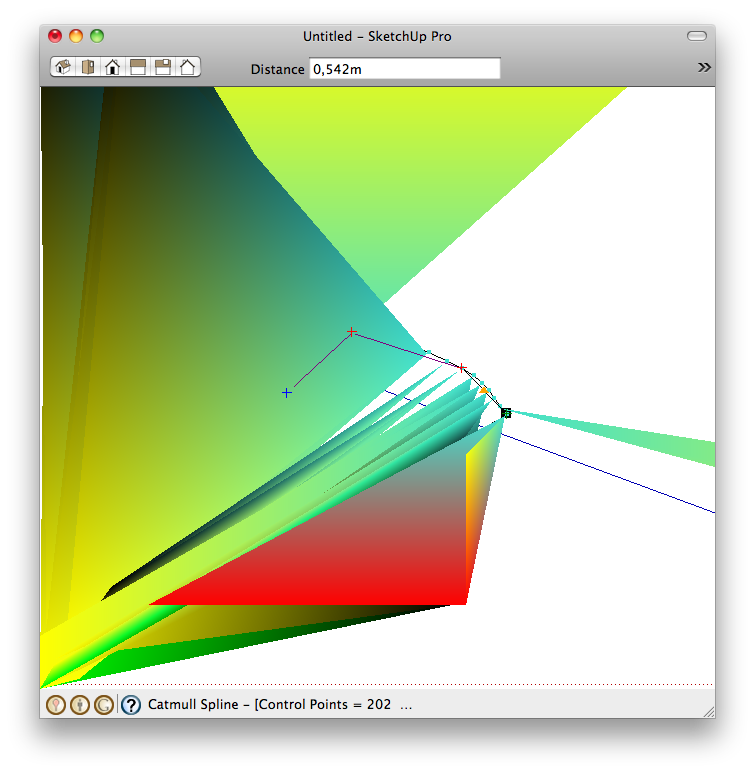
-
@toni said:
I'm running SU Pro 8.0.something.
Could you update your profile to reflect this please?
What are your system specs?
What OSX version?
What graphic card do you have?
Have you applied all updates?
Does it occur if you disable hardware acceleration? -
Behold, it was the HW acceleration. Thanks!
-
@toni said:
Behold, it was the HW acceleration. Thanks!
No - it is not a fix. Just a debugging method. Without hardware acceleration SketchUp will be terrible slow!
What it means is that there is an issue with your graphics card. If you are lucky, it is just your current driver and you need to update it. If you are unlucky, your graphic card doesn't support all the OpenGL features SketchUp requires. -
hi dear fredo
... is it possible to use you own LIBFREDO abilities to make ONSCREEN tool-buttons for this excellent plugin ?!? .. classic toolbar of BezierSpline has so many butoons and it takes large amount of screen space ..we want a toolbar with one Icon that runs commands on the screen like your toolsonsurface, curvy loft ,etc
tanks dear fredo







Advertisement