SketchUp game exporter (Source)
-
@richard said:
Mate are you really in Australia? We should organise a PPB meeting, though where in Aust?
[OT]: Yes King, half a year now
 . WA is just wonderful....although you guys probably like to convince me to go East, right?
A PPB OZ gathering would be great. -
@kwistenbiebel said:
@richard said:
Mate are you really in Australia? We should organise a PPB meeting, though where in Aust?
[OT]: Yes King, half a year now
. WA is just wonderful....although you guys probably like to convince me to go East, right?
A PPB OZ gathering would be great.Well mate the east has Sydney and Melb! Great to hear you enjoy WA - Aust is a pretty cool place! If you are making to the east any time soon please keep in touch! The drinks are on me to repay in only part for all your inspiration!
-
BTW I hope your having a shot at learning to surf while here! WA has some great beaches?
Actually funny I say that - haven't been on a board myself for about 20years!
So back on topic! Yes has anyone had success in arch vis with crysis yet?
-
I keep thinking about sitting down and working it out.....but I still have not just done it. I was so excited about it that I went out and bought Crysis and everything. Oh well, maybe someday I'll get to it

-
@cadmunkey said:
Did anyone else on these forums manage to produce anything with the Crysis engine from sketchup models?
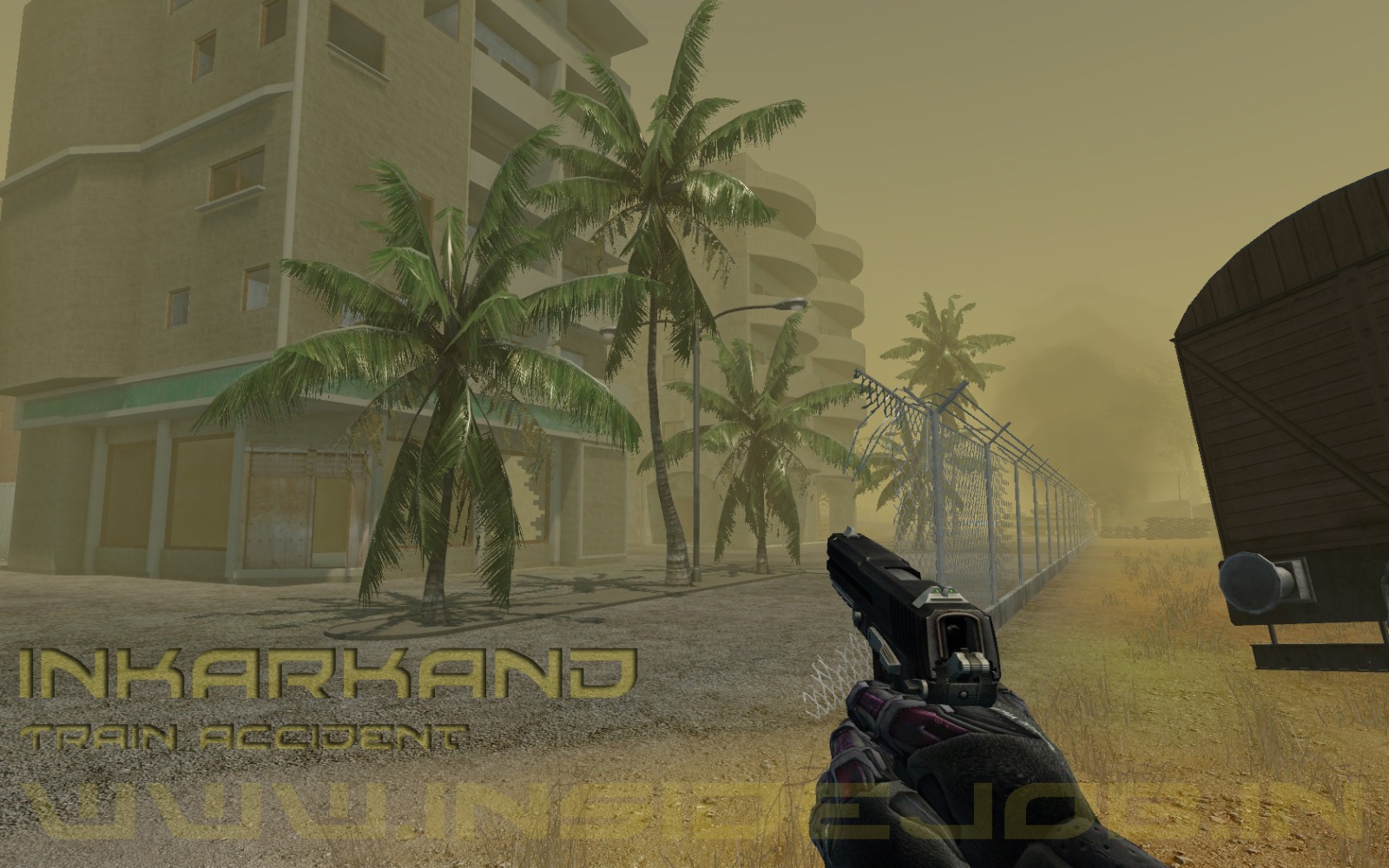
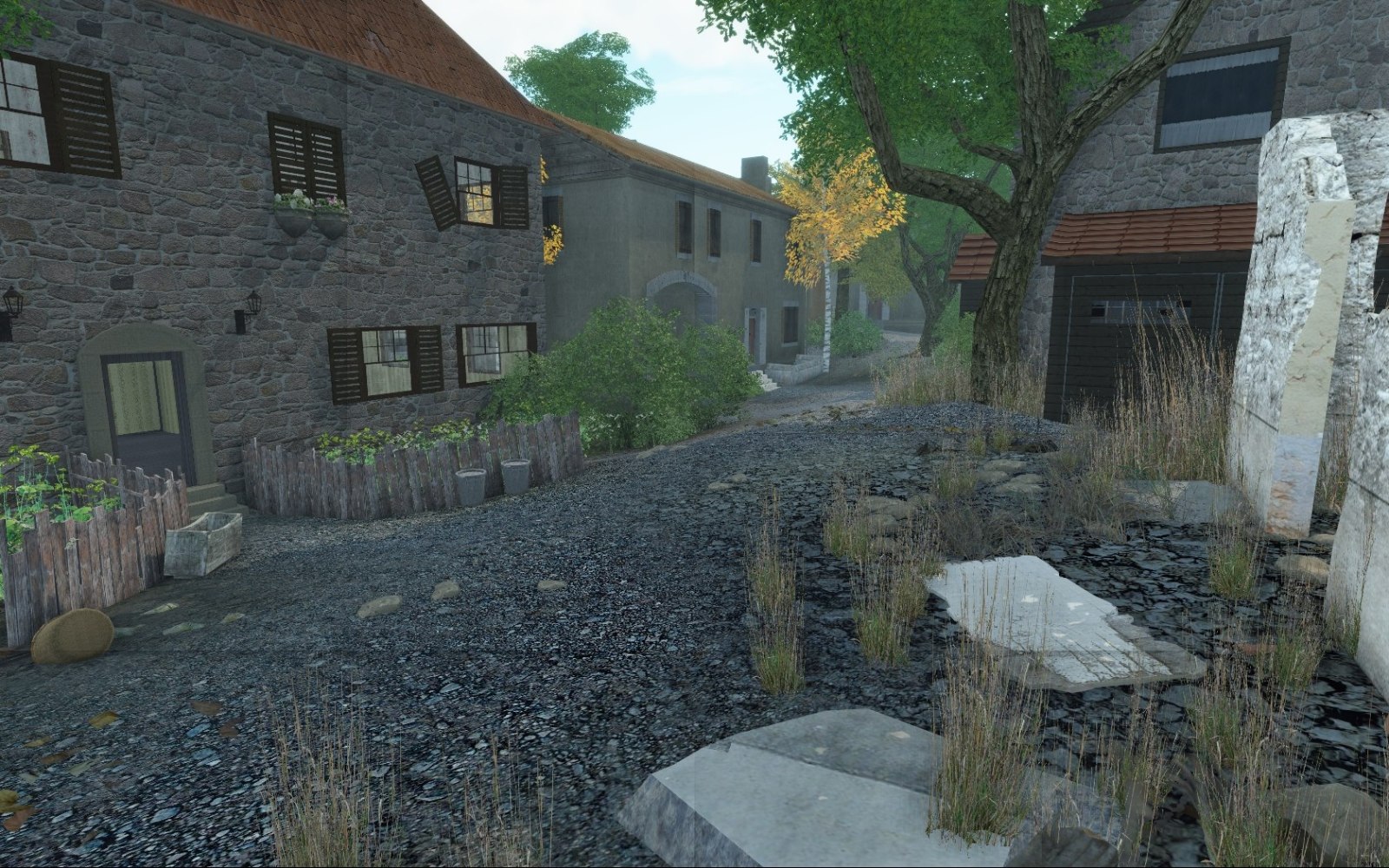
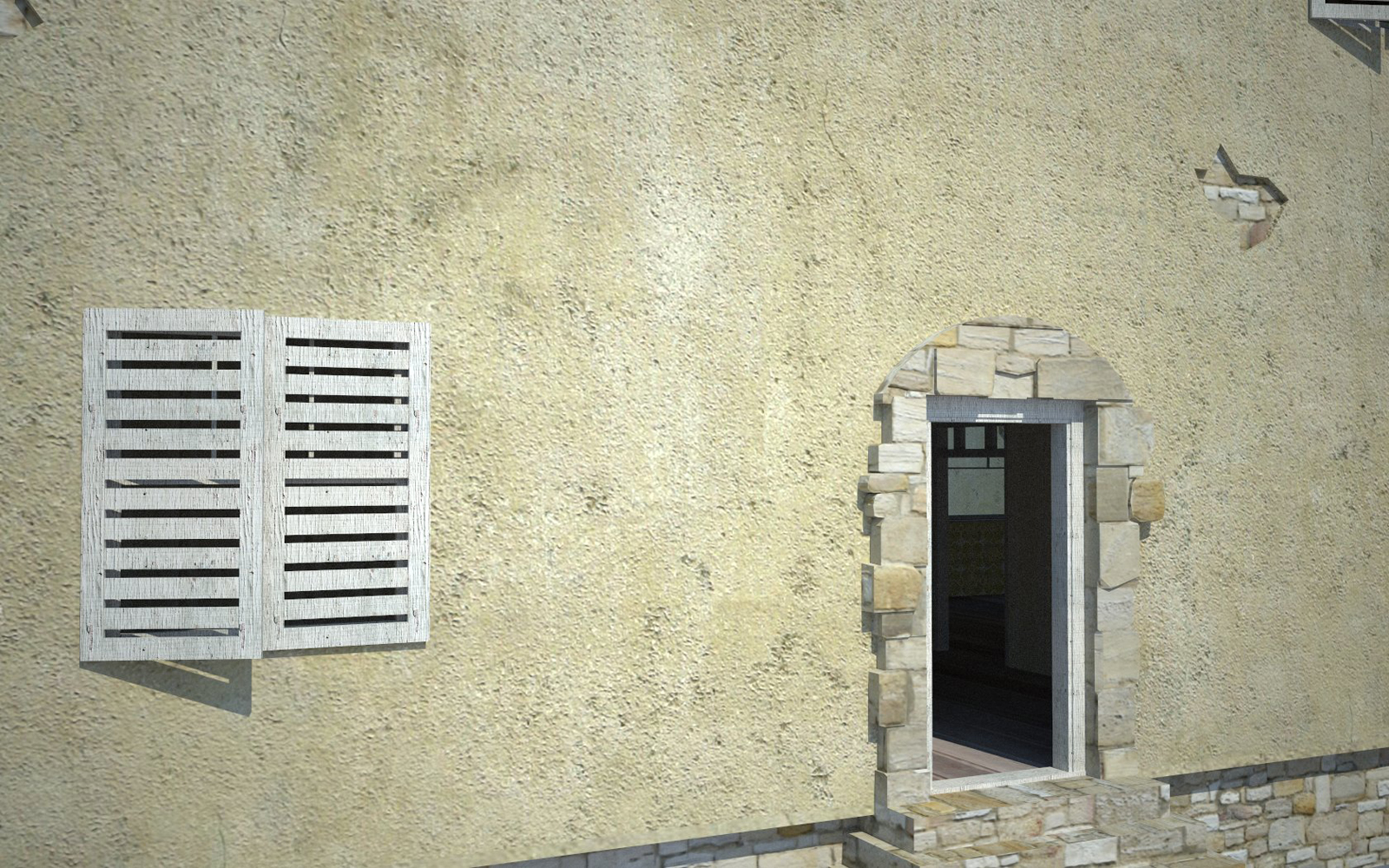
yes sure,
last year i did it via dwg-export -> 3dsmax -> sandbox
result: picture1by now i use zapwizzards way by the use of the collada converter.
result: picture2still i wish sketchup would support better exports in different formats
or a tool that helps optimizing export for cryengine more easily.
collada is still not meant to be a su->ce2 converter...cheers
-
Hey, update here:
Valve has released two offical SketchUp plug-ins along with their Left4Dead SDK.
The plugins also work for other Source games, but you have to own L4D.One plugin lets you export 3D Models, the other world brushes.
It also lets you assign in-game textures and objects if you simple name them properly.Here are some tips off the top of my head:
1: To make a hammer-style brush in SketchUp group together a block, or group of polygons (if convex) together. If you make a simple 6-sided block as a group or component you can further edit it in hammer the same as any native hammer brush.2: Use the texture naming schemes given out by Valve. I have even gone as far as to import all the textures and proper names into the SketchUp library so I can apply them easily.
3: Models are much more flexible, but also require more work depending on your texture use. Models can have single-sided faces, and concave surfaces.
Collision models are easy enough to make, but using a grouping of convex blocks, all with default materials and all 100% smoothed.4: Ensure you don't have any errors in your model, that is lines that don't meet at a corner, stray lines that don't meet another line, or reversed faces. There are some ruby scripts to help clean this stuff up automatically. I will try to find the links.
5: SketchUp defaults all curves to 12 sides, and all circles to 24. You can change this default number by selecting the tool and typing a number in either right before or after you place your curve. This is the NUMBER one reason for high-poly models in SketchUp.
6: Know the limitations. For example the value brush importer doesn't have any UV or texture scaling numbers, so you have to tweak these in hammer. It however does work well for models.
The followings is all part of a campaign I am working on:
http://www.l4dmods.com/forums/viewtopic.php?f=80&t=3097Here is a model I made in about an hour using SketchUp and only the native materials inside Left4Dead. The model is 100% brush work with some props added.
Reference photo:
[url=http://www.flickr.com/photos/fredericksburg/2939995054/:1n4q50gn]

[/url:1n4q50gn]Inside sketchup, and also properly geo-positioned
[url=http://farm3.static.flickr.com/2572/3744142295_35c5c97ea5_o.jpg:1n4q50gn]

[/url:1n4q50gn]Inside the game engine, with a few quick props added.
[url=http://farm3.static.flickr.com/2467/3744929850_da9074acb2_o.jpg:1n4q50gn]

[/url:1n4q50gn]
This is a much larger building, which currently only exists as a model, and will be converted into 90% brush work, and 10% model detail. Again this model uses only textures that were already in L4D.
Here is a photo of the real building:
[url:1n4q50gn]http://www.flickr.com/photos/mcgervey/3299027241/in/set-72157613789552413/[/url:1n4q50gn][url=http://farm4.static.flickr.com/3593/3600025498_293a9943df_o.jpg:1n4q50gn]

[/url:1n4q50gn][url=http://farm4.static.flickr.com/3642/3604975195_70cd83aa97_o.jpg:1n4q50gn]

[/url:1n4q50gn][url=http://farm3.static.flickr.com/2434/3663320760_137d4e66f3_o.jpg:1n4q50gn]

[/url:1n4q50gn][url=http://farm4.static.flickr.com/3654/3662518771_0c17d37249_o.jpg:1n4q50gn]

[/url:1n4q50gn] -
Thats very cool, thanks for posting it zapwizard. I still have not had a chance to play with these tools
 It looks very promising though! I am excited and I think I have a basic model that I might be able to use with it later, when I get some time.
Thanks for posting this,
Chris
-
@staatsfeind said:
@cadmunkey said:
Did anyone else on these forums manage to produce anything with the Crysis engine from sketchup models?
yes sure,
last year i did it via dwg-export -> 3dsmax -> sandbox
result: picture1by now i use zapwizzards way by the use of the collada converter.
result: picture2still i wish sketchup would support better exports in different formats
or a tool that helps optimizing export for cryengine more easily.
collada is still not meant to be a su->ce2 converter...cheers
Mate are you saying in those last two scenes the models could be exported from SU via collada to ce2?
I'll have to read through zap's method again - I really have a problem with too much tech talk, I'll have to try and dumb it down!
-
hi iam new here at this forum and i ve been trying to find all thing to do with sketchup and the source engine, no luck in finding good source of info, but i have looked at what you have done and iam impressed all i wish is there was tools/plugins that can make it easeir to import to hammer with out errors lol
if there is plugins out there that can help in this i would be very greatfull
for instancea cube tool made by mouse movements that groups when made < could help make Rooms easier
a hollow function or something would be great that groups and offset each side < this would be better than the Cube tool
i hope this didnt sound noobish i was trying to make my own plugins but failed every time i have errors lol
-
There is a beta version of some SketchUp plugins, but you have to own Left 4 Dead to be able to download them at this point. I have not even had a chance to test them to see how well they work, but it looks like they work pretty well. So go buy left 4 dead and try them out
Chris
-
hi, thanks for you response, i already have them plugins form valve but there not that stable yet the vmf exported is ok but you need to make blocks and each one has to be grouped for hammer to understand sketchup only has single sides so it become alot harder all iam after is a plugin that are very much or close to what hammer is like or have i miss understood how to make maps with sketchup
skechup bushes are Double sided but on same line
hammer bushes are Double side but are blocks
-
According to this page:
http://developer.valvesoftware.com/wiki/SketchUp_Source_Tools
the SketchUp plugins are now included with the SourceSDK and L4D SDK. They are for sure included with the Left4Dead SDK, all you need to do is own a copy of L4D.Documentation on the general use of the plugins comes with the SDK.
I don't know programming but it seems like there should be some ruby scripts that could be written to aid with making brush objects for hammer. Specifically making objects into convex groups, and checking for errors. Something I with the exporter could do on its own.The simplest way for me to model for hammer is to model as normal in SketchUp, clean up the model for any stray lines, revered faces, or broken lines (that don't meet two other lines).
I have explained a lot of this on page three of this thread:
http://forums.steampowered.com/forums/showthread.php?t=922563&page=3I am working on some tutorials right now. Once you know the exact process and what to look for making these models is very quick.
In the mean time here are some more 100% brush models I have been able to bring into SketchUp in a short time. Most of them taking just one evening from concept to in-game. All these models use
[img]http://farm4.static.flickr.com/3467/3771577728_5cf96da78d.jpg[/i


More photos here:
http://www.flickr.com/photos/zapwizard/sets/72157619140531291/Exporting models instead of brush work is much easier. You can use just about any shape and method you want in SketchUp. The game also preserves the UV for models, but not for VMFs.
The trick comes with physics objects, you basically make a new group that is all convex brushes, 100% smoothed and export that as your collision model.
I made this sleeping cot in less then 30 minutes and had it working in game with physics and all.
I don't have a in-game screenshot though. I re-used a sleeping bag texture from the game so I didn't have to make my own.
-
Thats really nice model, i just suck, iam a noob when it comes to modding ive can make maps in hammer no problems it just takes alot of time trying to make good looking maps.
pluging idea to make it easier in sketchup would be to use the Examples that came with sketchup, the linetool for instance has mouse options to make the shape in 3d but i tried to make it work by creating a cube but i keep getting errors like its not constant or something.
The other idea was to select an obeject and it will add offsets to each side with a prompt and then groups them all as seperate groups and delete the original entity < this would be like the hollow tool in hammer.
is there any good tutorials in understanding Ruby cause i stuck
Just so you all know i own L4d and the tools that come with it, it only allow export SMD and VMF and there very unstable
i have made a smd but i cant get it too work it could be that i need to change the script cause i use vista64 and i think the routes dir in the script say Programfiles instead of Programfiles (x86) ive change this but it still only makes the SMD and that it even though the script ment to do it for you!Thanks for listen i hope iam not to dense and missunderstood the hole thing if i have please explain
-
so many acronyms and jargon, I have no idea what smd, and vfx, and brush model are. I need to sit down and try this out now that its released more widely. I would be intersted in trying to write some rubies to help with making good models for source.
But to model in sketchup, you don't need to know any ruby. And sketchup is a very easy 3d modeling software, you just have to learn to think like sketchup. Which is easy. Try watching some videos on youtube. It can be very helpful to see how other people use the software in real time.
Chris
-
thanks for the reply and sorry for not explaining the formats:
this site explains what the formats mean
if you are interested in making tools for sketchup for making maps or models that be great
alot of people would be very happing
most of the tools needed atm are for mapping, cause theres alot of messing around grouping every single block, just like i said in the post above we need a tool that can do all this on the fly for example:
linetoWall tool: < would be handy if it made group by each line not a continuous wall
slabtool tool < this one has come in handy this is not bad for making floors and ceilings but crashes after you make one so you have to restart itbut my request if you are doing them, would be a hollow tool what i mean is you select a shape and run a pluging that creates offsets by prompt and make all of the offsets different groups and deletes the shape you have selected
i hope i explain myself better
and thank for all you reply so far Chris -
oh just so you know, Chris you dont have to buy L4d to get the plugins, you only need to own one game that has the source sdk software here the link it says it here http://developer.valvesoftware.com/wiki/SketchUp_Source_Tools
it also has the links to install it, just click on the Source SDK if you dont have it installed.
once install goto your (Dir) where it was installed: and there should be a sketchup folder in there
i hope that helps you save some money so many people think you need L4d to get them
-
When they first released them, you did need to Left 4 dead to get them. I had a nice email exchange with the developers a couple of months ago and they said it was only released to the Left 4 Dead folks at first. But they gave me a copy, which I have not tries yet
Perhaps today is the day...I am curious to find out what the toolset does.
Chris
-
hi again i been searching for plugins that would help me out in making maps and models for Source engine
so far i have found a few that are use full to a point still very slow but better then nothingPlugins
(slabtool.ru)<usefull for making floors and ceilings but crashes after one use
(wallGrouptool.ru) is very limited but works
(obj importer.ru) this is usefull but cant import texturesTools
(Crafty) very usefull if you wish to mod the source engine, can convert vmf to obj with textureshere what i have manage so far its not alot but for a noob at sketchup i didnt do to bad and this is a (brush) not a (mesh)
Sketchup

Hammer

i hope you enjoy what i made, i am hoping a few good plugins will improve speed in source (modding) and (Mapping)
-
I am currently working on some tutorials an modified scripts to make this stuff easier on others.
However to use ANY 3D modeling program with ANY game, you need to read to documentation on both and learn both. I already knew a ton about SketchUp but nothing about hammer when I started. I constantly read tutorials and look at their developer wiki site. You can't just jump in and hope you did stuff right.
Right now I still spend a good amount of time correcting my own mistakes. But the tutorials will come soon. I have already modified the masstexture importing ruby script to properly name materials imported from L4D. Below are some tips I posted on the steam forums for working in SketchUp for export to hammer.However answer to exporting VMFs is that SketchUp has two types of ways to group faces: Groups, and Components.
Groups are single-instances, you can make a copy of a group, but editing one group won't affect others.
Components are MUCH more powerful. Components are copies of each other, if you edit one component in a model ALL other components of the same name are also edited. Plus you can flip and mirror components. So for example in my buildings shown so far, most are symmetrical. I only have to model half the building. All the windows are components, so I only have to model one and the rest will follow.When you export a VMF to Source it only looks for one type of object: A block or brush. A block of brush in Hammer is a convex object consisting of several faces.
See here on what is convex and what is concave:
http://developer.valvesoftware.com/wiki/ConcaveThe simplest type if convex object is a six-sided block. So in SketchUp that is a grouping or component consisting of six single faces.
There are four things that can break exporting a proper brush object:
1: Un-connected or broken lines. These are lines that either go nowhere, or don't meet at two other lines. There is ruby scipt here that can help to fix broken lines:
http://www.crai.archi.fr/RubyLibrary...roken_lines.rb
And one here that can help to remove lines that go nowhere:
http://www.smustard.com/script/StrayLines2: Lines that split up a face. These can be hidden, or visible (Show hidden geometry reveals these) Erase these lines that split a single flat face in two.
3: Reversed faces. All faces in SketchUp have two sides, a front and back. You can use the Style editor to make the back faces show up as a different color. I choose magenta similar to the error texture in Hammer.
A VMF model can't have any reversed faces visible.4: Textures on a reversed face. SketchUp allows you to apply textures to a reversed face. So even if you can't see them, you may have accidentally applied a texture to the back-side of a face. This can happen for example if a texture is applied to a face before extruding. The only good way to check for this is to remove a face and look inside the block. This can be time consuming, and caught me bad on one of my models. Tips: When extruding always extrude forwards to prevent this issue.
You can group multiple groups or components into larger and more complex groups and components. When you export these into hammer the groupings are preserved, you can un-group and re-group the items as needed in hammer.
As mentioned before, there isn't any UV mapping when exporting VMF models. All textures get reset to standard scaling upon export. So cleanup is often needed in Hammer. I have sent valve feedback on this, there is also a e-mail address on the wiki if you want to send your own feedback.
If you are exporting models and not brushes, you can do lots more, such as single floating faces, concave objects, proper UV mapping, etc...
Finally a WARNING about the 3DWarehouse.
1: Most models in the 3DWarehouse still have copyright protection the same as most user created content. Ask for permission before use.2: Many of the models in the 3DWarehouse are NOT game quality. They will often be built in a messy fashion with too many polygons, unconnected lines, massive textures, improper scale, etc... Often the model rating will help to guide you to well made models. Some even not built to scale.
3: The 3DWarehouse however IS a great place to get references for making your own models.
-
There is room for a few scripts to help with some of those common problems. I doubt I'll have time, but perhaps I'll get around to writing a small suite of simple rubies that help do error checking on a model before export.
What I have not seen (in my few hours of playing around) is if Hammer supports a terrain map at all? I really like games like Battlefield series and Crysis and their editors because they are terrain oriented. Does Hammer have any real terrain support?
And as a small side note, I seriously take issue with them calling geometry a "brush". In no world should it be called a brush.
I was able to finally make a level though and play it the other day. It was interesting for sure. I would love to try and get one of my city models from work into a game. That would be fun!
Chris




Advertisement