sketchucation logo sketchucation
    • 登入
    Oops, your profile's looking a bit empty! To help us tailor your experience, please fill in key details like your SketchUp version, skill level, operating system, and more. Update and save your info on your profile page today!
    🔌 Smart Spline | Fluid way to handle splines for furniture design and complex structures. Download

    [Plugin] Proper Animation V1.08 Beta(Updated 14/11/10)

    已排程 已置頂 已鎖定 已移動 Plugins
    246 貼文 108 Posters 190.7k 瀏覽 108 Watching
    正在載入更多貼文
    • 從舊到新
    • 從新到舊
    • 最多點贊
    回覆
    • 在新貼文中回覆
    登入後回覆
    此主題已被刪除。只有擁有主題管理權限的使用者可以查看。
    • M 離線
      morisdov
      最後由 編輯

      @unknownuser said:

      2 - Am I Missing the Easing Parameter choice?

      Verify you have only a single"proper animation 1.xx.rbs" file in plugins folder.
      The "About" dialog window should report 1.08 beta.

      1 條回覆 最後回覆 回覆 引用 0
      • GaieusG 離線
        Gaieus
        最後由 編輯

        Wow, Fletch. This is crazy. How can a building be built like that? Parts flying in from all over the place!
        😄

        (Good job however - and cool plugin, Moris!)
        👍

        Gai...

        1 條回覆 最後回覆 回覆 引用 0
        • Rich O BrienR 線上
          Rich O Brien Moderator
          最後由 編輯

          That's bloody brilliant Fletch. Thanks for sharing 👍

          Download the free D'oh Book for SketchUp 📖

          1 條回覆 最後回覆 回覆 引用 0
          • F 離線
            Fletch
            最後由 編輯

            Test animation with easing fix. (DivX-small prelim)

            ps - I had renamed the "old" properanimation thinking that renaming it would disable it. it didn't.
            removing it completely from the folder worked. thanks. 👍

            Fletch
            Twilight Render Cross-platform Plugin for SketchUp on PC or Mac

            1 條回覆 最後回覆 回覆 引用 0
            • F 離線
              Fletch
              最後由 編輯

              Thanks Rich. 😉

              One small issue now: Must Stop and Start Observer after any change to positions, or adding a scene. Or I have to save and close the file, and re-open it to see the changes made. It seems like it 'updated' itself better before.

              But now the scene transitions appear to be much smoother because it appears to cause the animation to occur for the entire transition time at .3 easing setting (and this is customizable). Thank you!

              Why ".3"? 😕

              Fletch
              Twilight Render Cross-platform Plugin for SketchUp on PC or Mac

              1 條回覆 最後回覆 回覆 引用 0
              • F 離線
                Fletch
                最後由 編輯

                Final proof of concept video (xvid-550kb) - just to let you know I think it's looking good. Thank you, Morisdov for your responsiveness - It's a great animation plugin and we will continue to promote it via Twilight. 👍

                Fletch
                Twilight Render Cross-platform Plugin for SketchUp on PC or Mac

                1 條回覆 最後回覆 回覆 引用 0
                • G 離線
                  GZekko
                  最後由 編輯

                  morisdov,
                  Thank you so much for such a great plugin! I was going ask about the animation speed issue, but then I find that there's an update with animation easing adjustment, and everything is wonderful!

                  Don't know if it's a bug necessarily, but the only odd thing I've found while using Proper Animation is when I open a file with >7 animation positions, I have to right click an item, choose "add position 8, 9, etc" in order for them to show on the Animation Easing dialogue box. Otherwise, the dialogue box stops at position 7.
                  Such an easy thing, but I bring it up in the interest of trying to help develop an even more user-friendly product.

                  Thank you again!

                  EDIT: Seems once I've done what I outlined above and save the file, I don't have to do it again, so it must have been due to working with a previously made file (using Proper Animation 1.07) with the new version. Just had to let the easing menu know that there are other steps, or something like that.

                  1 條回覆 最後回覆 回覆 引用 0
                  • F 離線
                    Fletch
                    最後由 編輯

                    @danielito,

                    I use SketchUp with Proper Animation for animation of the building.
                    I render the whole sequence in Twilight Render.
                    It renders a still image in .jpg format (or whichever format I choose) for each frame of the animation.
                    Then I open the sequence of images in Virtual Dub.
                    I set up the audio and apply xvid compression, then save from Virtual Dub as .avi. There's only one compression I have found that is better than xvid, but I don't have it installed yet in Virtual Dub, and xvid works great, and very very fast, while maintaining good quality. (your video must be in dimensions multiple of 4 if you wish to use xvid or some other great codecs) So when you render your animation, keep that in mind.

                    @Morisdov,
                    If I can be so bold as to have a wish... it would be to add a position anywhere, so if I have 7 positions filled, and want to add something in the beginning, I could add a position 1, and it would move current position 1 to be now 2, 2 to be 3, and so on... this would make editing the animation sequence much easier. It would be nice, along those lines, if you show it to a client and they ask for changes. So now they want something else to happen between position 4 and position 5, you could add a position in between them without replacing position 5 with something different.

                    Hope this idea is clear. 😕 Sorry if it's a bad explanation.

                    Fletch
                    Twilight Render Cross-platform Plugin for SketchUp on PC or Mac

                    1 條回覆 最後回覆 回覆 引用 0
                    • D 離線
                      danielito
                      最後由 編輯

                      @fletch said:

                      Final proof of concept video (xvid-550kb) - just to let you know I think it's looking good. Thank you, Morisdov for your responsiveness - It's a great animation plugin and we will continue to promote it via Twilight. 👍

                      Hi
                      wich application did you use?
                      It looks great and its not a big file.

                      I have designed a large house.
                      Now I want to make an animation to show how it looks inside the house.

                      When I make an animation with schetup creates a huge avi file of 600 mb and the animation is only 40 sec.

                      Now I wonder if there is another program where I can make animation and the film is not larger than 5 mb and good quality.

                      My email danielito12345@gmail.com
                      sweden

                      Is it 3d studio max or what?

                      Sincerely,
                      Daniel

                      1 條回覆 最後回覆 回覆 引用 0
                      • M 離線
                        morisdov
                        最後由 編輯

                        Hello Flecht and Ladies and Gentleman,

                        download latest version 1.08 beta - with easing support, from -
                        http://sites.google.com/site/morisdov/
                        Please experiment and provide feedback if you find bugs.
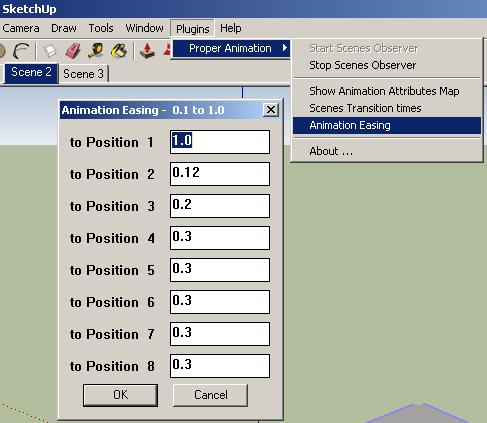
                        easing1.JPG

                        1 條回覆 最後回覆 回覆 引用 0
                        • M 離線
                          morisdov
                          最後由 編輯

                          @gzekko said:

                          repeating step - context menu add position x - when reopening saved models

                          the very latest 1.08 beta download from my site (17/11/2010) will 'load' the number of positions for the context menu - on models created/extended using the latest 1.08 version.

                          @unknownuser said:

                          to insert a new position anywhere between two old positions

                          1. add a new animation position as a new last position
                          2. open the 'Animation Attributes Map'
                          3. 'Move Left' the latest last position in between the two old positions

                          Cheers, moris

                          1 條回覆 最後回覆 回覆 引用 0
                          • MALAISEM 離線
                            MALAISE
                            最後由 編輯

                            Thanks a lot for the improvements. Sorry, but I'm quite busy and not enough time
                            to try it deeper. 👍 👍

                            MALAISE

                            La Connaissance n'a de valeur que partagée

                            1 條回覆 最後回覆 回覆 引用 0
                            • F 離線
                              Fletch
                              最後由 編輯

                              @morisdov said:

                              @unknownuser said:

                              to insert a new position anywhere between two old positions

                              1. add a new animation position as a new last position
                              2. open the 'Animation Attributes Map'
                              3. 'Move Left' the latest last position in between the two old positions

                              Fantastic! 😲 I love that clicking on the little "A" in that dialog animates each and every thing individually. 😄 👍

                              Fletch
                              Twilight Render Cross-platform Plugin for SketchUp on PC or Mac

                              1 條回覆 最後回覆 回覆 引用 0
                              • charly2008C 離線
                                charly2008
                                最後由 編輯

                                Hi to All,

                                When I came across this thread it occurred to me, to export a Sketchup animation to Kerkythea. But as so often, it did not work for now. Is there anyone here in the forum who has an animation rendered in Kerkythea or has experience with this workflow?

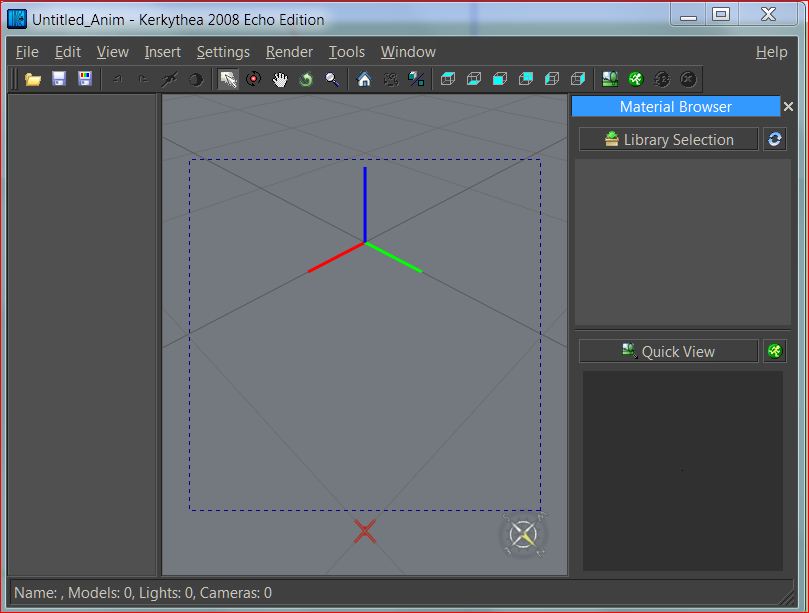
                                I have the following problem: I created three simple scenes with a rotating cube. If I export them with SU2KT either as scenes or as an animation the workspace remains blank in Kerkythea. I tried too to load the exported script file (.kst) but the result was the same.

                                I would love it if someone would help me, because I do not know what I'm doing wrong.

                                Charly

                                Unbenannt.JPG


                                Untitled.skp


                                Unbenannt2.JPG

                                He who makes no mistakes, makes nothing

                                1 條回覆 最後回覆 回覆 引用 0
                                • charly2008C 離線
                                  charly2008
                                  最後由 編輯

                                  Hi

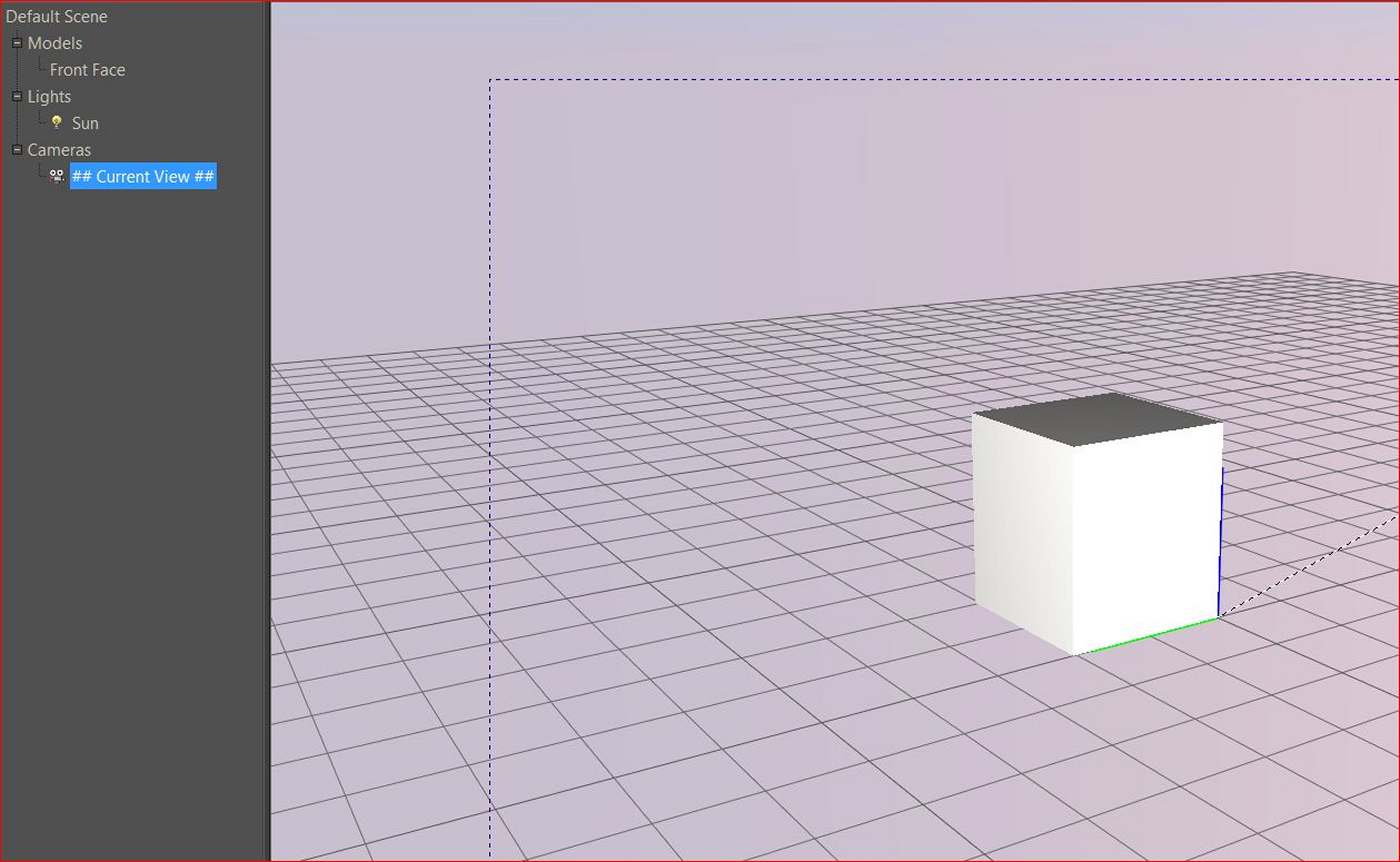
                                  Before i was loading the wrong script. When i loaded the correct script it tooks about 1 and 1/2 hour to render. Below the result no animation!

                                  Charly

                                  Unbenannt.JPG

                                  He who makes no mistakes, makes nothing

                                  1 條回覆 最後回覆 回覆 引用 0
                                  • T 離線
                                    tomasz
                                    最後由 編輯

                                    Excellent update Morris!
                                    I do like Fletch's animation 😄

                                    @charly2008 said:

                                    Before i was loading the wrong script. When i loaded the correct script it tooks about 1 and 1/2 hour to render. Below the result no animation!
                                    Charly

                                    I don't want to hijack the thread so please join the Kerkythea thread or PM me with questions.
                                    The important things:

                                    • enable Proper Animation observers
                                    • export animation using: Full model per frame
                                      Your animation will be stored in the export folder as jpgs. Use VirtualDub or similar software to build an animation file from them.

                                    ... now .. where is that animation feature in SU2Thea ... 😄

                                    Author of Thea Render for SketchUp

                                    1 條回覆 最後回覆 回覆 引用 0
                                    • D 離線
                                      danbig
                                      最後由 編輯

                                      Hi Morisdov -

                                      Thank you for the incredible tool.

                                      Is there any limit on the number of positions that can be set?

                                      1 條回覆 最後回覆 回覆 引用 0
                                      • D 離線
                                        danbig
                                        最後由 編輯

                                        Also -

                                        How does the linking of positions and scenes work if you rename your scenes?

                                        Does the Position 3 always link to the third scene that was created?

                                        1 條回覆 最後回覆 回覆 引用 0
                                        • A 離線
                                          akobunge
                                          最後由 編輯

                                          hi to all.. i used this plugin. but once i save the animation in video file.. i cannot see the object move..please help...

                                          1 條回覆 最後回覆 回覆 引用 0
                                          • R 離線
                                            rachmatrf
                                            最後由 編輯

                                            Thank you for this valuable tool...

                                            1 條回覆 最後回覆 回覆 引用 0
                                            • 1
                                            • 2
                                            • 7
                                            • 8
                                            • 9
                                            • 10
                                            • 11
                                            • 12
                                            • 13
                                            • 9 / 13
                                            • 第一個貼文
                                              最後的貼文
                                            Buy SketchPlus
                                            Buy SUbD
                                            Buy WrapR
                                            Buy eBook
                                            Buy Modelur
                                            Buy Vertex Tools
                                            Buy SketchCuisine
                                            Buy FormFonts

                                            Advertisement

