sketchucation logo sketchucation
    • 登入
    Oops, your profile's looking a bit empty! To help us tailor your experience, please fill in key details like your SketchUp version, skill level, operating system, and more. Update and save your info on your profile page today!
    🔌 Smart Spline | Fluid way to handle splines for furniture design and complex structures. Download

    Useful MAC Apps and Hardware [Ongoing Updates]

    已排程 已置頂 已鎖定 已移動 Hardware, Software & Gadgets
    288 貼文 34 Posters 190.4k 瀏覽 34 Watching
    正在載入更多貼文
    • 從舊到新
    • 從新到舊
    • 最多點贊
    回覆
    • 在新貼文中回覆
    登入後回覆
    此主題已被刪除。只有擁有主題管理權限的使用者可以查看。
    • D 離線
      driven
      最後由 編輯

      sumac.png
      Me again,
      here's the link to the app, It's slowed down at the moment because I added a load of extra steps and delays to show what's happening...

      have a play
      http://homepage.mac.com/johnboundy/filechute/sumac_dev_2011-03-01-002859.dmg.zip

      ...a had trouble with the short URL's

      learn from the mistakes of others, you may not live long enough to make them all yourself...

      1 條回覆 最後回覆 回覆 引用 0
      • K 離線
        kate-art
        最後由 編輯

        Since we launched Shaderlight for SketchUp back in October we’ve been inundated with emails asking when the Mac version will be released. Well the wait is over – you can download Shaderlight for your Mac!

        Head to http://www.shaderlight.com to download your free version or a 14 day trial of the fully featured Shaderlight Pro!

        Shaderlight delivers interactive, photorealistic rendering to Google SketchUp. Download it for FREE at http://www.shaderlight.com

        1 條回覆 最後回覆 回覆 引用 0
        • Mike LuceyM 離線
          Mike Lucey
          最後由 編輯

          Hi Guys,

          When I was back in the Stone Age using Windows 😉 , I got very fond of a handy little utility called 'Meazure'. It was an on-line ruler.

          Over the past couple of years I have come across a few similar Mac apps but none as good as Meazure until now!
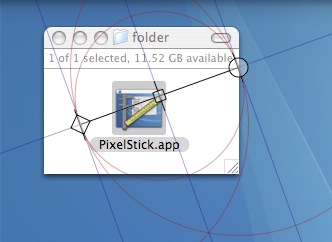
          PixelStick http://www.plumamazing.com/mac/pixelstick/ does the job very well. Check out the screencast on the site as it explains the in and outs.

          Meazure allowed me to open multiple rulers which was needed at times. To do this in PixelStick I have to 'copy' the app and make multiple pixelsticks.

          It looks to be free or a pay if you like! If you find it useful please consider buying as it helps the developer to improve the app.

          Mike

          PS: For all the Win users that have a peek in here, the link to Meazure is http://www.cthing.com/Meazure.asp 😆


          PixelStick.jpg

          Support us so we can support you! Upgrade to Premium Membership!

          1 條回覆 最後回覆 回覆 引用 0
          • T 離線
            tfdesign
            最後由 編輯

            Compress PDF Workflow 6.0

            Apparently Apple removed this feature in Tiger! (How annoying! 😒 )

            However after a little searching, I found this Automator script, that does a fab job- although a bit fiddly if you need to tweak it. 😐

            ➡ http://www.apple.com/downloads/macosx/automator/compresspdfworkflow.html

            My book "Let's SketchUp!" Download from here

            1 條回覆 最後回覆 回覆 引用 0
            • T 離線
              tfdesign
              最後由 編輯

              Quicksilver is being developed again!

              Go here to find the latest download. 😄

              Link Preview Image

              favicon

              (qsapp.com)

              My book "Let's SketchUp!" Download from here

              1 條回覆 最後回覆 回覆 引用 0
              • Mike LuceyM 離線
                Mike Lucey
                最後由 編輯

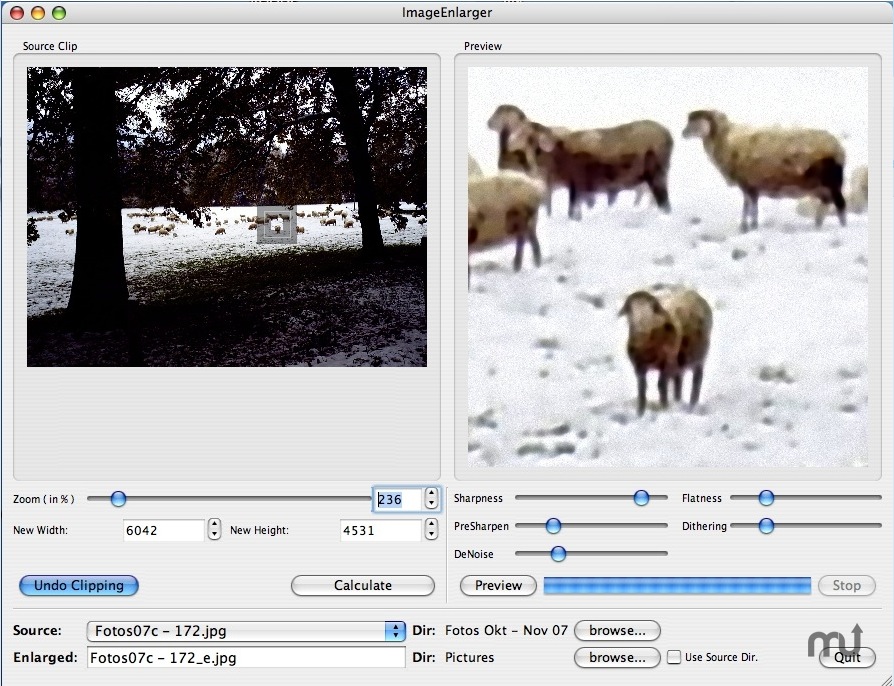
                SmillaEnlarger 0.9.0 MAC
                http://www.macupdate.com/app/mac/31807/smillaenlarger

                Very handy for detailed zoom of image sections 👍


                SmillaEnlarger 0.9.0.jpg

                Support us so we can support you! Upgrade to Premium Membership!

                1 條回覆 最後回覆 回覆 引用 0
                • T 離線
                  tfdesign
                  最後由 編輯

                  What a great App! Thanks for sharing that Mike! 😄

                  My book "Let's SketchUp!" Download from here

                  1 條回覆 最後回覆 回覆 引用 0
                  • T 離線
                    tfdesign
                    最後由 編輯

                    favicon

                    (www.pascal.com)

                    @unknownuser said:

                    Note: Free Ruler is only available for Mac OS X. It may work on Mac OS 9, but this has not been tested. It most definitely will not work on your stupid Windows PC.
                    😲 🤣

                    Actually, this app would be useful if it actually stayed on top! 😡

                    My book "Let's SketchUp!" Download from here

                    1 條回覆 最後回覆 回覆 引用 0
                    • Mike LuceyM 離線
                      Mike Lucey
                      最後由 編輯

                      Tom,

                      I find RulerX better http://homepage.mac.com/kyasu/soft/

                      and to keep things 'on top' I use

                      AFLOAT
                      http://infinite-labs.net/afloat/
                      http://youtu.be/qSLTfII8ClU

                      Mike

                      Support us so we can support you! Upgrade to Premium Membership!

                      1 條回覆 最後回覆 回覆 引用 0
                      • Mike LuceyM 離線
                        Mike Lucey
                        最後由 編輯

                        Its tricky the find the download. See attached image 👍


                        RulerX.jpg

                        Support us so we can support you! Upgrade to Premium Membership!

                        1 條回覆 最後回覆 回覆 引用 0
                        • T 離線
                          tfdesign
                          最後由 編輯

                          Hi Mike. I just tried that app, but it almost froze my computer. 😕

                          Did you check your PM? 😄

                          My book "Let's SketchUp!" Download from here

                          1 條回覆 最後回覆 回覆 引用 0
                          • Mike LuceyM 離線
                            Mike Lucey
                            最後由 編輯

                            Yep, and thanks 😉

                            Support us so we can support you! Upgrade to Premium Membership!

                            1 條回覆 最後回覆 回覆 引用 0
                            • D 離線
                              driven
                              最後由 編輯

                              hands up if you ever do this on your Mac

                              I've been doing a lot of research to write a ruby or applescript that lets me quickly view 2 or more models for various reasons, known only to Mac users  😉

                              however I just found this, downloaded and tested and it's great, Free trial and a whole $5 if you like it...
                              I;m still going to try and write my own SU specific plugin, but in the mean time...
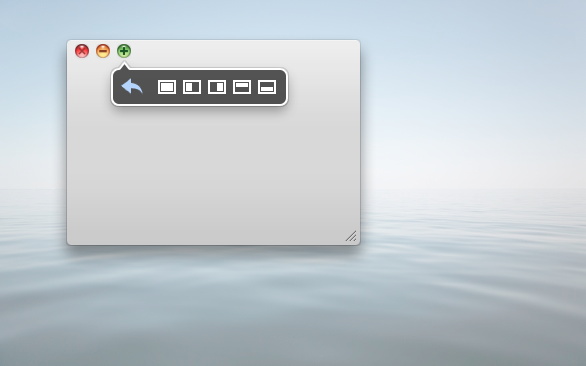
                              BTW, it also has grid selection, if you want 3 or more....
                              http://manytricks.com/moom/
                              anyhow thought I'd share as the search here says no-ones mentioned it before.

                              have fun

                              john

                              learn from the mistakes of others, you may not live long enough to make them all yourself...

                              1 條回覆 最後回覆 回覆 引用 0
                              • Mike LuceyM 離線
                                Mike Lucey
                                最後由 編輯

                                Thanks John, downloaded, installed and tested ...... will keep it 👍 Well worth the $5!

                                Support us so we can support you! Upgrade to Premium Membership!

                                1 條回覆 最後回覆 回覆 引用 0
                                • EdsonE 離線
                                  Edson
                                  最後由 編輯

                                  recent acquisitions from the App Store:

                                  MsgFiler: a Mail plugin that helps to move files.
                                  Savings: personal finance
                                  Radium: internet radio player
                                  Contacts Cleaner: basically helps you keep your address book tidy and without duplicates
                                  Cloud: allows you to share images, links, music, videos and files

                                  edson mahfuz, architect| porto alegre • brasil
                                  http://www.mahfuz.arq.br

                                  1 條回覆 最後回覆 回覆 引用 0
                                  • M 離線
                                    mptak
                                    最後由 編輯

                                    I can see great potential in this one especially for making transparent "flipbooks" in PNG format for overlaying on a sketchup model.

                                    403 Forbidden

                                    favicon

                                    (www.pencil-animation.org)

                                    1 條回覆 最後回覆 回覆 引用 0
                                    • Mike LuceyM 離線
                                      Mike Lucey
                                      最後由 編輯

                                      Hi Guys,

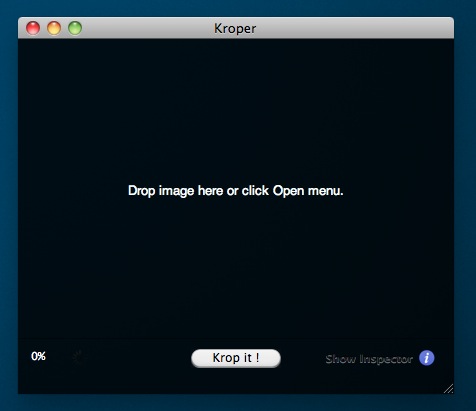
                                      While looking for a simple 'one trick pony' app to simply crop pics I came across Kroper. It does just that and no more. Just drop the image in and 'krop it'. It can be downloaded here, http://www.macupdate.com/app/mac/35241/kroper Oh, and its free!

                                      Mike

                                      Kroper 01.jpg

                                      Support us so we can support you! Upgrade to Premium Membership!

                                      1 條回覆 最後回覆 回覆 引用 0
                                      • jeff hammondJ 離線
                                        jeff hammond
                                        最後由 編輯

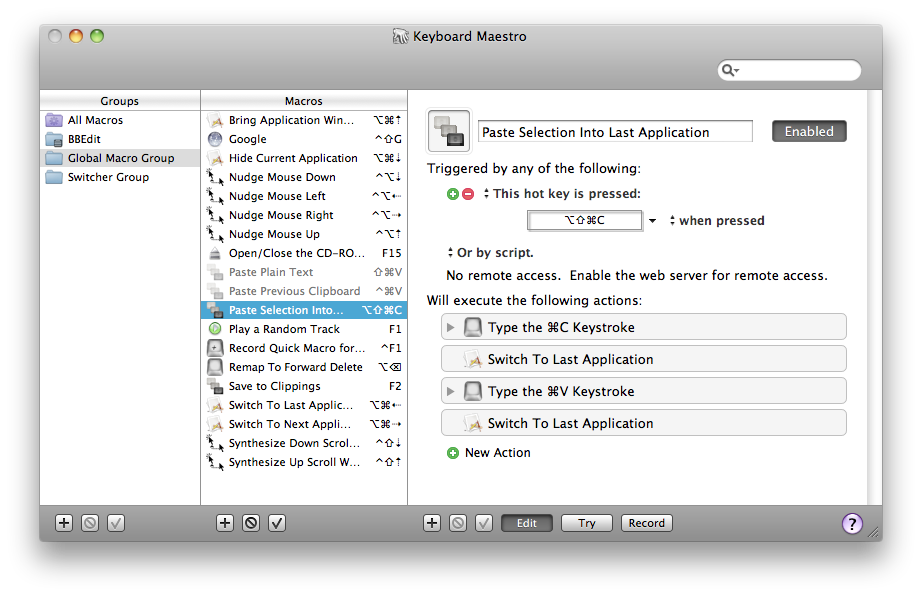
                                        definitely the best 3rd party utility app i own: Keyboard Maestro

                                        Link Preview Image
                                        Keyboard Maestro 11.0.4: Work Faster with Macros for macOS

                                        Keyboard Maestro is the leading software for macOS automation. It will increase business productivity by using macros (or short cuts) with simple keystrokes.

                                        favicon

                                        (www.keyboardmaestro.com)

                                        it's a macro editor/creator which works very well with sketchup..
                                        [for instance, i have a macro which will (open component, select all, explode, explode again, generate faces(tos),exit component edit) all with one keystroke]

                                        i have it set up to do a few more things as well and hope to incorporate it more in the future (im just a little hesitant to set up 50 macros at once as i'll probably forget them.. i generally try one or two new ones a week)

                                        worth checking out though..

                                        kmscreenshot.png

                                        dotdotdot

                                        1 條回覆 最後回覆 回覆 引用 0
                                        • Mike LuceyM 離線
                                          Mike Lucey
                                          最後由 編輯

                                          Hi Guys,

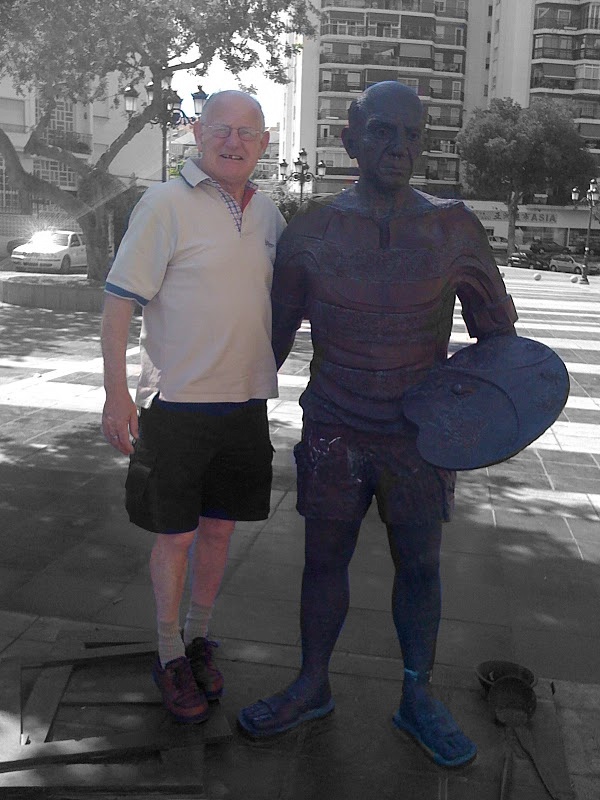
                                          I came across this useful little 'stand alone' app called iSplash. What it does? 'Choose any image and iSplash will turn it to grayscale. Then, choose any part of the image to restore the original color.'

                                          Its on sale at the moment for 99cent, normal price is $4.99.

                                          Attached is an image of my mate Val standing beside a statue of Mr Picasso in Torremolinos ..... notice the strong resemblance .... Val now think they must be related 😄

                                          Mike

                                          PS: Val woke up that morning missing a tooth! He couldn't remember how it happened 😒

                                          iSplash V&P.jpg

                                          Support us so we can support you! Upgrade to Premium Membership!

                                          1 條回覆 最後回覆 回覆 引用 0
                                          • jeff hammondJ 離線
                                            jeff hammond
                                            最後由 編輯

                                            re: the keyboard maestro app i mentioned a few posts back..

                                            here's an example of it being used to divide a single group into 110 individual groups (via a thread here at scf)

                                            http://forums.sketchucation.com/viewtopic.php?p=336059#p336059

                                            dotdotdot

                                            1 條回覆 最後回覆 回覆 引用 0
                                            • 1
                                            • 2
                                            • 8
                                            • 9
                                            • 10
                                            • 11
                                            • 12
                                            • 13
                                            • 14
                                            • 15
                                            • 10 / 15
                                            • 第一個貼文
                                              最後的貼文
                                            Buy SketchPlus
                                            Buy SUbD
                                            Buy WrapR
                                            Buy eBook
                                            Buy Modelur
                                            Buy Vertex Tools
                                            Buy SketchCuisine
                                            Buy FormFonts

                                            Advertisement