Tapering top of square post cap
-
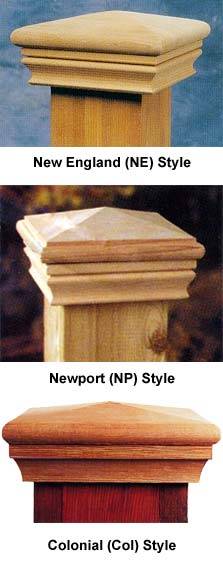
Need help creating the top of a fence post cap similar to the bottom one in the attached photo. I don't know how to taper the square top. Any help would be appreciated.
Thanks,
Harry
-
Hi there,
What I can figure out of that image, it has a "roof like" top, right?
Well the easiest way is:
- draw a square (the top of your column)
draw the diagonals (make sure to intersect them in the middle - just draw the second one in two pieces; from the corner to the midpoint of the first one an from there to the opposite corner) - make sure nothing is selected and choose the move tool
- hover over the intersections of the two diagonals
- when you see the green inference and the tip "endpoint", grab it with the move tool
- hit the up arrow key (this will lock the move on the blue axis)
- move to the desired height.
If it is not tapered that way, I'd need a better pic to see.
- draw a square (the top of your column)
-
-
Gentlemen,
Gaieus and Tig. Thanks for taking the time to share your expertise. I learn something new every time I use SketchUp but I couldn't figure that one out. Tig, the tutorial you provided was exactly what I needed to know. Now it's time to see if this Newbie can apply that information.
Thanks again.
Harry
-
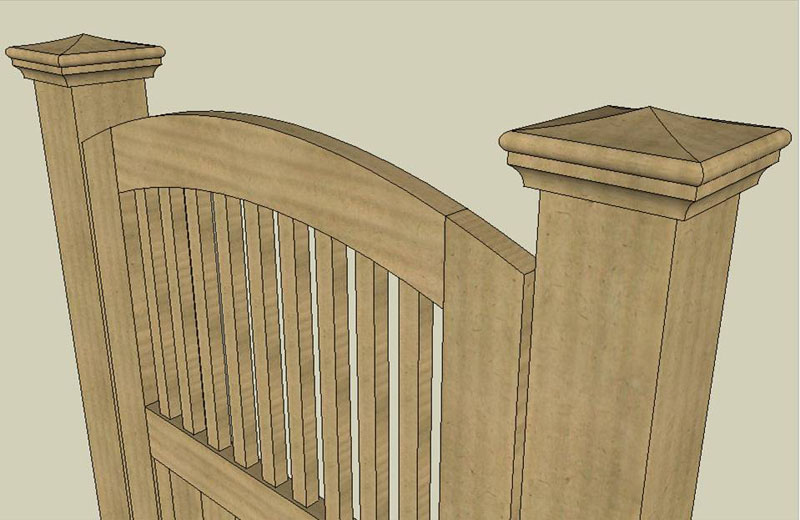
Here’s the finished product. Just what was needed to complement the fence gate. Next step; make a real one with wood. Actually, the proper nomenclature is: “Post cranium cover”
Thanks again, gentlemen.
Harry


Hello! It looks like you're interested in this conversation, but you don't have an account yet.
Getting fed up of having to scroll through the same posts each visit? When you register for an account, you'll always come back to exactly where you were before, and choose to be notified of new replies (either via email, or push notification). You'll also be able to save bookmarks and upvote posts to show your appreciation to other community members.
With your input, this post could be even better 💗
Register Login


Advertisement