sketchucation logo sketchucation
    • Login
    Oops, your profile's looking a bit empty! To help us tailor your experience, please fill in key details like your SketchUp version, skill level, operating system, and more. Update and save your info on your profile page today!
    ⚠️ Update | Sketchucation Tools 5.0.8 released with licensing improvements and bugfixes Download

    I have a problem with my SketchUcation panel for my plugins.
    Scheduled Pinned Locked Moved Extensions & Applications Discussions
    8 Posts 2 Posters 60 Views 2 Watching
    Loading More Posts
    • Oldest to Newest
    • Newest to Oldest
    • Most Votes
    Reply
    • Reply as topic
    Log in to reply
    This topic has been deleted. Only users with topic management privileges can see it.
    • alexpacio2013A
      alexpacio2013
      last edited by

      I have a problem with my SketchUcation panel for my plugins.

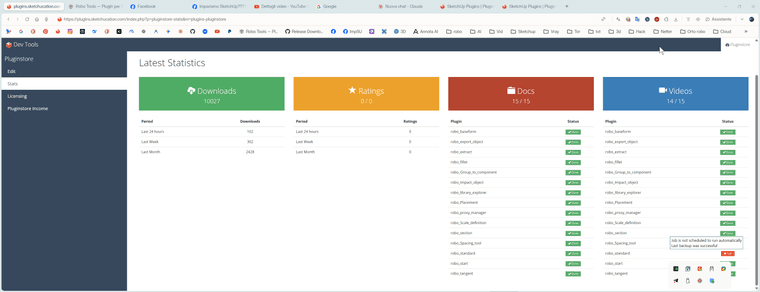
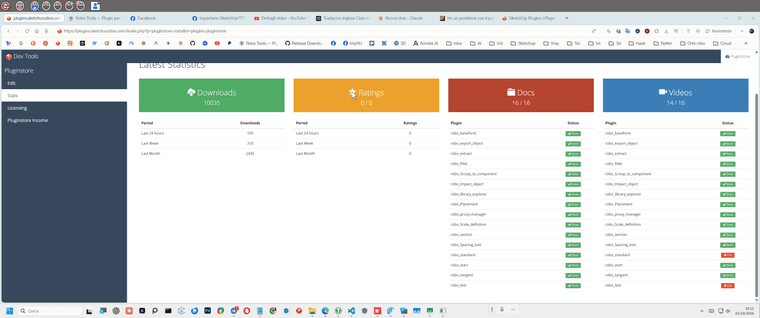
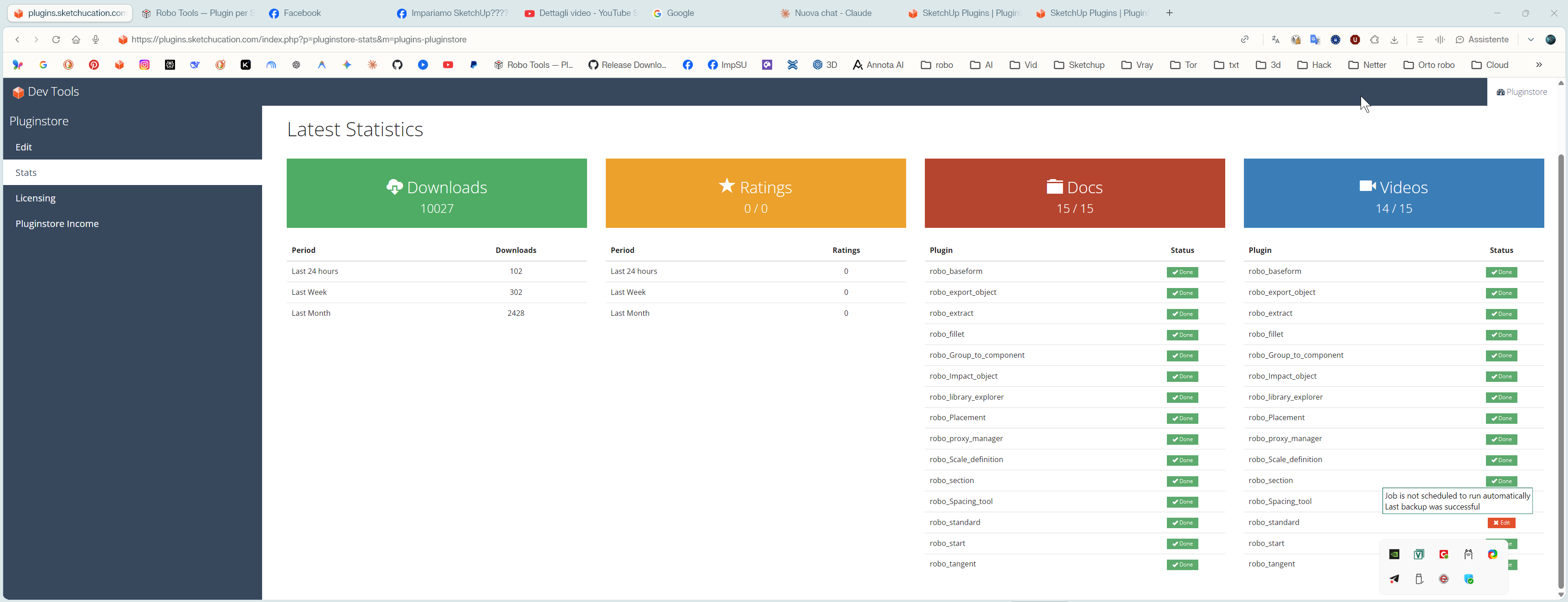
      Basically, if you look at the images, I have a list of plugins. Robo Uplevel is a plugin that I had previously added, but then removed. However, as you can see, it is still listed there. I can no longer find it in my panel, so I’m unable to delete it.

      What should I do? Thank you.
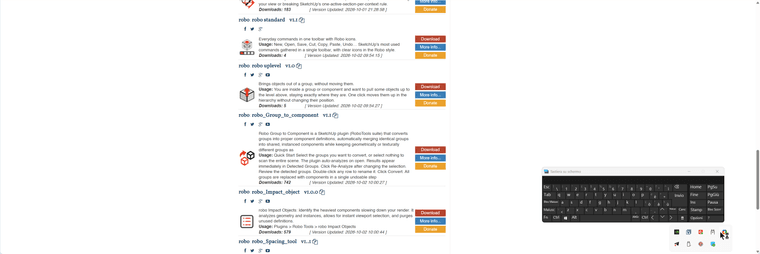
      comet_V3jlSY72f8.png
      comet_RSi0A56OT7.png

      1 Reply Last reply
      Reply Quote 0
      • Rich O BrienR
        Rich O Brien Moderator
        last edited by

        I don't see any entry for robo_uplevel. Only these...
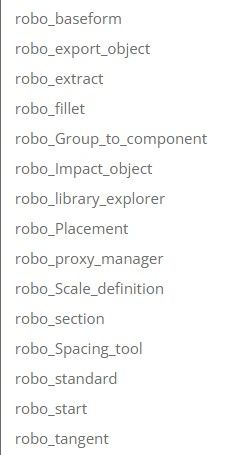
        image.jpeg

        Try creating a new entry

        Download the free D'oh Book for SketchUp 📖

        alexpacio2013A 1 Reply Last reply
        Reply Quote 0
        • alexpacio2013A
          alexpacio2013 @Rich O Brien
          last edited by

          @Rich-O-Brien I added the new Robo Test plugin, but if you look at my list of plugins available for download, it is not there.

          In addition, it changed the text and icon of another plugin that has nothing to do with it. The plugin is Robo Export Object, which is completely different and which I have not modified at all.

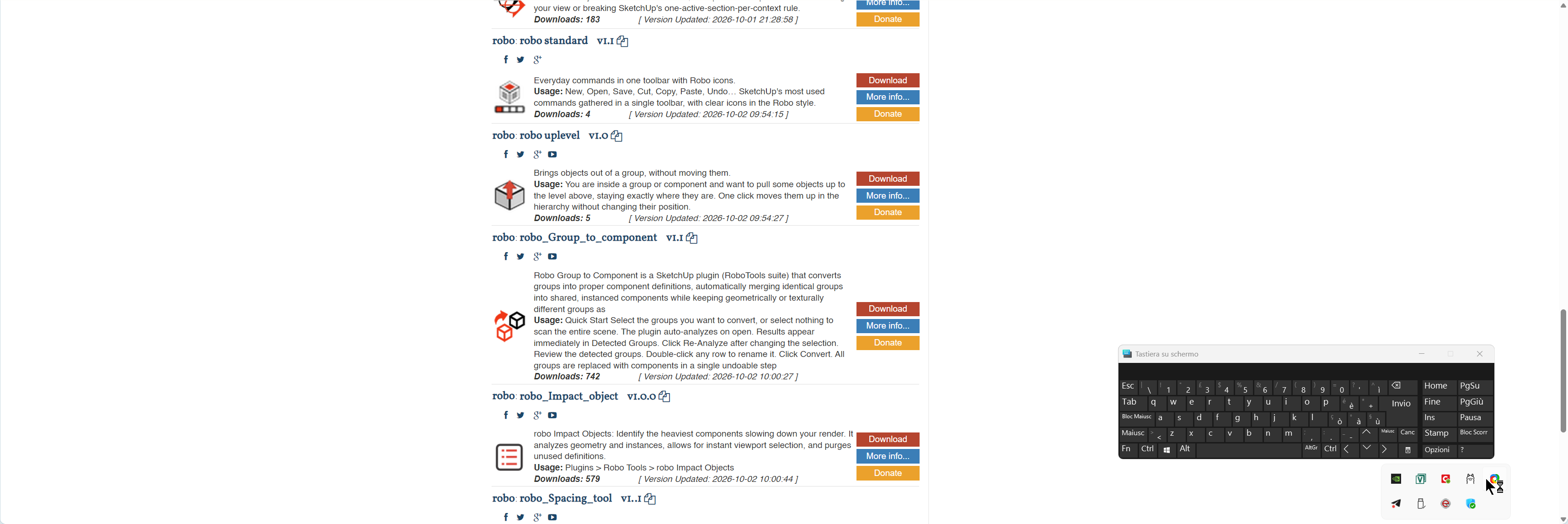
          Also, Robo UpLevel is still available for download.

          alexpacio2013A 1 Reply Last reply
          Reply Quote 0
          • Rich O BrienR
            Rich O Brien Moderator
            last edited by

            Isn't UpLevel your robo_start entry?

            Download the free D'oh Book for SketchUp 📖

            1 Reply Last reply
            Reply Quote 0
            • alexpacio2013A
              alexpacio2013 @alexpacio2013
              last edited by

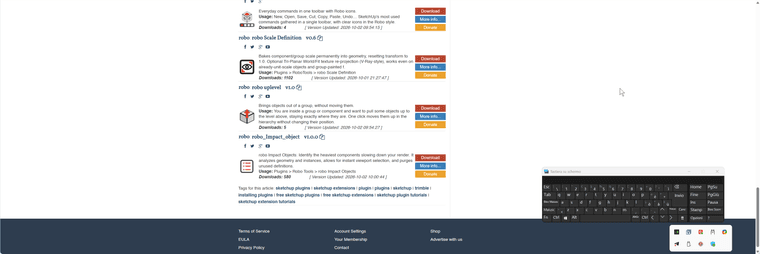
              Robo Uplevel no longer exists; I deleted it. However, in the public list of my plugins, it still appears as available for download.

              Also, I set Robo Test as a draft, and in fact it no longer appears in the public list. But the internal list does not show Robo Uplevel at all.

              Basically, I don’t know how to remove that Robo Uplevel entry. If I try to add a new Robo Uplevel plugin, it creates two entries.8ACV3nZ99a.png comet_kjwESfFyFF.png

              1 Reply Last reply
              Reply Quote 0
              • Rich O BrienR
                Rich O Brien Moderator
                last edited by

                @gábor is going to take a look but for further clarity.

                Is robo_start what you intend to be the listing for UpLevel? If yes set it to Unpublished at Dev Tools.

                https://sketchucation.com/plugin/3165-robo_start
                

                That is the URL for UpLevel which you can see is robo_start

                I'm just trying to get a very clear picture for Gabor before we start tweaking things.

                When I look at robo_start I see the following for the name
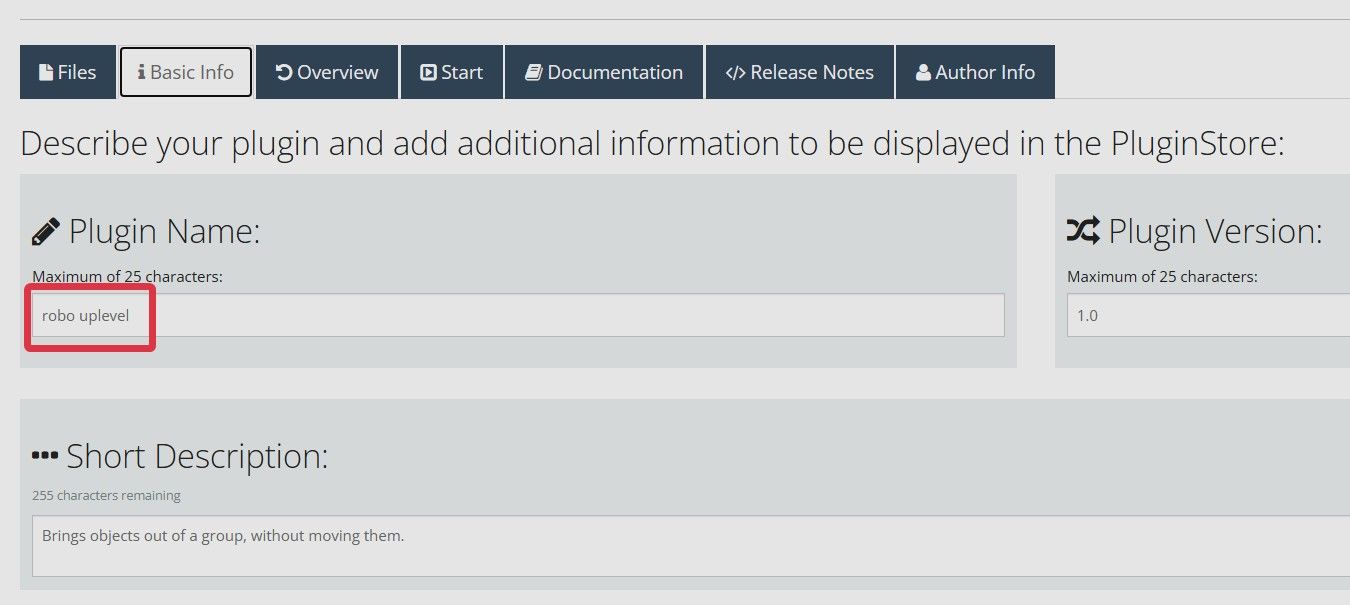
                image.jpeg

                The uploaded RBZ file is called robo_start.rbz

                Download the free D'oh Book for SketchUp 📖

                alexpacio2013A 1 Reply Last reply
                Reply Quote 0
                • alexpacio2013A
                  alexpacio2013 @Rich O Brien
                  last edited by

                  @Rich-O-Brien Thank you, you found the problem right away, as always—quick and knowledgeable. I had made a mistake: the internal name was different from the plugin’s actual name. I’m getting old!😊

                  1 Reply Last reply
                  Reply Quote 0
                  • Rich O BrienR
                    Rich O Brien Moderator
                    last edited by TIG

                    No problems. It is best to be safe rather than sorry.

                    Have a great weekend!

                    Download the free D'oh Book for SketchUp 📖

                    1 Reply Last reply 👍
                    Reply Quote 0

                    Hello! It looks like you're interested in this conversation, but you don't have an account yet.

                    Getting fed up of having to scroll through the same posts each visit? When you register for an account, you'll always come back to exactly where you were before, and choose to be notified of new replies (either via email, or push notification). You'll also be able to save bookmarks and upvote posts to show your appreciation to other community members.

                    With your input, this post could be even better 💗

                    Register Login
                    • 1 / 1
                    • First post
                      Last post
                    Buy SketchPlus
                    Buy SUbD
                    Buy WrapR
                    Buy eBook
                    Buy Modelur
                    Buy Vertex Tools
                    Buy SketchCuisine
                    Buy FormFonts

                    Advertisement