Medeek Project
-
I’ve only invested about a week’s worth of my time and energy into this new House Builder tool/app. I’m excited that I’ve been able to move it along quite quickly, thanks to the work I had already done with Garage Builder. I will need to circle back actually and add some of this increased functionality into the Garage Builder but for now my focus is on the House Builder since it is the more general tool.
I am really hoping that this tool will be as useful and well adopted as I think it will be. To that end I am investing quite a bit of time into it and will probably spend at least a couple more weeks sorting out all the intricacies of wiring up complex roofs and multi foundation types. I think we almost have the floor framing portion completed.
With the addition of more common drafting style tools (ie. dimensions, callouts, text, text /w leaders and lines) the tool has become much more interactive and the user experience or UI will be of paramount importance. I don’t want this tool to feel clunky so it may require a few iterations to fine tune these tools until they are a “joy to use”.
I think I will probably release an update of the plugin even before I’ve waded into the foundations and roofs so that the power users can begin poking and prodding this thing and expose its weaknesses
-
Is this a standalone app?
No, it is part of the Medeek Project plugin that runs inside of SketchUp.
However you do bring up a very interesting point. Other than the one action of "Create Building" where the tool then sends all of the commands to the Medeek API to generate all of the geometry, this entire tool could be its own stand alone app. I am actually considering that.
-
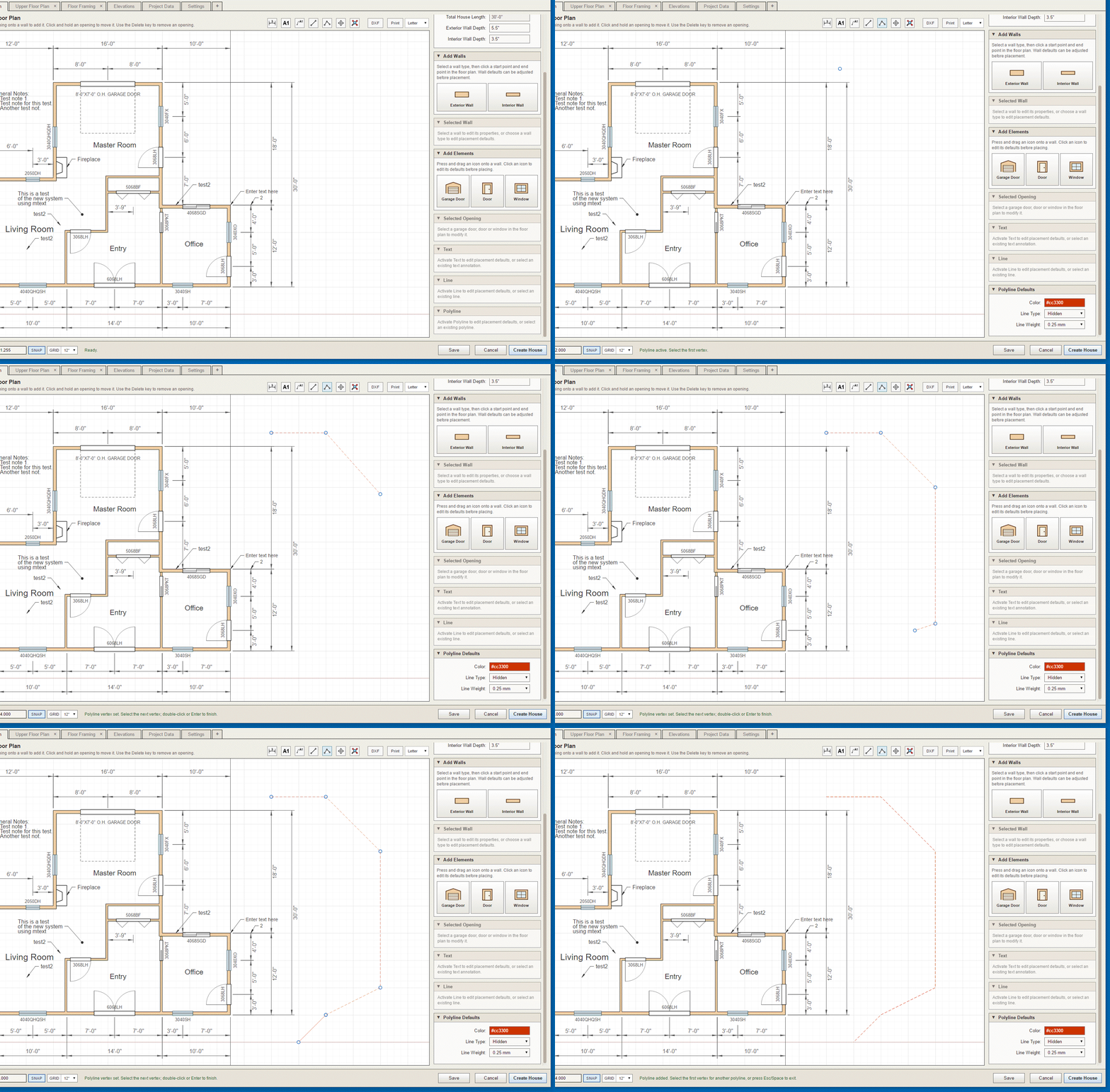
I've also decided to add a move/copy tool and a polyline tool.
-
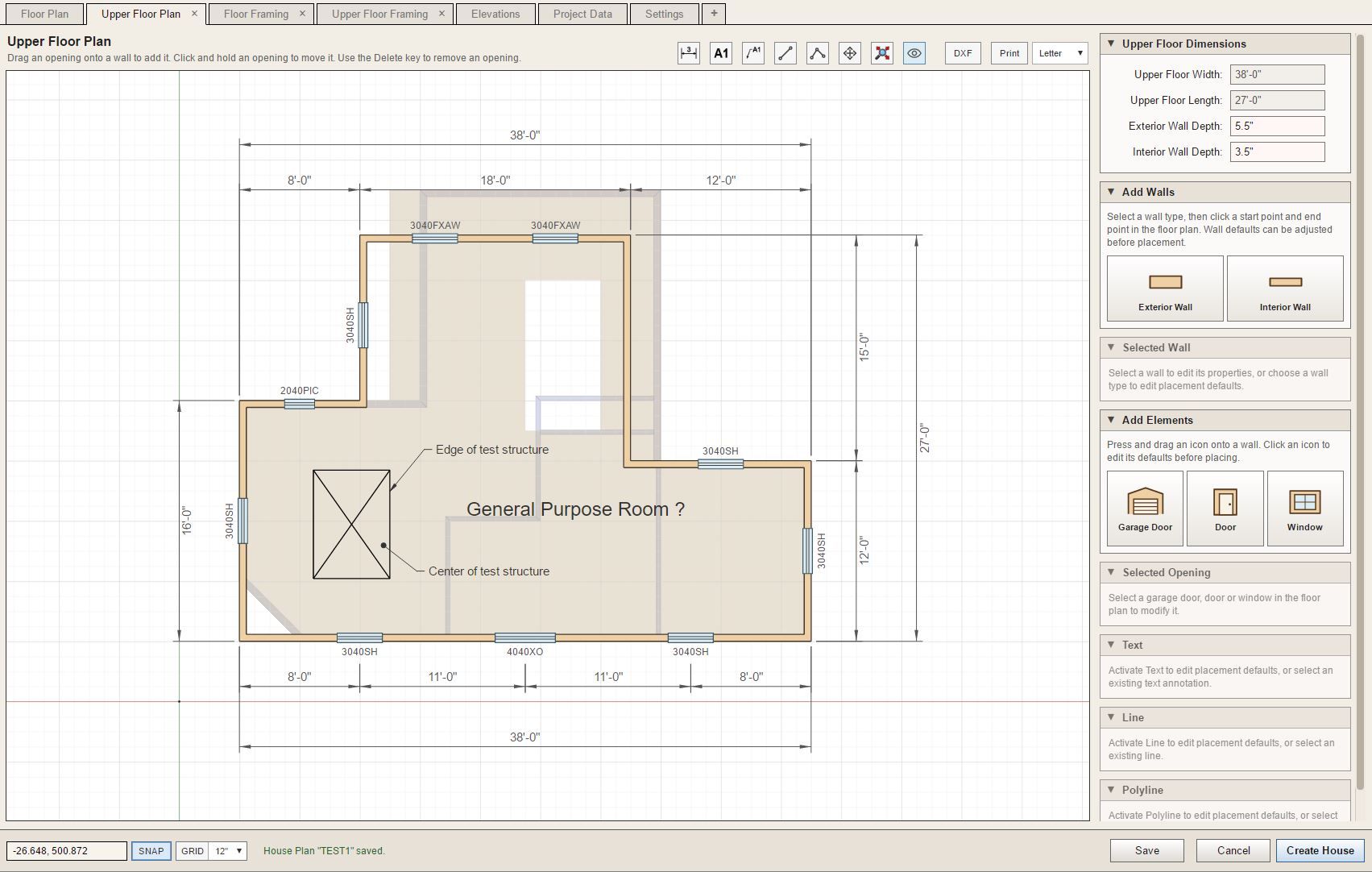
Testing the reference underlays for the Upper Floor Plan (level 1 wall framing and level 2 floor framing):
-
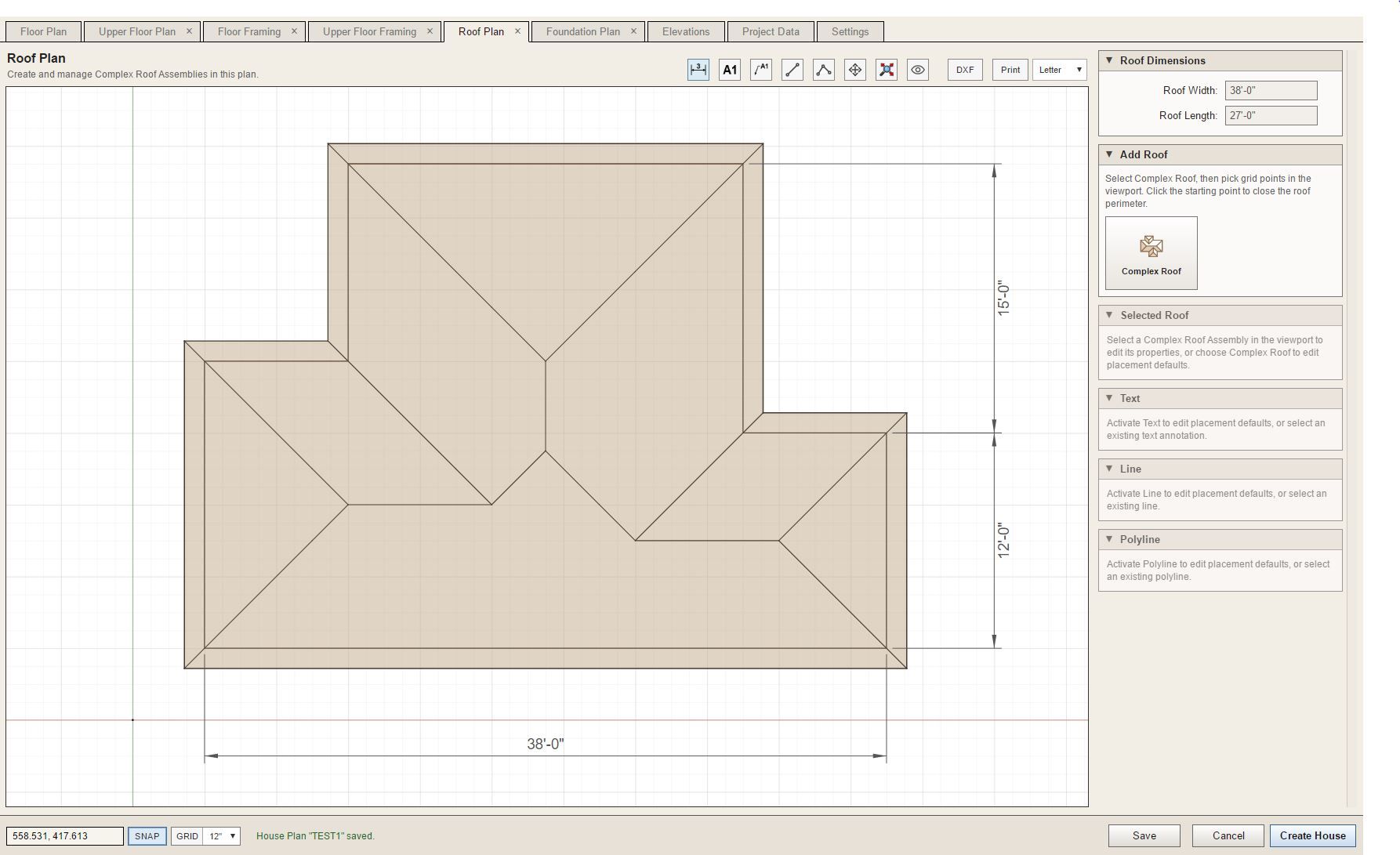
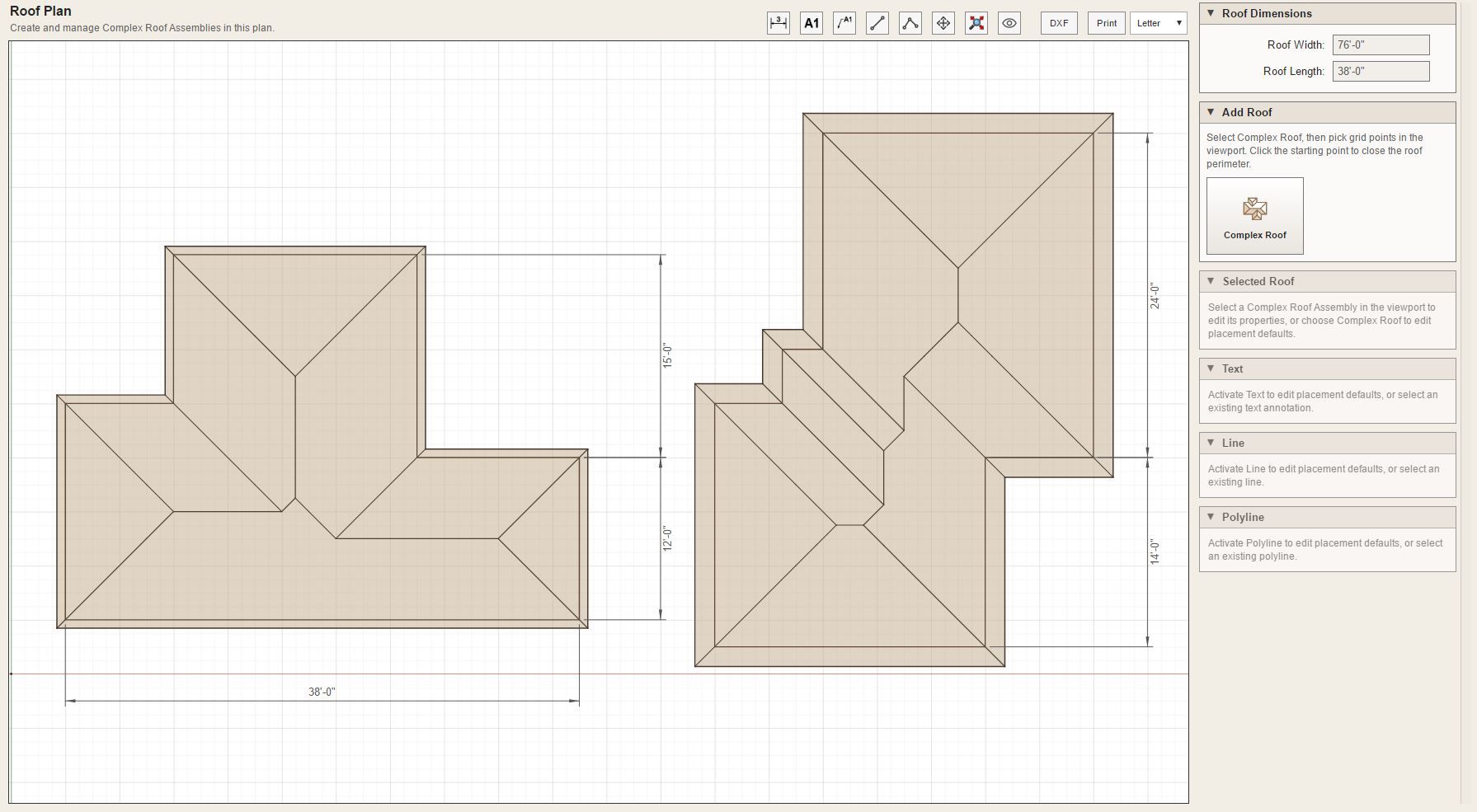
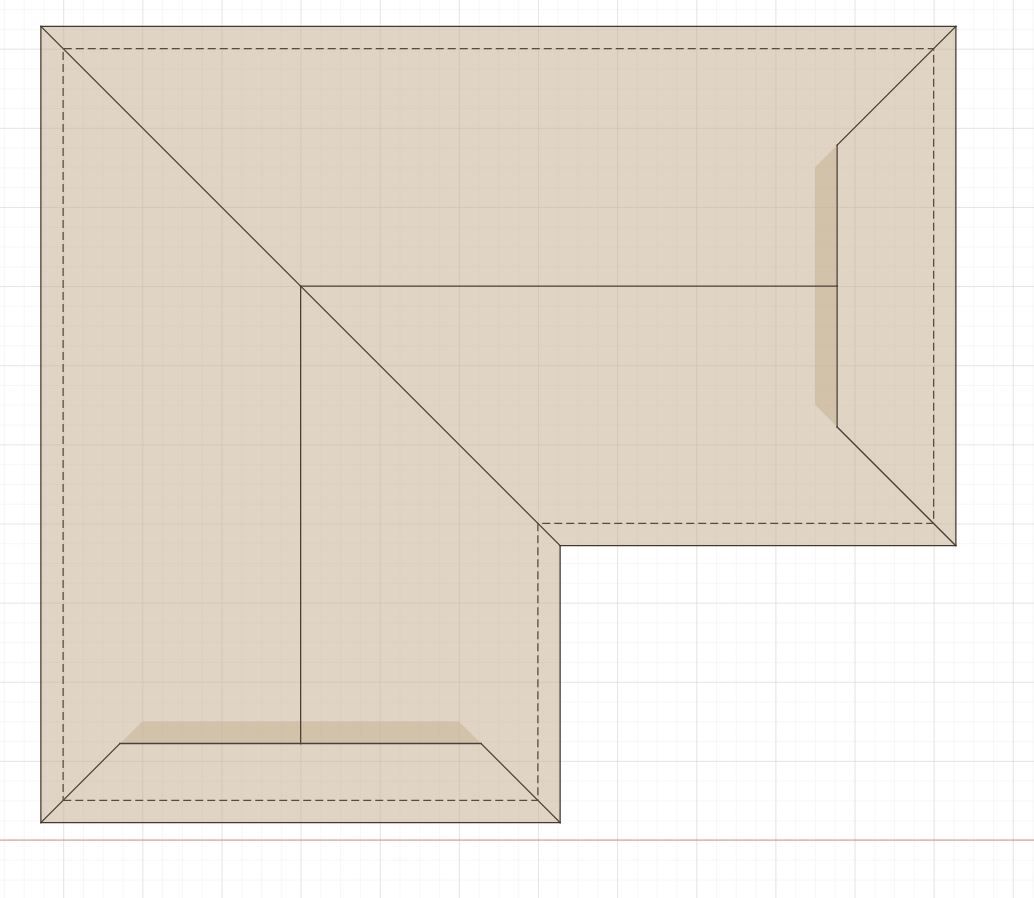
First look at some complex roofs in the Roof Plan tab:
I will need to stress test it further to see if we can break it. The solver algorithm is borrowed directly from the new weighted straight skeleton solver I implemented about a month ago in the Truss plugin, no point in reinventing the wheel.
-
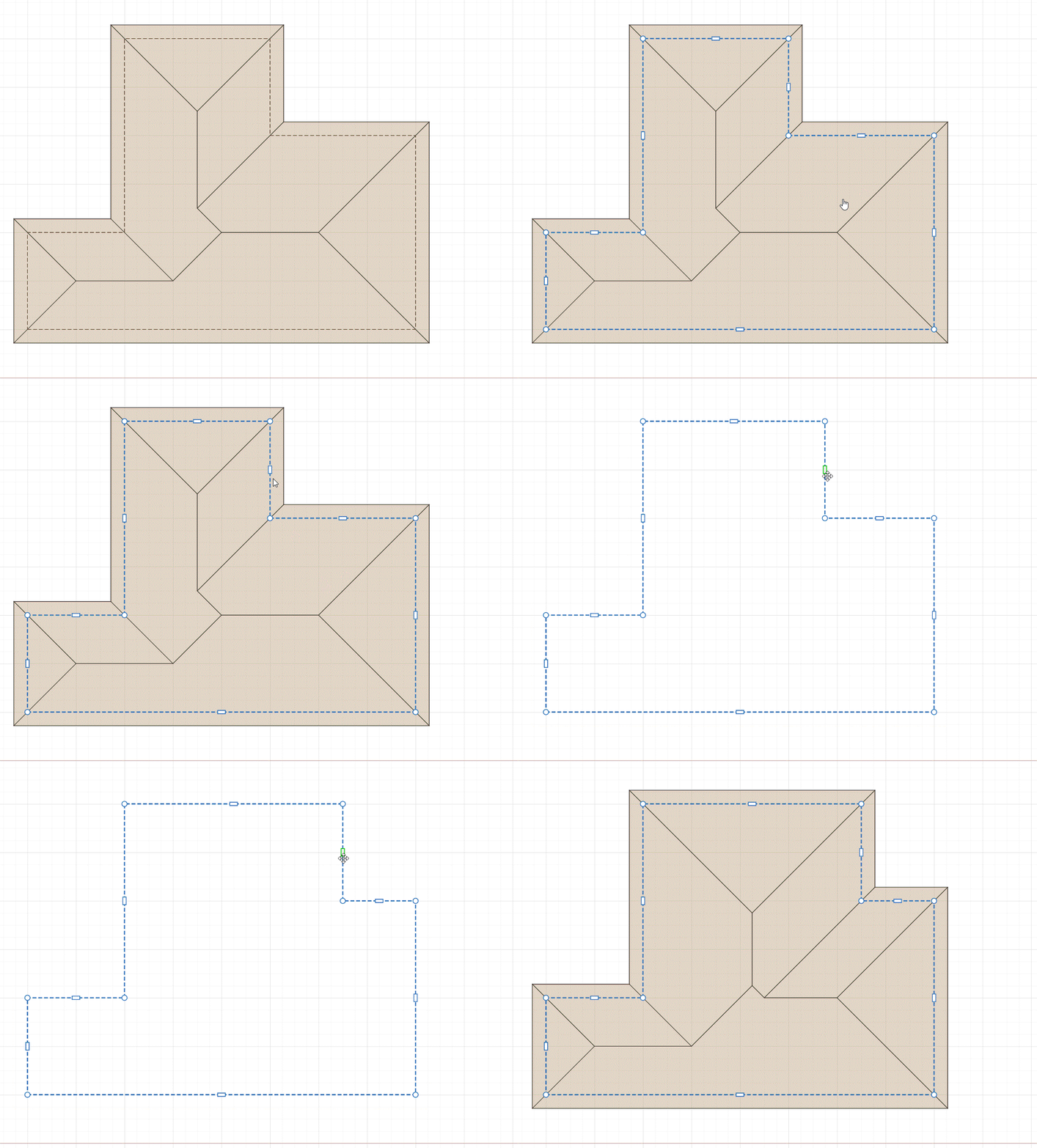
Editing a complex roof:
-
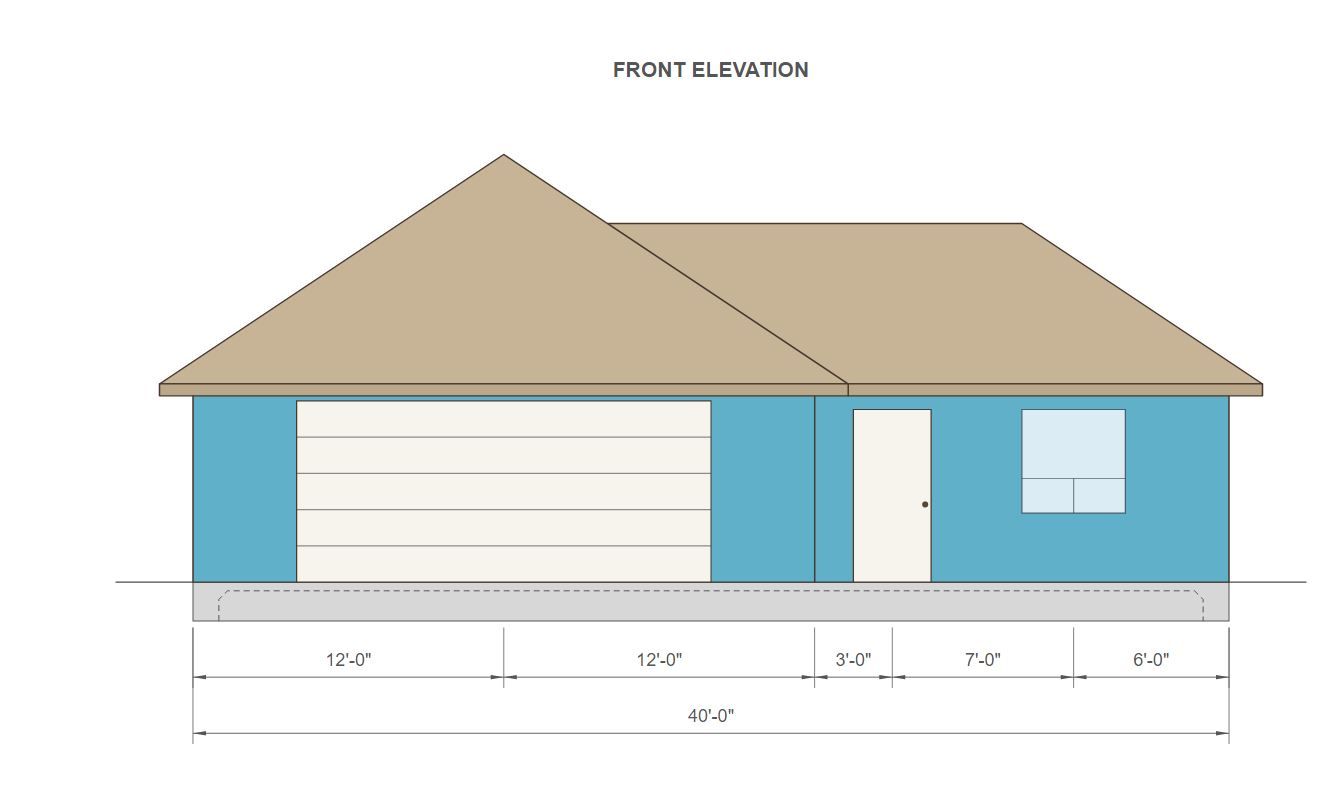
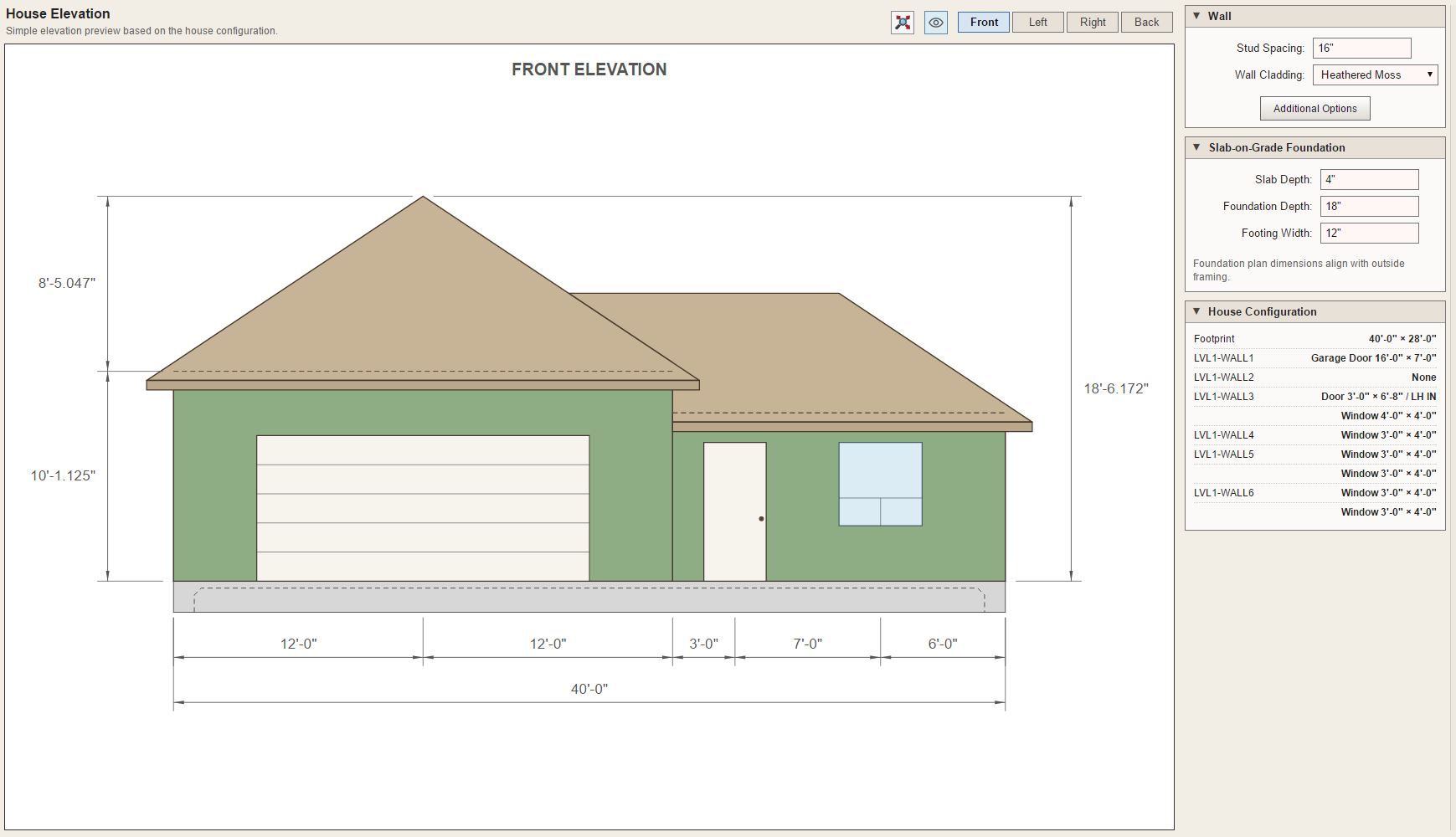
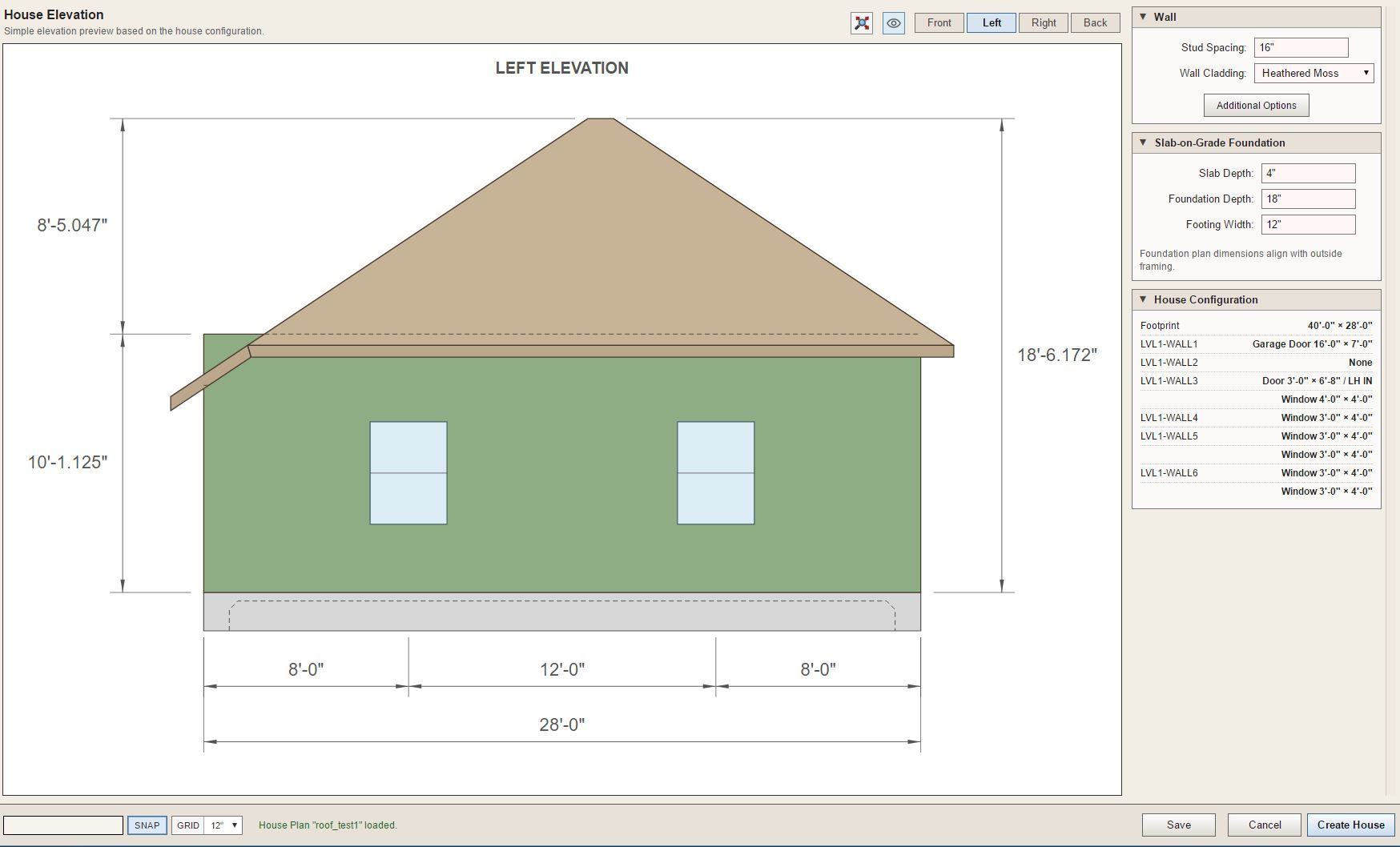
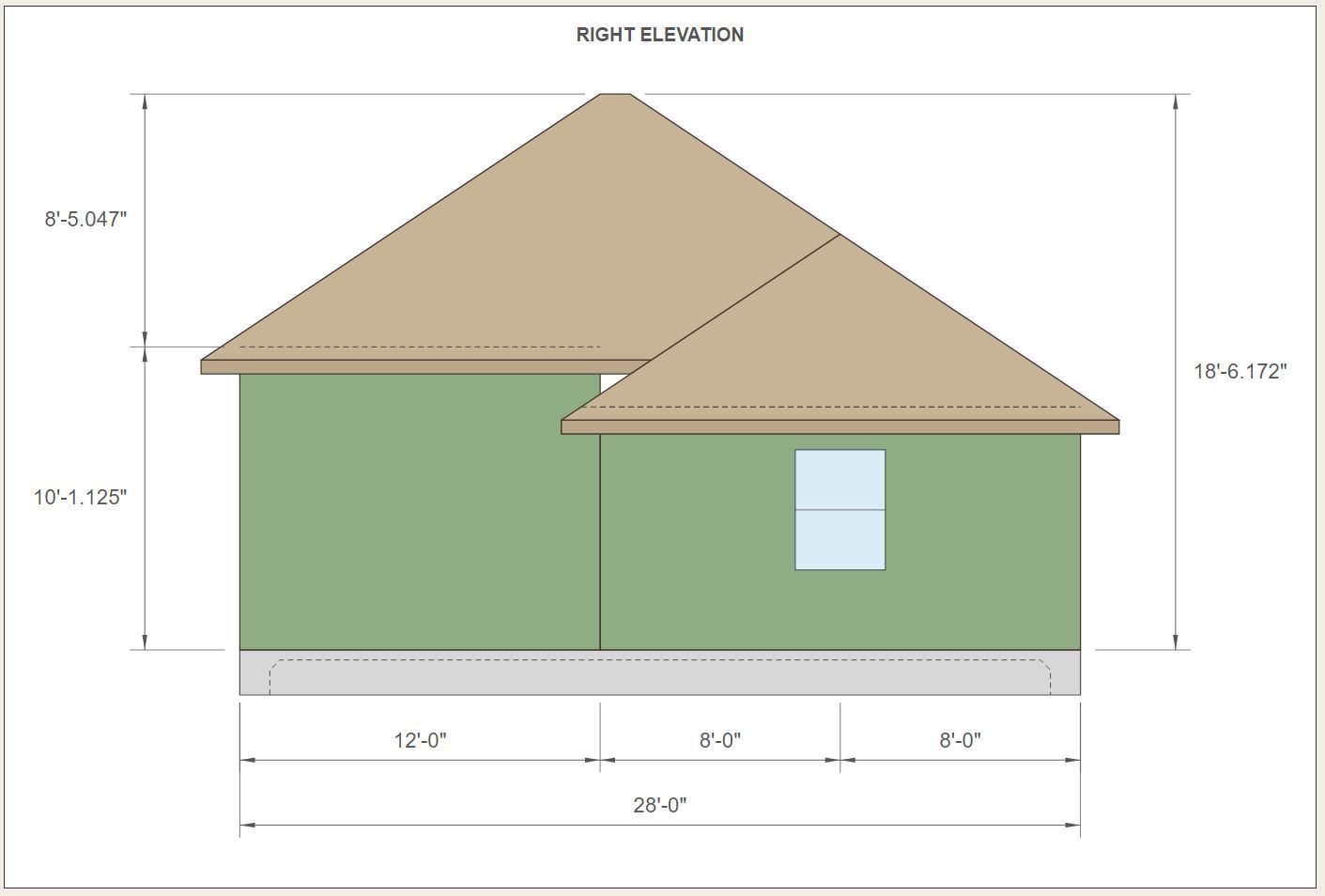
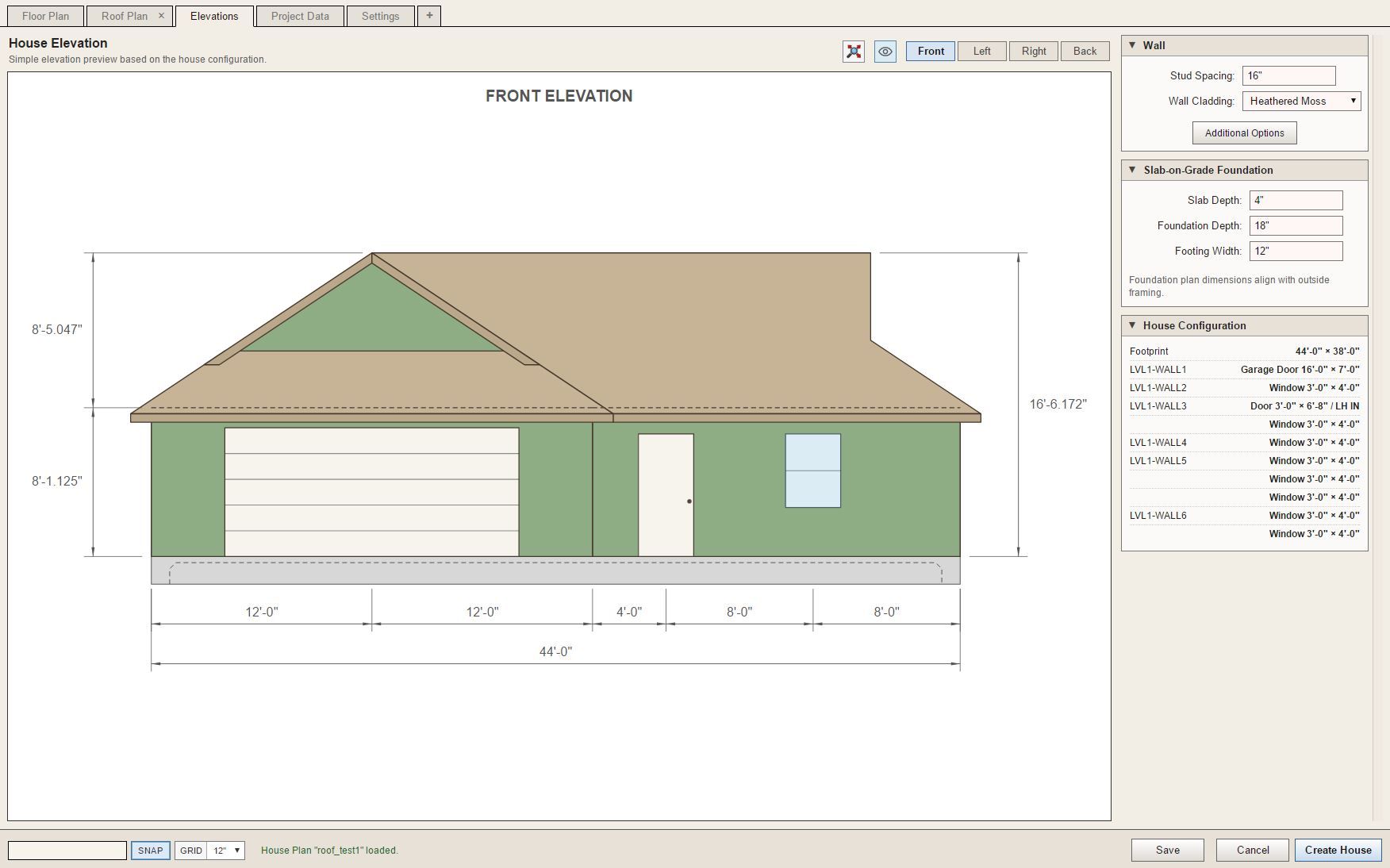
First look at an elevation view of a simple house plan with a complex roof:
-
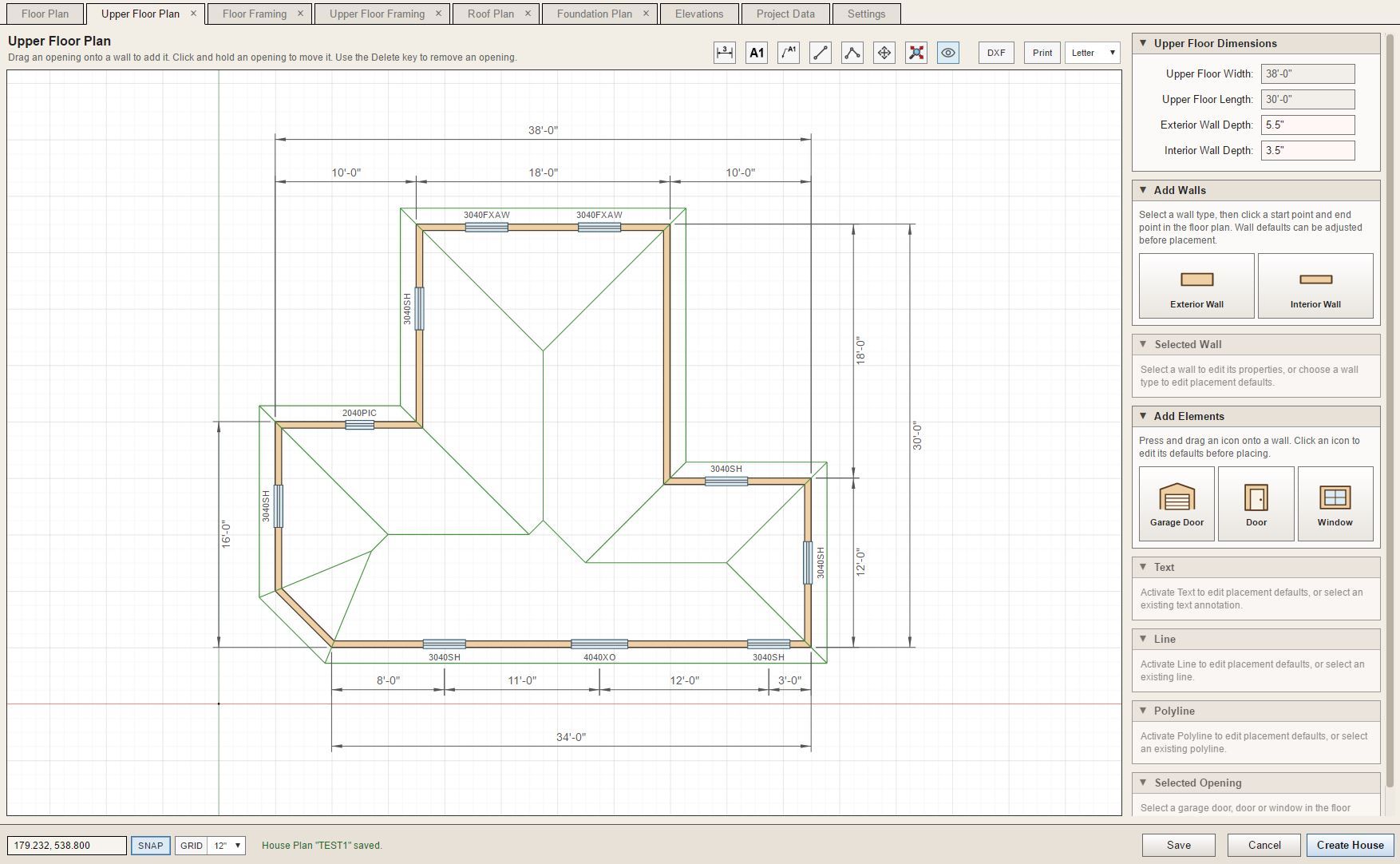
The roof overlay has now been added to the Floor Plan and the Upper Floor Plan:
-
Complex roofs is still a work in progress, no surprise there. The interface will mirror the Truss plugin since we already know how that works. When a roof is selected the "custom" roof planes (edges) will display in red rather than blue. A selected edge will switch to a solid color and the right hand menu will display the settings for that roof plane.
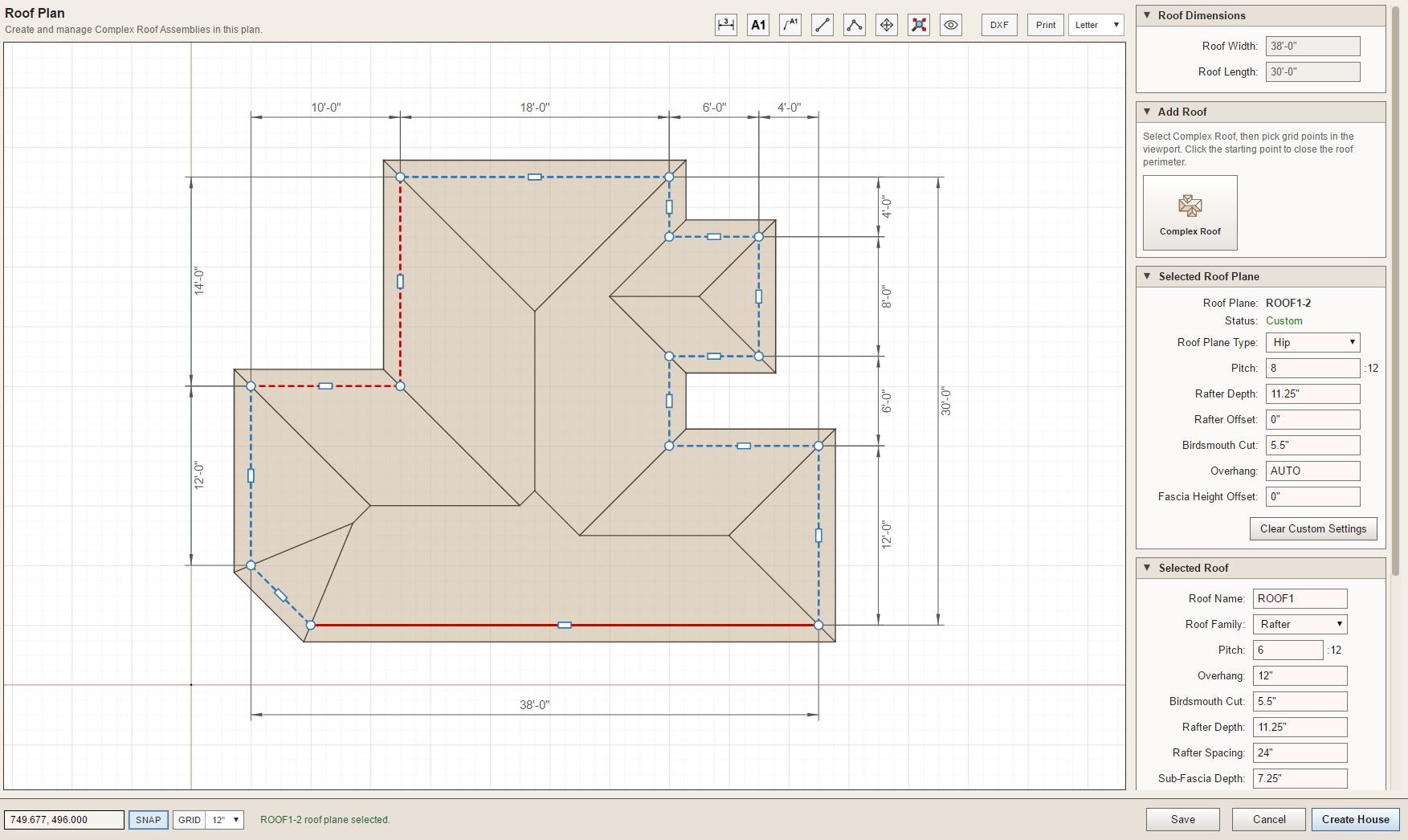
The same settings that are available in the Truss plugin will appear for the selected "roof plane type".
-
And just for fun:
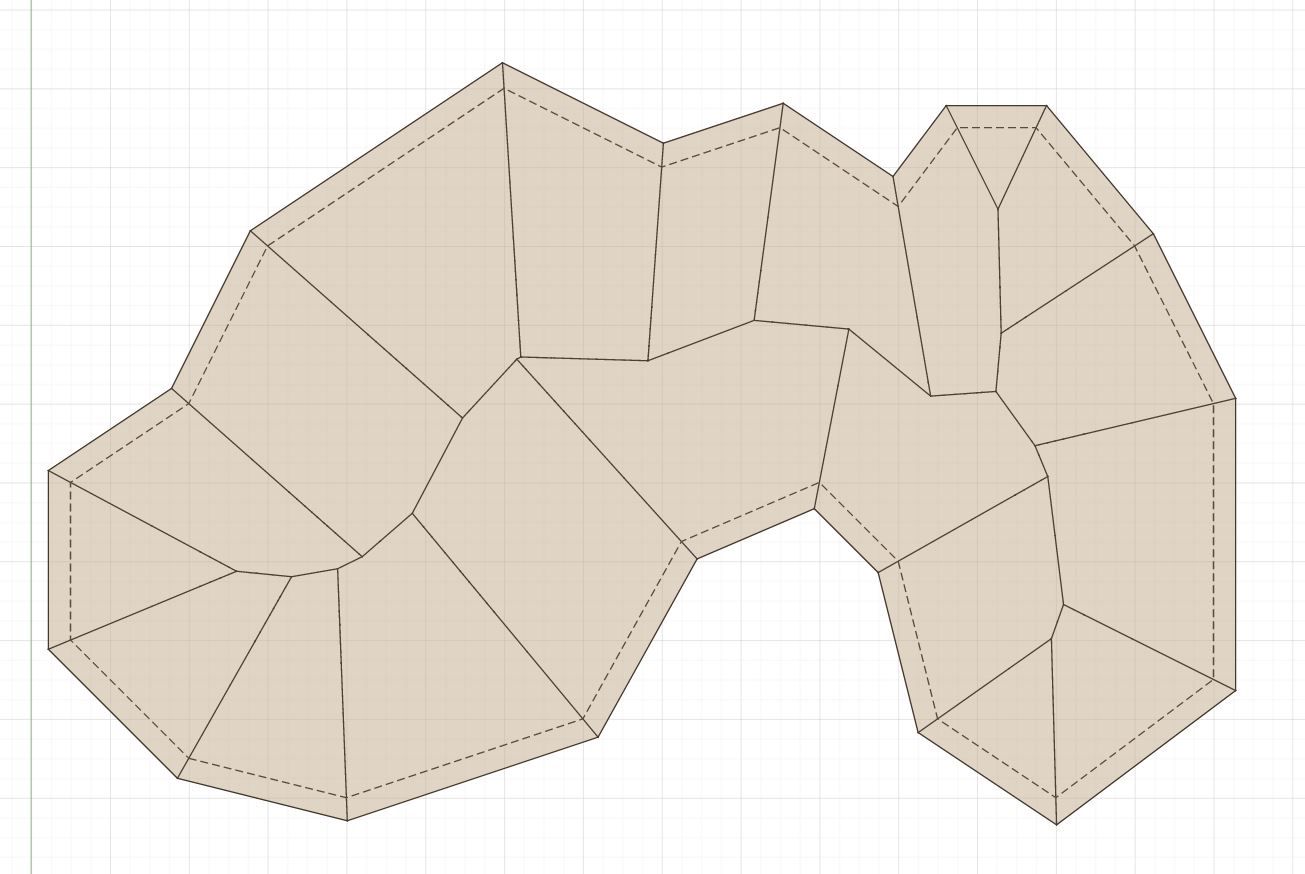
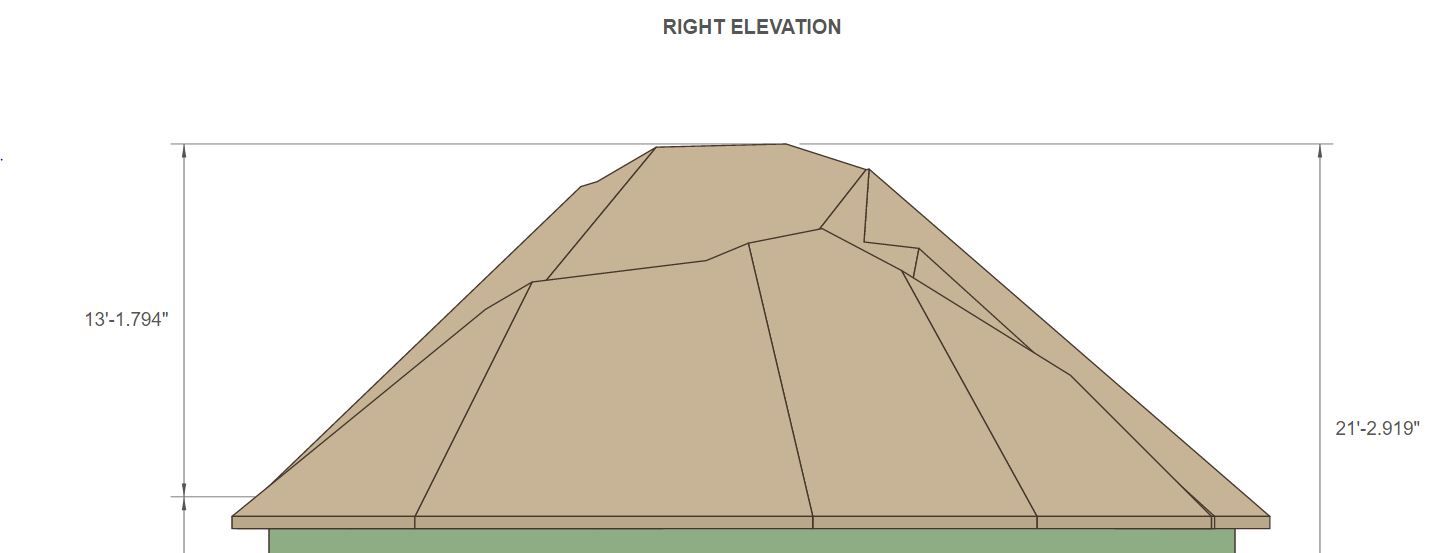
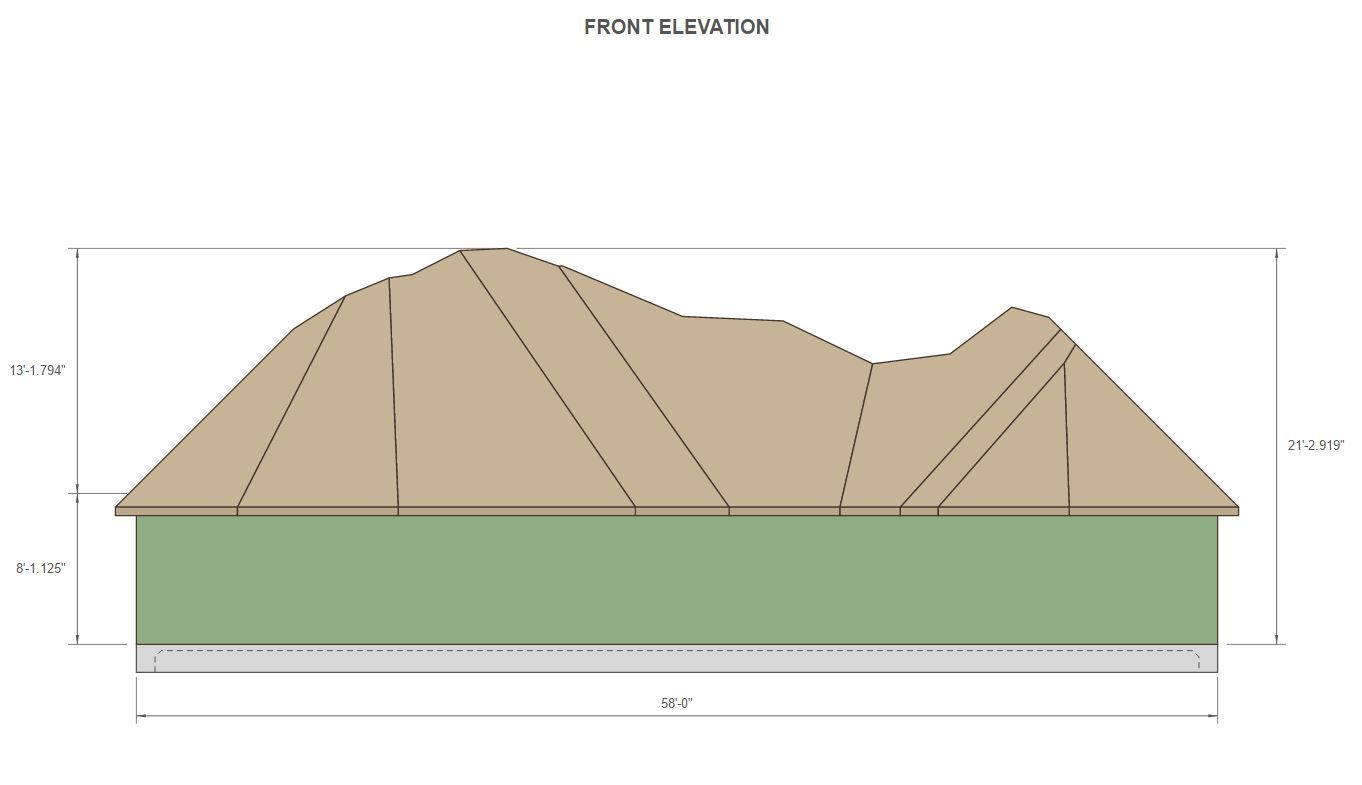
I call this the "Mountain House". A sufficiently motivated framer (lots of money) could stick build this, I'm quite convinced.
-
Next is a test of the raised fascia offset:
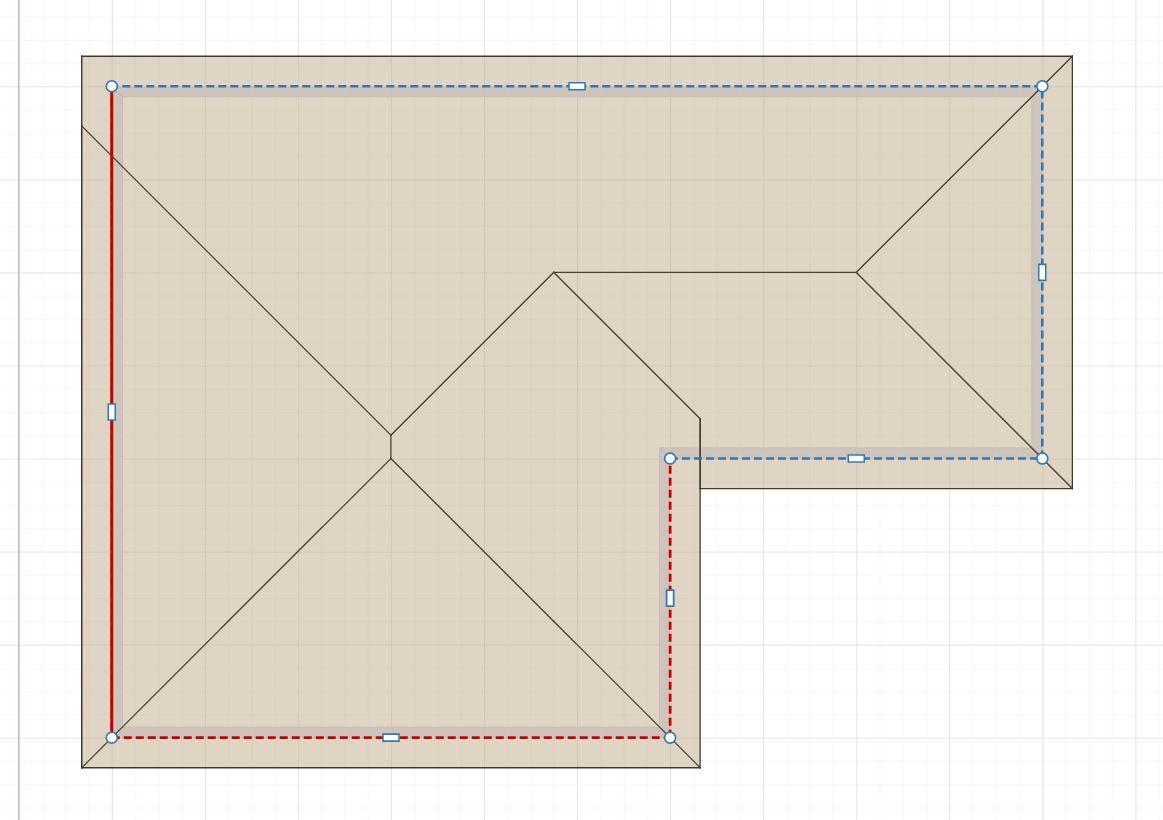
My question is what do we do in the field at this sort of corner?
Also the same sort of thing at the re-entrant corner.
-
Looks like we will also need to add in hip walls for these "half hip" type roofs:
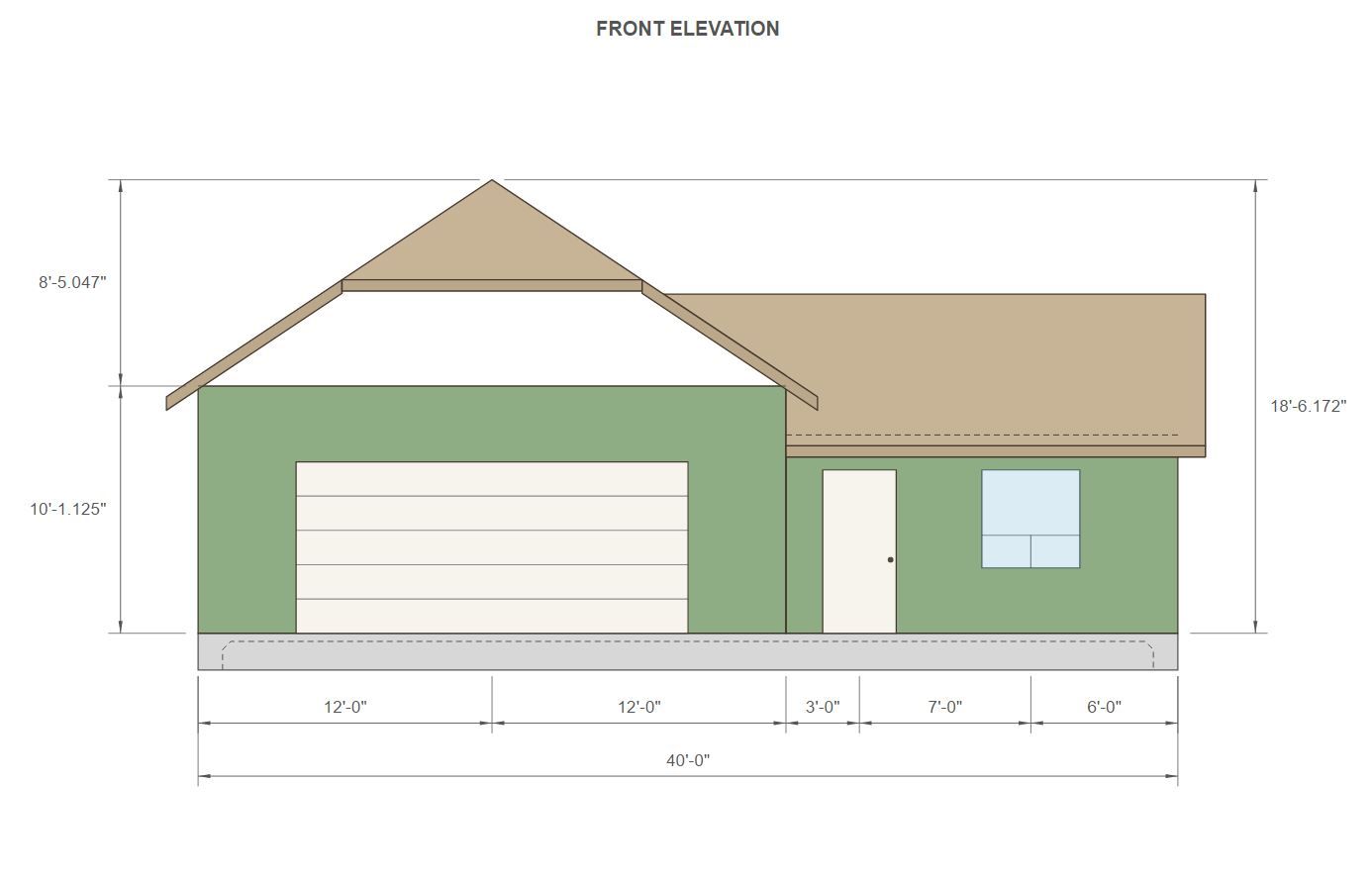
I've also added in the Dutch Gable option for roof planes as well:
This almost completes my work on complex roof in the house builder. Of course some additional work remains in connecting the House Builder to the Truss plugin's API. I will also need to enable the API with some new methods for complex roofs, but that work is relatively straightforward.
Tomorrow I will look at the Roof Plan tab and probably add in a few more roof specific annotation options. Then from there we double check that the Print and DXF functions are wired up correctly.
And then finally we move on to Foundations.
However, this additional work on complex roofs has exposed the fact that I need to enable additional wall types in this app.
-
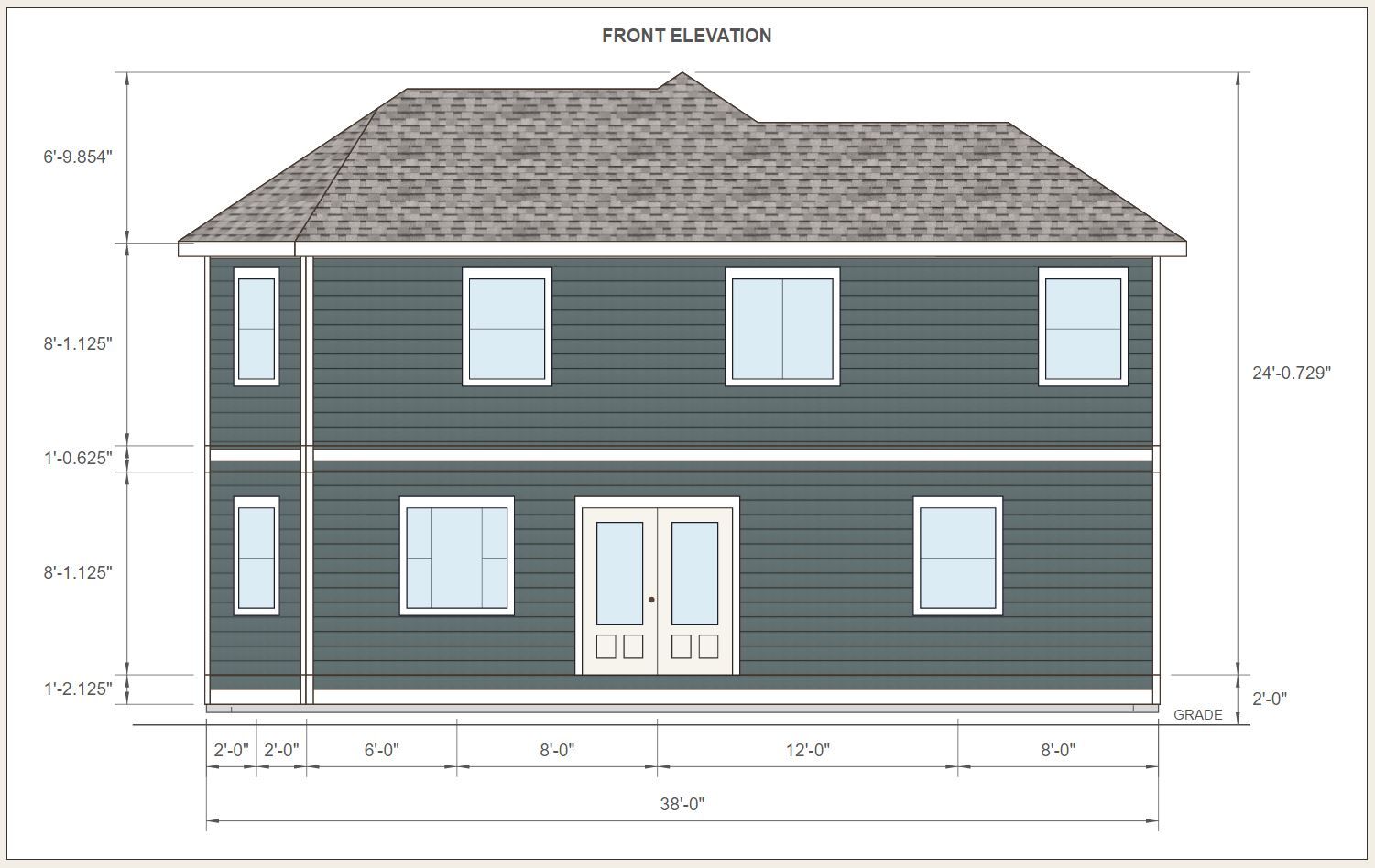
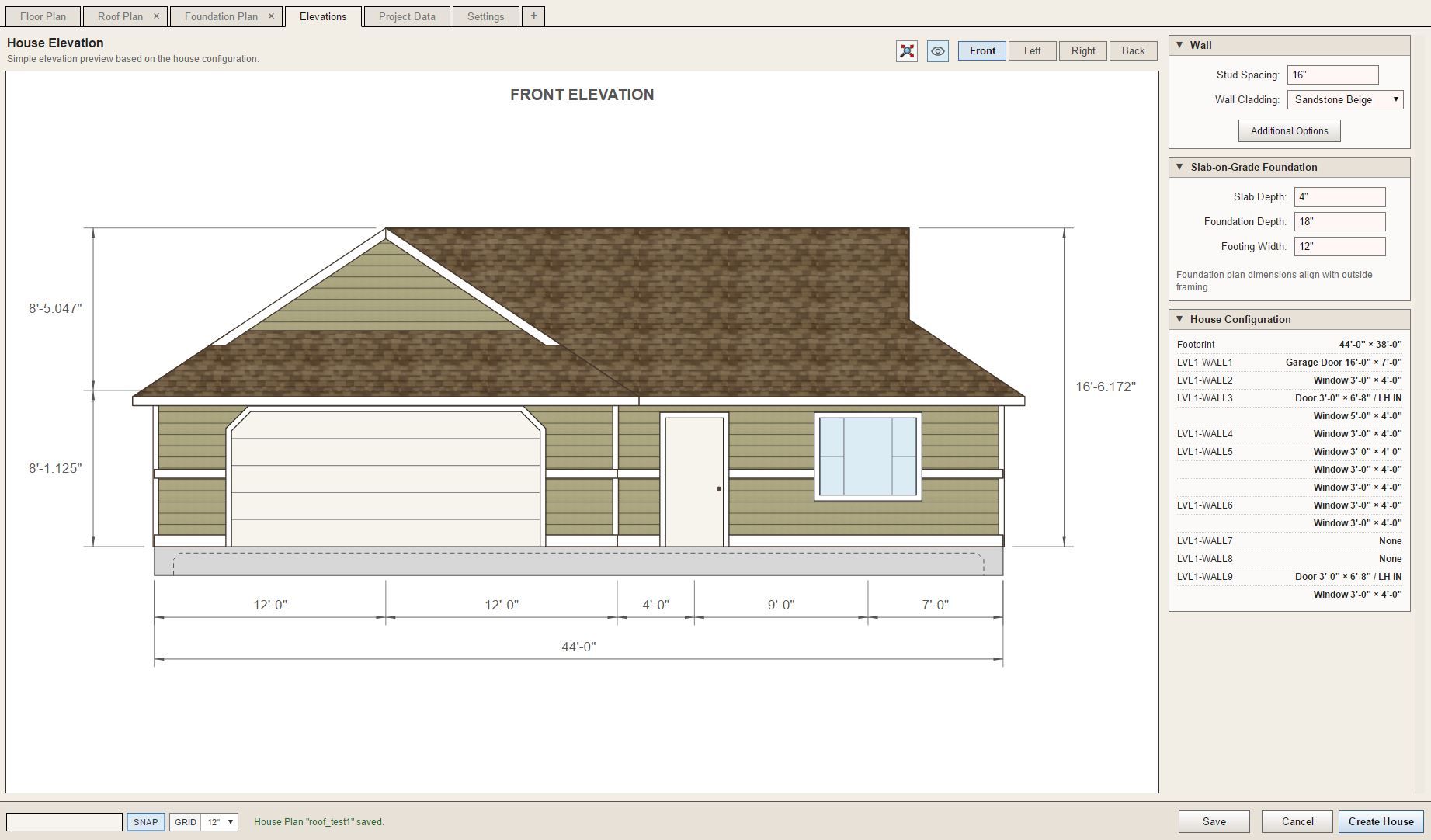
First look at some exterior trim applied to a couple "test houses". Corner trim, band board, skirt board and frieze board.
-
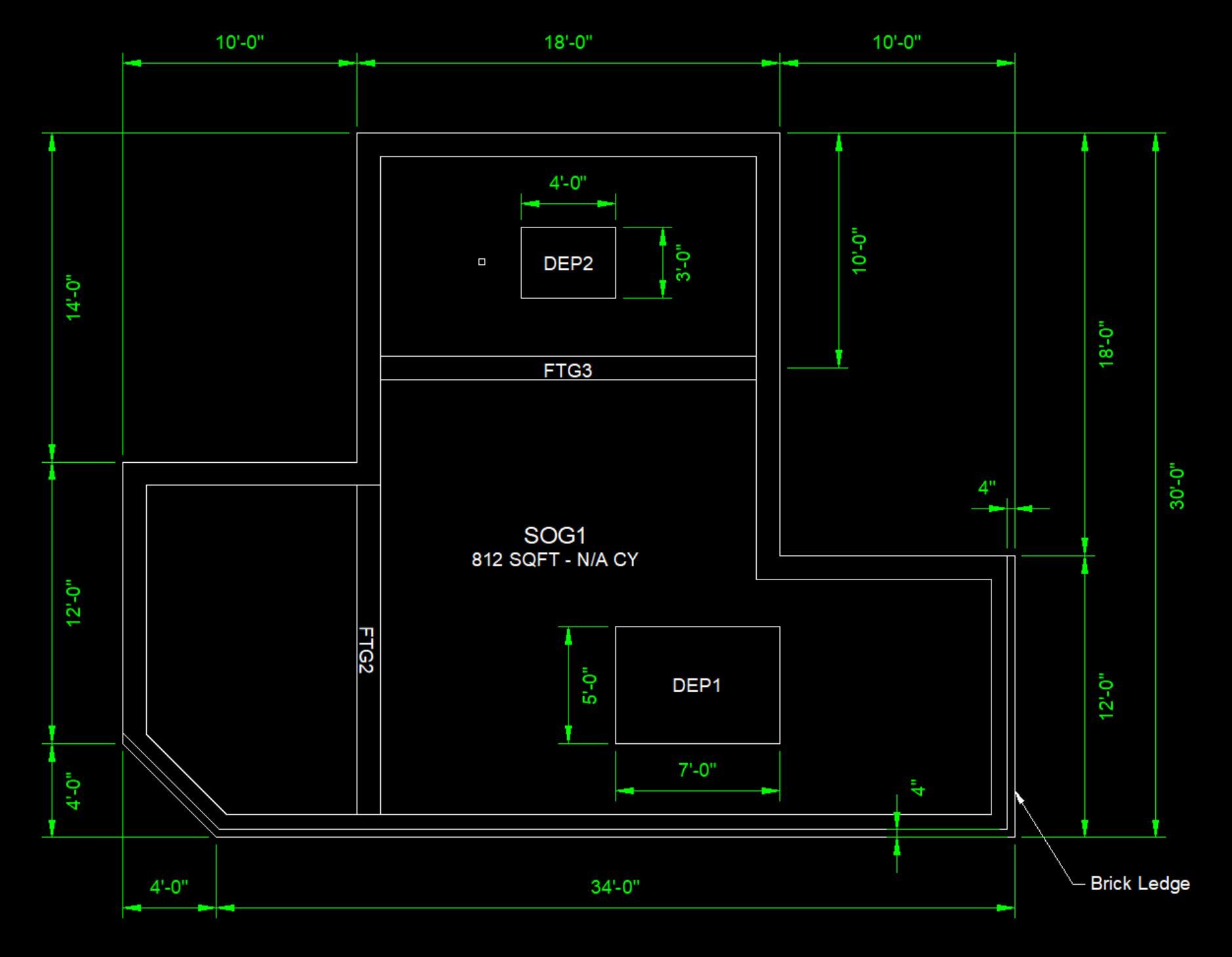
DXF output now enabled for Slab-on-Grade foundations.
-
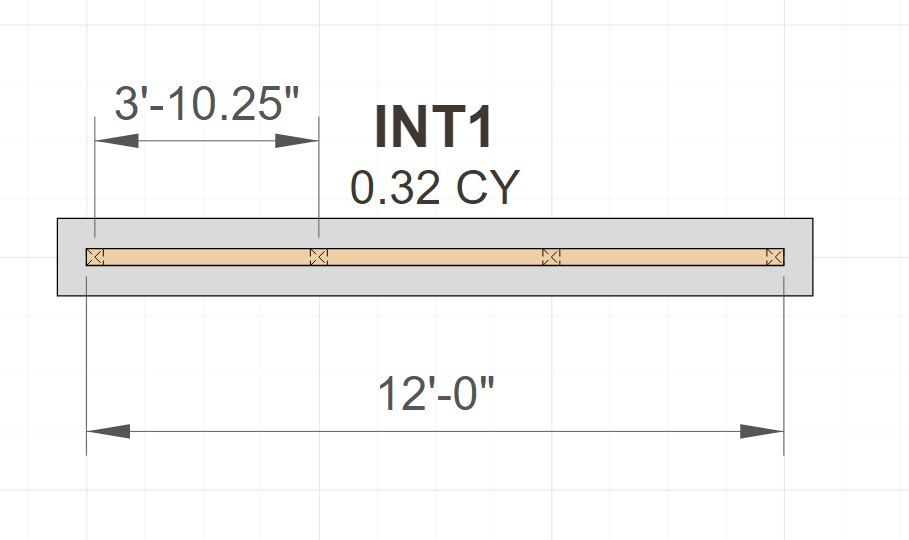
Interior Bearing (ie. footing + post & beam) are now added to the House Builder.
-
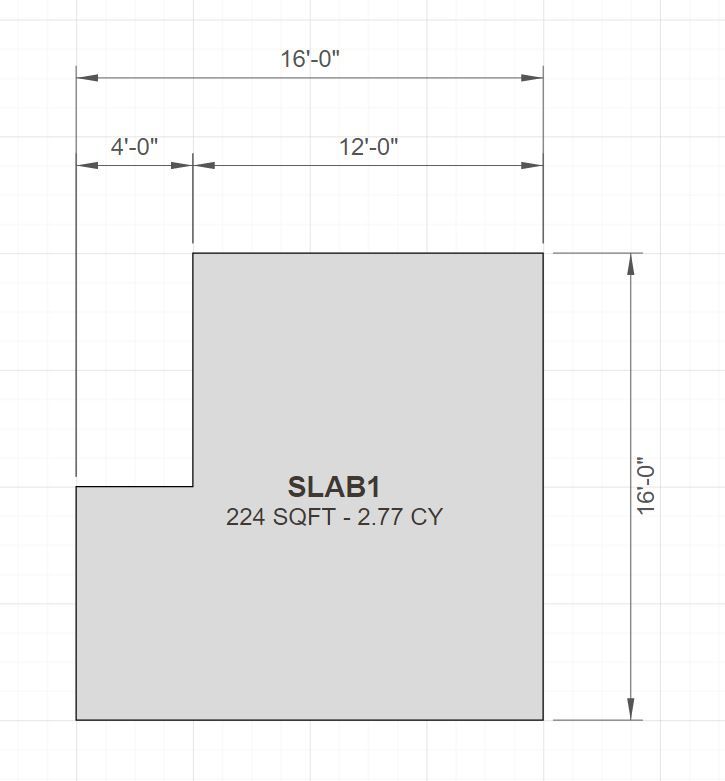
First look at a basic Slab. The underlying code is very similar to a slab-on-grade so I should be able to complete this one more quickly.
-
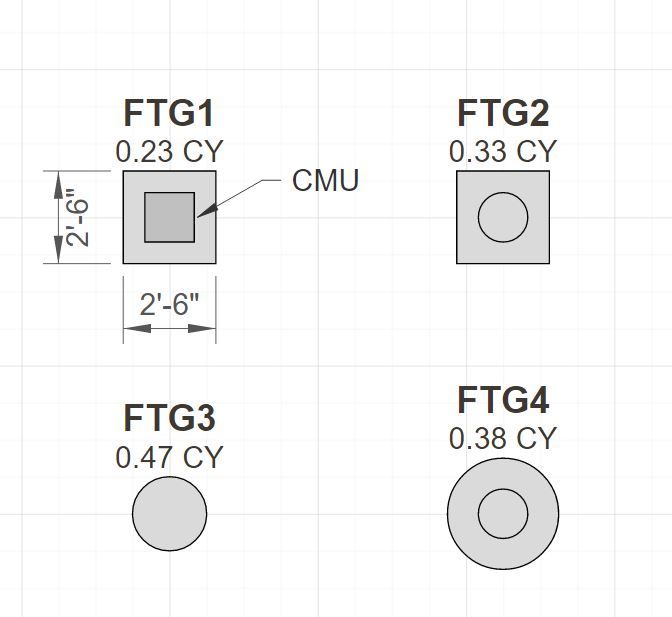
First look at column footings:
-
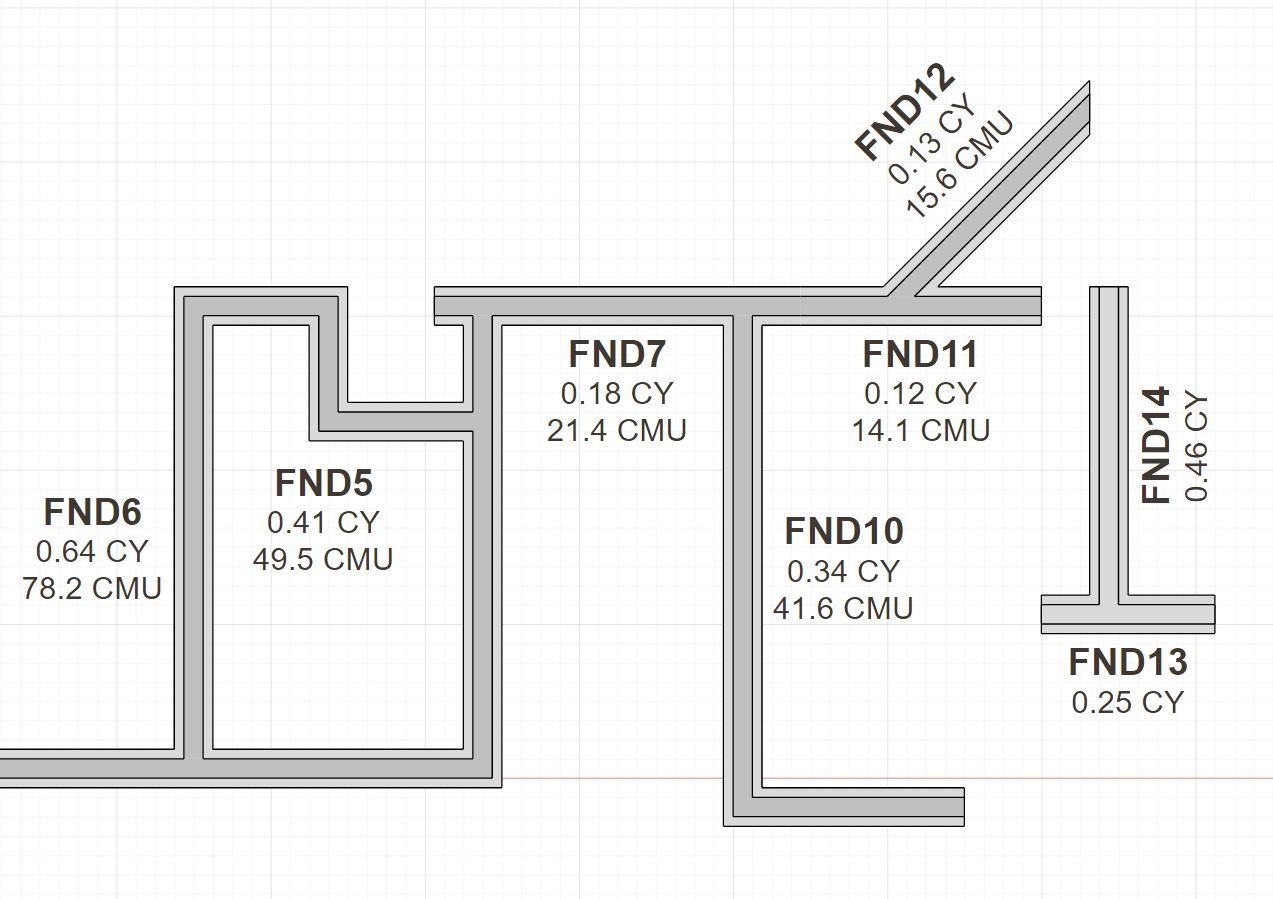
First look at polyline stemwalls. Note that stemwalls and footings that are at the same Z height will auto merge for presentation purposes.
-
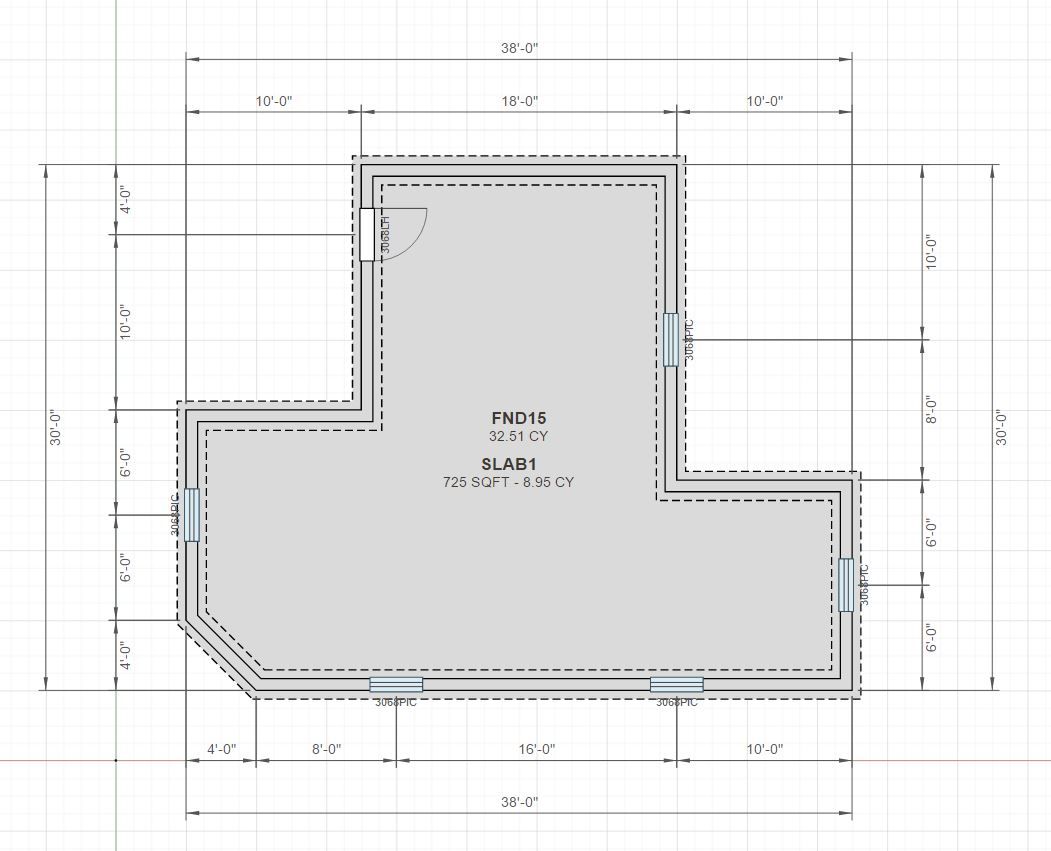
First look at a stemwall foundation with openings and a floor slab.
-
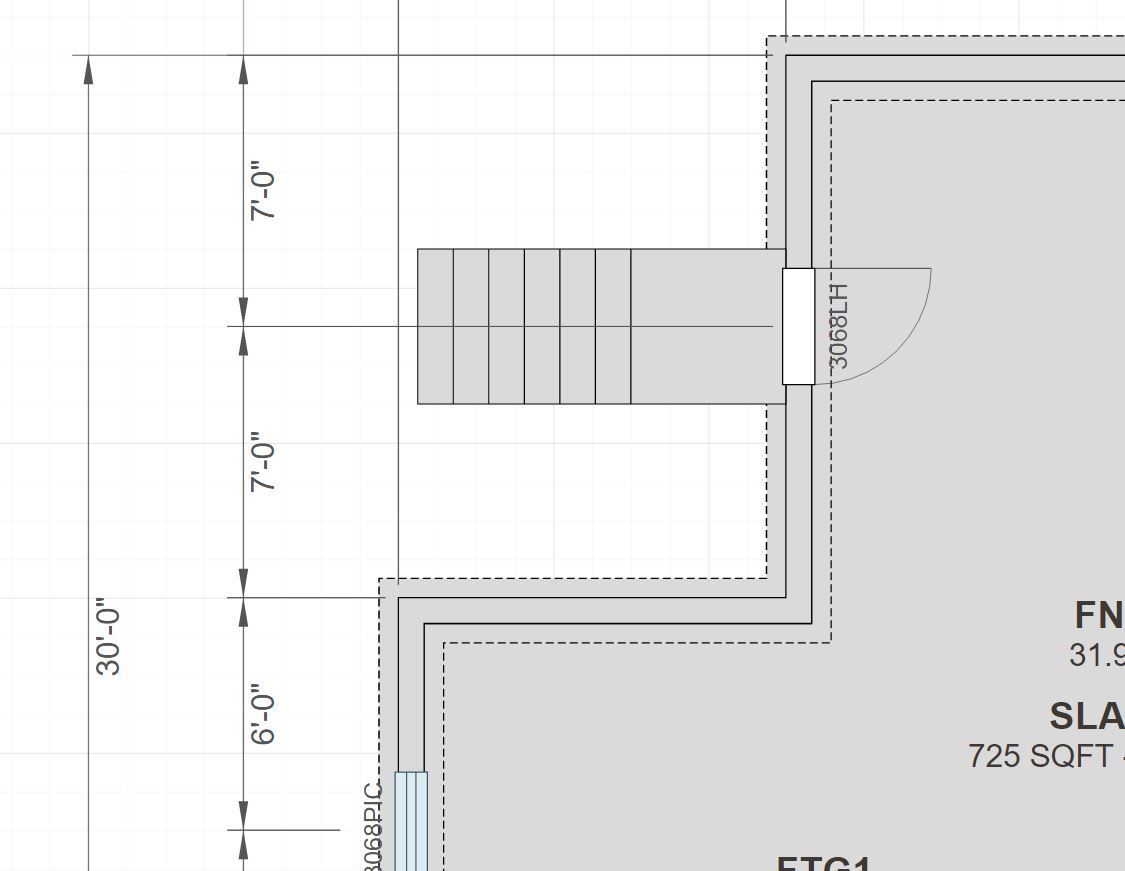
I've also enabled the entry stair option for foundation door openings

Hello! It looks like you're interested in this conversation, but you don't have an account yet.
Getting fed up of having to scroll through the same posts each visit? When you register for an account, you'll always come back to exactly where you were before, and choose to be notified of new replies (either via email, or push notification). You'll also be able to save bookmarks and upvote posts to show your appreciation to other community members.
With your input, this post could be even better 💗
Register Login


Advertisement