sketchucation logo sketchucation
    • Login
    Oops, your profile's looking a bit empty! To help us tailor your experience, please fill in key details like your SketchUp version, skill level, operating system, and more. Update and save your info on your profile page today!
    Check out Febhouse | New extensions for Shadow Analysis in SketchUp Download

    Beta] FGId Point Cloud for SketchUp – PLY / LAS / LAZ / E57 point clouds

    Scheduled Pinned Locked Moved Extensions & Applications Discussions
    6 Posts 3 Posters 140 Views 3 Watching
    Loading More Posts
    • Oldest to Newest
    • Newest to Oldest
    • Most Votes
    Reply
    • Reply as topic
    Log in to reply
    This topic has been deleted. Only users with topic management privileges can see it.
    • juan974J Offline
      juan974
      last edited by

      Hi everyone,

      I’ve been working on a lightweight point-cloud solution for SketchUp called FGId Point Cloud.

      The goal is to display large point clouds directly over the SketchUp viewport while keeping SketchUp responsive, with the longer-term ambition of providing a lightweight alternative for point-cloud workflows.

      The current Windows test version supports:

      PLY
      LAS / LAZ
      E57
      RGB point colors
      GPU rendering
      Up to several million displayed points
      Point-size adjustment
      SketchUp geometry occlusion
      Point-cloud snapping / drawing tools currently under development

      The point cloud is rendered by a separate GPU renderer synchronized in real time with the SketchUp camera. The latest version uses an OpenGL offscreen renderer and a native Windows transparent overlay.

      I’m currently looking for a few people willing to test it on different Windows machines and GPUs.

      This is an experimental beta, so feedback about compatibility, performance, E57/LAS files, GPU behavior and crashes is particularly useful.

      Windows only for now.

      Download:
      https://nexdata.tarn.us/downloads/FGId_Point_Cloud_v3_15_9_Trial.rbz

      If you test it, please post your SketchUp version, GPU, point-cloud format and approximate number of points along with your feedback.

      Developed as part of my FGId

      Gilles

      juan974 (Réunion island)
      website : http://sketchucation.com/click.php?url=http://www.tarn.us

      1 Reply Last reply Reply Quote 0
      • Rich O BrienR Online
        Rich O Brien Moderator
        last edited by

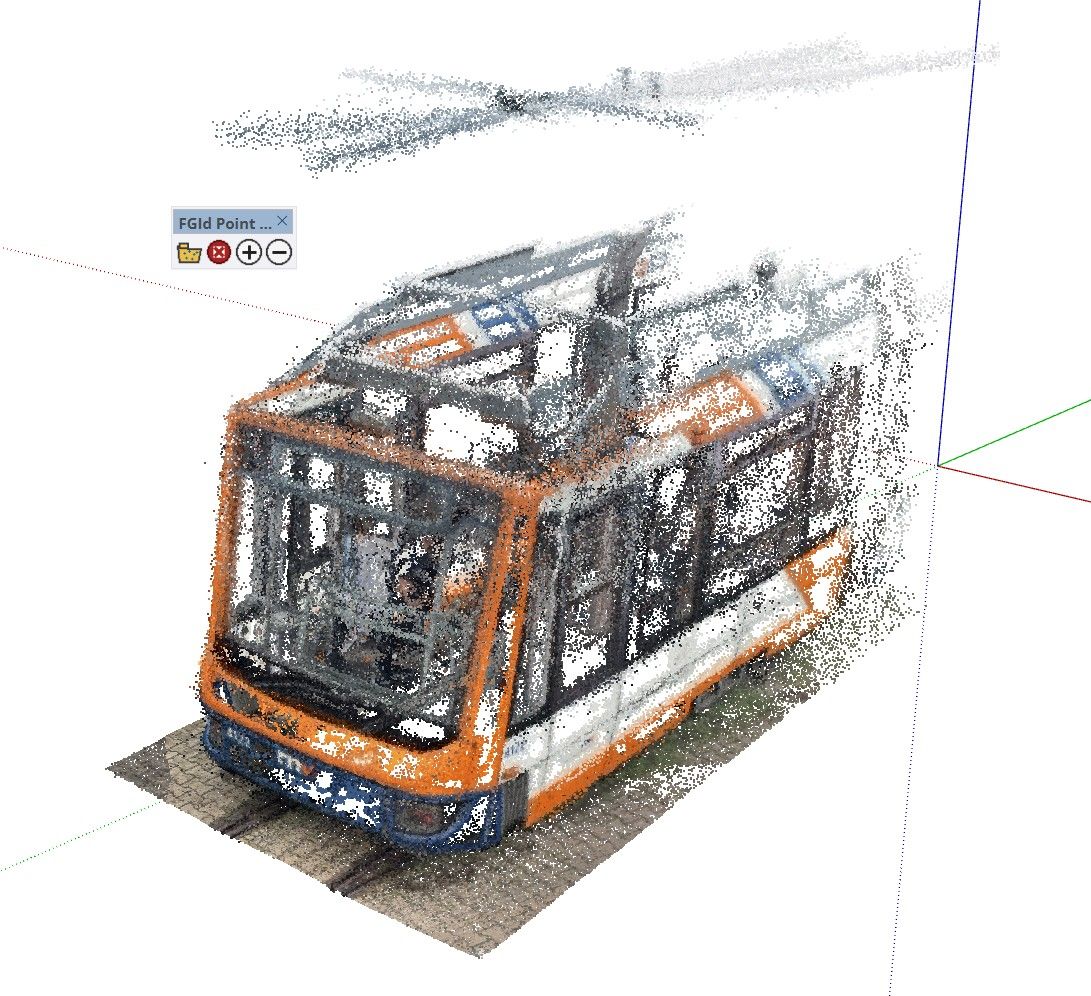
        Pretty impressive. Fast too

        4bfd6f90-0e4d-48e9-9a31-56876c01ad6a-image.jpeg

        Download the free D'oh Book for SketchUp 📖

        1 Reply Last reply Reply Quote 0
        • KrassK Offline
          Krass
          last edited by

          thanks,
          I'm seeing the white points, but no color, even though the JPEG file is in the same folder as the PLY file. I'm using SU 2024.
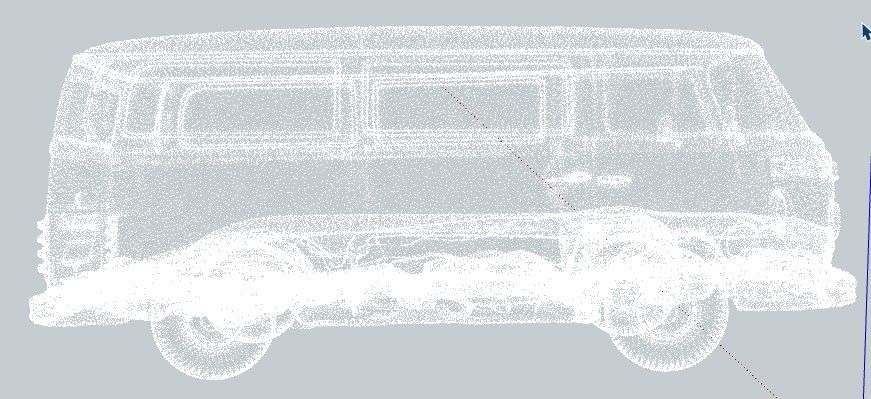
          114d9b74-1737-47c3-a16a-9def25cecd41-image.jpeg

          Krass

          juan974J 1 Reply Last reply Reply Quote 0
          • juan974J Offline
            juan974 @Krass
            last edited by

            @Krass , hello,
            that's because points can't handle textures, it's RGBA only.
            For your PCD you need to transfert texture to points.
            Try an las/laz or e57, ply can handle mesh and points, you imported a mesh's points.

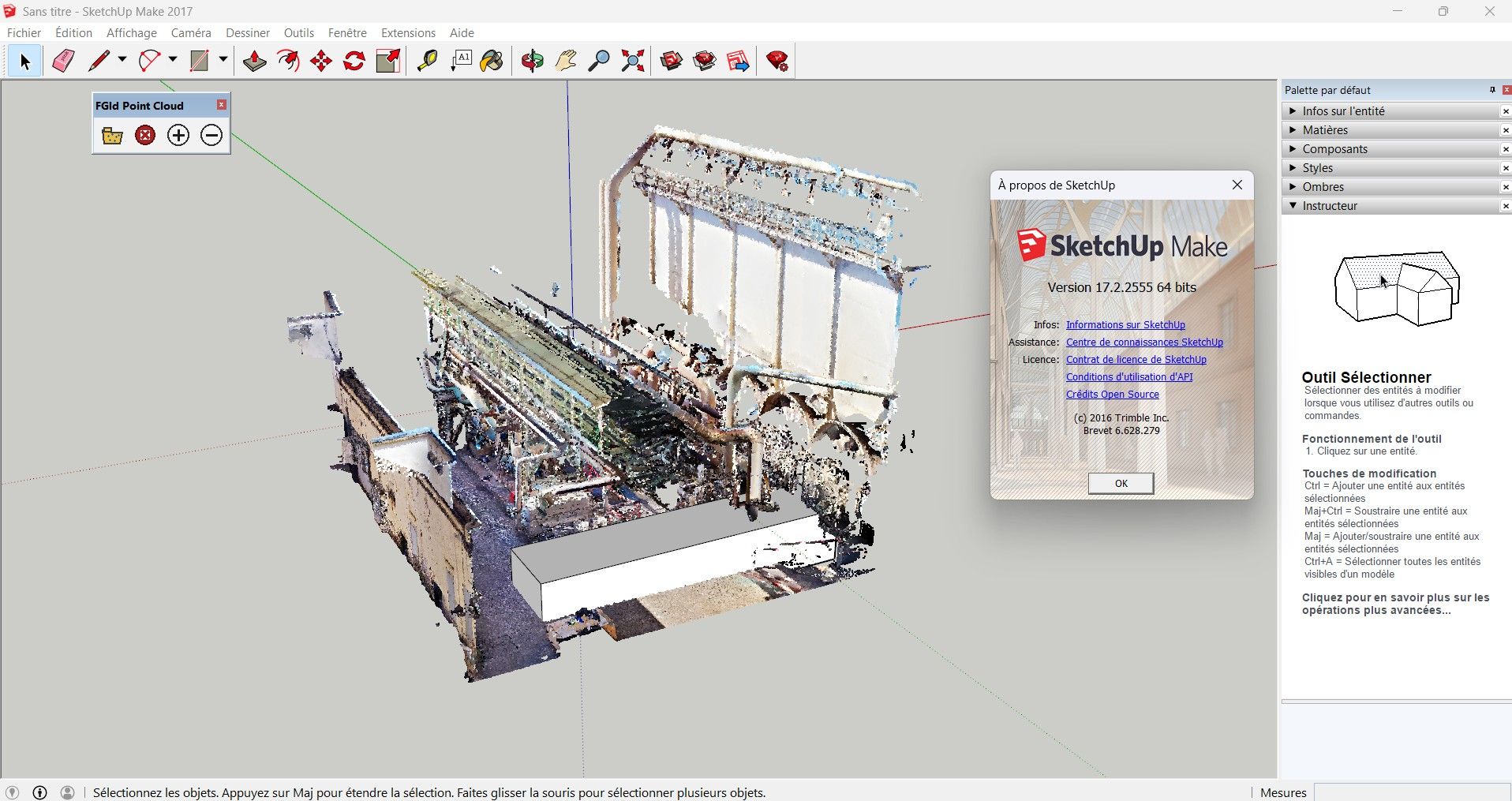
            I noticed it works in SU2017 :
            dfdf77fd-b34e-4f8f-9769-da085c8e0efb-image.jpeg

            juan974 (Réunion island)
            website : http://sketchucation.com/click.php?url=http://www.tarn.us

            1 Reply Last reply Reply Quote 0
            • KrassK Offline
              Krass
              last edited by

              thanks

              Krass

              1 Reply Last reply Reply Quote 0
              • juan974J Offline
                juan974
                last edited by juan974

                Hi everyone,
                I dug out my old 2012 MacBook with SketchUp Make 2017 installed on it.
                I managed to compile a compatible macOS version of the plugin.
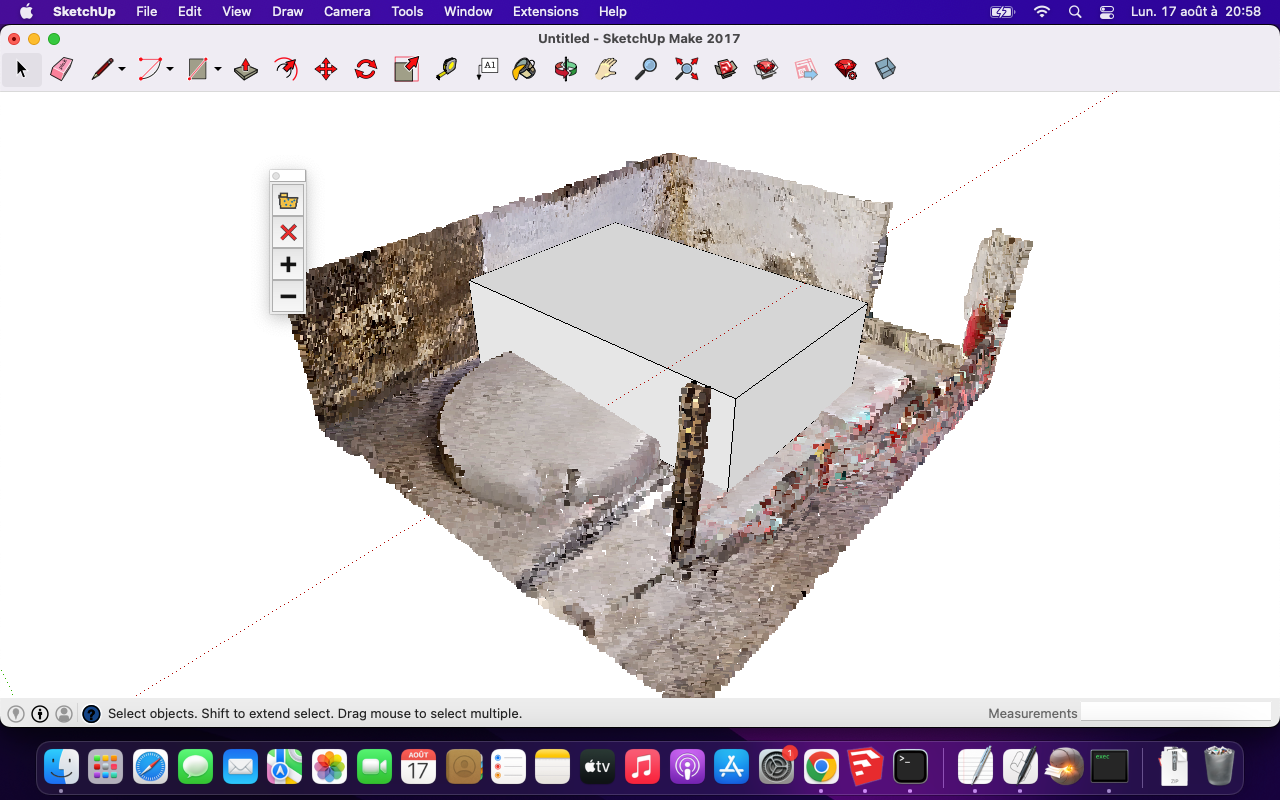
                MacOS12_sketchupmake2017.png

                Here is the RBZ file if anyone wants to give it a try : https://drive.google.com/file/d/1g55f7ezASR1dv0hSU-Dka6NwXQyiJAoi/view?usp=sharing


                juan974 (Réunion island)
                website : http://sketchucation.com/click.php?url=http://www.tarn.us

                1 Reply Last reply Reply Quote 0

                Hello! It looks like you're interested in this conversation, but you don't have an account yet.

                Getting fed up of having to scroll through the same posts each visit? When you register for an account, you'll always come back to exactly where you were before, and choose to be notified of new replies (either via email, or push notification). You'll also be able to save bookmarks and upvote posts to show your appreciation to other community members.

                With your input, this post could be even better 💗

                Register Login
                • 1 / 1
                • First post
                  Last post
                Buy SketchPlus
                Buy SUbD
                Buy WrapR
                Buy eBook
                Buy Modelur
                Buy Vertex Tools
                Buy SketchCuisine
                Buy FormFonts

                Advertisement