Box Stretching - New Dimensions
-
Hello, in the Sketchup 2026 version, the tab command, expanding an object with entering exact values, behaves abnormally.
The tab command responds very poorly, I have to press the button several times before the window for entering dimensions opens.
Can you please advise me how to fix this problem? -
I guess you refer to FredoScale Box Stretching.
I am not able to reproduce any issue with TAB on Windows and SU2026.
Can you give more details on your environment. Also, keep the Ruby console open to catch possible errors.
-
SketchUp (wisely) does not allow setting TAB as a shortcut accelerator key.
Using TAB in a tool is likely to clash with OS and application GUI interpretation of the key. -
Same experience here as @szabo
After some search and some test i fount that by pressing tab the sketchup window cycles between the gui model, then the side tray, then something else and then back to model. That's why several plugins doesn't behave as expected, previous versions didn't have this behavior.
I didn't find any solution. So annoying. -
-
I am having trouble with the tab dialog box in 2026 as well. I 2025 it works fine.
-
update, I can right click on any of the grips that will bring up the tab dialog box, but the tab button shortcut does not work.
-
@fredo6 Hello, will you update the version to fix the error?
-
@szabo said in Box Stretching - New Dimensions:
@fredo6 Hello, will you update the version to fix the error?
First, I don't know if you are on Windows or Mac; and which problem you have exactly. I can't reproduce it on WIndows.
And if this is an issue with SU2026, I am not sure I can fix it. Did you try with SU2026.1?
-
Confirmed it happens here on 26.0.429 Win 64-bit (which is the latest version according to the site) Windows 10 with the latest updates installed.
I've been doing some tests and it seems like the TAB key is making random stuff get focused inside Sketchup itself, like the Tags toolbar for example. Here's a gif showing the issue. I'm pressing TAB and space to make the Tags toolbar pop up.
EDIT 1: Here's a gif showing the error. I hope it helps.
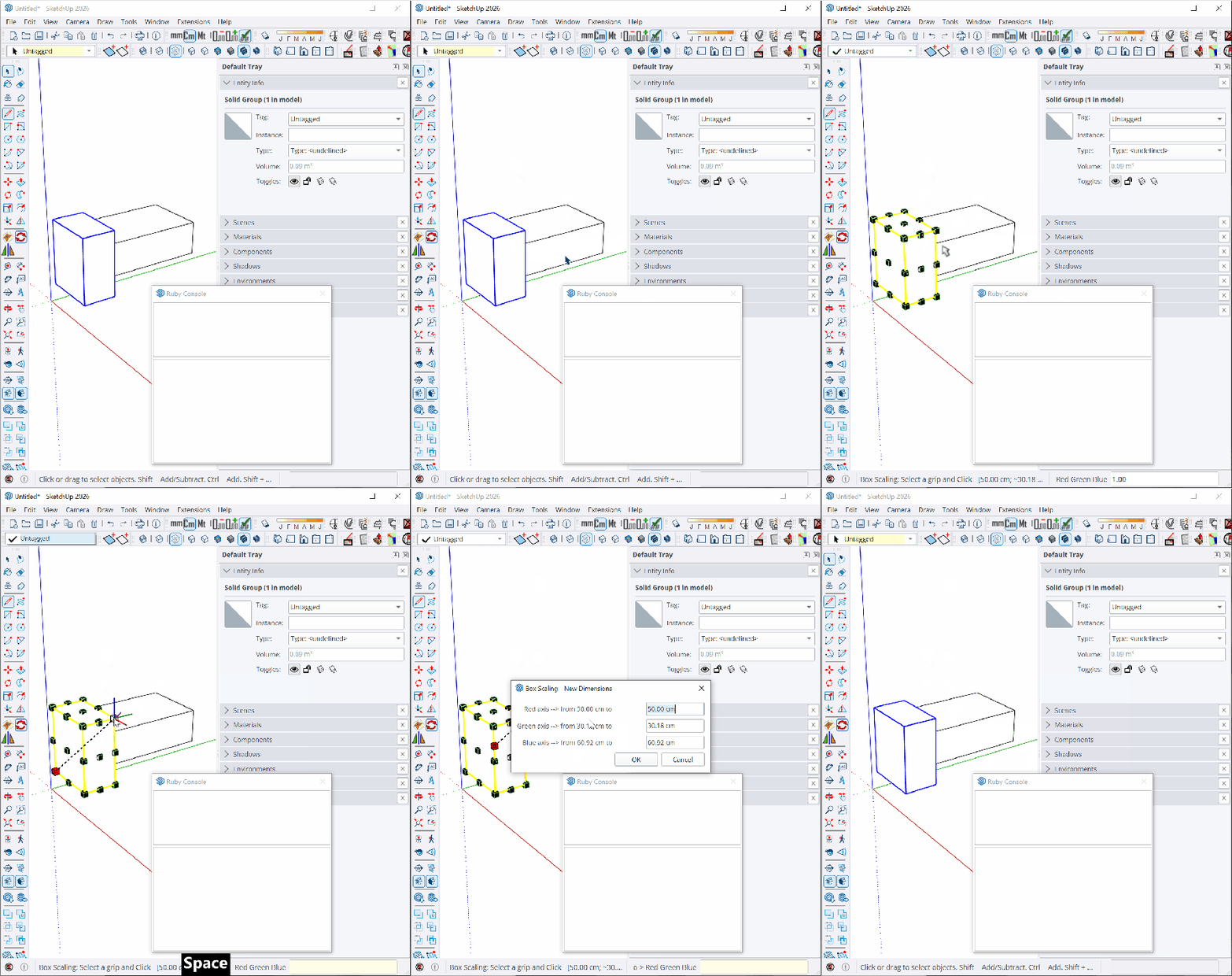
EDIT 2: I think I've nailed it down to the toolbars. When I hide all the toolbars, it works on the first TAB.
-
Maybe you could just disable the Tag toolbar (with its dropbox). I can't reproduce it myself, but there might be some interferences, and this is new to SU2026.
-
@fredo6 Yes. Disabling the toolbars fixes the issue.
At least on my setup, the TAB cycles through the Tags and Shadows toolbars. Disabling them both makes the New Dimensions dialog open on the first TAB.
But I kinda use those toolbars

I guess I'll stick to having to press tab a lot for now. Or right click and go on with the context menu option.
If is there anything I can do to help fix this, shoot me a msg.
-
This is an old focus issue in Sketchup, from 2023, and now it seems it has gotten worse...
It is not related to Fredo.! -
I'm having the same issue with the TAB since moving from Sketchup 2024 to 2026.
I have used Fredoscale Box Stretching for almost 10 years as a essential part of my workflow, using TAB to insert geometry dimensions all the time.I'm not able to find on what other toolbars or windows it focusses when pressing TAB, but what i found out that if i press SHIFT - TAB, i don't need to press TAB multiple times.
Hope this helps whoever finds this helpfull. -
@tomb85 Oh shit.. never noticed that.. I'm just creating a plugin which relies quite heavily on the tab key to switch between modes.. maybe I should add a Shift+TAB option in order to stay safe. Good to know.




Hello! It looks like you're interested in this conversation, but you don't have an account yet.
Getting fed up of having to scroll through the same posts each visit? When you register for an account, you'll always come back to exactly where you were before, and choose to be notified of new replies (either via email, or push notification). You'll also be able to save bookmarks and upvote posts to show your appreciation to other community members.
With your input, this post could be even better 💗
Register Login


Advertisement