sketchucation logo sketchucation
    • Login
    Oops, your profile's looking a bit empty! To help us tailor your experience, please fill in key details like your SketchUp version, skill level, operating system, and more. Update and save your info on your profile page today!
    πŸ”Œ Smart Spline | Fluid way to handle splines for furniture design and complex structures. Download

    Toposhaper Problems

    Scheduled Pinned Locked Moved SketchUp Discussions
    sketchup
    24 Posts 9 Posters 4.2k Views 9 Watching
    Loading More Posts
    • Oldest to Newest
    • Newest to Oldest
    • Most Votes
    Reply
    • Reply as topic
    Log in to reply
    This topic has been deleted. Only users with topic management privileges can see it.
    • fredo6F Offline
      fredo6
      last edited by

      Just select the Group from outside and launch TopoShaper.

      1 Reply Last reply Reply Quote 0
      • D Offline
        DenizMtly
        last edited by

        Hi Fredo, I have the same issue. You may find it attached along with the file;
        Ruby Error - CLEANSING - 10-Oct-25 19_25_11 - SU2025.0 - LibFredo6 - v15.4e.txt
        Terrain.skp

        1 Reply Last reply Reply Quote 0
        • fredo6F Offline
          fredo6
          last edited by

          Just do what is mentioned in the post above yours.

          1 Reply Last reply Reply Quote 0
          • D Offline
            DenizMtly
            last edited by

            It just makes me sad that you assume i did not do that!

            1 Reply Last reply Reply Quote 0
            • Rich O BrienR Offline
              Rich O Brien Moderator
              last edited by

              @DenizMtly what is the problem?

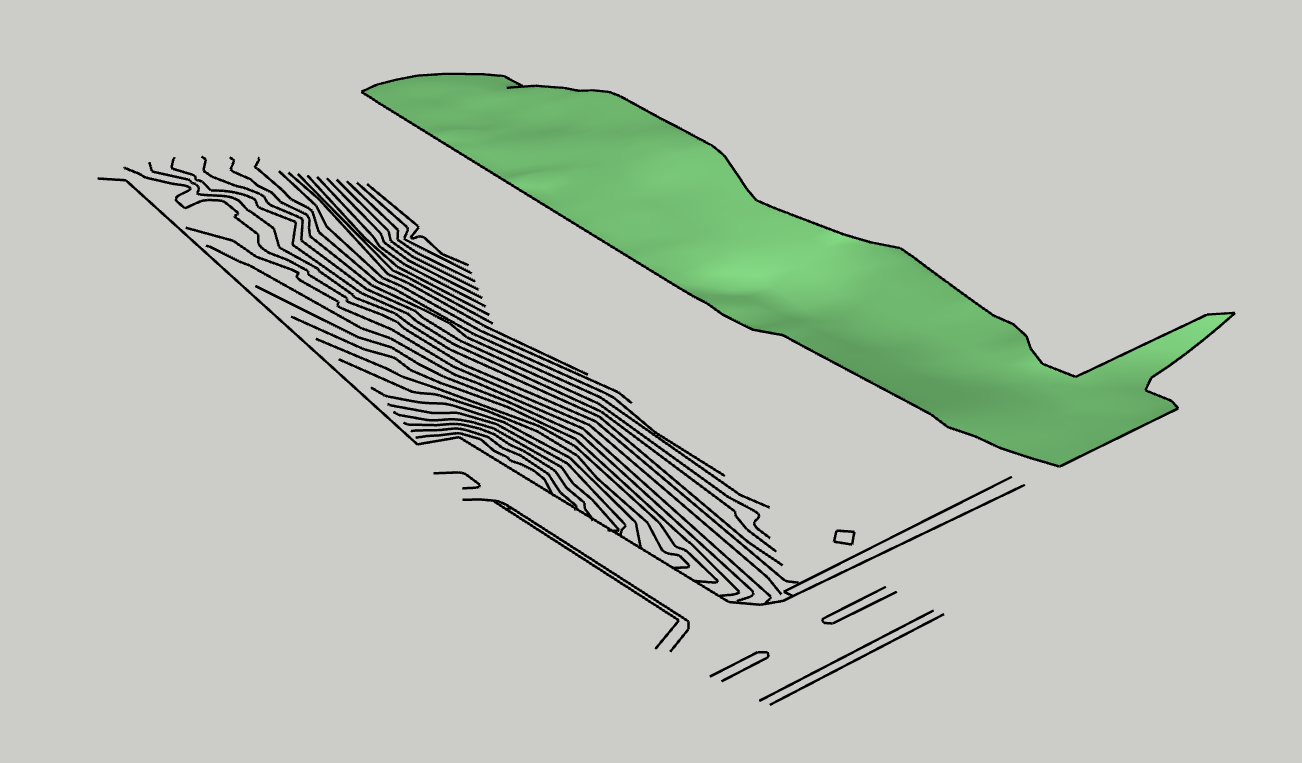
              toposhaper terrain

              Download the free D'oh Book for SketchUp πŸ“–

              D 1 Reply Last reply Reply Quote 0
              • D Offline
                DenizMtly @Rich O Brien
                last edited by

                @Rich-O-Brien It seems it's working with you, but not with me. Tried several times before but I'll give it another try.

                1 Reply Last reply Reply Quote 0
                • Rich O BrienR Offline
                  Rich O Brien Moderator
                  last edited by

                  Make sure your extensions are up to date

                  Download the free D'oh Book for SketchUp πŸ“–

                  D 1 Reply Last reply Reply Quote 0
                  • D Offline
                    DenizMtly @Rich O Brien
                    last edited by DenizMtly

                    @Rich-O-Brien They are all the recent versions. But the model I've sent was copied from another file and pasted in a new one and saved afterwards. The contours group was under another group. Therefore I was trying in that parent group and from outside contours group. After I saw you were successful, I copied it and pasted outside, then tried again, it finally worked. So it does not work if the group is under another parent group. Is that the case?

                    1 Reply Last reply Reply Quote 0
                    • Rich O BrienR Offline
                      Rich O Brien Moderator
                      last edited by

                      If your contours are nested, as in grouped in a group, then you will need to select contours after selecting the Parent group.

                      If your contours are just a single group then Toposhaper treats that as the selection.

                      Download the free D'oh Book for SketchUp πŸ“–

                      D 1 Reply Last reply Reply Quote 0
                      • D Offline
                        DenizMtly @Rich O Brien
                        last edited by

                        @Rich-O-Brien Thanks a lot!

                        1 Reply Last reply Reply Quote 1
                        • TommyKT Offline
                          TommyK
                          last edited by

                          I also get the "cannot hide layer that is a part of the active path" error when trying to Generate Quadmesh from terrain. This error occurs even when selecting the contours that are grouped.

                          What fixed it for me: move the group of contours to the root context. This error seems to come up if you are working within nested groups. TopoShaper seems to only work in the master context.

                          Ruby Error - CLEANSING - 24-Feb-26 10:33:43 - SU2025.0 - LibFredo6 - v15.8e.txt

                          1 Reply Last reply Reply Quote 0
                          • 1
                          • 2
                          • 2 / 2
                          • First post
                            Last post
                          Buy SketchPlus
                          Buy SUbD
                          Buy WrapR
                          Buy eBook
                          Buy Modelur
                          Buy Vertex Tools
                          Buy SketchCuisine
                          Buy FormFonts

                          Advertisement